In this article
Mitigation and protection guidanceMicrosoft Defender detectionsHunting queriesIndicators of compromise
In October 2026, the financially motivated threat actor Storm-3358 began targeting organizations in the financial sector using the agentic AI offensive framework ARTEX. The threat actor that Microsoft Threat Intelligence tracks as Storm-3358 is a Cambodia-based intrusion cluster that primarily targets financial organizations in Southeast As
In October 2026, the financially motivated threat actor Storm-3358 began targeting organizations in the financial sector using the agentic AI offensive framework ARTEX. The threat actor that Microsoft Threat Intelligence tracks as Storm-3358 is a Cambodia-based intrusion cluster that primarily targets financial organizations in Southeast Asia, in addition to a smaller number of large financial organizations globally.
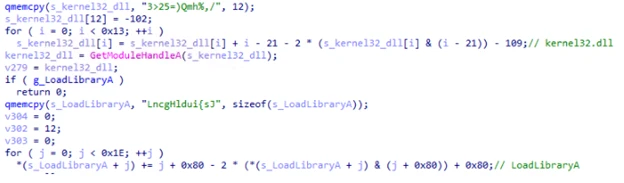
Microsoft has observed Storm-3358 use ARTEX in combination with conventional automated tools to scan systems connected to the public internet, exploit security flaws including anonymous file upload and server-side request forgery (SSRF), and install open-source remote access trojans (RATs). Storm-3358 has used the WISP, vshell, and AdaptixC2 RATs for persistence and lateral movement. Microsoft has observed ARTEX agents using utilities like netcat and curl to download these RATs to compromised systems, as shown in Figure 1.
Figure 1. Example commands that ARTEX agents used to download RATs to compromised systems.
In recent ARTEX-related attacks, threat actors have used ARTEX agents to scan and exploit vulnerabilities in web applications, use web shells for persistence on compromised web servers, compromise credentials from public sources and compromised systems, and use compromised cloud identities for persistence and data exfiltration. ARTEX agents can also perform brute-force password attacks, password spraying, API enumeration and abuse, and database dumping. Agentic tools like ARTEX can leverage compromised credentials and systems at machine speed to move laterally, escalate privileges, and exfiltrate data.
This activity illustrates an ongoing trend of threat actors accelerating all stages of the attack chain with agentic AI penetration testing frameworks, including ARTEX. As these capabilities evolve, defenders must similarly use AI to investigate and respond across large environments.
While threat actors regularly use proxies and virtual private networks (VPNs) to change the source IP address of malicious traffic and bypass static detections, Microsoft is providing indicators of compromise (IOCs) to help defenders detect related activity.
Mitigation and protection guidance
Microsoft’s research into threats involving agentic frameworks informs security detections and investigative context across its products. The capabilities available to customers depend on the source of the activity and the products and protections deployed in their environment.
Several behavioral signals can help organizations determine that they are being targeted by threat actors using agentic AI. Agentic AI frameworks scanning a target send a wide variety of requests in a brief time and retry variations on the same technique or move on to next-stage actions at machine speed. Agentic AI frameworks use existing penetration testing tools. For example, ARTEX by default uses Nmap, curl, wget, Python HTTP clients, Norma SDK WebFetch, and headless Chromium through Playwright, among others. These tools may send network traffic with distinctive characteristics, such as default user agent strings. While blocking network traffic with these characteristics will not stop an attack by an AI agent, which will quickly change them, identifying them can alert defenders to the activity.
Defensive honeypots, decoys, tarpits, and fake wins can pull autonomous AI attacks away from legitimate targets. Honeypots and decoy surfaces such as Microsoft Sentinel Deception give the agent attractive but worthless targets to pursue. Tarpits consume the agent’s time and budget. Fake wins present convincing evidence that the agent’s objective is complete, which can cause it to stop on a false success. In Microsoft’s testing, these controls helped reduce the attack traffic reaching real assets and produced high-confidence, attribution-quality signal.
Microsoft’s continuous research into threat actors leveraging agentic frameworks integrates directly into the following products:
Identity and sign-in activity — Microsoft Entra ID Protection
Microsoft analyzes sign-in activity and other signals to identify potential identity risk. Customers can investigate risk detections and risky sign-ins, and configure Conditional Access policies that use sign-in or user risk to require multifactor authentication or block access when specified conditions are met. Identity and sign-in activity from known threat actor infrastructure, including from agentic frameworks like ARTEX, generate Verified threat actor IP risk detections delivered at high risk. See:
Endpoint activity — Microsoft Defender for Endpoint
Endpoint alerts help security teams identify and investigate suspicious activity on devices. Indicators of compromise can support detection and, when configured, blocking. Customers can review related alerts in the Microsoft Defender portal. See:
Activity across security domains — Microsoft Defender portal
The portal brings together alerts and incidents from Microsoft security solutions and provides relevant threat intelligence to support investigation, threat hunting, and response. This helps customers assess suspicious activity in the context of their own environment. See:
Threat actor misuse of AI accelerates risk across enterprise environments by amplifying existing threats such as exploitation of vulnerabilities, phishing, malware threats, and insider activity. To help organizations stay ahead of AI-enabled threat activity, Microsoft has introduced the Security Dashboard for AI. The dashboard provides users with a unified view of AI security posture by aggregating security, identity, and data risk across Microsoft Defender, Microsoft Entra, and Microsoft Purview. See:
Microsoft Defender customers can refer to the list of applicable detections below. Microsoft Defender coordinates detection, prevention, investigation, and response across endpoints, identities, email, apps to provide integrated protection against attacks like the threat discussed in this blog. These alerts may trigger on unrelated activity. Customers should investigate to determine if the alert is related to the activity outlined in this blog.
Tactic
Microsoft Defender coverage
Execution
Microsoft Defender for Endpoint – Process launched in the background – Suspicious file dropped and launched – Suspicious file or content ingress – Hidden file executed – Suspicious process executed by network service – Suspicious piped command launched – Suspicious process launched by service – Suspicious process launched from a world-writable directory – Suspicious script launched – Suspicious shell execution from PHP application – Suspicious shell command execution
Collection
Microsoft Defender for Endpoint – Enumeration of files with sensitive data – Suspicious file copy operations – Suspicious process collected data from local system
Credential access
Microsoft Defender for Endpoint – Suspicious access of sensitive files
Defense evasion
Microsoft Defender for Endpoint – Executable permission added to file or directory – Obfuscation or deobfuscation activity – Possible time based evasion – Suspicious decoding of encoded content into script – Suspicious file and directory permission modification – Suspicious file or information obfuscation detected – Suspicious path deletion
Discovery
Microsoft Defender for Endpoint – Suspicious port scan activity
Command and control (C2)
Microsoft Defender for Endpoint – Possible reverse shell – Suspicious connection to remote service – Suspicious curl behavior
Microsoft Defender for Cloud – Publicly accessible storage containers have been exposed – Azure Resource Manager operation from suspicious IP address
Lateral movement
Microsoft Defender for Endpoint – Remote Desktop session
Persistence
Microsoft Defender for Endpoint – Possible Web Server compromise activity – Suspicious cron job creation
Microsoft Security Copilot
Microsoft Security Copilot is embedded in Microsoft Defender and provides security teams with AI-powered capabilities to summarize incidents, analyze files and scripts, summarize identities, use guided responses, and generate device summaries, hunting queries, and incident reports.
Security Copilot is also available as a standalone experience where customers can perform specific security-related tasks, such as incident investigation, user analysis, and vulnerability impact assessment. In addition, Security Copilot offers developer scenarios that allow customers to build, test, publish, and integrate AI agents and plugins to meet unique security needs.
Threat intelligence reports
Microsoft Defender XDR customers can use the following threat analytics reports in the Defender portal (requires license for at least one Defender XDR product) to get the most up-to-date information about the activity and techniques discussed in this blog. These reports provide intelligence, protection information, and recommended actions to prevent, mitigate, or respond to associated threats found in customer environments.
Microsoft Security Copilot customers can also use the Microsoft Security Copilot integration in Microsoft Defender Threat Intelligence, either in the Security Copilot standalone portal or in the embedded experience in the Microsoft Defender portal to get more information about this threat.
Hunting queries
Microsoft Defender XDR
Microsoft Defender XDR customers can run the following advanced hunting query to find related activity in their networks:
Download of new files using curl
Threat actors might use tools such as curl to download additional files, communicate with C2 infrastructure, or exfiltrate data. This query looks for new files being downloaded using curl. curl also has legitimate uses, so files and hosts should be reviewed to identify potentially malicious activity.
let known_files = DeviceNetworkEvents
    | where TimeGenerated between (ago(7d)..ago(1d))
    | where InitiatingProcessFileName has "curl"
    | extend url = extract("http[s]?:\\/\\/(?:[a-zA-Z]|[0-9]|[$-_@.&+]|[!*\\(\\),]|(?:%[0-9a-fA-F][0-9a-fA-F]))+", 0,InitiatingProcessCommandLine)
    | extend ip = extract("(\\b25[0-5]|\\b2[0-4][0-9]|\\b[01]?[0-9][0-9]?)(\\.(25[0-5]|2[0-4][0-9]|[01]?[0-9][0-9]?)){3}[^ ]*", 0, InitiatingProcessCommandLine)
    | extend remote_file = iif(isnotempty(url), url, ip)
    | union (SecurityEvent
    | where TimeGenerated between (ago(7d)..ago(1d))
    | where EventID == 4688
    | where CommandLine has "curl"
    | extend url = extract("http[s]?:\\/\\/(?:[a-zA-Z]|[0-9]|[$-_@.&+]|[!*\\(\\),]|(?:%[0-9a-fA-F][0-9a-fA-F]))+", 0,CommandLine)
    | extend ip = extract("(\\b25[0-5]|\\b2[0-4][0-9]|\\b[01]?[0-9][0-9]?)(\\.(25[0-5]|2[0-4][0-9]|[01]?[0-9][0-9]?)){3}[^ ]*", 0, CommandLine)
    | extend remote_file = iif(isnotempty(url), url, ip))
    | summarize by remote_file;
    DeviceNetworkEvents
    | where TimeGenerated > ago(1d)
    | where InitiatingProcessFileName has "curl"
    | extend url = extract("http[s]?:\\/\\/(?:[a-zA-Z]|[0-9]|[$-_@.&+]|[!*\\(\\),]|(?:%[0-9a-fA-F][0-9a-fA-F]))+", 0,InitiatingProcessCommandLine)
    | extend ip = extract("(\\b25[0-5]|\\b2[0-4][0-9]|\\b[01]?[0-9][0-9]?)(\\.(25[0-5]|2[0-4][0-9]|[01]?[0-9][0-9]?)){3}[^ ]*", 0, InitiatingProcessCommandLine)
    | extend remote_file = iif(isnotempty(url), url, ip)
    | union (SecurityEvent
    | where EventID == 4688
    | where CommandLine has "curl"
    | extend url = extract("http[s]?:\\/\\/(?:[a-zA-Z]|[0-9]|[$-_@.&+]|[!*\\(\\),]|(?:%[0-9a-fA-F][0-9a-fA-F]))+", 0,CommandLine)
    | extend ip = extract("(\\b25[0-5]|\\b2[0-4][0-9]|\\b[01]?[0-9][0-9]?)(\\.(25[0-5]|2[0-4][0-9]|[01]?[0-9][0-9]?)){3}[^ ]*", 0, CommandLine)
    | extend remote_file = iif(isnotempty(url), url, ip))
    | where remote_file !in (known_files)
Microsoft Sentinel
Microsoft Sentinel customers can run the following advanced hunting query to find related activity in their networks:
Detect network IP indicators of compromise using ASIM
The following query checks IP address across data sources in the past 30 days supported by ASIM network session parser.
let lookback = 30d; let
ioc_ip_addr = dynamic(["199.19.95.66", "199.19.95.67", "199.19.95.68", "91.92.240.238", "85.11.168.45", "178.15.54.129", "31.77.229.35", "85.11.167.52"]);
_Im_NetworkSession(starttime=todatetime(ago(lookback)), endtime=now())
| where DstIpAddr in (ioc_ip_addr)
| summarize FirstSeen=min(TimeGenerated), LastSeen=max(TimeGenerated), EventCount=count() by SrcIpAddr, DstIpAddr, DstDomain, Dvc, EventProduct, EventVendor
Indicators of compromise
Note: Threat actors regularly use proxies and virtual private networks (VPNs) to change the source IP address of malicious traffic and bypass static detections. Microsoft is providing the following sample indicators of compromise (IOCs) to help defenders detect related activity.
To hear stories and insights from the Microsoft Threat Intelligence community about the ever-evolving threat landscape, listen to the Microsoft Threat Intelligence podcast.
In this article
From exposed secrets to cloud compromiseFollow-on actionsMitigating application credential abuse activityDefending against agentic AI attacksMicrosoft detectionsAdvanced hunting queries
Microsoft Threat Intelligence has observed threat actors using an agentic AI offensive framework to search public GitHub repositories for exposed secrets, including credentials, application credentials, and AI inference-related API keys across multiple applic
Microsoft Threat Intelligence has observed threat actors using an agentic AI offensive framework to search public GitHub repositories for exposed secrets, including credentials, application credentials, and AI inference-related API keys across multiple applications and cloud services. These threat actors can then use the secrets for further malicious activity against the compromised organization.
Searching open code repositories for exposed credentials, secrets, keys, and other authentication material is a well-documented technique that has historically been limited by the time required for human operators to find code repositories, review the data in the repositories, and leverage authentication material for further action. However, agentic tooling like ARTEX allows threat actors to not only scan for secrets across multiple repositories at a quicker pace but also use the agents to analyze the output and conduct follow-on attacks, cutting down on the need for the threat actor to have hands-on-keyboard interactions throughout the attack chain. In at least one case, Microsoft observed an AI agent advance from scanning GitHub for secrets to exfiltrating data from Azure Key Vault in just five minutes.
Microsoft has also investigated follow-on activity involving the misuse of valid application credentials. As early as October 28, 2026, Microsoft began observing successful service principal sign-ins from the IP address 199.19.77[.]84 involving multiple application IDs across some impacted customers, including cases where a multitenant application credential was compromised at the source (vendor-owned application) and used to access multiple downstream tenants. The threat actor used the compromised credentials for cloud resource discovery, and credential and data exfiltration, including from Azure Key Vaults and Storage Accounts, and abuse of Azure AI services consistent with the activity described above. Additionally, Microsoft observed malicious activity originating from two IP addresses potentially associated with this campaign. We identified malicious operations from 65.87.223[.]26, including indications of vulnerability exploitation by embedded shell commands in a user agent and attempts to obtain App Service authentication tokens. A similar campaign involving the same IPs addressed was also reported by Todyl. Separately, Microsoft observed reconnaissance operations from 157.22.126[.]128 targeting AI workloads deployed by victims on Azure AI services.
Microsoft encourages organizations to scan their code in GitHub and determine where any secrets are present. In addition to removing the secrets from the code base, affected organizations should immediately rotate any exposed keys or credentials. GitHub monitors public repositories by automatically scanning for secrets. In addition to scanning their own repositories, organizations can enable public monitoring through GitHub to detect secrets leaked in secondary public repositories across GitHub. This extends secret scanning beyond the repositories an enterprise owns to follow potential secret exposure across the platform. GitHub Advanced Security for Azure DevOps scans for credentials and other sensitive content in source code. Push protection can also block supported secrets before they’re pushed. Organizations need either GitHub Advanced Security for Azure DevOps or, for organizations using the standalone experience, GitHub Secret Protection for Azure DevOps enabled.
Secrets are exposed in public repositories when code containing the secret is committed to GitHub. Developers might store secrets in configuration files, scripts, or other code to quickly operationalize the OAuth application or avoid configuring more modern authentication flows. Organizations can reduce exposure by protecting workload identities and secrets, enforcing least privilege, safeguarding recovery resources, and enabling relevant Microsoft Defender for Cloud protections. Publicly exposed credentials remain usable until revoked or rotated; removing the original disclosure alone does not remediate the exposure. Microsoft recommends that developers migrate OAuth applications away from secret-based authentication. While storing long-lived application client secrets in code is a common practice, using managed identities for application authentication eliminates the possibility of secret exposure in code, manual processes associated with secret management, and barriers to securely scaling applications.
This activity illustrates an ongoing trend of threat actors accelerating all stages of the attack chain with agentic AI penetration testing frameworks, including ARTEX. As these capabilities evolve, defenders must similarly use AI to investigate and respond across large environments.
From exposed secrets to cloud compromise
Starting in August 2026, Microsoft observed threat actors using an agentic AI offensive framework to submit large volumes of queries to GitHub for secrets. The queries submitted by the AI framework often included the name of a target organization, keywords for secrets, a keyword linked to cloud services, or a keyword linked to another AI service provider. Organizations that find their secrets exposed in public repositories must assume that the exposed secrets and associated applications are compromised.
Follow-on actions
Credential abuse via Entra ID
In one follow-on attack that began as early as October 28, 2026, an agentic framework used valid leaked or stolen application credentials to access Microsoft Entra ID tenants of certain organizations and connected Azure and Microsoft 365 resources. The sign-ins primarily came from two IP addresses: 199.19.77[.]84 and 199.19.77[.]18. The latter IP address is a Tor exit node, which might be associated with unrelated malicious activity, including from unrelated sources. The agent successfully conducted service principal sign-ins on dozens of associated applications across multiple tenants.. Service principals are the identities that applications use to authenticate and give direct, programmatic access to whatever the application is authorized to reach.
The threat actor targeted operations that return credentials, including storage account keys, App Service settings, connection strings and publishing credentials, AI and machine learning (ML) connections and datastores, and Azure Kubernetes Service (AKS) user credentials. The compromised applications subsequently accessed SharePoint and OneDrive in the targeted organization tenants, including file downloads and mailbox-item access. In some tenants, the threat actor sent Microsoft Graph API requests, which were mostly searches to find content of interest. The threat actor enumerated subscriptions, resource groups, permissions, AI model deployments, and service configurations in Azure to map the environment.
Additionally, the threat actor attempted to validate stolen Azure resources, including compromised Azure AI services, as identified using Defender for Cloud’s AI threat protection. Observed activity suggests that the threat actor might have attempted to abuse some of these compromised AI resources to facilitate their broader attack activity.
Figure 1. Tactics, techniques, and procedures (TTPs) observed across the credential abuse attack chain
Cloud API adjustments indicative of adaptive behavior
Additionally in this attack the agent’s operations on a victim’s Azure Resource Manager (ARM) instance originating from 199.19.77[.]84 demonstrated sequences consistent with adaptive troubleshooting, where failed cloud API requests were followed by changes to HTTP methods or API versions and subsequent HTTP 200 responses:
A batch of ARM requests attempting to enumerate secret metadata across multiple Azure Key Vault resources returned HTTP 400 (Bad Request). These requests specified a version associated with Key Vault’s data-plane APIs against ARM (control-plane) APIs. Approximately 28 seconds after the first failed response, a batch rerun began against the same vault resource paths using the ARM API version 2023-07-01 and returned HTTP 200.
A GET request to enumerate an Azure SQL server’s firewall rules specified an outdated API version and returned HTTP 400. Approximately 60 seconds after that request, a matching GET began using a supported version and subsequently returned HTTP 200. The URL changed only in its api-version parameter.
An ARM POST request to an Application Insights query endpoint returned HTTP 400 because an outdated API version was specified. Approximately 80 seconds after the failed request, another POST began against the same endpoint, specifying a supported API version, and subsequently returned HTTP 200.
OAuth application abuse
In multiple cases, Microsoft observed the same agentic AI tools subsequently obtain a token for a single-tenant OAuth application in the same target organization, then use the compromised OAuth application to enumerate other cloud resources within the organization. In some cases, the agents exfiltrated secrets from the organization’s Azure Key Vault. The agents once authenticated have also searched Azure DevOps for secrets. Until the secrets are revoked or rotated, they can allow a threat actor to maintain persistence in the organization, compromise additional identities, or hijack resources. In one observed case, an AI agent progressed from searching for the client secrets in GitHub to exfiltrating data from Azure Key Vault in five minutes.
The agents also used the compromised OAuth application to use the Run Command, which runs scripts in Azure VMs. With access to this functionality on a VM, a threat actor can access unsecured credentials and other stored data, compromise associated workload identities, or run code that provides persistence or lateral movement.
During this activity, the AI agents repeatedly demonstrated a focus on credentials that provide access to AI services, such as API keys for major AI service providers and OAuth applications with access to Foundry Tools (previously known as Azure Cognitive Services). Multiple public reports have documented threat actors using agentic AI tools to compromise credentials for AI services, sometimes to run the same agentic AI workflow.
Mitigating application credential abuse activity
Microsoft recommends the following mitigation steps to contain, detect, and investigate this threat.
Containment
Block 199.19.77[.]84/32 as a named location in a Conditional Access policy targeting workload identities, assigned directly to service principals, and in a user-scoped block policy to cover replayed sessions. Note that workload identity policies require Workload ID Premium licensing and cover only single-tenant apps registered in your tenant. Block the exact IP rather than the whole ASN.
For affected users, revoke Entra sessions, Azure DevOps PATs and SSH keys.
For any affected application, remove all client secrets, certificates and federated credentials, including those added by the threat actor and disable the service principal if needed. Tokens already issued remain valid until expiry.
Rotate everything stored in any Key Vault the affected application could read, and any credentials found in accessed documents.
MSPs: Review Partner Center access, GDAP relationships, and customer tenants, and notify affected customers per your agreements.
Detection and hunting
Review Entra service principal and non-interactive sign-in logs for 199.19.77[.]84 and 199.19.77[.]18 including failed attempts. Sign-in errors AADSTS7000215 (invalid secret) or AADSTS7000222 (expired secret) indicate someone holds a credential for your app; a failure followed by a success is urgent.
Review Azure Activity, Key Vault and Storage diagnostics, Entra audit, Azure DevOps audit and Microsoft 365 unified audit logs for the address, including secret reads, blob and file downloads, and changes to apps, permissions or pipelines.
In Azure DevOps auditing, review PAT creation and first use, federated service connections, pipeline runs and edits, and unfamiliar user agents. Enable auditing if it is off.
Look for behavior as well as the IP: one address authenticating to three or more service principals with mixed success, or one app requesting tokens across Azure Resource Manager, Key Vault, Storage and Graph in a short window. Search as far back as retention allows.
Defending against agentic AI attacks
Threat actors can and do change the source IP address, user agent strings, and other fingerprints left by the agentic AI penetration testing tools they use. This can make identifying and blocking malicious network traffic early difficult for defenders.
Several behavioral signals can help organizations determine that they are being targeted by threat actors using agentic AI. Agentic AI frameworks scanning a target send a wide variety of requests in a brief time and retry variations on the same technique or move on to next-stage actions at machine speed. Agentic AI frameworks use existing penetration testing tools. For example, ARTEX by default uses Nmap, curl, wget, Python HTTP clients, Norma SDK WebFetch, and headless Chromium through Playwright, among others. These tools may send network traffic with distinctive characteristics, such as default user agent strings. While blocking network traffic with these characteristics will not stop an attack by an AI agent, which will quickly change them, identifying them can alert defenders to the activity.
Defensive honeypots, decoys, tarpits, and fake wins can pull autonomous AI attacks away from legitimate targets. Honeypots and decoy surfaces such as Microsoft Sentinel Deception give the agent attractive but worthless targets to pursue. Tarpits consume the agent’s time and budget. Fake wins present convincing evidence that the agent’s objective is complete, which can cause it to stop on a false success. In Microsoft’s testing, these controls helped reduce the attack traffic reaching real assets and produced high-confidence, attribution-quality signal.
Microsoft recommends the following mitigations to reduce the impact of this threat.
Protect and continuously assess application credentials and secrets. Avoid storing service principal credentials, storage keys, connection strings, and other secrets in source code, configuration files, public repositories, issues, or other locations where they might be inadvertently exposed. To find credentials in source code, consider using tools like GitHub Advanced Security or other OWASP source code analysis tools.
Rotate compromised or exposed credentials immediately and establish credential lifecycle practices. Treat credentials that have been publicly exposed as compromised, even if the original location has subsequently been edited or deleted. Removing the content does not invalidate the credential or eliminate copies retained in edit history, caches, archives, logs, or other systems. Immediately revoke or rotate the affected credentials and investigate their historical use. Where supported, organizations should favor mechanisms that reduce reliance on long-lived credentials. Learn more about protecting secrets with Defender for Cloud.
Enable appropriate Microsoft Defender for Cloud plans for critical Azure workloads. Consider enabling workload protections relevant to the resources in your environment, including Defender for Resource Manager, Defender for Storage, Defender for Key Vault, Defender for App Service, and Defender for Databases. Learn more in the Microsoft Defender for Cloud overview.
Apply least privilege to service principals and other workload identities. Review the Azure role-based access control (RBAC) permissions assigned to service principals and restrict their privileges to the resources and operations required by their applications. Learn more about best practices for Azure RBAC.
Protect backup and recovery infrastructure as part of resilience. Restrict access to backup and recovery resources and closely monitor attempts to modify or remove their protection controls. Learn more about Azure Backup security best practices.
Hardening OAuth applications against compromise involves managing the permissions of the applications in your organization and securing application secrets. To triage applications in your environment, enforce security policies with new applications as they are created, and address existing applications over time beginning with the most recent ones.
Identify and catalog applications running in your cloud environment. The Cloud app catalog page in Defender for Cloud Apps is one service that can help accomplish this.
Use Microsoft Defender for Cloud Apps Cloud Discovery tools to identify unmanaged apps, and prioritize the most frequently used apps to migrate and integrate.
Set permission restrictions to limit who can create an application in the tenant. This can be achieved by setting the ability for users to register apps to “No” and limiting the application developer role to privileged users. Review the list of least privileged roles by task to help scope role-based access control in your environment.
Microsoft Defender and Microsoft Sentinel customers can refer to the list of applicable detections below. Microsoft Defender coordinates detection, prevention, investigation, and response across endpoints, identities, email, and apps to provide integrated protection against attacks like the threat discussed in this blog.
Tactic
Observed activity
Microsoft Defender and Sentinel coverage
Initial access
Multiple identity-protection alerts identified authentication attempts from anonymized or high-risk infrastructure. This pattern can indicate attempted access through proxy, VPN, or previously reported malicious network sources.
Microsoft Entra ID Protection – Anonymous IP address
Initial access
Attack-analysis detections identified OAuth application activity consistent with compromise. This type of detection is useful when evaluating whether an app identity, rather than only a user identity, may have been abused.
Microsoft Defender XDR – Potentially compromised OAuth application identified through attack activity analysis
Initial access, Discovery
Unattributed network indicators related to ARTEX use are flagged by Microsoft Threat Intelligence research and surfaced across multiple alerts. Suspected ARTEX use can include activity beyond the GitHub repository scanning activity discussed in this blog.
Microsoft Sentinel – Abnormal Deny Rate for Source IP – Abnormal Port to Protocol – Inbound Network Attack detected – Malformed user agent – Password spray attack against Azure AD application
Microsoft Defender XDR – Account compromised following a password-spray attack – Anomalous OAuth device code authentication activity – Multiple Service Principal Sign-ins from Single IP – Graph API activity from a Microsoft threat intelligence IP address
Microsoft Defender for Cloud Apps – Activities from suspicious user agents – Multiple failed login attempts – Multiple failed user log on attempts to an app – OAuth application activity from an uncommonly visited ISP – Suspicious OAuth app registration
Microsoft Defender for Cloud – Key vault unusual access denied – user/application accessing high volume of denied key vaults – Access from an unusual location to a sensitive blob container – Azure Resource Manager operation from suspicious IP address
Microsoft Entra ID Protection – Atypical travelMalicious IP addressPassword Spray – Verified threat actor IP
Credential access
Identity-protection detections observed password spray behavior. This indicates repeated authentication attempts across accounts or tenants using a common source pattern.
Microsoft Entra ID Protection – Password spray
Microsoft Defender for Identity – Suspicious service principal sign-in following credential addition
Credential access
Azure Key Vault access
Microsoft Defender for Cloud (Defender for Key Vault) – Unusual operation pattern in a key vault – High volume of operations in a key vault – Unusual application accessed a key vault – Suspicious secret listing and query in a key vault – Unusual access to the key vault from a suspicious IP (Non-Microsoft or External)
Command and control
Suspicious Microsoft Graph API usage was observed from campaign infrastructure. The activity involved Graph requests that can support discovery, collection, or follow-on cloud operations.
Microsoft Defender for Identity – Suspicious Entra Graph API query observed
Advanced hunting queries
The following hunting queries are related to the October 28 Entra ID service principal sign-in activity.
Find successful and failed application sign-ins from the suspicious IP addresses
let startTime = datetime(2026-10-28T00:00:00Z);
let endTime = now();
EntraIdSpnSignInEvents
| where Timestamp between (startTime .. endTime)
| where IPAddress in ("199.19.77.84")
| project Timestamp, TenantId, Application, ApplicationId, ServicePrincipalName, ServicePrincipalId, ResourceDisplayName, ResourceId, ResourceTenantId, IPAddress, ErrorCode, UserAgent, CorrelationId, RequestId
| order by Timestamp asc
Find Microsoft Graph API requests from the two IP addresses, including searches and response status
let startTime = datetime(2026-10-28T00:00:00Z);
let endTime = now();
GraphAPIAuditEvents
| where Timestamp between (startTime .. endTime)
| where IpAddress in ("199.19.77.84")
| project Timestamp, TenantId, ApplicationId, ServicePrincipalId, AccountObjectId, IpAddress,
          RequestMethod, RequestUri, ResponseStatusCode, ResponseSize, Scopes, EntityType,
          TargetWorkload, UniqueTokenIdentifier, ClientRequestId, OperationId, RequestId
| order by Timestamp asc
Find available Microsoft 365 and Microsoft Azure cloud activity details from the suspicious IP addresses
let startTime = datetime(2026-10-28T00:00:00Z);
let endTime = now();
CloudAppEvents
| where Timestamp between (startTime .. endTime)
| where IPAddress in ("199.19.77.84")
| project Timestamp, Application, CloudAppId = ApplicationId, ActionType, ActivityType,
          AccountType, AccountDisplayName, AccountId, AccountObjectId, IPAddress, UserAgent,
          ObjectName, ObjectType, ObjectId, ActivityObjects, ReportId, RawEventData
| order by Timestamp asc
CloudAuditEvents table to identify suspicious controlplane operations
CloudAuditEvents
| where IPAddress has_any  ('199.19.77.84','65.87.223.26')
CloudStorageEvents table to identify possible exfiltration from Storage Accounts.
CloudStorageAggregatedEvents
| where IPAddress in   ('199.19.77.84','65.87.223.26')
| where SuccessfulOperationsCount > 0
Microsoft Security Copilot
Microsoft Security Copilot is embedded in Microsoft Defender and provides security teams with AI-powered capabilities to summarize incidents, analyze files and scripts, summarize identities, use guided responses, and generate device summaries, hunting queries, and incident reports.
Security Copilot is also available as a standalone experience where customers can perform specific security-related tasks, such as incident investigation, user analysis, and vulnerability impact assessment. In addition, Security Copilot offers developer scenarios that allow customers to build, test, publish, and integrate AI agents and plugins to meet unique security needs.
Threat intelligence reports
Microsoft Defender XDR customers can use threat analytics reports in the Defender portal (requires license for at least one Defender XDR product) to get the most up-to-date information about the activity and techniques discussed in this blog. These reports provide intelligence, protection information, and recommended actions to prevent, mitigate, or respond to associated threats found in customer environments.
Microsoft Security Copilot customers can also use the Microsoft Security Copilot integration in Microsoft Defender Threat Intelligence, either in the Security Copilot standalone portal or in the embedded experience in the Microsoft Defender portal to get more information about this threat.
To hear stories and insights from the Microsoft Threat Intelligence community about the ever-evolving threat landscape, listen to the Microsoft Threat Intelligence podcast.
In this article
Spoofed sender domainsQR code phishing attacksCAPTCHA-gated phishing tacticsMalicious payloadsBusiness contact impersonationMicrosoft Teams threatsNotable phishing campaignsDefending against email and collaboration threatsHunting queriesIndicators of compromise (IOCs)
Microsoft Threat Intelligence detected approximately 7.3 billion email-based phishing threats from July through September, including a sharp increase to nearly 3 billion in Sep
Microsoft Threat Intelligence detected approximately 7.3 billion email-based phishing threats from July through September, including a sharp increase to nearly 3 billion in September alone, up 41% from August. Yet the increase did not extend across the techniques that had driven threat actor activity earlier in the year. QR code phishing remained far below its early-year peak, while CAPTCHA-gated phishing reversed several months of decline, driven in part by renewed use of SVG attachments.
The quarter also highlighted how sender identity and security exceptions can shape the outcome of detected threats. Microsoft detected approximately 129 million malicious messages spoofing the sender domains of tracked business services. Many were delivered because organization- or user-configured exceptions overrode security protections, even after the messages failed authentication checks and were identified as malicious, showing how overly broad exceptions intended to preserve legitimate workflows can also expose them to impersonation. In Microsoft Teams, attackers increasingly used ordinary personal names rather than explicit help desk identities while continuing to use live interactions for social engineering. Across malicious attachment activity more broadly, credential theft remained the dominant objective in Q3.
Two campaigns observed during the quarter illustrate the range of activity behind these trends. An August campaign targeting legal organizations used personalized salary review documents and QR codes to lead recipients into device code phishing, despite the broader decline in QR code attacks. In September, purchase order and payroll lures used disguised archives to deliver Agent Tesla, malware commonly used to collect credentials and other information. Together, the campaigns show how familiar business requests remained effective lures across distinct attack paths.
The effects of the March disruption of the Tycoon2FA phishing-as-a-service (PhaaS) platform also remained evident. By July, Microsoft detected approximately 21,000 phishing messages linked to the platform, down 99.8% from 8.9 million in February, the last full month before the operation.
This blog provides a view of email threat activity across Q3 2026, examining shifts in phishing techniques, malicious payloads, business contact impersonation (BCI), and Teams-based threats. We also highlight spoofed business-service sender domains and two campaigns that show how attackers used familiar work requests to make malicious messages appear credible. Together with recommendations, Microsoft Defender detections, and hunting queries, these findings can help defenders assess where existing protections may be weakened and investigate activity across email and collaboration platforms.
Spoofed sender domains
Requests to sign a document, review an invoice, or respond to a survey are routine business communications. Attackers exploit that familiarity by spoofing the sender domains of the legitimate services that deliver them. Rather than relying only on a misleading display name or a lookalike domain, these messages claim the service’s actual domain as their sender identity.
Microsoft detected approximately 129 million malicious messages spoofing the business-service domains tracked in this analysis during Q3. Activity had remained consistently high since at least May, at roughly 41 million to 46 million messages a month. DocuSign was the most frequently spoofed brand in September, accounting for 29% of that month’s total. Adobe, SurveyMonkey, and Barracuda also saw increases toward the end of the quarter, even as overall spoofing volume remained broadly steady.
The more consequential finding was how security exceptions affected these messages after detection. Despite failing email authentication checks and being identified as malicious, many were associated with tenant- or user-level overrides. In September, overrides applied to 63% of messages with a recorded security outcome, with tenant-level overrides accounting for most of them.
The figures do not establish that recipients opened the messages or that accounts were compromised. They do show why exception policies deserve attention alongside detection coverage. An organization may create an exception to avoid interrupting a legitimate business workflow, but an overly broad exception can also weaken protection against messages impersonating that workflow. Familiar branding is not a substitute for an authenticated sender.
QR code phishing attacks
QR code phishing ended Q3 far below the levels seen during its early-year surge. Microsoft detected approximately 12.1 million attacks over the quarter, down 67% from Q2. The decline continued through September despite the broader increase in email threats, leaving monthly QR code volume 86% below its March peak.
Figure 4. Monthly QR code phishing volume (January – September 2026)
Much of the volume reduction came from the attachments that had supported that earlier growth:
PDF attachments remained the most common delivery format in Q3, accounting for 78% of QR code attacks in July and August before dropping to 61% in September. Nonetheless, the volume of PDFs carrying malicious QR codes fell by roughly 65% by the end of the quarter.
DOC/DOCX attachments accounted for 14% of QR code attacks in July and August before rising to 20% in September. Word document delivery volume similarly contracted in Q3, falling 39% between July and September following a sharp drop at the start of the quarter.
Email-embedded QR codes increased from 5% of attacks in July to 12% in September. After dropping to near-zero in Q2, the volume of malicious QR codes embedded in email bodies more than tripled by the end of Q3, although the method remained a smaller delivery category than attachments.
Figure 5. QR code phishing delivery method share by month (January – September 2026)
The distinction between delivery methods matters for inspection coverage, but not for the recipient’s experience: either attachment or embedded formats can move a user from a message on a managed device to a phishing page on a personal phone. The reduction in volume has not changed that underlying challenge.
CAPTCHA-gated phishing tactics
CAPTCHA-gated phishing began to recover while QR code attacks continued to fall. By September, Microsoft detected 3.1 million CAPTCHA-gated attacks, nearly twice the volume seen at July’s low. Activity remained well below its March peak, but the recovery ended several months of sustained decline.
Figure 6. CAPTCHA-gated phishing volume (January – September 2026)
The increase in CAPTCHA-gated phishing attacks was not confined to a single attachment format as delivery methods shifted throughout Q3, though SVG attachments were central to the initial recovery.
SVG attachment volume increased sixfold in August, accounting for almost half of September’s total CAPTCHA-gated phishing attacks. Up from 17% of attacks in July, SVGs represented 65% of CAPTCHA-gated phishing attacks in August, remained elevated at 49% in September, and were the leading delivery method at the quarter end.
Email-embedded URLs accounted for 49% of attacks in July before falling to 19% in August as SVG activity surged. URL-delivered attacks more than doubled in September, reclaiming 30% of attacks.
PDF attachments declined from 22% of attacks in July to 12% in August, remaining at 12% in September.
HTML attachments declined from 9% of attacks in July to 2% in August, then more than tripled in volume in September to account for 6% of attacks.
DOC/DOCX attachments remained comparatively uncommon throughout Q3, representing only 1% of attacks each month.
Figure 7. CAPTCHA-gated phishing distribution method share by month (April – September 2026)
Malicious payloads
The dominant risk from malicious attachments continued to be credential theft, not malware installation. Approximately 94-96% of payload-based attacks during Q3 directed recipients toward a phishing site or presented a fraudulent sign-in page locally. An attachment did not need to install software to put an account at risk.
HTML and PDF attachments remained the two most common malicious payload types during Q3, together accounting for approximately 56–62% of payload-based attacks each month, while the more significant change was the return of SVG files:
Figure 8. Malicious payloads by type
HTML attachments accounted for nearly two-thirds of malicious payloads and remained relatively steady across the quarter. HTML files ranked first in July at 32% of attacks before declining to 26% in August and recovering to 29% in September.
PDF attachments accounted for 27–30% of attacks and were the leading payload type in August and September. Volume remained comparatively stable, declining only 2% between July and September.
SVG attachments increased from 13% of attacks in July to 20% in August, when volume reached 10.1 million—the highest monthly volume in more than a year. Volume then fell 34% in September, although SVGs still represented 13% of attacks and remained roughly 50% higher than the monthly average for the first half of 2026.
DOC/DOCX attachments declined from approximately 5% of attacks in July and August to less than 3% in September, falling 76% below its monthly average volume for the first half of 2026.
ZIP/GZIP attachments declined from 5% of attacks in July to 3% in August before recovering slightly to 4% in September. Raw volume remained 24% below July.
The reduced use of Word documents alongside the renewed use of SVG files left a different mix of attachment threats, though credential theft remained the dominant objective.
Figure 9. Malicious payload file type distribution by month (June – September 2026)
CAPTCHA-gated phishing accounted for only part of the malicious SVG activity. The resurgence was therefore broader than the use of SVG files to deliver that particular technique.
Business contact impersonation
Microsoft defines business contact impersonation (BCI) as a text-based attack targeting enterprise users that impersonates a trusted entity for the purpose of persuading a recipient into initiating a fraudulent financial transaction or sending the attacker sensitive documents.
BCI volume declined throughout Q3, totaling approximately 6.2 million attacks. That was substantially below Q2, although the comparison is influenced by the unusually large spike in April. By September, monthly activity had fallen to its lowest level since at least July 2025.
Figure 10. Monthly BCI attack volume (January – September 2026)
The reduction in overall volume also concealed differences among financial lures. Generic messages continued to dominate initial BCI contact during Q3, but explicit task and financial requests gained share as overall attack volume declined:
Generic outreach messages, such as “Are you at your desk?”, accounted for 82% of attacks in July and August before declining to 79% in September. Raw volume fell 14% across the quarter, reinforcing that operators still overwhelmingly favored establishing contact before introducing a fraudulent request.
Generic task requests represented 8–10% of attacks during Q3, increasing from 9% in July to 10% in September despite a 9% decline in raw volume.
Within the smaller subset of explicit financial requests:
Payroll update requests were the most common financial lure, accounting for 6% of attacks in July and August and 7% in September. Raw volume remained broadly stable at approximately 126,000–130,000 attacks per month.
Invoice payment requests recovered from June’s low. Volume increased 34% in July, 25% in August, and 89% in September, more than tripling between June and September. Their share reached 3% in September, its highest level since March.
Gift card requests remained at 2% of attacks each month, while raw volume declined 9% from July to September.
Figure 11. Initial BCI email content by type (Q3 2026)
The decline in BCI overall did not extend equally to the requests reaching payment and payroll staff.
Microsoft Teams threats
Microsoft observed approximately 141,000 malicious Teams call attempts during Q3. Activity peaked in July before declining 31% by September, although September volume remained 38% above the monthly average for the first half of 2026. Teams-based attacks continued to use live interactions across chat, voice, screen sharing, and remote-support tools to facilitate remote access, credential theft, and hands-on-keyboard compromise.
Figure 12. Monthly observed malicious Microsoft Teams calls (January – September 2026)
Attackers increasingly moved away from display names that explicitly announced an IT- or tech-related support role. Ordinary personal-name display names rose from 46% of the observed July sample to 88% in September, while explicit help desk identities fell from 17% to 2%.
Figure 13. Malicious Teams call impersonation comparison (Q3 2026)
This shift does not necessarily mean attackers abandoned IT support stories. A personal name can accompany a claim to work for the help desk, while the underlying account address retains technical or service-related wording. More targeted attempts also used domains resembling the intended victim organization’s domain, emphasizing that the visible name is only one part of the impersonation.
Voice phishing attempts peaked in July and then receded, but September volume remained above the levels observed early in 2026. Calls were concentrated during recipients’ weekday working hours, when a live response was more likely. These attempts included unanswered, rejected, and short-lived calls, partly reflecting Microsoft’s expanding visibility and ongoing efforts to strengthen protective measures against social engineering abuse. Attemps should not be interpreted as successful attacker interactions.
Salary review lure delivers personalized QR code attachment for device code credential capture targeting legal organizations
On August 19, 2026, Microsoft Defender Research observed a phishing campaign targeting more than 10,000 users across more than 4,800 organizations, almost exclusively located in the United States. While most phishing attacks typically don’t focus on a single vertical, this campaign targeted the professional services sector, specifically law firms and legal organizations. Messages in this campaign were sent out over a 13-hour period between 13:27 UTC on August 19, 2026, and 2:59 UTC on August 20, 2026.
Figure 14. Intended campaign targets by industry
Emails in this campaign were sent with the subject line “Salary Review” from smtp[@]wekash[.]net via Amazon Simple Email Service. The email body carried no visible text and the sole payload was a Word document attachment named Your-Q3-Compensation-Summary.docx.
Figure 15. Sample of the campaign document attachment
The Word document impersonated the recipient’s own organization, displaying company branding and addressing the recipient by name. The message claimed that the recipient’s compensation had been revised following a Q2 performance review and that updated details were ready for review. A QR code in the document carried an instruction to scan it to access the revised details. This approach moved the phishing URL out of the email body and into an image, bypassing email gateway controls that scan text-based links but do not decode QR code images.
Scanning the QR code would have directed users to an attacker-controlled phishing page impersonating a Microsoft OneDrive sign-in portal hosted on the domain splace[.]co[.]za. The page presented an alphanumeric code and instructed recipients to copy it and proceed to the Microsoft sign-in portal.
Figure 16. Sample phishing landing page
The phishing page used a device code phishing technique, which works by making an authentication request to Microsoft’s device authentication service before the recipient arrived, receiving a user code in return, and embedding that code into the page. When a recipient copied the code and proceeded, the page redirected them to the legitimate Microsoft device authentication portal at microsoft.com/devicelogin, where they entered the code and signed in. Completing that sign in would have transferred a valid session token to the attacker. The token granted persistent access to the recipient’s Microsoft 365 account without ever exposing the password and without re-triggering multifactor authentication (MFA). A countdown timer on the page signaled that each code had a limited validity window, pressing recipients to act quickly.
Spanish-language purchase order and payroll campaign leads to Agent Tesla malware
On September 21, 2026, Microsoft Defender Research observed a phishing campaign targeting more than 56,000 users across more than 8,100 organizations. The campaign primarily targeted users in Spanish-speaking countries, with Colombia accounting for the largest share of intended recipients (15%), followed by the United States (12%), Mexico (12%), Chile (11%), and Spain (8%). Like most large-scale phishing attacks, this campaign did not focus on a single vertical, but instead targeted a broad range of industries, most notably retail and consumer goods (27%), manufacturing and agriculture (19%), and financial services (13%). Messages in this campaign were sent out over an almost nine-hour period between 14:57 UTC and 23:35 UTC on September 21, 2026.
Figure 17. Timeline of campaign message volume
Two lure variations were observed throughout the duration of the campaign: a purchase order theme, which was used in 63% of messages, and a payroll theme, which was used in the remaining 37%. Both variations were sent from the address contacto06[@]carloxmextos[.]org. Sender Policy Framework (SPF), DomainKeys Identified Mail (DKIM), and Domain-based Message Authentication, Reporting, and Conformance (DMARC) all passed for that domain, so the messages did not depend on simple address forgery. The actor changed the display name to resemble a sales or human resources identity associated with the recipient’s organization. That combination gave the messages technically valid authentication while using the visible sender identity and familiar business context to support the impersonation.
The purchase order lure variation used the reply-style subject “Re: solicitud de cotización”. Its body said, “Buen Dia”, claimed that a purchase order was attached, and asked the recipient to confirm receipt before closing with the lowercase “saludos”. The abrupt wording, inconsistent capitalization, and copied professional signature made the message look like a short continuation of an existing commercial exchange while avoiding details that a recipient could easily challenge.
The attached file, Nuevo orden de compra – 21092026.pdf.uu, was a RAR archive despite its uncommon .uu ending and PDF-like name. Inside it was Nuevo orden de compra – 21092026.pdf.js, a JavaScript downloader whose second extension exposed the executable script type only after extraction. If run, the script fetched a file named Lincoln.ps1 from a campaign-controlled object in Firebase Storage, and that PowerShell payload led to Agent Tesla malware. The nested archive and misleading extensions separated the visible business document theme from the code that executed, while the cloud-hosted download gave the actor a remotely accessible staging point.
Figure 18. Redacted rendering of the purchase order lure email
The payroll-themed lure used the subject “Nomina 21.09.2026”. It addressed the recipient by name, said the September 21 payroll list was attached, and signed off as a human resources manager. The date-specific payroll pretext created an immediate work-related reason to open the file, while the personalized greeting made a bulk message appear locally relevant.
The payroll lure’s attachment, Nomina 21.09.2026.xml.001, was also a RAR archive. Extraction produced Nomina 21.09.2026.xml.exe, an Agent Tesla executable disguised with an XML-themed double extension. Unlike the purchase order delivery chain, this branch did not require a separate downloader in the supplied evidence, but both paths used the same sender infrastructure, attachment camouflage, date, and malware family. Agent Tesla is commonly used to collect credentials and other information from an infected host, so the shared final payload suggested that credential and information theft were the campaign’s likely objective.
Figure 19. Redacted rendering of the payroll lure email
Defending against email and collaboration threats
Microsoft recommends the following mitigations to reduce the impact of this threat. Check the recommendations card for the deployment status of monitored mitigations.
Microsoft helps organizations reduce the risk of phishing and social engineering in Teams through user awareness and layered, built-in protections. Users should exercise caution with external connection requests and messages, including verifying a sender’s identity and requests before acting on them. Administrators can also block external Teams users and specify which users in their organization are permitted to chat or meet with people outside the enterprise. These flexible controls help organizations manage risk for employees in sensitive roles and departments. Teams will also be introducing AI-powered phishing detection that uses conversation context to identify phishing and social engineering in higher-risk messaging scenarios, particularly first-contact chats with external users. Together, these measures help organizations collaborate more securely in Teams.
Review the recommended settings for Exchange Online Protection and Microsoft Defender for Office 365 to ensure your organization has established essential defenses and knows how to monitor and respond to threat activity.
Invest in user awareness training and phishing simulations. Attack simulation training in Microsoft Defender for Office 365, which also includes simulating phishing messages in Microsoft Teams, is one approach to running realistic attack scenarios in your organization.
Enable Zero-hour auto purge (ZAP) in Defender for Office 365 to quarantine sent mail in response to newly acquired threat intelligence and retroactively neutralize malicious phishing, spam, or malware messages that have already been delivered to mailboxes.
Encourage users to use Microsoft Edge and other web browsers that support Microsoft Defender SmartScreen, which identifies and blocks malicious websites, including phishing sites, scam sites, and sites that host malware.
Enable passwordless authentication methods (for example, Windows Hello, FIDO keys, or Microsoft Authenticator) for accounts that support passwordless. For accounts that still require passwords, use authenticator apps like Microsoft Authenticator for MFA. Refer to this article for the different authentication methods and features.
Configure automatic attack disruption in Microsoft Defender XDR. Automatic attack disruption is designed to contain attacks in progress, limit the impact on an organization’s assets, and provide more time for security teams to remediate the attack fully.
Microsoft Defender detections
Microsoft Defender customers can refer to the list of applicable detections below. Microsoft Defender coordinates detection, prevention, investigation, and response across endpoints, identities, email, and apps to provide integrated protection against attacks like the threat discussed in this blog.
Microsoft Defender for Endpoint
The following alert might indicate threat activity associated with this threat. The alert, however, can be triggered by unrelated threat activity.
Suspicious activity likely indicative of a connection to an adversary-in-the-middle (AiTM) phishing site
Microsoft Defender for Office 365
The following alerts might indicate threat activity associated with this threat. These alerts, however, can be triggered by unrelated threat activity.
A potentially malicious URL click was detected
A user clicked through to a potentially malicious URL
Suspicious email sending patterns detected
Email messages containing malicious URL removed after delivery
Email messages removed after delivery
Email reported by user as malware or phish
Microsoft Security Copilot
Microsoft Security Copilot is embedded in Microsoft Defender and provides security teams with AI-powered capabilities to summarize incidents, analyze files and scripts, summarize identities, use guided responses, and generate device summaries, hunting queries, and incident reports.
Security Copilot is also available as a standalone experience where customers can perform specific security-related tasks, such as incident investigation, user analysis, and vulnerability impact assessment. In addition, Security Copilot offers developer scenarios that allow customers to build, test, publish, and integrate AI agents and plugins to meet unique security needs.
Threat intelligence reports
Microsoft Defender XDR customers can use the following threat analytics reports in the Defender portal (requires license for at least one Defender XDR product) to get the most up-to-date information about the activity and techniques discussed in this blog. These reports provide intelligence, protection information, and recommended actions to prevent, mitigate, or respond to associated threats found in customer environments.
Microsoft Security Copilot customers can also use the Microsoft Security Copilot integration in Microsoft Defender Threat Intelligence, either in the Security Copilot standalone portal or in the embedded experience in the Microsoft Defender portal to get more information about this threat actor.
Hunting queries
Microsoft Defender XDR
Microsoft Defender XDR customers can run the following advanced hunting queries to find related activity in their networks:
Salary review campaign emails by sender address
The following query identifies emails associated with the August 19 campaign using a message’s sending email address.
EmailEvents
| where SenderMailFromAddress == “smtp@wekash.net”
Spanish-language purchase order and payroll campaign emails by sender address
The following query identifies emails associated with the September 21 campaign using a message’s sending email address.
EmailEvents
| where SenderMailFromAddress == "contacto06@carloxmextos.org"
Indicators of compromise (IOCs)
Indicator
Type
Description
First seen
Last seen
wekash[.]net
Domain
Sender domain used to distribute campaign emails via Amazon SES
2026-08-19
2026-08-20
smtp@wekash[.]net
Email address
Sender email address observed in campaign messages
2026-08-19
2026-08-20
Your-Q3-Compensation-Summary.docx
File name
Word document attachment carrying the compensation lure and QR code
To hear stories and insights from the Microsoft Threat Intelligence community about the ever-evolving threat landscape, listen to the Microsoft Threat Intelligence podcast.
In this article
Stages of AI adoption by North Korean threat actorsAI use across North Korean threat operationsAI-assisted targeting and reconnaissanceAI-assisted social engineering and identity deceptionAI-assisted software and tooling developmentAI-assisted operational scaling and analysisMitigation and protection guidanceMicrosoft Defender detections
As Microsoft Threat Intelligence continues to track how threat actors operationalize AI to increase the s
As Microsoft Threat Intelligence continues to track how threat actors operationalize AI to increase the speed, efficiency, and complexity of attacks, we’ve identified North Korean threat actors expanding their use of AI with varying levels of adoption. Threat actors use AI as a force multiplier across their operations, particularly to accelerate and scale established workflows.
Recent activities illustrate this AI-enabled acceleration and scaling: Jade Sleet launched campaigns through three front companies in a single week, Onyx Sleet generated dozens of tailored lures in minutes, Coral Sleet rapidly built a new capability to trojanize private source code repositories, and Diamond Sleet used AI to enhance tailored targeting workflows, including persona development and front company creation. Further, Onyx Sleet and Pearl Sleet are leveraging the open-source agentic AI penetration testing framework ARTEX to conduct operations, further indicating North Korea’s willingness to quickly adopt new AI technologies for their operations.
The Democratic People’s Republic of Korea operates under extensive international sanctions and uses cyber operations and other illicit mechanisms to evade these restrictions and advance state objectives. Within this operating environment, North Korean threat actors have adopted new technologies that help sustain or advance existing operations. AI adoption by North Korean threat actors therefore largely supports existing goals and targeting priorities rather than representing a shift in actor motivations. North Korean threat actors conduct cyber operations primarily to generate revenue for the regime, collect strategic intelligence, and, in some cases, pursue politically motivated disruptive or destructive objectives. Across these objectives, North Korean threat actor tradecraft remains grounded in social engineering, malware delivery, and the abuse of legitimate tools. These operations commonly target cryptocurrency and financial organizations, information technology companies and software supply chains, government entities, and education-related organizations. Despite threat actors’ adoption of AI, Microsoft Threat Intelligence assesses that AI-enabled operations remain human-directed and have not become fully autonomous.
Microsoft Threat Intelligence assesses the overall adoption of AI across North Korean threat actors as high, with threat actors such as Jade Sleet, Coral Sleet, and Jasper Sleet demonstrating an established use of AI across all operational workflows, alongside increasing adoption across the broader North Korean threat actor set. This blog breaks down how North Korean threat actors are utilizing AI across their operations, reflecting a broader trend of threat actors incorporating AI into their attack chains. We also provide mitigation guidance and Microsoft Defender detections to help organizations defend against these threats.
Stages of AI adoption by North Korean threat actors
North Korean threat actors are increasingly integrating generative and agentic AI platforms into their operations, but the rate and maturity of adoption vary. Based on identified AI use, Microsoft Threat Intelligence assesses high-impact North Korean threat actors across four stages of adoption: emerging, expanding, accelerating, and operationalized. Across these actors, AI use spans research, content generation, development, malware and tooling, infrastructure, and broader operational activities.
Mapping high-impact North Korean threat actors by stages of AI adoption
Operationalized: Threat actors at this stage have embedded AI into routine operational workflows, using it as an established part of their existing processes. Microsoft Threat Intelligence assesses that the North Korean threat actors Jade Sleet, Coral Sleet, and Jasper Sleet have operationalized AI across their entire operations, which frequently encompass identity-based attacks built on deceptive social engineering. These attacks can be accelerated with AI capabilities that tailor lures or personas to the intended audience.
Accelerating: Threat actors at this stage demonstrate rapid adoption of AI across multiple operational functions. Microsoft Threat Intelligence assesses that Diamond Sleet, Onyx Sleet, Pearl Sleet, and Sapphire Sleet are at the accelerating stage of AI adoption.
Expanding: Threat actors at this stage are expanding their use of AI across selected operational activities, but adoption is not yet embedded across broader workflows. Microsoft Threat Intelligence assesses that Emerald Sleet is at the expanding stage of AI adoption. While evidence suggests Emerald Sleet has incorporated AI into some workflows, Microsoft Threat Intelligence has not identified the same level of adoption and impact as other North Korean threat actors.
Emerging: Threat actors at this stage demonstrate limited or experimental use of AI. At this time, Microsoft Threat Intelligence has not assessed any North Korean threat actors as operating at the emerging stage.
AI use across North Korean threat operations
Microsoft Threat Intelligence has identified North Korean threat actors using AI platforms to support a range of operational activities, from reconnaissance to developing social engineering content, maintaining fraudulent identities, supporting tool development, and scaling repetitive operational tasks. Current evidence indicates that these actors primarily use AI to enhance existing tradecraft and operator productivity rather than to enable autonomous operations. Microsoft Threat Intelligence has identified North Korean threat actors leveraging the following AI-enabled tactics as part of their threat operations.
AI-assisted targeting and reconnaissance
Based on industry reporting and changes in targeting activity in 2026, North Korean threat actors are scaling reconnaissance capabilities by using generative AI platforms, including gathering information on target organizations prior to launching social engineering operations. Microsoft Threat Intelligence has identified that these actors:
Research organizations and employees, then use information from this research to craft highly bespoke and convincing lures, target-specific infrastructure, and job applications
Research wallets, exchanges, and decentralized finance (DeFi) and blockchain workflows, accelerating the development of domain knowledge needed to support targeted operations
Explore vulnerabilities, APIs, security products, and cloud services, leading to a demonstrated change in the speed and sophistication of threat activity against specific technologies
Research software development roles, job requirements, and technology organizations to support job searching, resume development, and persona alignment, resulting in rapid tailored persona or lure creation, application to newly posted job roles, or spear-phishing operations
For example, between June 8 and June 12, 2026, Microsoft Threat Intelligence identified Jade Sleet conducting job-themed targeting against individuals across various organizations, including those involved in cybersecurity, AI, blockchain, and talent recruitment companies. The actor leveraged tailored domains, social media profiles, and industry-specific knowledge to pose as recruiters for a spoofed AI-powered blockchain intelligence company, using software engineer-themed opportunities to initiate contact and schedule interviews with individuals who engaged with the outreach. Within this short time frame, Jade Sleet conducted similar job-themed targeting using two additional front companies, supported by comparable infrastructure and relevant domain knowledge. Microsoft Threat Intelligence assesses that the pace and breadth of this activity demonstrate how Jade Sleet is using generative AI to accelerate operational workflows, including rapidly developing target- and industry-specific knowledge, tailoring reconnaissance and targeting, and scaling outreach to target individuals.
Jasper Sleet also continues to leverage generative AI platforms to build fake digital personas. The actor’s suspected use of generative and agentic AI-assisted resume workflows demonstrates an improvement in the speed, scale, and relevance of persona preparation over the past year. Identified application activity indicates that the actor has invested in repeatable tooling to support employment-themed operations, ultimately helping the actor scale application activity and interact more credibly with the hiring processes of impacted organizations.
Since August 2026, Microsoft Threat Intelligence has observed Diamond Sleet returning to targeting the oil and gas sector for the first time since 2023, expanding their focus on communications and internet policy-related organizations, and continuing to target defense-related organizations. Further, Diamond Sleet has created fake communications technology companies, complete with supporting websites and tailored personas, to target telecommunications companies under the guise of legitimate business partnerships. These shifts have occurred alongside Diamond Sleet’s increased use of generative AI platforms to support reconnaissance and technical development, suggesting that AI could be improving the efficiency of existing operational workflows.
AI-assisted social engineering and identity deception
Several North Korean threat actors leverage job-themed social engineering techniques to gain access to target environments. For example, Sapphire Sleet, Jade Sleet, and Coral Sleet use employment- and interview-themed social engineering to target users and organizations, while Jasper Sleet uses fraudulent identities to obtain legitimate remote employment. These actors leverage AI to improve the process of creating convincing lures, aid in the development of fake personas, and evade detection when interacting with targets. Specifically, these actors use AI to:
Produce tailored phishing, recruiter, and investment lures
Create job-themed payload-delivery content and malicious repository lures
Translate content and adjust tone to support foreign-language impersonation and more natural communications
Build resumes, biographies, and realistic interview responses
Support coding assessments, job-related tasks, and the management of multiple worker personas
Enhance profile images and other identity artifacts
Alter profile images, video, voice, and backgrounds
Sustain recruiter, developer, investor, and other social identities across interactions and platforms
Microsoft Threat Intelligence has identified over 100 PDF lure files attributed to Onyx Sleet that were created in August and September 2026 with target-specific details. Metadata indicated that the actor created dozens of files at a time in rapid succession within minutes, highly likely to be the output of an AI platform. This automation supports the actor’s high-volume phishing campaigns against South Korean users and could make disruption and detection efforts more difficult given the rapid regeneration or modification of additional lures.
Microsoft Threat Intelligence has also identified possible synthetic media generation, focused on AI-created voice and video, by Emerald Sleet. While we have not been able to determine the full operational impact of such tooling, it is highly likely that synthetic media creation is valued by multiple North Korean threat actors, as it significantly enhances existing social engineering capabilities.
AI-assisted software and tooling development
Microsoft Threat Intelligence has identified evidence indicating that North Korean threat actors are leveraging AI-enabled software and tools to assist in malware development. These tools include AI-assisted development platforms, such as Cursor, which have likely enabled Jade Sleet, Coral Sleet, Pearl Sleet, and Sapphire Sleet to:
Generate, convert, debug, and refactor code
Assist with scripts, commands, persistence mechanisms, and obfuscation
Troubleshoot errors and help operators diagnose tool behavior
Support the adaptation or reimplementation of functionality across languages, libraries, and environments
Additionally, AI-enabled development cycles further allow threat actors to circumvent detection and blocking efforts, as AI platforms streamline retooling, helping enable threat actors to rapidly pivot in reaction to defensive measures.
For example, Microsoft Threat Intelligence has identified evidence indicating that Sapphire Sleet, who has conducted several supply chain attacks, likely incorporated AI during the August 2026 Rust software compromise. The activity spanned from initial stages targeting Rust developers to development and deployment of malware. Notably, Sapphire Sleet’s malware in this campaign was a marked improvement compared with other attributed campaigns, as the malware used dynamic .NET compilation during post-exploitation, most likely for defense evasion.
And, since April 2026, Coral Sleet has operationalized a workflow to trojanize private GitHub repositories, integrating them into their existing malware chain. This new capability, its breadth and scale, and its rapid implementation were highly likely engineered using an AI-enabled development platform.
AI-assisted operational scaling and analysis
North Korean threat actors are leveraging AI platforms to scale and manage diverse operations. For example, Jasper Sleet’s AI tooling helps maintain consistent communication and performance across multiple fraudulent worker personas. We have also seen evidence of AI use for automating repetitive tasks, summarizing collected information from victim organizations, and accelerating post-compromise decision making while human operators likely continue to direct intent and objectives. This operational adoption extends to emerging agentic AI technologies. Since late October 2026, Microsoft Threat Intelligence has identified Onyx Sleet and Pearl Sleet leveraging open-source agentic AI penetration testing ARTEX in operations, highlighting how North Korean threat actors are adopting new AI technologies as they become available.
Mitigation and protection guidance
Threat actor misuse of AI accelerates risk across enterprise environments by amplifying existing threats such as phishing, malware threats, and insider activity. To help organizations stay ahead of AI-enabled threat activity, Microsoft has introduced the Security Dashboard for AI. The dashboard provides users with a unified view of AI security posture by aggregating security, identity, and data risk across Microsoft Defender, Microsoft Entra, and Microsoft Purview. This allows organizations to understand what AI assets exist in their environment, recognize emerging risk patterns, and prioritize governance and security across AI agents, applications, and platforms. To learn more about the Microsoft Security Dashboard for AI see: Assess your organization’s AI risk with Microsoft Security Dashboard for AI.
Additionally, Microsoft Agent 365 serves as a control plane for AI agents in enterprise environments, allowing users to manage, govern, and secure AI agents and workflows while monitoring emerging risks of agentic AI use. Agent 365 supports a growing ecosystem of agents, including Microsoft agents, broader ecosystems of agents such as Adobe and Databricks, and open-source agents published on GitHub.
As the AI-enabled operations conducted by North Korean threat actors vary across tactics, techniques, and procedures (TTPs), the following guidance can help organizations harden their networks against multiple classes of threats.
Vulnerability and exposure management
Use Microsoft Defender Vulnerability Management to identify, assess, remediate, and track vulnerabilities across critical assets. Use the exposure score to reduce your vulnerability exposure and the Microsoft Secure Score to identify and remediate security misconfigurations in your environment.
Use a perimeter scanning tool like Microsoft Defender External Attack Surface Management to understand your organization’s digital footprint and potential attack surface. Targeting web-facing vulnerabilities continues to be one of the most effective attack methods for initial access.
Ensure any web-facing systems are isolated from the public internet with a secure network boundary and access them with a virtual private network (VPN). If certain servers must be accessible on the public internet, position them behind a web application firewall (WAF), reverse proxy, or perimeter network (also known as a DMZ), which can reduce the risk of vulnerability exploitation in some cases.
Consider automating patching where possible. Windows Update client policies offer automated patching, which can greatly reduce the amount of time IT admins must spend identifying, configuring, and deploying updates.
To help manage infrastructure distributed across cloud, on-premises, and hybrid networks, use a centralized patching solution like Azure Update Manager.
Protecting against social engineering and phishing
Educate users about protecting personal and business information on social media, filtering unsolicited communication, identifying lures in spear-phishing emails and watering holes, and reporting reconnaissance attempts and other suspicious activity.
Educate users about preventing malware infections, such as ignoring or deleting unsolicited and unexpected emails or attachments sent through instant messaging applications or social networks.
Review the recommended settings for Exchange Online Protection and Microsoft Defender for Office 365 to ensure your organization has established essential defenses and knows how to monitor and respond to threat activity.
Invest in user awareness training and phishing simulations. Attack simulation training in Microsoft Defender for Office 365, which also includes simulating phishing messages in Microsoft Teams, is one approach to running realistic attack scenarios in your organization.
Enable Zero-hour auto purge (ZAP) in Defender for Office 365 to quarantine sent mail in response to newly acquired threat intelligence and retroactively neutralize malicious phishing, spam, or malware messages that have already been delivered to mailboxes.
Responders could also manually check for and purge unwanted emails containing URLs and/or Subject fields that are similar, but not identical, to those of known bad messages.
Exercise greater scrutiny for employees of staffing companies, since this is the easiest avenue for North Korean workers to infiltrate target companies.
Check to make sure a potential employee’s social media/professional accounts are not highly similar to the accounts of other individuals. In addition, check that a contact phone number listed on a potential employee’s account is unique and not also used by other accounts.
Scrutinize resumes and background checks for consistency of names, addresses, and dates. Consider contacting references by phone or video-teleconference rather than email only.
Search whether a potential employee is employed at multiple companies using the same persona.
Ensure the potential employee is seen on camera during multiple video telecommunication sessions. If the potential employee reports video and/or microphone issues that prohibit participation, this should be considered a red flag.
Confirm the potential employee has a digital footprint. This includes a real phone number (not VOIP), a residential address, and social media accounts.
Defending against malware
Turn on cloud-delivered protection in Microsoft Defender Antivirus or the equivalent for your antivirus product to cover rapidly evolving attacker tools and techniques. Cloud-based machine learning protections block a majority of new and unknown variants.
Run endpoint detection and response (EDR) in block mode so that Microsoft Defender for Endpoint can block malicious artifacts, even when your non-Microsoft antivirus does not detect the threat or when Microsoft Defender Antivirus is running in passive mode. EDR in block mode works behind the scenes to remediate malicious artifacts that are detected post-breach.
Configure investigation and remediation in full automated mode to let Microsoft Defender for Endpoint take immediate action on alerts to resolve breaches, significantly reducing alert volume.
Configure automatic attack disruption in Microsoft Defender XDR. Automatic attack disruption is designed to contain attacks in progress, limit the impact on an organization’s assets, and provide more time for security teams to remediate the attack fully.
Microsoft Defender XDR customers can turn on attack surface reduction rules to prevent several of the infection vectors of this threat. These rules, which can be configured by users with administrator rights, offer significant hardening against targeted attacks. In observed attacks, Microsoft customers who had the following rules turned on could mitigate the attack in the initial stages and prevent hands-on-keyboard activity:
Microsoft Defender customers can refer to the list of applicable detections below. Microsoft Defender coordinates detection, prevention, investigation, and response across endpoints, identities, email, and apps to provide integrated protection against attacks like the threat discussed in this blog.
Tactic
Observed activity
Microsoft Defender coverage
Actor-specific alerts
Known threat actor activity
Microsoft Defender for Endpoint – Emerald Sleet threat actor activity – Diamond Sleet Actor activity detected – Onyx Sleet activity group – Pearl Sleet actor activity detected – Sapphire Sleet actor activity – Jade Sleet threat actor activity detected – Coral Sleet activity
Reconnaissance
AI-assisted research of target organizations
Microsoft Defender for Cloud – Possible AI Tools Reconnaissance Detected – Possible Secret Reconnaissance Detected
Initial access
Sign-in activity; phishing
Microsoft Defender XDR – Sign-in activity by a suspected North Korean entity Jasper Sleet
Microsoft Entra ID Protection – Atypical travelImpossible travel – Microsoft Entra threat intelligence (sign-in)
Microsoft Defender for Office 365 – A potentially malicious URL click was detected – A user clicked through to a potentially malicious URL – Suspicious email sending patterns detected – Email messages containing malicious URL removed after delivery – Email messages removed after delivery – Email reported by user as malware or phish
Execution
Backdoors observed in Sapphire Sleet Rust software compromise
Microsoft Security Copilot is embedded in Microsoft Defender and provides security teams with AI-powered capabilities to summarize incidents, analyze files and scripts, summarize identities, use guided responses, and generate device summaries, hunting queries, and incident reports.
Security Copilot is also available as a standalone experience where customers can perform specific security-related tasks, such as incident investigation, user analysis, and vulnerability impact assessment. In addition, Security Copilot offers developer scenarios that allow customers to build, test, publish, and integrate AI agents and plugins to meet unique security needs.
Threat intelligence reports
Microsoft Defender XDR customers can use the following threat analytics reports in the Defender portal (requires license for at least one Defender XDR product) to get the most up-to-date information about the activity and techniques discussed in this blog. These reports provide intelligence, protection information, and recommended actions to prevent, mitigate, or respond to associated threats found in customer environments.
Microsoft Security Copilot customers can also use the Microsoft Security Copilot integration in Microsoft Defender Threat Intelligence, either in the Security Copilot standalone portal or in the embedded experience in the Microsoft Defender portal to get more information about this threat.
To hear stories and insights from the Microsoft Threat Intelligence community about the ever-evolving threat landscape, listen to the Microsoft Threat Intelligence podcast.
In this article
What’s happeningWhat is ARTEX?Mitigation and protection guidanceReferencesLearn more
As early as September 2026, Storm-0940, a China-state aligned actor, used the agentic AI penetration testing framework ARTEX to automate attacks targeting hundreds of organizations globally across a broad range of industries. Several of these Storm-0940 ARTEX-driven attacks have resulted in the actor obtaining privileged access to an organization’s cloud inf
As early as September 2026, Storm-0940, a China-state aligned actor, used the agentic AI penetration testing framework ARTEX to automate attacks targeting hundreds of organizations globally across a broad range of industries. Several of these Storm-0940 ARTEX-driven attacks have resulted in the actor obtaining privileged access to an organization’s cloud infrastructure – including multiple instances where the time from initial targeting to privileged access was less than 3 hours. Microsoft assesses that Storm-0940 was responsible for the recently disclosed ConnectWise supply chain compromise of a multi-tenant application.
This activity demonstrates how threat actors are integrating agentic AI into existing offensive security workflows and allows them to scale their operations exponentially. Agents are not constrained by factors affecting humans – they can work around the clock, on weekends, and on holidays and attempt multiple breach paths simultaneously enabling significantly reduced time from selecting a target to achieving objectives, increasing the speed and impact of complex attacks like supply chain compromises.
Storm-0940’s use of ARTEX accelerated the speed of compromised application abuse to authenticate to Microsoft 365 customer environments through applications that had already been granted access. This allowed the threat actor to operate without requiring an interactive user sign-in. In multiple affected environments, Microsoft observed AI-accelerated follow-on activity through Microsoft Graph, including reconnaissance, application credential changes, and attempts to modify privileges that could enable expanded or persistent access. The activity conducted by the threat actor through the usage of ARTEX framework did not result from a compromise of or a vulnerability in Microsoft corporate systems, products, or services.
Although Microsoft identified Storm-0940-initiated authentication and follow-on activity in multiple customer environments, the presence of an affected application or successful threat actor authentication does not necessarily indicate that customer data was accessed or exfiltrated. Microsoft Defender XDR provides detections and hunting queries for suspicious Microsoft Graph activity and activity associated with known threat infrastructure. Customers should review service principal sign-ins, investigate unexpected application credential or privilege changes, and follow ConnectWise’s published containment guidance while preserving relevant evidence for investigation. For a full list of detections please see the detections section.
What’s happening
Storm-0940 is a China-state aligned actor (with no known industry aliases) that has been active since 2021 and targets organizations across multiple industries for data theft. The actor has historically gained initial access using password spraying and exploitation of internet-facing applications, before using compromised accounts to move through targeted environments. In cloud environments, the actor has also established persistence by adding credentials to existing OAuth applications, allowing continued access to Microsoft 365 resources. The actor has used these applications to access and exfiltrate email and other data through Microsoft Graph.
As early as September 2026, Storm-0940 used the agentic AI penetration testing framework ARTEX to automate attacks targeting hundreds of organizations globally across a broad range of industries. These include aerospace and defense, automotive, chemicals, energy, financial services, government, legal, manufacturing, media, military, semiconductor, software, technology, and think tanks and non-profits. During the ConnectWise supply chain compromise, Storm-0940 used ARTEX to accelerate scanning and reconnaissance, password spraying, and OAuth application abuse at downstream victims.
Several of these Storm-0940 ARTEX-driven attacks have resulted in the actor obtaining privileged access to an organization’s cloud infrastructure – including multiple instances where the time from initial targeting to privileged access was less than 3 hours. When automated with AI, these activities generate a large volume of traffic and log data that may generate alerts. However, the speed of the activity allows very little time for Defenders to respond to those alerts and remediate the actor’s access in a coordinated fashion. Storm-0940’s activity illustrates how a threat actor with a broad target set can use an agentic AI tool and privileged authentication material to quickly attempt to compromise many organizations. While the majority of the targeting wasn’t successful, Storm-0940 achieved privileged cloud persistence at many organizations in a brief time.
What is ARTEX?
ARTEX is an open-source penetration testing framework that can use any AI model to automate a variety of offensive security workflows. The ARTEX framework is a multi-agent LLM system written in GO with a Next.js frontend. While the UI and generated output default to English, the framework can be switched to Korean, Mandarin, Spanish, or Japanese. ARTEX is a system of LLM-driven agents that run an autonomous penetration test from reconnaissance through data exfiltration with little needed human interaction. The agents then accumulate the discovered assets and vulnerabilities into a graph during the penetration test. In October 2026, public reporting noted that the ARTEX framework was being used by threat actors, such as the personal data breaches targeting Korean financial institutions. Microsoft Threat Intelligence has identified threat actors across multiple geographic regions leveraging the ARTEX framework.
ConnectWise published an initial advisory on October 16, 2026, and subsequently expanded its disclosures and containment guidance. The advisory details ConnectWise’s investigation of attempted unauthorized access associated with Cloud Backup. Following the unauthorized access, Storm-0940 used ARTEX to attempt to sign-in to more than 2,250 tenants. While OAuth application abuse is a typical part of Storm-0940’s toolset, in this case the actor used ARTEX to accelerate the activity to machine speed.
Figure 1. Scale and speed of a subset of Storm-0940’s automated ARTEX campaign on downstream tenants, including tenant reach and rapid sign-ins.
Password Spraying
Between October 10 and 14, 2026, Storm-0940 infrastructure at 144.172.64[.]99 conducted an automated cross-tenant password-spray campaign targeting 327 accounts across eight organizations to gain access to Microsoft 365 and Exchange Online. During this large campaign, Microsoft telemetry captured 151,000+ failed logon events, with activity peaking on October 11 at 2,900 failures per minute and concentrating more than 111,000 failures into a single day. The campaign blended broad, low-rate account spraying with sustained, high-volume authentication attempts against selected identities; 48 accounts received more than 1,000 failures, and lockout responses represented nearly 98% of all activity. Despite the scale, no successful authentication, token issuance, Graph call, or directory change was observed.
Downstream customer access
On October 15, immediately after this notable activity, public reports of the compromise of the popular cloud backup application ConnectWise started to surface with direct references to indicators of compromise matching the same network range observed for the earlier password-spray campaign (144.172.64.x). An advisory from the affected cloud backup vendor posted on October 16 shared later additional indicators with one IP address matching exactly the 144.172.64[.]99 infrastructure responsible for the earlier password-spray campaign.
Additionally, after acquiring control of the identities of multiple ConnectWise cloud applications, the AI agents operating on behalf of the threat actor continued to use the same IP range to authenticate to customer environments using the illicit access acquired through these stolen app credentials, effectively taking advantage of the already established trust by these apps within a tenant. In some of these environments, the AI agents (on behalf of the threat actor) progressed beyond authentication to Microsoft Graph and directory operations, including reconnaissance, application credential modifications to establish persistence, and changes involving identities, groups, and privileged roles. Microsoft identified multiple customer environments with evidence of follow-on activity, highlighting how a compromised third-party application with high privileges could provide access beyond its originally intended purpose.
The application credential modification made by Storm-0940’s associated agents in the targeted victims’ environments can lead to persistence through other identities, credentials, and cloud services. These changes can remain active as a backdoor even after the original compromised application is mediated. Organizations should examine service principal sign-ins alongside subsequent Microsoft Graph activity, directory changes, and resource access, correlating suspicious events with authorized administrative activity. The presence of an affected application, or even successful authentication, does not necessarily indicate unauthorized data access or data exfiltration.
Mitigation and protection guidance
Microsoft recommends the following mitigations to reduce the impact of this threat. Check the recommendations card for the deployment status of monitored mitigations.
Do not delete enterprise applications as the first response. Preserve configuration and evidence before making irreversible changes.
Inventory all four application IDs listed in this profile and record the local service-principal Object ID in each tenant.
Review every Microsoft 365 tenant where the affected applications are currently or were previously installed or authorized, even if the integration is no longer in use. Search by application ID rather than display name.
Preserve available Microsoft Entra sign-in and audit records, Microsoft Purview Audit records, SIEM data, and previously configured Microsoft Graph telemetry. Do not delay urgent containment while waiting for exports.
Review activity starting from at least October 15, 2026. Where records are available, extend service-principal sign-in review to October 1 and investigate earlier related activity, including failed authentications and volume anomalies.
Review successful and failed service-principal sign-ins separately. Investigate unfamiliar sources and activity outside expected vendor infrastructure; do not limit review to the published IPs.
Review Microsoft Entra audit records for application or service-principal credential additions; new applications, service principals, or owners; app-role assignments and consent grants; privileged role assignments; and changes to users, groups, authentication methods, or Conditional Access. On confirmed suspicious activity, revoke unnecessary permissions and rotate credentials.
Review Microsoft 365 audit records to look for reconnaissance activities like listing directories, permissions, and approvals coming from unusual IPs.
Review Microsoft 365 audit records for unusual mail or file access, downloads, forwarding, inbox or transport rules, delegated mailbox permissions, and related resource activity.
Preserve evidence, then have an appropriately authorized responder remove confirmed unauthorized credentials, grants, owners, assignments, and identities.
Additional recommendations
Threat actor misuse of AI accelerates risk across enterprise environments by amplifying existing threats such as exploitation of vulnerabilities, phishing, malware threats, and insider activity. To help organizations stay ahead of AI-enabled threat activity, Microsoft has introduced the Security Dashboard for AI. The dashboard provides users with a unified view of AI security posture by aggregating security, identity, and data risk across Microsoft Defender, Microsoft Entra, and Microsoft Purview. This allows organizations to understand what AI assets exist in their environment, recognize emerging risk patterns, and prioritize governance and security across AI agents, applications, and platforms. To learn more about the Microsoft Security Dashboard for AI see: Assess your organization’s AI risk with Microsoft Security Dashboard for AI (Preview).
Apply least privilege to multi-tenant application permissions and consent grants.
Monitor credential additions, privilege assignments, and anomalous app-only activity, especially to applications with high privileged permissions and scopes.
Verify that vendor credential rotation and any tenant-level remediation eliminated remaining unauthorized access.
Assess the operational effect on backup and restore workflows and follow current ConnectWise restoration guidance.
Microsoft Defender XDR detections
Microsoft Defender XDR customers can refer to the list of applicable detections below. Microsoft Defender XDR coordinates detection, prevention, investigation, and response across endpoints, identities, email, and apps to provide integrated protection against attacks like the threat discussed in this blog.
Customers with provisioned access can also use Microsoft Security Copilot in Microsoft Defender to investigate and respond to incidents, hunt for threats, and protect their organization with relevant threat intelligence.
Tactic
Observed activity
Microsoft Defender coverage (Alert title)
Discovery
Unusual behavior attributes were observed from Graph API activity originating from associated ConnectWise Application.
Unusual Microsoft Graph activity associated with Compromised ConnectWise Application
Privilege Escalation Persistence
Initial Access/Valid Accounts
An application assigned itself to a high privilege role through an Add member to a roles operation. No prior self-assignment to that role was observed for the same application in the preceding seven days.
Application self-assigned Global Administrator role
Discovery
Graph API activity for the user originated from an active, production Microsoft Threat Intelligence Center IP indicator.
Graph API activity from a Microsoft threat intelligence IP address
Valid Accounts
A user sign-in from a nation-state threat actor infrastructure has been detected from this account. A threat actor might have compromised the user account to gain unauthorized access and conducted other malicious activities in your system. Investigate promptly to mitigate security risks.
Suspicious sign-in from verified nation-state threat actor infrastructure
Steal Application Access Token
A sign-in was observed from a known threat actor IP address. We recommend promptly investigating this alert, as a threat actor might already be using the stolen credentials to move laterally in the network.
Malicious sign-in from known threat actor IP address
Microsoft Defender for Cloud Apps detections
Tactic
Observed activity
Microsoft Defender coverage (Alert title)
Persistence
An application or service principal was granted a highly privileged app role.
Suspicious addition of app role assignments to service principal
Collection
High-volume mailbox access by an OAuth app after a suspicious role grant.
Suspicious mail access activity by OAuth application following role assignment
Collection
A suspicious OAuth app that was added recently started accessing the Teams Messages folder using an email client.
Newly added OAuth application accessing Teams Messages folder via email client
Credential Access
An OAuth application activity from an uncommonly visited ISP has been observed, indicating potential suspicious behavior.
OAuth application activity from an uncommonly visited ISP
Exfiltration
OAuth applications seen performing extensive Microsoft Graph SharePoint enumeration activities shortly after application creation or modification events
Suspicious OAuth application created from a risky user context performing graph SharePoint enumeration
Privilege Escalation
Risky permissions that enable user to act as other entities or escalate to Global Admin provided to Service Principal
High-privilege application roles assigned to a service principal
Persistence
A service principal added an application role assignment to itself
Suspicious addition of application role assignments by service principal to itself
Microsoft Defender for Cloud (Microsoft Defender for Key Vault)
Tactic
Observed activity
Microsoft Defender coverage (Alert title)
Persistence
The threat actor compromised a multi-tenant application that Azure customers had granted access to their environments. Using that application’s trusted access and existing permissions, the actor reached downstream customer environments. There, they enumerated cloud resources and read secrets at scale across multiple Azure Key Vaults. Key enumeration and a key-unwrapping operation were also observed.
KV_AccountVolumeAccessDeniedAnomaly
Microsoft Security Copilot
Security Copilot customers can use the standalone experience to create their own prompts or run the following prebuilt promptbooks to automate incident response or investigation tasks related to this threat:
Incident investigation
Threat actor profile
Threat Intelligence 360 report based on MDTI article
Note that some promptbooks require access to plugins for Microsoft products such as Microsoft Defender XDR or Microsoft Sentinel.
Threat intelligence reports
Microsoft customers can use the following reports in Microsoft products to get the most up-to-date information about the threat actor, malicious activity, and techniques discussed in this blog. These reports provide intelligence, protection information, and recommended actions to prevent, mitigate, or respond to associated threats found in customer environments.
These IPs were seen performing Sign-ins and Graph API activity in customer environments of ConnectWise apps.
144.172.64[.]99
IP
144.172.64[.]60
IP
187.15.88[.]186187.15.90[.]217187.15.89[.]186
IP
These IPs were seen accessing the Graph API via the compromised apps. However, since they are VPN IPs, it is transient and relevant for investigation on October 15 and 16 in context with compromised applications.
Python-urllib/3.12
User Agent
These user agents were seen performing Sign-ins and Graph API activity on customer environments using ConnectWise apps.
python-requests/2.31.0
User Agent
python-requests/2.34.2
User Agent
curl/7.88.1
User Agent
azure-toolkit/1.0
User Agent
Advanced hunting
NOTE: The following sample queries let you search for a week’s worth of events. To explore up to 30 days’ worth of raw data to inspect events in your network and locate potential indicators related to this campaign for more than a week, go to the Advanced Hunting page > Query tab, select the calendar dropdown menu to update your query to hunt for the Last 30 days.
Microsoft Defender XDR advanced hunting
1- OAuthAppInfo → Is the affected app present, enabled, and what permissions does it hold?
Start with OAuthAppInfo to determine whether any of the affected ConnectWise applications are present in the tenant and understand the access they have been granted. The query identifies the application and its tenant-specific service principal, whether it is enabled, its privilege level, consent information, and the individual permissions assigned to it.
This establishes the customer’s potential exposure and gives investigators the ServicePrincipalId needed for further hunting. A match does not mean the application was abused, only that it is present and potentially had access, so the next step is to determine whether the service principal was actually used. Run query
let ConnectWiseApps = dynamic([
    "506e08f9-6e9a-4da4-942b-a099a03644ae", // ConnectWise Cloud Backup
    "24205314-2b89-4e07-a2a4-579e898a5640", // ConnectWise - MS Teams
    "0de14c77-b9b0-4137-9360-34878a929827" // ConnectWise - MS Graph
]);
OAuthAppInfo
| where OAuthAppId in (ConnectWiseApps)
| mv-expand Permission = Permissions
| extend
    PermissionName = tostring(Permission.PermissionName),
    TargetApp = tostring(Permission.TargetAppDisplayName),
    TargetAppId = tostring(Permission.TargetAppId),
    PermissionType = tostring(Permission.PermissionType),
    PermissionPrivilegeLevel = tostring(Permission.PrivilegeLevel),
    UsageStatus = tostring(Permission.UsageStatus)
| project
    AppName,
    OAuthAppId,
    ServicePrincipalId,
    AppStatus,
    PrivilegeLevel,
    IsAdminConsented,
    PermissionName,
    PermissionType,
    PermissionPrivilegeLevel,
    TargetApp,
    TargetAppId,
    UsageStatus
| order by AppName asc, PermissionPrivilegeLevel desc
2 – EntraIdSpnSignInEvents + GraphAPIAuditEvents → Did the service principal authenticate, and what Microsoft Graph activity followed?
Use this query to investigate service-principal sign-ins and Microsoft Graph API activity associated with the identified ConnectWise applications and suspicious IP addresses, starting October 13, 2026.
The query combines both event types into a chronological view, helping defenders identify suspicious authentication and related Graph operations, including potential credential changes, privilege modifications, and unusual resource access. Remove the IP filter for broader hunting. Results require further correlation, as authentication alone does not establish compromise. Run query
let Apps = dynamic([
    "506e08f9-6e9a-4da4-942b-a099a03644ae",
    "24205314-2b89-4e07-a2a4-579e898a5640",
    "0de14c77-b9b0-4137-9360-34878a929827"
]);
let IPs = dynamic(["144.172.64.60", "144.172.64.99", "144.172.64.128"]);
union kind=outer
    (EntraIdSpnSignInEvents
     | extend EventType = "Sign-in"),
    (GraphAPIAuditEvents
     | extend EventType = "Graph API", IPAddress = IpAddress)
| where Timestamp >= datetime(2026-10-13)
| where ApplicationId in (Apps)
| where IPAddress in (IPs) // Comment out for broader hunting
| project-away IpAddress
| order by Timestamp asc
3 – Bulk Key Vault secret reads by a single identity across multiple vaults
let IPs = dynamic(["144.172.64.128","144.172.64.60","144.172.64.99"]);
union
 (CloudKeyVaultEvents | where IPAddress in (IPs) | extend Source = "KeyVault", Operation = ActivityName),
 (CloudStorageAggregatedEvents | where IPAddress in (IPs) | extend Source = "Storage", Operation = tostring(OperationNamesList)),
 (CloudAuditEvents | where IPAddress in (IPs) | extend Source = "ARM", Operation = OperationName)
| where Timestamp > ago(30d)
| project Timestamp, Source, IPAddress, Operation, AzureResourceId
| order by Timestamp asc
Sentinel hunting queries
1-SigninLogs → Did a service principal authenticate, from where, and against what resource?
Use SigninLogs to determine whether an affected application identity actually authenticated. This moves the investigation from potential exposure to observed authentication, allowing defenders to examine the application and service principal alongside the source IP address, geographic information, authentication result, and resource being accessed. Investigators should evaluate these sign-ins against the application’s expected activity and look for unusual source infrastructure, resources, or authentication patterns before pivoting into subsequent Graph activity. Run query
let IPIndicators = dynamic([
    "144.172.64.60",  // IP Indicator
    "144.172.64.99",  // IP Indicator
    "144.172.64.128"  // IP Indicator
]);
let ConnectWiseApps = dynamic([
    "506e08f9-6e9a-4da4-942b-a099a03644ae", // ConnectWise Cloud Backup
    "24205314-2b89-4e07-a2a4-579e898a5640", // ConnectWise - MS Teams
    "0de14c77-b9b0-4137-9360-34878a929827" // ConnectWise - MS Graph
]);
SigninLogs
| where TimeGenerated >= datetime(2026-10-13)
| where AppId in (ConnectWiseApps)
//| where IPAddress in (IPIndicators) // Comment out to review all activity from these applications
| project
    TimeGenerated,
    AppId,
    ServicePrincipalName,
    ResourceDisplayName,
    ResourceId,
    IPAddress,
    CorrelationId
| order by TimeGenerated asc
2 – MicrosoftGraphActivityLogs → What observable Graph API activity followed?
Use MicrosoftGraphActivityLogs to investigate observable Microsoft Graph activity following authentication. This query allows defenders to pivot on the affected ApplicationId or tenant-specific ServicePrincipalId and examine details such as the request URI, HTTP method, response status, scopes, source IP address, and target workload. This helps establish what Graph activity occurred after the service principal authenticated and provides additional context around the resources the application attempted to access.
Importantly, the absence of results should not be treated as confirmation that no access occurred; Graph API telemetry should be considered alongside the application permissions and service principal authentication activity identified in the previous hunting steps. Run query
let IPIndicators = dynamic([
    "144.172.64.60",  // IP Indicator
    "144.172.64.99",  // IP Indicator
    "144.172.64.128"  // IP Indicator
]);
let ConnectWiseApps = dynamic([
    "506e08f9-6e9a-4da4-942b-a099a03644ae", // ConnectWise Cloud Backup
    "24205314-2b89-4e07-a2a4-579e898a5640", // ConnectWise - MS Teams
    "0de14c77-b9b0-4137-9360-34878a929827" // ConnectWise - MS Graph
]);
MicrosoftGraphActivityLogs
| where TimeGenerated >= datetime(2026-10-13)
| where AppId in (ConnectWiseApps)
| where IPAddress in (IPIndicators) // Comment out to review all Graph activity from these applications
| project
    TimeGenerated,
    AppId,
    IPAddress,
    RequestMethod,
    RequestUri,
    ResponseStatusCode,
    Scopes,
    ClientRequestId,
    OperationId,
    RequestId
| order by TimeGenerated asc
MITRE ATT&CK Techniques observed
This threat has exhibited use of the following attack techniques. For standard industry documentation about these techniques, refer to the MITRE ATT&CK framework.
Reconnaissance
T1595 Active Scanning | Scanning cloud resources to identify targets for compromise.
To hear stories and insights from the Microsoft Threat Intelligence community about the ever-evolving threat landscape, listen to the Microsoft Threat Intelligence podcast.
In this article
Uncovering the shadow world of a phishing kit ecosystemStorm-3119: YAM Store, the power brokerStorm-2990: The Iron Man System phishing kitDownstream activity from Storm-2990 phishing kitsMitigation and protection guidanceMicrosoft Defender detectionsHunting queries
Over the past year, Microsoft uncovered a Chinese-language cybercriminal ecosystem, an interconnected network of phishing kit operators, developers, and an illicit marketplace sel
Over the past year, Microsoft uncovered a Chinese-language cybercriminal ecosystem, an interconnected network of phishing kit operators, developers, and an illicit marketplace selling tools and infrastructure for large-scale phishing, enabling cybercriminal operations worldwide.
Threat actors purchased and used these tools and infrastructure, including phishing kits and access to compromised or fraudulent Microsoft or Google cloud environments and related credentials, to target organizations across the healthcare, financial services, wholesale distribution, and information technology (IT) sectors in Japan, the United States, Australia, and India. In collaboration with law enforcement agencies and other partners worldwide, Microsoft’s Digital Crimes Unit (DCU) facilitated a disruption of the ecosystem’s primary developers and infrastructure.
Microsoft’s research into one phishing kit unraveled a larger ecosystem, including the phishing kit developers, an infrastructure dealer, and the threat actors who buy from both. In this blog, we examine several phishing kits marketed and sold through YAM Store, an underground marketplace tracked by Microsoft as Storm-3119. We share our analysis of the technical aspects of this Chinese-language phishing kit ecosystem, the shared infrastructure, provisioning methods, and downstream activity by threat actors using these tools.
Figure 1: Heat map of most impacted countries by combined Storm-3119 and Storm-2990-related activity.
Uncovering the shadow world of a phishing kit ecosystem
Microsoft, alongside industry partner Resecurity, identified three phishing kits sold through the YAM Store that make up this Chinese-language cybercriminal network: CoGUI (also known as NX or FA), Haozi (also known as Phoenix), and Iron Man System. Microsoft tracks the cluster of activity and the developers behind all three phishing kits as Storm-2990. Since January 2026, the threat actors behind these kits have been responsible for facilitating the sending of over one billion phishing emails and SMS messages to over 75 thousand organizations worldwide.
Microsoft assesses with high confidence that these phishing kits were developed by Chinese-speaking threat actors, and, despite their distinct branding and separate Telegram-based sales channels, exhibit highly similar capabilities and functionality. The phishing kits provide phishing templates impersonating legitimate brands and organizations (including government, financial, and logistics) worldwide, and enable criminal actors to facilitate high-volume phishing and credential stealing operations. The similarity in their infrastructure and overlap in activity suggest either shared development origins, code reuse, or close collaboration among their developers.
These phishing kits have been advertised through YAM Store, first CoGUI and Haozi, followed by Iron Man System starting in June 2026. YAM Store and affiliated phishing kit companies accepted payments through cryptocurrency, including USDT and Ethereum, adding another layer to conceal illicit activity. The scale and proliferation of this ecosystem demonstrate how readily available criminal infrastructure can lower the barrier to entry, enabling less skilled cybercriminals to target organizations at scale and contribute to fraud losses.
By mapping the relationship between YAM Store and these phishing kits, we provide insight into the commercial infrastructure that supports modern phishing operations.
Figure 2. YAM Store (Storm-3119) sells fraudulently acquired infrastructure to CoGUI, Haozi, and Iron Man System, all interconnected phishing kit operators, who then provide these services to other threat actors.
Storm-3119: YAM Store, the power broker
YAM Store is an initial access broker (IAB) that sells infrastructure using compromised or fraudulently obtained environments in providers like Microsoft and Google. The marketplace offers a variety of infrastructure based on age, subscription type, and environment types such as education (.edu) or non-profit (.org).
Figure 3: YAM Store procurement and downstream activity chain
The YAM Store marketplace provides cybercriminals with a platform to purchase fraudulently acquired Microsoft and Google domains associated with legitimate, expired, or previously used organization numbers, allowing actors to use seemingly legitimate infrastructure and obtain workspaces at relatively low cost. Storm-3119 uses automation to identify expired environment or organization names and leverages legitimate customer information associated with them to help circumvent existing detections.
Figure 4. YAM Store interface and Telegram contact
Anatomy of YAM Store operations: How Storm-3119 acquires, controls, and monetizes infrastructure
During this investigation, Microsoft uncovered a five-stage attack pipeline often used in Storm-3119’s operations. YAM Store functions as an access broker, an intermediary that hijacks Microsoft 365 and Azure for Education tenants and resells the stolen accounts, licenses, and storage as a service to downstream operations, including the phishing kits tracked as Storm-2990. The pipeline below describes the supply side of that business: how the actor acquires, controls, and monetizes compromised environments.
Stage 1 – Reconnaissance: Storm-3119 conducts automated reconnaissance of target environments. The actor uses Flask, a lightweight Python web framework, to covertly identify and profile cloud-enabled organizations. The tooling is designed to discover Microsoft 365 tenants, assess enrollment opportunities, gather licensing and Azure cloud information, and perform these activities anonymously through Tor infrastructure.
Stage 2 – Environment takeover and app-only admin panels: Once a viable environment is identified, the threat actor centralizes associated information in an actor-controlled platform used to administer compromised Microsoft 365 environments. This platform is a separate set of administrative panels (implemented in PHP, Java/Spring, and Cloudflare Workers) that lets the operator maintain, monetize, and expand access using stolen application credentials. Leveraging the compromised environment’s client secret through an application-only authentication flow, the panel performs full directory control: it resets passwords silently (without forcing a change at next sign-in), assigns education licenses, and grants privileged attributes that the actor can later monetize. Because this access is application-level rather than tied to a single user session, the resulting persistence is more durable, more scalable, and harder to detect.
Stage 3 – Storage and resource abuse: With the stolen privileged credentials, the threat actor signs in to a compromised Global Administrator account and self-provisions the PnP Management Shell service principal, which represents the actor’s application inside the compromised tenant. Through this service principal, the threat actor grants themselves broad Microsoft Graph permissions, including read and write access to directory data and AppCatalog.ReadWrite.All, along with full control over the SharePoint API. The actor then abuses the compromised tenant’s SharePoint and OneDrive as bulk hosting and converts the hijacked storage into a sellable product.
Stage 4 – Phishing and DNS infrastructure support: The threat actor maintains dedicated infrastructure to support and manage phishing operations on behalf of their customers. A custom DNS management platform enables centralized control of phishing domains, SSL certificates, and domain-routing configurations through Cloudflare.
Stage 5 – Storefront and monetization: Storm-3119 resells the hijacked accounts, licenses, and storage through an automated storefront, operating as the access broker that supplies these resources to downstream operations. Payment is accepted through Alipay, WeChat Pay, and USDT (TRC20), and the storefront supports a sub-reseller tier. Telegram is used for order notifications and buyer contact rather than as the primary sales channel.
In addition to targeting existing tenants, Storm-3119 also separately creates fraudulent organizations and supporting web presence to establish tenants on Microsoft’s platform, likely using AI-generated content and forged documentation to make the fabricated entities appear legitimate. In one case, the actor created an environment, likely using AI, named “Jewish Choice” under the guise of a nonprofit organization and associated it with jewishchoice[.]org, a domain registered only within the past several months that did not appear to represent a legitimate organization. This activity indicates that Storm-3119 likely established the website and associated domain to lend credibility to the fabricated nonprofit identity and facilitate tenant creation.
Figure 5: YAM Store created the fake non-profit “Jewish Choice” to sell to criminal actors with a [.]org top-level domain to appear as a legitimate organization in phishing emails.
Storm-2990: The Iron Man System phishing kit
YAM Store sells its illicitly acquired infrastructure, as well as the prominent phishing kits tracked as Storm-2990, to other threat actors. The platforms are commercially licensed phishing-as-a-service (PaaS) products. They are designed to impersonate organizations across several industry verticals to steal information, including sign-in credentials (usernames, passwords) and financial data (credit card information), used to gain access to network environments.
Iron Man System’s customers purchase a subscription that provides access to the kit’s license server, with the domain hard-coded into the kit. This restriction adds a layer of obfuscation by limiting site access to paying customers. The kits allow attackers to steal money by abusing the stolen credit card information.
Figure 6. Iron Man System admin sign-in
The Iron Man System phishing kit contains over 2,335 templates tailored to over 139 countries including Australia, Japan, India, and the United States, with the United States accounting for the most phishing templates. The phishing lures used by Iron Man System mimic various trusted brands and organizations, such as local government including authorities associated with traffic and parking fees, law enforcement, healthcare, finance, transportation, and retail. These lures are designed to trick targets into providing sensitive information. Most phishing lures used in the United States are transportation or government-related.
Figure 7. Phishing lure impersonating traffic authorities in the Philippines Figure 8. Phishing lure impersonating Amazon shipping servicesFigure 9. Phishing lure impersonating a Japanese financial service provider. It warns the target that a routine security check determined that the target’s account requires re-authentication. The email provides instructions for the target to visit the ‘official’ website and follow instructions to authenticate to the portalFigure 10. Sample lure impersonating Australia PostFigure 11. Sample lure impersonating Medicare
The phishing kits are capable of the following advanced evasion techniques to varying degrees:
Geofencing, a technique used to restrict access to configured countries only, so only users from specific countries can access the phishing content from their web browser
Fake CAPTCHA gates, used to prevent or block automated browsing from threat research tools by making the user click a box or execute an action
IP address block list and allow list, used to block or allow IP addresses to prevent threat researcher interaction
Anti-detection configuration related tosettings to evade security researcher detection
Telegram bot configuration,including bot tokens and chat IDs for real-time phishing that enables credential exfiltration. It allows the kit operator to receive automatic notifications on their Telegram account when a target takes action on a phishing lure, including entering credentials, credit card data submission, and verification codes.
After the target provides the sensitive information (sign-in details, credit card info), the phishing kit collects it using a WebSocket, offering customers real-time victim interaction through Telegram notifications during credential harvesting. This confirms that the kit supports live, interactive phishing where the operator monitors each victim’s progress and manually controls what the victim sees next, a hallmark of sophisticated PaaS platforms. The attacker then harvests the information to use in follow-on fraudulent financial activities.
The Iron Man System phishing kit panel is predominately hosted on China-based hosting providers, with a smaller number of panels found on hosting providers in other countries. The fully featured, multi-tenant phishing kit uses the GoFrame application development framework, an open-source Go framework with roots in the Chinese developer ecosystem.
Downstream activity from Storm-2990 phishing kits
Microsoft observed downstream activity by threat actors using infrastructure affiliated with the Storm-2990 phishing kits. In analyzed cases, the actors used similar common phishing techniques, such as urgency in the message and attaching malicious links that redirect to actor-controlled infrastructure that allows these downstream threat actors to perform the following activities:
Credential stealing: The actors use phishing pages that impersonate legitimate services to trick targets into providing credentials or other authentication information, enabling downstream actors to access compromised accounts.
Device code phishing: In some cases, the actors abuse the device code authentication flow to trick victims into authenticating to legitimate applications, allowing downstream actors to obtain authentication tokens and access compromised accounts.
Financial fraud: The end goal for the downstream actors is to use stolen payment data to make fraudulent purchases of high-end goods or fraudulent transactions on legitimate financial platforms.
The threat actors using the phishing kits conduct phishing campaigns at scale whether it is a missing toll payment or a traffic citation. The following screenshots show email or SMS phishing lures used in Storm-2990 phishing kits.
Figure 12: Sample of landing pages impersonating mainstream tech, streaming and brokerage services around the world. The templates are tailored to specific countries using trusted local or international brand names and local language.
Mitigation and protection guidance
This interconnected network of Chinese-language phishing kit operators and developers operates as an enabling ecosystem, providing infrastructure and services that facilitate criminal activity rather than functioning as a standalone malware tool. Microsoft assesses that the ecosystem is not limited to the abuse of Microsoft services and extends to other providers.
While Microsoft notes that the identified organizations impacted by attacks stemming from Storm-3119 or Storm-2990 operations include financial, healthcare, and IT companies, the activity conducted by threat actors using these tools are common attacks that could affect any organization.
Most of the activity that stems from this phishing kit ecosystem consists of social engineering, phishing operations, and account and storage takeovers. Microsoft recommends the following to mitigate the impact of Storm-3119 and Storm-2990-related threats.
In nearly all the cases observed by Microsoft, the phishing lures used by the Storm-2990 operators followed prescriptive scam red flags, including urgency, time-sensitive tasks such as clicking a provided link with official branding. Users should verify with the purported sender of the message or email, even when the task involves signing in to a known, secure account not provided by the link or calling the purported organization or company directly.
Educate users about protecting personal and business information in social media, filtering unsolicited communication, identifying lures in spear-phishing emails and watering holes, and reporting reconnaissance attempts and other suspicious activities.
Educate users about common phishing techniques. Sign-in prompts should clearly identify the application being authenticated to. As of 2021, Microsoft Azure interactions prompt the user to confirm (Cancel or Continue) that they are signing in to the app they expect, which is an option frequently missing from phishing sign-ins.
Review our recommended settings for Exchange Online Protection and Microsoft Defender for Office 365 to ensure your organization has established essential defenses and knows how to monitor and respond to threat activity.
Configure the Microsoft Defender for Office 365 Safe Links policy to apply to internal recipients.
Hardening credentials and cloud identities is also necessary to defend against phishing attacks, which seek to gain valid credentials and access tokens. As an initial step, use passwordless solutions like passkeys and implement multifactor authentication (MFA) throughout your environment:
Invoke the principles of least privilege and Zero Trust to significantly slow down threat actors who might have been able to gain initial access and buy time for defenders to respond. Since Storm-3119 operators have been observed obtaining Global Administrator access, implementing these principles can help lock down Global Administrator roles and who has access to specific resources.
Enable network protection to prevent applications or users from accessing malicious domains and other malicious content on the internet.
Microsoft Defender detections
Microsoft Defender customers can refer to the list of applicable detections below. Microsoft Defender coordinates detection, prevention, investigation, and response across endpoints, identities, email, and apps to provide integrated protection against attacks like the threat discussed in this blog.
The coverage below applies to the downstream activity detected by Microsoft that was identified using Storm-2990 infrastructure.
Tactic
Observed activity
Microsoft Defender coverage
Initial access
Storm-2990-affiliated threat actors sign in to compromised accounts. Phishing campaigns use emails with malicious links.
Microsoft Entra ID Protection – Atypical travel – Malicious IP address – Unfamiliar sign-in properties
Microsoft Defender for Office 365 – A potentially malicious URL click was detected – Email messages containing malicious URL removed after delivery – Email reported by user as malware or phish
Microsoft Defender for Cloud – Communication with suspicious domain identified by threat intel
Credential access
Storm-2990 facilitates high-volume phishing and credential stealing operations.
Microsoft Entra ID Protection – Password Spray
Microsoft Defender for Endpoint – Potential phishing web site – Suspicious activity linked to an emerging threat actor detected – Suspicious connection blocked by network protection
Microsoft Defender for Identity – User identity risk elevated based on defender risk assessment – User exhibiting spike in distinct application resource access combinations – User sign-in from shared client infrastructure exhibiting anomalous activity
Microsoft Defender XDR – Account compromise through anomalous password spray or credential compromise – Authentication from password-spraying infrastructure – Potential user account compromise identified through attack analysis
Microsoft Security Copilot
Microsoft Security Copilot is embedded in Microsoft Defender and provides security teams with AI-powered capabilities to summarize incidents, analyze files and scripts, summarize identities, use guided responses, and generate device summaries, hunting queries, and incident reports.
Security Copilot is also available as a standalone experience where customers can perform specific security-related tasks, such as incident investigation, user analysis, and vulnerability impact assessment. In addition, Security Copilot offers developer scenarios that allow customers to build, test, publish, and integrate AI agents and plugins to meet unique security needs.
Threat intelligence reports
Microsoft Defender XDR customers can use the following threat analytics reports in the Defender portal (requires license for at least one Defender XDR product) to get the most up-to-date information about the activity and techniques discussed in this blog. These reports provide intelligence, protection information, and recommended actions to prevent, mitigate, or respond to associated threats found in customer environments.
Microsoft Security Copilot customers can also use the Microsoft Security Copilot integration in Microsoft Defender Threat Intelligence, either in the Security Copilot standalone portal or in the embedded experience in the Microsoft Defender portal to get more information about the activity discussed in this blog.
Hunting queries
Microsoft Defender XDR
Microsoft Defender XDR customers can run the following advanced hunting queries to find generic activity that may have some overlap with Storm-2990-related activity. Note that these queries are not specific to Storm-2990:
Hunt for suspicious device code authentication
The following query identifies risky sign-ins using the device-code authentication flow that could indicate device-code phishing and subsequent unauthorized account access.
EntraIdSignInEvents
| where Timestamp > ago(30d)
| where AuthenticationProtocol =~ "deviceCode"
| where RiskLevelDuringSignIn in~ ("medium", "high")
or RiskLevelAggregated in~ ("medium", "high")
or RiskEventTypes_V2 != "[]"
| project Timestamp, AccountUpn, IPAddress, Country, Application, ResourceDisplayName,
AuthenticationProtocol, RiskLevelDuringSignIn, RiskLevelAggregated,
RiskEventTypes_V2, SessionId
| order by Timestamp desc
Hunt for potentially compromised accounts using multiple risk signals
The following query identifies accounts exhibiting risky authentication activity across multiple IP addresses or countries that may indicate credential compromise following phishing.
EntraIdSignInEvents
| where Timestamp > ago(30d)
| where RiskLevelDuringSignIn in~ ("medium", "high")
    or RiskLevelAggregated in~ ("medium", "high")
    or RiskEventTypes_V2 != "[]"
| summarize FirstSeen = min(Timestamp), LastSeen = max(Timestamp),
            IPAddresses = make_set(IPAddress, 20), Countries = make_set(Country, 20),
            Applications = make_set(Application, 20), RiskEvents = make_set(RiskEventTypes_V2, 20),
            SignInCount = count() by AccountUpn
| where array_length(IPAddresses) > 1 or array_length(Countries) > 1
| order by LastSeen desc
Hunt for phishing clicks followed by Defender alerts
The following query correlates email URL clicks with subsequent Defender alerts for the same user to identify potential phishing-related account compromise.
let Lookback = 30d;
let PhishClicks =
    UrlClickEvents
    | where Timestamp > ago(Lookback)
    | project ClickTime = Timestamp, AccountUpn, Url, ClickAction = ActionType;
let IdentityAlerts =
    AlertEvidence
    | where Timestamp > ago(Lookback)
    | where EntityType =~ "User"
    | project AlertTime = Timestamp, AccountUpn, AlertId, Title, Severity, DetectionSource;
PhishClicks
| join kind=inner IdentityAlerts on AccountUpn
| where AlertTime between (ClickTime .. ClickTime + 24h)
| project ClickTime, AlertTime, AccountUpn, Url, ClickAction, AlertId, Title, Severity, DetectionSource
| order by ClickTime desc
Hunt for phishing URL clicks followed by suspicious sign-ins
The following query identifies users who clicked URLs in email and subsequently generated risky sign-in activity, which may help identify credential compromise following phishing.
let Lookback = 30d;
let PhishClicks =
    UrlClickEvents
    | where Timestamp > ago(Lookback)
    | where ActionType in~ ("ClickAllowed", "ClickBlocked")
    | project ClickTime = Timestamp, AccountUpn, Url, Workload, ClickAction = ActionType;
let SuspiciousSignins =
    EntraIdSignInEvents
    | where Timestamp > ago(Lookback)
    | where RiskLevelDuringSignIn =~ "high"
        or RiskLevelAggregated =~ "high"
        or RiskEventTypes_V2 != "[]"
    | project SignInTime = Timestamp, AccountUpn, IPAddress, Country, Application,
              RiskLevelDuringSignIn, RiskLevelAggregated, RiskEventTypes_V2;
PhishClicks
| join kind=inner SuspiciousSignins on AccountUpn
| where SignInTime between (ClickTime .. ClickTime + 24h)
| project ClickTime, SignInTime, AccountUpn, Url, IPAddress, Country, Application,
          RiskLevelDuringSignIn, RiskEventTypes_V2
| order by ClickTime desc
Microsoft Sentinel
Microsoft Sentinel customers can use the TI Mapping analytics (a series of analytics all prefixed with ‘TI map’) to automatically match the malicious activity mentioned in this blog post with data in their workspace. If the TI Map analytics are not currently deployed, customers can install the Threat Intelligence solution from the Microsoft Sentinel Content Hub to have the analytics rule deployed in their Sentinel workspace.
To hear stories and insights from the Microsoft Threat Intelligence community about the ever-evolving threat landscape, listen to the Microsoft Threat Intelligence podcast.
In this article
Star Blizzard TTPs observed in 2026Defending against Star Blizzard and RedFlick-related activityMicrosoft Defender detectionsHunting queriesIndicators of compromise
Since January 2026, Microsoft has observed Russian state threat actor Star Blizzard evolve their detection evasion capabilities through large-scale phishing campaigns, the use of accounts on compromised websites, and a novel malware delivery technique that Microsoft tracks as “Re
Since January 2026, Microsoft has observed Russian state threat actor Star Blizzard evolve their detection evasion capabilities through large-scale phishing campaigns, the use of accounts on compromised websites, and a novel malware delivery technique that Microsoft tracks as “RedFlick”. These changes represent a notable shift in the actor’s operational tradecraft and support ongoing cyberespionage activity targeting Ukrainian individuals and institutions as well as international non-government organizations (NGOs), Western think tanks, governments, and other organizations associated with international policy—particularly those with a nexus in supporting Ukraine.
As part of this evolution, Star Blizzard adopted RedFlick, a malware delivery technique that helps evade detection by initiating a set of scheduled tasks to deploy the actor’s custom backdoor, CosmicPulse. This technique is a notable departure from the actor’s previous use of ClickFix-based infection chains which required victims to complete multiple actions before CosmicPulse could be installed. By contrast, the RedFlick infection flow only requires a single user interaction, reducing friction in the compromise process. Combined with the actor’s shift toward large-scale phishing operations during the same period, these changes likely improve Star Blizzard’s ability to reach more targets, evade detection, and increase the likelihood of successful compromise.
This blog provides updated technical analysis of Star Blizzard’s tactics, techniques, and procedures (TTPs) observed throughout 2026, building on our 2025 and 2023 blogs. It details the actor’s evolving phishing, persistence, and malware delivery techniques, and provides recommendations, indicators of compromise (IOCs), detections, and hunting guidance to help organizations identify and defend against RedFlick-related activity. As with any observed nation-state actor activity, Microsoft directly notifies customers that have been targeted or compromised, providing them with recommendations and mitigations to secure their accounts.
Star Blizzard TTPs observed in 2026
Star Blizzard is attributed by the United States Cybersecurity and Infrastructure Agency (CISA) as subordinate to the Russian Federal Security Service Centre (FSB) Centre 18. Star Blizzard periodically overhauls their TTPs to avoid detection, often in response to public exposure of the actor’s campaigns that have involved targeted social engineering through messaging apps and credential theft. Since Google Threat Intelligence Group published its report on Star Blizzard’s COLDCOPY malware in October 2025, Microsoft observed the actor refine their initial access and evasive techniques to include:
Moving away from targeted spear phishing to large-scale initial contact phishing campaigns
Using compromised websites to create accounts to send phishing emails
Updating malware deployment to facilitate the installation of a CosmicPulse downloader
As of the writing of this blog, the RedFlick campaigns have targeted Ukrainian individuals and institutions, as well as international NGOs, think tanks, governments, and financial institutions that have supported Ukraine politically or financially. Microsoft has observed this activity affect over 100 organizations primarily in the United States and United Kingdom, consistent with Star Blizzard’s longstanding targeting priorities.
Microsoft continues to observe some previously reported Star Blizzard phishing techniques throughout 2026; however, the TTPs discussed in this blog have been associated primarily with the actor’s new larger-scale phishing campaigns.
Larger-scale initial contact phishing
Microsoft previously reported on Star Blizzard’s spear-phishing campaigns observed during 2023-2024. During these operations, the actor continued to rely on their conventional TTPs such as initiating email contact with targets before sending a follow-up containing a malicious link, to actor-controlled/compromised infrastructure purposed for credential theft, while impersonating known political or diplomatic figures to lure victims into responding.
In 2026, Microsoft observed Star Blizzard shift from exclusively targeted spear-phishing operations to also conducting larger-scale phishing campaigns. The larger-scale phishing operations were observed at a scale not previously seen from the actor, ranging from tens to hundreds of email messages per campaign. This change likely reflects the actor’s adoption of a mass-mailing phishing platform to automate campaign execution and increase the likelihood of successful compromises by significantly expanding the initial targeting pool. The progression of these campaigns is summarized in the following timeline, including examples of Star Blizzard’s phishing subject lines, targeting details, and the malware delivery methods observed across each campaign:
January
“Повідомлення про результати податкової перевірки” (Notice of tax audit results) – Campaign targeting unidentified Ukraine persons with an attached RedFlick lure.
February
“списання з Вашого рахунку за оплату штрафу” (Debiting from your account for payment of a fine) – Campaign targeting unidentified Ukraine persons with an attached RedFlick lure.
March
“Invitation to an IISS [Private Roundtable/Closed-Door Discussion] on European Security” – Initial contact campaign targeting government officials, security researchers, academia, media, and NGOs. Respondents received a RedFlick lure attachment.
“Invitation to a Closed CES Roundtable Discussion” – Initial contact campaign targeting US and Europe technology-sector organizations. Respondents received a RedFlick lure attachment.
“Atlantic Council Closed-Door Strategic Discussion” – Initial contact campaign targeting government officials, foreign policy practitioners, security researchers, academia, media, and NGOs. Respondents received a link to DarkSword iOS backdoor installation.
April
“Closed-Door Online Session on Global Capital Allocation & M&A” – Initial contact campaign targeting international financial organizations and researchers. Respondents received a RedFlick lure attachment.
May
“Future of Peace Operations Forum – A Closed Strategic Dialogue” – Initial contact campaign targeting diplomatic and multilateral organizations. Respondents received a RedFlick lure attachment.
“Future of Liberty Forum” – Initial contact campaign targeting employees of a US-based think tank. Respondents received a RedFlick lure attachment.
June
“Invitation to the MAMA Summit on the Current Situation Surrounding the Ukrainian Crisis” – Initial contact campaign targeting incumbent/former diplomatic staff. Respondents received a RedFlick lure attachment.
“Invitation to the Chatham House London Conference 2026 – 9 July 2026” – Initial contact campaign targeting think tanks, NGOs, and national parliamentary. Respondents received a RedFlick lure attachment.
July
“Thought you might find this USUBC roundtable of interest” – Initial contact campaign targeting think tanks, NGOs, and Ukraine civil society. Respondents received a RedFlick lure attachment.
“Інформація щодо тимчасового відключення водопостачання” (Information about temporary water supply shutdown) – Targeted Kyiv-based hotels with an attached RedFlick lure.
August
“Payment Advice Note from 06.08.2026” – Targeted employees of an international financial organization with an attached RedFlick lure.
Once a recipient responds to the initial phishing email, Star Blizzard typically sends a follow-up message containing a password-protected RAR or ZIP archive. The archive contains files that initiate the RedFlick infection flow. The password is included as an image in the follow-up email shown in Figure 1, along with additional examples of Star Blizzard follow-up emails below:
Figure 1. July 2026 RedFlick campaign follow-up email regarding an “omitted” attachmentFigure 2. June 2026 RedFlick campaign follow-up email with the subject line “Invitation to the Chatham House London Conference 2026”Figure 3. August 2026 RedFlick campaign follow-up email with a payment notice subject line sent to all targets
Since January 2026, Microsoft observed at least 13 distinct large-scale phishing campaigns targeting primarily NGOs, think tanks, and government organizations worldwide. The earliest campaigns, observed between January and February, targeted unspecified users of the Ukraine email provider Ukr.net. These emails impersonated Ukrainian authorities and were themed as notifications of a tax audit or outstanding fine.
Beginning in March 2026, Star Blizzard expanded targeting outside of Ukraine. Subsequent campaigns frequently used lures themed as invitations to conferences or events purportedly organized by a reputable think tank or NGO. Microsoft also observed the actor target multiple individuals within the same organization, with phishing emails often crafted to appear as internal communications originating from the targeted organization itself. The actor’s shift from Ukraine-focused operations to global targets could indicate Star Blizzard initially targeted Ukraine to test their new capabilities.
The large-scale campaigns have demonstrated capabilities previously unassociated with Star Blizzard. For example, a campaign observed in mid-August 2026 employed steganography to conceal identifiers. Throughout 2026, Star Blizzard has also continued to develop additional operational capabilities. Notably, ProofPoint reported in March that the actor had targeted vulnerable Apple iOS devices to deploy the DarkSword backdoor.
Creating accounts on compromised websites
Since March 2026, Star Blizzard has made another notable change to their TTPs to support the higher-volume phishing operations, using accounts created on compromised websites to send phishing emails to targets. This change coincided with the actor’s shift to larger-scale phishing campaigns and has been observed almost exclusively in support of these operations. Previously, the actor would create accounts on free email services (predominantly using Protonmail and Microsoft consumer accounts) to impersonate an individual that would be well known to the prospective target, whether it was a political figure, academic, or former diplomat. In the large-scale campaigns, Star Blizzard has used accounts created on websites hosted on CPanel and WordPress, using the same account name across multiple website domains. Microsoft Threat Intelligence assesses with high confidence that these websites have been compromised by Star Blizzard for this purpose.
Updating malware delivery and installation TTPs
Between January and August 2026, Microsoft observed multiple waves of Star Blizzard phishing campaigns alongside notable changes in the actor’s initial access TTPs, particularly the use of RedFlick scheduled tasks. During this period, Microsoft observed three significant shifts in the threat actor’s delivery techniques.
From ClickFix to VHDX
Figure 4. VHDX lure execution chain
In mid-January 2026, Microsoft observed the use of a malicious Virtual Hard Disk v2 (VHDX), delivered through a phishing email containing a password-protected ZIP file. The VHDX file ships a malicious LNK file disguised as a PDF document, alongside a hidden directory containing a BAT script and a legitimate decoy PDF.
When the victim opens the LNK file, conhost.exe is launched in a hidden window and cmd.exe is subsequently spawned to execute the embedded BAT script:
The BAT file opens the decoy PDF and invokes SSH.exe with PermitLocalCommand enabled, ultimately downloading and executing a remotely hosted MSI installer:
In multiple campaigns, Microsoft observed an MSI installer creating a scheduled task that uses control.exe to download and execute a remotely hosted CosmicPulse downloader masquerading as a Control Panel applet (CPL). Unlike earlier campaigns that relied on ClickFix lures and user interaction, this approach relies on compiling the CosmicPulse downloader as a Control Panel applet DLL.
The shift from interactive user execution to remote execution and masquerading as a CPL item highlights an evolution in both persistence and defense evasion techniques.
CosmicPulse downloader
The Control Panel applet DLL is a downloader with the sole purpose of downloading and installing a version of CosmicPulse, a malicious Python backdoor, on the target device. The downloader is also known publically as NOROBOT or BAITSWITCH.
Similar to previous versions, this downloader downloads, persists, and executes a version of CosmicPulse on the infected device. Upon execution, it downloads two ZIP files and stores them on disk. It then writes an encrypted AES key to the HKEY_CURRENT_USER\Software\Classes\.mollis registry key. One ZIP file contains a Python 3.8 64-bit package and a Python file that serves as the CosmicPulse bootstrapper. The bootstrapper reads the encrypted key from the registry, recovers it using an embedded key in AES-ECB mode, and then uses the recovered key to decode the CosmicPulse payload (also known as YESROBOT) contained in the second ZIP file. The below image shows the process of the CosmicPulse installation.
Since January 2026, Microsoft has observed the CosmicPulse backdoor going through various little changes to circumvent existing signatures. However, the capabilities and purpose of this backdoor remain the same as described in previous articles.
Persistence through multiple scheduled tasks
In April 2026, Microsoft observed Star Blizzard changing persistence tactics to include RedFlick scheduled tasks. Whereas a malicious MSI file installed a single scheduled task in January—by April, the actor’s MSI installer created three scheduled tasks masquerading as legitimate network components, each with their own purpose. The TTPs have overlaps with the spear-phishing campaigns reported by the Digital Security Lab Ukraine (DLUA) in June 2026. In at least one incident, Microsoft has observed either the first or third task deploying an instance of CosmicPulse on the infected machine.
Figure 6. Scheduled task installed through MSI installer observed in April 2026
Task 1 – Registration beaconing and dynamic DLL execution task
The first task masquerades as a legitimate Internet Quality Test Connection task. The scheduled command serves two purposes. First, it sends a UTF-16 and Base64-encoded string containing the network or computer name and the username of the infected device to the C2 server. Thereby, it exfiltrates basic information about the infected host.
Second, an attacker-controlled DLL can be executed remotely through invoking Control_RunDLL from Shell32.dll. Microsoft was unable to obtain a variant of this payload. The task uses a WebDAV UNC path to access the remote payload, allowing the resource to be retrieved over HTTP rather than through a conventional SMB network share.
Task 2 – Supporting task
The second installed task, named Network Configuration Manager, supports the WebDAV-based execution used by the other tasks. The invoked command causes Windows to treat the UNC-style path as a WebDAV resource and process it through the WebDAV redirector and associated WebClient functionality.
Through WebDAV, Windows applications can interact with a remote web resource as though it is a file or folder path while the underlying communication is performed using HTTP/HTTPS rather than conventional SMB. The task therefore prepares the WebDAV client functionality required by the other scheduled tasks.
Task 3 – CosmicPulse downloader execution
The third installed task, named System Health Monitor, uses control.exe to access a remote path hosted on the hardcoded C2 server and execute the next stage.
Hiding payloads in PDF files
In July 2026, Microsoft observed another change in Star Blizzard’s delivery techniques, this time involving a multistage execution chain.
Figure 7. Overview of attack chain from July 2026
The phishing email contains a password-protected RAR archive nested inside a ZIP file. After the archive is opened, it exposes an LNK file.
When executed, the LNK file uses conhost.exe and curl to download a PDF from an actor-controlled server:
After downloading the PDF, the command runs a second PowerShell payload. This payload searches the PDF for the magic header cAB, extracts the subsequent 208 bytes of Base64-encoded data, and executes the decoded command through PowerShell. The resulting conhost command, shown below, attempts to download and install another MSI file:
As in previous campaigns, the Python installer contains obfuscated PowerShell code. When executed, the code attempts to create two additional scheduled tasks. The first scheduled task again serves as a helper task, consistent with the supporting tasks observed in previous campaigns. The second scheduled task attempts to download and execute a CPL applet again.
Star Blizzard’s shift from ClickFix-based delivery chains to VHDX files, expanded use of scheduled tasks for persistence, and concealment of payloads within PDF files demonstrate the actor’s continued ability to adapt their delivery methods in response to evolving defenses. The actor’s recent use of PDFs to conceal payloads further illustrates efforts to bypass layered defenses through increasingly complex execution chains. Taken together, these changes demonstrate Star Blizzard’s continued efforts to streamline malware deployment, reduce required user interaction, and improve operational scalability while maintaining its longstanding espionage objectives.
Defending against Star Blizzard and RedFlick-related activity
Microsoft Threat Intelligence advises organizations that are most likely at risk—primarily those in government, NGOs, or think tanks adjacent to Ukraine policy or support—to implement the following recommendations to mitigate against Star Blizzard activity.
Protecting against Star Blizzard phishing
As previously reported, Star Blizzard’s success relies on sophisticated, targeted phishing lures that trick users into engaging with the actor by impersonating trusted contacts. While Star Blizzard has changed their overall TTPs, the actor continues to employ the same phishing patterns against users:
Star Blizzard continues to impersonate trusted contacts that users or organizations would expect an email from. Star Blizzard also continues using email from free providers such as Proton @proton[.]me, particularly in Evilginx spear-phishing operations observed throughout 2026. However, despite the actor’s recent shift toward leveraging compromised legitimate websites that impersonate real individuals associated with a target’s organization, users can still remain vigilant for other Star Blizzard TTPs, several of which have been observed in previous campaigns:
Star Blizzard continues to make initial contact with a target by sending an email, usually without an attachment.
If a user engages, Star Blizzard will follow up with an email with an attachment. In this particular campaign, it has been an archive file such as a RAR or ZIP.
The email sender contains names of actual persons and organizations they belong to—however, the organization is not within the root or registered domain itself but in the username or local part of the email address. This should draw a red flag to the email’s authenticity. When in doubt, directly contact the person you think sent the email using a previously established and trusted contact method such as known email address or phone number.
The emails in these RedFlick campaigns are often sent in bulk.
To best mitigate against this activity, Microsoft suggests the following policies to strengthen network environments against Star Blizzard phishing operations:
Microsoft also recommends the following mitigations to reduce the impact of this threat
Run endpoint detection and response (EDR) in block mode so that Microsoft Defender for Endpoint can block malicious artifacts, even when your non-Microsoft antivirus does not detect the threat, or when Microsoft Defender Antivirus is running in passive mode. EDR in block mode works behind the scenes to remediate malicious artifacts that are detected post-compromise.
Encourage users to use Microsoft Edge and other web browsers that support Microsoft Defender SmartScreen, which identifies and blocks malicious websites, including phishing sites, scam sites, and sites that host malware.
Configure investigation and remediation in full automated mode to allow Microsoft Defender for Endpoint to take immediate action on alerts to resolve breaches, significantly reducing alert volume.
Turn on cloud-delivered protection and automatic sample submission in Microsoft Defender Antivirus to cover rapidly evolving attacker tools, techniques, and behaviors. These capabilities use artificial intelligence and machine learning to quickly identify and stop new and unknown threats.
Use security defaults as a baseline set of policies to improve identity security posture. For more granular control, enable Conditional Access policies. Conditional Access policies evaluate sign-in requests using additional identity driven signals like user or group membership, IP location information, and device status, among others, and are enforced for suspicious sign-ins. Organizations can protect themselves from attacks that leverage stolen credentials by enabling policies such as compliant devices or trusted IP address requirements.
Continuously monitor suspicious or anomalous activities. Investigate sign-in attempts with suspicious characteristics (for example, location, ISP, user agent, and use of anonymizer services).
Turn on Zero-hour auto purge (ZAP) in Defender for Office 365 to quarantine sent mail in response to newly-acquired threat intelligence and retroactively neutralize malicious phishing, spam, or malware messages that have already been delivered to mailboxes.
Enable network protection to prevent applications or users from accessing malicious domains and other malicious content on the internet.
Configure Microsoft Defender for Office 365 to recheck links on click. Safe Links provides URL scanning and rewriting of inbound email messages in mail flow, and time-of-click verification of URLs and links in email messages, other Office 365 applications such as Teams, and other locations such as SharePoint Online. Safe Links scanning occurs in addition to the regular anti-spam and anti-malware protection in inbound email messages in Exchange Online Protection (EOP). Safe Links scanning can help protect your organization from malicious links that are used in phishing and other attacks.
Use the Attack Simulator in Microsoft Defender for Office 365 to organize realistic, yet safe, simulated phishing and password attack campaigns in your organization by training end users against clicking URLs in unsolicited messages and disclosing their credentials. Training should include checking for poor spelling and grammar in phishing emails or the application’s consent screen as well as spoofed app names, logos, and domain URLs appearing to originate from legitimate applications or companies. Note that Attack Simulator testing only supports phishing emails containing links at this time.
Utilize Windows Firewall, Windows Firewall with Advanced Security, or an enterprise firewall/filtering solution to help prevent or restrict outbound SSH connection attempts to external or public networks that are not essential for business.
Microsoft Defender detections
Microsoft Defender customers can refer to the list of applicable detections below. Microsoft Defender coordinates detection, prevention, investigation, and response across endpoints, identities, email, apps to provide integrated protection against attacks like the threat discussed in this blog.
Tactic
Observed activity
Microsoft Defender coverage
Initial access
– Phishing emails with attached archive files or PDFs throughout the campaign – VHDX file executes malicious LNK disguised as a PDF; use of LNK to hide malicious payload across all campaigns – LNK file uses curl to download a PDF from an actor-controlled server
Microsoft Defender for Endpoint – Star Blizzard Activity Group – Suspected PDF phishing detected – Suspicious phishing activity detected – Suspicious LNK execution from container – Suspicious file download via curl
Execution
– Execution of RedFlick scheduled task and CosmicPulse backdoor – MSI file installs scheduled tasks across all campaigns
Microsoft Defender Antivirus – Trojan:Script/RedFlick – Backdoor:Script/CosmicPulse – Backdoor:Python/CosmicPulse
Microsoft Security Copilot is embedded in Microsoft Defender and provides security teams with AI-powered capabilities to summarize incidents, analyze files and scripts, summarize identities, use guided responses, and generate device summaries, hunting queries, and incident reports.
Security Copilot is also available as a standalone experience where customers can perform specific security-related tasks, such as incident investigation, user analysis, and vulnerability impact assessment. In addition, Security Copilot offers developer scenarios that allow customers to build, test, publish, and integrate AI agents and plugins to meet unique security needs.
Threat intelligence reports
Microsoft Defender XDR customers can use the following threat analytics reports in the Defender portal (requires license for at least one Defender XDR product) to get the most up-to-date information about the threat actor, malicious activity, and techniques discussed in this blog. These reports provide the intelligence, protection information, and recommended actions to prevent, mitigate, or respond to associated threats found in customer environments.
Microsoft Security Copilot customers can also use the Microsoft Security Copilot integration in Microsoft Defender Threat Intelligence, either in the Security Copilot standalone portal or in the embedded experience in the Microsoft Defender portal to get more information about this threat actor.
Hunting queries
Microsoft Defender XDR
Microsoft Defender XDR customers can run the following advanced hunting queries to find related activity in their networks:
Conhost.exe invokes curl
The following query will detect the use of conhost.exe to launch curl to download a decoy PDF from an actor-controlled server, which Star Blizzard used in July 2026. (Note that this query may detect activity not related to Star Blizzard or necessarily malicious. Please investigate findings to determine if the activity is legitimate.)
DeviceProcessEvents
| where Timestamp > ago(7d)
| where FileName == "conhost.exe"
| where ProcessCommandLine has "curl"
| project Timestamp, DeviceName, AccountName, ProcessCommandLine, InitiatingProcessCommandLine, InitiatingProcessFileName, DeviceId, ProcessId, ProcessUniqueId, InitiatingProcessUniqueId
Invoke SSH to launch local command line
The following query will detect the invocation of SSH to initiate a local command prompt, which Star Blizzard used in January 2026 to download and execute a remotely hosted MSI installer. (Note that this query may detect activity not related to Star Blizzard or necessarily malicious. Please investigate findings to determine if the activity is legitimate.)
DeviceProcessEvents
| where Timestamp > ago(7d)
| where ProcessCommandLine has "ssh.exe"
| where ProcessCommandLine has "PermitLocalCommand=yes"
| where ProcessCommandLine has "LocalCommand=cmd.exe"
| project Timestamp, DeviceName, AccountName, ProcessCommandLine, InitiatingProcessCommandLine, InitiatingProcessParentFileName, DeviceId, ProcessId, InitiatingProcessId, ReportId
Persistence through scheduled tasks
The following query will detect Star Blizzard’s uniquely named scheduled tasks that attempt to masquerade as legitimately-named tasks, used for persistence by Star Blizzard in April 2026.
union isfuzzy=true
(
DeviceProcessEvents
| where Timestamp > ago(7d)
| where ProcessCommandLine has_any ("Internet Quality Test Connection","Network Configuration Manager","System Health Monitor") or AdditionalFields has_any ("Internet Quality Test Connection","Network Configuration Manager","System Health Monitor")
| project Timestamp, DeviceName, ActionType, ProcessCommandLine, AdditionalFields
, RegistryKey = tostring(dynamic(null)), RegistryValueName = tostring(dynamic(null))
, SourceTable = "DeviceProcessEvents"
, ProcessId, AccountName, AccountDomain, AccountSid
)
,
(
DeviceEvents
| where Timestamp > ago(7d)
| where ProcessCommandLine has_any ("Internet Quality Test Connection","Network Configuration Manager","System Health Monitor") or AdditionalFields has_any ("Internet Quality Test Connection","Network Configuration Manager","System Health Monitor") or RegistryKey has_any ("Internet Quality Test Connection","Network Configuration Manager","System Health Monitor") or RegistryValueName has_any ("Internet Quality Test Connection","Network Configuration Manager","System Health Monitor")
| project Timestamp, DeviceName, ActionType, ProcessCommandLine, AdditionalFields, RegistryKey, RegistryValueName
, SourceTable = "DeviceEvents"
, ProcessId = long(null), AccountName = "", AccountDomain = "", AccountSid = ""
)
,
(
DeviceRegistryEvents
| where Timestamp > ago(7d)
| where RegistryKey has_any ("Internet Quality Test Connection","Network Configuration Manager","System Health Monitor") or RegistryValueName has_any ("Internet Quality Test Connection","Network Configuration Manager","System Health Monitor") or RegistryValueData has_any ("Internet Quality Test Connection","Network Configuration Manager","System Health Monitor") or InitiatingProcessCommandLine has_any ("Internet Quality Test Connection","Network Configuration Manager","System Health Monitor")
| project Timestamp, DeviceName, ActionType
, ProcessCommandLine = InitiatingProcessCommandLine, AdditionalFields = ""
, RegistryKey, RegistryValueName
, SourceTable = "DeviceRegistryEvents"
, ProcessId = long(null), AccountName = "", AccountDomain = "", AccountSid = ""
)
Microsoft Sentinel
Microsoft Sentinel customers can use the TI Mapping analytics (a series of analytics all prefixed with ‘TI map’) to automatically match the malicious domain indicators mentioned in this blog post with data in their workspace. If the TI Map analytics are not currently deployed, customers can install the Threat Intelligence solution from the Microsoft Sentinel Content Hub to have the analytics rule deployed in their Sentinel workspace.
Detect network IP and domain indicators of compromise using ASIM
The following query checks IP addresses and domain IOCs across data sources supported by ASIM network session parser.
let lookback = 30d;
let ioc_ip_addr = dynamic(["103.245.231.248", "2.57.241.246", "89.125.209.168", "103.245.231.79", "45.84.59.66", "103.160.59.97"]);
let ioc_domains = dynamic(["etia.ca", "groy.cc", "gliderrompercycl.com", "muvb.net", "divekickspolic.org", "matjk.click", "bpdaersa.click", "stuseamandesilt.org", "Itechx.tel", "guach.net", "ruten.observer", "byveo.org", "secure-dns-hub.com", "qumel.link", "cyrna.top", "drasw.club"]);
_Im_NetworkSession(starttime=todatetime(ago(lookback)), endtime=now())
| where DstIpAddr in (ioc_ip_addr) or DstDomain has_any (ioc_domains)
| summarize FirstSeen=min(TimeGenerated), LastSeen=max(TimeGenerated), EventCount=count()
    by SrcIpAddr, DstIpAddr, DstDomain, Dvc, EventProduct, EventVendor
Detect Web Sessions IP and file hash indicators of compromise using ASIM
The following query checks IP addresses, domains, and file hash IOCs across data sources supported by ASIM web session parser.
let lookback = 30d;
let ioc_ip_addr = dynamic(["103.245.231.248", "2.57.241.246", "89.125.209.168", "103.245.231.79", "45.84.59.66", "103.160.59.97"]);
let ioc_domains = dynamic(["etia.ca", "groy.cc", "gliderrompercycl.com", "muvb.net", "divekickspolic.org", "matjk.click", "bpdaersa.click", "stuseamandesilt.org", "Itechx.tel", "guach.net", "ruten.observer", "byveo.org", "secure-dns-hub.com", "qumel.link", "cyrna.top", "drasw.club"]);
_Im_WebSession(starttime=todatetime(ago(lookback)), endtime=now())
| where DstIpAddr in (ioc_ip_addr)
    or DstDomain has_any (ioc_domains)
    or Url has_any (ioc_domains)
| summarize FirstSeen=min(TimeGenerated), LastSeen=max(TimeGenerated), EventCount=count()
    by SrcIpAddr, DstIpAddr, DstDomain, Url, Dvc, EventProduct, EventVendor
Virtual Disk Image file with file name Documents.vhdx; observed in January campaign against Ukraine; contained in 9707a8694e954e9ee13e839d6e5905ce626c0837c7c90da6d1025bfbe152866b
Password protected email attachment with file name Payment Advice Note.zip; used in August campaign in which the actor introduces a new TTP of sending unique ZIP files to each target; Password: BirdMouseCrab
etia[.]ca
Domain
Host for RedFlick MSI installer in January 2026 campaign
103.245.231[.]248
IPv4
Host for CosmicPulse downloader DLL in January 2026 campaign
groy[.]cc
Domain
Host for RedFlick MSI installer in February 2026 campaign
2.57.241[.]246
IPv4
Host for CosmicPulse downloader DLL in February 2026 campaign
gliderrompercycl[.]com
Domain
Host for CosmicPulse backdoor download
muvb[.]net
Domain
Host for RedFlick MSI installer in February 2026 campaign
89.125.209[.]168
IPv4
Host for CosmicPulse downloader DLL in February 2026 campaign
divekickspolic[.]org
Domain
Host for CosmicPulse backdoor download
matjk[.]click
Domain
Host for RedFlick MSI installer in March 2026 campaign
bpdaersa[.]click
Domain
Host for RedFlick MSI installer in March 2026 campaign
103.245.231[.]79
IPv4
Host for CosmicPulse downloader DLL in March 2026 campaign
stuseamandesilt[.]org
Domain
Host for CosmicPulse backdoor download
Itechx[.]tel
Domain
Host for RedFlick MSI installer in April 2026 campaign
45.84.59[.]66
IPv4
Host for CosmicPulse downloader DLL in April 2026 campaign
guach[.]net
Domain
Host for RedFlick PowerShell code installer in June 2026 campaign
ruten[.]observer
Domain
Host for CosmicPulse downloader DLL in June-July 2026 campaigns
byveo[.]org
Domain
Host for RedFlick PowerShell code installer in July 2026 campaign
secure-dns-hub[.]com
Domain
Host for CosmicPulse downloader DLL in July 2026-current campaigns
103.160.59[.]97
IPv4
Host for CosmicPulse downloader DLL in July 2026 campaign
qumel[.]link
Domain
Host for CosmicPulse downloader DLL in July 2026 campaign
cyrna[.]top
Domain
Host for RedFlick MSI installer in August 2026 campaign
drasw[.]club
Domain
Host for CosmicPulse downloader DLL in August 2026 campaign
To hear stories and insights from the Microsoft Threat Intelligence community about the ever-evolving threat landscape, listen to the Microsoft Threat Intelligence podcast.
In this article
Observed operators and targetingMalware packaging and distributionNeedyMantis architecture and capabilitiesMitigation and protection guidanceHunting queriesIndicators of compromise
Microsoft Threat Intelligence has identified NeedyMantis, a modular post-compromise malware family observed in a limited number of targeted operations affecting telecommunications organizations, universities, medical nonprofits, intergovernmental organizations, an
Microsoft Threat Intelligence has identified NeedyMantis, a modular post-compromise malware family observed in a limited number of targeted operations affecting telecommunications organizations, universities, medical nonprofits, intergovernmental organizations, and government contractors. Based on observed activity, NeedyMantis is typically deployed after a threat actor has already established access to a target environment, indicating that the malware is used to maintain long-term access and support follow-on operations.
NeedyMantis activity dates back to at least October 2025. We discovered the malware family while analyzing and pivoting from research and indicators of compromise associated with the DAEMON Tools supply chain compromise, which Kaspersky previously reported on as part of its investigation into the campaign. Observed activity involving NeedyMantis has thus far aligned with activity that Microsoft associates with threat actors operating from China, although Microsoft has not determined whether all observed activity is attributable to the same operator.
While NeedyMantis employs techniques commonly used by modern malware, its architecture combines multiple loaders, custom encrypted file archives, a custom executable file format, and modular components that enable operators to evade analysis and extend functionality through additional modules. These characteristics, combined with its use in targeted intrusions, make NeedyMantis a useful case study for understanding how threat actors establish and maintain long-term access within victim environments.
In this blog, we analyze the NeedyMantis malware framework. We examine its packaging and deployment, custom archive format, loader architecture, command-and-control (C2) communications, and modular design. We also provide indicators of compromise (IOCs), Microsoft Defender detections, and mitigation guidance to help organizations defend against this threat and related activity.
Observed operators and targeting
At the time of writing, Microsoft has observed at least one threat actor using NeedyMantis malware: Storm-3069. Storm-3069 is Microsoft Threat Intelligence’s designator for activity associated with the DAEMON Tools supply chain compromise. While Microsoft assesses the activity originates from China, it has not attributed Storm-3069 to a Chinese nation-state actor. Microsoft identified NeedyMantis through follow-on analysis of indicators associated with Kaspersky’s investigation of the DAEMON Tools compromise.
Microsoft has observed additional NeedyMantis activity beyond Storm-3069’s activity in the DAEMON Tools campaign, indicating that the malware might be used by more than one operator. Observed activity involving NeedyMantis has thus far aligned with activity Microsoft associates with threat actors operating from China, such as targeting that aligns with Chinese interests and the use of selective deployment.
NeedyMantis has been observed in intrusions affecting telecommunications organizations, universities, intergovernmental organizations, medical nonprofits, and government contractors. Combined with the malware’s limited observed deployment and alignment with activity Microsoft associates with China-based threat actors, this victimology suggests NeedyMantis is deployed selectively rather than broadly. However, Microsoft has not determined whether all observed activity is attributable to the same threat actor or whether multiple actors have access to the malware.
Malware packaging and distribution
As previously mentioned, observed activity suggests that the malware is typically deployed after a threat actor has established access to a target environment. As a result, the methods used to gain access before NeedyMantis is deployed may vary across intrusions.
NeedyMantis is composed of multiple components written in C++ and x64 shellcode. The malware starts with a first-stage loader and a file archive. The loader and archive have been found packaged alongside legitimate software, with the first-stage loader–masquerading as a required DLL—being loaded through DLL sideloading.
Some of the open-source, software abused by the malware include: Poedit (translation), curl (data transfer), Vim (text editor), and TightVNC (remote access). Microsoft has also observed NeedyMantis masquerading as Microsoft Office, Broadcom, Intel, and NVIDIA DLL components. The following is a list of some of the DLL path names used by the malware:
%ProgramFiles%\Poedit\WinSparkle.dll
%ProgramData%\USOShared\libcurl.dll
%ProgramData%\VIM\vim64.dll
%ProgramData%\TightVNC\VIM\vim64.dll
%ProgramData%\office\dbghelp.dll
%ProgramData%\broadcom\dbghelp.dll
%ProgramData%\Intel\jli.dll
%ProgramFiles%\modifiable\nvml.dll
%ProgramData%\ics\nvml.dll
The malware’s file archive is named the same as the loader DLL without the extension, for example WinSparkle or libcurl.
In one observed incident, an operator used the Impacket toolkit during hands-on-keyboard activity to copy the legitimate software, malicious DLL, and file archive from a network share and execute it on a targeted device. This activity occurred after the actor had already obtained access to the environment and illustrates one method by which NeedyMantis can be introduced during an intrusion post-compromise.
NeedyMantis is observed during the post-compromise stage of an intrusion after an actor has established access to the target environment. While one known user of the malware, Storm-3069, has been associated with supply chain compromises, Microsoft has not observed NeedyMantis itself being distributed through a supply chain compromise. However, supply chain activity remains one possible means by which an actor could gain the access necessary to deploy the malware.
NeedyMantis architecture and capabilities
First-stage loader
NeedyMantis’ first-stage loader is DLL sideloaded and launched when the legitimate software it is packaged with is run. Its only task is to extract the second-stage loader from its file archive and continue execution there.
In the analyzed sample, the loader DLL was named WinSparkle.dll (SHA-256: e842dd7642c8e04b5ec20b6393848a9c904e4832930950c16664fe7800ba382e) and its file archive was named WinSparkle (SHA-256: 9cb68f986043a576e19d32184c583b7d8f571c7219d8dc0065dced1c13f077ef). NeedyMantis spoofed and replaced the WinSparkle software update component of the Poedit translation software.
The loader employs common anti-analysis techniques to hinder analysis, like obfuscating most of its important strings.
Figure 1. Example obfuscated strings being deobfuscated
This technique is known as obfuscated stack strings because each piece of the string is built up one at a time on the function’s stack. Once built up, it is deobfuscated using various mathematical operations. Most of the obfuscated strings in this loader are Windows DLL and API names. These deobfuscated strings are used to resolve Windows APIs dynamically at runtime.
In addition to obfuscated strings, a lot of the code’s constant values are stored obfuscated as well.
Figure 2. Example obfuscated constant value “1032” being deobfuscated
Finally, the loader has two anti-debugger methods: one based on ProcessDebugFlags and the other using ThreadHideFromDebugger.
As noted above, the loader’s main objective is to extract the next stage from its file archive and launch it. In the analyzed sample, the next stage was named encryptbase64.ps1.
Custom file archives
NeedyMantis’ file archives are in an encrypted and compressed custom file format. To get access to the files, the outer layer of the archive is XOR-decoded and RtlDecompressBuffer decompressed. Once decompressed, there are individual file entries. In each file entry, the file’s name is XOR-decoded and its contents are RtlDecompressBuffer decompressed.
The file format’s offsets, XOR keys, and values change from sample to sample.
Figure 3. Example output of an archive unpacking tool displaying metadata of the WinSparkle file archive
dnsapi.dll – Not a dnsapi.dll, but contains the malware’s configuration
ws2_32.dll – Not a ws2_32.dll, but contains a WebSockets based communications DLL
msvcrt140.dll – Not a msvcrt140.dll, but contains shellcode to load module DLLs and resolve exports
While this archive contains several legitimate software components, the malware’s functionality is implemented by the remaining files, discussed below.
Other analyzed NeedyMantis file archives have contained different file names and components. An older version of the malware, for example, used a libcurl (SHA-256: c82520eb03c084226be4eafbff46f56dca0aa8804a2a7f23a085a96afe71ef77) file archive, and it contained only four files:
300.c – Malware’s configuration
300.s – WebSockets-based communications DLL
is – Persistence module using Windows Services
m.l – Main component
Second-stage loader
In the analyzed sample, encryptbase64.ps1 was the second-stage loader. Despite its .ps1 PowerShell extension, the file contains x64 shellcode. Its purpose is to decode and decompress an embedded binary which is NeedyMantis’ main component.
This loader also has some anti-analysis functionality that differs from stage one. For string decoding, it locates two encoded blocks of data and XOR keys at calculated offsets and then decodes them. The first block, most relevantly, contains a few Windows DLL and API names that are resolved dynamically. The second block, shown below, contains a list of Windows DLL names and Windows API hash values:
Figure 4. Decoded Windows API hash values
The component uses a rotate right (ROR) based algorithm with a configurable rotation value (the analyzed sample used value 11) to resolve these Windows API hashes. Figure 5 shows a snippet of Python code reproducing the algorithm:
Figure 5. Python snippet of Windows API hashing algorithm
This second-stage loader’s objective is to extract embedded data, XOR-decode it, and then RtlDecompressBuffer decompress it. The location of the encoded data and XOR key are at calculated offsets, which change from sample to sample.
Once decoded the resulting data is a DLL that has been formatted using a custom executable file format. It is a minimized version of a PE file.
Figure 6. Example output of custom executable file format to PE file conversion tool
Main component
NeedyMantis’ main component orchestrates C2 communications and handles additional downloaded modules.
It creates a mutex named <username>-<process name>, such as Contoso-Poedit.exe. Like in the first-stage loader, most of the main component’s strings and constant values are stored as obfuscated stack strings.
Configuration
The malware’s configuration was stored in a dnsapi.dll file from the custom file archive. This file name spoofs a Windows networking library. In the sample analyzed, the file contains a 3448-byte binary structure. The structure includes the following fields:
0x00: Unknown (config contained “300”, but components also reference “400”)
0x1c: Communication component name (ws2_32.dll)
0x128: C2 port (443)
0x12c: C2 host (corp.tripswithengine[.]com)
0x334: C2 URI (/library/zip/)
0x53C: WinHttpOpen AccessType (0)
0x954: Proxy username (not set)
0xB5C: Proxy password (not set)
0xD64: Sleep time related (300)
0xD68: Sleep time related (300)
Communications DLL
As referenced in the configuration, NeedyMantis makes use of a communication component called ws2_32.dll. This component is also stored in the custom file archive. Like the config file, the file name spoofs a Windows networking library.
This communications DLL has one export named SystemInfo. As shown below in Figure 7, SystemInfo exposes 10 functions for the main component to initiate and maintain a WebSockets connection with the C2:
Figure 7. Communications DLL API functions
The library uses WinINet APIs for WebSockets. It also has a hard-coded user-agent of firefox/21.0.
We have also spotted a second version of the communications DLL in a file archive. It implements the same communications API but uses Libwebsockets (LWS) instead of WinINet.
Command and control
The initial C2 beacon is an HTTPS GET request, similar to Figure 8 below:
Figure 8. Initial C2 HTTPS GET request
The Set-Cookie header contains system information. The header value can be Base64-decoded and RtlDecompressBuffer decompressed. Once decompressed it contains a JSON object. The key values are:
c – Computer name
u – Username
o – Base64-encoded data, once decoded it contains line separated “: ” entries
p – Process name
pa – Parent process
f – Files in ProgramFiles directory
p – Process list
The connection is then converted to WebSockets and a binary C2 protocol is continued. The binary protocol is separated into a header and optional data components. The 44-byte header includes the following fields:
0x00: 16-byte XOR key
0x10: Uncompressed data length
0x14: Compressed data length
0x18: Command number
0x28: Data length
0x2c: Optional data
A 16-byte random XOR key is generated and the header is XOR-encoded, starting at offset 0x18. If there is any data, it is compressed with RtlCompressBuffer and optionally encrypted with RC4.
The initial messages of the binary protocol are a key exchange with the C2 server. The protocol is performed as such:
32-bytes are received from the C2 server, but then ignored
A 1024-byte random buffer is created
The first 32-bytes of this random buffer are used as the RC4 key for further communications
A 256-byte buffer is created that starts with google.com followed by random bytes
The 256-byte buffer is RC4 encrypted
A random length between 292 and 1282 is picked
The C2 protocol message data is structured as such:
0x00: The random length
0x04: RC4 encrypted google.com buffer
0x104: The random 1024-byte buffer used to create the RC4 key (at least 32 bytes of it)
This message data is compressed, but not RC4 encrypted
A random command number between 1 and 45 is chosen
The C2 server uses the buffer at offset 0x104 to recreate the RC4 key and presumably checks the RC4 encrypted google.com buffer
The server sends back the random command number as an acknowledgement
Commands
The main component only has a handful of commands. Commands sent to the C2 include:
1110 – Sends computer name and username
1112 – Sends a hard-coded identifier (like 20001)
1150 – Keep alive
Commands received from the C2 include:
1020 – Load module
1030 – Unload module
1050 / 1150 – Dispatch data to module
1070 – Turn off active flags
The main component’s load, unload, and data dispatch commands show that NeedyMantis can extend its functionality through additional modules, but the capabilities of those modules remain unconfirmed.
Mitigation and protection guidance
Microsoft recommends the following mitigations to reduce the impact of this threat.
Look for outbound connections in network egress traffic to corp.tripswithengine[.]com.
Run Endpoint Detection and Response (EDR) in block mode so that Microsoft Defender for Endpoint can block malicious artifacts, even when your non-Microsoft antivirus does not detect the threat or when Microsoft Defender Antivirus is running in passive mode. EDR in block mode works behind the scenes to remediate malicious artifacts that are detected post-breach.
Configure automatic attack disruption in Microsoft Defender XDR. Automatic attack disruption is designed to contain attacks in progress, limit the impact on an organization’s assets, and provide more time for security teams to remediate the attack fully.
Microsoft Defender XDR customers can turn on the following attack surface reduction rules to prevent common attack techniques used by threat actors.
You can assess how an attack surface reduction rule might impact your network by opening the security recommendation for that rule in threat and vulnerability management. In the recommendation details pane, check the user impact to determine what percentage of your devices can accept a new policy enabling the rule in blocking mode without adverse impact to user productivity.
Microsoft Defender detections
Microsoft Defender customers can refer to the list of applicable detections below. Microsoft Defender coordinates detection, prevention, investigation, and response across endpoints, identities, email, apps to provide integrated protection against attacks like the threat discussed in this blog.
Tactic
Observed activity
Microsoft Defender coverage
Execution
Shellcode loading, DLL sideloading, decryption, and decompression
Microsoft Defender for Endpoint – Suspicious DLL loaded – An executable file loaded an unexpected DLL file – Suspicious decode command
Microsoft Security Copilot is embedded in Microsoft Defender and provides security teams with AI-powered capabilities to summarize incidents, analyze files and scripts, summarize identities, use guided responses, and generate device summaries, hunting queries, and incident reports.
Security Copilot is also available as a standalone experience where customers can perform specific security-related tasks, such as incident investigation, user analysis, and vulnerability impact assessment. In addition, Security Copilot offers developer scenarios that allow customers to build, test, publish, and integrate AI agents and plugins to meet unique security needs.
Threat intelligence reports
Microsoft Defender XDR customers can use the following threat analytics reports in the Defender portal (requires license for at least one Defender XDR product) to get the most up-to-date information about the threat actor, malicious activity, and techniques discussed in this blog. These reports provide the intelligence, protection information, and recommended actions to prevent, mitigate, or respond to associated threats found in customer environments.
Microsoft Security Copilot customers can also use the Microsoft Security Copilot integration in Microsoft Defender Threat Intelligence, either in the Security Copilot standalone portal or in the embedded experience in the Microsoft Defender portal to get more information about this malware and associated activity.
Hunting queries
Microsoft Defender XDR
Microsoft Defender XDR customers can run the following advanced hunting queries to find related activity in their networks:
NeedyMantis masquerading as software
A listing of legitimate, unmodified application folders, along with malicious replacement DLL filenames sideloaded by NeedyMantis.
DeviceFileEvents
| where Timestamp > ago(7d)
| where (
    (FolderPath matches regex @"^[A-Za-z]:\\Program Files\\Poedit" and FileName == "WinSparkle.dll")
    or (FolderPath matches regex @"^[A-Za-z]:\\Program Files \(x86\)\\Poedit" and FileName == "WinSparkle.dll")
    or (FolderPath matches regex @"^[A-Za-z]:\\ProgramData\\USOShared" and FileName == "libcurl.dll")
    or (FolderPath matches regex @"^[A-Za-z]:\\ProgramData\\VIM" and FileName == "vim64.dll")
    or (FolderPath matches regex @"^[A-Za-z]:\\ProgramData\\TightVNC\\VIM" and FileName == "vim64.dll")
    or (FolderPath matches regex @"^[A-Za-z]:\\ProgramData\\office" and FileName == "dbghelp.dll")
    or (FolderPath matches regex @"^[A-Za-z]:\\ProgramData\\broadcom" and FileName == "dbghelp.dll")
    or (FolderPath matches regex @"^[A-Za-z]:\\ProgramData\\Intel" and FileName == "jli.dll")
    or (FolderPath matches regex @"^[A-Za-z]:\\Program Files\\modifiable" and FileName == "nvml.dll")
    or (FolderPath matches regex @"^[A-Za-z]:\\Program Files \(x86\)\\modifiable" and FileName == "nvml.dll")
    or (FolderPath matches regex @"^[A-Za-z]:\\ProgramData\\ics" and FileName == "nvml.dll")
)
| project Timestamp, DeviceId, DeviceName, ActionType, FolderPath, FileName,
          SHA1, SHA256, MD5,
          InitiatingProcessAccountDomain, InitiatingProcessAccountName, InitiatingProcessAccountSid,
          InitiatingProcessAccountUpn,
          InitiatingProcessMD5, InitiatingProcessSHA1, InitiatingProcessSHA256,
          InitiatingProcessFolderPath, InitiatingProcessFileName, InitiatingProcessCommandLine,
          InitiatingProcessCreationTime,
          ReportId, TenantId
NeedyMantis C2
This query identifies connectivity to the NeedyMantis command and control site for this activity.
Microsoft Sentinel customers can use the TI Mapping analytics (a series of analytics all prefixed with ‘TI map’) to automatically match the malicious domain indicators mentioned in this blog post with data in their workspace. If the TI Map analytics are not currently deployed, customers can install the Threat Intelligence solution from the Microsoft Sentinel Content Hub to have the analytics rule deployed in their Sentinel workspace.
NeedyMantis C2
This query identifies connectivity to the NeedyMantis command and control site for this activity.
To hear stories and insights from the Microsoft Threat Intelligence community about the ever-evolving threat landscape, listen to the Microsoft Threat Intelligence podcast.
In this article
Who is Storm-2570?Storm-2570 attack chain: From initial foothold to impactWhat Storm-2570 activity means for defendersMitigation and protection guidanceMicrosoft Defender detectionsHunting queries
Activity associated with Storm-2570, a ransomware affiliate linked to multiple ransomware payloads, illustrates how tracking and responding to ransomware attacks by payload alone can obscure the affiliates carrying out intrusions and the recurring
Activity associated with Storm-2570, a ransomware affiliate linked to multiple ransomware payloads, illustrates how tracking and responding to ransomware attacks by payload alone can obscure the affiliates carrying out intrusions and the recurring behaviors that defenders can use to detect and disrupt them. Microsoft Threat Intelligence has observed Storm-2570 using consistent post-compromise tools and techniques across deployments involving Qilin, DragonForce, Anubis, and BERT ransomware. Across multiple investigations, Storm-2570 has maintained largely uniform tradecraft, infrastructure overlaps, and repeated use of the same remote access and cloud exfiltration tooling despite operating across multiple ransomware ecosystems.
These findings reinforce the value of examining threat actor behavior across the attack chain rather than treating each ransomware payload as an isolated activity set. Recurring remote access, credential access, lateral movement, security tampering, and data exfiltration activity can help defenders connect related intrusions and respond before ransomware deployment, even when the final payload changes.
In this blog post, we delve into the attack techniques attributed to Storm-2570. While Storm-2570’s methodology aligns with the tactics, techniques, and procedures (TTPs) of many tracked ransomware actors, analysis of their post-compromise tactics provides essential insights into how organizations can harden and defend against ransomware threat actors, informing opportunities to disrupt attackers even if they have gained initial access to a network. At the end of this blog, we also provide a comprehensive recommendation section with detection details.
Who is Storm-2570?
Storm-2570 is a ransomware affiliate that Microsoft Threat Intelligence has tracked since April 2025. We assess that Storm-2570 has operated across multiple ransomware as a service (RaaS) ecosystems, including Qilin, DragonForce, Anubis, and BERT.
To date, Microsoft Threat Intelligence has observed Storm-2570 in multiple investigated intrusions affecting organizations in United States, Canada, United Kingdom, Spain, Netherlands, and Puerto Rico, including healthcare and public health, education, government agencies and services, financial services, energy, consumer retail, Information technology (IT), food and agriculture, consumer services, commercial facilities, non-government organization (NGO), chemicals, critical manufacturing, and transportation.
Unlike actors that consistently support a single ransomware operation, Storm-2570 appears to be a cross-ecosystem threat actor that works with multiple ransomware groups and shifts between operations as opportunities arise, giving the threat actor the flexibility to use and deploy multiple families and improve opportunities for payouts. As a result, organizations could encounter the same actor, tools, and intrusion methods despite different ransomware payloads being deployed.
Figure 1. Storm-2570’s RaaS deployment timeline
Storm-2570 attack chain: From initial foothold to impact
While the method through which Storm-2570 gains initial access remains unconfirmed, observed intrusion chains indicate subsequent use of remote management tooling and hands-on-keyboard activity to progress toward credential access, lateral movement, exfiltration, and ransomware deployment.
Across incidents, Microsoft has observed the use of commodity tools in the pre-ransom attack stage even when the ransomware payload changed. These tools include:
Remote monitoring and management (RMM) tools, including Atera, MeshAgent, ScreenConnect, Splashtop, Remotely_Agent, and NinjaRMM
Discovery and lateral movement tools, including NetScan, Nmap, PsExec, Impacket, NetExec, and Remote Desktop Protocol (RDP) batch scripts
Data collection and exfiltration tools, including s5cmd and Rclone
These tools enable remote administration, command execution, persistence, and tunneling or proxy access.
Figure 2. Storm-2570 attack chain
Frequent use of remote management tooling across the attack chain
MeshAgent, a remote device management software, stands out as one of Storm-2570’s most frequently observed remote access and execution tools across multiple intrusions. Rather than appearing as a one-off utility, MeshAgent repeatedly shows up at key points in Storm-2570 attack chains, often after the actor has gained access and is preparing to expand control, run commands, deploy additional tooling, or move toward ransomware impact. In several cases, Storm-2570 used MeshAgent along with MeshCentral as an operational bridge between initial hands-on-keyboard activity and later-stage actions, such as account manipulation, discovery, credential access, security tampering, and ransomware deployment.
Many intrusions tracked by Microsoft have shown Storm-2570 tailoring MeshAgent deployments to the compromised environment. The actor renames MeshAgent-related binaries or services with victim-themed names, likely to make the tool appear more legitimate in the environment. For example, Storm-2570 renames the variant of the meshagent64 RMM tool to include the name of the compromised organization, such as meshagent64-[organization name].exe and uses Base64-encoding to obfuscate the commands being executed. In one such intrusion, MeshAgent was used alongside NinjaRMM before the activity progressed to ntdsutil for credential dumping, network scanning, and Qilin deployment.
Storm-2570 uses a diverse set of remote access tools rather than relying on a single capability. The threat actor rotates among commercially available RMM platforms, remote desktop components, and tunneling utilities, often deploying multiple tools during the same intrusion. For example, Storm-2570 uses Atera to install agents and execute interactive commands, while ngrok and Cloudflared.exe expose RDP services or establish persistent outbound tunnels. Storm-2570 uses AteraAgent to issue commands and to further download and install Splashtop Streamer in compromised environments. Splashtop appears to be the interactive remote control component delivered through Atera, giving the threat actor hands-on keyboard access. The actor also uses tools such as ScreenConnect for command execution and account or domain reconnaissance and installs Remotely_Agent as a persistent remote management service.
Use of tunneling utilities for persistent remote access
Storm-2570 also pairs remote access tooling with tunneling utilities such as Cloudflared.exe to create resilient outbound access paths. In one intrusion, Storm-2570 installed MeshAgent and later created a persistent Cloudflare Tunnel service on the victim host. The tunnel was configured to run automatically as a service under LocalSystem, allowing the threat actor to maintain an encrypted outbound channel from inside the network. This type of tunnel can help bypass inbound firewall restrictions and provide covert remote access for follow-on activity.
Discovery and credential access
Post-compromise, Storm-2570 routinely conducts internal network discovery using tools such as NetScan, SoftPerfect Network Scanner Portable, and Nmap, alongside native discovery commands and file-searching activity. These activities are used to identify reachable hosts and services, map internal networks and remote systems, and locate systems, network shares, and files that may facilitate data collection, credential access, or encryption operations.
For credential access and harvesting, Storm-2570 uses tools like Mimikatz, LaZagne, and pypykatz. Storm-2570 also uses ntdsutil in intrusions for NTDS.dit credential dumping, a credential theft technique against Active Directory domain credentials. The ntdsutil command usage pattern is consistent with creating an Install From Media (IFM) copy of Active Directory database material. In an intrusion context, attackers can use this to obtain NTDS.dit and related registry hives for offline extraction of password hashes and credential material.
The command uses the legitimate Windows ntdsutil.exe to activate the NTDS Active Directory instance and create a full IFM backup in C:\Windows\Temp\<XXXXXXXXX>.
Storm-2570 uses this command to dump or stage Active Directory database NTDS.dit and supporting registry hive material, then copy it off-host and potentially extract domain credential hashes offline, indicating that the actor has high-privilege access to a victim’s domain controller:
Defense evasion
After acquiring privileged credentials, Storm-2570 uses defense evasion tactics preceding ransomware deployment, including antivirus tampering and the modification of Microsoft Defender settings and Defender exclusions. In multiple observed intrusions, Storm-2570 disabled real-time monitoring, added Defender exclusions for C:\PerfLogs to weaken endpoint detections, and modified registry values under Microsoft Defender service keys to further impair protections.
These tactics are consistent across Storm-2570 ransomware intrusions involving Qilin, DragonForce, and Anubis deployment, including cases where the actor used registry changes to alter DisableAntiSpyware, DisableRealtimeMonitoring, and WinDefend service behavior.
Lateral movement and deployment preparation
Storm-2570 moves into lateral movement and deployment preparation phase typically by using a mix of legitimate administrative tooling, offensive frameworks, and remote execution utilities.
Across multiple investigated intrusions, Storm-2570 was observed leveraging PsExec, Impacket, NetExec, RDP batch scripts, and admin shares to reach additional systems, execute commands remotely, and stage tooling across the environment. The actor uses these capabilities to facilitate data exfiltration and prepare victim networks for ransomware deployment. These tools frequently appear alongside earlier discovery activity, credential access, and remote access tooling such as MeshAgent, and often precede the use of s5cmd for exfiltration or ransomware payload execution.
PsExec is one of the most consistent lateral movement and deployment tools used by Storm-2570. The actor frequently uses PsExec, sometimes with host lists such as @ip.txt, to move laterally and install renamed MeshAgent binaries across compromised environments. Storm-2570 utilizes MeshAgent during the lateral movement phase in several intrusions as a remote access tool deployed onto newly compromised systems.
The following are examples of PsExec commands with host lists @ip.txt:
Storm-2570 also uses RDP and RDP-enabling scripts as part of this phase. If RDP is not allowed in the environment, Storm-2570 needs admin privileges to modify the policy and enable it. In several intrusions, rdp.bat script appeared with PsExec, including cases where PsExec ran rdp.bat across hosts using @ip.txt.
The RDP batch script (rdp.bat) enables inbound Remote Desktop access by modifying Terminal Server settings and adding a firewall rule to allow TCP port 3389, as observed in the command below:
Additionally, the threat actor uses ngrok to expose TCP 3389 (default port for RDP), after which PsExec-related activity and security tampering appears. These examples show Storm-2570 combining RDP access, tunneling, and remote execution to sustain hands-on-keyboard control and reach additional systems.
Storm-2570’s use of Impacket and NetExec over Server Message Block (SMB) further supports their lateral movement pattern. Impacket is a collection of open-source Python classes designed for working with network protocols, and is popular with adversaries due to its ease of use and wide range of capabilities. Microsoft Defender for Endpoint has a dedicated attack surface reduction rule to defend against lateral movement techniques used by Impacket; protecting lateral movement pathways can also mitigate Impacket.
The following NetExec SMB command is used to conduct credential theft and reconnaissance against internal Windows hosts:
Data collection and exfiltration
Storm-2570 frequently performs data theft using cloud and file-transfer utilities that are capable of moving large volumes of data quickly from compromised environments to a remote attacker-owned cloud resource. Microsoft has observed Storm-2570 using s5cmd or Rclone to stage and exfiltrate data, often after the actor has already completed discovery, credential access, lateral movement, and remote access setup. Tools like Rclone provide data synchronization capabilities, moving newly created or updated files to cloud resources in real-time to enable continuous exfiltration throughout all stages of the attack without needing attacker interaction.
Most commonly, Storm-2570 relies on s5cmd, a command-line utility designed for managing Amazon S3 and compatible object storage services, for S3-based exfiltration. In multiple intrusions, the actor staged s5cmd.exe alongside a credentials file and used it to copy documents, spreadsheets, images, databases, mail-related files, archives, and other business-relevant file types to S3 buckets. Storm-2570 identifies high-value drives and network shares, stages s5cmd.exe and a credentials file, and then executes run copy (cp) operations with extension filters to transfer selected data to attacker-controlled S3 buckets. To interact with the destination S3 bucket, s5cmd requires credentials for authentication and the credentials file stores the AWS access keys for authentication to the S3 bucket.
The following is an example of s5cmd data exfiltration command lines:
Overall, Storm-2570’s exfiltration tradecraft shows a strong preference for tools that blend into legitimate administrative or cloud-transfer workflows, allowing double-extortion operations: first collecting sensitive data through cloud-transfer tooling, then deploying ransomware.
What Storm-2570 activity means for defenders
Storm-2570 illustrates common human-operated ransomware attacks and how modern ransomware affiliates increasingly operate independently of a single ransomware brand. Ransomware affiliates’ use of common tools, intrusion methods, and operational patterns remain remarkably consistent. Although Storm-2570’s techniques are not novel, recognizing the patterns used by ransomware affiliates can be important for defenders to know to improve prevention, detection, and incident response.
Mitigation and protection guidance
To defend against Storm-2570 TTPs and similar activity, Microsoft recommends the following mitigation measures:
Follow the defending against ransomware guidance in Microsoft’s ransomware as a service blog post which details how to build credential hygiene as well as how to limit lateral movement using the principle of least privilege.
Turn on tenant-wide tamper protection features to prevent attackers from stopping security services or using antivirus exclusions. Without tamper protection, attackers could simply turn off Microsoft Defender Antivirus without the need to acquire higher privileges.
If there is an issue with a device during roll out of various antivirus features, the device can be placed in Troubleshooting mode to turn off Tamper Protection temporarily without impacting the wider organizational security policy.
For approved RMM systems used in your environment, enforce security settings where possible to implement MFA. If an unapproved RMM installation is discovered in your network, reset passwords for accounts used to install the RMM services. If a System-level account was used to install the software, further investigation may be warranted.
Configure automatic attack disruption in Microsoft Defender XDR. Automatic attack disruption is designed to contain attacks in progress, limit the impact on an organization’s assets, and provide more time for security teams to remediate the attack fully.
Microsoft Defender XDR customers can turn on attack surface reduction rules to prevent common attack techniques used in ransomware attacks:
Block process creations originating from PSExec and WMI commands (Some organizations might experience compatibility issues with this rule on certain server systems but should deploy it to other systems to prevent lateral movement originating from PsExec and WMI.)
Microsoft Defender customers can refer to the list of applicable detections below. Microsoft Defender coordinates detection, prevention, investigation, and response across endpoints, identities, email, apps to provide integrated protection against attacks like the threat discussed in this blog.
Tactic
Observed activity
Microsoft Defender coverage
Execution
Storm-2570 delivers tools such as PsExec, Impacket, NetExec, and RDP batch scripts, to carry out post-compromise activity
Storm-2570 has used tools like Mimikatz, LaZagne, and pypykatz for credential access and harvesting and NTDS.dit for credential dumping
Microsoft Defender Antivirus – HackTool:Win32/Mimikatz – HackTool:Win64/Mimikatz – HackTool:Linux/LaZagne – HackTool:Win32/LaZagne – HackTool:Win64/LaZagne Microsoft Defender for Endpoint – Exposed credentials at risk of compromise – Compromised account credentials – Process memory dump
Exfiltration
Storm-2570 uses Rclone and s5cmd for data theft
Microsoft Defender for Endpoint – Potential human-operated malicious activity – Renaming of legitimate tools for possible data exfiltration – Possible data exfiltration – Hidden dual-use tool launch attempt
Impact
Storm-2570 deploys Anubis, DragonForce, Qilin, and BERT ransomware
Microsoft Defender for Endpoint – Possible ransomware activity based on a known malicious extension – Possible compromised user account delivering ransomware-related files – Potentially compromised assets exhibiting ransomware-like behavior – Ransomware behavior detected in the file system – File dropped and launched from remote location
Microsoft Security Copilot
Microsoft Security Copilot is embedded in Microsoft Defender and provides security teams with AI-powered capabilities to summarize incidents, analyze files and scripts, summarize identities, use guided responses, and generate device summaries, hunting queries, and incident reports.
Security Copilot is also available as a standalone experience where customers can perform specific security-related tasks, such as incident investigation, user analysis, and vulnerability impact assessment. In addition, Security Copilot offers developer scenarios that allow customers to build, test, publish, and integrate AI agents and plugins to meet unique security needs.
Threat intelligence reports
Microsoft Defender XDR customers can use the following threat analytics reports in the Defender portal (requires license for at least one Defender XDR product) to get the most up-to-date information about the threat actor, malicious activity, and techniques discussed in this blog. These reports provide the intelligence, protection information, and recommended actions to prevent, mitigate, or respond to associated threats found in customer environments.
Microsoft Security Copilot customers can also use the Microsoft Security Copilot integration in Microsoft Defender Threat Intelligence, either in the Security Copilot standalone portal or in the embedded experience in the Microsoft Defender portal to get more information about this threat actor.
Hunting queries
Microsoft Sentinel
Microsoft Sentinel customers can run the following advanced hunting queries to find related activity in their networks:
Hunt for PsExec-based remote execution and deployment
DeviceProcessEvents
| where Timestamp > ago(30d)
| where FileName in~ ("psexec.exe", "psexec64.exe")
    or ProcessCommandLine has_any ("psexec.exe", "psexec64.exe")
| where ProcessCommandLine has_any ("@ip.txt", "-accepteula", "\\")
| project Timestamp, DeviceName, AccountName, FileName, ProcessCommandLine,
          InitiatingProcessFileName, InitiatingProcessCommandLine,
          SHA256, DeviceId, ReportId
| order by Timestamp desc
Hunt for renamed MeshAgent binaries and services
let MeshAgentTerms = dynamic(["meshagent", "meshagent64", "meshcentral"]);
union isfuzzy=true
(
    DeviceProcessEvents
    | where Timestamp > ago(30d)
    | where FileName has_any (MeshAgentTerms)
        or ProcessCommandLine has_any (MeshAgentTerms)
        or InitiatingProcessCommandLine has_any (MeshAgentTerms)
    | project Timestamp, DeviceName, ActionType, FileName, FolderPath,
              ProcessCommandLine, InitiatingProcessFileName,
              InitiatingProcessCommandLine, SHA256,
              RegistryKey="", RegistryValueName="", SourceTable="DeviceProcessEvents"
),
(
    DeviceFileEvents
    | where Timestamp > ago(30d)
    | where FileName has_any (MeshAgentTerms)
        or FolderPath has_any (MeshAgentTerms)
        or InitiatingProcessCommandLine has_any (MeshAgentTerms)
    | project Timestamp, DeviceName, ActionType, FileName, FolderPath,
              ProcessCommandLine="", InitiatingProcessFileName,
              InitiatingProcessCommandLine, SHA256,
              RegistryKey="", RegistryValueName="", SourceTable="DeviceFileEvents"
),
(
    DeviceRegistryEvents
    | where Timestamp > ago(30d)
    | where RegistryKey has_any (MeshAgentTerms)
        or RegistryValueName has_any (MeshAgentTerms)
        or RegistryValueData has_any (MeshAgentTerms)
        or InitiatingProcessCommandLine has_any (MeshAgentTerms)
    | project Timestamp, DeviceName, ActionType, FileName="", FolderPath="",
              ProcessCommandLine="", InitiatingProcessFileName,
              InitiatingProcessCommandLine, SHA256="",
              RegistryKey, RegistryValueName, SourceTable="DeviceRegistryEvents"
)
| order by Timestamp desc
To hear stories and insights from the Microsoft Threat Intelligence community about the ever-evolving threat landscape, listen to the Microsoft Threat Intelligence podcast.
In this article
What is device code phishing?EvilTokens platform and operationsEvilTokens phishing emailsMitigation and protection guidanceMicrosoft Defender XDR detectionsHunting queries
Following its emergence in February 2026, EvilTokens quickly became one of the most widely used phishing-as-a-service (PhaaS) platforms, providing cybercriminals with AI capabilities for tailoring phishing lures and analyzing compromised inboxes to identify high-value targ
Following its emergence in February 2026, EvilTokens quickly became one of the most widely used phishing-as-a-service (PhaaS) platforms, providing cybercriminals with AI capabilities for tailoring phishing lures and analyzing compromised inboxes to identify high-value targets. This AI-powered cybercrime platform facilitated sophisticated business email compromise (BEC) campaigns that compromised more than 12,000 inboxes in over 10,000 organizations worldwide.
EvilTokens enabled threat actors to abuse the device code authentication flow, steal tokens, and compromise organizational accounts at scale using an AI-driven infrastructure and automating multiple parts of the attack chain. The toolkit offered a plethora of prebuilt phishing templates and landing pages with an AI-powered assistant to aid in structuring target-specific emails.
Stolen tokens are used for email exfiltration and persistence, often through the creation of malicious inbox rules that conceal communications. In some cases, tokens can also be used to grant new devices access to a victim’s inbox, a particularly durable method to maintain persistence. Microsoft Threat Intelligence tracks the threat actor behind the development and support of the EvilTokens phish kit as Storm-2992.
Post-compromise, EvilTokens enabled threat actors to utilize AI assistants to sift through victim mailbox activity and engineer a phishing message based on the accessible email content. EvilTokens also allowed threat actors to conduct Microsoft Graph reconnaissance to map organizational structure and permissions, enabling continued access and potential lateral movement while tokens remain valid. While token-targeting phishing is not new, it has become far more common and industrialized over the last several years as organizations adopted multifactor authentication (MFA).
To evade detection, EvilTokens uses a multi-stage delivery pipeline designed to bypass traditional email gateways and endpoint security. Targets are lured through deceptive emails that use 44 different themes, including invoices and request for proposals (RFPs), or shared files. These emails contained malicious URLs, PDF attachments, and HTML files.
This blog provides a comprehensive, up-to-date analysis of the EvilTokens platform and operations. We share specific examples of the EvilTokens service panel and a detailed analysis of EvilTokens infrastructure. Defending against EvilTokens and similar adversary-in-the-middle (AiTM) phishing threats requires a layered approach that blends technical controls with user awareness. This blog also provides Microsoft Defender detection and hunting guidance, as well as resources on how to set up mail flow rules, enforce spoof protections, and configure third-party connectors to prevent spoofed phishing messages from reaching user inboxes.
What is device code phishing?
One of the primary capabilities of EvilTokens is its device code phishing flow, which abuses device code authentication, a legitimate OAuth flow designed for devices with limited interfaces, such as smart TVs, printers, Teams devices, and conferencing devices, that cannot support a standard interactive sign-in. In this model, a user is presented with a short code on the device they are trying to sign in from and is instructed to enter that code into a browser on a separate device to complete authentication.
While this flow is useful for these scenarios, it introduces a security tradeoff. Because authentication is completed on a separate device, the session initiating the request is not strongly bound to the user’s original context. Threat actors have abused this characteristic as a way to circumvent traditional MFA protections by decoupling authentication from the originating session. Threat actors also use social engineering layouts and other tricks to disguise the legitimate device code flow approval as something else required.
Device code phishing occurs when threat actors insert themselves into this process. Instead of a legitimate device requesting access, the threat actor initiates the flow and provides the user with a code through a phishing lure. When the user enters the code, they unknowingly authorize the threat actor’s session, granting access to the account without exposing credentials. Microsoft recommends blocking device code flow wherever possible. If your organization uses Teams devices that require device code flow, scope the exception to specific Teams device resource accounts and exclude the Device Registration Service resource from your Conditional Access policy.
In April 2026, Microsoft tracked a phishing campaign aligned with EvilTokens that used automation platforms to spin up thousands of unique, short-lived polling nodes. This approach allowed the threat actors to deploy complex backend logic (Node.js) that bypassed traditional signature-based or pattern-based detection. This infrastructure was leveraged in the attack end-to-end, from generating dynamic device codes to post-compromise activities.
The following sections examine how EvilTokens operated, the capabilities available through its customer panel, and infrastructure supporting phishing campaigns. We also trace the EvilTokens attack chain, from lure delivery and device code generation through defense evasion, token theft, and post-compromise activity.
EvilTokens platform and operations
Distribution and affiliate support
The threat actor tracked as Storm-2992 advertised and sold EvilTokens services to cybercriminals on the actor’s Telegram channels. Cybercriminals continue to gravitate towards apps like Telegram that provide anonymity, cross-platform access, file sharing, and channels for broadcasting announcements to large groups of followers. The threat actor uses Telegram to advertise their phish kit, announce updates, coordinate with their subscribers, and provide customer support.
Figure 1. EvilTokens Telegram bot
EvilTokens phish kits are sold at $1,500 USD for initial purchase, with a monthly subscription fee of $500 for continued access to the kit and control panel. The kit provides additional products, including Antibot redirector, B2B Sender, Office 365 Capture Link, and a Simple Mail Transfer Protocol (SMTP) Sender. Each of these products has additional fees for 30 days of access.
Figure 2. EvilTokens Telegram store bot
Customer panel and campaign configuration
The EvilTokens panel provides the core components needed to support phishing campaigns, including pre‑built templates, attachment files for common lure formats, domain and hosting configuration, redirect logic, and victim tracking.
After signing in, EvilTokens subscribers are presented a dashboard with various options to choose from. First, subscribers are asked to choose a deployment method (Cloudflare Workers/Bunny or PHP Hosting) and then are asked to choose from a list of deploy options, including Capture Mode, Layout & Template, Code Display Style, Page Language, CAPTCHA, AI Mode, and Captured Text. These options allow subscribers to highly customize their deployment methods.
Figure 3. EvilTokens platform welcome page
Subscribers are provided with multiple settings and additional guidance for managing captured tokens. Once tokens have been captured, EvilTokens offers its subscribers full access to the victim email account, as well as admin detection, token auto-refresh, and an auto-scan of inboxes using keyword alerts through Telegram.
Figure 4. EvilTokens platform options for managing captured tokens
The toolkit offers additional products, which are detailed under Essential Tools. Here, subscribers are given product information and are provided with a link to download or get the product as well as a video tutorial. Subscribers are even given the opportunity to receive cryptocurrency as a reward for referring the service to others.
Figure 5. EvilTokens Essential Tools page
The platform offers 44 different themes for customizing email templates and landing pages, including text and colors.
Figure 6. EvilTokens template themes
EvilTokens phishing emails
EvilTokens offers subscribers personalized lures, using AI to create targeted phishing emails aligned to the target’s role, including the use of various themes to increase the likelihood of user interaction. Themes used include document signing services, Microsoft cloud services, third-party services (cloud identity, file hosting, payment/invoicing), and other miscellaneous services like voicemail and eFax.
Additionally, researchers at Huntress noted email content like construction bid proposals, business partnership agreements, employee compensation/benefits, and password expiring notices in EvilTokens emails.
EvilTokens phishing sequence
The attack chain begins when a user interacts with a malicious attachment or URL embedded within a high-pressure lure (for example, “Action Required: Password Expiration”).
Figure 7. Example of an EvilTokens phishing email
When a user clicks the malicious link or attachment, they are directed to a web page running a background automation script. This script interacts with the Microsoft identity provider in real time to generate a live device code. This code is then displayed on the user’s screen with a “Copy Code” button along with a “Continue” or “Continue with Microsoft” button that, when clicked, redirects to the official microsoft.com/devicelogin portal.
Figure 8. Example of generated device code
After presenting the code to the user and opening the legitimate microsoft.com/devicelogin URL, the script enters a polling state using the checkStatus() function to monitor the 15-minute window in real time. Every three to five seconds (setInterval), the script pings the threat actor’s /state endpoint. It sends the secret session identifier code to validate if the user has authenticated yet. While the targeted user is entering the code on the real Microsoft site, the loop returns a “pending” status.
Figure 9. Example of Microsoft device code sign-in portal
To minimize user effort and maximize the success rate, the threat actor’s script often automatically copies the generated device code to the user’s clipboard. Once the user reaches the official sign-in page, they paste the code. If the user does not have an active session, they are prompted to provide their password and MFA. If they are already signed in, simply pasting the code and confirming the request instantly authenticates the threat actor’s session in the backend.
The final stage varies depending on the threat actor’s specific objectives. In some instances, within 10 minutes of the breach, threat actors registered new devices to generate a Primary Refresh Token (PRT) for long-term persistence. In other scenarios, they waited several hours before creating malicious inbox rules or exfiltrating sensitive email data to avoid immediate detection.
EvilTokens adds the capability for threat actors to phish and take actions that they would not be capable of performing without EvilTokens tools assisting them, giving threat actors the ability to mass-phish users and perform other operations at their leisure.
Defense evasion
EvilTokens uses a multi-stage delivery pipeline designed to bypass traditional email gateways and endpoint security. Phishing pages delivered to the user vary in complexity and evasion techniques, adding a customization layer by the operator and which tools they use. Popular techniques include but are not limited to image links (images that link to URLs), multi-stage redirection schemes, and attachments containing multi-stage delivery.
Landing page evasions include fake CAPTCHA checks/verification services that require user interaction before displaying the phishing content. To further evade automated URL scanners and sandboxes, the threat actors will at times not link directly to the final phishing site. Instead, they use a series of redirects through compromised legitimate domains and high-reputation “serverless” platforms. We observed heavy reliance on abuse of Vercel (.vercel.app), Cloudflare Workers (.workers.dev), and AWS Lambda for hosting the redirect logic. By using these domains, the phishing traffic blends in with legitimate enterprise cloud traffic, evading simple domain-blocklist triggers.
Post-compromise account access
Once authentication tokens are obtained, threat actors can focus on post-compromise activity designed to maintain and expand access and extract data. This access can be used to send further emails internally to the organization and to external contacts, allowing the actor to send phishing emails for seemingly trusted contacts. In one observed incident, the attack progressed to email exfiltration and account persistence through inbox rules created using Microsoft Office. This involved filtering the compromised users and selecting targets:
High-value target identification: Using the EvilTokens AI capability, the threat actor reviewed and filtered for high-value targets—specifically those in financial, executive, or administrative roles—within the pool of compromised users.
Accelerated reconnaissance: After gaining access to Microsoft Graph for reconnaissance, the threat actor programmatically mapped internal organizational structures and identified sensitive permissions the moment a token was secured.
Targeted financial exfiltration: The most invasive activity was reserved for users with financial authority. For these specific profiles, the threat actors performed deep-dive reconnaissance into email communications, searching for high-value targets and sensitive information like wire transfer details, pending invoices, and executive correspondence.
Mitigation and protection guidance
To harden networks against the device code phishing activity described above, defenders can implement the following:
Educate users about common phishing techniques. Sign-in prompts should clearly identify the application being authenticated to. As of 2021, Microsoft Azure interactions prompt the user to confirm (“Cancel” or “Continue”) that they are signing in to the app they expect, which is an option frequently missing from phishing sign-ins. Be cautious of any “[EXTERNAL]” messages containing suspicious links. Do not sign in to resources from unfamiliar senders. Learn how to protect yourself from phishing.
Configure anti-phishing policies. Anti-phishing policies protect against phishing attacks by detecting spoofed senders, impersonation attempts, and other deceptive email techniques.
Configure Safe Links in Defender for Office 365. Safe Links scanning protects your organization from malicious links that are used in phishing and other attacks. Safe Links can also enable high-confidence device code phishing alerts from Defender.
If suspected device code phishing activity is identified, follow the guidance on responding to a compromised email account. Additionally, revoke the user’s refresh tokens by calling revokeSign-inSessions. Consider setting a Conditional Access Policy to force re-authentication for users. (Observations from recent campaigns indicate that standard session revocation often only invalidates refresh tokens, leaving existing access tokens active for up to an hour. Given the hands-on nature of this threat, they frequently exploit this window of opportunity; consequently, we recommend temporarily disabling the compromised account to ensure immediate containment, despite the potential for brief business disruption).
Enable Zero-hour auto purge (ZAP) in Microsoft Defender for Office 365 to quarantine sent mail in response to newly acquired threat intelligence and retroactively neutralize malicious phishing, spam, or malware messages that have already been delivered to mailboxes.
Encourage users to use Microsoft Edge and other web browsers that support Microsoft Defender SmartScreen, which identifies and blocks malicious websites, including phishing sites, scam sites, and sites that host malware.
Create alerting of suspicious inbox-rule creation to quickly identify and triage evidence of business email compromise (BEC) and phishing campaigns. This playbook helps defenders investigate any incident related to suspicious inbox manipulation rules configured by threat actors and take recommended actions to remediate the attack and protect networks.
Microsoft recommends the following best practices to further help improve organizational defenses against phishing and other credential theft attacks:
Implement a sign-in risk policy to automate response to risky sign-ins. A sign-in risk represents the probability that a given authentication request is not authorized by the identity owner. A sign-in risk-based policy can be implemented by adding a sign-in risk condition to Conditional Access policies that evaluates the risk level of a specific user or group. Based on the risk level (high/medium/low), a policy can be configured to block access or force multifactor authentication.
For regular activity monitoring, use Risky sign-in reports, which surface attempted and successful user access activities where the legitimate owner might not have performed the sign-in.
Require multifactor authentication (MFA). Implementation of MFA remains an essential pillar in identity security and is highly effective at stopping a variety of threats.
Centralize your organization’s identity management into a single platform. If your organization is a hybrid environment, integrate your on-premises directories with your cloud directories. If your organization is using a third-party for identity management, ensure this data is being logged in a SIEM or connected to Microsoft Entra to fully monitor for malicious identity access from a centralized location. The added benefit of centralizing all identity data is to facilitate implementation of Single Sign On (SSO) and provide users with a more seamless authentication process, as well as configure Entra ID’s machine learning models to operate on all identity data, thus learning the difference between legitimate access and malicious access quicker and easier. It is recommended to synchronize all user accounts except administrative and high privileged ones when doing this to maintain a boundary between the on-premises environment and the cloud environment, in case of a breach.
If there are indications such as alerts that a user’s refresh token is compromised, disable the device and revoke all existing refresh tokens. Disabling the device stops PRTs from working, and revoking the refresh tokens stops any refresh tokens that were issued using the PRT from working. Follow steps from Microsoft’s token theft playbook when responding to alerts related to compromised identities.
Enable network protection and web protection to prevent applications or users from accessing malicious domains and other malicious content on the internet.
Microsoft Defender XDR detections
Microsoft Defender customers can refer to the list of applicable detections below. Microsoft Defender coordinates detection, prevention, investigation, and response across endpoints, identities, email, and apps to provide integrated protection against attacks like the threat discussed in this blog.
Customers with provisioned access can also use Microsoft Security Copilot in Microsoft Defender to investigate and respond to incidents, hunt for threats, and protect their organization with relevant threat intelligence.
Using Safe Links and Microsoft Entra ID Protection raises high-confidence device code phishing alerts from Defender.
Tactic
Observed activity
Microsoft Defender coverage
Initial access
Device code authentication
Microsoft Defender for Identity – Anomalous OAuth device code authentication activity
Credential access
Token theft following device code authentication
Microsoft Defender for Identity – Anomalous token exchange following device code authentication
Microsoft Defender XDR – User account compromise via OAuth device code phishing – Suspicious Azure authentication through possible device code phishing
Persistence
Device registration following anomalous device code authentication
Microsoft Defender for Identity – Suspicious Entra device join or registration
Microsoft Defender XDR – Device registration after potential device code phishing
Discovery
Anomalous volume of Microsoft Graph API requests following device code flow authentication
Microsoft Defender XDR – Anomalous Microsoft Graph API activity after potential device code phishing – Anomalous Microsoft Graph API POST activity after potential device code phishing
Defense evasion
Malicious inbox rule created after anomalous device code authentication
Microsoft Defender XDR – Suspicious inbox rule created after potential device code phishing sign-in
Microsoft Security Copilot
Microsoft Security Copilot is embedded in Microsoft Defender and provides security teams with AI-powered capabilities to summarize incidents, analyze files and scripts, summarize identities, use guided responses, and generate device summaries, hunting queries, and incident reports.
Security Copilot is also available as a standalone experience where customers can perform specific security-related tasks, such as incident investigation, user analysis, and vulnerability impact assessment. In addition, Security Copilot offers developer scenarios that allow customers to build, test, publish, and integrate AI agents and plugins to meet unique security needs.
Threat intelligence reports
Microsoft Defender XDR customers can use the following threat analytics reports in the Defender portal (requires license for at least one Defender XDR product) to get the most up-to-date information about the malicious activity and techniques discussed in this blog. These reports provide intelligence, protection information, and recommended actions to prevent, mitigate, or respond to associated threats found in customer environments.
Microsoft Security Copilot customers can also use either the Security Copilot standalone portal or in the embedded experience in the Microsoft Defender portal to get more information about this threat.
Hunting queries
Microsoft Defender XDR customers can use the following queries to detect possible phishing attempts. To explore up to 30 days’ worth of raw data to inspect events in your network and locate potential EvilTokens-related indicators for more than a week, go to the Advanced hunting page > Query tab, select the calendar dropdown menu to update your query to hunt for the Last 30 days.
If a query provides high value insights into possible malicious or otherwise anomalous behavior, you can create a custom detection rule based on that query and surface those insights as custom alerts. To do this, run the query in the Advanced hunting page and select Create detection rule.
Suspicious URL clicked
This query correlates Microsoft Defender for Office 365 signals and Microsoft Entra ID identity data to find the relevant endpoint event BrowerLaunchedToOpen in Microsoft Defender XDR. This event reflects relevant clicks on the malicious URL in the spear-phishing email recognized by Microsoft Defender for Office 365.
AlertInfo
| where ServiceSource =~ "Microsoft Defender for Office 365"
| join (
AlertEvidence
| where EntityType =="Url"
| project AlertId, RemoteUrl
)
on AlertId
| join (
AlertEvidence
| where EntityType =="MailMessage"
| project AlertId, NetworkMessageId
)
on AlertId
// Get the unique NetworkMessageId for the email containing the Url
| distinct RemoteUrl, NetworkMessageId
| join EmailEvents on NetworkMessageId
// Get the email RecipientEmailAddress and ObjectId from the email
| distinct RemoteUrl, NetworkMessageId, RecipientEmailAddress , RecipientObjectId
| join kind = inner IdentityInfo on $left.RecipientObjectId == $right.AccountObjectId
| distinct RemoteUrl, NetworkMessageId, RecipientEmailAddress , RecipientObjectId, OnPremSid
// Get the Url click event on the recipient device.
| join kind = inner
(DeviceEvents
| where ActionType == "BrowserLaunchedToOpenUrl"| where isnotempty(RemoteUrl)
| project UrlDeviceClickTime = Timestamp , UrlClickedByUserSid = RemoteUrl,
InitiatingProcessAccountSid, DeviceName, DeviceId, InitiatingProcessFileName
)
on $left.OnPremSid == $right.InitiatingProcessAccountSid and $left.RemoteUrl == $right.UrlClickedByUserSid
| distinct UrlDeviceClickTime, RemoteUrl, NetworkMessageId, RecipientEmailAddress, RecipientObjectId,
OnPremSid, UrlClickedByUserSid, DeviceName, DeviceId, InitiatingProcessFileName
| sort by UrlDeviceClickTime desc
Determine successfully delivered phishing emails to Inbox/Junk folder.
This query identifies threats that were successfully delivered to Inbox/Junk folder.
Microsoft Sentinel customers can use the following queries to detect phishing attempts. These queries can help customers remain vigilant and safeguard their organization from phishing attacks:
To hear stories and insights from the Microsoft Threat Intelligence community about the ever-evolving threat landscape, listen to the Microsoft Threat Intelligence podcast.
In this article
Pre-encryptionEncryptionPost-encryptionDefending against DeadLock ransomwareIndicators of compromise
Microsoft Threat Intelligence tracks DeadLock ransomware as an emerging financially motivated operation distinguished by its use of decentralized infrastructure to support victim communications and data leak operations. Its recovery ecosystem combines the Session messaging network with blockchain-backed services that store and deliver resourc
Microsoft Threat Intelligence tracks DeadLock ransomware as an emerging financially motivated operation distinguished by its use of decentralized infrastructure to support victim communications and data leak operations. Its recovery ecosystem combines the Session messaging network with blockchain-backed services that store and deliver resources used throughout the extortion process. This architecture likely increases the resilience of portions of its communication, leak-hosting, and negotiation infrastructure, allowing DeadLock operators to recover from some disruption efforts while maintaining continuity for victims. Microsoft has observed DeadLock ransomware being deployed by multiple groups including an affiliate of the Lynx and INC ransomware ecosystems.
First observed in July 2025, DeadLock operators employ double extortion tactics, encrypting victim environments while threatening to publicly release exfiltrated data. As of July 2026, the operators have published more than 80 compromised organizations on their data leak site, called the DeadLock blog, with more than half of the claimed victims in Europe. Microsoft identified DeadLock ransomware impacting organizations across information technology (IT), mining, transportation and logistics, manufacturing, hospitality, consumer goods, and other sectors in Europe, Asia, North America, South America, and Africa.
The DeadLock encryptor includes a resource-aware throttling mechanism designed to maintain system responsiveness during encryption. In addition to its encryption capabilities, the ransomware also appears to implement language or country-based geofencing designed to avoid running in environments associated with former Soviet and Commonwealth of Independent States (CIS)-linked countries as well as select Middle Eastern countries, a pattern commonly observed among ransomware operators believed to operate from those regions. Together, these capabilities demonstrate how DeadLock combines established ransomware tradecraft with decentralized infrastructure designed to improve operational resilience.
In this blog, we present a technical analysis of the DeadLock ransomware encryptor, covering its execution flow, defense evasion techniques, encryption design, and post-encryption behaviors, including a decentralized recovery chat system. We also provide indicators of compromise (IOCs), Microsoft Defender detections, and mitigation guidance to help organizations defend against this threat and similar ransomware activity.
Pre-encryption
Configuration parsing
Before performing any malicious activity, the DeadLock encryptor decrypts an embedded configuration blob using XOR decoding with an 8-byte key.
Below are the malware’s configuration fields and their values.
As an early exit check, the malware queries the system’s default and user interface (UI) languages. If either language matches the exclude list in the configuration, the malware self-deletes immediately without performing any encryption.
The following languages trigger this exit behavior:
LANGID
Language
Country
1049
Russian
Russia
1058
Ukrainian
Ukraine
1059
Belarusian
Belarus
1064
Tajik (Cyrillic)
Tajikistan
1065
Persian
Iran
1067
Armenian
Armenia
1068
Azeri (Latin)
Azerbaijan
1079
Georgian
Georgia
1087
Kazakh
Kazakhstan
1088
Kyrgyz
Kyrgyzstan
1090
Turkmen
Turkmenistan
1114
Syriac
Syria
2072
Romanian (Moldova)
Moldova
2092
Azeri (Cyrillic)
Azerbaijan
2115
Uzbek (Cyrillic)
Uzbekistan
8193
Arabic
Oman
9217
Arabic (Yemen)
Yemen
Command-line processing and privilege elevation
The encryptor’s behavior branches based on command-line arguments and the current privilege level. If a target directory path is provided as the command-line argument, the malware skips all preparation steps and jumps directly to encryption. This feature allows the operator to invoke the encryptor with specific targets for focused encryption. If no sub-commands are provided and the process is already elevated, the malware proceeds normally through all execution phases.
The more interesting case occurs when no command-line argument is provided while the process is not elevated. In this scenario, the malware attempts to gain administrator privileges through a batch-script-based elevation technique. It generates a randomly named .cmd file (8 uppercase characters, such as ESYEKQSY.cmd) and executes it using ShellExecuteW with the RunAs verb, which triggers the Windows User Account Control (UAC) consent dialog. If the user denies the prompt, the malware retries up to 10 times before giving up and exiting.
During dynamic analysis, the sample did not successfully relaunch itself with elevated privileges. As a result, full pre-encryption preparation appears to require execution from an already elevated context. When invoked with a target path, the malware bypasses preparation and proceeds directly to encrypt accessible files. This behavior is specific to the analyzed sample and may change in later variants.
Token privilege escalation
When running with administrator privileges, the malware further expands its access by enabling SeDebugPrivilege, SeRestorePrivilege, SeBackupPrivilege, SeTakeOwnershipPrivilege, SeAuditPrivilege, and SeSecurityPrivilege. These privileges increase the malware’s ability to interact with system processes, protected files, and security-related settings, helping it overcome common access restrictions and maximize the scope of files and resources it can target during the encryption phase.
Recycle bin emptying
The malware silently empties the recycle bin on all drives without any UI or confirmation dialog, eliminating a potential source of file recovery for victims.
Custom icon registration
To visually brand encrypted files, the malware writes an embedded .ico file to C:\ProgramData\<UID>.ico and registers it as the default icon for files with the extension .dlock.
To associate the custom icon with encrypted files, the ransomware creates the HKLM\SOFTWARE\Classes\.dlock\DefaultIcon registry key and sets its (Default) value to the path of the dropped icon file.
Below is the malware’s embedded .ico file.
Figure 1. DeadLock icon for encrypted files
Process and service termination
Before starting encryption, the malware terminates processes and disables services that could interfere with file access or provide defensive capabilities. This approach ensures that locked files become accessible for encryption while simultaneously disrupting the environment’s ability to detect, respond to, or recover from the attack.
For services, the malware enumerates all active Win32 services and compares them against the stop list in the configuration. For each matching service, DeadLock sets its start type to DISABLED and sends a stop command to terminate that service. Notable targets include windefend (Windows Defender), vss/swprv/wbengine (Volume Shadow Copy and Backup services), mssearch, Hyper-V services (vmcompute, vmms), and Active Directory services (adws, ntds, kdc). Below is the full service stop list in the malware configuration:
Figure 2. Service stop list
For processes, the malware enumerates all running processes and terminates any matching its stop list while skipping its own process ID. Targeted processes include security tools (msmpeng, securityhealthservice, smartscreen), backup and cloud sync applications (onedrive, dropbox, googledrivefs, owncloud), remote access tools (anydesk, putty, mstsc, rustdesk), shell and system processes (explorer, powershell, taskmgr, cmd), and search/indexing services. Below is the full process stop list in the malware configuration:
Figure 3. Process stop list
Event log clearing
To eliminate forensic evidence, the malware employs three complementary methods that collectively ensure every event log channel on the system is cleared of existing entries, disabled from recording future events, and has its access permissions locked down:
Direct clearing: Clears the following log channels via the classic Event Log API: Application, Security, Setup, Servicing, Eventlog, Forwarded Events, Windows PowerShell, and System.
Registry-based disabling: Enumerates every sub-key under HKLM\SOFTWARE\Microsoft\Windows\CurrentVersion\WINEVT\Channels. For each channel, sets Enabled to 0 (disabling all future logging) and overwrites ChannelAccess with a restrictive Security Descriptor Definition Language (SDDL) string that limits access to SYSTEM, built-in administrators, and local admin.
Modern API enumeration: Uses wevtapi.dll to enumerate all registered event log channel paths (including custom application channels not in the hardcoded list) before clearing each one.
By combining API-based clearing, registry manipulation, and full channel enumeration, the malware covers multiple log sources, including third-party application logs and custom diagnostic channels, to minimize existing forensic evidence on the infected device.
Directory traversal
To maintain system stability and ensure the victim can access ransom instructions, the malware excludes specific directories, file extensions, and file names from encryption. This selective encryption model is a common ransomware design pattern where the system must remain operational enough for the victim to receive instructions and facilitate payment.
Extensions and file names from the configuration’s file exclude list are skipped during encryption:
Figure 4. List of skipped extensions and file names
For directory processing, the malware uses a two-tier directory exclusion system applied at different stages of the encryption pipeline. Tier 1 provides rough filtering that saves significant time by avoiding traversal overhead, while tier 2 provides granular path-specific exclusions within directories that are traversed. Both prevent encryption, but they operate at different stages of the traversal pipeline.
In its pre-traversal phase (tier 1), the malware checked at the drive batch level before threads are spawned for traversal. If a top-level directory matches against the configured directory exclude list (\users\*\appdata, program files (x86)\, program files\, and programdata\), the entire tree is skipped without being walked.
In its during-traversal phase (tier 2), the malware checked the file name during recursive directory enumeration and applied to both subdirectories and files as they are encountered. In this tier, the directory and file names are checked against the configured sub-path exclude list below.
Figure 5. Sub-path exclude list
Encryption
Resource-aware throttling
One of the more distinctive aspects of the DeadLock encryptor is its resource-aware throttling mechanism, designed to keep the infected system responsive during encryption. The malware spawns a dedicated monitoring/dispatch thread per drive batch that acts as a gatekeeper for file encryption dispatch. Before dispatching each new file to be encrypted, this thread polls system resource utilization and checks against hardcoded thresholds:
Polls memory and CPU idle before each file dispatch
Calculates memory usage percentage and CPU idle percentage
If memory usage exceeds 29% or CPU load exceeds 70% (idle < 30%), the dispatch thread pauses via a waitable timer and retries until resources return below thresholds
Once thresholds are within limits, atomically sets a dispatch flag on the work queue and signals waiting encrypting worker threads
With this mechanism, worker threads already encrypting files are not interrupted, and only the dispatch of new files is gated. This means partially encrypted files are expected to complete, and the throttling manifests as reduced parallelism rather than stop/start behavior. This approach can prevent system hangs that would alert the user and reduce the likelihood of behavioral detection by maintaining normal-looking resource consumption patterns.
Thread architecture
For the encryption work itself, the malware spawns directory processing threads, with the thread count being 2 times the CPU core number. Each thread recursively traverses directories, dropping ransom notes and dispatching files for encryption. Individual file encryption threads are tasked with handling the actual cryptographic operations.
Cryptographic scheme
The DeadLock ransomware implements a hybrid cryptographic design that combines Curve25519 elliptic-curve cryptography with the XChaCha20 stream cipher for file encryption. Key encapsulation uses the Networking and Cryptography Library (NaCl) crypto_box construction, which pairs an asymmetric key exchange with authenticated encryption to securely wrap each file’s symmetric key.
The configuration’s operator public key 03bf50bbf97c4e951e66ff12b689a37a3ce675b4921e254eae76da77573843e4a9 is 33 bytes. The leading 03 byte is a SEC1 compressed point format prefix borrowed from Bitcoin/secp256k1. The malware validates this prefix byte against a lookup table that accepts 00, 02, 03, 04, and 05, mapping each to an expected key length.
After format validation, only the remaining 32 bytes are used in the actual Curve25519 ECDH scalar multiplication. This SEC1 prefix is non-standard for Curve25519, which natively uses bare 32-byte keys, and the malware author has likely adopted it for format versioning across their builder and decryptor tooling.
Per-file encryption process
For each target file, the malware performs the following sequence of operations:
Rename the target file from <filename> to <filename>.<UID>.dlock
Open the renamed file and retrieve file size/attributes
Clear the system attribute if FILE_ATTRIBUTE_SYSTEM is set
24-byte random XChaCha20 nonce (first 16 bytes for HChaCha20 subkey derivation, last 8 bytes as stream nonce)
32-byte random ephemeral Curve25519 private key
12-byte random file tag (only the first byte is functionally referenced by the encryptor to derive padding length; the remaining 11 bytes serve as a random file identifier written to the cleartext footer, likely used by the decryptor for file correlation/tracking)
Perform Curve25519 ECDH: Multiply the ephemeral private key by the attacker’s embedded public key to derive a shared secret
Build metadata plaintext: XChaCha20 key + 24-byte XChaCha20 nonce + random padding + dDlK magic + optional FA flag + chunk parameters
Encrypt metadata using crypto_box (XSalsa20-Poly1305) with the ECDH shared secret and a zero nonce
Encrypt file content using XChaCha20 with the generated key and 24-byte nonce
Append the encrypted footer/metadata to the end of the file
The use of a zero crypto_box nonce is worth noting. This is cryptographically safe because each file generates a unique ephemeral Curve25519 keypair, which produces a unique ECDH shared secret per file. With this, a constant zero nonce never repeats with the same key.
The entire design ensures that each file is encrypted with a distinct key derived from a per-file ephemeral key exchange, eliminating any possibility of key reuse across files. Overall, the cryptographic construction is sound and does not present a practical path to decryption without the attacker’s private key.
File size-based encryption strategy
To balance encryption thoroughness with speed, the malware implements a tiered encryption policy based on file size. The encryption rule in the configuration 1000,05052429880,025124288000,010524288000,F991114288000 encodes this policy. Each comma-separated entry is parsed by splitting at position 3: the first 3 characters represent the encryption percentage (decimal), and the remaining characters represent the file size threshold (decimal bytes). The special prefix F replaces the percentage field with a chunked-full mode.
Rule
Encryption percent
File size threshold
Behavior
1000
100%
≥ 0 bytes
Default: encrypt entire file
05052429880
50%
≥ ~50 MB
Encrypt 50% of file in distributed chunks
025124288000
25%
≥ ~118 MB
Encrypt 25% in distributed chunks
010524288000
10%
≥ ~500 MB
Encrypt 10% in distributed chunks
F991114288000
Chunked
≥ ~1 GB
Special full-chunk mode with calculated intervals
Rules are evaluated in order, and the last matching rule wins. For example, when the malware processes a 2 GB file, all rules match, but the final F99… entry will determine the encryption behavior.
For partial encryption, the malware calculates:
Total bytes to encrypt = ceil(file_size × (percentage / 100))
This creates an intermittent encryption pattern where 512-byte blocks are encrypted at regular intervals throughout the file. The result is a file that is rendered unusable while requiring only a fraction of the time needed for full encryption. This is a crucial optimization for the ransomware when targeting large files such as databases, virtual machine images, and backups.
File footer
After encryption, the malware appends a structured metadata blob to the end of each file. This footer contains all the information the decryptor needs to reverse the encryption, along with markers for format validation:
Figure 6. DeadLock file footer
The footer serves several important functions:
Key and nonce reconstruction: The cleartext ephemeral Curve25519 public key (33 bytes) at the end of the footer allows the decryptor to recompute the ECDH shared secret and open the crypto_box to recover the XChaCha20 key and nonce used for file content encryption.
Inner dDlK magic (decryption validation): After the decryptor opens the crypto_box, it checks for the dDlK marker at the expected offset (32 + 24 + padding_length bytes into the plaintext) to confirm the correct private key was used and that decryption succeeded. While the Poly1305 Message Authentication Code (MAC) already provides cryptographic integrity verification, this marker offers a fast format-level sanity check.
FA flag (decryption mode indicator): This flag is used by the decryptor to determine which read strategy to use when reversing the encryption. It is present when the file was encrypted using sequential/contiguous block encryption, and absent when intermittent/skip encryption was used. Specifically, FA is appended in two cases:
F-prefix rule matched: When the file size triggers the F991114288000 config entry (the special chunked-full mode), the FA flag is always set.
Percentage rule with zero skip interval: When a percentage-based rule matches but the calculated skip interval between encrypted chunks works out to zero (meaning the percentage effectively covers the entire file), FA is also set.
Without this flag, the 8-byte chunk parameters in the footer would be ambiguous as they could represent either a block count or a skip interval. The FA flag resolves this ambiguity and enables the decryptor to correctly reconstruct the original file.
File identifier/format tag: The 12-byte random value in the cleartext footer serves as a file identifier (with the first byte used to derive the padding length inside the encrypted payload).
Post-encryption
Wallpaper
As an immediate visual indicator of compromise, the malware generates a custom BMP wallpaper file at runtime using the victim’s screen resolution. Below is an example of the generated BMP wallpaper:
Figure 7. DeadLock wallpaper
The wallpaper is written to C:\ProgramData\<UID>.bmp (on Vista and later) or C:\Documents and Settings\All Users\Application Data\<UID>.bmp (on XP), set as the desktop background, and persisted in the registry at HKLM\SOFTWARE\Microsoft\Windows\CurrentVersion\Policies\System\Wallpaper.
Ransom notes deployment
After encrypting files, the malware deploys two types of ransom notes, each with distinct deployment logic and purpose:
Text note (HOW_RECOVER.<UID>.txt): The text note is dropped into every encrypted directory, but with a notable timing behavior: it is only deployed during the second pass of the directory processing loop. The malware iterates over drive batches multiple times, and the text note drop is gated by an iteration counter. On the first pass, the text note is suppressed, likely to prioritize encryption speed before littering the file system with ransom note files. For defenders and analysts, this has a practical implication: if testing with a minimal drive configuration that only triggers a single iteration, the text note will never appear.
Below is the text note content from the malware’s configuration.
Figure 8. DeadLock text ransom note
HTML note (RECOVERY_CHAT.<UID>.html): This file is dropped to all drive root directories and all Desktop folders. Unlike the text note, the HTML note is a full interactive web application with a self-contained single-page application that implements end-to-end encrypted chat, a paginated data leak blog, and a file browser, all without requiring a traditional backend server. The technical architecture of this recovery chat system is detailed in Recovery chat: Technical architecture.
Recovery chat: Technical architecture
The most distinctive feature of the DeadLock ransomware is its recovery chat system. The RECOVERY_CHAT.<UID>.html file is a self-contained HTML application that implements a full end-to-end encrypted chat system, a paginated data leak blog, and a file browser, all without requiring a traditional backend server.
Figure 9. HTML application “About” page UI
The architecture is designed with three decentralized components.
Polygon blockchain as configuration store
Rather than relying on traditional domain-based infrastructure that can be seized or taken offline, the DeadLock operators store configuration data on the Polygon blockchain. Two smart contracts serve as censorship-resistant infrastructure:
Contract
Address
Function selector
Purpose
Chat proxy
0x8EF7c3e531d871D3B9D559722DE77EB1dEc19dAe
0x933a9ce8
Stores the proxy server URL
Blog
0x757984507c82c8dA1d3969c535dB5706eEE6426C
0xd4070542
Stores actor’s blog posts
The HTML page issues eth_call requests to public Polygon Remote Procedure Call (RPC) endpoints (no wallet required with read-only calls) to obtain the proxy server address. The blog contract takes offset and limit parameters (for pagination) and returns structured data including post titles, bodies, timestamps, image URLs, and file attachment links.
On-chain storage provides several strategic advantages for the threat actor: the proxy URL can be updated by modifying the smart contract without changing any victim-facing infrastructure, and no domain registration or DNS infrastructure is required. This represents a notable evolution in ransomware infrastructure design.
The HTML recovery chat cycles through six public RPC endpoints for redundancy: polygon-bor-rpc.publicnode[.]com, polygon.drpc[.]org, polygon-pokt.nodies[.]app, polygon-rpc[.]com, 1rpc[.]io/matic, and polygon.meowrpc[.]com.
Session network for end-to-end encrypted chat
For victim-operator communication, chat messages are routed through the Session decentralized messenger network, which is an onion-routed, swarm-based messaging protocol that provides anonymity for both parties. The proxy server (whose URL is retrieved from the blockchain) acts as a relay between the victim’s browser and Session swarm nodes.
Figure 10. HTML application ”Chat” page UI
Key generation: DeadLock’s design choice is that the victim’s Session identity is derived deterministically from their sign-in credentials. When the victim enters their credentials on the HTML page, the following derivation occurs:
Figure 11. Derivation after victim entered credentials
This deterministic derivation means the same credentials always produce the same keypair, and no account registration is needed as the victim’s Session identity exists only when they enter the correct credentials. If the victim forgets their credentials, the identity is unrecoverable (as stated by the actor in the chat UI). The 05 prefix is Session’s standard network identifier for user accounts.
Sending a message: The following sequence occurs when a message is sent:
Encode the body and timestamp as protobuf
Create an actor message and a self-sync copy
Pad plaintext to 160-byte boundary
Sign the padded content and key context with Ed25519
Append the sender public key and signature
Seal each payload with the recipient’s Curve25519 key
Wrap in Session’s onion request protobuf format (verb: PUT, path: /api/v1/message)
Ask the proxy to submit both copies to their respective swarms
Receiving a message: The following sequence occurs when a message is received:
Sign “retrieve” + timestamp with the victim’s Ed25519 key
Select a node associated with the victim’s own swarm
Ask the proxy to poll for messages addressed to that identity
Open each sealed box with the victim’s Curve25519 keypair
Remove the appended public key and signature
Strip padding, decode protobuf, and extract the message body
Data leak blog and Wasabi file hosting
The recovery chat page also provides access to a data leak blog whose content is stored on the Polygon blockchain.
Figure 12. Redacted HTML app “Blog” page UI
Blog posts retrieved from the smart contract support BBCode formatting, image galleries, and file attachments using either direct URLs or Wasabi protocol links that open an in-browser file explorer. The HTML application contains a full Amazon Web Services (AWS) S3-compatible file browser that parses the Wasabi credentials from the URI, generates AWS4-HMAC-SHA256 signed requests, lists bucket contents with folder navigation, and generates pre-signed download URLs for individual files. This allows the attacker to host stolen data on Wasabi and provide victims or the public with browsable access to the leaked files without running a web server.
Infrastructure resilience summary
Figure 13. HTML recovery chat infrastructure summary
The architecture is significantly more resilient to takedown and censorship efforts, but it is not independent of off-chain infrastructure:
Proxy replacement: The actor can update the on-chain proxy URL without changing the HTML
On-chain persistence: Contract-stored blog data is resistant to conventional hosting takedowns
RPC dependency: The page still requires access to at least one public Polygon RPC endpoint
Proxy dependency: Chat access depends on the current custom proxy remaining reachable
Storage dependency: Images and leaked files can be removed from CDN or Wasabi hosting
Session resilience: Distributed swarm storage reduces reliance on a single messaging server
This infrastructure model represents a meaningful evolution from traditional ransomware communication channels and poses new challenges for takedown efforts.
Self-deletion
As a final cleanup step after encryption completes, the malware creates a batch to delete its own binary from disk. The cleanup batch loops until it successfully deletes the malware binary, then removes itself:
Figure 14. Self-deleting batch loop
Defending against DeadLock ransomware
Microsoft recommends the following mitigations to reduce the impact of this threat.
Read the human-operated ransomware threat overview for advice on developing a holistic security posture to prevent ransomware, including credential hygiene and hardening recommendations.
Turn on cloud-delivered protection in Microsoft Defender Antivirus or the equivalent for your antivirus product to cover rapidly evolving attacker tools and techniques. Cloud-based machine learning protections block a huge majority of new and unknown variants.
Run endpoint detection and response (EDR) in block mode so that Microsoft Defender for Endpoint can block malicious artifacts, even when your non-Microsoft antivirus does not detect the threat or when Microsoft Defender Antivirus is running in passive mode. EDR in block mode works behind the scenes to remediate malicious artifacts that are detected post-breach.
Configure investigation and remediation in full automated mode to let Microsoft Defender for Endpoint take immediate action on alerts to resolve breaches, significantly reducing alert volume.
Configure automatic attack disruption in Microsoft Defender XDR. Automatic attack disruption is designed to contain attacks in progress, limit the impact on an organization’s assets, and provide more time for security teams to remediate the attack fully.
To help preserve existing systems in the event of a ransomware attack, configure a Controlled Folder Access (CFA) policy to be as strict as possible. CFA protects valuable data from threats like ransomware by preventing write access to common system folders; more folders can also be added. Establishing this policy ahead of a ransomware event can enable organizations to respond quickly to ransomware signals, deploying the CFA policy to limit the destructive impact of an active attack. In certain instances, a CFA policy can also be leveraged proactively on specific sensitive assets that will not be negatively impacted by restrictive protections. Use audit mode to evaluate the impact to your organization in these cases.
Microsoft Defender XDR customers can turn on attack surface reduction rules to prevent several of the infection vectors of this threat. These rules, which can be configured by any user, offer significant hardening against targeted attacks. In observed attacks, Microsoft customers who had the following rules turned on could mitigate the attack in the initial stages and prevent hands-on-keyboard activity:
Block process creations originating from PSExec and WMI commands (Some organizations might experience compatibility issues with this rule on certain server systems but should deploy it to other systems to prevent lateral movement originating from PsExec and WMI)
You can assess how an attack surface reduction rule might impact your network by opening the security recommendation for that rule in Vulnerability management. In the Recommendation details pane, check the user impact to determine what percentage of your devices can accept a new policy enabling the rule in blocking mode without adverse impact to user productivity.
Microsoft Defender detections
Microsoft Defender customers can refer to the list of applicable detections below. Microsoft Defender coordinates detection, prevention, investigation, and response across endpoints, identities, email, apps to provide integrated protection against attacks like the threat discussed in this blog.
Microsoft Defender Antivirus
Microsoft Defender Antivirus detects threat components as the following malware:
The following alerts might indicate threat activity associated with this threat. These alerts, however, can be triggered by unrelated threat activity and are not monitored in the status cards provided with this report.
Ransomware-linked threat actor detected
Ransomware behavior detected in the file system
Possible ransomware activity
File backups were deleted
Potential human-operated malicious activity
Possible data exfiltration
Suspicious wallpaper change
The following alerts might indicate threat activity associated with DeadLock ransomware if Defender for Endpoint is set to block mode.
‘DeadLock’ ransomware was detected
‘DeadLock’ ransomware was prevented
Microsoft Defender for Cloud Apps
The following alert might indicate threat activity associated with this threat. This alert, however, can be triggered by unrelated threat activity and are not monitored in the status cards provided with this report.
Ransomware activity
Microsoft Security Copilot
Microsoft Security Copilot is embedded in Microsoft Defender and provides security teams with AI-powered capabilities to summarize incidents, analyze files and scripts, summarize identities, use guided responses, and generate device summaries, hunting queries, and incident reports.
Security Copilot is also available as a standalone experience where customers can perform specific security-related tasks, such as incident investigation, user analysis, and vulnerability impact assessment. In addition, Security Copilot offers developer scenarios that allow customers to build, test, publish, and integrate AI agents and plugins to meet unique security needs.
Threat intelligence reports
Microsoft Defender XDR customers can use the following threat analytics reports in the Defender portal (requires license for at least one Defender XDR product) to get the most up-to-date information about the threat actor, malicious activity, and techniques discussed in this blog. These reports provide the intelligence, protection information, and recommended actions to prevent, mitigate, or respond to associated threats found in customer environments.
Microsoft Security Copilot customers can also use the Microsoft Security Copilot integration in Microsoft Defender Threat Intelligence, either in the Security Copilot standalone portal or in the embedded experience in the Microsoft Defender portal to get more information about this threat actor.
To hear stories and insights from the Microsoft Threat Intelligence community about the ever-evolving threat landscape, listen to the Microsoft Threat Intelligence podcast.
In this article
The CaptiveCrunch campaignStorm-2945 and Midnight BlizzardCaptiveCrunch tradecraft and toolingHow to protect against CaptiveCrunch activityMicrosoft Defender detections and hunting guidanceIndicators of compromise
Since early May 2026, Microsoft Threat Intelligence has observed Storm-2945, a sub-cluster of Midnight Blizzard, conducting widespread but targeted traffic manipulation attacks involving hospitality sector networks served by captiv
Since early May 2026, Microsoft Threat Intelligence has observed Storm-2945, a sub-cluster of Midnight Blizzard, conducting widespread but targeted traffic manipulation attacks involving hospitality sector networks served by captive portals worldwide. Despite some tactic, technique, and procedure (TTP) similarities to the Forest Blizzard DNS hijacking operation that we publicly disclosed in April 2026, we attribute this campaign, which we call CaptiveCrunch, to Storm-2945. As reported by ReliaQuest on July 23, a portion of this activity leverages doppelganger domains mimicking Microsoft online services to conduct follow-on adversary-in-the-middle (AitM) phishing operations that abuse the device code authentication flow in Microsoft Entra ID. Microsoft Threat Intelligence has also identified active traffic manipulation attacks leading to the delivery of malware on impacted systems. Microsoft has observed Storm-2945 leveraging AI to support a significant portion of these operations.
Today, we are sharing our findings on these ongoing intrusions to raise awareness of this threat and enable customers to protect their devices, especially while traveling. We provide our assessment of Storm-2945’s relationship to Midnight Blizzard and analysis of the CaptiveCrunch campaign, detailing the malware and tradecraft used in these operations. We also provide mitigation, detection, and hunting guidance to help organizations identify and defend against Storm-2945 and related activity.
Microsoft Threat Intelligence would like to thank our partners at Anthropic and OpenAI for their collaboration and support during this investigation.
The CaptiveCrunch campaign
Since February 2026, Storm-2945 has conducted AI-augmented operations including targeted device code and OAuth code phishing campaigns leading to Entra device registration and subsequent data collection from Microsoft 365. Since early May 2026, Microsoft Threat Intelligence has observed Storm-2945 manipulating DNS and HTTP traffic from networks served by captive portals to redirect user traffic through actor-controlled infrastructure. Although our investigation into the initial compromise vector for the captive portal networks is ongoing, we have observed notable commonalities in the equipment and management systems used across multiple affected networks. These similarities suggest that the activity might not be limited to isolated compromises of individual venues and could reflect access to shared services within portions of the captive portal ecosystem.
Figure 1. Overview of the CaptiveCrunch attack flow
As part of the CaptiveCrunch campaign, Storm-2945 has leveraged their AitM position to redirect users through actor-controlled phishing infrastructure and has also delivered malware purporting to be browser or operating system updates in response to automated connectivity checks issued by users’ browsers. Multiple variants have been delivered, including fully-featured Windows remote access trojans (RAT) in compiled Golang, with functionality to conduct system enumeration, collect files and keystrokes, steal credentials and session tokens, conduct audio and video surveillance, monitor for removable media, and provide the threat actor a remote shell on infected systems.
The threat actor infrastructure leverages a variety of ClickFix techniques to elicit the user into downloading and executing the malware:
Figure 2. ClickFix prompt with manual user instructionsFigure 3. ClickFix prompt with additional user instructions after verification failure
In addition to variants of malware targeting Windows systems, Microsoft Threat Intelligence is also aware of indications that the threat actor might be targeting Android devices with similar techniques as the ClickFix landings also include instructions for Android devices to download and install an APK file.
To date, Microsoft has identified widespread compromise of Wi-Fi networks at hospitality-related organizations and other networks serviced by captive portal equipment in several countries. ReliaQuest has identified this activity not only at hotels, but also conference centers and other shared venues, and assesses that the goal of this activity is to access the accounts of corporate travelers.
Storm-2945 and Midnight Blizzard
Microsoft Threat Intelligence assesses that Storm-2945 is an operational sub-cluster of Midnight Blizzard based on distinctive technical and operational overlaps. These include technical similarities to Storm-2372, a Midnight Blizzard initial access operations sub-cluster, also notable for their device code and OAuth code phishing operations tracked throughout 2025, Microsoft Graph-based email exfiltration, social engineering delivered via commercial messaging apps, and significant similarities in victimology.
Midnight Blizzard is a Russia-based threat actor attributed by the US and UK governments to the Foreign Intelligence Service of the Russian Federation, also known as the SVR. This threat actor is known to primarily target governments, diplomatic entities, non-governmental organizations (NGOs), and information technology (IT) service providers, primarily in the US and Europe. Midnight Blizzard is consistent and persistent in their operational targeting, and their objectives rarely change. Their focus is to collect intelligence through longstanding and dedicated espionage in support of Russian foreign policy interests.
Midnight Blizzard operations often involve compromise of valid accounts and, in some highly targeted cases, advanced techniques to compromise authentication mechanisms within an organization to expand access and evade detection. They utilize diverse initial access methods, and Midnight Blizzard is also adept at identifying and abusing OAuth applications to move laterally across cloud environments and for post-compromise activity, such as email collection.
CaptiveCrunch tradecraft and tooling
CornFlake: Remote access and infostealer implant
CornFlake is a full-featured Windows RAT written in Go that serves as Storm-2945’s primary persistent implant. Microsoft has observed the threat actor rapidly iterating on this malware layer, which features customizable capabilities from the social engineering user interface and data collection capabilities to anti-detection and evasion techniques.
On initial execution, CornFlake operates in dropper mode: it displays a convincing fake progress window designed to occupy the victim’s attention while the binary copies itself to %APPDATA%\svchost32\svchost32.exe and establishes persistence.
Fake window options configurable by the threat actor at build time:
winupdate — A Windows Update screen displaying “Working on updates… Don’t turn off your computer”
defender — A Windows Security virus scan
directx — A DirectX End-User Runtime Web Installer
vcredist — A Microsoft Visual C++ 2015-2022 Redistributable installer
sysopt — A disk optimization utility
netfix — A Windows Network Diagnostics tool
browser — A browser update prompt
pdfview — A document viewer installer
Figure 4. False update window
CornFlake registers as a Windows service named svchost32 with the display name “Cloud Sync Service” and description “Synchronizes files with the cloud storage provider”, deliberately mimicking the legitimate svchost.exe process. It establishes redundant persistence mechanisms: Windows service registrations, Registry Run keys, named scheduled tasks, and a persistence watchdog routine that runs continuously to restore any persistence mechanism that is removed by defenders or endpoint protection.
For command and control (C2), CornFlake performs an Elliptic Curve Diffie-Hellman (ECDH) P-256 ephemeral key exchange with the C2 server, derives a session key via SHA-256, and communicates over a custom JSON protocol framed within the encrypted channel. This provides an encrypted channel to the C2 server, with each C2 session using a unique ephemeral key, making decryption of captured traffic impossible without the session-specific private key. The runtime configuration file sync.dat supports hot reconfiguration of C2 servers, watched directories, file targeting patterns, and Transport Layer Security (TLS) settings without requiring redeployment.
Once established on a victim system, CornFlake provides the operator with a comprehensive collection toolkit, gated by configuration flags that allow selective activation post-deployment:
Capability
Description
Keylogging
Raw input API-based keylogger capturing all keystrokes, including password fields
Clipboard monitoring
Captures clipboard changes with SHA-256 deduplication and records the active window title at time of capture
Screenshot capture
Idle-triggered and on-demand screenshots with configurable idle threshold
Audio surveillance
Windows Audio Session API (WASAPI)-based microphone capture, encoded as WAV files
Video surveillance
Media Foundation-based webcam capture, encoded as JPEG
Browser credential theft
ChromeKatz-derived module supporting live cookie extraction from process memory (Chromium browsers) and stored password extraction from on-disk databases, including Chrome App-Bound Encryption (ABE) bypass and Firefox NSS/SDR decryption
File exfiltration
Targets files based on file extensions with real-time file system monitoring and an upload throttle (1,000 files or 500 MB per cycle). File extensions are categorized as Documents, Archives, Images, Code, Data, Emails, and Keys
USB drive monitoring
Detects and scans removable media when inserted
Security posture sweep
Collects 18 categories of host intelligence including installed software, antivirus (AV)/endpoint detection and response (EDR) products, Defender exclusions, User Account Control (UAC) level, Remote Desktop Protocol (RDP) history, Office most recently used (MRU) files, and credential hints
Remote shell
Arbitrary command execution via cmd.exe or PowerShell (with -NoP flag to suppress profile-based detection)
CornFlake also exposes a localhost HTTP API server (/upload, /reload, /status) that transforms the RAT into a modular platform: companion or next-stage payloads such as ChocoShell could task file exfiltration, trigger configuration hot reloads or check C2 connectivity using the pre-established secure C2 channel for communication.
ChocoShell: PowerShell infostealer
ChocoShell is the campaign’s Powershell-based infostealer, delivered and executed entirely in-memory. Its primary objective is the high-volume theft of browser session cookies, saved passwords, Microsoft 365 Single Sign-On (SSO) tokens, and Wi-Fi credentials from compromised systems. Where CornFlake provides the operator with a persistent, long-running foothold on the device, ChocoShell is designed to extract the most operationally valuable credentials, giving the operator access to victim cloud environments.
The ChocoShell script was authored with full developer comments that reveal the operator’s intent behind each code decision, including explicit references to Microsoft detection signatures and the reasoning behind specific evasion choices. The consistent coding standard and descriptive commentary suggest the author might have leveraged AI-assisted code generation.
Defense evasion. Upon execution, ChocoShell beacons to a hardcoded C2 server at 213.145.86[.]112 and implements several evasion techniques in sequence. It disables the Antimalware Scan Interface (AMSI) via .NET reflection to prevent ScriptBlock scanning and evades Microsoft behavioral detection that triggers on suspicious PowerShell web request cmdlets. A timing-based sandbox detection check is also employed as a virtual machine (VM) detection mechanism, silently exiting without performing any collection if detected.
C2 communication. ChocoShell communicates with its C2 server using HTTPS with URI paths designed to blend in with legitimate web traffic. Beacons use /t/pixel.gif?m=<status>, mimicking an image tracking pixel. Additional tooling is fetched from /cdn/chunks/polyfill-7e2b.min.js, disguised as a JavaScript polyfill file. This downloaded module is Base64-decoded and executed in memory via [ScriptBlock]::Create(), providing browser encryption key extraction capabilities, SYSTEM token impersonation, and Defender signature locking. Exfiltrated data is sent by POST to /t/event as GZip-compressed, Base64-wrapped JSON.
Privilege escalation. ChocoShell requires administrative privileges for its most impactful capabilities: SYSTEM token impersonation for Chrome ABE decryption, Volume Shadow Copy Service (VSS) shadow copy creation, Defender signature locking. It implements three silent UAC bypass techniques with ordered fallback:
SilentCleanup task hijack: Writes a malicious command to HKCU\Environment\windir, then triggers the built-in SilentCleanup scheduled task, which resolves %windir% from the user’s environment, executing the threat actor’s command at elevated privilege. The registry value is cleaned up after two seconds to avoid cloud detection.
wsreset.exe COM hijack: Creates a COM handler key in HKCU\Software\Classes and launches the auto-elevating Windows Store reset tool.
sdclt.exe folder hijack: Hijacks HKCU\Software\Classes\Folder\shell\open\command and launches the Windows Backup utility with the /KickOffElev flag.
If none of the silent bypasses succeed (for example, the user is not a local administrator), ChocoShell falls back to a visible UAC prompt via Start-Process -Verb RunAs. Notably, the script also contains a variant designed to execute within the WinGet Desired State Configuration (DSC) host process (ConfigurationRemotingServer), suggesting an attack vector through malicious WinGet DSC configuration used in Windows machine provisioning.
Credential and session theft. Once running with elevated permissions, ChocoShell locks Defender signature updates and systematically harvests data from multiple sources. For Chromium-based browsers (Chrome, Edge, Brave, Opera, Opera GX, Vivaldi), it extracts the master encryption key from the browser’s Local State file, handling both the modern ABE scheme (Chrome v127+) and the legacy data protection API (DPAPI)-only scheme. ABE decryption requires SYSTEM-level DPAPI access, which the malware obtains by impersonating a SYSTEM process token borrowed from winlogon.exe, wininit.exe, or services.exe. Locked browser SQLite databases are accessed through three strategies: shared file access, Volume Shadow Service snapshots, and direct copy as a fallback.
As a parallel collection path, ChocoShell launches Chrome, Edge, and Brave with the –remote-debugging-port flag and issues Network.getAllCookies through the Chrome DevTools Protocol (CDP). This completely bypasses ABE, enabling the browser to perform its own internal decryption and returns plaintext cookie values. To handle privilege issues (SYSTEM-launched browsers inherit the wrong token), the malware creates transient scheduled tasks with TASK_LOGON_INTERACTIVE_TOKEN to launch the browser under the signed-in user’s session. After extraction, the browser is stopped and relaunched with –restore-last-session to avoid alerting the user.
For Firefox family browsers (Firefox, Waterfox, LibreWolf, Floorp, Zen), the malware copies unencrypted cookies.sqlite databases from each profile. Additionally, ChocoShell collects Microsoft 365 and Azure Active Directory (AD) access tokens, refresh tokens, and Web Account Manager (WAM) tokens from .tbres files in the Token Broker cache. Collection of these tokens represents a significant threat to enterprise environments, as threat actors could replay SSO sessions without browser cookies. Additionally, Wi-Fi credentials are harvested via netsh wlan show profile with key=clear.
Exfiltration and cleanup. All collected data is aggregated into a JSON structure, GZip-compressed, Base64-encoded, and sent by POST to the C2’s /t/event endpoint. After exfiltration, all collected data variables are nulled, garbage collection is forced, VSS shadow copies are deleted via Windows Management Instrumentation (WMI), temporary elevation scripts are removed, and all UAC bypass registry keys (already cleaned during escalation) are verified removed.
FruitStone: Operator C2 panel
FruitStone is the web-based C2 panel that Storm-2945 operators use to manage the entire CaptiveCrunch campaign infrastructure. Implemented as a single-page application (HTML and JavaScript) serving as the front-end of the C2 server with all functionality exposed without authentication, FruitStone provides a centralized dashboard for managing compromised endpoints, building and deploying new campaign payloads, and reviewing all collected data (such as screenshots, keystrokes, browser credentials).
Operational cover. The panel is branded as “CloudSync Console” with a footer reading “Acuity Systems, Inc. — Cloud Infrastructure Portal v3.2.1,” designed to appear as legitimate enterprise cloud management software if the panel URL is discovered by defenders or hosting providers. This masquerading extends to the CornFlake agent’s service name (Cloud Sync Service) and description (“Synchronizes files with the cloud storage provider”), creating a consistent cover story across the toolchain.
Figure 5. CloudSync Console panel masquerade
Session management and multi-operator support. FruitStone uses JSON Web Token (JWT)-based authentication, session revocation, and rate limiting with IP blocking to prevent brute force attacks against the panel sign in. Multiple operators could be provisioned with individual accounts, and all active sessions are visible with IP address, user-agent, and creation time to enable operational security awareness across the operators.
Agent management. The panel displays all registered CornFlake agents in a dashboard with real-time status updates via Server-Sent Events (SSE). Each agent card shows comprehensive system information including hostname, username, OS version, CPU, RAM, disk usage, screen resolution, timezone, domain membership, and camera/microphone presence, all collected during the CornFlake posture sweep. Agents are grouped by country and subnet, with geographic distribution visualized on a map.
Operators could interact with individual agents through:
Remote shell — Interactive cmd.exe or PowerShell command execution with command history
File system browser — Live directory traversal and arbitrary file download from compromised hosts
Collection tasking — On-demand screenshot, process list, keylog buffer flush, clipboard dump, security posture survey, ChromeKatz cookie/password extraction, camera capture, and audio recording
Configuration push — Live runtime reconfiguration of C2 servers, watch paths, and C2 beacon timing
Agent update — In-place implant update by pushing a new CornFlake build to a running agent
Agent kill — Remote termination of the CornFlake implant
Campaign builder. A step-by-step wizard enables operators to configure and build new CornFlake payloads directly from the panel:
Identity — Campaign ID, C2 host and port, HTTP base URL, executable file name (svchost32.exe by default), and dropper type (C dropper at ~19 KB, Go stub at ~8 MB, or standalone self-installer)
File Paths — Configure targeted directories and file extensions by category (documents, archives, images, code, data, emails, encryption keys)
Figure 8. File paths tab
Evasion — Enable garble symbol randomization (for GoLang payloads), XOR string encoding, GZip upload compression, and debug mode
Figure 9. Evasion tab
Infrastructure management. FruitStone provides management interfaces for three layers of supporting infrastructure:
Proxy relays — Multi-proxy C2 relay architecture with TLS certificate tracking (fingerprint, expiry), health checks, connection counts, bytes forwarded, and rotation capabilities that push updated server lists to all online agents
Beacon profiles — Configurable timing profiles controlling agent sleep intervals, reconnection delays, TLS Server Name Indication (SNI) spoofing (like teams.microsoft.com), and DNS fallback domains
Staging servers — External payload hosting infrastructure with push-to-deploy, file listing, and health monitoring
Figure 10. View of the CloudSync staging servers interface
Device code abuse for cloud access
Since July 16, Microsoft has observed a portion of CaptiveCrunch landing pages redirecting users to device code authentication flow experiences. In these cases, users served these landings might be instructed to enter a device code into a legitimate Microsoft sign-in page, a technique commonly referred to as device code phishing.
Device code authentication is a legitimate OAuth workflow designed for devices that cannot support a traditional sign-in experience. However, threat actors could abuse this flow by initiating an authentication request on behalf of a user then convincing the user to enter an actor-controlled device code into a legitimate Microsoft authentication page. When successful, the victim authenticates the threat actor’s session rather than their own.
This activity is consistent with previously reported device code phishing operations conducted by Midnight Blizzard since August 2024. The observed technique does not appear fundamentally novel; however, integrating device code phishing into captive portal and traffic manipulation operations might increase the likelihood that users perceive the authentication request as legitimate. For additional details on Midnight Blizzard-related device code phishing techniques, see: Storm-2372 conducts device code phishing campaign. To understand other threat actors’ use of device code phishing and associated mitigations, see Inside an AI‑enabled device code phishing campaign.
How to protect against CaptiveCrunch activity
Minimize trust in hospitality and guest networks
When traveling, users should treat hotel, conference, airport, and other guest wireless networks as untrustworthy.
Prefer private connectivity (including mobile hotspots, satellite, and eSIM-based cellular data connections) over public Wi‑Fi whenever practical.
Consider using enterprise-managed travel routers or hotspot devices that establish encrypted tunnels back to trusted corporate infrastructure before accessing sensitive resources.
Avoid downloading software updates, certificates, browser updates, network troubleshooting tools, or security utilities presented through captive portals or other unexpected web prompts.
Verify update requests through trusted operating system mechanisms rather than pop-up messages or website prompts.
Strengthen identity and access controls
Organizations should assume that public and hospitality network infrastructure might not be trustworthy and should adopt controls that limit exposure to traffic manipulation, credential theft, and device code phishing.
Educate users to recognize ClickFix-style prompts, fake verification checks, and paste-and-run instructions as malicious, especially when they invoke command interpreters or script hosts such as cmd.exe, PowerShell, rundll32.exe, or mshta.exe.
Use passwordless solutions like passkeys and implement multifactor authentication (MFA).
Only allow device code flow where necessary. Microsoft recommends blocking device code flow wherever possible. Where necessary, configure Microsoft Entra ID’s device code flow in your Conditional Access policies.
Implement a sign-in risk policy to automate response to risky sign-ins. A sign-in risk represents the probability that a given authentication request is not authorized by the identity owner. A sign-in risk-based policy can be implemented by adding a sign-in risk condition to Conditional Access policies that evaluates the risk level of a specific user or group. Based on the risk level (high/medium/low), a policy can be configured to block access or force MFA.
When a user is a high risk and Conditional access evaluation is enabled, the user’s access is revoked, and they are forced to re-authenticate.
For regular activity monitoring, use Risky sign-in reports, which surface attempted and successful user access activities where the legitimate owner might not have performed the sign-in.
Use a Security Service Edge (SSE) solution like Global Secure Access to secure access to any app or resource using network, identity, and endpoint access controls.
Reduce exposure during captive portal registration
Organizations should review what information employees provide to hospitality providers when connecting to guest networks.
Do not reuse corporate credentials on hotel, conference, or guest-network registration pages.
Where possible, organizations should evaluate whether venue-provided wireless is required for corporate events and conferences.
Organizations should minimize unnecessary disclosure of employee identities, organizational affiliations, and travel details when booking accommodations or registering for guest network access, consistent with corporate policy and applicable local requirements.
Microsoft Defender detections and hunting guidance
Microsoft Defender customers can refer to the list of applicable detections below. Microsoft Defender coordinates detection, prevention, investigation, and response across endpoints, identities, email, apps to provide integrated protection against attacks like the threat discussed in this blog.
Microsoft Defender for Endpoint detects Storm-2945 activity under the detection Suspicious activity linked to a Russian state-sponsored threat actor has been detected. However, these alerts might be triggered by unrelated threat actor activity. The following chart lists Microsoft Defender detections specific to the TTPs utilized by Storm-2945 in this attack.
CornFlake registers a Windows service, a Registry Run key, a scheduled task
Microsoft Defender for Endpoint – Suspicious Scheduled Task Process Launched – Suspicious scheduled task – Suspicious file added to run key – Suspicious service registration
Microsoft Defender XDR – User account compromise via OAuth device code phishing – Malicious sign in from an IP address associated with recognized attacker infrastructure – Suspicious Azure authentication through possible device code phishing
Microsoft Security Copilot is embedded in Microsoft Defender and provides security teams with AI-powered capabilities to summarize incidents, analyze files and scripts, summarize identities, use guided responses, and generate device summaries, hunting queries, and incident reports.
Security Copilot is also available as a standalone experience where customers can perform specific security-related tasks, such as incident investigation, user analysis, and vulnerability impact assessment. In addition, Security Copilot offers developer scenarios that allow customers to build, test, publish, and integrate AI agents and plugins to meet unique security needs.
Threat intelligence reports
Microsoft Defender XDR customers can use the following threat analytics reports in the Defender portal (requires license for at least one Defender XDR product) to get the most up-to-date information about the threat actor, malicious activity, and techniques discussed in this blog. These reports provide the intelligence, protection information, and recommended actions to prevent, mitigate, or respond to associated threats found in customer environments.
Microsoft Security Copilot customers can also use the Microsoft Security Copilot integration in Microsoft Defender Threat Intelligence, either in the Security Copilot standalone portal or in the embedded experience in the Microsoft Defender portal to get more information about this threat actor.
Hunting queries
Microsoft Defender XDR
Microsoft Defender XDR customers can run the following advanced hunting queries to find related activity in their networks:
Detect file creation after Wi-Fi connectivity test on devices
The following query checks for a file creation on a device within two minutes of the device performing built‑in Network Connectivity Status Indicator (NCSI) test, which occurs when network connectivity is established to a Wi-Fi network with a captive portal. This activity might indicate an attacker’s initial access file presence on a device.
Please note that not all files discovered through this query might be malicious or related to this threat activity.
The following query checks for the CornFlake RAT Windows service registration.
DeviceRegistryEvents
| where RegistryKey has @"\SYSTEM\CurrentControlSet\Services\svchost32"
| where ActionType == "RegistryValueSet"
| where (RegistryValueName == "DisplayName" and RegistryValueData == "Cloud Sync Service")
    or (RegistryValueName == "Description" and RegistryValueData == "Synchronizes files with the cloud storage provider")
| project
    Timestamp,
    DeviceName,
    DeviceId,
    RegistryKey,
    RegistryValueName,
    RegistryValueData,
    ActionType,
    InitiatingProcessFileName,
    InitiatingProcessCommandLine,
    InitiatingProcessAccountName,
    ReportId
Microsoft Sentinel
Microsoft Sentinel customers can use the TI Mapping analytics (a series of analytics all prefixed with ‘TI map’) to automatically match the malicious domain indicators mentioned in this blog post with data in their workspace. If the TI Map analytics are not currently deployed, customers can install the Threat Intelligence solution from the Microsoft Sentinel Content Hub to have the analytics rule deployed in their Sentinel workspace.
Detect network IP and domain indicators of compromise using ASIM
The following query checks IP addresses and domain IOCs across data sources supported by ASIM network session parser:
//IP list and domain list- _Im_NetworkSession
let lookback = 30d;
let ioc_ip_addr = dynamic(["213.145.86.112"]);
let ioc_domains = dynamic(["213.145.86.112/t/pixel.gif", "213.145.86.112/cdn/chunks/polyfill-7e2b.min.js", "213.145.86.112/t/event"]);
_Im_NetworkSession(starttime=todatetime(ago(lookback)), endtime=now())
| where DstIpAddr in (ioc_ip_addr) or DstDomain has_any (ioc_domains)
| summarize imNWS_mintime=min(TimeGenerated), imNWS_maxtime=max(TimeGenerated),
  EventCount=count() by SrcIpAddr, DstIpAddr, DstDomain, Dvc, EventProduct, EventVendor
Detect web sessions IP and file hash indicators of compromise using ASIM
The following query checks IP addresses, domains, and file hash IOCs across data sources supported by ASIM web session parser:
//IP list - _Im_WebSession
let lookback = 30d;
let ioc_ip_addr = dynamic(["213.145.86.112"]);
let ioc_sha_hashes =dynamic([“918fa52ae45ed60ba7cc8bdc99c3cbe9ab92e0375ec31fc05d0d4513be11c593”, “be99857449d2856dd5a84e21c8a3d5e0e01456adb44062ddec5a6b4970d8d42c”]);
_Im_WebSession(starttime=todatetime(ago(lookback)), endtime=now())
| where DstIpAddr in (ioc_ip_addr) or FileSHA256 in (ioc_sha_hashes)
| summarize imWS_mintime=min(TimeGenerated), imWS_maxtime=max(TimeGenerated),
  EventCount=count() by SrcIpAddr, DstIpAddr, Url, Dvc, EventProduct, EventVendor
Detect domain and URL indicators of compromise using ASIM
The following query checks domain and URL IOCs across data sources supported by ASIM web session parser:
// file hash list - imFileEvent
// Domain list - _Im_WebSession
let ioc_domains = dynamic(["https://213.145.86.112/t/pixel.gif", "https://213.145.86.112/cdn/chunks/polyfill-7e2b.min.js", "https://213.145.86.112/t/event"]);
_Im_WebSession (url_has_any = ioc_domains)
ChocoShell C2 communications
The following query detects ChocoShell communications with its C2 server using HTTPS with URI paths designed to blend in with legitimate web traffic. Beacons use /t/pixel.gif?m=<status>, mimicking an image tracking pixel.
let lookback = 30d;
let ioc_url_artifacts = dynamic(["/t/pixel.gif?m="]);
_Im_WebSession(starttime=todatetime(ago(lookback)), endtime=now())
| where DstDomain  in (ioc_url_artifacts)
| summarize imWS_mintime=min(TimeGenerated), imWS_maxtime=max(TimeGenerated),
  EventCount=count() by SrcIpAddr, DstIpAddr, Url, Dvc, EventProduct, EventVendor
To hear stories and insights from the Microsoft Threat Intelligence community about the ever-evolving threat landscape, listen to the Microsoft Threat Intelligence podcast.
In this article
Tycoon2FA Q2 disruption impactQR code phishing attacksCAPTCHA-gated phishing tacticsMalicious payloadsBusiness email compromiseMicrosoft Teams threatsNotable phishing campaignsMitigation and protection guidanceIndicators of compromise (IOCs)
The second quarter of 2026 (April–June) was largely defined by the continuing downstream effects following Microsoft’s Digital Crimes Unit-led disruption efforts against the Tycoon2FA phishing-as-a-servi
The second quarter of 2026 (April–June) was largely defined by the continuing downstream effects following Microsoft’s Digital Crimes Unit-led disruption efforts against the Tycoon2FA phishing-as-a-service (PhaaS) platform in March. Phishing volume linked to the platform fell 92% from pre-disruption averages, including QR code phishing and CAPTCHA-gated phishing both declining from their March highs. Despite ongoing efforts to rebuild operations, Tycoon2FA did not recover its previous scale or influence during Q2, and no single service emerged to replace the platform at comparable scale.
These trends reflect both the measurable impact that disruption operations can have on phishing ecosystems and the adaptability of threat actors as they diversify delivery channels. At the same time, Microsoft Threat Intelligence observed continued growth in Teams-based social engineering, particularly voice phishing (vishing), with weekly malicious call attempts reaching nearly ten times the mid-2025 baseline by the end of the quarter. This activity illustrates how threat actors continue to expand beyond email into trusted workplace communication platforms where communications may appear more trustworthy to users.
Microsoft detected approximately 7.6 billion email-based phishing threats throughout the quarter, with monthly volumes declining modestly from 2.7 billion in April to 2.4 billion in June. Credential phishing remained the dominant objective behind malicious payloads, while business email compromise (BEC) activity largely returned to historical norms after a brief, anomalous surge in April. Notable campaigns observed during the quarter also demonstrated how threat actors combine automation, trusted services, and multi-stage delivery chains to scale operations. These campaigns ranged from an automated BEC campaign that reached more than 67,000 users across 42,000 organizations in under three hours, to a multi-stage phishing campaign that used nested EML files, calendar invitations, and a Microsoft authentication redirect to deliver malware.
This blog provides a view of email threat activity across the second quarter of 2026, highlighting key trends in phishing techniques, payload delivery, and threat actor behavior observed by Microsoft Threat Intelligence. We examine shifts in QR code and CAPTCHA-gated phishing activity, malicious payload trends, BEC activity, the growth of Teams-based threats, and notable campaigns observed during the quarter. We also provide recommendations and Microsoft Defender detections to help organizations identify and mitigate evolving threats while prioritizing defensive measures.
Tycoon2FA Q2 disruption impact
The disruption operation that Microsoft’s Digital Crimes Unit launched against Tycoon2FA infrastructure in early March continued to produce measurable results throughout Q2 2026. After falling 15% in March and another 22% in April, Tycoon2FA-linked phishing volume dropped 74% in May to just 1.5 million messages, then fell another 20% in June to 1.2 million, by far the lowest monthly volumes observed in at least a year. For reference, the average monthly volume of phishing messages linked to Tycoon2FA during the second half of 2025 was 15.1 million. By the end of Q2, volumes were running at roughly 8% of that baseline, representing a 92% total decline since the disruption operation began.
Tycoon2FA’s influence across two primary phishing tactics, QR code lures and CAPTCHA-gated landing pages, also continued to decline throughout the quarter:
CAPTCHA-gated phishing: Tycoon2FA’s share of CAPTCHA-gated phishing sites fell from 41% in March to 16% in April and 12% by June, down from a peak of 76% in December 2025.
QR code phishing: The share of QR code campaigns redirecting to Tycoon2FA domains decreased from 20% in March to 17% in April and 14% by June, down from a peak of 33% in November 2025.
These declines indicate that the platform’s customer base has not migrated to replacement infrastructure at anything close to the scale they previously operated.
After being forced off Cloudflare, which had provided anti-analysis protection that made Tycoon2FA pages harder to scan and take down, the service continued to rely on infrastructure hosted on the .RU top-level domain (TLD), a shift that began in late March. More than 40% of newly observed Tycoon2FA domains used .RU registrations throughout Q2. While this reflects an ongoing effort to find replacement hosting, Tycoon2FA’s role in the phishing ecosystem has nonetheless been significantly diminished and the pace of recovery has been slow.
QR code phishing attacks
After peaking at 18.7 million attacks in March, the highest monthly volume in at least a year, QR code phishing declined for three consecutive months in Q2. Volume fell 7% in April to 17.4 million, then dropped more sharply in May (-38%) and June (-22%), closing the quarter at 8.3 million attacks. By June, QR code phishing had returned to levels last seen in mid-2025.
Figure 2.Trend of QR code phishing attacks by weekly volume (January 2026–June 2026)
The delivery methods used in QR code attacks shifted notably during Q2. PDF attachments remained the dominant vehicle throughout, but their dominance weakened after April:
PDF attachments peaked at 79% of QR code attacks in April before falling to 59% in May and 58% in June. By raw volume, malicious PDFs containing QR codes dropped more than 60% between April and June.
DOC/DOCX attachments moved in the opposite direction, increasing 30% in May to account for 38% of QR code payloads, the highest share since December 2025. By June, DOC/DOCX payloads reached 40% of QR code attacks. This swap between PDF and DOC/DOCX dominance is a pattern that has recurred throughout the past year, as operators appear to rotate between delivery formats.
Email-embedded QR codes, which had surged 336% in March and accounted for 5% of QR code attacks, effectively disappeared in Q2. This delivery method dropped to near-zero across all three months, leaving QR code phishing almost entirely an attachment-based tactic.
Figure 3. QR code phishing delivery method share by month (January-June 2026)
CAPTCHA-gated phishing tactics
After accumulating to nearly 12 million attacks in March, the highest monthly volume observed over the past year, CAPTCHA-gated phishing declined sharply throughout Q2. Volume fell 32% in April to 8.2 million, then dropped another 65% in May and 24% in June, closing the quarter at just 2.2 million attacks. Since the March peak, CAPTCHA-gated phishing has fallen more than 81%, reaching its lowest monthly volume in more than a year.
The rapid rotation of delivery methods that characterized Q1 continued into Q2, with no single payload type maintaining the top position for more than one or two months:
PDF attachments surged to 63% of CAPTCHA-gated attacks in April, the highest single-payload share observed in the past year, after more than quadrupling in March. This dominance was short-lived, however. PDF volumes dropped 69% in May and another 70% in June, falling to just 22% of attacks by the end of the quarter.
HTML attachments, which had been a major delivery vector through January (37% of attacks), declined sharply during Q2. After declining to 8% in April, HTML payloads fell to just 3% in May before recovering slightly to 5% in June, their lowest sustained share in at least a year.
SVG files reached their lowest observed volume in April (5% of attacks) before rebounding to 12% in May and 26% in June. While still well below the levels seen when Tycoon2FA actively used SVG files, this gradual recovery bears monitoring.
Email-embedded URLs reclaimed the top position in June for the first time since December 2025, accounting for 30% of CAPTCHA-gated attacks. This was more a function of every other delivery method declining in raw volume than a resurgence in URL-based delivery. The actual volume of URL-delivered CAPTCHA-gated phish in June was still far lower than most months over the past year.
DOC/DOCX files declined from their March spike, falling steadily from 15% to 10% of attacks over the quarter.
Figure 5. CAPTCHA-gated phishing distribution method share by month (January-June 2026)
Tycoon2FA’s continued decline was a significant factor in the overall volume reduction. The platform’s share of CAPTCHA-gated phishing fell from 41% in March to 16% in April, 18% in May, and 12% by June, down from a peak of 76% in December 2025. No single service has emerged to fill the gap at comparable scale, contributing to the sustained decline in CAPTCHA-gated phishing activity overall.
Malicious payloads
Credential phishing continued to dominate the malicious payload landscape throughout Q2, accounting for 94–96% of all payload-based attacks each month. These credential phishing payloads either linked users to phishing pages or locally loaded spoofed sign-in screens on a user’s device. Traditional malware delivery represented just 4–6% of payloads, consistent with its long-term decline.
HTML and PDF attachments remained the two most common malicious payload types across the quarter, together accounting for roughly 60–70% of all payload-based attacks each month:
HTML attachments held the top position across all three months at 35–41% of attacks. After peaking in April, HTML payload volume declined 33% in May and another 17% in June.
PDF attachments consistently ranked second at 24–31% of attacks. PDF volume was relatively stable in April before declining 41% in May and 4% in June.
SVG files continued the decline that has tracked closely with Tycoon2FA’s diminishing activity. After peaking at 23% of malicious payloads in July 2025, SVG’s share fell to around 7% by Q2, consistent with SVG’s historical role as a preferred Tycoon2FA payload format.
DOC/DOCX and ZIP/GZIP files oscillated without a clear directional trend. DOC/DOCX increased 26% in May before falling 17% in June, while ZIP/GZIP attachments declined 48% in April, rebounded 27% in May, then dropped 40% in June.
ICS files (calendar invitations), while still a small share of overall payload volume (roughly 4%), nearly quadrupled in June (+277%). These attacks take advantage of the fact that calendar invitations are processed differently than standard email attachments and can inject malicious links into a user’s calendar without requiring an explicit open-and-click interaction.
EXE files continued to decline, falling to their lowest monthly volume in June, reflecting the broader shift away from traditional malware delivery via email attachments.
Figure 6. Malicious payload file type (Q2 2026)
Business email compromise
April 2026 produced the most anomalous BEC data point in more than a year: nearly 9 million attacks, a 121% increase from March and more than double any previous month. The spike was short-lived as volume fell 62% in May to 3.4 million and settled at 3.9 million in June, both figures consistent with the monthly baseline that had held throughout the prior year. The April surge appeared to be driven by a small number of high-volume campaigns rather than a fundamental escalation in BEC activity.
The composition of BEC attacks remained consistent throughout Q2. Generic outreach messages (like “Are you at your desk?”) accounted for 87–92% of initial contact emails each month, while explicit requests for specific financial transactions or documents represented just 3–8%. This pattern underscores that BEC operators overwhelmingly favor establishing conversational rapport with targets before making fraudulent requests, rather than leading with direct financial asks.
Figure 8. Initial BEC email content by type (Q2 2026)
Within the smaller subset of explicit financial requests, the most notable trend was the near-disappearance of fake invoice payment requests:
Invoice payment requests fell 67% in May and another 77% in June, reaching their lowest volume in more than a year. By June, invoice-themed BEC accounted for less than 0.4% of all attacks, down from around 3.6% in March.
Payroll update requests declined moderately across the quarter, from roughly 4% of attacks in March to 2.3% by June.
Gift card requests remained at roughly 1–4% of attacks, with no clear directional trend.
Microsoft Teams threats
While email remains the dominant initial access vector, threat actors increasingly abused Microsoft Teams during Q2 to deliver social engineering, phishing, and malware payloads. Unlike email, Teams traffic typically bypasses secure email gateways and benefits from the perceived legitimacy of a colleague-initiated chat, which can make lures particularly effective in this environment.
Teams-based phishing volume climbed steadily throughout Q2, with the average number of detected attacks rising 19% from March to April, holding roughly flat into May (+1%), then increasing another 10% into June. Financial and executive impersonation has remained largely absent from Teams-based attacks over the past several months.
Figure 9. Weekly observed malicious Microsoft Teams calls (January-June 2026)
The dominant lure theme remained technical support impersonation, with attackers posing as an employee’s information technology (IT) help desk, typically warning of an impending account lockout. However, the way attackers presented themselves continued to evolve:
Display names shifted away from IT- or help desk-branded identities. For the second consecutive month, more than half (52%) of Teams-based phishing attacks in June used generic display names rather than obvious IT support impersonation.
Attacker email addresses associated with these chats moved away from support-themed domains toward software-as-a-service (SaaS) terminology, scan/update language, and infrastructure keywords. This shift may align with the broader rise of ClickFix-style attacks adopting update-fix and similar themes.
Figure 10. Malicious Teams call impersonation percentage (Q2 2026)
Vishing through Teams showed the steepest growth of any threat category tracked in this report during Q2. Average weekly malicious call attempts rose 31% from April to May and another 27% into June, with the final two weeks of June recording the two highest weekly volumes on record. Since the beginning of 2026, weekly vishing attempts have increased roughly 80% and now run at nearly ten times the mid-2025 baseline. Attackers time these calls deliberately when targets are most likely to be online and active, with the heaviest activity falling between 14:00 and 20:00 UTC, Monday through Friday, with near-zero weekend activity. Notably, a growing share of these calls go unanswered, end quickly, or are rejected outright, partly reflecting Microsoft’s ongoing efforts to harden the Teams attack surface and improve protections against social engineering abuse.
Automated BEC campaign scales aging report and payroll diversion lures
On June 1, 2026, Microsoft Defender Research observed a high-volume BEC campaign that used automation to operate at scale. Over a send window of under three hours (14:08–16:52 UTC), the actor reached more than 67,000 users across more than 42,000 organizations, almost exclusively in the United States. Targeting spanned a broad range of industries rather than a single vertical, most notably retail and consumer goods (17%), technology and software (15%), and financial services (14%). The campaign ran two lures in succession from shared infrastructure: arequest impersonating sales executives to obtain aging report data and customer contact details, and a payroll diversion pretext impersonating the CEO or President to redirect salary payments to attacker-controlled bank accounts.
Figure 11. Timeline of campaign messages sent by minute, separated by lure theme
Delivery was fully scripted. The messages were generated programmatically using Python’s email.mime library, identifiable from its default MIME boundary format (===============[integer]==), and dispatched through the Amazon Simple Email Service (SES) API rather than a manual webmail interface, as indicated by the SES Feedback-ID and Message-ID formats. This allowed the actor to iterate through a recipient list and inject per-message variables (like spoofed executive display names, recipient addresses, and unique tracking identifiers) at volume. Messages were sent from a DomainKeys Identified Mail (DKIM)-configured Slovak domain (ecajovna[.]sk) through SES, so they passed Sender Policy Framework (SPF) and achieved DKIM alignment. Neither lure contained a malicious link or attachment; both relied on eliciting a reply to attacker-controlled mailboxes that mimicked legitimate providers (ilyff[.]com, j-gmails[.]com, x2mails[.]com).
Automation also extended to targeting and follow-up. The actor addressed generic role-based mailboxes (like “ar”, “accountsreceivable”, “hr”, “payroll”) rather than named individuals, reducing per-target effort. Each message embedded a 1×1 open-tracking pixel served from an Amazon SES engagement subdomain, with per-message identifiers that let the actor confirm which recipients opened the email and prioritize follow-up against those targets. The combination of scripted message generation, API-based bulk delivery, role-based targeting, and automated engagement tracking allowed a single actor to run a personalized, financially motivated BEC operation at a scale not practical to execute manually.
Figure 12. Rendered example of aging report email used in this campaignFigure 13. Rendered example of payroll diversion email used in this campaign
Staff update campaign with nested EML file and calendar invitation leads to BAT file dropper
Between June 14–15, 2026, Microsoft Defender Research observed a phishing campaign targeting more than 107,000 users across nearly 19,000 organizations, almost exclusively in the United States. The campaign targeted a broad range of industries rather than a single vertical, most notably financial services (17%), technology and software (14%), and retail and consumer goods (14%). Emails impersonated an internal “Internal Affairs – Financials & Staff Updates” function at the recipient’s own organization, with the display name and subject line both opening with the recipient’s organization name and closing with constant trailing text. The messages were sent from a Postfix host on 9i6pokerdepot[.]com routed through Barracuda’s outbound mail service, and DKIM passed cleanly for the sending domain.
Figure 14. Rendered sample of initial campaign email
The visible email body contained minimal content. One line told the reader to download the attached file for the meeting summary, followed by a confidentiality notice. Each message carried two attachments: a nested EML posing as a Teams archive recording, and an ICS calendar invite addressed to placeholder administrative accounts at the recipient’s domain. The nested EML’s file name retained an unfilled template token ( {{DATE2}} ), indicating a per-recipient templating tool.
When opened, the EML displayed a voicemail notification with a single action button. That button pointed to Microsoft’s OAuth sign-in endpoint at login.microsoftonline[.]com, with parameters that asked for a silent sign-in attempt against an Entra application that the attacker had registered as multi-tenant.
Figure 15. Rendered sample of voicemail notification from the nested EML
Because no active sign-in session could satisfy the silent request, Microsoft’s authentication service redirected the recipient to the destination the attacker had pre-registered on the application. That destination was a path on clickup-attachments[.]com, ClickUp’s public attachment host, and served a Windows batch file named Financial_report.bat. Because the link routed through Microsoft authentication infrastructure, both recipients and URL scanners saw a login.microsoftonline[.]com link.
The batch file ran a hidden PowerShell command that pulled installer.exe from pixeldrain[.]com, saved it under the user’s Temp directory, ran it with a silent flag, and deleted the dropper on exit. Rather than stealing credentials, the campaign ultimately resulted in silent malware execution on the user’s Windows device.
Figure 16. Source code of Financial_report.bat
Mitigation and protection guidance
Microsoft recommends the following mitigations to reduce the impact of this threat. Check the recommendations card for the deployment status of monitored mitigations.
Review the recommended settings for Exchange Online Protection and Microsoft Defender for Office 365 to ensure your organization has established essential defenses and knows how to monitor and respond to threat activity.
Invest in user awareness training and phishing simulations. Attack simulation training in Microsoft Defender for Office 365, which also includes simulating phishing messages in Microsoft Teams, is one approach to running realistic attack scenarios in your organization.
Enable Zero-hour auto purge (ZAP) in Defender for Office 365 to quarantine sent mail in response to newly acquired threat intelligence and retroactively neutralize malicious phishing, spam, or malware messages that have already been delivered to mailboxes.
Encourage users to use Microsoft Edge and other web browsers that support Microsoft Defender SmartScreen, which identifies and blocks malicious websites, including phishing sites, scam sites, and sites that host malware.
Enable password-less authentication methods (for example, Windows Hello, FIDO keys, or Microsoft Authenticator) for accounts that support password-less. For accounts that still require passwords, use authenticator apps like Microsoft Authenticator for MFA. Refer to this article for the different authentication methods and features.
Configure automatic attack disruption in Microsoft Defender XDR. Automatic attack disruption is designed to contain attacks in progress, limit the impact on an organization’s assets, and provide more time for security teams to remediate the attack fully.
Microsoft Defender detections
Microsoft Defender customers can refer to the list of applicable detections below. Microsoft Defender coordinates detection, prevention, investigation, and response across endpoints, identities, email, apps to provide integrated protection against attacks like the threat discussed in this blog.
Microsoft Defender for Endpoint
The following alert might indicate threat activity associated with this threat. The alert, however, can be triggered by unrelated threat activity.
Suspicious activity likely indicative of a connection to an adversary-in-the-middle (AiTM) phishing site
Microsoft Defender for Office 365
The following alerts might indicate threat activity associated with this threat. These alerts, however, can be triggered by unrelated threat activity.
A potentially malicious URL click was detected
A user clicked through to a potentially malicious URL
Suspicious email sending patterns detected
Email messages containing malicious URL removed after delivery
Email messages removed after delivery
Email reported by user as malware or phish
Microsoft Security Copilot
Microsoft Security Copilot is embedded in Microsoft Defender and provides security teams with AI-powered capabilities to summarize incidents, analyze files and scripts, summarize identities, use guided responses, and generate device summaries, hunting queries, and incident reports.
Security Copilot is also available as a standalone experience where customers can perform specific security-related tasks, such as incident investigation, user analysis, and vulnerability impact assessment. In addition, Security Copilot offers developer scenarios that allow customers to build, test, publish, and integrate AI agents and plugins to meet unique security needs.
Threat intelligence reports
Microsoft Defender XDR customers can use the following Threat Analytics reports in the Defender portal (requires license for at least one Defender XDR product) to get the most up-to-date information about the threat actor, malicious activity, and techniques discussed in this blog. These reports provide intelligence, protection information, and recommended actions to prevent, mitigate, or respond to associated threats found in customer environments.
Microsoft Security Copilot customers can also use the Microsoft Security Copilot integration in Microsoft Defender Threat Intelligence, either in the Security Copilot standalone portal or in the embedded experience in the Microsoft Defender portal to get more information about this threat actor.
Indicators of compromise (IOCs)
Indicator
Type
Description
First seen
Last seen
9i6pokerdepot[.]com
Domain
Sending domain; DKIM-signed by the operator
2026-06-15
2026-06-15
Customer.Service[@]9i6pokerdepot[.]com
Email address
Campaign sender address
2026-06-15
2026-06-15
t90141296286.p.clickup-attachments[.]com
Domain
ClickUp attachment subdomain hosting the stage 2 BAT dropper
To hear stories and insights from the Microsoft Threat Intelligence community about the ever-evolving threat landscape, listen to the Microsoft Threat Intelligence podcast.
In this article
A wiper inside a backdoorBackdoor capabilitiesHow GigaWiper was assembledConclusion: Multiple destructive capabilities consolidated into a single implantDefending against destructive threatsMicrosoft Defender detectionsIndicators of compromise
In October 2025, Microsoft Threat Intelligence identified destructive wiping activity and uncovered a sophisticated Go programming language (Golang)-based backdoor we now track as GigaWiper, a versatil
In October 2025, Microsoft Threat Intelligence identified destructive wiping activity and uncovered a sophisticated Go programming language (Golang)-based backdoor we now track as GigaWiper, a versatile implant that combines robust command-and-control (C2) capabilities with multiple destructive payloads, including disk wiping, fake ransomware, and system-level sabotage.
GigaWiper is particularly notable for its makeup. It’s not a single, purpose-built tool, but an amalgamation of separate malware families that were folded into GigaWiper as on-demand backdoor commands, giving threat actors the flexibility to choose their mode of destruction:
A standalone wiper that operates at the physical disk level, overwriting raw disk content and removing partition metadata.
A destructive command that derives from Crucio ransomware and encrypts files with randomly generated keys that are never saved, making decryption impossible.
A wiping command that reimplements the logic of FlockWiper, a C-based malware reimplemented in Golang with additional multi-pass secure wiping.
The consolidation of multiple destructive capabilities into a modular backdoor reflects a notable shift in wiper malware, which are typically designed purely to destroy rather than to extort and carry real-world consequences. GigaWiper exemplifies threat actors investing in operational efficiency, merging standalone tools into unified platforms that reduce their deployment footprint while expanding their destructive capabilities. GigaWiper is tracked by Google Threat Intelligence Group (GTIG) and Binary Defense as BLUERABBIT.
In this blog, we provide a code-level analysis of GigaWiper’s architecture. We’re sharing these findings, along with Microsoft Defender detections and mitigation recommendations, to enable organizations and the security community to investigate and defend against GigaWiper and similar destructive threats.
A wiper inside a backdoor
Beginning in October 2025, Microsoft Threat Intelligence started observing compromised environments being wiped with destructive tooling. Looking closely at the intrusions, we observed two types of GigaWiper samples:
Standalone wiper binaries
Larger binaries with robust backdoor functionality
Both sample types are unstripped portable executable (PE) files written in Golang. Comparing the two samples showed that the standalone wiper’s code is fully embedded inside the backdoor as one of the commands.
The standalone wiper binary
The standalone wiper is an unstripped PE written in Golang. Instead of deleting individual files, it wipes at the physical disk level. It identifies physical drives, determines which drive contains the Windows installation, removes partition references from other drives, overwrites raw disk content, and then reboots the system.
The wiper starts by enumerating physical disks through Windows Management Instrumentation (WMI) using the following query, giving it the device identifiers and disk metadata it needs before deciding how to handle each drive:
Figure 1. Query for enumerating physical disks through WMI
The malware then calls main.FindWindowsDrive to determine which physical disk contains the Windows installation (for example, \\.\PHYSICALDRIVE0). With that drive identified, it iterates the remaining disk list and calls main.unallocateDrive on each non-Windows drive to remove their partition references. This is achieved with DeviceIoControl and IOCTL_DISK_CREATE_DISK, which reinitializes the disk’s partitioning metadata and effectively wipes the existing partition table entries. If successful, the malware prints to the console “Partitions removed successfully.”
Next, it proceeds to wipe each drive. It calls main.writeRandToDrive to overwrite each drive in chunks of size 0xA00000. The first byte of each buffer is randomized with crypto/rand.Read, while the rest is filled with zeros. If random generation fails, it uses the byte value “1” instead. This pattern might be intended to avoid detections or mitigations that look for conspicuous full-disk zeroing behavior.
After it finishes wiping the drives, the malware forces an immediate reboot by invoking Windows shutdown functionality with restart and zero-delay options.
The wiper binary as a backdoor command
Next, we analyzed the larger backdoor. The same wiper functionality is also present as one component of the backdoor. The code flow and function names in the larger backdoor are identical to those of the standalone wiper, with the wiper’s main.main routine implemented in the backdoor as the rabbit_tools_tool_wipe_main.WipeMain function.
Figure 2. Left: Standalone wiper functions. Right: The same wiper functions replicated in the backdoor
Backdoor capabilities
With the wiper routine overlap established, this section focuses on the backdoor’s additional capabilities. Beyond destructive functionality, the backdoor sets persistence and implements C2 communication over RabbitMQ and Redis. In analyzing these backdoor capabilities, we discovered that some backdoor commands contain code from additional malware families.
Persistence
The backdoor creates and uses the registry key HKCU\SOFTWARE\OneDrive\Environment to track its execution count. If the key is absent on the system, the malware determines that it’s running on the system for the first time and proceeds to create the key, setting it to “0”. It then creates a new scheduled task named OneDrive Update by running the following command before printing “Task created. Original process exiting.” and exiting the process. The scheduled task is configured to essentially run every minute in addition to running once on system startup.
Figure 3. Command that creates scheduled task for persistence
In subsequent executions, when the registry key exists and is greater than “0”, the malware increments it, determines that it is running as a scheduled task (prints “Running from Task Scheduler…”), and continues execution normally.
Communication
GigaWiper uses two modes of communication:
RabbitMQ over AMQP for receiving commands from the C2 server
Redis server for updating command status and output
The malware decrypts a hard-coded configuration using AES with a hard-coded key. For example, one observed sample uses 185.182.193[.]21:5544 as a RabbitMQ C2 server, and 185.182.193[.]21:7542 for a Redis server, where it uploads results. The configuration also specifies the credentials to use to connect to the RabbitMQ and Redis servers.
To receive commands from the RabbitMQ C2 server, the malware declares a queue and binds it to a fanout exchange named “All”. Because “All” is a fanout exchange, any command published to it is broadcast to every bound queue across infected clients. To enable targeted commands, the malware also declares a topic exchange named “Topic”. The backdoor binds the queue to “Topic” when the actor issues command 8 (See Commands section) and provides a routing key.
Each command sent by the C2 server is a cmd.Task structure with the following fields:
task_id
command_code
args
To update the Redis server with command status and output, the malware sends it a cmd.Result struct with the following fields:
error
target_ip
task_id
target_computer_name
output
pwd
time
status
work_status
Commands
GigaWiper logs several types of commands using specific categories:
“always run command” – Commands that are meant to run continuously (like screen recording)
“manage command” – Commands used to manage things on the system like services or the Registry
“special command” / “shell command” – Modes of command 7
Each command is represented by a numeric command code from 1 to 20:
Command 1: Calls WipeMain, which is identical to the standalone wiper described in the last section
Command 2: Triggers a Blue screen error (BSOD) and prevents the device from booting
This is achieved by running a sequence of hard-coded destructive commands that disable Windows recovery, take ownership, and grant permissions to critical boot and kernel files before deleting them.
Figure 4. Series of commands that lead to BSOD
Command 3: Calls RanMain and BigBangExtortMain to trigger a file encryption process that imitates ransomware
The key and initialization vector (IV) that the malware uses to encrypt files are random and are not saved anywhere. The malware reads and encrypts each file, excluding files with extensions like .exe and .dll that are critical for the system to load. Each file is read and AES-CBC encrypted in chunks before being deleted with os.Remove. The file is renamed with the .candy extension.
It drops the following hard-coded image to ./image_danger.jpg and sets it as the wallpaper:
Figure 5. Image dropped by backdoor and set as the wallpaper
Command 4: Uses MinIO Client (mc) to upload a file to a remote storage
The path to the MinIO client to use is supplied in the command arguments alongside additional settings:
IPandPort
AliasName
Username
Password
BucketName
SourcePath
MCPath – The path to MinIO Client (mc.exe) to use
Command 5: File encryption utility
This command bulk encrypts or decrypts files with AES-256 in Cipher Block Chaining (CBC) mode. The following are the command arguments:
key
iv
path – The path to encrypt/decrypt (either a directory or a file)
key_file
enc – A mode that specifies whether to perform encryption or decryption
The server can specify a key and IV in the arguments. If in encryption mode but no key or IV were provided, the malware generates a random key and IV and stores them in key.txt.
If in decryption mode, the malware first tries to read the key and IV from the provided key file. If it was not provided, the malware attempts to use the key and IV sent as arguments.
Interestingly, the error message shows a glimpse of what running this command might look like from the actor side:
Key/IV required. Use -k/-i or –keyfile
Command 6: Runs the PE from the map RTYPE_map_string_cmd_appInfoStc[“6”]
We have not seen this structure populated in the binary. The logging message “Exec cmd wipe-file” suggests that this is meant to contain wiper functionality.
Command 7: This command has two types:
Type: shell command – Command for running PowerShell commands. The malware appends ;”|?????|$pwd” to the command. This causes the output of each command to include |?????|, followed by the current working directory. Then, the malware calls os.Chdir to change the working directory to the path output by $pwd, so the next command runs in that same folder.
Type: special command – When command 7 is run with one of the following arguments, it is considered a “special command” and handled as follows:
purge_cmd_queue: Empties the queue of shell commands, then stops the process run by command 7 “shell command” if it exists
purge_queue: Empties the queue of normal commands, then stops the process run by commands 6 or 13 if it exists (those are two of the “always run” commands)
pwd: Sets a global flag to indicate the working status, which is sent to the server in shell command 7, and then proceeds to run pwd using shell command 7.
Command 8: RabbitMQ route manager; allows binding the queue to the “Topic” exchange to receive targeted, non-broadcast commands (Type: manage command)
This command receives a mode of operation (1/2/3), followed by a list of routing keys as arguments:
Mode 1 – Binds each provided routing key
Mode 2 – Unbinds each provided routing key
Mode 3 – Pairs update mode: for each old,new pair, unbinds the old key then binds the new one
Command 9: Takes one screenshot per active monitor/display
The malware saves each screenshot to a PNG file in .\<timestamp\<monitor_index>.png (for example .\2026-06-10_12-30-00\0.png).
Command 10: Records the screen when the user is not idle (10s) and the system is unlocked(Type: always run command)
Recordings are saved in the folder C:\ProgramData\output.
Command 11: Runs the PE from the map RTYPE_map_string_cmd_appInfoStc[“11”] (Type: always run) command
We have not seen this structure populated in the binary. The logging message “Exec cmd keylog” suggests that this is meant to be a keylogger functionality.
Command 12: Calls WipeCMain to wipe the system
This command is like command 1 (WipeMain), but with a few important differences:
It only wipes the drive with the Windows installation. Usually it is the C drive, hence the name WipeCMain.
It performs secure wiping: It wipes the drive with multiple passes, each time overwriting it with different bytes (0s, 0xFF, random bytes…), and prints status messages between passes:
Pass 1 Time took: %s\n
Pass 2 Time took: %s\n
Pass 3 Time took: %s\n
…
Command 13: Runs the PE from the map RTYPE_map_string_cmd_appInfoStc[“13”]
The logging message “Exec cmd wipe32” suggests that this is meant to be another wiper binary. It is run as admin using the command:
Command 14: (not implemented)
Command 15: Collects system info by calling the function GRATClientInfo (Type: manage command)
The command arguments control the amount of info collected:
long
short
Collected system info includes:
IP address
Machine GUID
CPU information
OS information
Network configuration
Firmware
User information
Antivirus software information, collected by running the following command:
Command 16: Process manager (Type: manage command)
Arguments specify the process and operation to perform:
process_name
process_path
process_id
process_operation – Performs one of the operations below:
createProcess
resumeProcess
suspendProcess
exit (does nothing, returns empty response)
list
killProcess
processInfo – Returns the info below:
process_name
process_user_name
process_id
process_thread_count
process_memory_info
process_exe_path
process_status
process_error
Command 17: Service manager (Type: manage command)
This command is similar to the other manage commands, but for services. It has the following arguments:
On first execution, the malware runs rabbit_bin.RunOnceRegistryMain.gowrap1 in the background as a goroutine. On subsequent executions, the routine receives and returns input and output through Go channels. From there, it operates almost like an interactive session, persisting its position in the Registry between requests, and allowing the following operations (arguments):
registry_root_key
registry_key_path
registry_key_name
registry_value_entities
registry_operation
show – Enumerates current key, subkeys, and values
navigate – Change current position to a new key and send its contents
back – Go up one level from current key
exit – Exits the current session
createKey
deleteKey
deleteValue
setValue
Command 19: Clears Windows event logs
First, the malware ensures that it’s running with Administrator privileges. Next, it deletes the System, Setup, Application, and ForwardedEvents event logs by running the following command for each:
Then, for unknown reasons, it prints the hard-coded string “kharbvnmhkjbkjb”.
Finally, it attempts to delete the Security event logs using wevutil.exe. If it fails, it prints the message “Failed to clear Security with wevtutil. Attempting manual removal…” and attempts to directly delete the log file C:\Windows\System32\winevt\Logs\Security.evtx.
Command 20: Starts a server so the attackers can remotely control the system in a VNC-like manner; allows keyboard and mouse control and streams the screen to the attackers (Type: always run command)
This occurs over TCP with the port provided as a command argument. The malware first deletes the existing firewall rule if it exists. The rule name impersonates legitimate Windows firewall rule names:
Finally, the malware creates rules with that name to allow inbound and outbound traffic to its own program over a port provided in the command arguments. The following command is run once with Inbound then with Outbound:
How GigaWiper was assembled
The standalone wiper, implemented as command 1, is only one part of the interesting anatomy of GigaWiper.
The backdoor contains code for two additional wiping commands: command 3, implemented as rabbit_tools_tool_ran_main_cmd_extort.RanMain, and command 12, implemented as rabbit_tools_tool_wipec_main.WipeCMain. Further analysis showed that, like the standalone wiper, these originated from two separate, older malware families previously used by the same threat actor.
In other words, the GigaWiper backdoor is an amalgamation of at least three standalone malware families, stitched together as commands within a single implant, and combined with new backdoor functionality.
RanMain and BigBangExtortMain
As mentioned, command 3 is handled by rabbit_tools_tool_ran_main_cmd_extort.RanMain, which calls rabbit_tools_tool_ran_main_bin.BigBangExtortMain to encrypt the files on the victim system and rename them with the .candy extension. This is a wiper disguised as ransomware. The key and IV are randomly generated but not saved anywhere, and no ransom note is dropped. As a result, the actor has neither the ability nor, apparently, the intent to ever decrypt the files.
The function BigBangExtortMain is notable. A function with the same name was used in the Crucio ransomware, which was documented in a Cybersecurity and Infrastructure Security Agency (CISA) advisory published in December 2023. GigaWiper backdoor command 3 is heavily based on Crucio’s code, leading to the assessment that the same threat actor developed both malware families.
Command 12 represents the third wiper family that was incorporated into the GigaWiper backdoor. This command is handled by rabbit_tools_tool_wipec_main.WipeCMain. It is very similar to command 1, WipeMain, except that it wipes only the Windows installation drive, and performs more secure wiping with multiple passes.
Our research revealed that WipeCMain is essentially identical to the standalone wiper that Microsoft tracks as FlockWiper. While FlockWiper was written in C, its logic appears to have been reimplemented in Golang within GigaWiper. In essence, the two variants follow the same core execution flow, and many of the strings are identical, though the GigaWiper implementation appears to be a more updated version. FlockWiper was first uploaded to VirusTotal in June 2025, months before GigaWiper was first observed in the wild.
Another notable detail is that the observed FlockWiper samples contain program database (PDB) paths referencing “GRAT”:
A:\GRAT\CWipeNew\Release\CWipeNew.pdb
E:\files\new\GRAT\CWipe\Release\CWipe.pdb
The name “GRAT” is also prevalent in several function names within the GigaWiper backdoor. Although the FlockWiper binaries do not include “GRAT” functionality, the PDB paths provide another link between the two malware families.
Figure 7. References to “GRAT” in function names
Conclusion: Multiple destructive capabilities consolidated into a single implant
GigaWiper is a backdoor with extensive operational capabilities that allow a threat actor to maintain control over infected systems, execute commands, deploy additional tooling, and ultimately trigger one of multiple destructive commands on demand. It allows the threat actor to operate with flexibility, enabling both quiet espionage activity and destructive wiping operations.
Our research reveals that GigaWiper was created by combining and reimplementing components from at least three previously separate malware families. This includes the wiping functionality, and the file-encrypting ransomware that leaves no way to decrypt the files.
We tied GigaWiper to both Crucio and FlockWiper based on code analysis, shared execution flow, function naming, and unique strings. Crucio’s code was the base for GigaWiper command 3, and FlockWiper was recoded in Golang and updated for GigaWiper command 12. In addition, the references of “GRAT” in both the FlockWiper PDB paths and GigaWiper function names provide an additional link between these tools, and suggests the possible existence of another related component or framework that has not yet been recovered.
Overall, these findings show the evolution of the actor’s tooling over time. Functionality was merged into a single robust backdoor, granting the actor more ways to control and destroy infected systems.
Defending against destructive threats
To harden networks against GigaWiper, defenders can implement the following mitigation steps:
Turn on tenant-wide tamper protection features to prevent attackers from stopping security services or using antivirus exclusions. Without tamper protection, attackers could simply turn off Microsoft Defender Antivirus without the need to acquire higher privileges.
If there is an issue with a device during roll out of various antivirus features, the device can be placed in troubleshooting mode to turn off tamper protection temporarily without impacting the wider organizational security policy.
Block direct access to known C2 infrastructure where possible, informed by your organization’s threat intelligence sources.
Turn on cloud-delivered protection in Microsoft Defender Antivirus or the equivalent for your antivirus product to cover rapidly evolving attacker tools and techniques. Cloud-based machine learning protections block a majority of new and unknown threats.
Run endpoint detection and response (EDR) in block mode so that Microsoft Defender for Endpoint can block malicious artifacts, even when your non-Microsoft antivirus does not detect the threat or when Microsoft Defender Antivirus is running in passive mode. EDR in block mode works behind the scenes to remediate malicious artifacts that are detected post-breach.
Allow investigation and remediation in full automated mode to allow Microsoft Defender for Endpoint to take immediate action on alerts to resolve breaches, significantly reducing alert volume.
Microsoft Defender XDR customers can also implement the following attack surface reduction rules to harden an environment against techniques used by threat actors:
Microsoft Defender customers can refer to the list of applicable detections below. Microsoft Defender coordinates detection, prevention, investigation, and response across endpoints, identities, email, apps to provide integrated protection against attacks like the threat discussed in this blog.
Microsoft Defender for Endpoint – ‘WprFlock’ malware was detected – ‘WprCree’ malware was detected – ‘FlockWiper’ malware was detected – ‘GigaWiper’ malware was detected – Possible ransomware activity – Ransomware behavior detected in the file system
Microsoft Security Copilot
Microsoft Security Copilot is embedded in Microsoft Defender and provides security teams with AI-powered capabilities to summarize incidents, analyze files and scripts, summarize identities, use guided responses, and generate device summaries, hunting queries, and incident reports.
Security Copilot is also available as a standalone experience where customers can perform specific security-related tasks, such as incident investigation, user analysis, and vulnerability impact assessment. In addition, Security Copilot offers developer scenarios that allow customers to build, test, publish, and integrate AI agents and plugins to meet unique security needs.
Threat intelligence reports
Microsoft Defender XDR customers can use the following threat analytics reports in the Defender portal (requires license for at least one Defender XDR product) to get the most up-to-date information about the threat actor, malicious activity, and techniques discussed in this blog. These reports provide the intelligence, protection information, and recommended actions to prevent, mitigate, or respond to associated threats found in customer environments.
Microsoft Security Copilot customers can also use the Microsoft Security Copilot integration in Microsoft Defender Threat Intelligence, either in the Security Copilot standalone portal or in the embedded experience in the Microsoft Defender portal to get more information about this threat actor.
To hear stories and insights from the Microsoft Threat Intelligence community about the ever-evolving threat landscape, listen to the Microsoft Threat Intelligence podcast.

 Entrar