 Entrar
CNCMachineRMS: The Undocumented RAT At the End of a BabaDeda Chain
10 de Agosto de 2026, 10:55
This post is the result of an investigation into a case we worked on, in which we traced a loader chain that ended where we didn't expect.




This post is the result of an investigation into a case we worked on, in which we traced a loader chain that ended where we didn't expect.

Global malware activity climbed sharply over the past week, with remote access trojans (RATs), information stealers, and loaders all posting significant week-over-week gains, according to threat sample uploads tracked by ANY.RUN.
AsyncRAT topped the chart with 211 uploads, edging out Remcos at 196 and Xworm at 183. This trend signals that RAT-based intrusions remain the dominant tactic for cybercriminals seeking persistent, hands-on-keyboard access to compromised Windows systems.
AsyncRAT held the number one position with 211 total uploads and a modest weekly increase of two samples, reflecting its status as one of the most consistently deployed .NET-based remote access trojans in the current threat landscape. The malware is typically delivered through phishing email attacks containing malicious attachments or links.
Once installed, it grants attackers full remote command execution, keylogging, screen capture, and data exfiltration capabilities.
Recent campaigns have shown AsyncRAT operators abusing trusted cloud infrastructure such as Cloudflare’s free-tier services and TryCloudflare tunnels to host payload delivery servers, making detection significantly harder for conventional security tools.
Remcos RAT recorded the largest single gain among the top three, rising by 59 samples to reach 196 total uploads, underscoring an intensifying wave of espionage and surveillance-driven campaigns.
Originally marketed as a legitimate remote administration tool, Remcos has evolved into a favored espionage and credential-theft platform for both cybercriminals and initial access brokers.
Newer variants observed in early 2026 have shifted toward real-time surveillance, streaming live webcam footage and transmitting keystrokes instantly rather than waiting to exfiltrate stored data, effectively turning infected machines into live monitoring feeds for attackers.
| Malware Family | Weekly Sample Uploads | Weekly Volume Change | Primary Threat Vector |
| AsyncRAT | 211 | +2 | Remote Access Trojan (.NET) |
| Remcos RAT | 196 | +59 | Surveillance & Espionage RAT |
| Xworm | 183 | +16 | Modular Malware-as-a-Service |
| AgentTesla | 172 | +51 | Keylogger & Info Stealer |
| Stealc | 159 | +67 | Information Stealer |
| Vidar | 157 | +6 | Browser & Wallet Stealer |
| DonutLoader | 140 | +16 | Shellcode / Secondary Loader |
| Lumma Stealer | 126 | +27 | Credential & Wallet Stealer |
| Formbook | 97 | +21 | Form Grabber / Info Stealer |
| Snake | 93 | -2 | Keylogger / Info Stealer |
Xworm followed closely with 183 uploads and a gain of 16, continuing its reputation as a highly adaptable, modular RAT sold through malware-as-a-service channels.
Recent Xworm campaigns have leveraged multiple file formats and scripting languages, including PowerShell, VBS, HTA, and Office macro exploits such as CVE-2018-0802, to stage payloads and evade endpoint defenses.
Beyond typical RAT functions like keylogging and webcam access, newer Xworm builds also incorporate destructive capabilities to deploy stealthy infostealer payloads, file encryption, and distributed denial-of-service (DDoS) features.
AgentTesla ranked fourth with 172 uploads and a sharp 51-sample increase, reaffirming its long-standing role as one of the most prolific credential-stealing Trojans in circulation.
Close behind, Stealc posted the single largest weekly jump of the entire list, up 67 samples to reach 159 total uploads, followed by Vidar at 157 with a smaller rise of six.
Both are widely used information stealers designed to harvest browser credentials, cryptocurrency wallet data, and session tokens from infected endpoints.
As detailed in the weekly threat metrics published in the ANY.RUN malware analysis, DonutLoader climbed 16 samples to 140 uploads, reflecting its growing role as a delivery mechanism for secondary payloads, while Lumma stealer rose 27 samples to 126. Formbook rounded out the mid-tier with 97 uploads, up 21 for the week.
Snake was the only family among the top ten to decline, dropping two samples to close the week at 93 total uploads, a modest but notable exception amid an otherwise broad surge across nearly every major malware category.
Security teams are advised to prioritize detection rules for phishing-based delivery chains, monitor for anomalous PowerShell and HTA execution, and flag traffic to known Remcos, AsyncRAT, and Xworm command-and-control infrastructure to blunt the impact of this activity spike.
Strengthen Your SOC by Accelerating Threat Detection & Rapid Investigations. -> Integrate ANY.RUN With Your SOC Now.
The post Top 10 Malware Threats of the Week – AsyncRAT, Remcos, and Xworm Lead the Surge appeared first on Cyber Security News.

In light of the water-sector activity described below, we've increased monitoring for related indicators of compromise across our client environments. Please contact your LevelBlue account team with questions specific to your environment.

Remote access trojans (RATs) are legacy threats that continue to evolve alongside an expanding and ever-changing threat landscape. Following our recently published articles about novel and notable RATs, including KarstoRAT, the latest version of ClickFix, and ClickFix’s macOS variant, we analyzed QuimaRAT, a novel Java-based RAT that targets Windows, Linux, and macOS environments and is currently being sold on the dark web as a subscription-based RAT platform.

In Norse mythology, Loki, the god of mischief, has powerful and deceptive transformation abilities. True to its namesake, the malware LokiBot has appeared in numerous variants and payload formats since its discovery more than a decade ago. In this blog, we take a closer look at a multi-stage LokiBot sample from a recent campaign.

Unit 42 research details how attackers could exploit global name uniqueness in bucket hijacking to redirect cloud data streams across major CSPs.
The post The Global Namespace Risk: Universal Bucket Hijacking Technique for Cloud Data Exfiltration appeared first on Unit 42.

Unit 42 discovered a Vertex AI Python SDK vulnerability that allows remote code execution via bucket squatting. Read the article for more.
The post Pickle in the Middle – Hijacking Vertex AI Model Uploads for Cross-Tenant RCE appeared first on Unit 42.

Unit 42 research examines attack scenarios targeting cloud logging services. Learn how to defend against log manipulation and defense evasion.
The post Blinding the Watchmen: Abusing Cloud Logging Services for Defense Evasion and Visibility appeared first on Unit 42.

Open-source framework ROADtools is being misused by threat actors for cloud intrusions. Learn how to identify its malicious use.
The post Paved With Intent: ROADtools and Nation-State Tactics in the Cloud appeared first on Unit 42.

The Gentlemen is an active ransomware and extortion operation that emerged publicly in the second half of 2025 and rapidly scaled into a high-volume threat actor. Rather than a fully new group, it seems to be a continuation or reorganization of prior ransomware affiliate activity, with links to the Qilin ecosystem and the Russian-speaking actor “hastalamuerte". Its growth likely reflects existing ransomware experience, affiliate relationships, and access to resources.
LLMs leave statistical fingerprints in the passwords they generate. We built a 100-year-old model to find them and detected 28,000 in the wild.
The post The Bot Left a Fingerprint: Detecting and Attributing LLM-Generated Passwords appeared first on Security Boulevard.

Unit 42 reveals how multi-agent AI systems can autonomously attack cloud environments. Learn critical insights and vital lessons for proactive security.
The post Can AI Attack the Cloud? Lessons From Building an Autonomous Cloud Offensive Multi-Agent System appeared first on Unit 42.

Vercel's Context.ai breach exposed environment variables that weren't marked sensitive. Learn how to pull and scan your secrets with GitGuardian.
The post Vercel April 2026 Incident: Non-Sensitive Environment Variables Need Investigation Too appeared first on Security Boulevard.
Recent supply chain attacks stayed live for hours. Automation tools silently merged their malware in minutes. Read how upgrade bots and AI agents became the insider threat.
The post Renovate & Dependabot: The New Malware Delivery System appeared first on Security Boulevard.
GitGuardian’s 5th State of Secrets Sprawl report is here. In this blog, we unpack the key findings behind the 2026 edition, from AI-driven leak growth to the remediation gaps security teams can’t ignore.
The post The State of Secrets Sprawl 2026: AI-Service Leaks Surge 81% and 29M Secrets Hit Public GitHub appeared first on Security Boulevard.
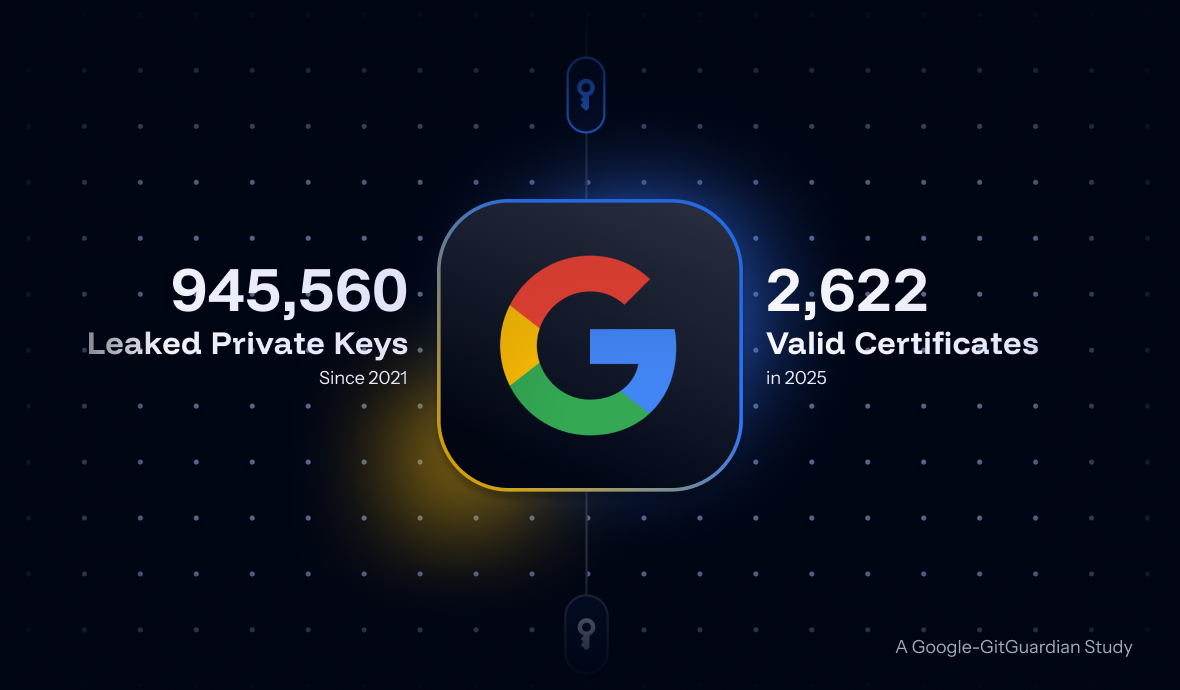
GitGuardian partnered with Google to answer: what happens when private keys leak? Using Certificate Transparency, we mapped about 1M leaked keys to 140k certificates. Result: 2,622 were valid as of September 2025, exposing major organizations. Our disclosure campaign achieved 97% remediation.
The post 2,622 Valid Certificates Exposed: A Google-GitGuardian Study Maps Private Key Leaks to Real-World Risk appeared first on Security Boulevard.

Starkiller is a new SaaS-style phishing framework that runs real brand websites inside headless Chrome containers, acting as a live reverse proxy to steal credentials, session tokens, and MFA-protected accounts while evading traditional detection.
The post Starkiller Phishing Framework Bypasses Defenses with Reverse Proxies, Takes an SaaS Approach appeared first on Security Boulevard.
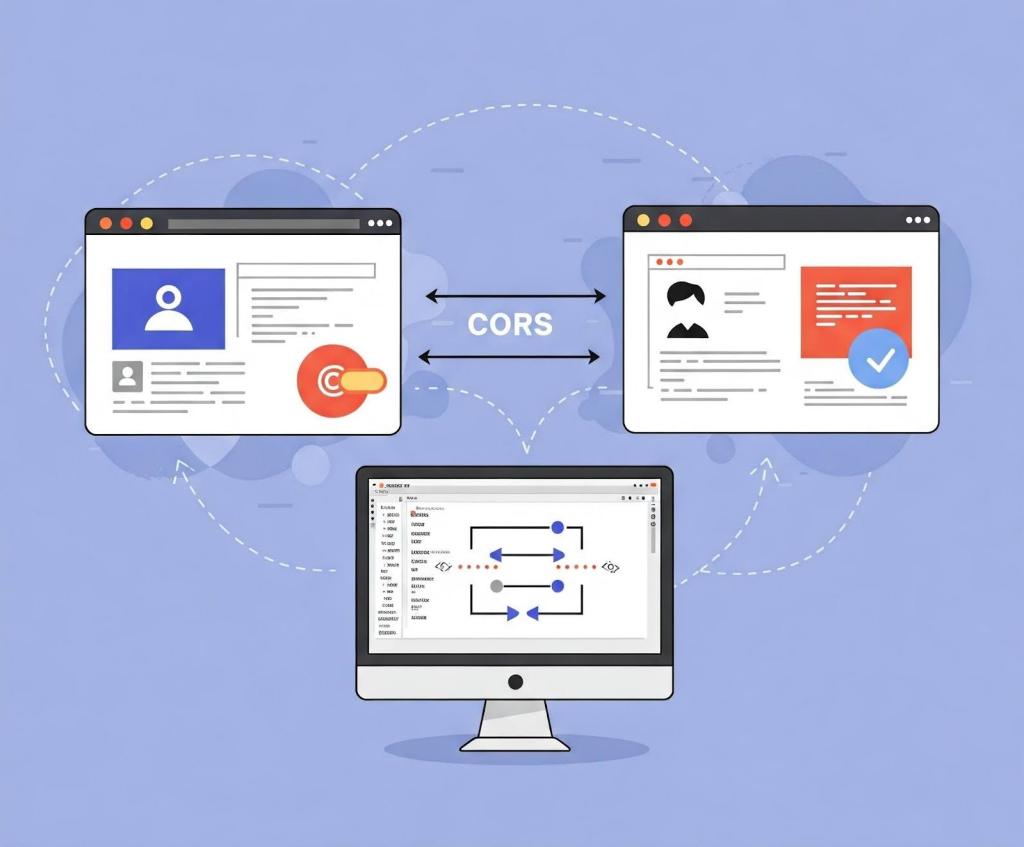
There are many different types of vulnerabilities that can occur when setting up CORS for your web application, and insecure usage of CORS frameworks and logic errors in homemade CORS implementations can lead to serious security vulnerabilities that allow attackers to bypass authentication. What’s more, attackers can utilize CORS misconfigurations to escalate the severity of other existing vulnerabilities in web applications to access services on the intranet.
In this blog post, I’ll show how developers and security researchers can use CodeQL to model their own libraries, using work that I’ve done on CORS frameworks in Go as an example. Since the techniques that I used are useful for modeling other frameworks, this blog post can help you model and find vulnerabilities in your own projects. Because static analyzers like CodeQL have the ability to get the detailed information about structures, functions, and imported libraries, they’re more versatile than simple tools like grep. Plus, since CORS frameworks often use set configurations via specific structures and functions, using CodeQL is the easiest way to find misconfigurations in your codebases.
When adding code to CodeQL, it’s best practice to always check the related queries and frameworks that are already available so that we’re not reinventing the wheel. For most languages, CodeQL already has a CORS query that covers many of the default cases. The easiest and simplest way of implementing CORS is by manually setting the Access-Control-Allow-Origin and Access-Control-Allow-Credentials response headers. By modeling the frameworks for a language (e.g., Django, FastAPI, and Flask), CodeQL can identify where in the code those headers are set. Building on those models by looking for specific header values, CodeQL can find simple examples of CORS and see if they match vulnerable values.
In the following Go example, unauthenticated resources on the servers could be accessed by arbitrary websites.
func saveHandler(w http.ResponseWriter, r *http.Request) {
    w.Header().Set("Access-Control-Allow-Origin", "*")
}
This may be troublesome for web applications that do not have authentication, such as tools intended to be hosted locally, because any dangerous endpoint could be accessed and exploited by an attacker.
This is a snippet of the Go http framework where CodeQL models the Set method to find security-related header writes for this framework. Header writes are modeled by the HeaderWrite class in HTTP.qll, which is extended by other modules and classes in order to find all header writes.
 /** Provides a class for modeling new HTTP header-write APIs. */
  module HeaderWrite {
    /**
     * A data-flow node that represents a write to an HTTP header.
     *
     * Extend this class to model new APIs. If you want to refine existing API models,
     * extend `HTTP::HeaderWrite` instead.
     */
    abstract class Range extends DataFlow::ExprNode {
      /** Gets the (lower-case) name of a header set by this definition. */
      string getHeaderName() { result = this.getName().getStringValue().toLowerCase() }
Some useful methods such as getHeaderName and getHeaderValue can also help in developing security queries related to headers, like CORS misconfiguration. Unlike the previous code example, the below pattern is an example of a CORS misconfiguration whose effect is much more impactful.
func saveHandler(w http.ResponseWriter, r *http.Request) {
    w.Header().Set("Access-Control-Allow-Origin",
    r.Header.Get("Origin"))
    w.Header().Set("Access-Control-Allow-Credentials",
    "true")
}
Reflecting the request origin header and allowing credentials permits an attacking website to make requests as the current logged in user, which could compromise the entire web application.
Using CodeQL, we can model the headers, looking for specific headers and methods in order to help CodeQL identify the relevant security code structures to find CORS vulnerabilities.
/**
 * An `Access-Control-Allow-Credentials` header write.
 */
class AllowCredentialsHeaderWrite extends Http::HeaderWrite {
    AllowCredentialsHeaderWrite() {
        this.getHeaderName() = headerAllowCredentials()
    }
}

/**
 * predicate for CORS query.
 */
predicate allowCredentialsIsSetToTrue(DataFlow::ExprNode allowOriginHW) {
        exists(AllowCredentialsHeaderWrite allowCredentialsHW |
                allowCredentialsHW.getHeaderValue().toLowerCase() = "true"
Here, the HTTP::HeaderWrite class, as previously discussed, is used as a superclass for AllowCredentialsHeaderWrite, which finds all header writes of the value Access-Control-Allow-Credentials. Then, when our CORS misconfiguration query checks whether credentials are enabled, we use AllowCredentialsHeaderWrite as one of the possible sources to check.
The simplest way for developers to set a CORS policy is by setting headers on HTTP responses in their server. By modeling all instances where a header is set, we can check for these CORS cases in our CORS query.
When modeling web frameworks using CodeQL, creating classes that extend more generic superclasses such as HTTP::HeaderWrite allows the impact of the model to be used in all CodeQL security queries that need them. Since headers in web applications can be so important, modeling all the ways they can be written to in a framework can be a great first step to adding that web framework to CodeQL.
Rather than setting the CORS headers manually, many developers use a CORS framework instead. Generally, CORS frameworks use middleware in the router of a web framework in order to add headers for every response. Some web frameworks will have their own CORS middleware, or you may have to include a third-party package. When modeling a CORS framework in CodeQL, you’re usually modeling the relevant structures and methods that signify a CORS policy. Once the modeled structure or methods have the correct values, the query should check that the structure is actually used in the codebase.
For frameworks, we’ll look into Go as our language of choice since it has great support for CORS. Go provides a couple of CORS frameworks, but most follow the structure of Gin CORS, a CORS middleware framework for the Gin web framework. Here’s an example of a Gin configuration for CORS:
package main

import (
  "time"

  "github.com/gin-contrib/cors"
  "github.com/gin-gonic/gin"
)

func main() {
  router := gin.Default()
  router.Use(cors.New(cors.Config{
    AllowOrigins:     []string{"https://foo.com"},
    AllowMethods:     []string{"PUT", "PATCH"},
    AllowHeaders:     []string{"Origin"},
    ExposeHeaders:    []string{"Content-Length"},
    AllowCredentials: true,
    AllowOriginFunc: func(origin string) bool {
      return origin == "https://github.com"
    }
  }))
  router.Run()
}
Now that we’ve modeled the router.Use method and cors.New — ensuring that cors.Config structure is at some point put into a router.Use function for actual use — we should then check all cors.Config structures for appropriate headers.
Next, we find the appropriate headers fields we want to model. For a basic CORS misconfiguration query, we would model AllowOrigins, AllowCredentials, AllowOriginFunc. My pull requests for adding GinCors and RSCors to CodeQL can be used as references if you’re interested in seeing everything that goes into adding a framework to CodeQL. Below I’ll discuss some of the most important details.
 /**
   * A variable of type Config that holds the headers to be set.
   */
  class GinConfig extends Variable {
    SsaWithFields v;

    GinConfig() {
      this = v.getBaseVariable().getSourceVariable() and
      v.getType().hasQualifiedName(packagePath(), "Config")
    }

    /**
     * Get variable declaration of GinConfig
     */
    SsaWithFields getV() { result = v }
  }
I modeled the Config type by using SSAWithFields, which is a single static assignment with fields. By using getSourceVariable(), we can get the variable that the structure was assigned to, which can help us see where the config is used. This allows us to find track variables that contain the CORS config structure across the codebase, including ones that are often initialized like this:
func main() {
...
// We can now track the corsConfig variable for further updates,such as when one of the fields is updated.
corsConfig:= cors.New(cors.Config{
...
})}
Now that we have the variable containing the relevant structure, we want to find all the instances where the variable is written to. By doing this, we can get an understanding of the relevant property values that have been assigned to it, and thus decide whether the CORS config is misconfigured.
 /**
   * A write to the value of Access-Control-Allow-Origins header
   */
  class AllowOriginsWrite extends UniversalOriginWrite {
    DataFlow::Node base;

	// This models all writes to the AllowOrigins field of the Config type
    AllowOriginsWrite() {

      exists(Field f, Write w |
        f.hasQualifiedName(packagePath(), "Config", "AllowOrigins") and
        w.writesField(base, f, this) and

		// To ensure we are finding the correct field, we look for a write of type string (SliceLit)
        this.asExpr() instanceof SliceLit
      )

    }

    /**
     * Get config variable holding header values
     */
    override GinConfig getConfig() {
      exists(GinConfig gc |
        (
          gc.getV().getBaseVariable().getDefinition().(SsaExplicitDefinition).getRhs() =
            base.asInstruction() or
          gc.getV().getAUse() = base
        ) and
        result = gc
      )
    }
  }
By adding the getConfig function, we return the previously created GinConfig, which allows us to verify that any writes to relevant headers affect the same configuration structure. For example, a developer may create a config that has a vulnerable origin and another config that allows credentials. The config that allows credentials wouldn’t be highlighted because only configs with vulnerable origins would create a security issue. By allowing CORS relevant header writes from different frameworks to all extend UniversalOriginWrite and UniversalCredentialsWrite, we can use those in our CORS misconfiguration query.
CORS issues are separated into two types: those without credentials (where we’re looking for * or null) and CORS with credentials (where we’re looking for origin reflection or null). If you want to keep the CodeQL query simple, you can create one query for each type of CORS vulnerability and assign their severity accordingly. For the Go language, CodeQL only has a “CORS with credentials” type of query because it’s applicable to all applications.
Let’s tie in the models we just created above to see how they’re used in the Go CORS misconfiguration query itself.
from DataFlow::ExprNode allowOriginHW, string message
where
  allowCredentialsIsSetToTrue(allowOriginHW) and
  (
    flowsFromUntrustedToAllowOrigin(allowOriginHW, message)
    or
    allowOriginIsNull(allowOriginHW, message)
  ) and
  not flowsToGuardedByCheckOnUntrusted(allowOriginHW)
...
select allowOriginHW, message
This query is only interested in critical vulnerabilities, so it checks whether credentials are allowed, and whether the allowed origins either come from a remote source or are hardcoded as null. In order to prevent false positives, it checks if there are certain guards — such as string comparisons — before the remote source gets to the origin. Let’s take a closer look at the predicate allowCredentialsIsSetToTrue.
/**
 * Holds if the provided `allowOriginHW` HeaderWrite's parent ResponseWriter
 * also has another HeaderWrite that sets a `Access-Control-Allow-Credentials`
 * header to `true`.
 */
predicate allowCredentialsIsSetToTrue(DataFlow::ExprNode allowOriginHW) {
  exists(AllowCredentialsHeaderWrite allowCredentialsHW |
    allowCredentialsHW.getHeaderValue().toLowerCase() = "true"
  |
    allowOriginHW.(AllowOriginHeaderWrite).getResponseWriter() =
      allowCredentialsHW.getResponseWriter()
  )
  or
...
For the first part of the predicate, we’ll use one of the headers we previously modeled, AllowCredentialsHeaderWrite, in order to compare headers. This will help us filter out all header writes that don’t have credentials set.
  exists(UniversalAllowCredentialsWrite allowCredentialsGin |
    allowCredentialsGin.getExpr().getBoolValue() = true
  |
    allowCredentialsGin.getConfig() = allowOriginHW.(UniversalOriginWrite).getConfig() and
    not exists(UniversalAllowAllOriginsWrite allowAllOrigins |
      allowAllOrigins.getExpr().getBoolValue() = true and
      allowCredentialsGin.getConfig() = allowAllOrigins.getConfig()
    )
    or
    allowCredentialsGin.getBase() = allowOriginHW.(UniversalOriginWrite).getBase() and
    not exists(UniversalAllowAllOriginsWrite allowAllOrigins |
      allowAllOrigins.getExpr().getBoolValue() = true and
      allowCredentialsGin.getBase() = allowAllOrigins.getBase()
    )
  )
}
If CORS is not set through a header, we check for CORS frameworks using UniversalAllowCredentialsWrite.To filter out all instances whose corresponding Origin value is set to “*”, we use the not CodeQL keyword on UniversalAllowAllOriginsWrite, since these are not applicable to this vulnerability. flowsFromUntrustedToAllowOrigin and allowOriginIsNull follow similar logic to ensure that the resulting header rights are vulnerable.
When you model CodeQL queries to detect vulnerabilities related to CORS, you can’t use a one-size-fits-all approach. Instead, you have to tailor your queries to each web framework for two reasons:
For example, we saw before in Gin CORS that there is an AllowOriginFunc. After looking at the documentation or experimenting with the code, we can see that it may override AllowOrigins. To improve our query, we could write a CodeQL query that looks for AllowOriginFuncs that always return true, which will result in a high severity vulnerability if paired with credentials.
Once you understand the behavior of web frameworks and headers with CodeQL, it’s simple to find security issues in your code and reduce the chance of vulnerabilities making their way into your work. The number of CodeQL languages that support CORS misconfiguration queries is still growing, and there is always room for improvement from the community .
If this blog has been helpful in helping you write CodeQL queries, please feel free to open anything you’d like to share with the community in our CodeQL Community Packs.
Finally, GitHub Code Security can help you secure your project by detecting and suggesting a fix for bugs such as CORS misconfiguration!
Explore more GitHub Security Lab blog posts >
The post Modeling CORS frameworks with CodeQL to find security vulnerabilities appeared first on The GitHub Blog.

Have you ever considered yourself a detective at heart? Cybersecurity researchers are digital detectives, uncovering vulnerabilities before malicious actors exploit them. To succeed, they adopt the mindset of an attacker, thinking creatively to predict and outmaneuver threats. Their expertise ensures the internet remains a safer place for everyone.
If you love technology, solving puzzles, and making a difference, this might be the perfect career—or pivot—for you. This blog will guide you through the fascinating world of security research, how to get started, and how to thrive in this rapidly changing field.
Security researchers investigate systems with the mindset of an attacker to uncover vulnerabilities before they can be exploited. They test for weaknesses and design robust security measures to protect against cyber threats.
But their work doesn’t stop at identifying problems. Security researchers work with developers, system administrators, and open source maintainers to report and fix problems. They protect essential data and ensure digital infrastructure is robust against new threats.
Security researchers often specialize in areas such as:
Understanding the significance of cybersecurity researchers requires looking at their impact through real-world examples.
A notable example is the Log4Shell vulnerability identified in 2021 in the Log4j logging framework. Security researchers played a key role in uncovering this issue, which had the potential to allow attackers to remotely execute code and compromise systems globally. Thanks to their swift action and collaboration with the community, patches were developed and shared before attackers could widely exploit the vulnerability. This effort highlights the researchers’ vital role in safeguarding systems.
Similarly, in 2023, security researchers discovered a zero-day vulnerability in the MOVEit file transfer tool, identifying the issue before it could be exploited on a large scale. The flaw had the potential to allow unauthorized access to file transfer systems, which could have resulted in data breaches. By proactively identifying the vulnerability and working with vendors to develop timely patches, these researchers helped secure critical systems and prevent potential breaches.
These examples show that security researchers don’t just protect systems—they protect people and organizations. This makes their work not just important but crucial in the digital age. Their efforts save businesses, governments, and individuals from devastating cyberattacks, giving their work a deep sense of purpose.
The essence of a great security researcher lies in a blend of traits and skills. An inherent curiosity and passion for security are what drives them. This isn’t just about loving technology; it’s about being captivated by the intricacies of how systems can be manipulated or secured. This curiosity leads to continuous learning and exploration, pushing the boundaries of what’s known to uncover what’s hidden.
Problem-solving is another important part of security research. Security research involves solving complex puzzles where understanding how to break something can often lead to knowing how to fix it. Creativity is equally crucial. The best researchers think outside the box, finding innovative ways to secure systems or expose weaknesses that conventional methods might miss.
Attention to detail is paramount in this field, where a single oversight can lead to significant vulnerabilities. Ethical rules guide their work. They make sure they use their skills to help security, not for personal gain or harm.
Adaptability is necessary due to the ever-changing landscape of cyber threats. Researchers must stay updated with new technologies and attack methods, always learning to keep ahead of malicious actors. Finally, persistence is what lets them look deep into systems, finding weaknesses that might be hidden or deeply buried.
The journey can be long and arduous, but their determination leads to breakthroughs.
One of the most inspiring aspects of security research is that it’s a field that welcomes diverse backgrounds. While degrees and certifications offer structured learning, they’re not required to succeed. Many top researchers come from eclectic paths and thrive because of their creativity and practical experience.
This diversity shows that formal qualifications aren’t always needed. What matters most is your ability to find real vulnerabilities and solve complex problems.
Many breakthroughs in security research come from someone noticing something unusual and investigating it deeply. Take the XZ Utils backdoor, discovered by a Microsoft employee who uncovered a hidden vulnerability while troubleshooting slow SSH connections. Similarly, the Sony BMG rootkit scandal came to light because someone dug deeper into unexpected behavior. These examples highlight how curiosity, observation, and persistence often lead to significant discoveries.
This investigative mindset is central to security research, but it needs to be paired with practical skills to uncover and mitigate vulnerabilities effectively. So, how can you get started? By building the essential skills that form the foundation of a successful security researcher.
Learn by doing: Use security tools like OWASP ZAP, Burp Suite Community Edition, and Ghidra to develop practical skills. Experiment in safe test environments, such as intentionally vulnerable applications or local test setups, where you can break systems and learn how to fix them. Try fuzzing with tools like AFL++ to uncover hidden vulnerabilities and strengthen software.
Think like an attacker: Understand how malicious actors exploit systems. This mindset sharpens your ability to spot vulnerabilities, predict potential exploits, and design effective defenses.
Develop programming skills: Practice writing secure, efficient code in the language of your choice. Contribute to open source projects or join hackathons to enhance your skills and gain experience.
Understand vulnerabilities: Study common issues like SQL injection, cross-site scripting (XSS), and other frequent weaknesses, such as those on the Top 25 CWE Weaknesses List. Use tools like CodeQL to analyze, exploit, and mitigate vulnerabilities effectively.
Gain practical experience:
Build a network: Attend conferences, forums, and local meetups to connect with like-minded professionals. Exchange knowledge, find mentors, and stay updated on the latest trends and tools in cybersecurity.
While building experience and networking are essential for all researchers, they’re especially valuable for those transitioning into cybersecurity research. If you’re considering a shift, here’s how to leverage your existing skills and make the leap without starting over.
If you’re currently employed, you can begin your journey by leveraging opportunities in your current role:
Your existing skills can provide a strong foundation, even if you’re coming from an unrelated field. Explore any opportunities available, including the tools and platforms mentioned earlier, to sharpen your skills and gain real-world experience.
Participate in forums and meetups, for example, on meetup.com, and join online groups to exchange knowledge and gain mentorship. Chances are, you’ll meet someone working in a role you’re interested in, presenting a good opportunity to ask for feedback and insight into the next steps you can take to work toward a career in cybersecurity.
Security research is more than a career—it’s a journey fueled by curiosity, creativity, and persistence. No matter your background, your willingness to dig deeper, think critically, and take action can make a meaningful difference in the digital world. The vulnerabilities you uncover could protect millions. The only question is—what action can you take today?
Cybersecurity evolves rapidly, and staying informed is critical. Use these strategies:
The journey to becoming a cybersecurity researcher is as much about curiosity and exploration as it is about structured learning. There’s no single path—your next move is yours to choose.
Here are some ideas to spark your journey:
Every action you take is a step forward in building your expertise and making the digital world safer. What will you explore next?
Did you know GitHub has a Security Lab dedicated to improving open source security? Check out the GitHub Security Lab resources to learn more, explore tools, and join the effort to make open source safer.
The post Cybersecurity researchers: Digital detectives in a connected world appeared first on The GitHub Blog.
