Visualização de leitura

Linux Kernel 7.1 Reaches End of Life

The Linux Kernel 7.1 EOL has officially arrived. Discover the final updates and learn why you must upgrade to the latest stable LTS releases immediately.

Related Posts:

The post Linux Kernel 7.1 Reaches End of Life appeared first on Daily CyberSecurity.

Weekly Update 520: The Unscripted Edition

Weekly Update 520: The Unscripted Edition

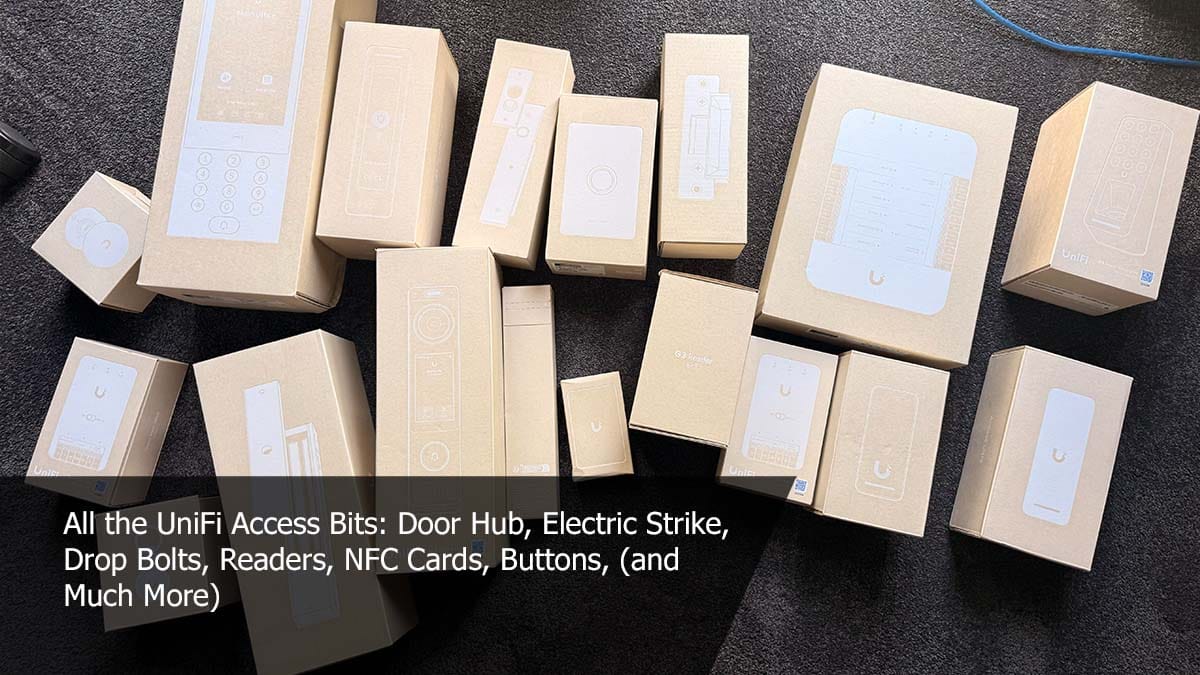
I've started playing around with YouTube's "create video thumbnail", which hopefully will give me back a bit of time in my day (it used to be a manual job in Photoshop) and be a bit more interesting. And on that note, the imagery it's chosen this week is spot on: that Lockwood ES2100 electric strike looks like the perfect solution for my first fully installed Ubiquiti Access door lock. Having the door position sensor built in really simplifies things, and hopefully Ubiquiti will later add support to their hubs for the latch position and strike lock status. Once I'm back from this next round of travel, I should be able to do a full review of what it's like to actually live with.

Weekly Update 520: The Unscripted Edition

Two critical Chrome flaws put users at risk on malicious websites

Update September 4, 2026

Shortly after this article was published, Google released another Chrome update that patches an actively exploited flaw in the V8 JavaScript engine, tracked as CVE-2026-85046.

Google rates the vulnerability as high severity and says an exploit already exists in the wild. An attacker could use a crafted HTML page to execute arbitrary code inside the Chrome sandbox. Because it is already being exploited, HKCERT rates the overall risk as extremely high.

After installing the latest update, Chrome should be at version 152.0.7977.82/.83 on Windows and Mac, or 152.0.7977.82 on Linux.

Chrome is rolling out an update for its desktop browser. The update includes 26 security fixes, two of which Google rates as critical use-after-free vulnerabilities.

How to update Chrome

If you don’t want to wait for the rollout to reach you, manually updating is easy.

The easiest option is to allow Chrome to update automatically. But you can end up lagging behind if you never close your browser or if something goes wrong with the update.

To update manually, click the More menu (three dots), then go to Settings > About Chrome. If an update is available, Chrome will start downloading it automatically. Restart Chrome to complete the update, and you’ll be protected against these vulnerabilities.

You can find an explanation of the version numbering system and step-by-step instructions in our guide: How to update Chrome on every operating system.

Technical details

Let’s look at the two critical vulnerabilities. Both are use-after-free (UAF) vulnerabilities. A use-after-free vulnerability occurs when a program attempts to access a memory location after it has been freed. That can cause crashes or, in some cases, allow an attacker to run their own code.

The first, tracked as CVE-2026-84353, was found in Shared Tab Groups and could allow a remote attacker using social engineering to execute arbitrary code outside the browser sandbox via a crafted HTML page. Here, social engineering likely means an attacker would have to lure you to a malicious website or open an email in HTML format.

The other critical vulnerability, tracked as CVE-2026-84352, was found in WebGL. WebGL, short for Web Graphics Library, is a browser technology that lets websites display interactive 2D and 3D graphics. The vulnerability could allow a remote attacker to execute arbitrary code outside the sandbox via a crafted HTML page.

Chrome vulnerabilities that enable remote code execution outside the browser sandbox are particularly valuable to attackers because they can turn a visit to a malicious or compromised website into direct code running on the underlying operating system, often without requiring additional exploitation steps.


Stop threats before they can do any harm.

Malwarebytes Browser Guard blocks phishing pages and malicious sites automatically. Free, one click to install. Add it to your browser →

Weekly Update 519: Breaches & Data Integrity

Weekly Update 519: Breaches & Data Integrity

It does feel like I've bitten off too much and am now chewing like crazy this week. The 3D printing talk with Elle in Oslo, the "normal" NDC infosec talk, the cyber-broken talk with Scott in Copenhagen and then those ratbag hackers keep dumping more data too! Oh, and still finalising all the IoT door lock stuff, along with mapping out all the cameras, APs and door hubs in Ubiquiti's designer to make sure we don't miss anything there. It's ordered chaos... just.

Weekly Update 519: Breaches & Data Integrity

Gemini Notebook Adopts Dynamic Quota System

Google transitions Gemini Notebook to a dynamic quota system based on computational load, introducing a strict 5-hour rolling limit for users.

Related Posts:

The post Gemini Notebook Adopts Dynamic Quota System appeared first on Daily CyberSecurity.

OpenClaw Unleashes Massive Update

The open-source OpenClaw AI agent project just released its largest update ever. Discover how this accidental 2.0 upgrade transforms the user experience.

Related Posts:

The post OpenClaw Unleashes Massive Update appeared first on Daily CyberSecurity.

Windows 11 26H2 Enters Release Preview Channel

Microsoft has released Windows 11 26H2 to the Release Preview Channel. Learn about this minor enablement package update and its impact on your system.

Related Posts:

The post Windows 11 26H2 Enters Release Preview Channel appeared first on Daily CyberSecurity.

Ubuntu 26.04.1 LTS Released with Crucial Bug Fixes

Canonical releases Ubuntu 26.04.1 LTS, consolidating security patches and resolving critical desktop, hardware, and installation bugs for new deployments.

Related Posts:

The post Ubuntu 26.04.1 LTS Released with Crucial Bug Fixes appeared first on Daily CyberSecurity.

Weekly Update 518: IoT Doorlock Nirvana with UniFi

Weekly Update 518: IoT Doorlock Nirvana with UniFi

I genuinely think I've nailed the IoT door lock situation! Well, Ubiquiti has, but I think I've worked out how to put it all into a residential house and have it make sense. There are a few basic tenets:

  1. Main power (never have to rely on batteries)
  2. Fail-secure (needs to remain locked on power outage)
  3. Local control (no cloud latency to contend with)
  4. Manual override ("the house is on fire, let me out")

Which is exactly what we have here in this week's vid (and sorry about the section of rubbish audio; the camera mic started capturing it for a short period there). There are some edge cases I want to validate the impact of, namely the inability to keep the door both closed and unlocked, and some of the assumptions I've made around access methods. The laundry will be our low-impact test case; then, if that's all good, I'll start rolling this approach out much more seriously across the house. Stay tuned, I think this will actually be pretty awesome.

Weekly Update 518: IoT Doorlock Nirvana with UniFi

Microsoft Removes Windows 11 Drag Tray

Microsoft officially removes the experimental Windows 11 Drag Tray feature from beta builds after widespread user complaints about File Explorer interference.

Related Posts:

The post Microsoft Removes Windows 11 Drag Tray appeared first on Daily CyberSecurity.

Weekly Update 517: Cyber Ransoms

Weekly Update 517: Cyber Ransoms

The current ransomware situation is a bit of a kludge (deep breath): a lot of ransomware (which often doesn't even involve "ware", it's just extortion) is carried out by kids who successfully make a truckload of money but can't spend it without getting caught and the companies they breach rapidly get piled onto by class action lawyers that keeps them busy fighting and being cautious not to say anyting to customers lest that then gets used against them in litigation. That's mostly it; more in this week's video:

Weekly Update 517: Cyber Ransoms

Weekly Update 516: Live From Vietnam

Weekly Update 516: Live From Vietnam

A little wind noise, a little connectivity flakiness, and a little lip-sync issues from YouTube, but look at that view! 🤩 Back to business, it's the Brinks Home FAQ I found most interesting this week. I mean, how do you write your own FAQ then fail to actually answer most of the questions?! Being conscious that they're the target of criminal extortion and are genuinely the victims here, I still struggle to grasp how simple incident response questions can be so lawyer-speaked as to remove all sensible meaning from the responses. But this is how these things tend to play out these days (speaking generically, yet to be seen fully for Brinks): hacker gets data by just calling up and asking for it (vishing -> OAuth), hacker demands money, hacker gets no money so dumps the data, company gets a gazillion class actions overnight and lawyers up to the hilt, customers get notified "where legally required" (which it usually isn't) 🤷‍♂️

Weekly Update 516: Live From Vietnam
❌